B2B Data Infrastructure in 2026: The Complete Build Guide
Your CRM is only as good as the data flowing into it. Here is how modern teams architect B2B data infrastructure that stays accurate, enriched, and pipeline-ready in 2026.
TL;DR
- B2B data infrastructure is the connected set of layers — sourcing, enrichment, verification, storage, and activation — that keeps your revenue data accurate and usable, not just stored.
- Most teams over-invest in CRM and under-invest in the pipes feeding it, which is why 30%+ of records decay every year.
- A modern stack treats data as a flow, not a file: APIs and webhooks replace quarterly CSV imports.
- Verification before storage is the highest-ROI fix you can make this quarter — it protects sender reputation and rep trust at once.
- You can assemble a credible stack for under $250/month using focused tools rather than one bloated platform.
What is B2B data infrastructure?#
B2B data infrastructure is the plumbing behind your go-to-market motion: the systems that find, clean, enrich, store, and deliver contact and company data to the people and tools that act on it. Think of it like a city's water system. The CRM is the faucet everyone sees, but the value comes from the reservoirs, treatment plants, and pipes nobody thinks about until something tastes wrong.
When sales complains that "the data is bad," they are almost never talking about the faucet. They are talking about a treatment failure upstream — a record that was never verified, an enrichment field that went stale, or a source that was scraped once in 2023 and never refreshed.
Technically, the infrastructure spans five layers that hand off to each other in sequence. Get the handoffs right and data stays fresh on its own. Get them wrong and you are back to manual list-cleaning every quarter.
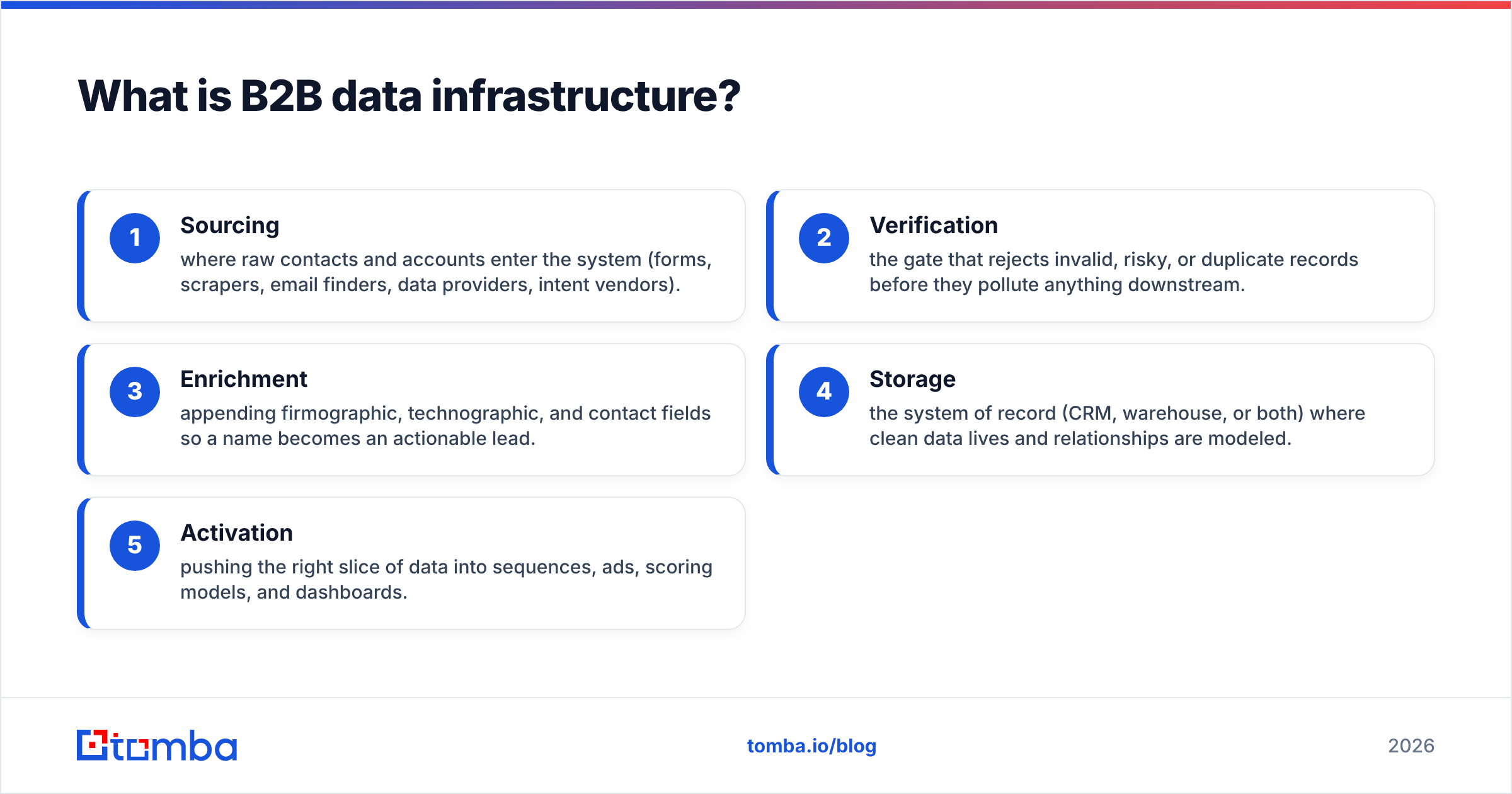
The five layers of a modern B2B data stack:
- Sourcing — where raw contacts and accounts enter the system (forms, scrapers, email finders, data providers, intent vendors).
- Verification — the gate that rejects invalid, risky, or duplicate records before they pollute anything downstream.
- Enrichment — appending firmographic, technographic, and contact fields so a name becomes an actionable lead.
- Storage — the system of record (CRM, warehouse, or both) where clean data lives and relationships are modeled.
- Activation — pushing the right slice of data into sequences, ads, scoring models, and dashboards.

Why does B2B data infrastructure matter in 2026?#
Because decay is now faster than acquisition for most teams. Industry estimates have long put B2B data decay around 30% per year, driven by job changes, company moves, and domain churn. In a tight labor market with constant reorgs, that number trends higher, not lower. If you acquire 1,000 contacts a quarter but lose accuracy on 300 existing ones, you are running to stand still.
The second reason is deliverability. Sending to unverified addresses spikes your bounce rate, and mailbox providers read bounces as a signal that you are a careless sender. One bad import can drag down email deliverability for your entire domain, including the clean campaigns. Infrastructure that verifies before send is no longer optional hygiene — it is reputation insurance.
Third, AI changed the cost-benefit math. Scoring models, AI SDRs, and automated routing all amplify whatever data you feed them. Garbage in, garbage at scale. A 2026 stack has to assume that machines, not just humans, are consuming the data, which raises the bar on consistency and freshness.
A rep can squint at a messy record and still make a call. A model cannot. As you automate, data quality stops being a nice-to-have and becomes the ceiling on everything you build.
What are the components of a B2B data stack?#
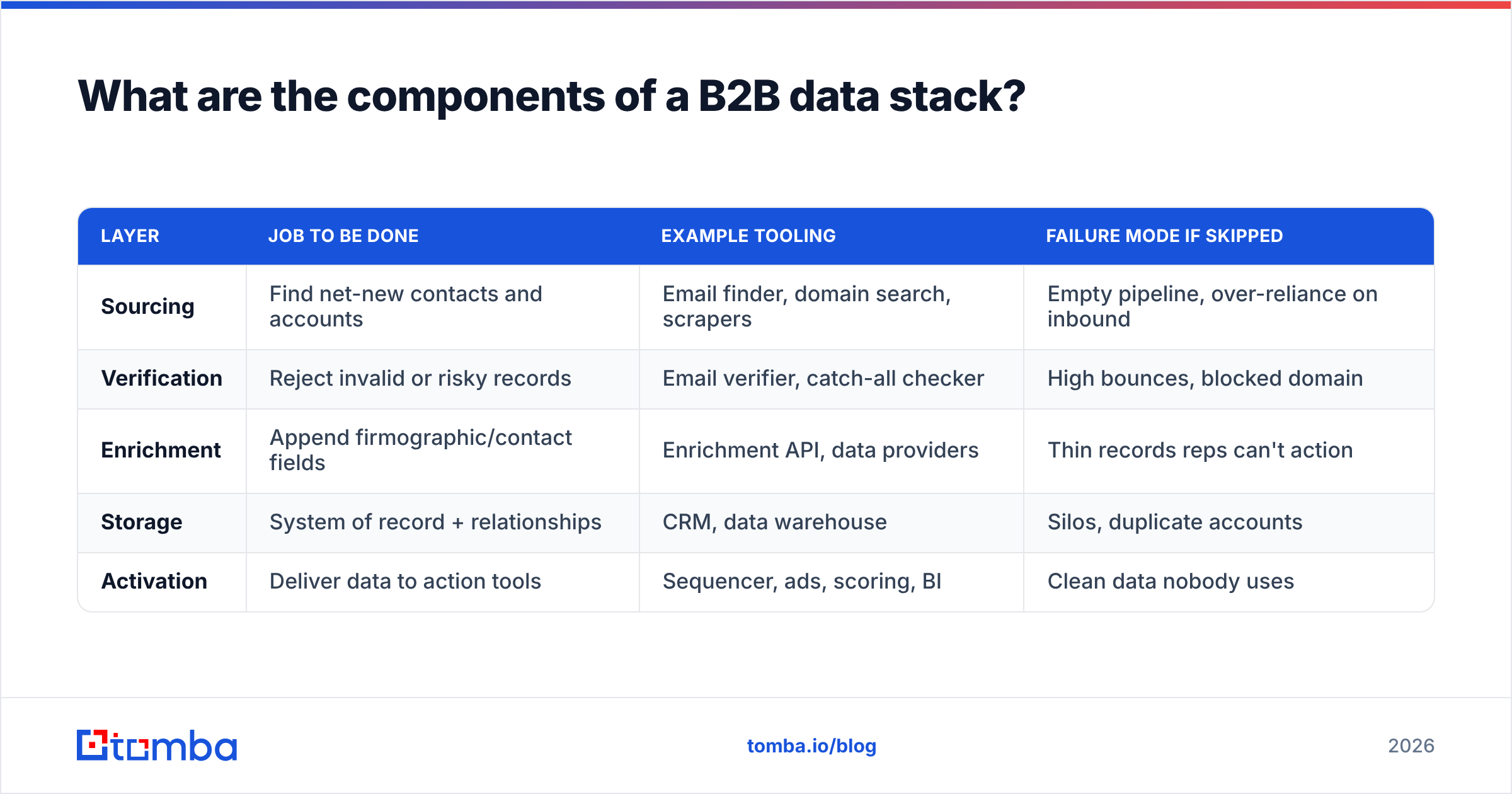
Here is how the layers map to tool categories and what each one is responsible for. Use this as a buying checklist rather than a shopping spree — you rarely need a separate vendor for every row.
| Layer | Job to be done | Example tooling | Failure mode if skipped |
|---|---|---|---|
| Sourcing | Find net-new contacts and accounts | Email finder, domain search, scrapers | Empty pipeline, over-reliance on inbound |
| Verification | Reject invalid or risky records | Email verifier, catch-all checker | High bounces, blocked domain |
| Enrichment | Append firmographic/contact fields | Enrichment API, data providers | Thin records reps can't action |
| Storage | System of record + relationships | CRM, data warehouse | Silos, duplicate accounts |
| Activation | Deliver data to action tools | Sequencer, ads, scoring, BI | Clean data nobody uses |
Notice the dependency order. Verification sits before enrichment for a reason: enriching a fake or mistyped address wastes credits and writes confident-looking garbage into your CRM. Always validate the foundation before you build on it. Tomba's email verifier and catch-all verifier are designed to be that gate, returning a status you can branch logic on before anything hits storage.
For sourcing, the workhorse is still the email finder plus domain search when you want every reachable contact at a target account. The difference between a hobbyist stack and a real one is that the real one calls these as APIs inside a workflow, not as a person typing names into a web form.
How do you build B2B data infrastructure step by step?#
Treat data as a flow, not a file. The single biggest upgrade most teams can make is replacing the quarterly "export, clean in Excel, re-import" ritual with event-driven pipes. Here is the sequence that gets you there.
Step 1 — Define your ideal record. Before you buy anything, write down the exact fields a "complete" lead and account must have. Name, verified work email, role, company, employee count, tech stack, and a freshness timestamp is a sane default. This schema becomes the contract every layer must satisfy.
Step 2 — Pick a system of record. For most teams this is the CRM (HubSpot, Salesforce, Pipedrive). High-volume or analytics-heavy teams add a warehouse alongside it. Decide now, because every other tool will read from and write to this hub.
Step 3 — Wire sourcing through an API. Connect your finder and enrichment provider directly to the CRM via native integrations or a glue layer. Tomba ships integrations for HubSpot, Salesforce, Pipedrive, Zapier, and Make, plus a Tomba API and bulk email finder for batch jobs.
Step 4 — Insert verification as a gate. Every inbound record — form fill, scraped lead, purchased list — passes through verification before it is allowed to create or update a CRM record. Route catch-all domains to a separate review queue instead of trusting or trashing them blindly.
Step 5 — Enrich on a schedule, not once. Set enrichment to re-run on a cadence (monthly is common) so firmographics and contact roles stay current. This is what actually fights the 30% decay problem.
Step 6 — Activate with guardrails. Only sync verified, enriched records into sequencers and ad audiences. Keep raw and unverified data quarantined so a bad import can never reach a send.

Build vs. buy: how should you assemble the stack?#
You will face this fork at every layer: build it in-house, or buy a focused tool. The honest answer is that almost no GTM team should build sourcing or verification from scratch — the data networks and SMTP logic behind them take years to mature. Where in-house effort pays off is the orchestration glue that connects best-in-class tools to your specific schema.
| Approach | Best for | Time to value | Ongoing cost | Risk |
|---|---|---|---|---|
| All-in-one platform | Teams wanting one bill | Fast | High ($$$/seat) | Lock-in, mediocre at each layer |
| Best-of-breed + glue | Most scaling teams | Medium | Moderate | You own the integrations |
| Fully in-house | Data-native unicorns | Slow | Engineering-heavy | Maintenance forever |
The best-of-breed path wins for most companies in 2026 because API-first tools and automation platforms (
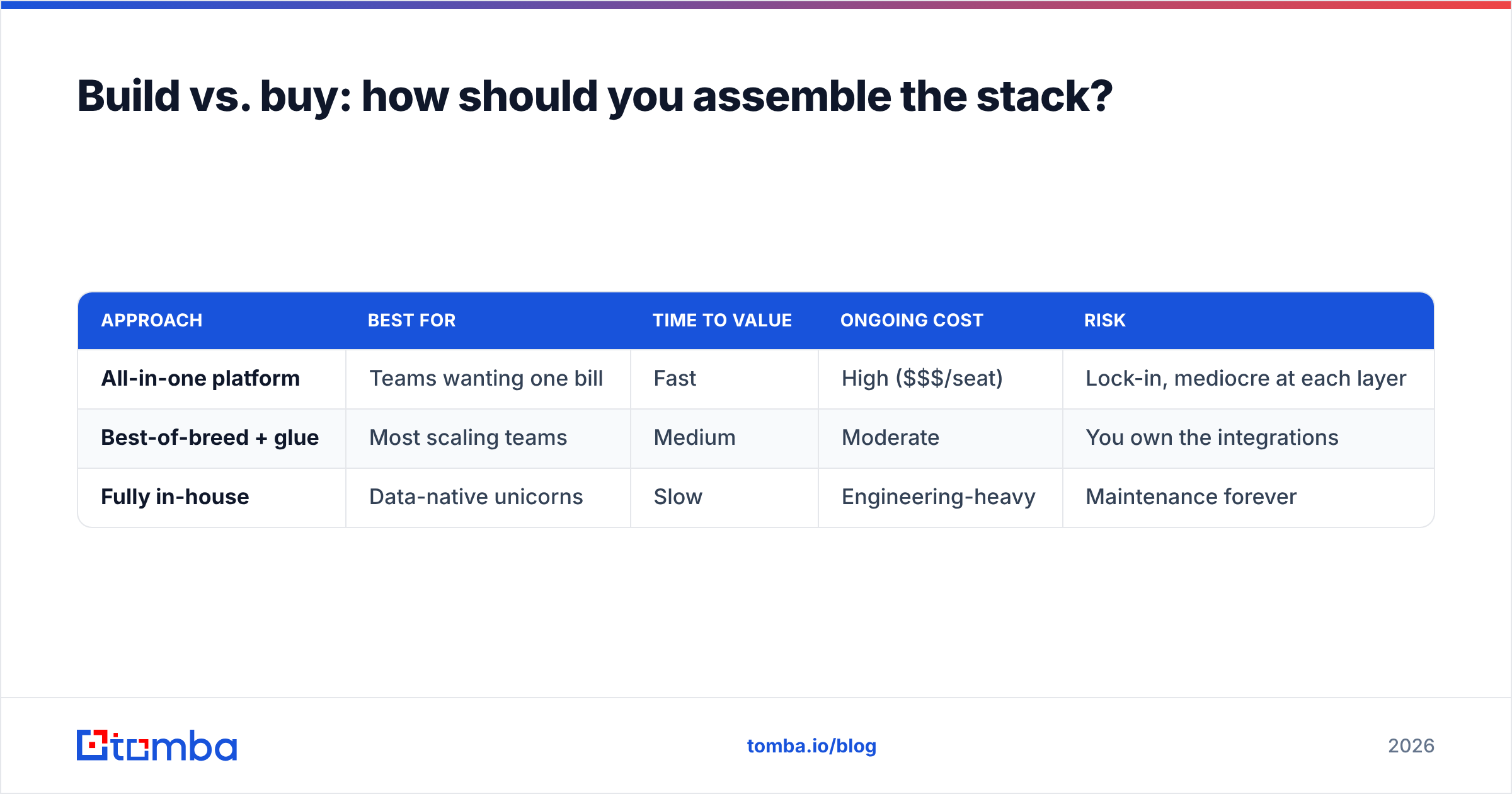
Zapier, Make, native webhooks) made the "glue" cheap. You get the accuracy of a specialist at each layer without paying enterprise platform rates. Check Tomba pricing against an all-in-one quote and the math is usually stark: Free (25 searches/mo), Starter $49/mo, Growth $99/mo, Pro $249/mo, with Enterprise custom.
For an honest external benchmark on tool selection, G2's data quality category and HubSpot's data management resources are good neutral starting points before you commit budget.
How do you keep B2B data accurate over time?#
Accuracy is a maintenance discipline, not a one-time purchase. The teams with clean data are not lucky — they have automated three habits.
- Re-verify on a cadence. Run your active sending lists through verification monthly. Addresses that were valid in January quietly die by June as people change jobs.
- Deduplicate continuously. Use a remove duplicates step in your import flow so the same account doesn't fork into three records owned by three reps.
- Track a freshness timestamp. Every enriched record should carry the date it was last confirmed. Sort by that field to find what needs a refresh instead of guessing.
A useful analogy: data quality is like dental hygiene. A single deep clean feels great and changes nothing six months later. The outcome comes from the boring daily habit. Build the habit into the pipeline so no human has to remember it.
It also helps to understand where records come from in the first place. Knowing your data sources tells you which fields to trust and which to re-confirm — a phone number sourced two years ago deserves more skepticism than an email verified last week. When you do need direct dials, a dedicated phone finder with its own validation step keeps that field as clean as your email column.
What does good B2B data infrastructure look like in practice?#
A healthy stack is mostly invisible. A new lead hits a form, gets verified in milliseconds, is enriched with role and company data, lands deduplicated in the CRM, scores against your model, and routes to the right rep — all before anyone touches it. The rep opens a record that is already complete and trustworthy.
Compare that to the broken version: a rep exports a list, finds half the emails bounce, manually Googles the rest, pastes findings into a spreadsheet, and re-imports a week later. Same tools exist in both worlds. The difference is whether they are connected into a flow.
The connective tissue is what separates the two. APIs, webhooks, and scheduled jobs turn a pile of point tools into infrastructure. If you remember one thing: stop moving data by hand. Every manual export is a place where freshness dies and errors creep in.
This is also where revenue operations earns its keep. RevOps owns the contracts between layers — the schema, the verification thresholds, the enrichment cadence — so that marketing, sales, and customer success all drink from the same clean reservoir instead of maintaining private spreadsheets.
Frequently asked questions#
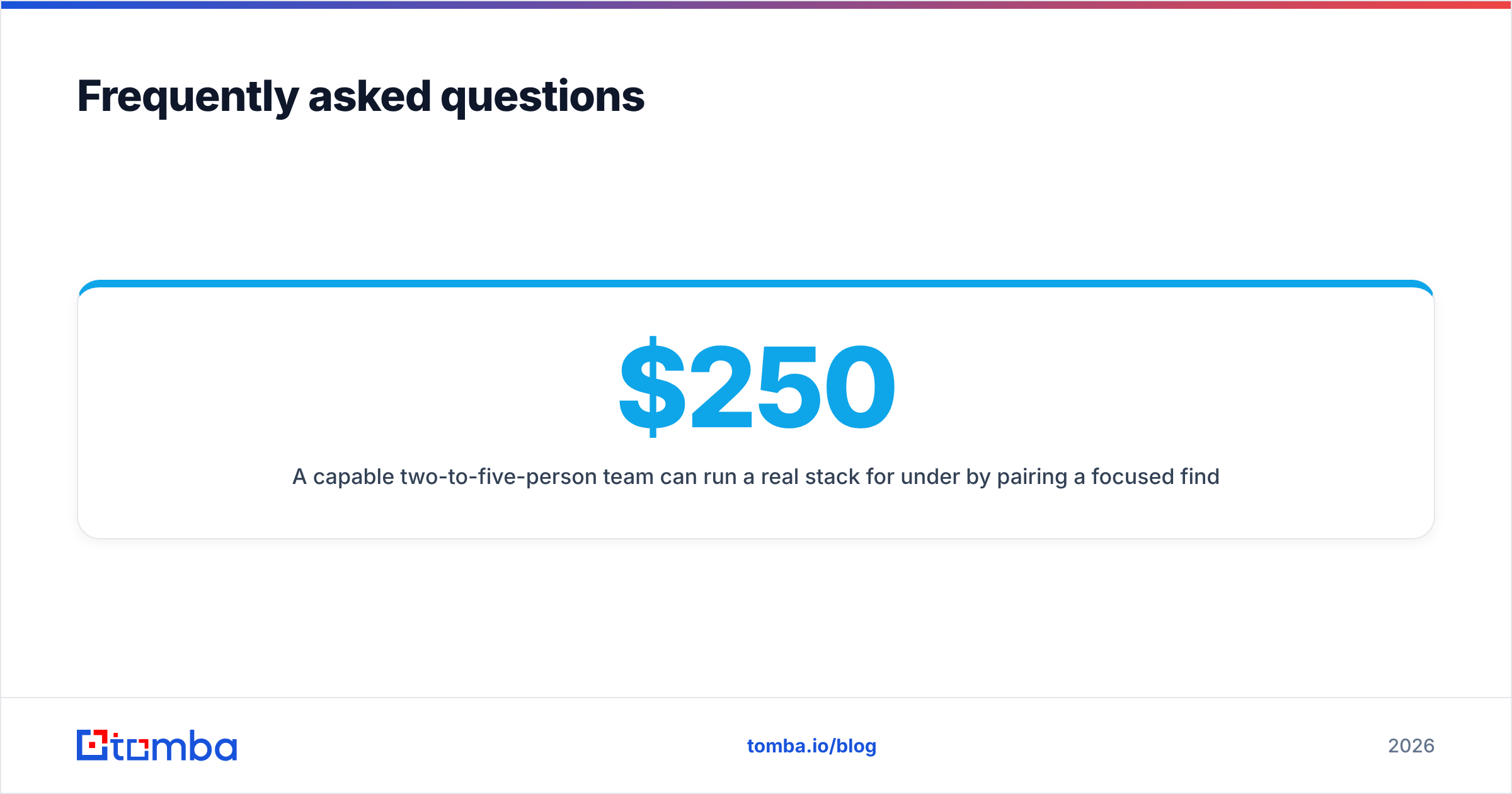
How much should a small team budget for B2B data infrastructure? A capable two-to-five-person team can run a real stack for under $250/month by pairing a focused finder-and-verifier like Tomba ($49–$99/mo) with their existing CRM and a low-cost automation layer. You scale spend with volume, not headcount.
Do I need a data warehouse? Not at first. If your CRM is your only system of record and you are under a few hundred thousand records, the CRM plus disciplined verification is enough. Add a warehouse when analytics queries start slowing the CRM or when you need to join data across many sources.
What is the fastest fix for bad data right now? Insert verification before storage. Run your current active lists through an email verifier this week and quarantine anything that fails. It protects deliverability immediately and costs almost nothing.
Where do email finders fit in the stack? At the sourcing layer. An email finder turns a name and domain into a reachable contact, which is the raw input everything downstream depends on. Pair it with verification so you never enrich an address you can't trust.
Build your B2B data foundation with Tomba#
Your CRM is only as valuable as the data flowing into it, and that flow starts at sourcing. The Tomba Email Finder gives you accurate, verifiable contact data by domain, name, or company — with an API, bulk processing, and native CRM integrations so it slots into the infrastructure described above instead of becoming another manual export. Start free with 25 searches a month, wire verification in front of your storage layer, and let the pipes keep your pipeline clean while you focus on selling. When the data foundation is solid, every tool above it works better.
Ready to find emails that actually work?
Join 150,000+ professionals who stopped guessing and started sending. Free credits on signup — no credit card required.
Get the Tomba newsletter
Practical outbound tactics and product updates — once every two weeks.
About the author