How to Build a B2B Data List That Converts in 2026
A B2B data list is only as good as its accuracy. Here's how to build, buy, and maintain one that actually books meetings in 2026 — without burning your domain.
TL;DR
- A B2B data list is a structured set of business contacts — names, verified emails, phone numbers, job titles, and company firmographics — used to power outbound, ABM, and enrichment.
- Buying a giant static list is the fastest way to wreck your sender reputation. Building a smaller, verified, continuously refreshed list wins on reply rate every time.
- The fields that matter most are a verified work email, accurate job title, company size, and a recent "last validated" date.
- Plan on 2–3% monthly decay: roughly a quarter of your list rots every year. Verification is not a one-time step — it's a maintenance habit.
- The cheapest path to a clean list is to source on demand (by domain, name, or role) and verify before you send, rather than paying for millions of rows you'll never email.
What is a B2B data list?#
A B2B data list is the contact spreadsheet behind every outbound campaign — but the useful version is far more than rows of emails. Think of it like a guest list for a wedding: a name with no current address is useless, two people listed twice is embarrassing, and inviting someone who moved away three years ago just wastes a seat. A real B2B data list pairs each person with the context you need to reach them and the proof that the contact details still work.
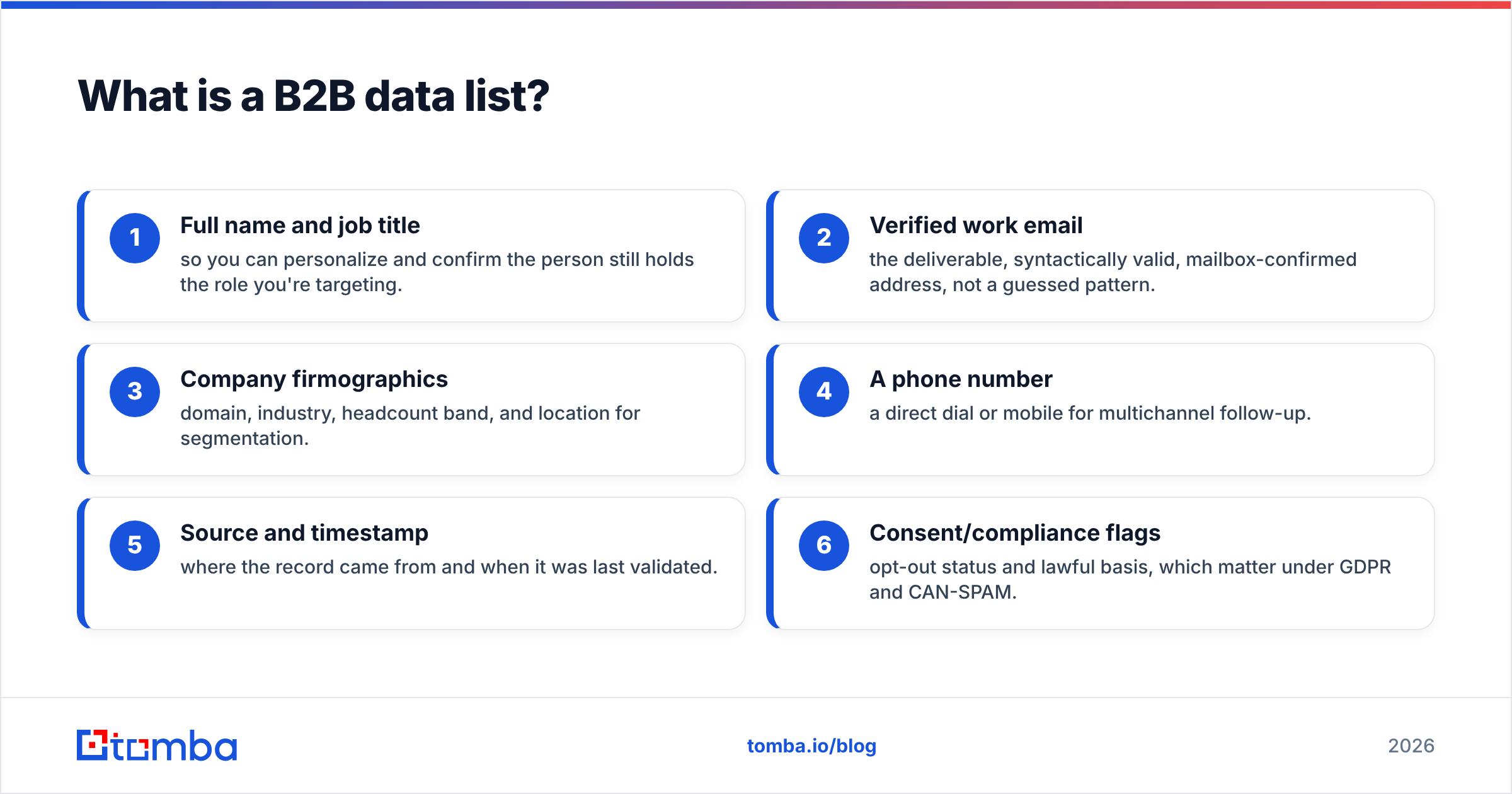
At minimum, a list that converts contains:
- Full name and job title — so you can personalize and confirm the person still holds the role you're targeting.
- Verified work email — the deliverable, syntactically valid, mailbox-confirmed address, not a guessed pattern.
- Company firmographics — domain, industry, headcount band, and location for segmentation.
- A phone number — a direct dial or mobile for multichannel follow-up.
- Source and timestamp — where the record came from and when it was last validated.
- Consent/compliance flags — opt-out status and lawful basis, which matter under GDPR and CAN-SPAM.
Miss the last two and you have a liability, not an asset. The timestamp in particular separates a living list from a graveyard.
Should you build or buy a B2B data list?#
Build a targeted list and verify on demand — buying a bulk static list is almost always the worse deal. The marketing math looks tempting ("2 million contacts for $99!"), but those databases are scraped, shared across thousands of buyers, and stale before the download finishes. The moment you blast them, bounces spike and your domain reputation takes the hit.
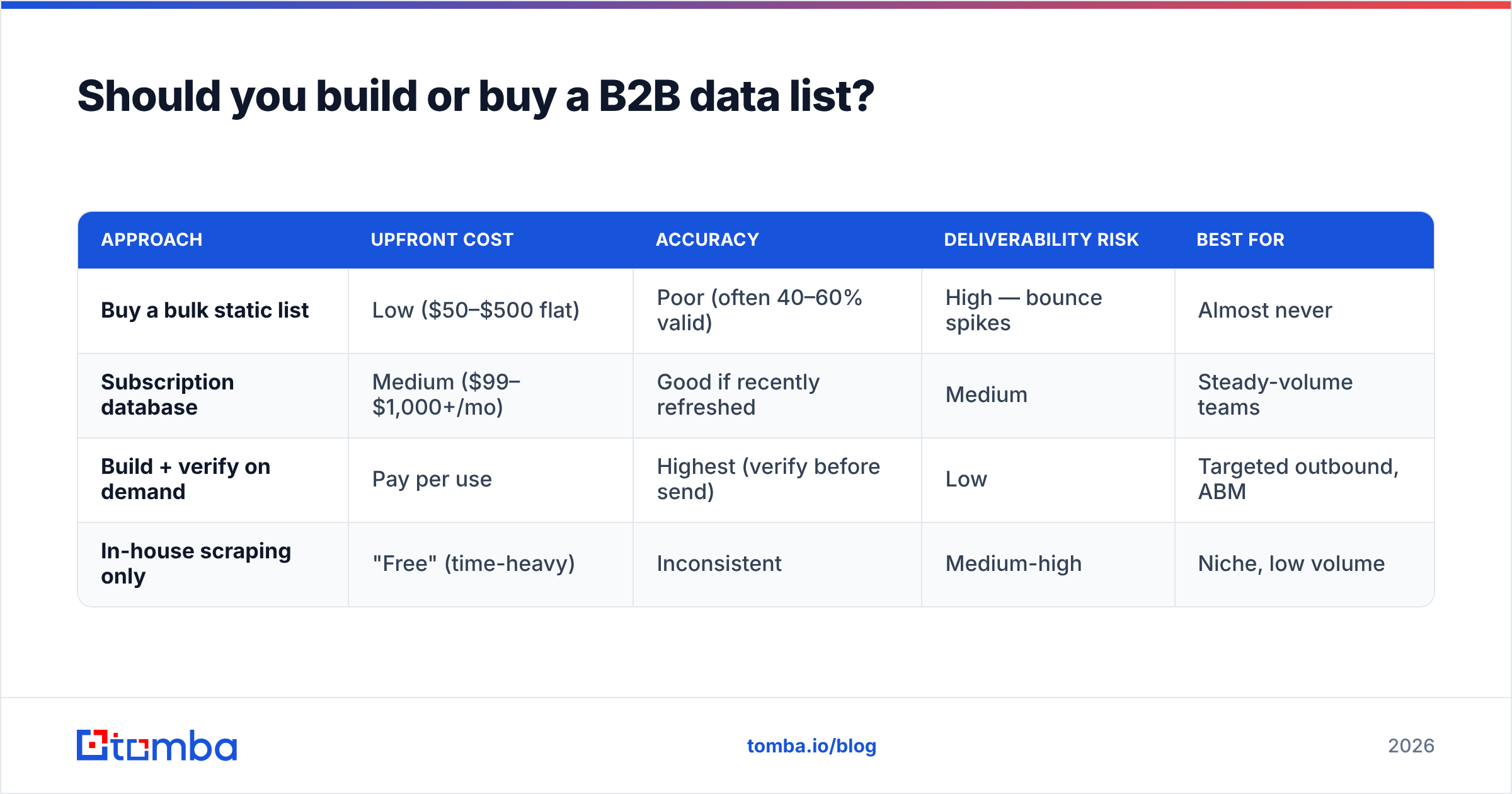
Here's the honest tradeoff between the three common approaches:
| Approach | Upfront cost | Accuracy | Deliverability risk | Best for |
|---|---|---|---|---|
| Buy a bulk static list | Low ($50–$500 flat) | Poor (often 40–60% valid) | High — bounce spikes | Almost never |
| Subscription database | Medium ($99–$1,000+/mo) | Good if recently refreshed | Medium | Steady-volume teams |
| Build + verify on demand | Pay per use | Highest (verify before send) | Low | Targeted outbound, ABM |
| In-house scraping only | "Free" (time-heavy) | Inconsistent | Medium-high | Niche, low volume |
The build-and-verify model wins because you only spend credits on contacts you actually intend to email, and you verify each address immediately before sending. That keeps your bounce rate under the 2–3% threshold mailbox providers watch. If you want the cost side spelled out, compare per-credit rates on the Tomba pricing page against the flat-fee "millions of contacts" sellers — the bulk lists are cheaper per row and far more expensive per meeting booked.
What makes a B2B data list accurate?#
Accuracy comes down to two things: how the data was sourced and how recently it was verified. A record found through a real-time lookup against a company's mail server is worth ten records scraped from a 2022 directory dump.
Good providers triangulate from multiple signals — public web pages, corporate domains, pattern detection, and SMTP validation — rather than relying on a single stale database. You can read how this layered sourcing works on Tomba's data sources page, but the principle is universal: more independent signals confirming the same email means higher confidence.
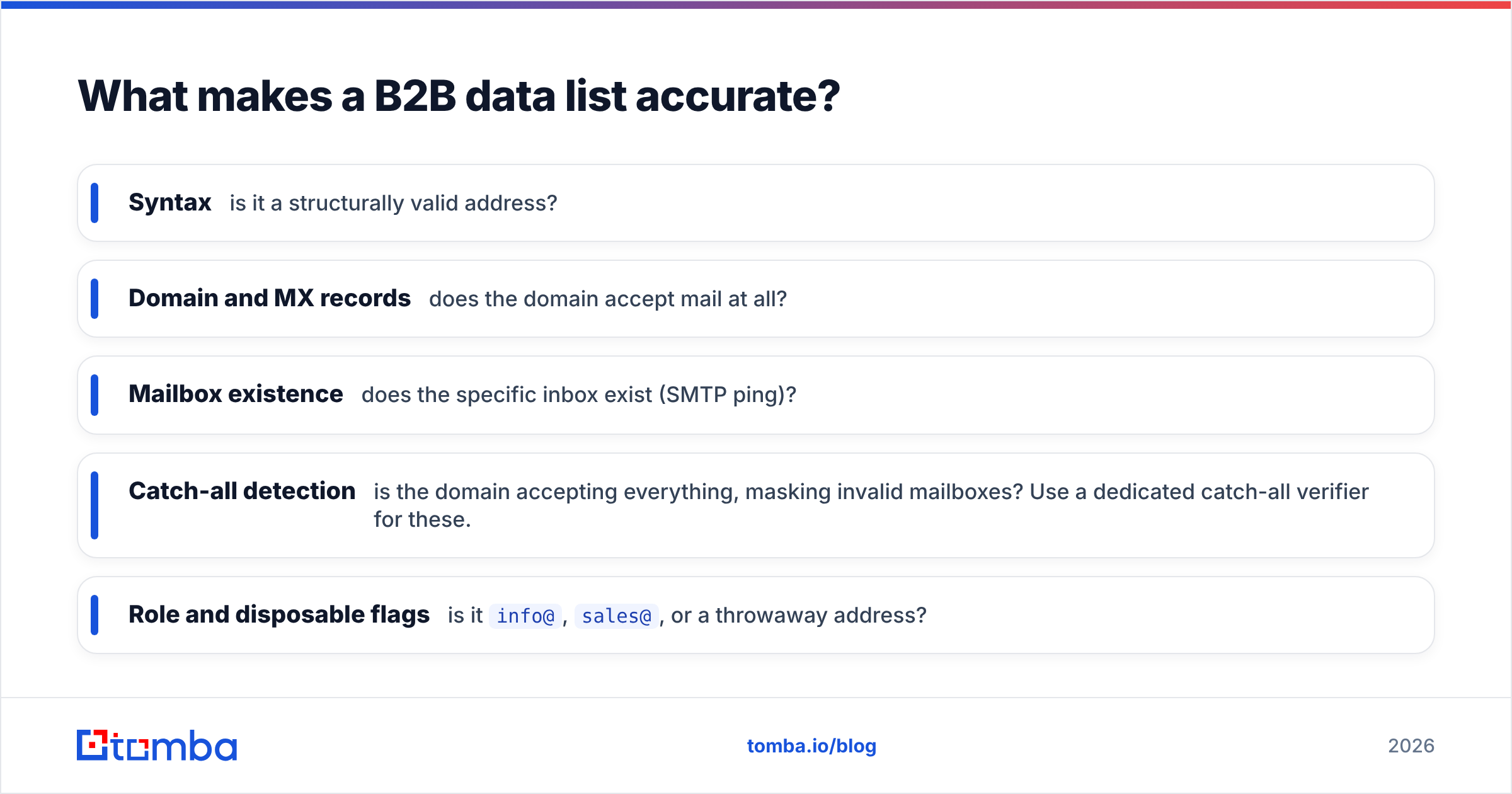
The non-negotiable step is verification. Before any address enters a campaign, it should pass an email verifier that checks:
- Syntax — is it a structurally valid address?
- Domain and MX records — does the domain accept mail at all?
- Mailbox existence — does the specific inbox exist (SMTP ping)?
- Catch-all detection — is the domain accepting everything, masking invalid mailboxes? Use a dedicated catch-all verifier for these.
- Role and disposable flags — is it
info@,sales@, or a throwaway address?
Run those checks and a typical raw list of 1,000 contacts often drops to 700–800 truly safe-to-send addresses. That's not the tool failing — that's it protecting your domain.
How do you build a B2B data list step by step?#
You don't need a data team. The repeatable workflow looks like this:
- Define the ICP precisely. Industry, headcount band, region, and the exact job titles you sell to. A narrow list of 500 right-fit contacts beats 50,000 random ones.
- Pull contacts by company. Use a domain search to surface every known email at a target company, then filter by department and seniority.
- Fill the gaps by name. For named accounts where you know the person but not the address, an email finder resolves the work email from first name, last name, and domain.
- Enrich the record. Add title, company size, and a phone number through data enrichment so reps have context before the first touch.
- Verify everything. Run the full list through verification and drop or quarantine anything that isn't a confirmed "valid."
- Deduplicate and timestamp. Remove duplicates, stamp a "last validated" date, and tag the source.
- Push to your CRM or sequencer and start small to monitor bounce and reply rates before scaling.
For volume work, a bulk email finder lets you upload a list of names and domains and return verified emails in one pass instead of one lookup at a time.

What fields should every B2B data list include?#
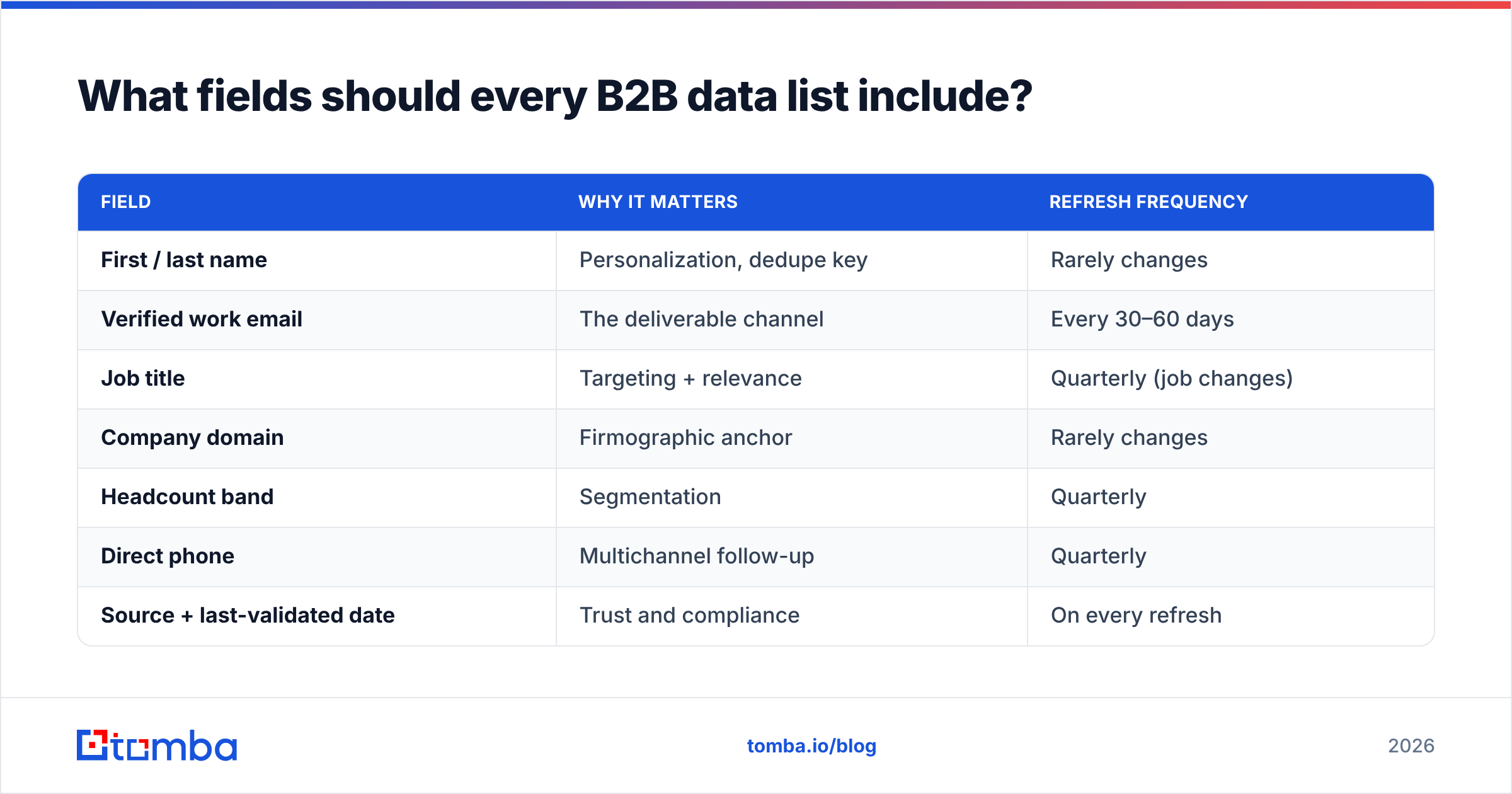
Strip a B2B data list down to what reps actually use and you get a tight schema. Anything beyond this is nice-to-have; everything in it is mandatory.
| Field | Why it matters | Refresh frequency |
|---|---|---|
| First / last name | Personalization, dedupe key | Rarely changes |
| Verified work email | The deliverable channel | Every 30–60 days |
| Job title | Targeting + relevance | Quarterly (job changes) |
| Company domain | Firmographic anchor | Rarely changes |
| Headcount band | Segmentation | Quarterly |
| Direct phone | Multichannel follow-up | Quarterly |
| Source + last-validated date | Trust and compliance | On every refresh |
| Opt-out / consent flag | Legal requirement | Continuously |
Notice the refresh column. People change jobs roughly every 2–4 years, which means titles and emails decay constantly. According to job-mobility data tracked by sources like the U.S. Bureau of Labor Statistics, median tenure sits around four years — so a meaningful slice of any list goes stale annually. That's the case for treating your list as a living system, not a one-time purchase.
How do you keep a B2B data list from going stale?#
Treat it like maintaining a car, not buying one. A few habits keep the whole list healthy:
- Re-verify on a schedule. Run the full list through verification every 30–60 days and before any large send. The bulk verify flow handles thousands of rows in one job.
- Suppress hard bounces immediately. One bounce means remove, not retry. Mailbox providers punish repeat sends to dead addresses.
- Watch catch-all domains. They pass basic checks but hide invalid inboxes. Segment them and treat sends as higher-risk.
- Protect your sender reputation. List hygiene is half of email deliverability; the other half is authentication. Confirm your SPF record, DKIM, and DMARC are in place, and monitor sender reputation over time.
- Re-enrich job changes. When someone switches companies, that's a buying signal, not a dead end — update the record and re-engage them at the new account.
The teams with the best reply rates aren't the ones with the biggest lists. They're the ones whose lists are smallest relative to how clean they are.
How does a B2B data list fit into your wider data stack?#
A list is the input; your CRM and outreach tools are where it earns its keep. The cleanest setup keeps verification close to the point of use — enrich and validate as records enter the CRM, not months later. Tomba connects to the usual suspects through native integrations like HubSpot, Salesforce, and Pipedrive, plus a Tomba API for custom pipelines.
For benchmarking how the major data and enrichment vendors stack up on coverage and accuracy, neutral review sites like G2 are the place to start — read the recent reviews, not the vendor's own claims. And for a primer on the broader category, HubSpot's research blog regularly publishes data-quality benchmarks worth bookmarking.
Build a B2B data list that actually converts#
Stop paying for stale rows you'll never email. The winning move in 2026 is to source contacts on demand against your exact ICP, verify before every send, and refresh on a schedule — so every address in your CRM is one a real person will actually open.
Start with the Tomba Email Finder: find professional emails by domain, name, or company, verify them in the same workflow, and push clean records straight into your CRM. The free tier gives you 25 searches a month to test accuracy on your own target accounts before you scale to a paid plan — build the list right the first time, and let deliverability take care of itself.
// get started
Find, verify and enrich your first contacts today
Start on the free plan with 25 searches a month, then scale when your team is ready.
Free plan · No credit card required · GDPR & CCPA
// about the author