Best B2B Lead Finder in 2026: Find Qualified Leads Fast
A B2B lead finder turns a company name into verified contacts in seconds. Here is how the tools work, what to pay, and how to pick one that fits your pipeline in 2026.
A b2b lead finder is the difference between a rep who spends the morning copy-pasting names off LinkedIn and a rep who starts dialing a clean, verified list by 9:15. The category has matured fast, and in 2026 the gap between a good tool and a bad one shows up directly in your reply rate, your bounce rate, and your sender reputation.
This guide breaks down what a B2B lead finder actually does, how to judge accuracy, what fair pricing looks like, and how the main options compare — so you can pick one without burning a free trial figuring it out the hard way.
TL;DR#
- A b2b lead finder converts a domain, company name, or person into verified business contact data (email, phone, role) so you can skip manual research.
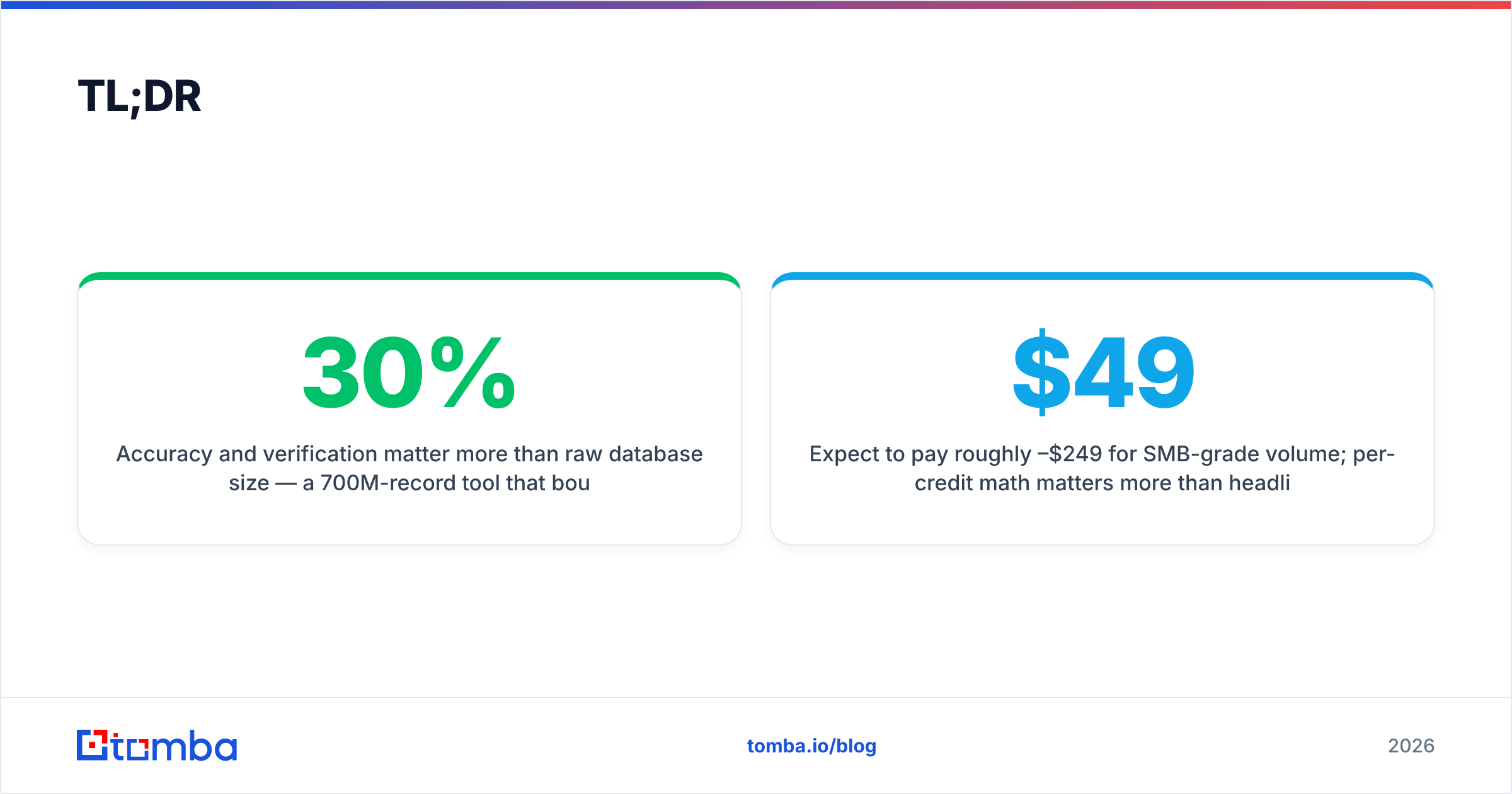
- Accuracy and verification matter more than raw database size — a 700M-record tool that bounces 30% of sends will wreck your deliverability.
- Expect to pay roughly $49–$249/mo for SMB-grade volume; per-credit math matters more than headline price.
- The best workflow is find → verify → enrich → export, ideally in one tool to avoid stitching CSVs together.
- Tomba covers find, verify, domain search, and enrichment under one roof, with a free tier to test accuracy on your own list.
What is a B2B lead finder?#
A B2B lead finder is a tool that takes a small input — usually a company domain or a person's name plus employer — and returns usable contact data: a professional email address, often a direct phone number, the person's title, and firmographic context about the company.
Think of it like a reverse phone book for the modern web. You know who you want to reach (the VP of Marketing at a 200-person SaaS company) but not how to reach them. The lead finder crawls public sources, applies pattern matching, and cross-references its database to hand you the contact — then ideally verifies that the email actually exists before you hit send.
Most modern tools bundle several jobs that used to require separate products:
- Email finding — turn a name + domain into a deliverable email address.
- Domain search — pull every known contact at a company in one query.
- Email verification — confirm an address is live before you send.
- Phone and social lookup — add direct dials and LinkedIn profiles.
- Data enrichment — fill in job title, seniority, company size, and tech stack.
- Bulk processing — run thousands of rows at once via CSV or API.
If a tool only does step one, you will end up paying for three other products to cover the rest. That fragmentation is the single most common reason teams overspend on prospecting.

How does a B2B lead finder actually work?#
Under the hood, a lead finder combines three techniques, and the quality of each determines how often it returns a correct, deliverable contact.
Pattern detection. Most companies use a consistent email format — first.last@, flast@, first@. The tool identifies the pattern from known addresses at that domain, then applies it to new names. You can see this logic in a free company email pattern checker.
Database lookup. Tools maintain a stored index of previously discovered and confirmed contacts. A larger, fresher index means more direct hits without guessing.
SMTP verification. Before returning an address, a good tool pings the receiving mail server to confirm the mailbox exists — without sending an actual email. This is what separates a guess from a verified lead. You can sanity-check any address yourself with a free email checker.
The catch is catch-all domains — servers that accept mail to any address, so SMTP verification can't confirm a specific mailbox. The best tools flag these honestly rather than pretending they're verified. A dedicated catch-all verifier handles this edge case so you know which contacts carry real bounce risk.

What makes a B2B lead finder accurate?#
Accuracy is the metric that actually matters, and it is not the same as database size. A tool can advertise 700 million contacts and still hand you a list that bounces at 25% because those records are stale.
Judge accuracy on four things:
- Verification depth — does it run real SMTP checks, or just regex guessing? Guessed emails feel free until your domain gets blocklisted.
- Bounce rate on delivery — the only number that matters in production. Aim for tools that keep verified-send bounce rates under 5%.
- Catch-all honesty — does it label uncertain results, or quietly count them as "found"?
- Data freshness — job changes are constant in B2B. A contact discovered 18 months ago may have left the company.
The practical test: run 50 of your own known-good contacts through any tool's free tier and measure how many it returns correctly. Don't trust marketing-page accuracy claims — verify on data you can confirm. Tomba publishes its data sources openly, which is a good signal when you're evaluating where contacts come from.
Once your list is built, protect it. High bounce rates damage your sender reputation, and a wrecked reputation tanks every campaign after it — not just the bad one. Verification is cheaper than recovery.
How much should a B2B lead finder cost in 2026?#
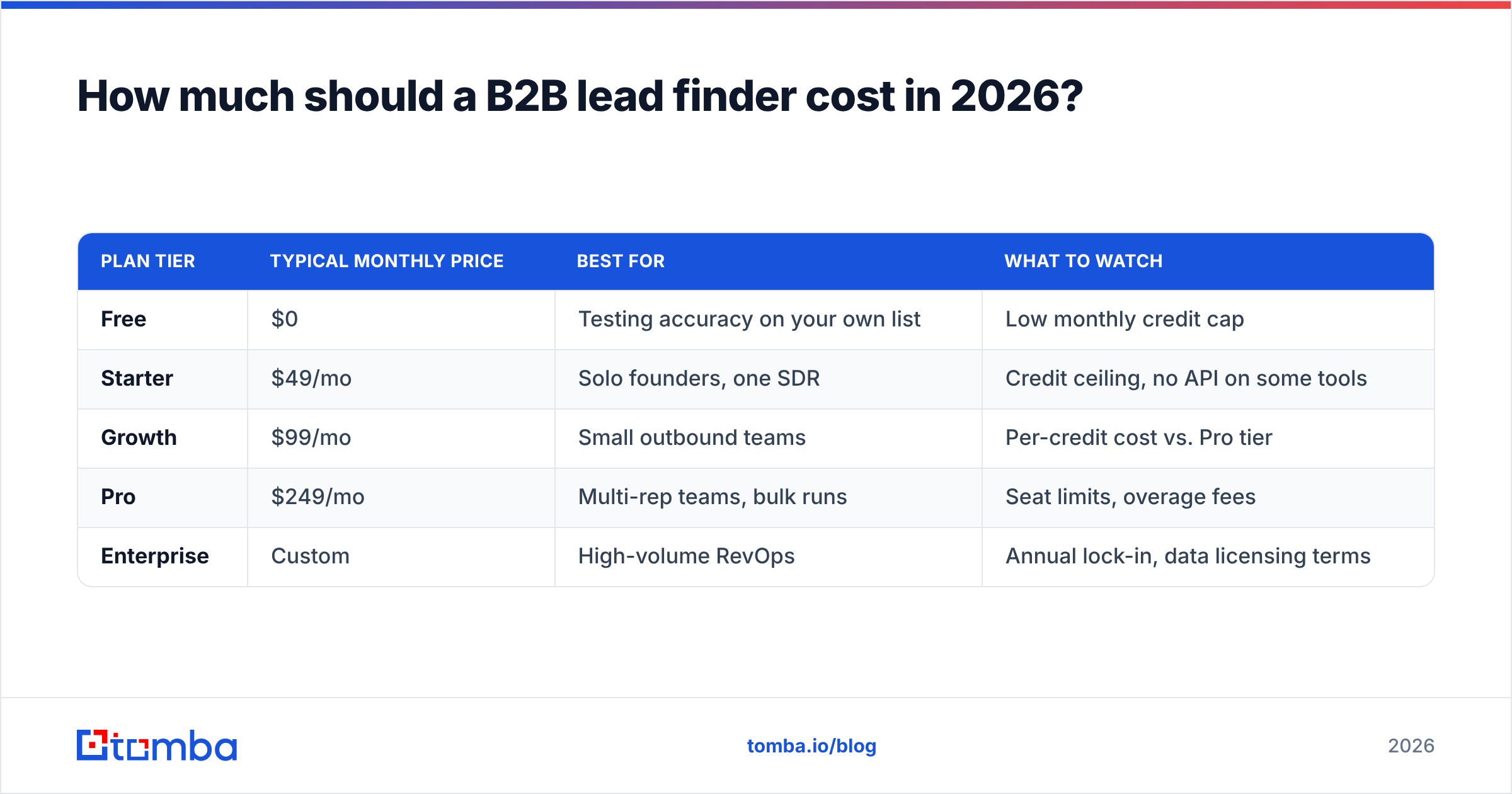
Pricing in this category is built on credits — one credit usually equals one email found or one record enriched. The headline monthly price means little until you divide it by the credits you get and the work you actually do.
Here is how the common pricing shapes compare:
| Plan tier | Typical monthly price | Best for | What to watch |
|---|---|---|---|
| Free | $0 | Testing accuracy on your own list | Low monthly credit cap |
| Starter | $49/mo | Solo founders, one SDR | Credit ceiling, no API on some tools |
| Growth | $99/mo | Small outbound teams | Per-credit cost vs. Pro tier |
| Pro | $249/mo | Multi-rep teams, bulk runs | Seat limits, overage fees |
| Enterprise | Custom | High-volume RevOps | Annual lock-in, data licensing terms |
For reference, Tomba pricing starts with a free tier at 25 searches per month, then Starter at $49/mo, Growth at $99/mo, and Pro at $249/mo — with verification included rather than billed as a separate add-on. The thing to compare across vendors is whether verification, enrichment, and bulk processing are bundled or stacked on top as upsells, because a "cheap" finder that charges separately for verification often costs more in total.
A useful rule: calculate your cost per verified, deliverable lead, not your cost per credit. A tool that charges more per credit but bounces less can be cheaper per usable contact.
Which B2B lead finder is right for you?#
The market splits into three rough archetypes. Most teams pick wrong by buying the biggest database when they actually needed the most accurate one.
All-in-one prospecting platforms (Apollo, ZoomInfo) bundle a contact database with sequencing and a CRM. Powerful, but you pay for the whole suite even if you only need contact data, and accuracy varies widely by region.
Focused find-and-verify tools (Tomba, Hunter, Findymail) do contact discovery and verification extremely well, then export cleanly into whatever sequencing or CRM you already run. Lower cost, higher precision, less lock-in.
Browser-extension scrapers (various LinkedIn tools) pull contacts as you browse. Fast for one-off prospecting, but they don't scale to bulk and often skip verification entirely.
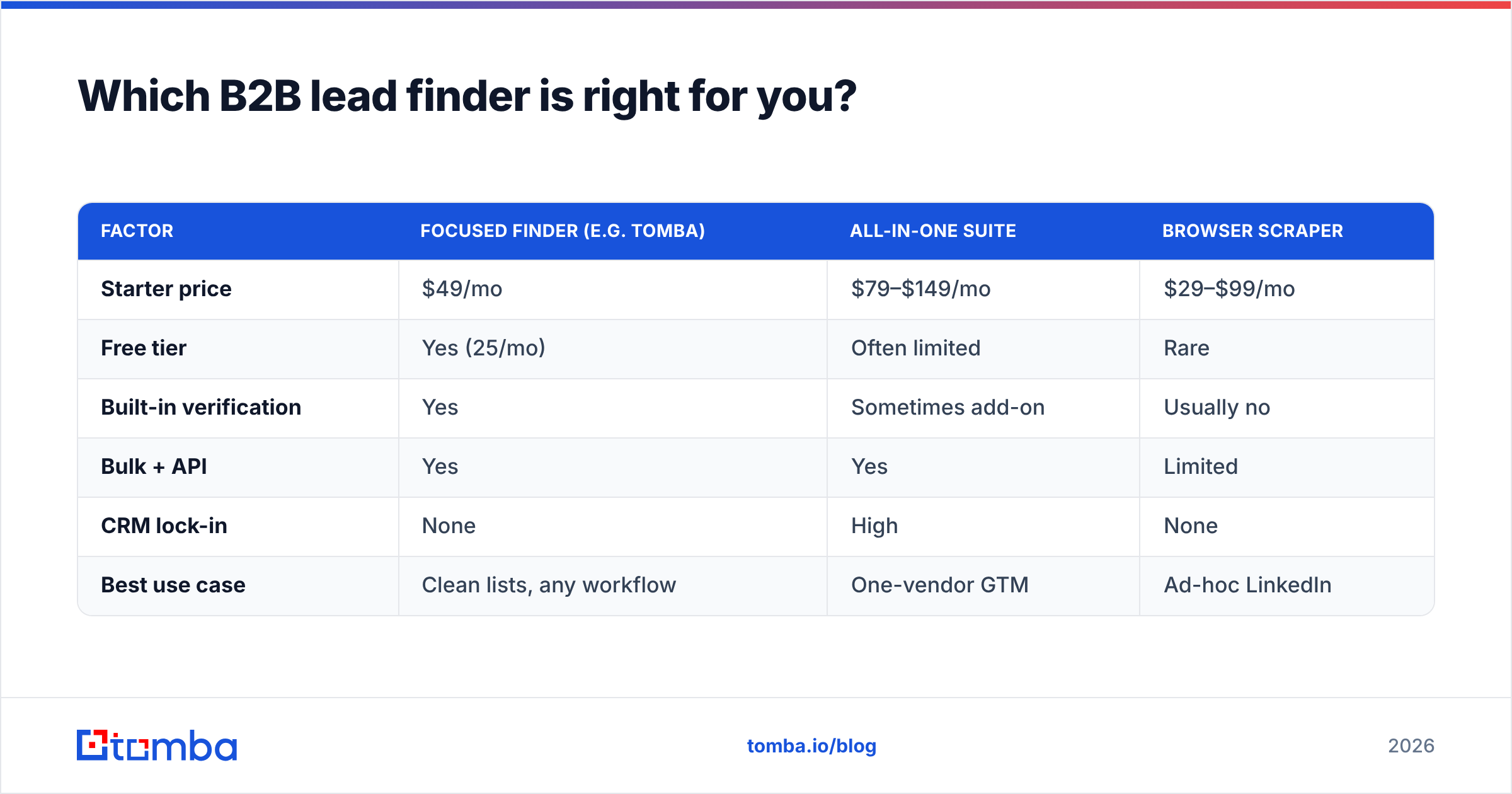
Here is how a focused finder compares against an all-in-one suite on the dimensions that decide pipeline quality:
| Factor | Focused finder (e.g. Tomba) | All-in-one suite | Browser scraper |
|---|---|---|---|
| Starter price | $49/mo | $79–$149/mo | $29–$99/mo |
| Free tier | Yes (25/mo) | Often limited | Rare |
| Built-in verification | Yes | Sometimes add-on | Usually no |
| Bulk + API | Yes | Yes | Limited |
| CRM lock-in | None | High | None |
| Best use case | Clean lists, any workflow | One-vendor GTM | Ad-hoc LinkedIn |

If you already run a sequencer like Instantly or a CRM like HubSpot, a focused finder is almost always the better buy — you get accuracy without paying twice for tooling you have. If you compare options, our writeups on the Apollo alternative and RocketReach alternative landscapes break down the tradeoffs in detail.

How do you build a clean lead list step by step?#
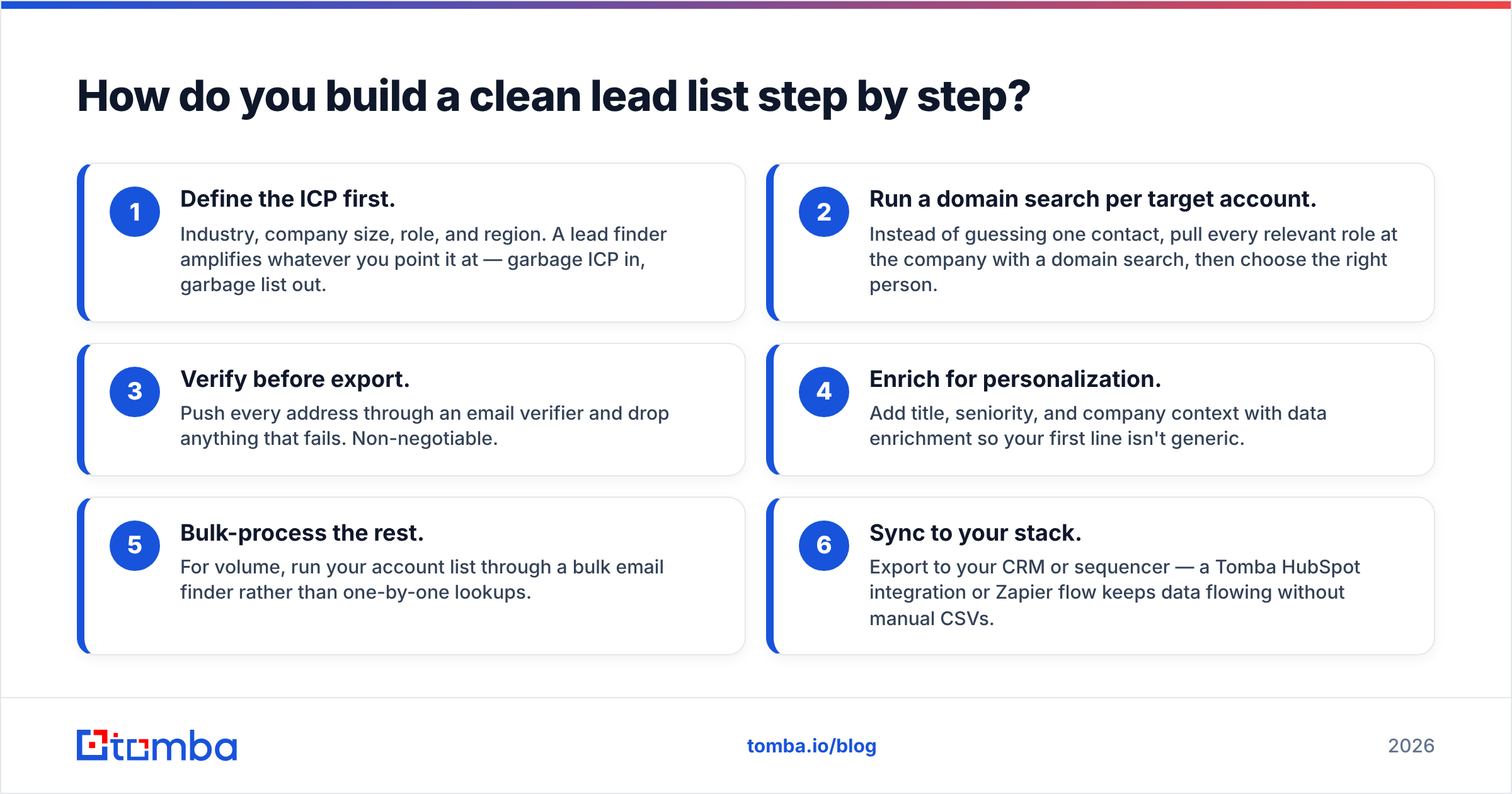
A good tool is only half the job. The workflow around it decides whether your list converts or bounces. Here is the sequence that high-performing outbound teams use.
- Define the ICP first. Industry, company size, role, and region. A lead finder amplifies whatever you point it at — garbage ICP in, garbage list out.
- Run a domain search per target account. Instead of guessing one contact, pull every relevant role at the company with a domain search, then choose the right person.
- Verify before export. Push every address through an email verifier and drop anything that fails. Non-negotiable.
- Enrich for personalization. Add title, seniority, and company context with data enrichment so your first line isn't generic.
- Bulk-process the rest. For volume, run your account list through a bulk email finder rather than one-by-one lookups.
- Sync to your stack. Export to your CRM or sequencer — a Tomba HubSpot integration or Zapier flow keeps data flowing without manual CSVs.
The discipline here is the verification step. It is tempting to skip it to move faster, but a 20% bounce rate on a 1,000-contact send tells inbox providers you're not maintaining your list — and your next campaign lands in spam regardless of how clean it is. For the underlying mechanics, the email deliverability glossary entry is worth a read.
Do you still need manual prospecting?#
Short answer: yes, but far less of it. A lead finder removes the mechanical work — guessing email formats, hunting for direct dials, copying titles — but it doesn't replace judgment about who is worth reaching.
The highest-leverage use is account-based: you identify 50 target accounts manually, then let the tool find and verify every relevant contact inside them in minutes. That's the split that works — humans pick the accounts, the tool does the lookup. Pairing a finder with disciplined sales prospecting habits beats either approach alone.
For teams scaling outbound, the API matters too. A direct email finder API lets you enrich leads the moment they hit your CRM or fill a form, so reps never work a contact without verified data attached.
Frequently asked questions#
Is a B2B lead finder legal to use? Yes, when used for legitimate B2B outreach. Reputable tools surface publicly available professional contact data and honor opt-outs. You remain responsible for compliance with GDPR, CAN-SPAM, and similar regulations in your outreach — the FTC's CAN-SPAM guidance is a solid primer.
What's the difference between a lead finder and a lead database? A database is a static store of records you search; a lead finder actively discovers and verifies contacts in real time, including people not yet in any index. The best tools do both. You can compare vendor reviews on G2 before committing.
How accurate are free B2B lead finders? Free tiers are great for testing accuracy but capped on volume. Use a free tier to validate a tool on your own known contacts, then upgrade once you trust the bounce rate. Don't run production volume on guessed, unverified free results.
Can I find phone numbers too? Many tools include direct dials. A dedicated phone finder adds B2B mobile and office numbers alongside email, which matters if your motion is multi-channel.
The bottom line#
A b2b lead finder earns its keep by collapsing hours of manual research into seconds of verified data — but only if you judge it on accuracy and verification, not database size or sticker price. Pick a tool that finds, verifies, and enriches in one place, test it on your own contacts first, and never skip the verification step.
If you want to start with a tool that bundles finding, verification, domain search, and enrichment without charging for each separately, try the Tomba Email Finder. The free tier gives you 25 searches a month — enough to run your own accuracy test before you spend a dollar. Build the clean list first; the reply rate follows.
// get started
Find, verify and enrich your first contacts today
Start on the free plan with 25 searches a month, then scale when your team is ready.
Free plan · No credit card required · GDPR & CCPA
// about the author