Best B2B List Building Software in 2026: Tools & Pricing
A neutral, hype-free breakdown of the best B2B list building software in 2026 — what to look for, real pricing, accuracy trade-offs, and how to pick the right stack for your team.
Best B2B List Building Software in 2026
Building a B2B prospect list used to mean a junior rep, a LinkedIn tab, and a spreadsheet that aged like milk. In 2026 the bottleneck isn't finding names — it's finding correct, deliverable, enriched contacts fast enough to feed an outbound motion without torching your sender reputation. The right b2b list building software is what separates a list that converts from a list that bounces.
This guide is a neutral walk-through of what the category actually does, how the leading tools differ, and how to pick one without overpaying for data you'll never use.
TL;DR#
- B2B list building software turns a target definition (industry, title, location, tech stack) into a verified, ready-to-send contact list — combining a database, a finder, and a verifier in one workflow.
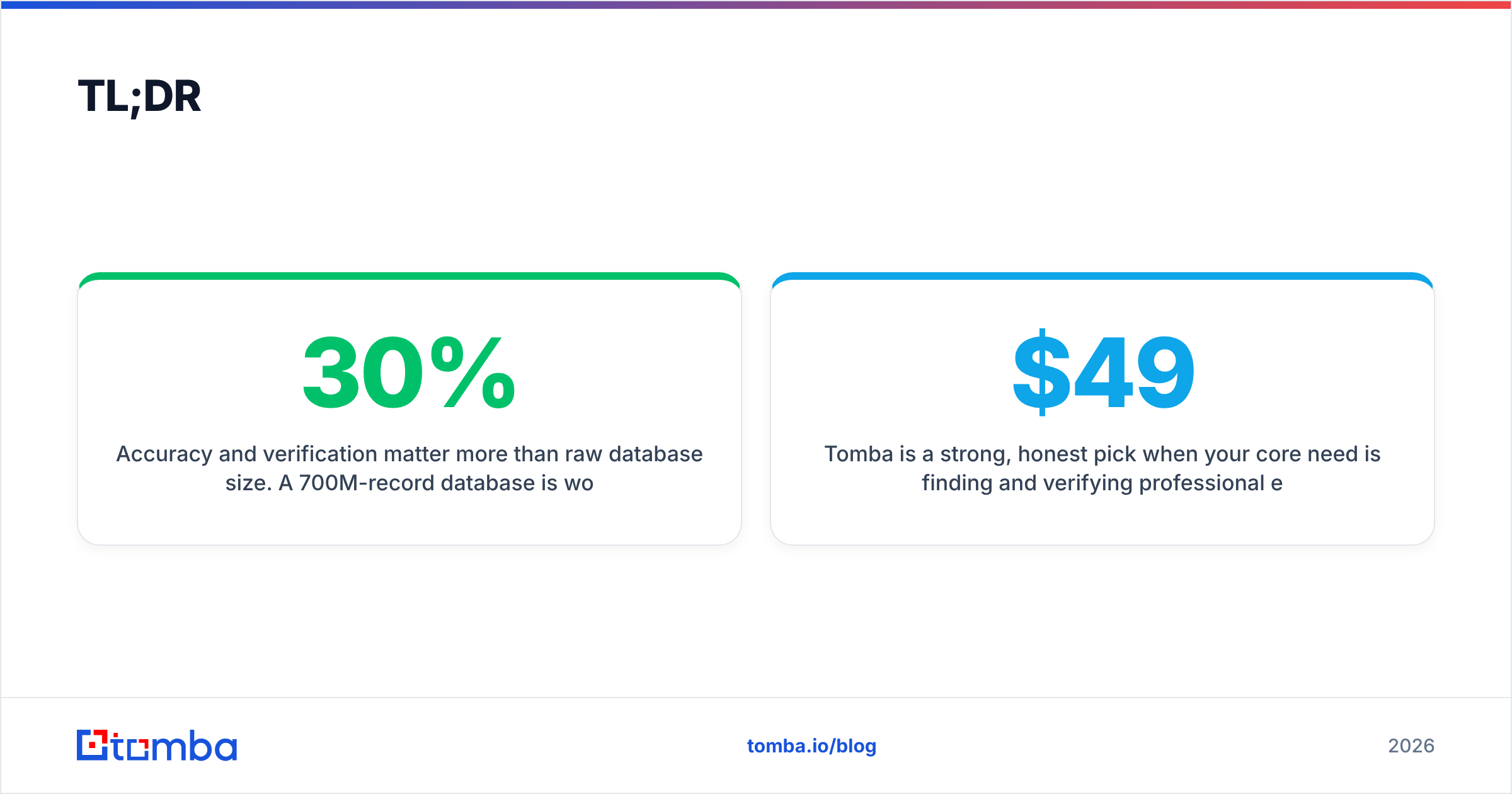
- Accuracy and verification matter more than raw database size. A 700M-record database is worthless if 30% of the emails bounce.
- Pricing models split into three camps: credit-based (pay per contact), seat-based (pay per user), and hybrid. Match the model to your volume.
- Tomba is a strong, honest pick when your core need is finding and verifying professional emails at a fair price — Free tier (25 searches), then $49/mo Starter up to $249/mo Pro.
- Build a stack, not a monolith: finder + verifier + enrichment + your CRM beats any single "do-everything" tool that's mediocre at all of it.
What is B2B list building software?#
B2B list building software is the toolset that produces a list of qualified business contacts you can actually email or call. Think of it like a kitchen: a database is the pantry (raw ingredients), a finder is the chef who picks the right items, and a verifier is the taste-tester who throws out anything spoiled before it reaches the plate. A good platform does all three so what lands in your CRM is ready to serve.
Under the hood, most tools combine a few core capabilities:
- Search and filtering — query a B2B database by firmographics (industry, headcount, revenue), role (title, seniority, department), geography, and technographics (the software a company runs).
- Email finding — resolve a name + company into a real, pattern-validated professional email. This is the heart of any email finder workflow.
- Verification — SMTP-check each address so you don't send into a wall of bounces. A dedicated email verifier is non-negotiable for cold outbound.
- Enrichment — fill the gaps: phone numbers, LinkedIn URLs, company data, seniority. Data enrichment is what turns a thin list into a segmentable one.
- Export and sync — push clean records into your CRM, sequencer, or a CSV via API, bulk jobs, or native integrations.
If a tool only does one of these well, it's a feature, not a list-building platform. The whole point of the category is to compress that pipeline into one pass.
What should you look for in a list building tool?#
Don't start with the brand. Start with the four attributes that actually predict whether your campaigns land.
- Data accuracy. The single most important metric. Ask for a documented accuracy or deliverability rate, then test it on a sample of 100 known contacts before you commit. Vendors love big database numbers; ignore them and look at how the data is sourced and refreshed. Tomba publishes its approach on its data sources page — transparency here is a good signal.
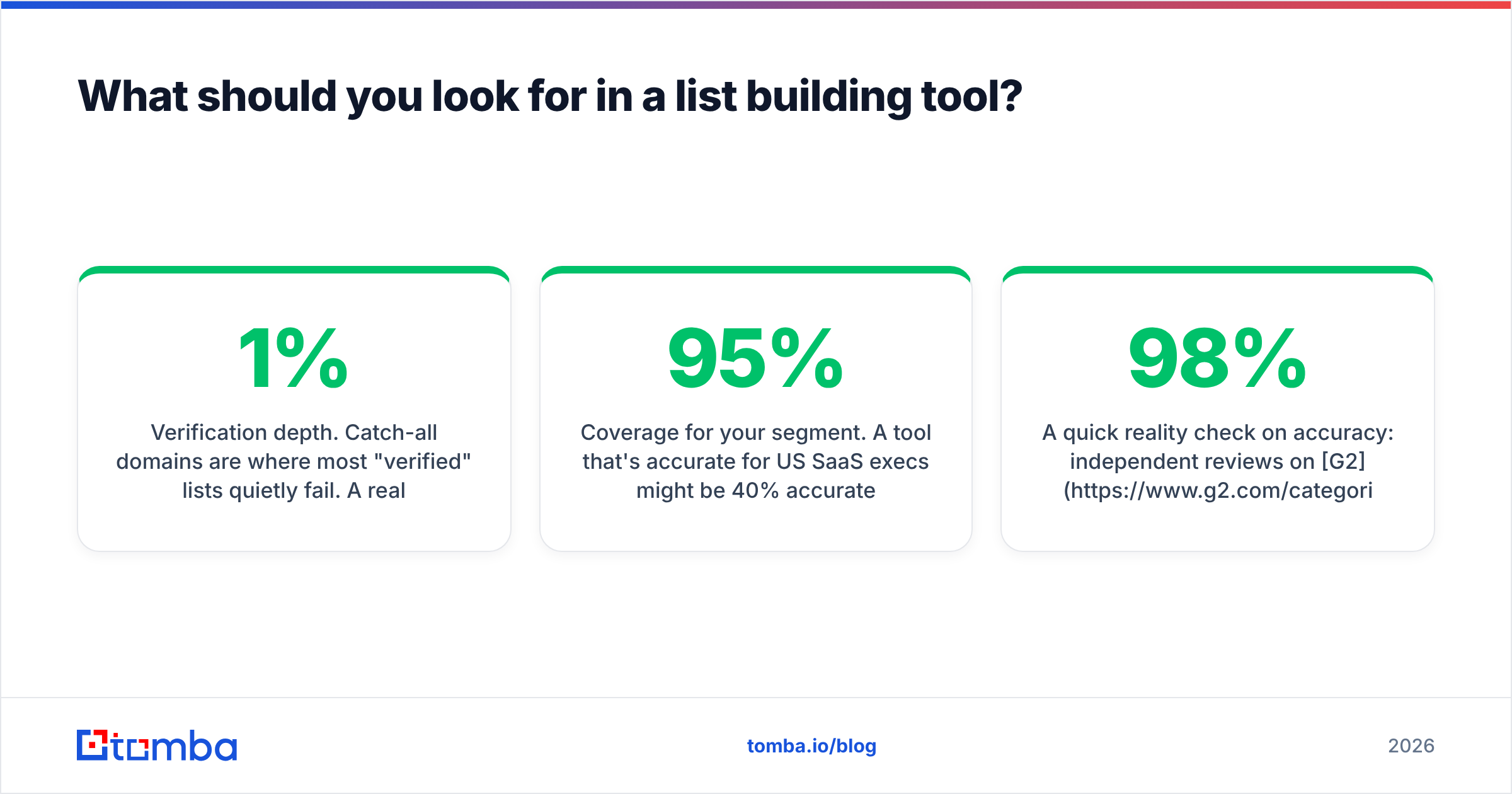
- Verification depth. Catch-all domains are where most "verified" lists quietly fail. A real catch-all strategy (using a catch-all verifier) is the difference between a 1% and a 9% bounce rate.
- Coverage for your segment. A tool that's 95% accurate for US SaaS execs might be 40% accurate for EU manufacturing plant managers. Coverage is segment-specific — test yours.
- Workflow fit. API, Chrome extension, Google Sheets add-on, bulk uploads, CRM integrations. The best data is useless if it can't reach the tools your reps already live in.

A quick reality check on accuracy: independent reviews on G2 and Capterra consistently show that self-reported "98% accuracy" claims rarely survive a real-world sample test. Treat every headline number as a hypothesis you verify, not a fact you buy.
Which B2B list building software is best in 2026?#
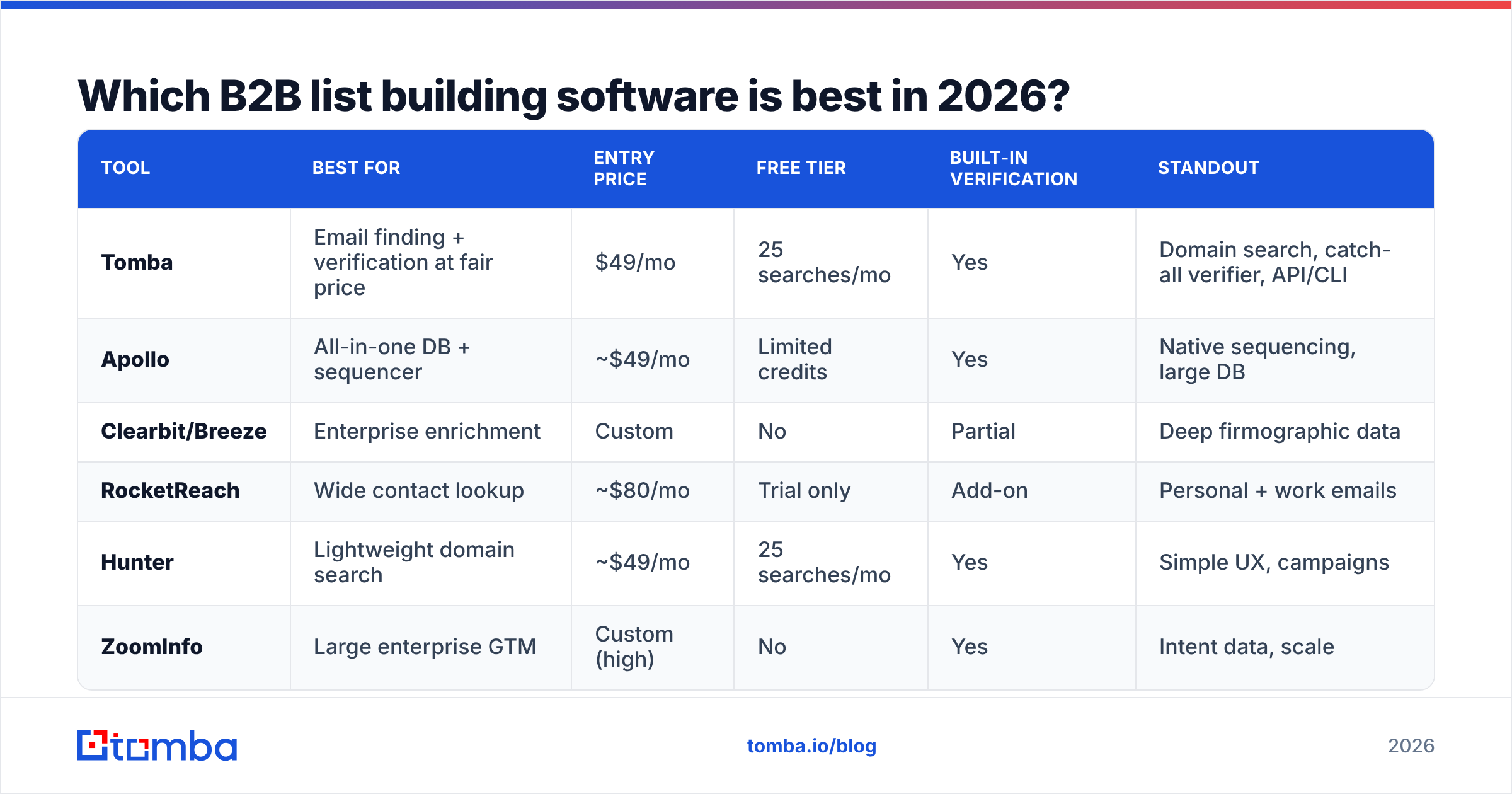
There's no single winner — there's a best fit for your volume, segment, and budget. Below is a like-for-like comparison of the categories of tools you'll evaluate, using realistic 2026 entry pricing. Always confirm current numbers on each vendor's own pricing page, since plans shift.
| Tool | Best for | Entry price | Free tier | Built-in verification | Standout |
|---|---|---|---|---|---|
| Tomba | Email finding + verification at fair price | $49/mo | 25 searches/mo | Yes | Domain search, catch-all verifier, API/CLI |
| Apollo | All-in-one DB + sequencer | ~$49/mo | Limited credits | Yes | Native sequencing, large DB |
| Clearbit/Breeze | Enterprise enrichment | Custom | No | Partial | Deep firmographic data |
| RocketReach | Wide contact lookup | ~$80/mo | Trial only | Add-on | Personal + work emails |
| Hunter | Lightweight domain search | ~$49/mo | 25 searches/mo | Yes | Simple UX, campaigns |
| ZoomInfo | Large enterprise GTM | Custom (high) | No | Yes | Intent data, scale |
A few honest takeaways from that table:
- If your need is finding and verifying professional emails accurately without paying enterprise rates, Tomba and Hunter occupy the sweet spot. Tomba edges ahead on verification depth (catch-all handling, dedicated verifier) and developer tooling (API, CLI, MCP).
- If you want the database and the sequencer in one login, Apollo is the default — but you trade some verification rigor for breadth. See where it falls short in this Apollo alternative breakdown.
- If you're an enterprise with budget and need intent signals, ZoomInfo or Clearbit make sense, but the cost step-up is steep and you'll still want an independent verifier in the loop.
How much should B2B list building software cost?#
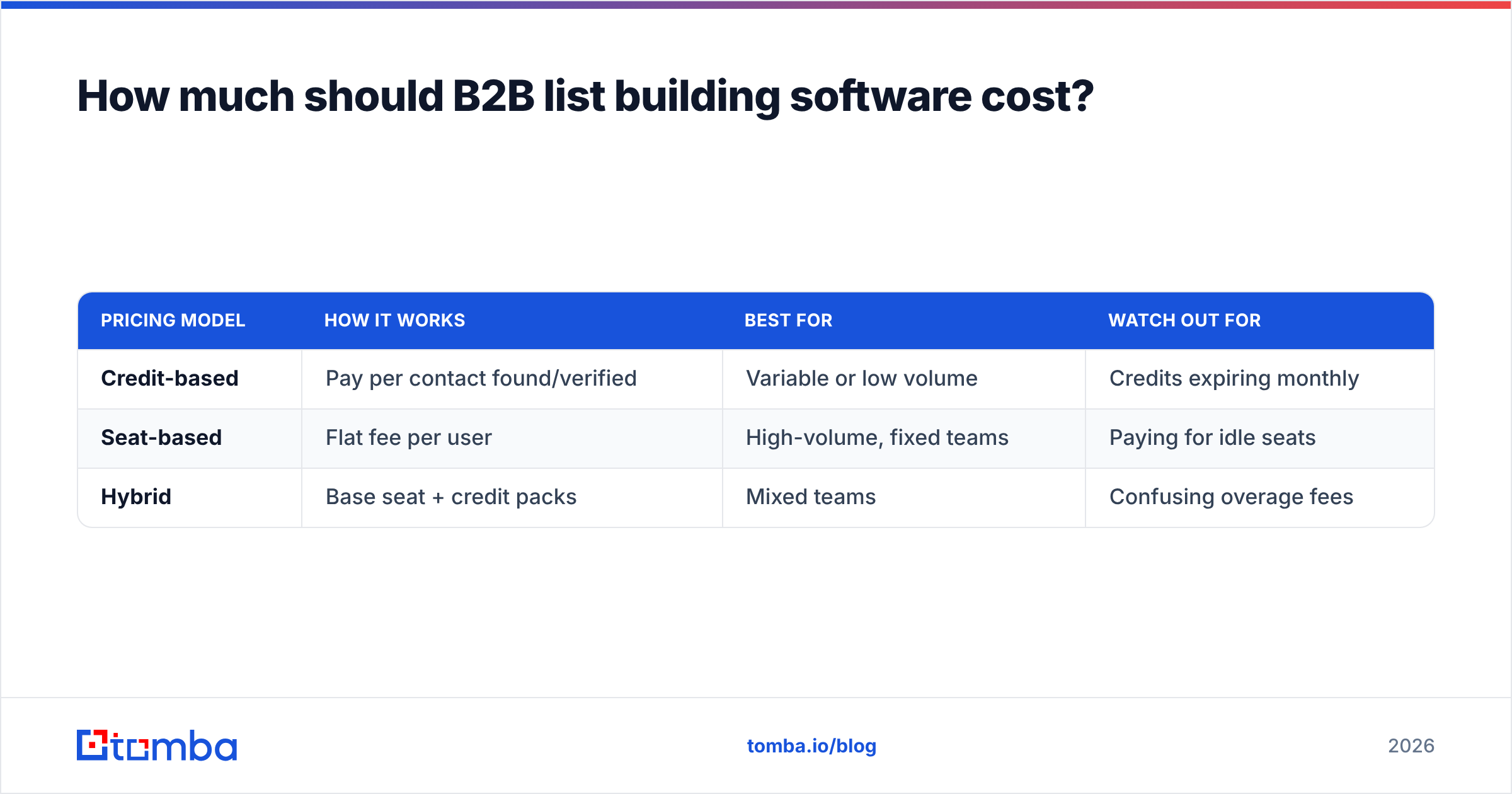
Pricing splits into three models, and picking the wrong one is how teams overspend.
| Pricing model | How it works | Best for | Watch out for |
|---|---|---|---|
| Credit-based | Pay per contact found/verified | Variable or low volume | Credits expiring monthly |
| Seat-based | Flat fee per user | High-volume, fixed teams | Paying for idle seats |
| Hybrid | Base seat + credit packs | Mixed teams | Confusing overage fees |
Tomba uses a transparent tiered model that scales with search volume rather than punishing you per seat. Current Tomba pricing runs:
- Free — 25 searches/mo, good for testing accuracy on your own segment.
- Starter — $49/mo — for solo founders and small teams running steady outbound.
- Growth — $99/mo — for scaling teams that need more volume and bulk jobs.
- Pro — $249/mo — for agencies and high-volume prospecting.
- Enterprise — custom — for API-heavy or compliance-driven worklods.
Note the correct Starter price is $49/mo — if a comparison post quotes "$39," it's out of date. The bigger lesson: model your real monthly contact volume first, then choose the pricing structure that fits it. A credit plan looks cheap until your reps blow through credits by mid-month.

Should you build a stack or buy an all-in-one?#
Build a stack. Most teams get better results — and lower total cost — by composing a few focused tools than by buying one platform that's average at everything.
A clean, modern list-building stack looks like this:
- Find — a domain search or email finder to resolve contacts from a target account list.
- Verify — run every address through a verifier (including catch-all logic) before it touches your sequencer.
- Enrich — append phone, LinkedIn, and firmographic fields for segmentation and personalization.
- Sync — push clean records into your CRM via native integrations like HubSpot or Zapier.
- Send — let your sequencer handle outreach; keep finding and verifying separate so a tool change never breaks your whole motion.
The all-in-one pitch is convenient, but it couples your data quality to your sending tool. If the sequencer is great and the data is weak, you scale bad outreach faster. Decoupling lets you swap any layer without rebuilding everything — and it lets you put the best verifier in front of any sender.

How do you keep a list clean over time?#
A list isn't a one-time purchase — it decays. Roughly 2–3% of B2B contacts change jobs every month, which means a list you built in January is meaningfully stale by spring. Treat list hygiene as a recurring process, not a project.
- Re-verify before every major send. Even a freshly built list should be re-checked if it's more than a few weeks old. This is the cheapest insurance against bounce-driven sender reputation damage.
- Segment and suppress. Remove role-based catch-alls and known unsubscribes before they cost you deliverability.
- Automate the refresh. Use the Tomba API or bulk jobs to re-verify on a schedule rather than relying on a rep to remember.
- Watch deliverability signals. Pair clean lists with healthy email deliverability practices — SPF, DKIM, and warmup — so good data isn't wasted by a bad-reputation domain.
Clean data plus good sending hygiene is the actual formula. Neither alone gets you to the inbox.
Common mistakes to avoid#
- Buying on database size. A bigger pantry doesn't make a better meal. Refresh rate and verification beat raw record count every time.
- Skipping the sample test. Always validate accuracy on 100 known contacts before committing budget. Vendors who won't let you test their data are telling you something.
- Ignoring catch-all domains. They silently pad your "verified" count and quietly drive bounces. Use a real catch-all strategy.
- Treating the list as permanent. Re-verify on a cadence or watch your results erode month over month.
- Coupling data to your sequencer. Keep finding and verifying modular so you can upgrade any layer independently.
The bottom line#
The best b2b list building software in 2026 is the one that produces clean, deliverable, well-segmented contacts for your segment at a price that matches your volume — and that you've actually sample-tested rather than taken on faith. For most teams, that means a focused finder-plus-verifier core wired into a CRM, not a bloated all-in-one.
If your primary need is finding accurate professional emails and verifying them before you send, start with the Tomba Email Finder. The Free tier gives you 25 searches to test accuracy on your own list before paying a cent, and the $49/mo Starter scales cleanly into bulk jobs, catch-all verification, and a full API when you're ready. Build the list once, verify it always, and let your reps spend their time selling instead of scrubbing spreadsheets.
// get started
Find, verify and enrich your first contacts today
Start on the free plan with 25 searches a month, then scale when your team is ready.
Free plan · No credit card required · GDPR & CCPA
// about the author