B2B Lists vs DiscoverOrg: Which Wins for Data in 2026?
Static B2B lists are cheap but decay fast. DiscoverOrg (now ZoomInfo) is rich but pricey. Here's how the two stack up in 2026 — and the smarter middle path.
TL;DR
- Buying static B2B lists is fast and cheap upfront, but the data starts decaying the moment it's exported — roughly 22-30% of B2B contact data goes stale every year.
- DiscoverOrg (merged into ZoomInfo in 2019) is a premium data-intelligence platform with deep org charts and intent signals, but it carries enterprise pricing and long contracts.
- The real question is not "list or DiscoverOrg" — it's static snapshot vs. live, verified-on-demand data.
- For most teams, the cheapest accurate option is an on-demand finder plus verifier that pulls and validates contacts when you actually need them.
- This guide compares cost, accuracy, coverage, and compliance, then shows where each model fits.
What does "B2B lists vs DiscoverOrg" actually mean?#
These are two different things people lump into "where do I get contact data." A B2B list is a static file — a CSV or spreadsheet of names, titles, emails, and phone numbers — that you buy from a broker or scrape together. DiscoverOrg was a subscription data-intelligence platform known for hand-verified org charts and technographics; it merged with ZoomInfo in 2019 and now lives inside the ZoomInfo product suite.
So you're really comparing two acquisition models:
- Buy a frozen snapshot (the list) and work it until it rots.
- Rent ongoing access to a maintained database (DiscoverOrg/ZoomInfo) and pull records as you go.
Both have a place. Both also have a failure mode that quietly wrecks your campaigns: bad data. Before you pick, you need to understand how each model decays, what it costs, and what it does to your email deliverability.
How accurate is a purchased B2B list?#
Short answer: accurate the day it was built, then worse every week after.
B2B contact data decays because people change jobs, companies rebrand, domains get retired, and roles get reorganized. Industry estimates put annual B2B data decay between 22% and 30%. A list you bought six months ago can be a quarter wrong before you send a single email.
That matters more than it used to. Mailbox providers now police sender reputation aggressively. If you blast a stale list, you hit spam traps and dead addresses, your bounce rate spikes, and your sender reputation tanks — which throttles delivery even to your good contacts. One bad list can poison the domain you use for legitimate outreach.
Purchased lists also tend to be non-exclusive. The same broker sells the same contacts to your competitors, so the prospect has already been emailed five times by the time you arrive. And compliance is murky: under GDPR and CAN-SPAM, a list you didn't collect yourself is hard to defend if a recipient complains.
The fix isn't "never use a list." It's "never trust a list you didn't verify." Running any imported file through an email verifier before you send is the single highest-ROI step in cold outreach.
How does DiscoverOrg (ZoomInfo) compare?#
DiscoverOrg built its reputation on human-verified data — researchers maintaining org charts, reporting structures, and tech stacks rather than relying purely on scraping. After the ZoomInfo merger, that depth got bundled with intent data, scoops, websites-visitor signals, and a large contact database.
The strengths are real:
- Depth on mid-market and enterprise accounts — org hierarchy, direct dials, technographics.
- Intent and scoop signals that flag accounts showing buying behavior.
- Integrations with major CRMs and sales-engagement tools.
The trade-offs are equally real:
- Price. ZoomInfo is an enterprise purchase. Public reviews on G2 routinely cite annual contracts starting in the five figures, with seat-based and credit-based add-ons.
- Contracts. Annual commitments and auto-renewals are common; you can't dip in for a month.
- Coverage gaps in some regions and in long-tail SMB segments, where even premium platforms thin out.
- Overkill for small teams that just need verified emails for a few hundred target accounts a month.
DiscoverOrg/ZoomInfo is a great fit if you're an enterprise sales org running account-based plays at scale. It's a poor fit if you're a founder, agency, or SMB sales team that needs accurate contacts without a budget approval cycle.
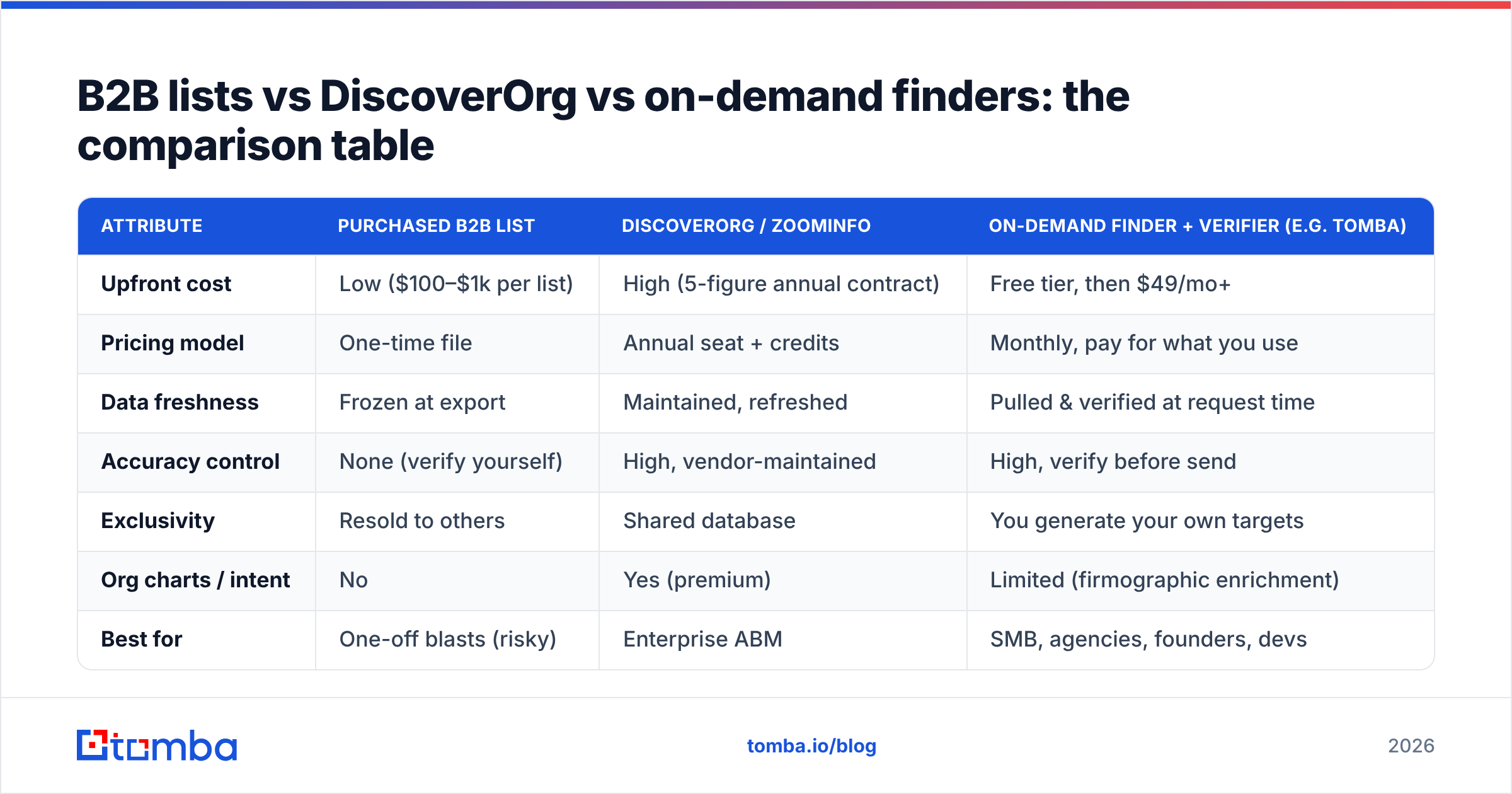
B2B lists vs DiscoverOrg vs on-demand finders: the comparison table#
Here's the core trade-off across the two traditional options and the on-demand model that's eaten a lot of the middle market.
| Attribute | Purchased B2B List | DiscoverOrg / ZoomInfo | On-Demand Finder + Verifier (e.g. Tomba) |
|---|---|---|---|
| Upfront cost | Low ($100–$1k per list) | High (5-figure annual contract) | Free tier, then $49/mo+ |
| Pricing model | One-time file | Annual seat + credits | Monthly, pay for what you use |
| Data freshness | Frozen at export | Maintained, refreshed | Pulled & verified at request time |
| Accuracy control | None (verify yourself) | High, vendor-maintained | High, verify before send |
| Exclusivity | Resold to others | Shared database | You generate your own targets |
| Org charts / intent | No | Yes (premium) | Limited (firmographic enrichment) |
| Best for | One-off blasts (risky) | Enterprise ABM | SMB, agencies, founders, devs |
| Time to first contact | Instant | Onboarding required | Minutes |
| Compliance posture | Weak (unknown source) | Documented sourcing | You control collection |
The pattern is clear: a list optimizes for upfront price, DiscoverOrg optimizes for depth, and an on-demand finder optimizes for fresh accuracy at a fair monthly cost.
Why is "static vs live" the question that actually matters?#
Because the format of your data determines its decay rate. A static list is a photograph; a live source is a video feed.
When you buy a list, you own a photograph of the market on the day it was assembled. When you use a maintained platform or an on-demand finder, you're querying current reality. The difference shows up directly in your numbers — bounce rate, response rate, and how long your sending domain survives.
Think of it like groceries. Buying a list is buying a freezer full of meals from an unknown date — convenient, until you find out half of it expired. Using an on-demand finder is shopping the day you cook: you pull exactly the contacts you need, fresh, and check the label (verify the email) before you serve it.
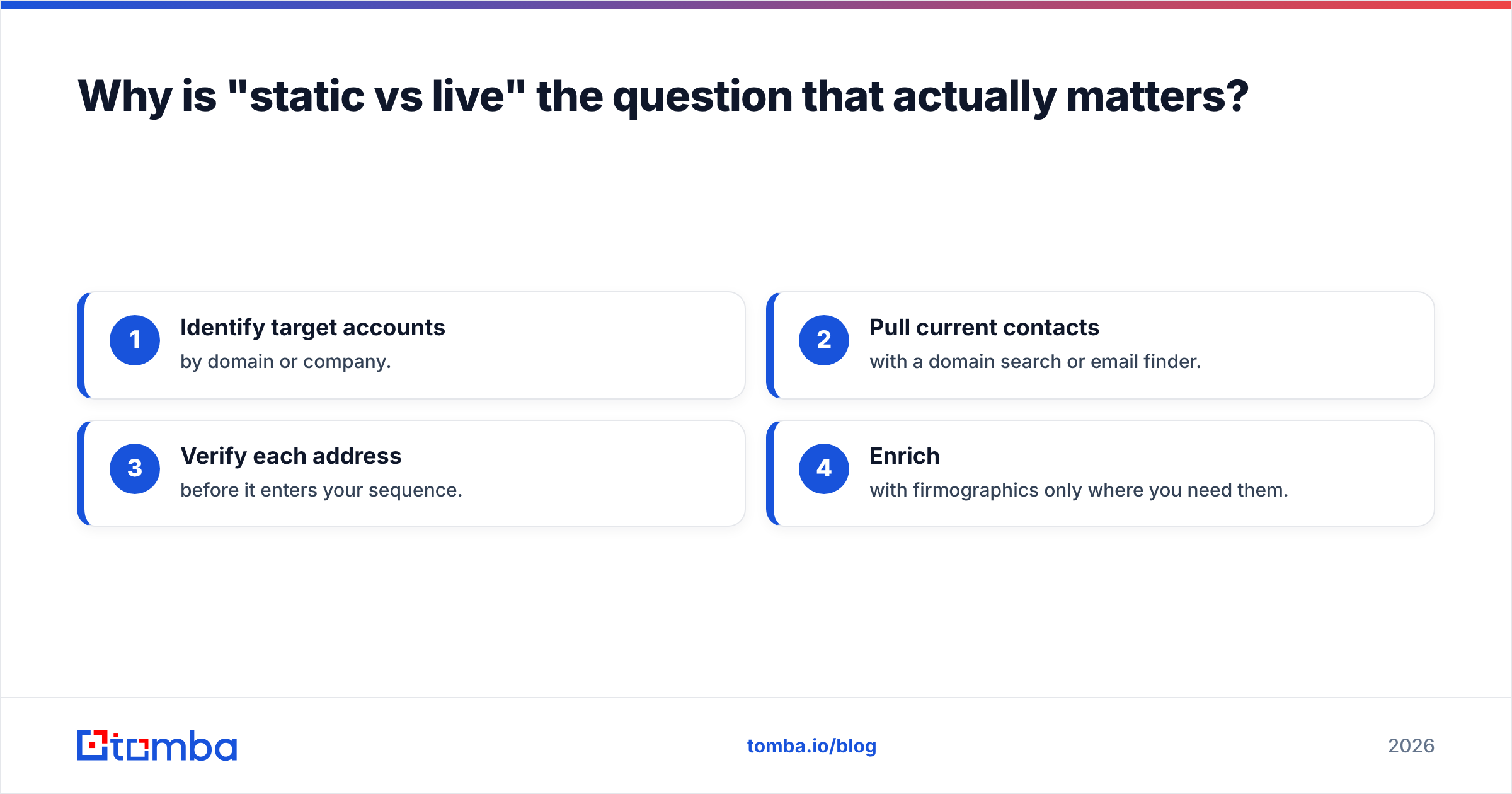
This is why the smart play for most teams isn't choosing between the two legacy options. It's adopting a workflow where you:
- Identify target accounts by domain or company.
- Pull current contacts with a domain search or email finder.
- Verify each address before it enters your sequence.
- Enrich with firmographics only where you need them.
What does the on-demand alternative look like in practice?#
Instead of paying once for a rotting file or signing an annual enterprise contract, you query a maintained source when you have a real target — and you only pay for usage.
Here's how the workflow maps to specific jobs:
- Find emails by company. Drop a domain into a domain search to pull every discoverable address and the company's email pattern, with confidence scores.
- Find one person. Use an email finder with a name plus domain to get a single verified address — ideal when you've sourced a prospect on LinkedIn.
- Verify before sending. Run new contacts through an email verifier to drop invalids and spam traps before they ever touch your sequence.
- Handle scale. For batch work, a bulk email finder processes a target list in one pass instead of one record at a time.
- Enrich selectively. Add firmographic and role data with data enrichment only where it changes how you'd write the message.
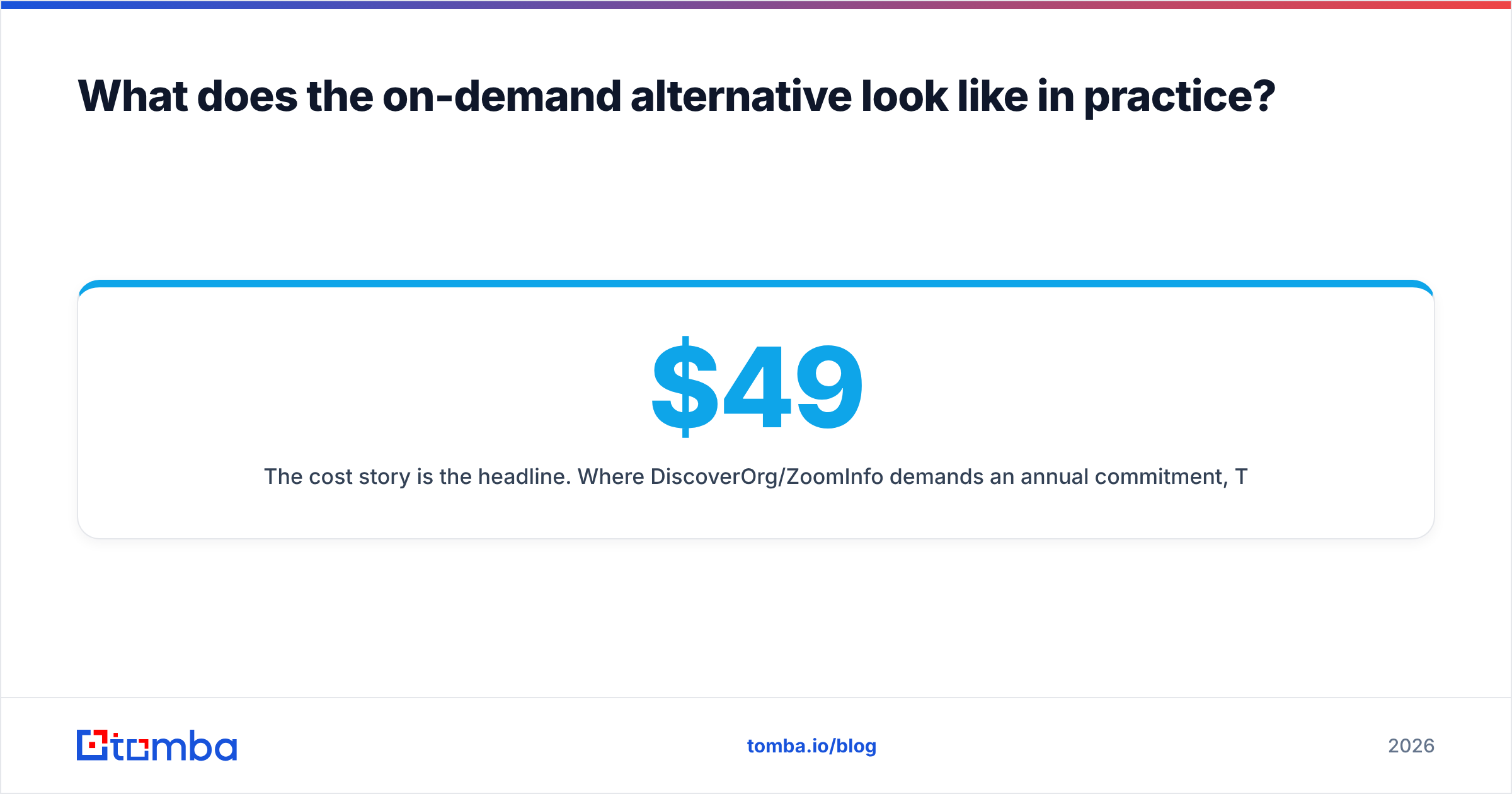
The cost story is the headline. Where DiscoverOrg/ZoomInfo demands an annual commitment, Tomba starts with a free tier (25 searches/month) and scales through transparent monthly plans — Starter at $49/mo, Growth at $99/mo, and Pro at $249/mo, with custom Enterprise pricing. You can see the full breakdown on the Tomba pricing page. For a small team, that's the difference between a $49 monthly line item and a multi-thousand-dollar procurement project.
Which option should you choose?#
Match the model to your situation, not to the loudest sales pitch.
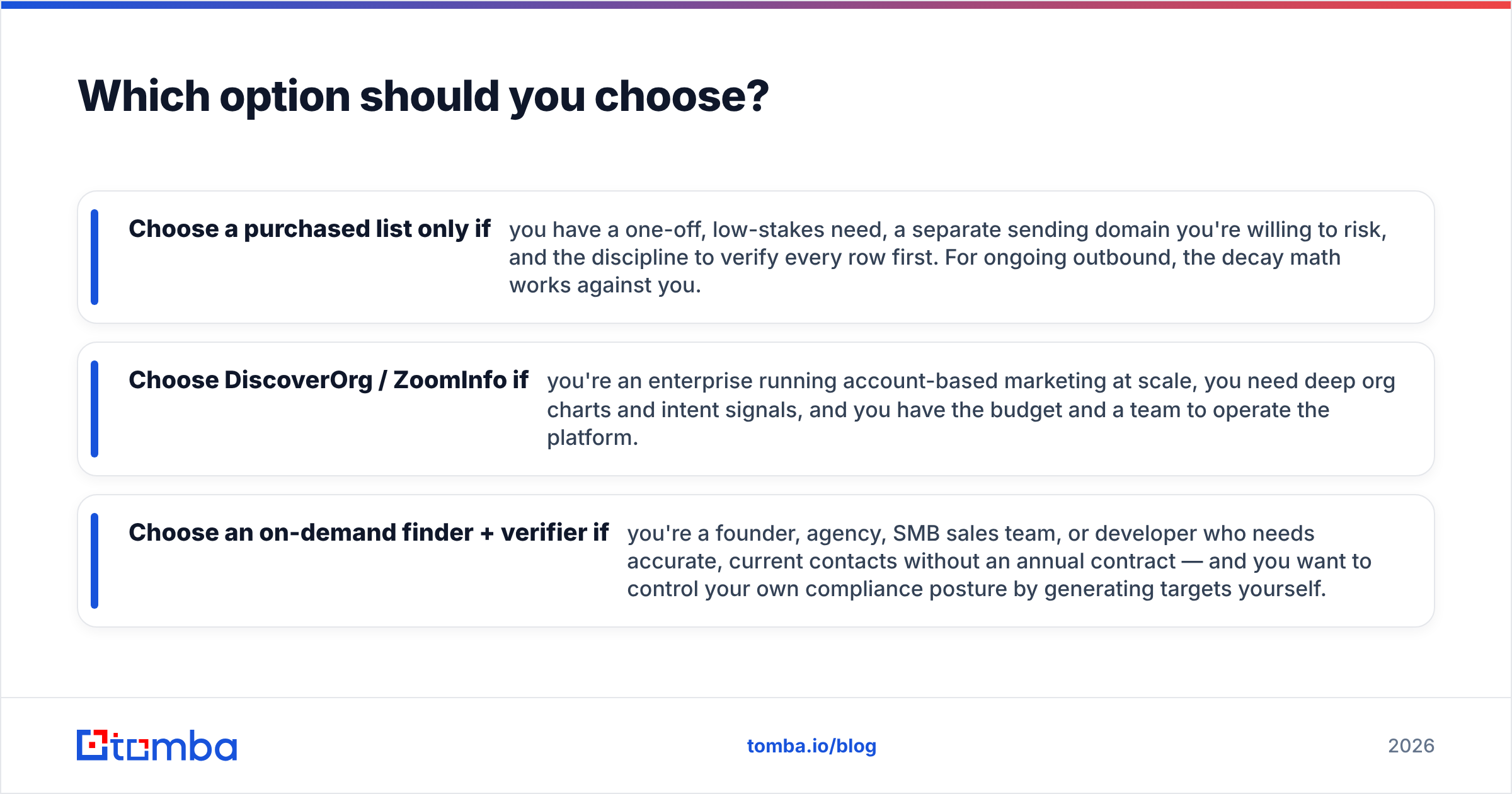
- Choose a purchased list only if you have a one-off, low-stakes need, a separate sending domain you're willing to risk, and the discipline to verify every row first. For ongoing outbound, the decay math works against you.
- Choose DiscoverOrg / ZoomInfo if you're an enterprise running account-based marketing at scale, you need deep org charts and intent signals, and you have the budget and a team to operate the platform.
- Choose an on-demand finder + verifier if you're a founder, agency, SMB sales team, or developer who needs accurate, current contacts without an annual contract — and you want to control your own compliance posture by generating targets yourself.
A quick gut check: if your monthly need is "a few hundred to a few thousand verified contacts for accounts I've already identified," the on-demand model wins on both cost and freshness. If your need is "full enterprise intelligence across thousands of accounts with intent scoring," that's where the premium platform earns its price.
You can also run a hybrid: use a platform or list for account discovery, then use a finder and verifier to get and validate the actual contact data before it enters your CRM. That keeps your CRM clean and your deliverability intact.
What about compliance and data sourcing?#
This is the part teams skip until a complaint lands. Purchased lists are the weakest position: you usually can't document where the data came from or whether the contacts had any relationship to you. DiscoverOrg/ZoomInfo publishes sourcing and notice practices, which gives you a paper trail. With an on-demand finder, you control collection — you pull contacts tied to specific business outreach you can justify.
Whichever route you pick, the non-negotiables are the same: honor opt-outs, identify yourself, keep records of your sourcing, and verify addresses to avoid hammering dead or trap accounts. Clean process protects your domain as much as it protects you legally.
The bottom line#
Stop framing it as "B2B lists vs DiscoverOrg." A static list is a depreciating asset and DiscoverOrg is an enterprise commitment — two ends of a spectrum, neither of which fits the typical SMB or growth team in the middle. The model that's quietly won that middle is on-demand, verified-at-request-time data: you pull current contacts when you need them and validate them before you send, paying only for what you use.
If that's where you sit, start with the Tomba Email Finder. Find professional email addresses by name, company, or domain, verify them in the same workflow, and keep your sending reputation clean — all on a free tier you can test today before you ever spend a dollar. It's the fastest way to replace a rotting list or an oversized contract with data you can actually trust.
Ready to find emails that actually work?
Join 150,000+ professionals who stopped guessing and started sending. Free credits on signup — no credit card required.
Get the Tomba newsletter
Practical outbound tactics and product updates — once every two weeks.
About the author