B2B Lists vs Tomba: Buy Leads or Find Them in 2026?
Prepackaged B2B lists are cheap and instant, but they decay fast and burn your domain. Here's how buying static lists stacks up against finding fresh, verified contacts with Tomba in 2026.
Buying a B2B list feels like a shortcut: pay once, download a spreadsheet, start emailing. But the contacts you bought were collected months ago, sold to dozens of other buyers, and never verified against today's reality. The alternative — finding and verifying contacts yourself with a tool like Tomba — takes a few extra minutes per account but gives you data that is fresh, exclusive, and matched to your actual target.
This post breaks down the real trade-offs so you can decide which approach fits your pipeline.
TL;DR#
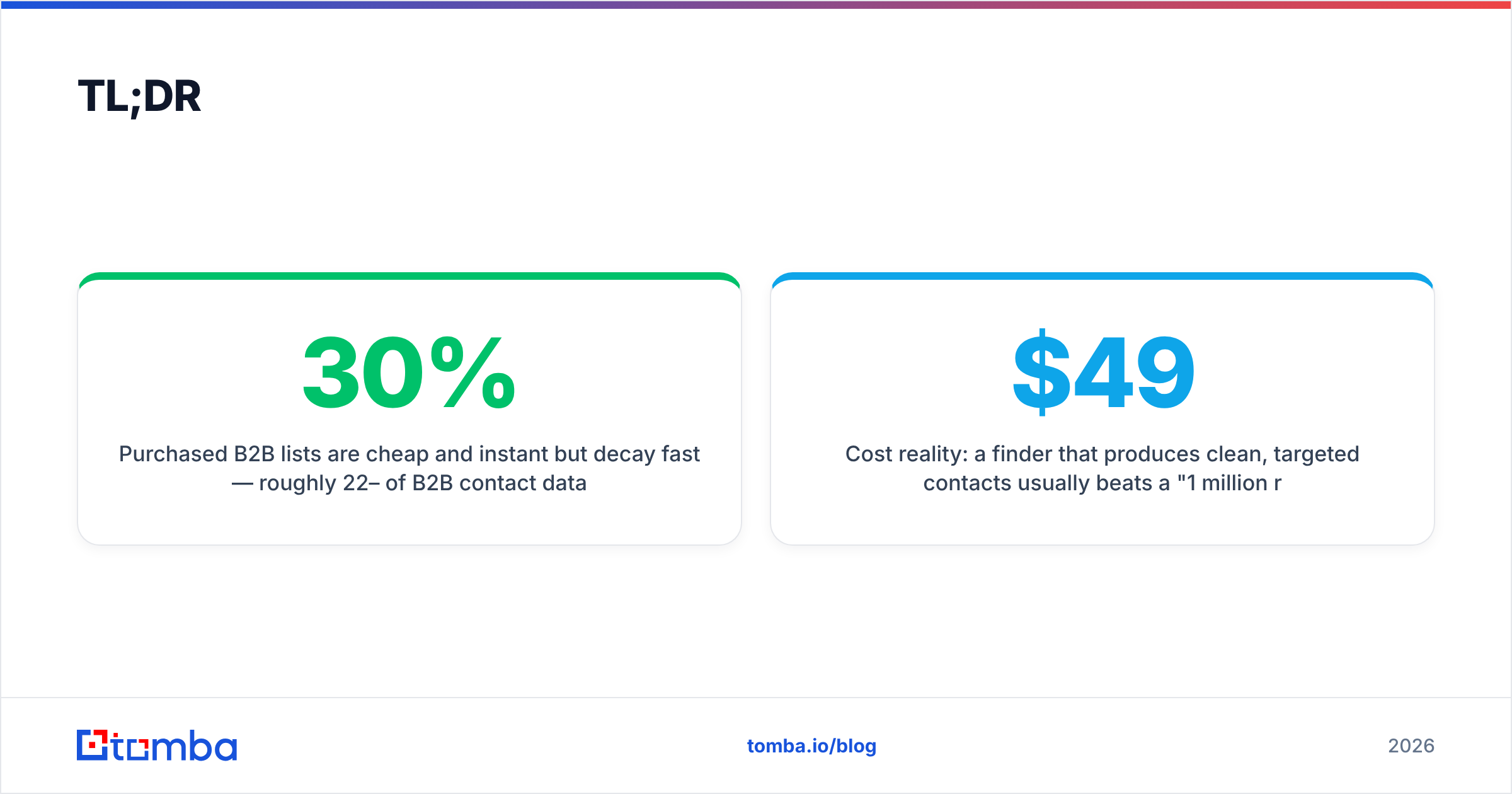
- Purchased B2B lists are cheap and instant but decay fast — roughly 22–30% of B2B contact data goes stale every year through job changes alone.
- Resold lists hammer your deliverability because the same addresses get blasted by many buyers, raising spam complaints and bounce rates.
- Tomba finds contacts on demand by domain, name, or company, then verifies them, so you build exclusive lists that match your ICP instead of inheriting someone else's leftovers.
- The honest middle ground: use a list only if the vendor proves recency and exclusivity; otherwise build with a live email finder plus verification.
- Cost reality: a $49/mo finder that produces clean, targeted contacts usually beats a "1 million records for $99" dump that bounces.
What does "B2B lists vs Tomba" actually compare?#
It compares two ways of getting contact data, not two products doing the same thing.
A purchased B2B list is a static file. A vendor scraped, aggregated, or licensed contact records — names, titles, emails, sometimes phone numbers — and sells you a slice of that database as a one-time CSV or an ongoing subscription. The data is whatever it was on the day it was compiled.
Tomba is a live data engine. You query it for the people you actually want — by company domain, by name, by role — and it returns verified contact details pulled and validated at request time. Instead of buying a frozen snapshot, you generate a fresh, custom list.
Think of it like produce. A bought list is canned vegetables: convenient, shelf-stable, but processed and months old. Tomba is the farmers market: you pick exactly what you need the day you need it.
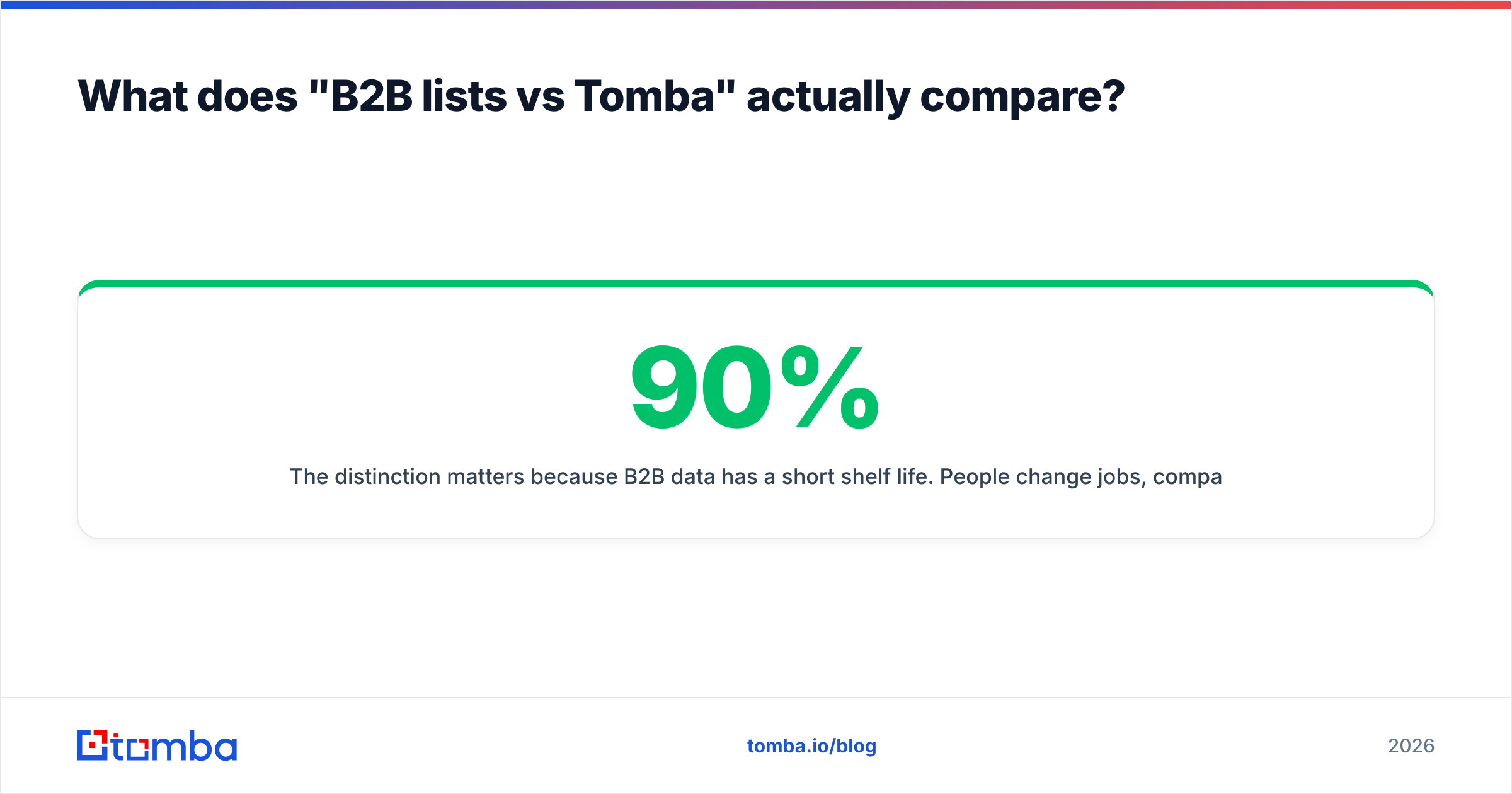
The distinction matters because B2B data has a short shelf life. People change jobs, companies rebrand, domains migrate, and email formats shift. A list that was 90% accurate at compilation can drop below 70% within a year — and you have no way to know which 30% rotted.
How do purchased B2B lists and Tomba stack up?#
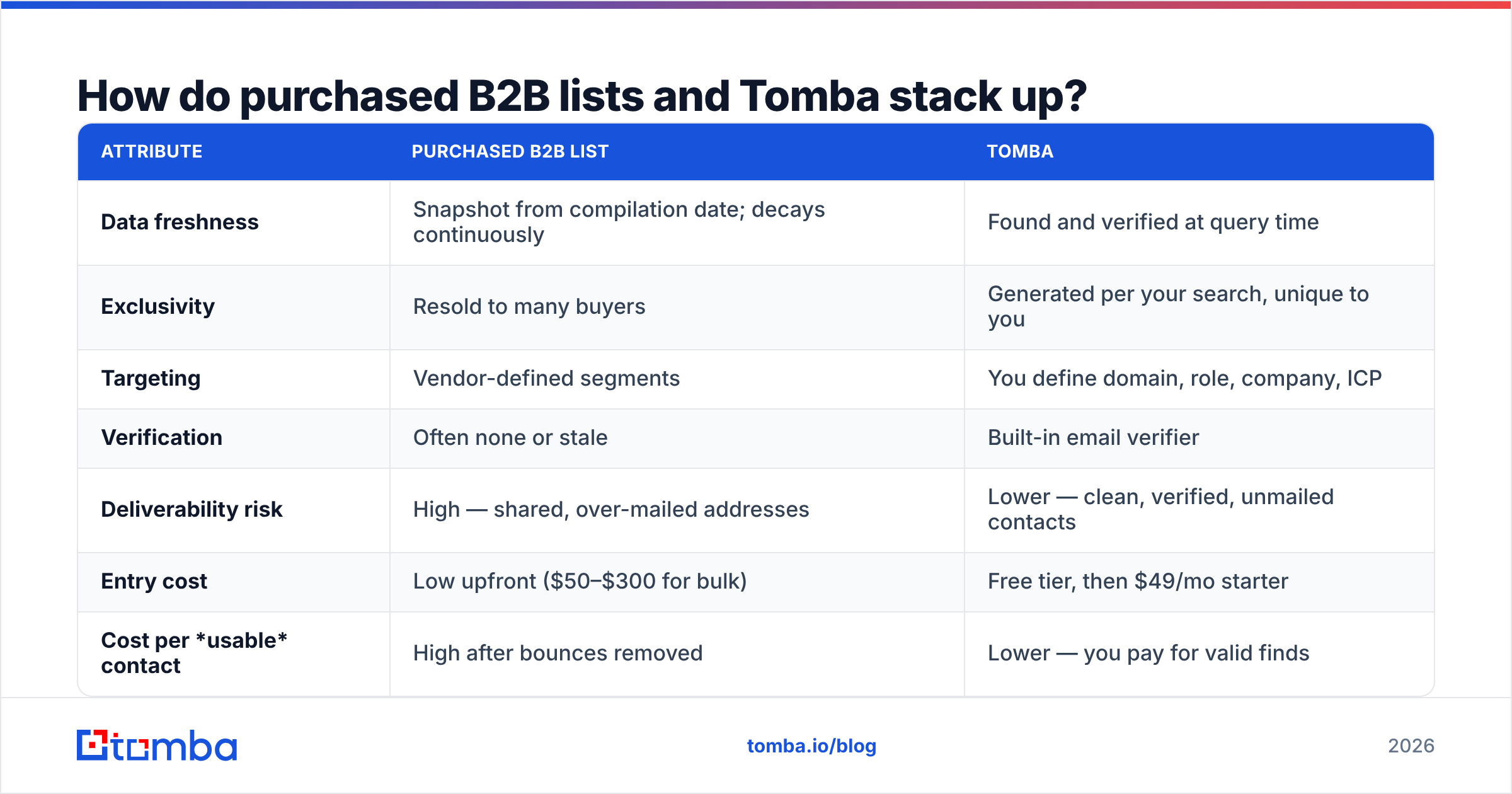
Here is the side-by-side on the attributes that actually affect your reply rate and your sender reputation.
| Attribute | Purchased B2B List | Tomba |
|---|---|---|
| Data freshness | Snapshot from compilation date; decays continuously | Found and verified at query time |
| Exclusivity | Resold to many buyers | Generated per your search, unique to you |
| Targeting | Vendor-defined segments | You define domain, role, company, ICP |
| Verification | Often none or stale | Built-in email verifier |
| Deliverability risk | High — shared, over-mailed addresses | Lower — clean, verified, unmailed contacts |
| Entry cost | Low upfront ($50–$300 for bulk) | Free tier, then $49/mo starter |
| Cost per usable contact | High after bounces removed | Lower — you pay for valid finds |
| Compliance control | Opaque sourcing | Transparent data sources |
The headline number people fixate on is upfront price, and that is exactly where bought lists win. But "cost per usable contact" is the metric that decides ROI, and once you strip out bounces, duplicates, role accounts, and people who left the company, a cheap list often costs more per real conversation than a targeted finder.
Why do purchased lists hurt deliverability?#
Resold, over-mailed addresses are the fastest way to wreck your sender reputation.
When a vendor sells the same record to 50 buyers, that inbox gets cold pitches from 50 strangers. Recipients mark them as spam. Mailbox providers notice the pattern and start routing mail from anyone hitting those addresses straight to the junk folder. You inherit the damage even though you sent one polite email.
Three specific failure modes show up with bought lists:
- Hard bounces from dead addresses. Stale lists are full of people who left. Every bounce above ~2% signals mailbox providers that you don't clean your list, which throttles your whole domain.
- Spam traps. Recycled or pristine spam-trap addresses hide inside aggregated lists. Hitting even one can blacklist your sending domain.
- Complaint spikes. Because the contacts never opted in and have seen the pitch before, complaint rates run high, dragging down email deliverability for legitimate campaigns too.
Google and Yahoo's 2024 bulk-sender rules made this worse for list-buyers: they enforce a spam-complaint threshold under 0.3% and require easy unsubscribe. Mailing a stale purchased list blows past those limits fast. You can read the specifics in Google's sender guidelines.
The contrast with finding contacts yourself is simple: when you verify an address before sending and you're the first to email it, complaint and bounce rates stay low, and your sender reputation survives.
Is a bought list ever the right call?#
Yes — in narrow cases, and only with guardrails.
A purchased list can make sense when:
- You need scale fast for a broad TAM play and you'll run the entire file through verification before touching it.
- The vendor proves recency (compiled or refreshed within the last 30–60 days) and exclusivity (not resold, or resold with a cap).
- The segment is stable — large enterprises with low title churn decay slower than fast-moving startups.
- You treat it as raw material, not a finished list — dedupe, verify, enrich, and suppress before sending.
If a vendor can't tell you when the data was collected or how many other buyers received it, walk away. "1 million B2B contacts for $99" is almost always recycled scrape that will bounce.
Even in the best case, you should pipe a bought list through a catch-all verifier and a standard email verification pass first. The verification step is non-negotiable — it's the difference between a list that mails clean and one that gets your domain blacklisted.
How does building lists with Tomba work?#
You start from your ideal customer, not from a vendor's pre-sliced database.
The typical workflow looks like this:
- Define the target. Pick the companies or roles you want — a list of domains, a named-account list, or a persona like "Head of RevOps at Series B SaaS."
- Run domain search. Use domain search to pull every discoverable contact at a target company, with titles and verified emails, in one query.
- Find named people. When you know who you want, the email finder returns their professional address by name plus company.
- Verify everything. Each address runs through verification so you ship only deliverable contacts.
- Enrich and export. Add firmographic and role data with data enrichment, then push to your CRM or sequencer.
For volume, the bulk email finder processes a whole account list at once, and the Tomba API wires finding and verification directly into your own tooling. There are also native integrations for HubSpot, Salesforce, Pipedrive, Google Sheets, and Zapier, so the data lands where your team already works.
The output is a list nobody else has, built around accounts you actually chose, with every address verified before it enters a campaign.
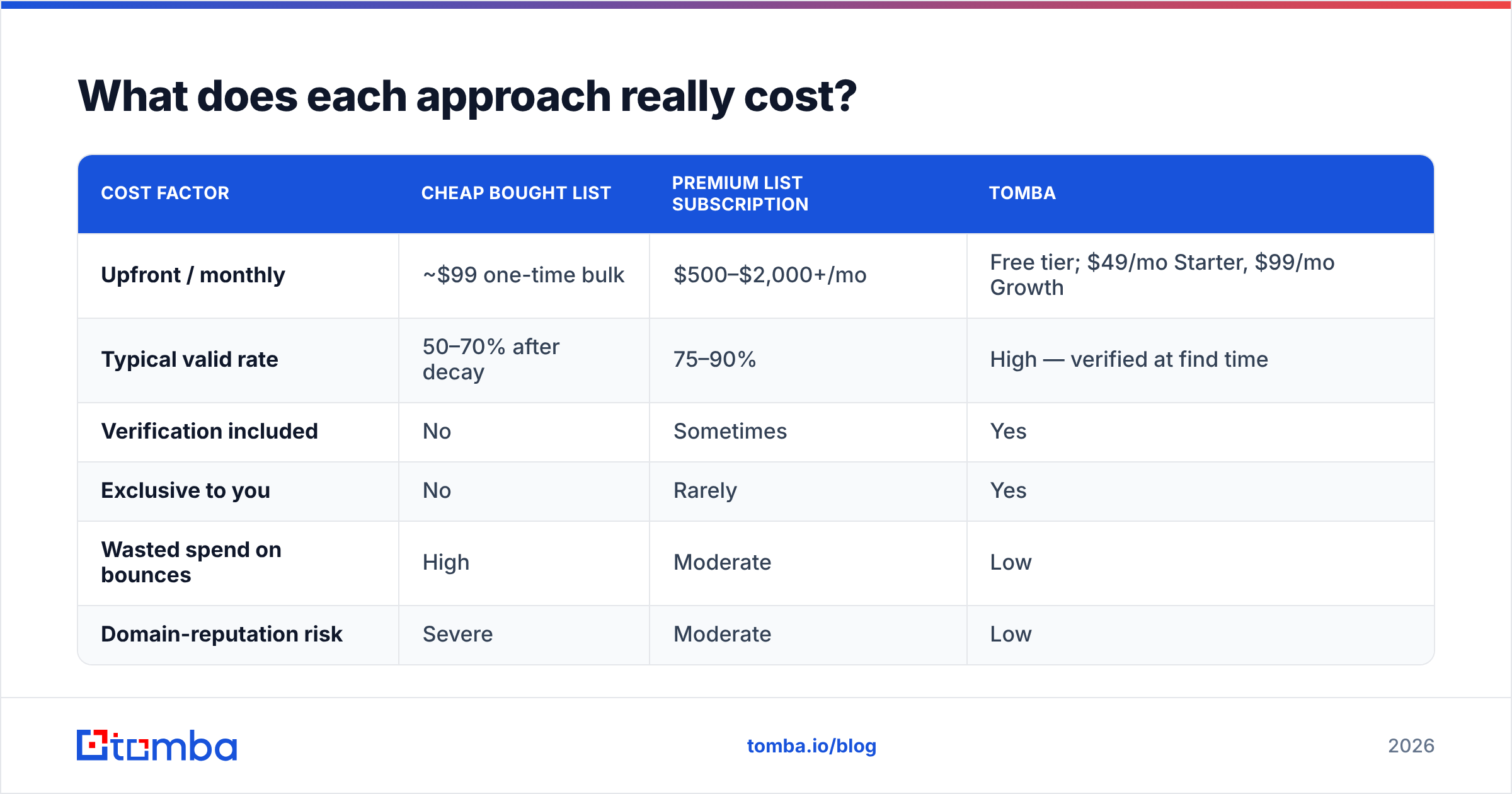
What does each approach really cost?#
Compare total cost of ownership, not sticker price.
| Cost factor | Cheap Bought List | Premium List Subscription | Tomba |
|---|---|---|---|
| Upfront / monthly | ~$99 one-time bulk | $500–$2,000+/mo | Free tier; $49/mo Starter, $99/mo Growth |
| Typical valid rate | 50–70% after decay | 75–90% | High — verified at find time |
| Verification included | No | Sometimes | Yes |
| Exclusive to you | No | Rarely | Yes |
| Wasted spend on bounces | High | Moderate | Low |
| Domain-reputation risk | Severe | Moderate | Low |
A $99 bulk file with a 60% valid rate gives you 60% of the records as usable — and you still paid to mail the bad 40%, plus the reputation hit. Tomba's pricing starts free at 25 searches a month, then $49/mo (Starter), $99/mo (Growth), and $249/mo (Pro), with Enterprise custom. You pay for finds, and the verification is baked in, so the cost maps to usable contacts rather than to a record count that's mostly noise.
For a quick gut check, compare against analyst-reviewed data vendors on G2's lead intelligence category — the recurring theme in reviews is that data freshness and verification, not raw volume, drive ROI.
How do you keep your data clean either way?#
Whatever your source, verification and hygiene decide whether your campaigns land.
A practical hygiene checklist:
- Verify before every send, not just at import — addresses go stale between purchase and use.
- Suppress duplicates and role accounts (info@, sales@) that inflate counts and complaints. The remove duplicates tool handles dedupe in seconds.
- Check catch-all domains separately, since they pass basic syntax checks but may not deliver — use a catch-all finder.
- Warm up your sending domain before volume sending, and monitor your email reputation.
- Re-verify quarterly. Even self-built lists decay; a periodic pass keeps bounce rates under the thresholds Google and Yahoo enforce.
The difference is that with a bought list you're cleaning up someone else's mess, while with a found-and-verified list you're maintaining something that started clean.
B2B lists vs Tomba: which should you choose?#
Choose based on how much your reply rate and domain reputation are worth to you.
- Pick a bought list only if you need broad volume immediately, the vendor proves recency and exclusivity, and you commit to verifying the entire file before sending. Treat it as raw material.
- Pick Tomba when you want targeted, exclusive, pre-verified contacts that protect your deliverability and map to a defined ICP — which is most outbound, ABM, and founder-led sales motions.
- Best of both: if you already own a list, run it through verification and enrichment, then fill the gaps and refresh stale records with live finding. You keep the volume and recover the accuracy.
The math usually favors quality. A smaller list of verified, exclusive contacts out-converts a giant resold file, costs less per real conversation, and keeps your domain out of the spam folder.
Start building cleaner lists#
If your current "list" is a dusty CSV that bounces every time you mail it, swap the strategy. Use the Tomba Email Finder to build a fresh, verified, ICP-matched list around the accounts you actually want — search by domain, name, or company, verify on the spot, and export straight to your CRM. Start on the free tier with 25 searches, then scale to the $49/mo Starter plan when you're ready. You'll spend less per usable contact and protect the sender reputation that every future campaign depends on.
// get started
Find, verify and enrich your first contacts today
Start on the free plan with 25 searches a month, then scale when your team is ready.
Free plan · No credit card required · GDPR & CCPA
// about the author