Top 7 BatchDialer Alternatives for Cold Calling Teams (2026)
BatchDialer is solid for real estate, but it's not the only dialer worth your budget. Here are 7 BatchDialer alternatives compared on price, dialing modes, and data quality for 2026.
You picked BatchDialer because it dials fast and the real-estate crowd swears by it. But "fast dialing" is only half the job — the other half is who you're dialing, whether the number is live, and whether your caller ID survives the week. If any of those are wobbling, the dialer isn't your problem. This guide breaks down the seven strongest BatchDialer alternatives for 2026 and, just as important, where the real bottleneck usually hides.
TL;DR#
- BatchDialer is strong for real estate and high-volume cold calling, but pricing, CRM depth, and built-in compliance vary a lot across competitors.
- The biggest lever isn't the dialer — it's the data. A predictive dialer burning through stale numbers just hits voicemail faster.
- Best all-around alternatives: PhoneBurner (power dialing), Kixie (CRM-native), Aircall (support + sales blend), and Five9 (enterprise predictive).
- Pair any dialer with verified mobile numbers. Tools like the phone finder and a phone validator cut wasted dials before they ever start.
- Match the tool to your motion: SMB real estate, SDR outbound, and enterprise call centers each have a different winner below.
What is BatchDialer and why look for an alternative?#
BatchDialer is a cloud-based multi-line dialer built primarily for real estate investors and high-volume outbound teams. It offers predictive and preview dialing, built-in DNC scrubbing, local caller ID, and a lightweight CRM. It's genuinely good at what it does: pumping a lot of calls through a small team without manual dialing.
So why shop around? A few common reasons:
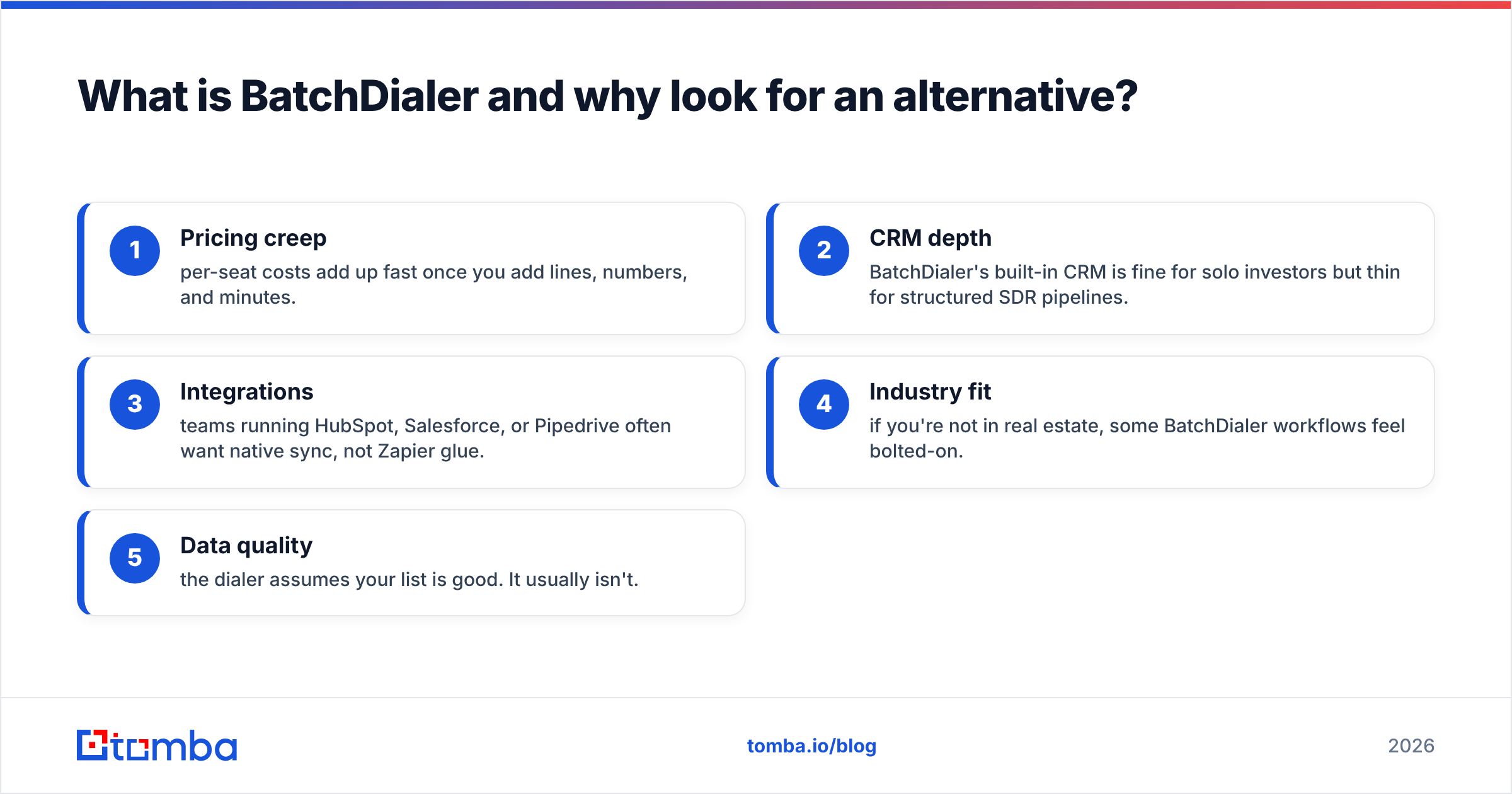
- Pricing creep — per-seat costs add up fast once you add lines, numbers, and minutes.
- CRM depth — BatchDialer's built-in CRM is fine for solo investors but thin for structured SDR pipelines.
- Integrations — teams running HubSpot, Salesforce, or Pipedrive often want native sync, not Zapier glue.
- Industry fit — if you're not in real estate, some BatchDialer workflows feel bolted-on.
- Data quality — the dialer assumes your list is good. It usually isn't.
That last point is the one teams underrate. Switching dialers won't fix a list full of disconnected numbers.
How should you compare BatchDialer alternatives?#
Don't start with the feature list. Start with how your team actually calls. Score every option on these five dimensions:
- Dialing mode — Preview, power (one line per agent), or predictive (multiple lines, algorithmic pacing). Predictive needs volume to be worth it.
- Compliance — DNC scrubbing, TCPA-aware pacing, consent logging, and call recording controls. Non-negotiable in 2026.
- CRM and integrations — Native two-way sync beats a Zapier bridge every time you scale.
- Caller reputation — Local presence, spam-label monitoring, and number rotation keep your answer rates from collapsing.
- Data input quality — The dialer is only as good as the numbers you feed it. Verified, enriched contacts change the math more than any dialing algorithm.
Keep that last bullet in mind as you read the table — it's the variable most comparison posts ignore.
Which are the best BatchDialer alternatives in 2026?#
Here's the head-to-head. Prices are entry-level published rates and shift with seats and minutes, so treat them as a starting line, not gospel.
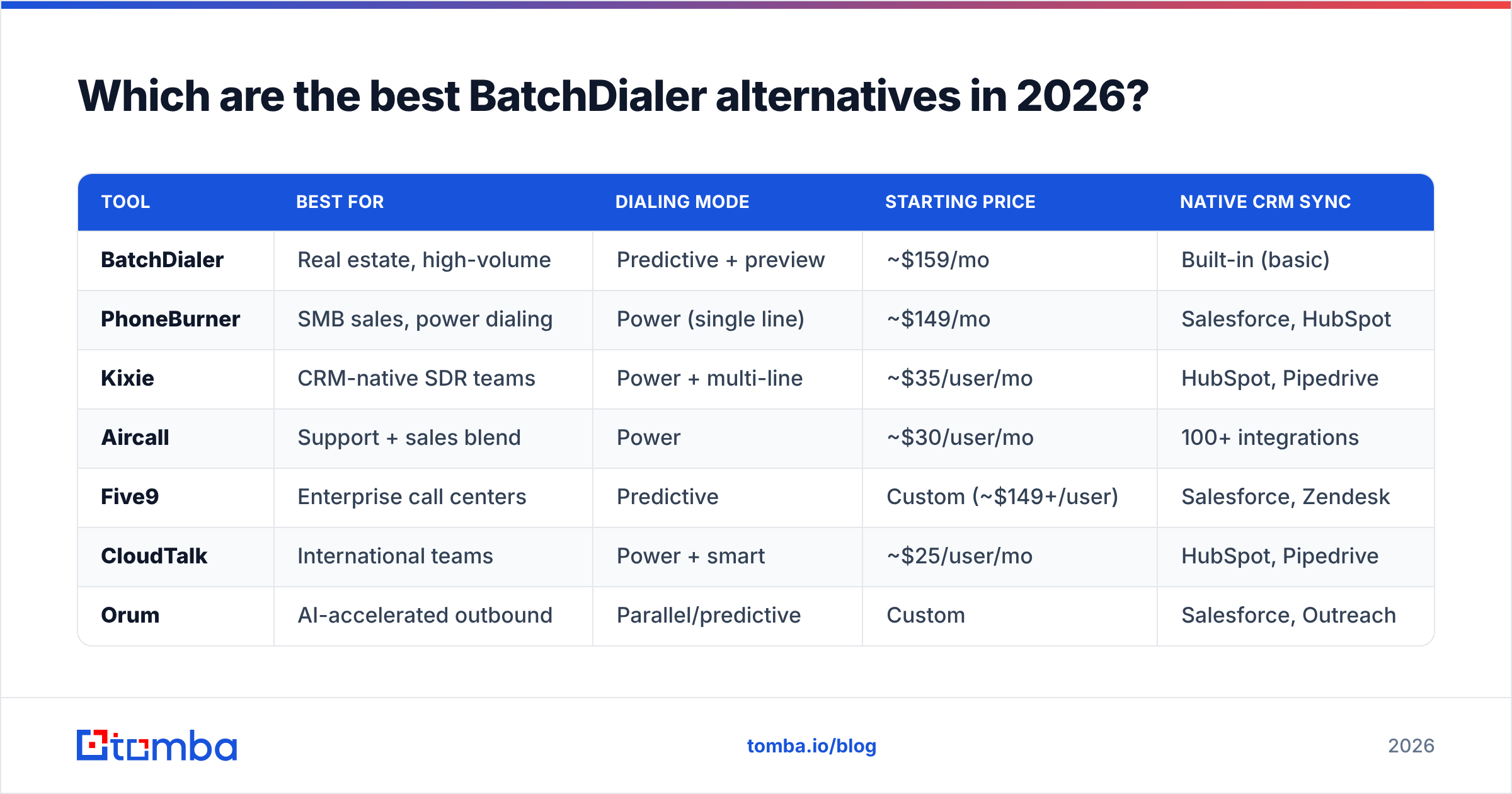
| Tool | Best for | Dialing mode | Starting price | Native CRM sync |
|---|---|---|---|---|
| BatchDialer | Real estate, high-volume | Predictive + preview | ~$159/mo | Built-in (basic) |
| PhoneBurner | SMB sales, power dialing | Power (single line) | ~$149/mo | Salesforce, HubSpot |
| Kixie | CRM-native SDR teams | Power + multi-line | ~$35/user/mo | HubSpot, Pipedrive |
| Aircall | Support + sales blend | Power | ~$30/user/mo | 100+ integrations |
| Five9 | Enterprise call centers | Predictive | Custom (~$149+/user) | Salesforce, Zendesk |
| CloudTalk | International teams | Power + smart | ~$25/user/mo | HubSpot, Pipedrive |
| Orum | AI-accelerated outbound | Parallel/predictive | Custom | Salesforce, Outreach |
A quick read on each:
- PhoneBurner — The cleanest power dialer for SMB sales. No awkward connect delay, strong email/voicemail automation, transparent pricing. Not predictive, so pure volume shops may outgrow it.
- Kixie — Built to live inside your CRM. Local presence, SMS, and AI features at a low per-seat price. Great for HubSpot and Pipedrive teams.
- Aircall — If your team does both inbound support and outbound sales, Aircall's blended approach and huge integration library are hard to beat.
- Five9 — Enterprise-grade predictive dialing, WFM, and reporting. Overkill (and overpriced) for a five-person team, ideal for a 200-seat floor.
- CloudTalk — Best international number coverage and call quality for teams dialing across borders.
- Orum — AI-driven parallel dialing that filters out voicemails and bad connects so reps only talk to humans. Premium pricing, premium throughput.
Is a predictive dialer always better than a power dialer?#
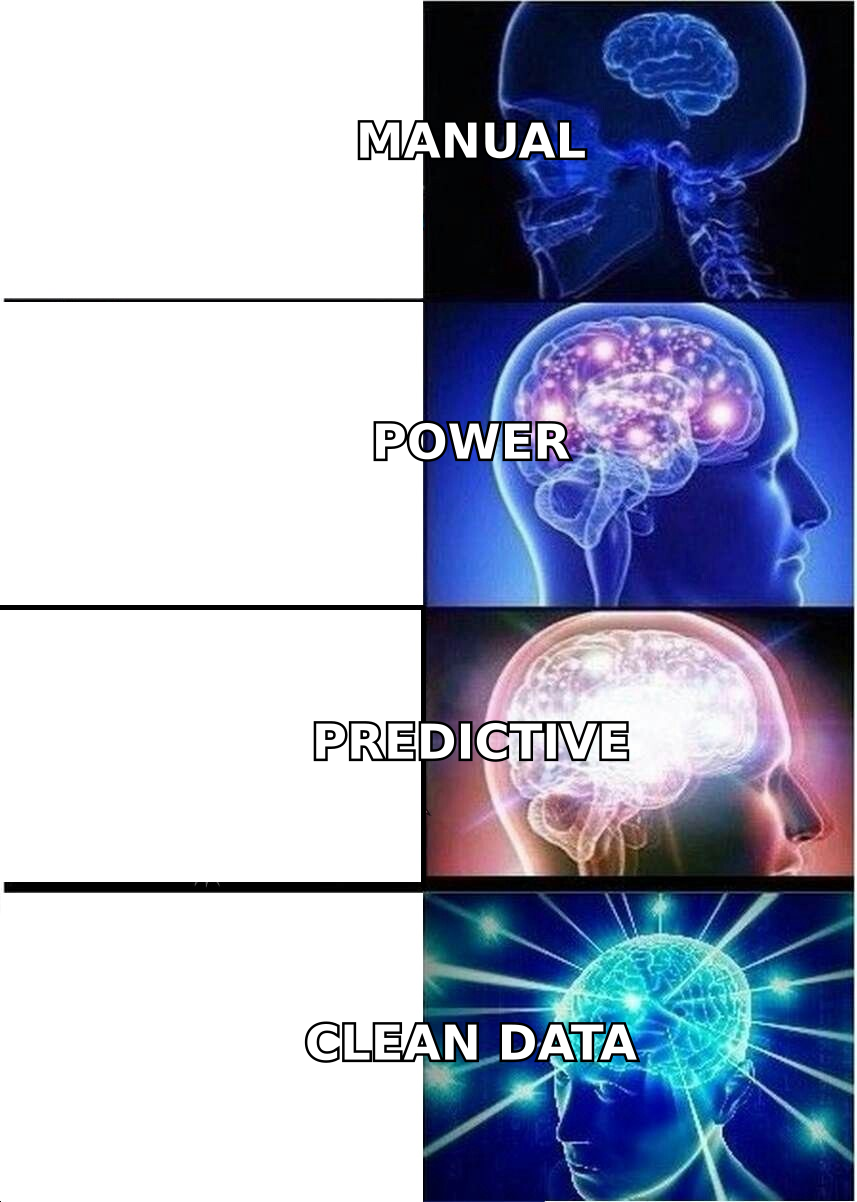
No — and assuming it is wastes money. Conclusion first: predictive dialing only pays off at high call volume with enough agents to absorb the connects. Below that threshold, you get dropped calls, compliance risk, and annoyed prospects.
Think of it like a restaurant kitchen. A power dialer is one chef cooking one dish at a time — controlled, personal, no waste. A predictive dialer is a line of chefs firing ten dishes hoping enough diners show up. When the dining room is packed (high volume), that's efficient. When it's quiet, food goes in the trash and customers wait. Most SMB and SDR teams are the quiet dining room. They do better with power or preview dialing plus better lists.
This is exactly where data quality outruns dialing speed. Twenty live, verified numbers will beat 200 unverified ones on every metric that matters — connect rate, talk time, and compliance exposure. Scrub your list with a phone validator before you ever load it, and the "predictive vs power" debate gets a lot less urgent.
What about compliance and caller reputation?#
This is the silent killer of cold-calling programs. You can have the best dialer alternative on the market and still tank if your numbers get spam-flagged or you breach TCPA pacing rules.
Checklist for any dialer you evaluate:
- DNC + TCPA tooling — Internal and federal DNC scrubbing, plus pacing controls that respect abandonment-rate limits.
- Spam-label monitoring — Carriers flag aggressive numbers fast. You want alerts and easy number rotation.
- Local presence done right — Helpful for answer rates, but rotate responsibly; carriers punish obvious spoofing patterns.
- Recording consent — Two-party consent state handling baked into the workflow, not an afterthought.
For the legal and definitional side of how compliance ties into your broader stack, the CRM and pipeline glossary entries are a useful primer when you're documenting process. And independent review sites like G2 and Capterra are worth a scan for fresh user-reported compliance complaints before you sign anything.
Why does contact data decide your dialer's ROI?#
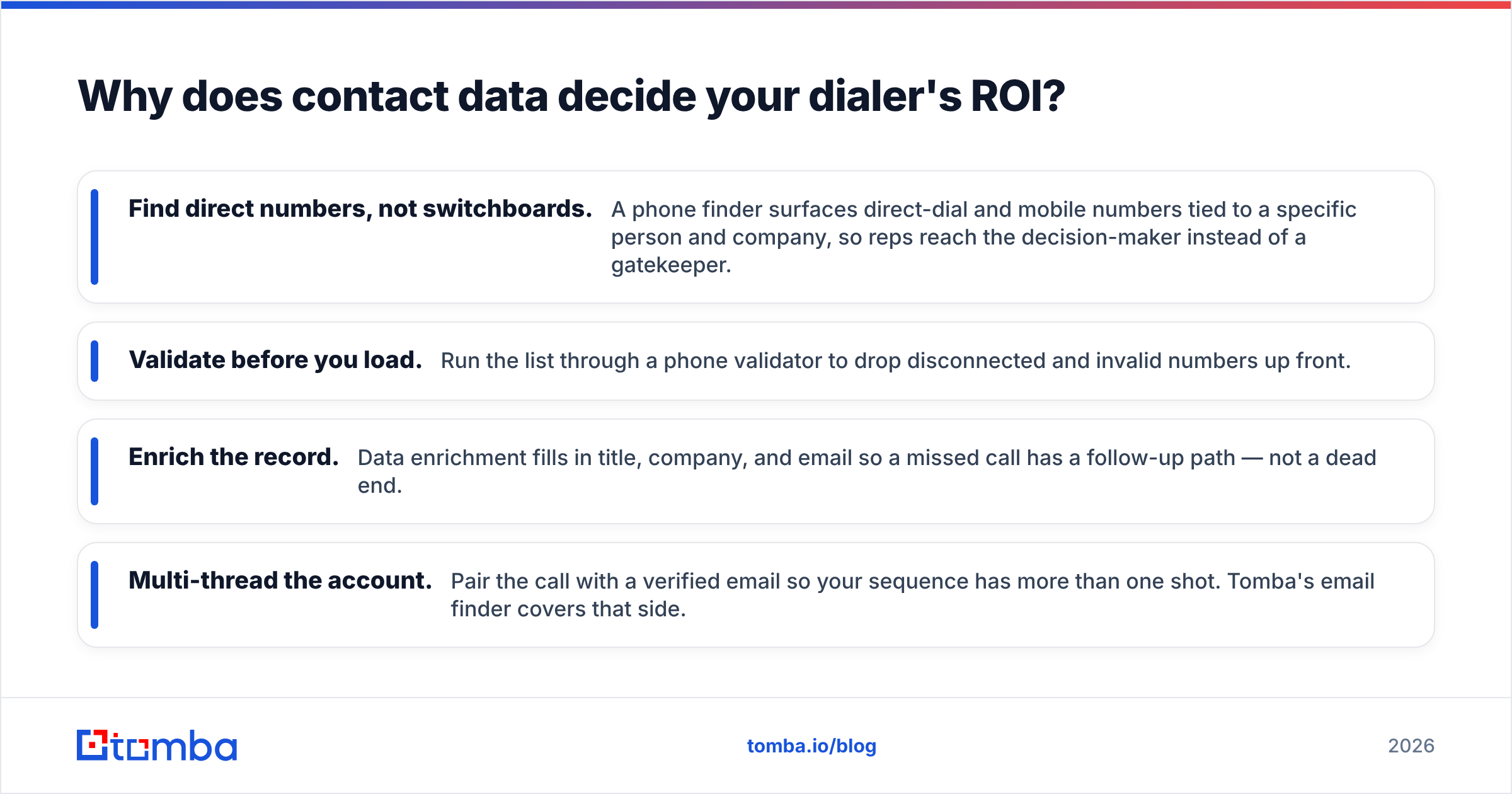
Because every dial against a dead number is pure cost — agent time, dialing minutes, and reputation wear. Here's the uncomfortable math: if 30% of your list is disconnected or wrong, you're paying for a third of your dialing capacity to reach nobody. No dialer feature recovers that. Only better data does.
This is where most BatchDialer alternatives quietly assume you've solved a problem you haven't. They sell you faster dialing on top of a leaky list. The fix sits upstream:
- Find direct numbers, not switchboards. A phone finder surfaces direct-dial and mobile numbers tied to a specific person and company, so reps reach the decision-maker instead of a gatekeeper.
- Validate before you load. Run the list through a phone validator to drop disconnected and invalid numbers up front.
- Enrich the record. Data enrichment fills in title, company, and email so a missed call has a follow-up path — not a dead end.
- Multi-thread the account. Pair the call with a verified email so your sequence has more than one shot. Tomba's email finder covers that side.
Run those four steps and a modest power dialer outperforms a premium predictive one fed garbage. The tool ranking flips entirely once the inputs are clean.
How do the alternatives map to your team type?#
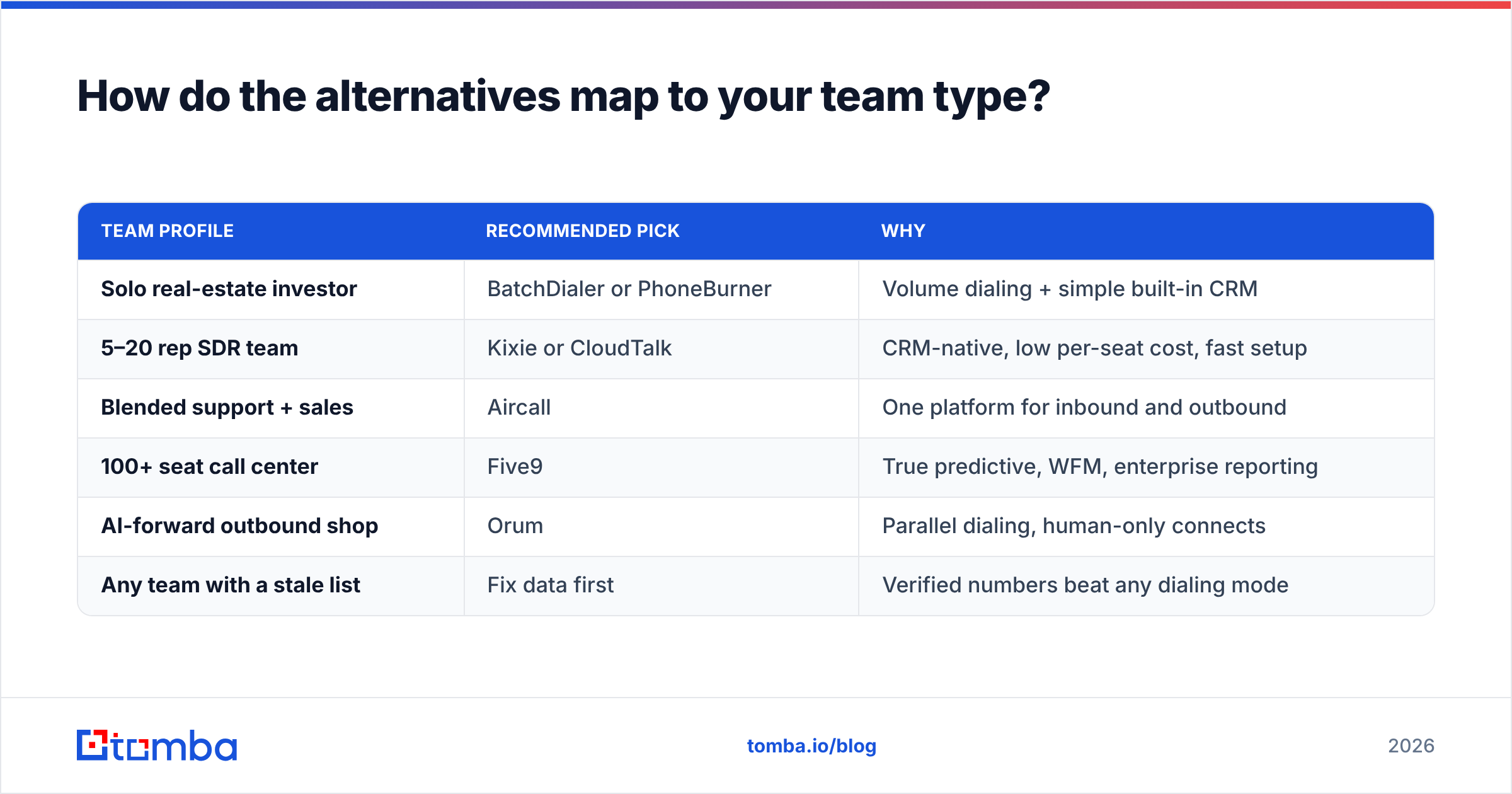
Match the tool to your motion instead of chasing the longest feature list:
| Team profile | Recommended pick | Why |
|---|---|---|
| Solo real-estate investor | BatchDialer or PhoneBurner | Volume dialing + simple built-in CRM |
| 5–20 rep SDR team | Kixie or CloudTalk | CRM-native, low per-seat cost, fast setup |
| Blended support + sales | Aircall | One platform for inbound and outbound |
| 100+ seat call center | Five9 | True predictive, WFM, enterprise reporting |
| AI-forward outbound shop | Orum | Parallel dialing, human-only connects |
| Any team with a stale list | Fix data first | Verified numbers beat any dialing mode |
Notice the last row applies to every team above it. That's the point.
What does switching actually cost?#
Beyond the sticker price, budget for three hidden costs:
- Migration time — Exporting call dispositions, recordings, and DNC lists out of BatchDialer takes longer than vendors admit. Plan a parallel-run week.
- Number porting — Porting existing numbers can take days and occasionally breaks local presence configs. Confirm the new vendor's porting SLA in writing.
- Reputation reset — New numbers start with a clean (unknown) reputation. Warm them up gradually instead of blasting day one.
When you compare BatchDialer alternatives against their own published pricing-style tiers, fold these switching costs into the first-quarter total. A "cheaper" per-seat rate can lose to a slightly pricier tool with painless migration and native CRM sync.
The bottom line#
BatchDialer is a capable dialer, and for high-volume real estate it may still be your best option. But the strongest BatchDialer alternatives — PhoneBurner, Kixie, Aircall, Five9, CloudTalk, and Orum — each win for a specific team profile, and the right choice depends on your dialing volume, CRM, and compliance needs far more than on raw dialing speed.
The deeper truth: your dialer is downstream of your data. The teams that win at cold calling in 2026 aren't the ones with the fanciest predictive algorithm — they're the ones whose reps spend their dials talking to real, reachable people. Before you migrate platforms, fix the list.
Start where the ROI actually lives. Use the Tomba Email Finder and the companion phone finder to build verified, enriched contact lists, then run them through validation before your dialer ever loads them. Tomba's Free tier gives you 25 searches a month to test it, with Starter at $49/mo when you're ready to scale. Clean data first, then pick the dialer — your connect rate will tell you it was the right order.
// get started
Find, verify and enrich your first contacts today
Start on the free plan with 25 searches a month, then scale when your team is ready.
Free plan · No credit card required · GDPR & CCPA
// about the author