9 Benefits of CRM for Small Business in 2026 (Real ROI)
Spreadsheets leak deals. Here are the 9 real benefits of CRM for small business in 2026 — with pricing, ROI math, and a buyer's table to pick the right tool.
You started with a spreadsheet. It worked — until it didn't. Deals slipped because nobody remembered to follow up. Two reps emailed the same prospect. The "single source of truth" lived in three different tabs and one person's inbox. This is the moment most small businesses start asking what a CRM actually buys them, and whether the monthly fee is worth it.
Short answer: yes, when the tool fits the team. This post breaks down the concrete benefits of CRM for small business in 2026 — not the brochure version, but the ones that show up in your pipeline, your close rate, and your data quality.
TL;DR#
- A CRM's biggest win for small teams is never dropping a follow-up — automated reminders and pipeline stages recover deals that spreadsheets quietly lose.
- Centralized data kills double-outreach, stale contacts, and the "where did we leave off" problem when someone is out sick.
- Expect measurable ROI from shorter sales cycles and higher win rates, not from the software itself — the tool is the lever, your process is the load.
- Pick on fit, not feature count: a 5-person shop and a 50-person team need very different things. Over-buying is the most common small-business CRM mistake.
- A CRM is only as good as the data inside it — pair it with an email finder and data enrichment so reps spend time selling, not hunting for contact details.
What is a CRM, in plain terms?#
A CRM (customer relationship management) system is the shared memory of your sales and customer team. Think of it like a restaurant's reservation book — except it also remembers what every guest ordered last time, when they're due back, and which server they like. Technically, it's a database of contacts, companies, deals, and the activity history tying them together, wrapped in an interface built for follow-up.
For a small business, the CRM replaces the patchwork: the spreadsheet of leads, the sticky notes, the rep who keeps "their" accounts in a personal notebook. Everything that matters about a relationship lives in one place that the whole team can see.
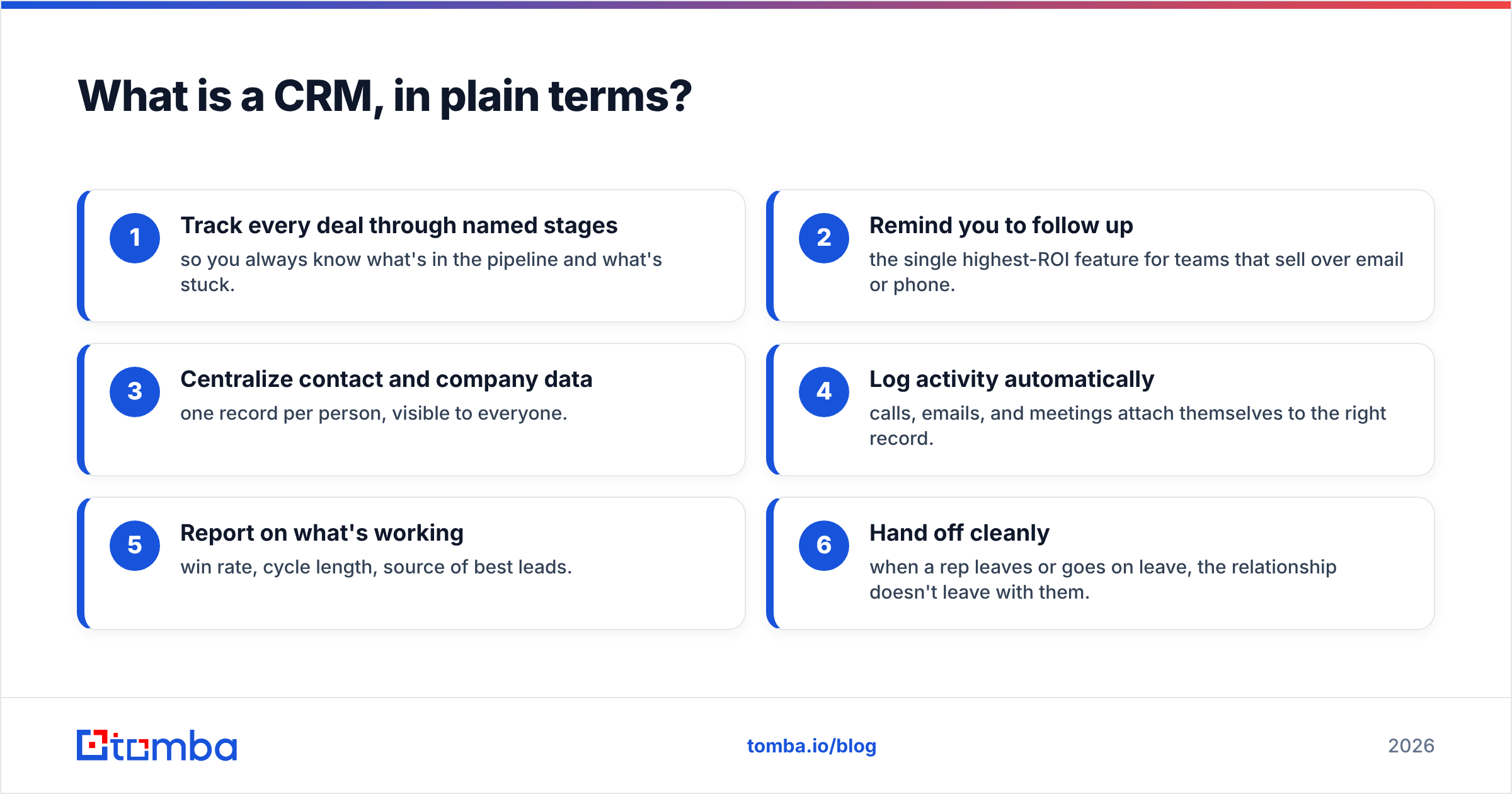
Here are the core jobs a small-business CRM does, ranked by how fast you'll feel the impact:
- Track every deal through named stages — so you always know what's in the pipeline and what's stuck.
- Remind you to follow up — the single highest-ROI feature for teams that sell over email or phone.
- Centralize contact and company data — one record per person, visible to everyone.
- Log activity automatically — calls, emails, and meetings attach themselves to the right record.
- Report on what's working — win rate, cycle length, source of best leads.
- Hand off cleanly — when a rep leaves or goes on leave, the relationship doesn't leave with them.
What are the real benefits of CRM for small business?#
The benefits of CRM for small business fall into three buckets: revenue you stop leaking, time you stop wasting, and decisions you can finally make with data. Below are the nine that matter most.
1. You stop losing deals to bad follow-up#
Most small-business deals don't die from a hard "no." They die from silence. A prospect asks for a quote, you get busy, and by the time you circle back they've signed with someone who didn't disappear. A CRM puts every open deal in front of you with a next-action date, so follow-up becomes a queue you work, not a thing you try to remember.
2. Your data lives in one place#
When a customer's email, phone, last order, and open support ticket all sit on one record, your team stops re-asking questions the customer already answered. New hires ramp faster because the context is written down, not trapped in someone's head.
3. Faster, more personal outreach#
With contact data centralized, a rep can pull up a prospect's company, role, and history in seconds. Layer in contact enrichment and a B2B phone number lookup, and your team reaches the right person with the right context instead of guessing at generic info@ addresses.
4. A pipeline you can actually see#
Stages turn a vague "we have some deals going" into "$48,000 across 12 opportunities, 4 of them stalled in negotiation." That visibility is what lets you forecast and spot trouble before the quarter ends.
5. Less duplicate and wasted work#
Shared records mean two reps don't email the same lead, and nobody enriches a contact that's already in the system. Deduplication and assignment rules are quiet time-savers that compound across a year.
6. Reporting that drives decisions#
Which lead source closes fastest? Which rep's deals stall? What's your real win rate? A CRM answers these without anyone building a pivot table at 9pm.
7. Cleaner handoffs and continuity#
People take vacations, get sick, and quit. When the relationship history lives in the CRM, the business keeps the relationship — not the individual who happened to own it.
8. Automation that scales with you#
Routine work — assigning leads, sending a templated intro, moving a deal stage on reply — can run on rules. Sales automation lets a small team behave like a bigger one without adding headcount.
9. Better customer retention#
Selling to an existing customer is far cheaper than winning a new one. A CRM surfaces renewal dates, upsell moments, and at-risk accounts so retention becomes a process instead of an afterthought.
How much does a small-business CRM cost in 2026?#
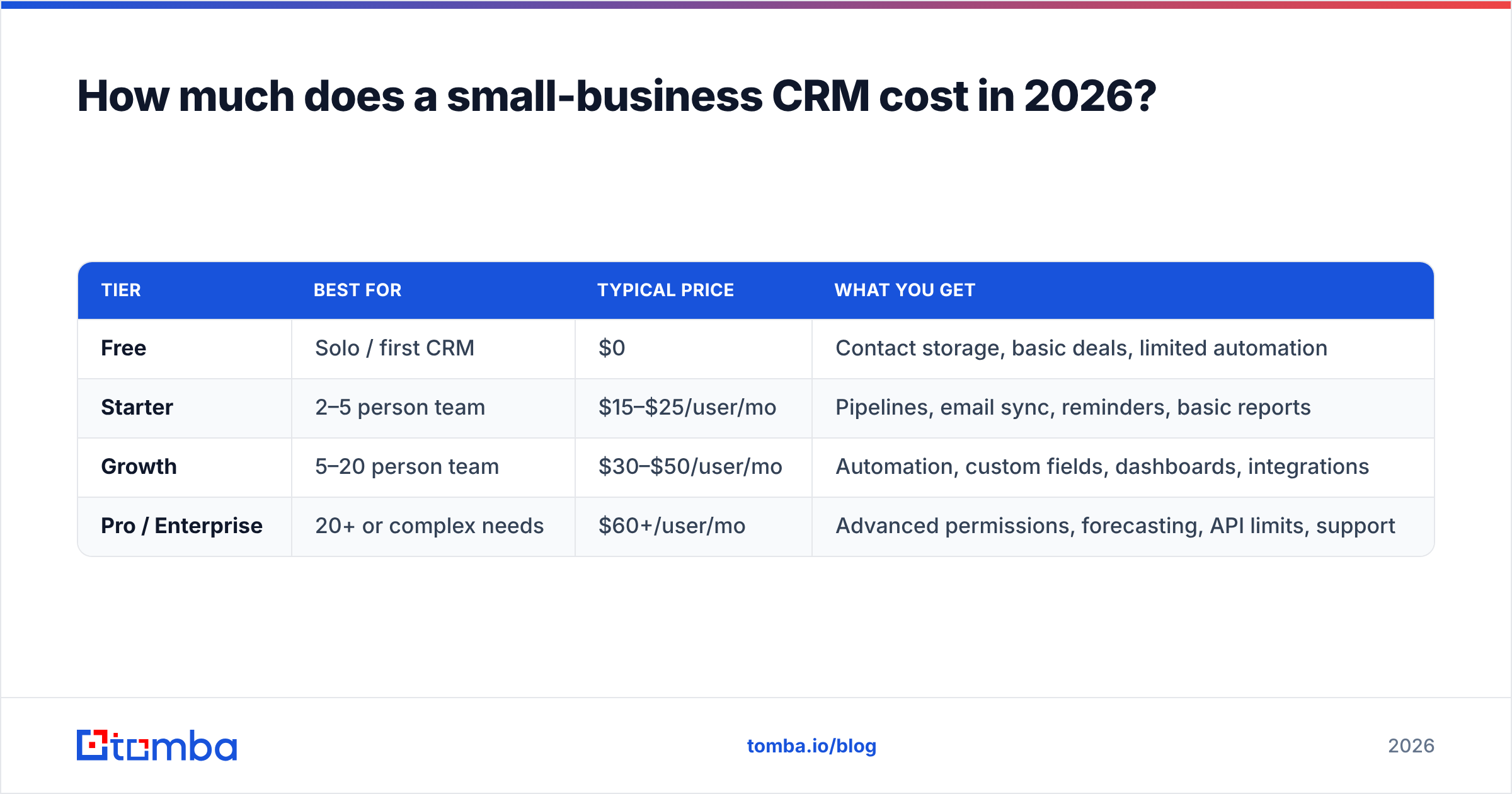
Pricing splits by how much you need beyond the basics. A solo founder or a 3-person team can run on a free or sub-$20 plan. The moment you need automation, multiple pipelines, and reporting, you're in the $20–$50 per-user range. Here's how the common tiers compare for a small team.
| Tier | Best for | Typical price | What you get |
|---|---|---|---|
| Free | Solo / first CRM | $0 | Contact storage, basic deals, limited automation |
| Starter | 2–5 person team | $15–$25/user/mo | Pipelines, email sync, reminders, basic reports |
| Growth | 5–20 person team | $30–$50/user/mo | Automation, custom fields, dashboards, integrations |
| Pro / Enterprise | 20+ or complex needs | $60+/user/mo | Advanced permissions, forecasting, API limits, support |
A practical rule: buy one tier above your free needs, not three. The most common small-business mistake is paying for forecasting and territory management a 6-person team will never touch. You can read more on how usage-based tooling is priced in Tomba's pricing model, which separates lead-data credits from seat costs — a structure worth mirroring when you budget your full stack.
Is a CRM better than a spreadsheet for a small business?#
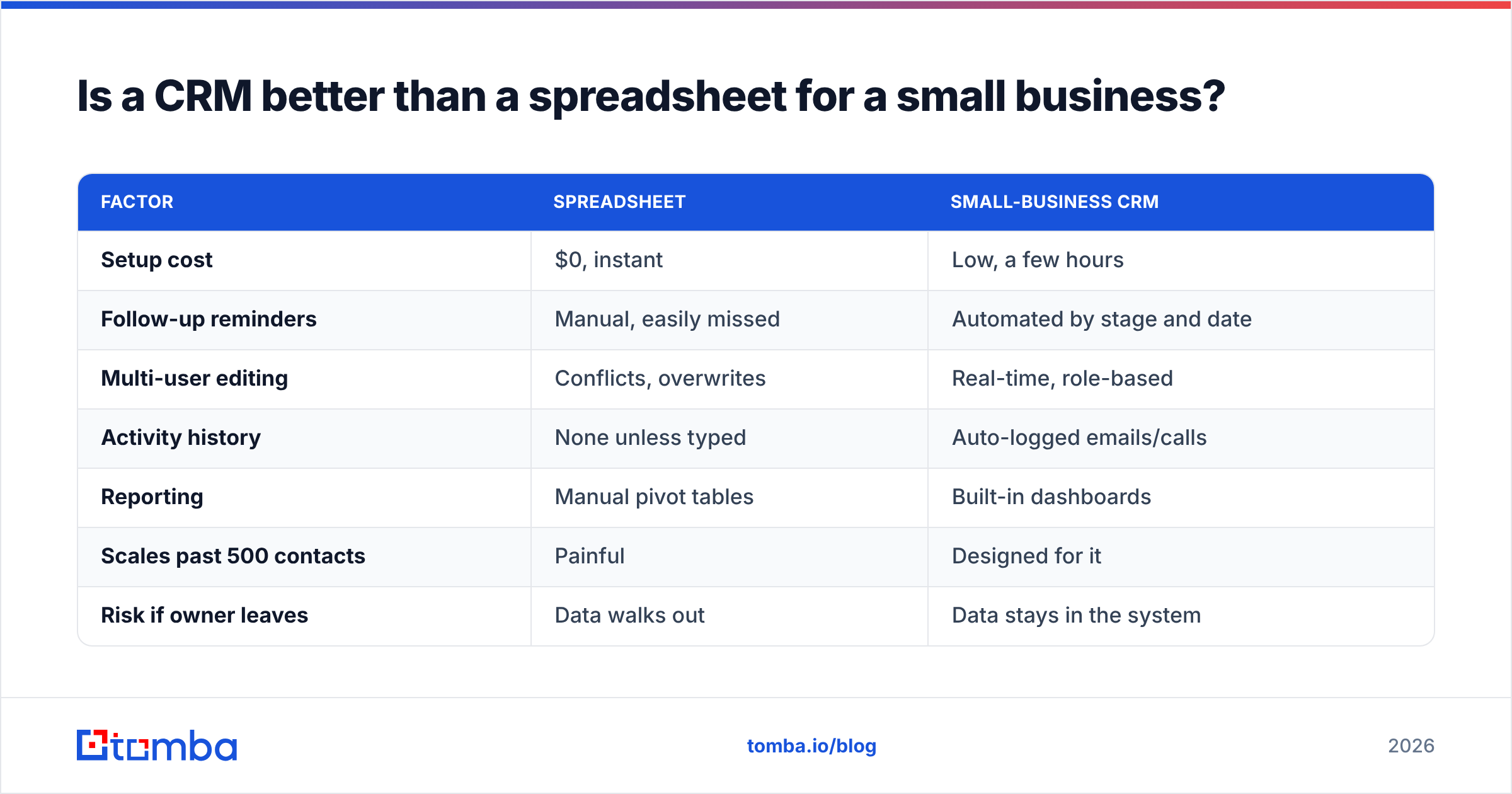
Yes, once you cross roughly 100 active contacts or add a second person who touches deals. Below that, a well-kept spreadsheet is honestly fine. Above it, the spreadsheet starts costing you in missed follow-ups and merge conflicts faster than a CRM costs in dollars. Here's the honest comparison.
| Factor | Spreadsheet | Small-business CRM |
|---|---|---|
| Setup cost | $0, instant | Low, a few hours |
| Follow-up reminders | Manual, easily missed | Automated by stage and date |
| Multi-user editing | Conflicts, overwrites | Real-time, role-based |
| Activity history | None unless typed | Auto-logged emails/calls |
| Reporting | Manual pivot tables | Built-in dashboards |
| Scales past 500 contacts | Painful | Designed for it |
| Risk if owner leaves | Data walks out | Data stays in the system |
The spreadsheet wins on day one and loses by month three. If your team is still arguing about which tab is current, you've already outgrown it.
How do you choose the right CRM for a small business?#
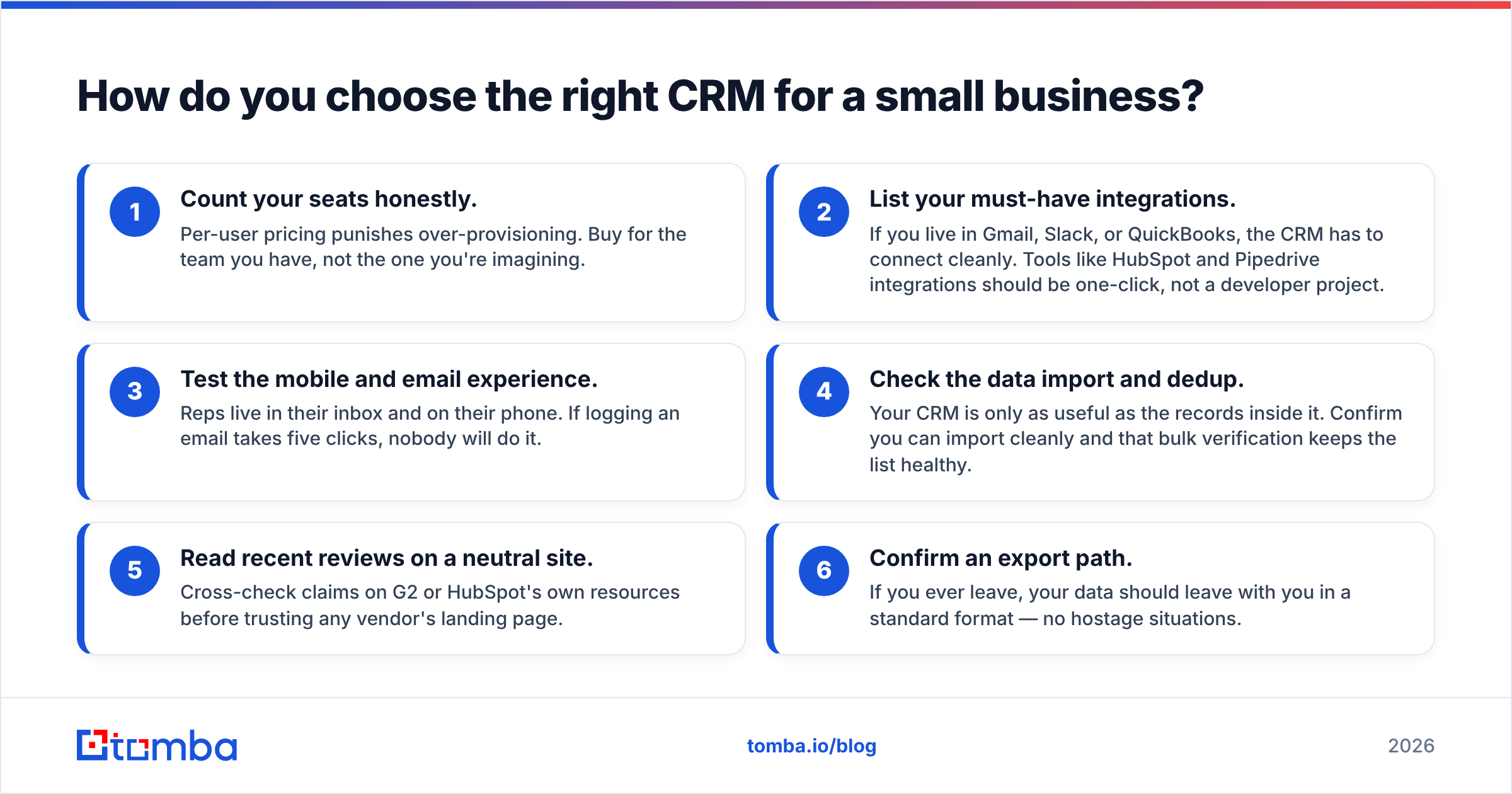
Match the tool to your actual workflow, then verify the data side. Walk through these checks before you commit:
- Count your seats honestly. Per-user pricing punishes over-provisioning. Buy for the team you have, not the one you're imagining.
- List your must-have integrations. If you live in Gmail, Slack, or QuickBooks, the CRM has to connect cleanly. Tools like HubSpot and Pipedrive integrations should be one-click, not a developer project.
- Test the mobile and email experience. Reps live in their inbox and on their phone. If logging an email takes five clicks, nobody will do it.
- Check the data import and dedup. Your CRM is only as useful as the records inside it. Confirm you can import cleanly and that bulk verification keeps the list healthy.
- Read recent reviews on a neutral site. Cross-check claims on G2 or HubSpot's own resources before trusting any vendor's landing page.
- Confirm an export path. If you ever leave, your data should leave with you in a standard format — no hostage situations.
Vendors like Salesforce and HubSpot dominate the enterprise conversation, but a small team rarely needs that weight on day one. Start lean, prove the process, then scale the tooling.
What kills CRM ROI for small teams?#
The CRM is never the problem — adoption is. The two failure modes:
- Dirty data in, garbage out. A CRM full of bounced emails and missing phone numbers makes reps trust it less, so they stop logging, and the spiral starts. Feed it good data from the start with a reliable email verifier and keep records fresh with contact enrichment.
- No process behind the tool. Software doesn't create discipline. If you don't define stages, owners, and follow-up rules, you've just bought a more expensive spreadsheet. Decide the workflow first, then configure the CRM to enforce it.
Treat the CRM as the system of record and your prospecting tools as the system of supply. The CRM tracks the relationship; tools like an email finder and domain search keep it fed with accurate, current contacts so reps spend their hours selling instead of researching.
Frequently asked questions#
Do I really need a CRM for a 3-person business? Not always. Under ~100 active contacts with one person owning sales, a tidy spreadsheet works. Add a second seller or cross 100 deals and the CRM pays for itself in recovered follow-ups.
How long until a CRM pays off? For most small teams, one to three months — long enough to clean the data, define stages, and build the follow-up habit. The ROI comes from your process, accelerated by the tool.
What's the most important feature for a small team? Automated follow-up reminders tied to pipeline stages. It's the feature that directly recovers revenue you're currently losing to silence.
Can a CRM improve customer retention, not just new sales? Yes. Renewal dates, upsell triggers, and at-risk flags turn retention into a repeatable process — and retaining a customer is far cheaper than winning a new one.
The bottom line#
The benefits of CRM for small business come down to one trade: a modest monthly fee in exchange for never losing another deal to a forgotten follow-up, scattered data, or a rep's vacation. The tool earns its keep only when the data inside it is clean and current — and that's the part most teams underestimate.
Before you wire up automations and dashboards, fix the supply side. Find accurate, verified contact details with the Tomba Email Finder so every record in your new CRM starts complete — right name, right email, right company. Start free with 25 searches a month, feed your pipeline real data, and let the CRM do what it's actually good at: making sure you follow up.
// get started
Find, verify and enrich your first contacts today
Start on the free plan with 25 searches a month, then scale when your team is ready.
Free plan · No credit card required · GDPR & CCPA
// about the author