9 Benefits of Email Automation That Drive Revenue in 2026
Email automation isn't about sending more email — it's about sending the right email without burning your team's hours. Here are the real, measurable benefits in 2026.
Email automation gets pitched as a way to "send more email." That framing is wrong, and it's why so many teams blast volume, torch their domain, and conclude automation doesn't work. The actual benefit is the opposite: send fewer, better-targeted emails while removing the manual steps that eat your team's day and introduce errors.
This is a practical look at what email automation actually buys you in 2026 — backed by where the time and money really go — plus where it quietly hurts you if you skip the fundamentals.
TL;DR#
- The core benefit is leverage, not volume. Automation frees reps from copy-paste work so they spend time on replies, calls, and deals — the things humans are actually good at.
- Cleaner data compounds. Automated verification and enrichment keep bounce rates low, which protects sender reputation and deliverability over months.
- Consistency beats heroics. Automated sequences mean no lead falls through the cracks because someone forgot to follow up on a Friday.
- It's measurable. Every step is tracked, so you can actually see which subject line, offer, or segment drives pipeline.
- It only works on a clean foundation. Verified contacts, warmed domains, and good copy come first — automation amplifies whatever you feed it, good or bad.
What is email automation, really?#
Email automation is software sending the right message to the right contact based on rules or triggers, without a human pressing "send" each time. Think of it like a thermostat versus standing by the heater all day adjusting the dial. You set the conditions — a new lead enters the list, a prospect opens twice, a trial expires in three days — and the system acts.
It splits into two broad jobs:
- Lifecycle and marketing automation — welcome series, onboarding drips, re-engagement campaigns, usually tied to a CRM or marketing platform.
- Outbound and sales automation — cold sequences, multi-step follow-ups, and meeting-booking flows aimed at prospects who haven't raised their hand yet.
Both rely on the same upstream ingredients: a list of valid contacts, a domain that inboxes well, and copy worth reading. Get those wrong and automation just helps you fail faster. This is the part most "automation increased our revenue 300%" case studies quietly skip.
What are the main benefits of email automation?#
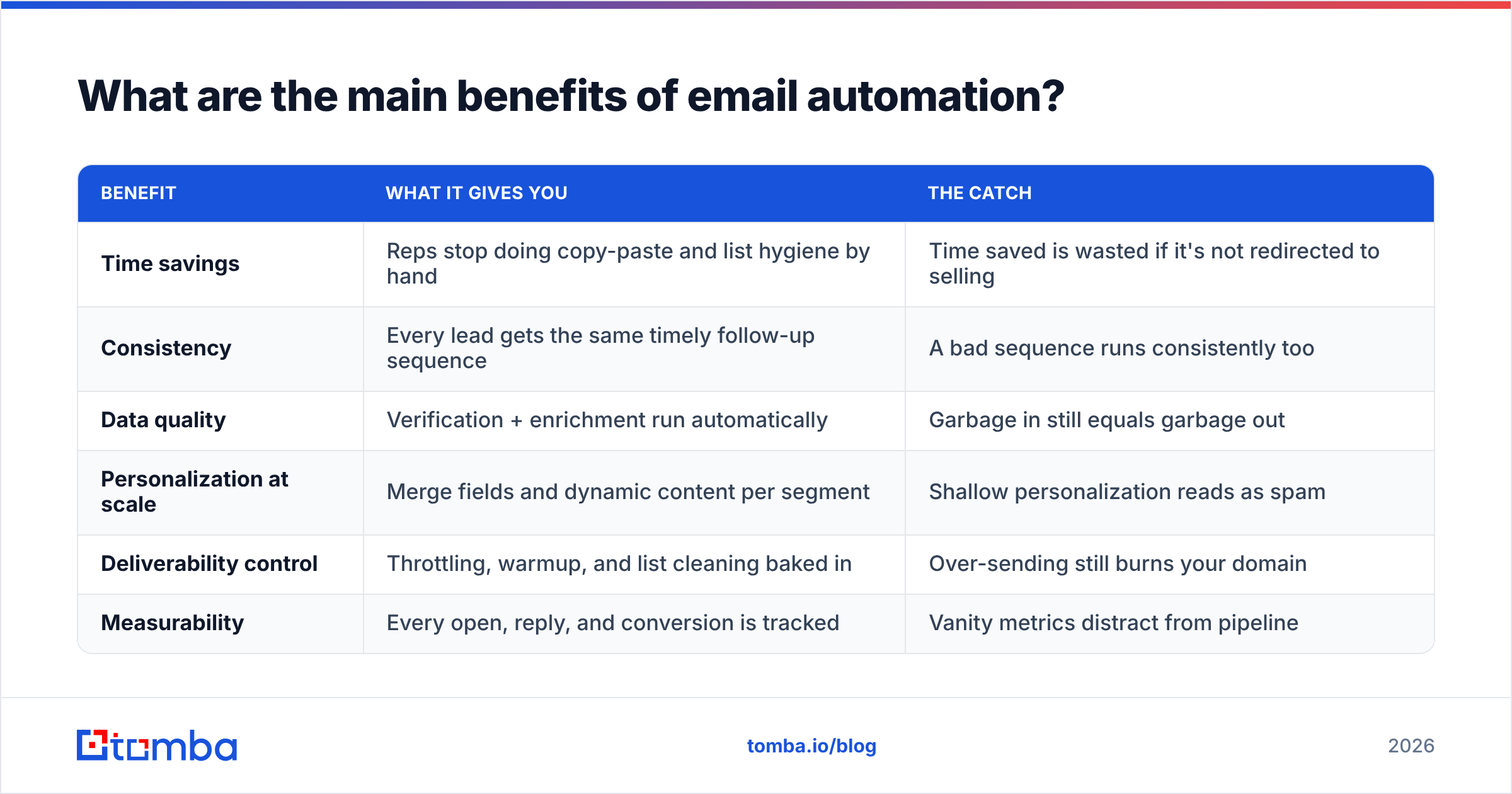
Here's the honest breakdown — what you gain, why it matters, and the trap that comes with each.
| Benefit | What it gives you | The catch |
|---|---|---|
| Time savings | Reps stop doing copy-paste and list hygiene by hand | Time saved is wasted if it's not redirected to selling |
| Consistency | Every lead gets the same timely follow-up sequence | A bad sequence runs consistently too |
| Data quality | Verification + enrichment run automatically | Garbage in still equals garbage out |
| Personalization at scale | Merge fields and dynamic content per segment | Shallow personalization reads as spam |
| Deliverability control | Throttling, warmup, and list cleaning baked in | Over-sending still burns your domain |
| Measurability | Every open, reply, and conversion is tracked | Vanity metrics distract from pipeline |
Let's go through the ones that actually move the needle.
1. It gives your team back hours that should go to selling#
The most concrete benefit of email automation is reclaimed time. A rep manually researching, writing, and following up with 40 prospects a day spends most of that day on mechanics, not conversation. Automation handles the repetitive scaffolding — sequencing, scheduling, follow-up timing — so humans focus on the few high-value moments: a reply, an objection, a live call.
The trap: time saved is only valuable if it's reinvested. If automation just lets you cut headcount or send triple the volume, you've optimized for cost or noise instead of outcomes. The teams that win redirect saved hours into deeper personalization and faster reply handling.
2. It makes follow-up consistent and inevitable#
Most deals die in the follow-up gap, not the first touch. People forget. They get busy. A prospect who needed three more nudges gets two and goes cold. Automated sequences remove the human memory failure point — the fourth and fifth follow-up fire on schedule whether or not anyone remembers.
This is where automation quietly earns its keep. It's not glamorous, but consistent follow-up is one of the highest-leverage changes most outbound teams can make. Pair it with a defined sales process so the cadence reflects how your buyers actually decide.
3. It keeps your contact data clean automatically#
Contact data decays fast — people change jobs, companies fold, addresses go stale. Roughly a quarter of B2B contact data goes bad each year. Manual list cleaning can't keep up, so automation that verifies and enriches contacts on a schedule is one of the most underrated benefits here.
Automated email verification before each send strips out invalid and risky addresses, which directly lowers your bounce rate. And bounce rate isn't cosmetic — it's a primary signal mailbox providers use to judge whether you're a legitimate sender.

4. It protects deliverability instead of destroying it#
This is counterintuitive: done right, automation improves deliverability rather than tanking it. Good automation throttles send rates, rotates inboxes, respects warmup schedules, and pulls invalid addresses before they cause bounces. All of that protects your sender reputation and keeps you in the inbox.
Done wrong — blasting an unverified list at full volume from a cold domain — automation just industrializes your way onto a blocklist. The tool isn't the variable. The discipline around it is. If you're serious, get your SPF record, DKIM, and DMARC right before you scale anything.
5. It personalizes at a scale humans can't match#
Merge fields are table stakes. Modern automation pulls enriched attributes — role, company size, recent funding, tech stack — and branches the message accordingly. A 500-prospect campaign can carry genuinely relevant variation per segment, something a human team couldn't produce by hand without weeks of work.
The catch is real, though: shallow personalization ("Hi {FirstName}, I see you work at {Company}") fools no one in 2026 and actively signals automation. Use data enrichment to personalize on something that proves you did homework, not just a mail-merge token.
6. It makes everything measurable#
You can't improve what you don't measure. Automation platforms track opens, clicks, replies, and conversions per step, per segment, per variant. That turns email from a guessing game into an experiment you can run — A/B subject lines, test offers, compare segments, and double down on what produces pipeline.
Watch the metric you optimize. Open rates have become unreliable since Apple Mail Privacy Protection, and chasing them leads you astray. Anchor on reply rate and booked meetings — the metrics that actually correlate with revenue.
Is email automation better than manual outreach?#
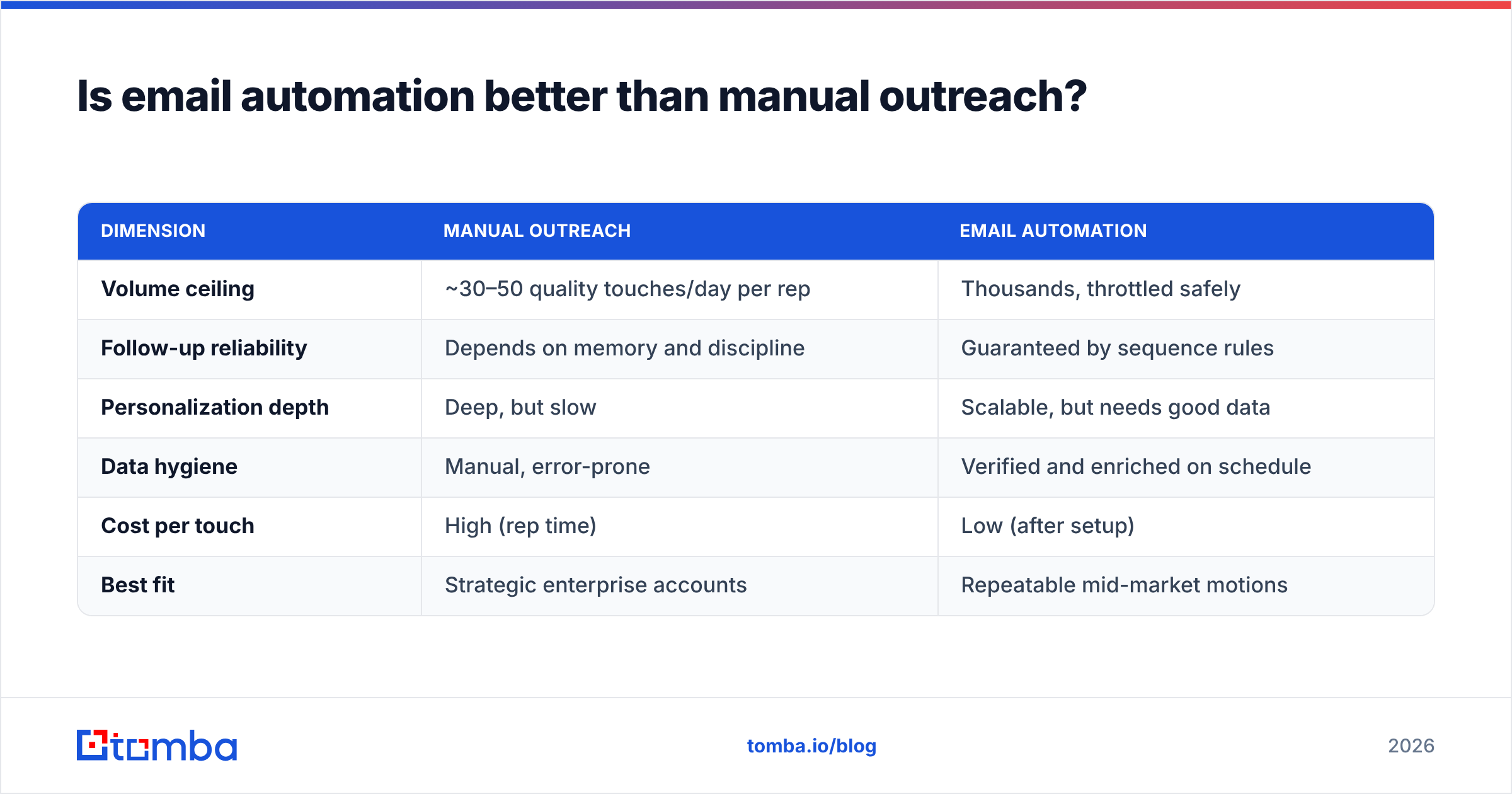
For anything beyond a handful of high-touch accounts, yes — but only when the fundamentals are in place. Here's the honest comparison.
| Dimension | Manual outreach | Email automation |
|---|---|---|
| Volume ceiling | ~30–50 quality touches/day per rep | Thousands, throttled safely |
| Follow-up reliability | Depends on memory and discipline | Guaranteed by sequence rules |
| Personalization depth | Deep, but slow | Scalable, but needs good data |
| Data hygiene | Manual, error-prone | Verified and enriched on schedule |
| Cost per touch | High (rep time) | Low (after setup) |
| Best fit | Strategic enterprise accounts | Repeatable mid-market motions |
The takeaway isn't "automate everything." It's that manual effort should be spent where a human genuinely changes the outcome — your top 20 accounts — while automation handles the repeatable middle. Most teams invert this, manually grinding through low-value prospects and neglecting the accounts that deserve a human touch.
What do you need before automation pays off?#
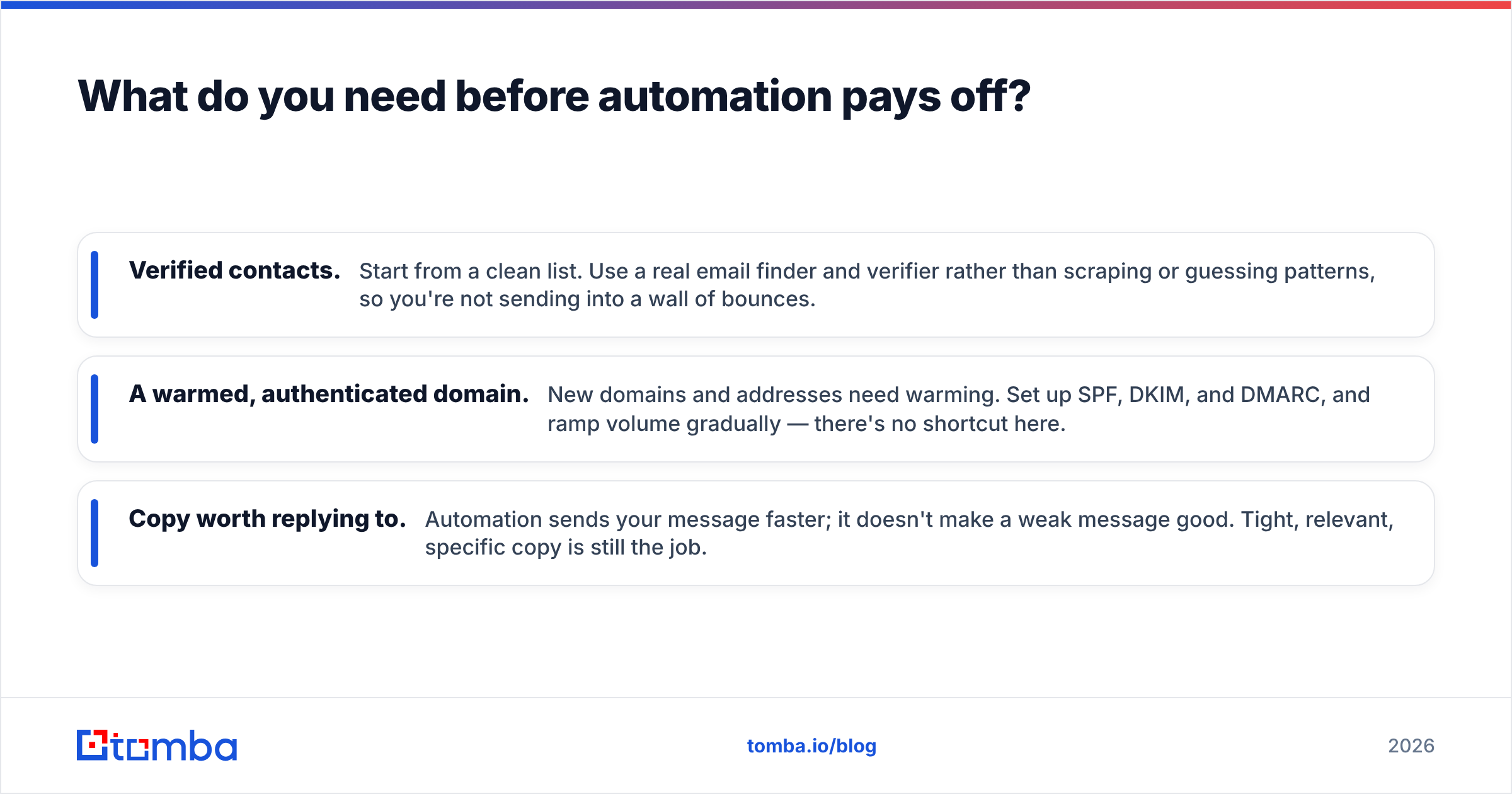
Automation amplifies your inputs. Three of them have to be solid first, or you'll scale a problem.
- Verified contacts. Start from a clean list. Use a real email finder and verifier rather than scraping or guessing patterns, so you're not sending into a wall of bounces.
- A warmed, authenticated domain. New domains and addresses need warming. Set up SPF, DKIM, and DMARC, and ramp volume gradually — there's no shortcut here.
- Copy worth replying to. Automation sends your message faster; it doesn't make a weak message good. Tight, relevant, specific copy is still the job.
Skip these and the "benefits" of automation invert into faster bounces, blocklist entries, and a domain you have to abandon. According to HubSpot's research on email engagement, relevance and segmentation — not volume — drive the response numbers worth having.
How do teams actually roll this out?#
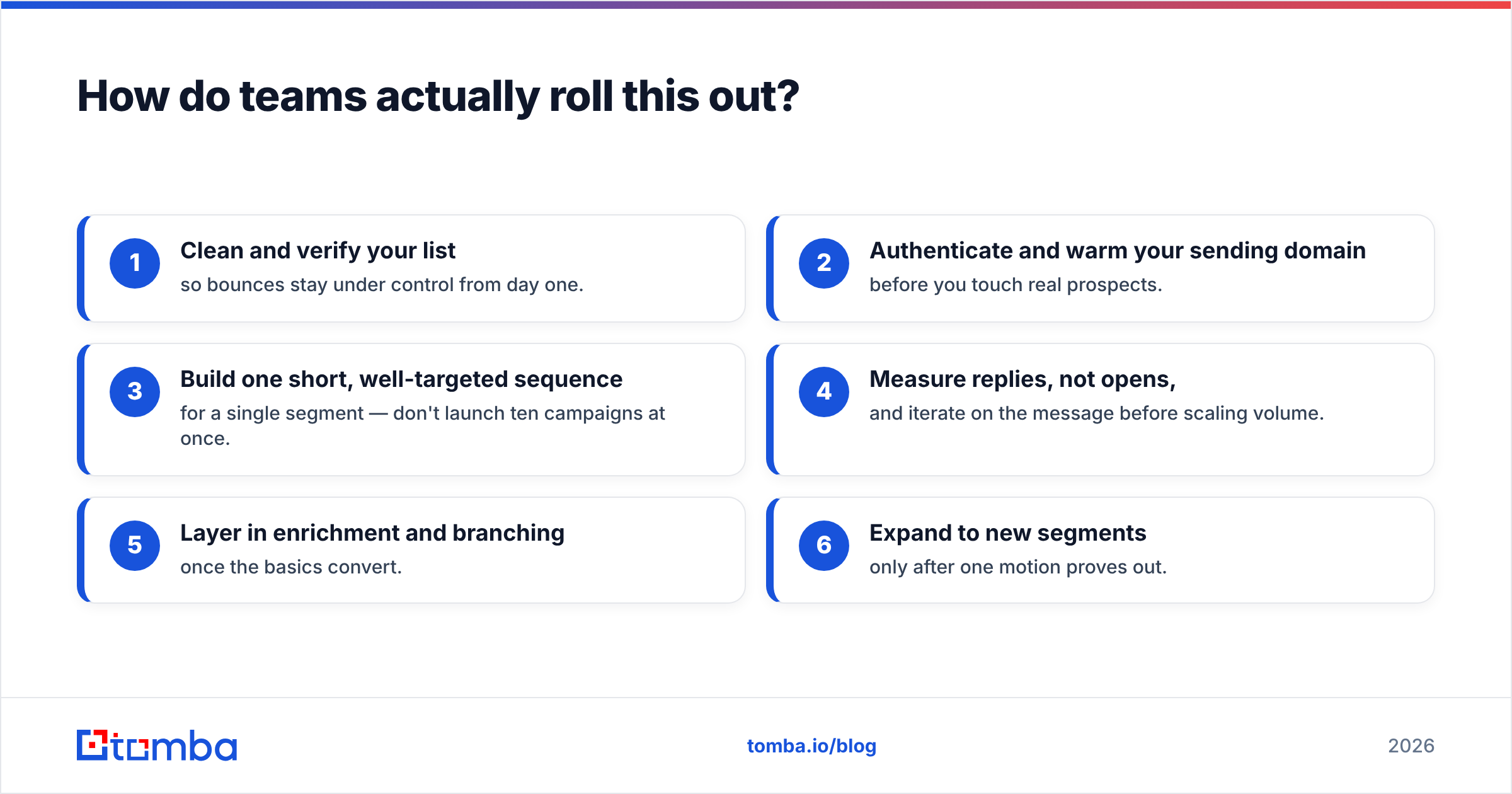
A sane sequence looks like this:
- Clean and verify your list so bounces stay under control from day one.
- Authenticate and warm your sending domain before you touch real prospects.
- Build one short, well-targeted sequence for a single segment — don't launch ten campaigns at once.
- Measure replies, not opens, and iterate on the message before scaling volume.
- Layer in enrichment and branching once the basics convert.
- Expand to new segments only after one motion proves out.
This staged approach is slower than flipping every switch at once, but it's how you keep deliverability intact while you scale. Platforms like Salesforce and the broader marketing-automation category reviewed on G2 all assume this kind of disciplined ramp — the tooling rewards patience and punishes blasting.
What are the risks and limits?#
Automation has real downsides worth naming:
- It scales mistakes. A typo, wrong merge field, or broken link goes to your entire list instantly.
- It tempts over-sending. Because volume is easy, teams send more than their domain reputation can support.
- It can feel robotic. Over-automated flows with no human checkpoints read as spam and damage your brand.
- It hides behind vanity metrics. Big open numbers can mask a campaign that books zero meetings.
None of these are reasons to avoid automation. They're reasons to treat it as a force multiplier on a solid foundation — not a substitute for one. The right amount of automation still leaves humans in the loop at the moments that matter.
The bottom line#
The benefits of email automation in 2026 are real and measurable: reclaimed time, inevitable follow-up, cleaner data, protected deliverability, scalable personalization, and full measurability. But every one of those benefits assumes a clean list, an authenticated domain, and copy worth reading. Automation amplifies what you feed it — so feed it well.
Start at the source. Before you automate a single sequence, build a list of verified, accurate contacts with the Tomba Email Finder, then run it through verification so your automation sends to real people, not bounces. You can test it on the free tier (25 searches a month), and when you're ready to scale, Tomba pricing starts at $49/mo. Clean data in, real pipeline out — that's the part no automation tool can do for you, and the part that makes all the rest work.
Ready to find emails that actually work?
Join 150,000+ professionals who stopped guessing and started sending. Free credits on signup — no credit card required.
Get the Tomba newsletter
Practical outbound tactics and product updates — once every two weeks.
About the author