Best Cold Email Templates That Get Replies in 2026
Swipe the best cold email templates for 2026 — proven frameworks for outreach, follow-ups, and breakups, plus the data and personalization that actually earns replies.
(title rendered separately)
Cold email still works in 2026 — but only when the template is a starting frame, not a script you blast unchanged to 5,000 strangers. The best cold email templates do three things: they earn the open, they make one clear ask, and they leave room for real personalization. This guide gives you nine frameworks you can copy today, plus the targeting and deliverability work that decides whether any of them land.
TL;DR#
- The best cold email templates are short (50–125 words), make a single ask, and lead with the prospect's world — not your product.
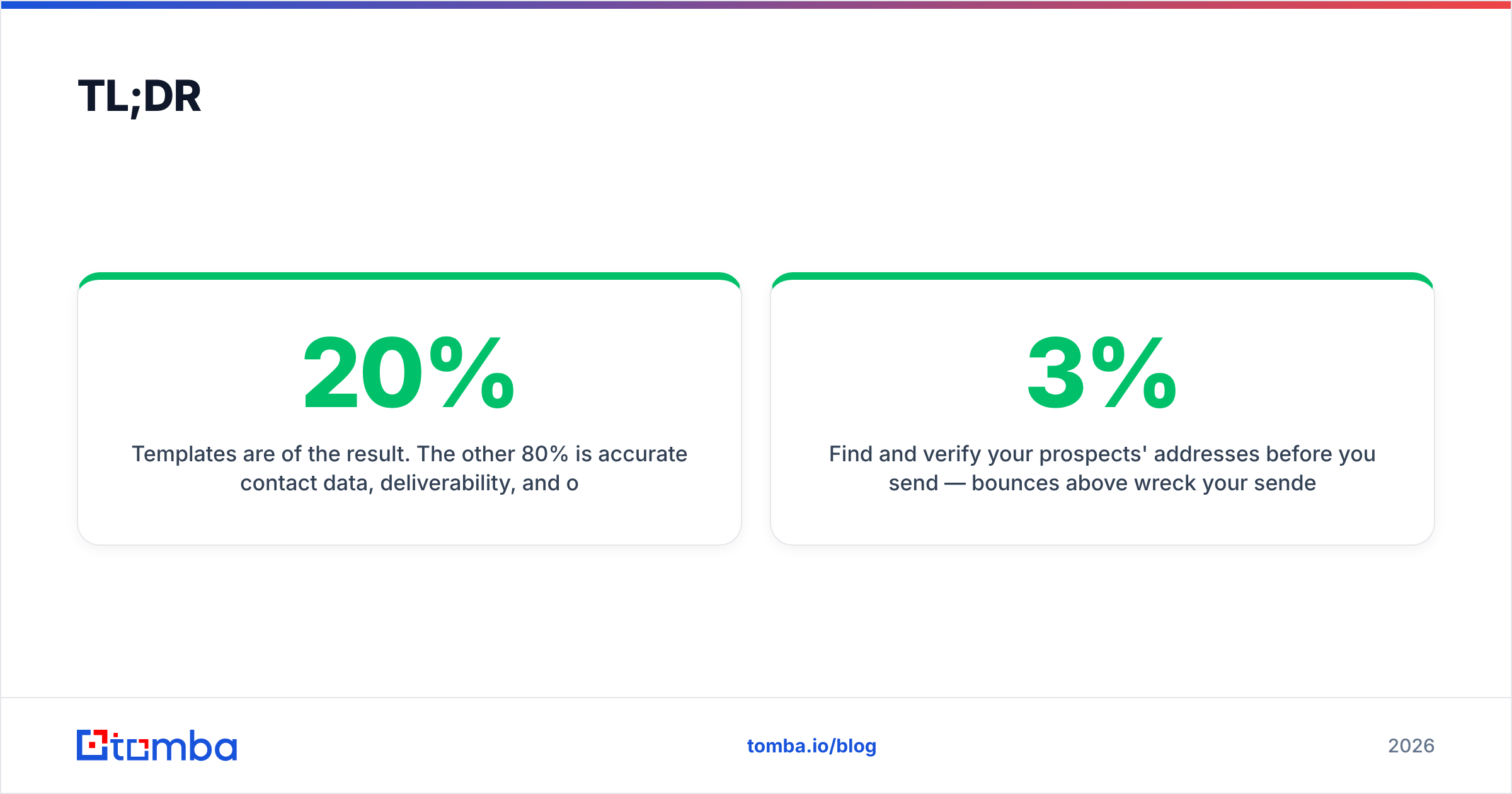
- Templates are 20% of the result. The other 80% is accurate contact data, deliverability, and one or two lines of genuine personalization.
- Use a 3–4 email sequence: cold open → value follow-up → social proof → breakup. Most replies come from emails 2–4.
- Below: 9 copy-paste templates for outreach, follow-ups, and breakups, plus a comparison of which framework fits which goal.
- Find and verify your prospects' addresses before you send — bounces above 3% wreck your sender reputation faster than any subject line can save it.
What makes a cold email template actually work in 2026?#
A template works when it removes the blank-page problem without removing your voice. The structure is reusable; the substance has to be specific to the person reading it.
Every high-performing cold email shares the same skeleton:
- A subject line that sounds internal, not promotional. Lowercase, 2–5 words, no "10x your pipeline" hype. Test variants with a subject line generator before you commit.
- A first line about them, not you. Reference a trigger: a hire, a funding round, a product launch, a LinkedIn post. This is the line that decides whether the rest gets read.
- One sentence of relevance. Connect their trigger to a problem you solve. No feature lists.
- A single, low-friction ask. "Worth a 15-minute look?" beats "Book a demo here." Make saying yes cheap.
- A short signature. A human name, one link, no banner image that screams mass send.

According to HubSpot's sales benchmarks, personalized subject lines and relevant first lines consistently outperform generic blasts — and the gap widens every year as inboxes get smarter at filtering. The template gives you speed; the personalization gives you the reply.
What are the best cold email templates to copy?#
Here are nine frameworks, grouped by job. Swap the brackets for real, researched details — never send them raw.
1. The trigger-event open#
Subject: quick note re: [recent event]
Hi [First name],
Saw [company] just [trigger — launched X / hired a VP of Y / raised $Z]. Congrats.
Teams hitting that stage usually run into [specific problem]. We helped [similar company] cut that by [result] in [timeframe].
Worth a 15-minute look next week?
[Your name]
Best for: warm-ish prospects where a public trigger exists. Highest reply rates of any opener.
2. The problem-agitate-solve (PAS)#
Subject: [problem] at [company]?
Hi [First name],
Most [role]s I talk to lose [X hours / Y dollars] a week to [problem]. It usually gets worse as the team scales.
We fix that by [one-line mechanism]. [Similar company] got [result].
Open to seeing how?
[Your name]
Best for: pains the prospect already feels. Avoid if the problem is abstract.
3. The "before-you-go" breakup#
Subject: closing the loop
Hi [First name],
I've reached out a couple of times about [value]. Haven't heard back, so I'll assume the timing's off.
If [problem] becomes a priority later, I'm one reply away. Either way, good luck with [specific initiative].
[Your name]
Best for: the last email in a sequence. Breakups often outperform every email before them because they create urgency without pressure.
4. The mutual-connection intro#
Subject: [mutual name] suggested I reach out
Hi [First name],
[Mutual name] mentioned you're focused on [goal] this quarter. We've helped a few teams in [industry] get there faster by [mechanism].
Happy to share what worked — 15 minutes?
[Your name]
Best for: when you have a real referral. Never fake the connection; it's the fastest way to burn trust.
5. The question-only nudge (follow-up #1)#
Subject: re: [original subject]
Hi [First name] — did this land at a bad time, or is [problem] just not on the radar right now?
[Your name]
Best for: the first follow-up. Short, easy to answer, no guilt.
For deliverability, copy, and full sequences, you can start from a vetted library of cold email templates and adapt rather than write from scratch.
Which cold email template should you use, and when?#
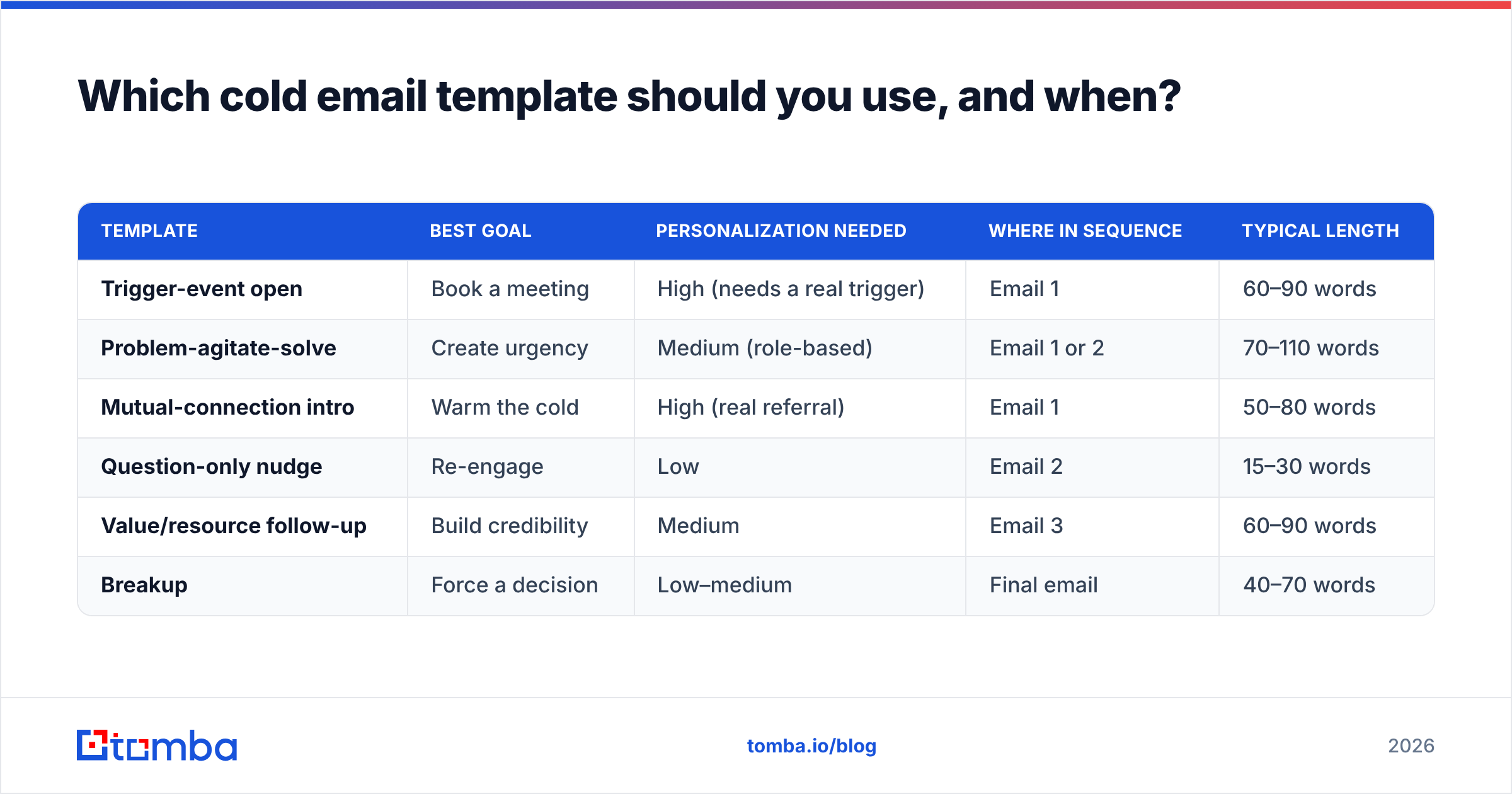
Match the framework to your goal and how much you know about the prospect. Here's the quick decision table.
| Template | Best goal | Personalization needed | Where in sequence | Typical length |
|---|---|---|---|---|
| Trigger-event open | Book a meeting | High (needs a real trigger) | Email 1 | 60–90 words |
| Problem-agitate-solve | Create urgency | Medium (role-based) | Email 1 or 2 | 70–110 words |
| Mutual-connection intro | Warm the cold | High (real referral) | Email 1 | 50–80 words |
| Question-only nudge | Re-engage | Low | Email 2 | 15–30 words |
| Value/resource follow-up | Build credibility | Medium | Email 3 | 60–90 words |
| Breakup | Force a decision | Low–medium | Final email | 40–70 words |
A few rules the table can't capture:
- Never send the same length twice in a row. A 90-word opener followed by a 20-word nudge reads as human; two long emails read as a sequence.
- Space sends 2–4 business days apart. Same-day double-sends look automated.
- Cap most sequences at 4 emails. After that, reply rates fall off a cliff and spam complaints rise.
How do you personalize templates at scale without sounding like a robot?#
Personalization at scale comes down to one researched line per prospect, powered by clean data. You don't need to rewrite the whole email — you need the first sentence to prove you looked.
The escalation looks like this:
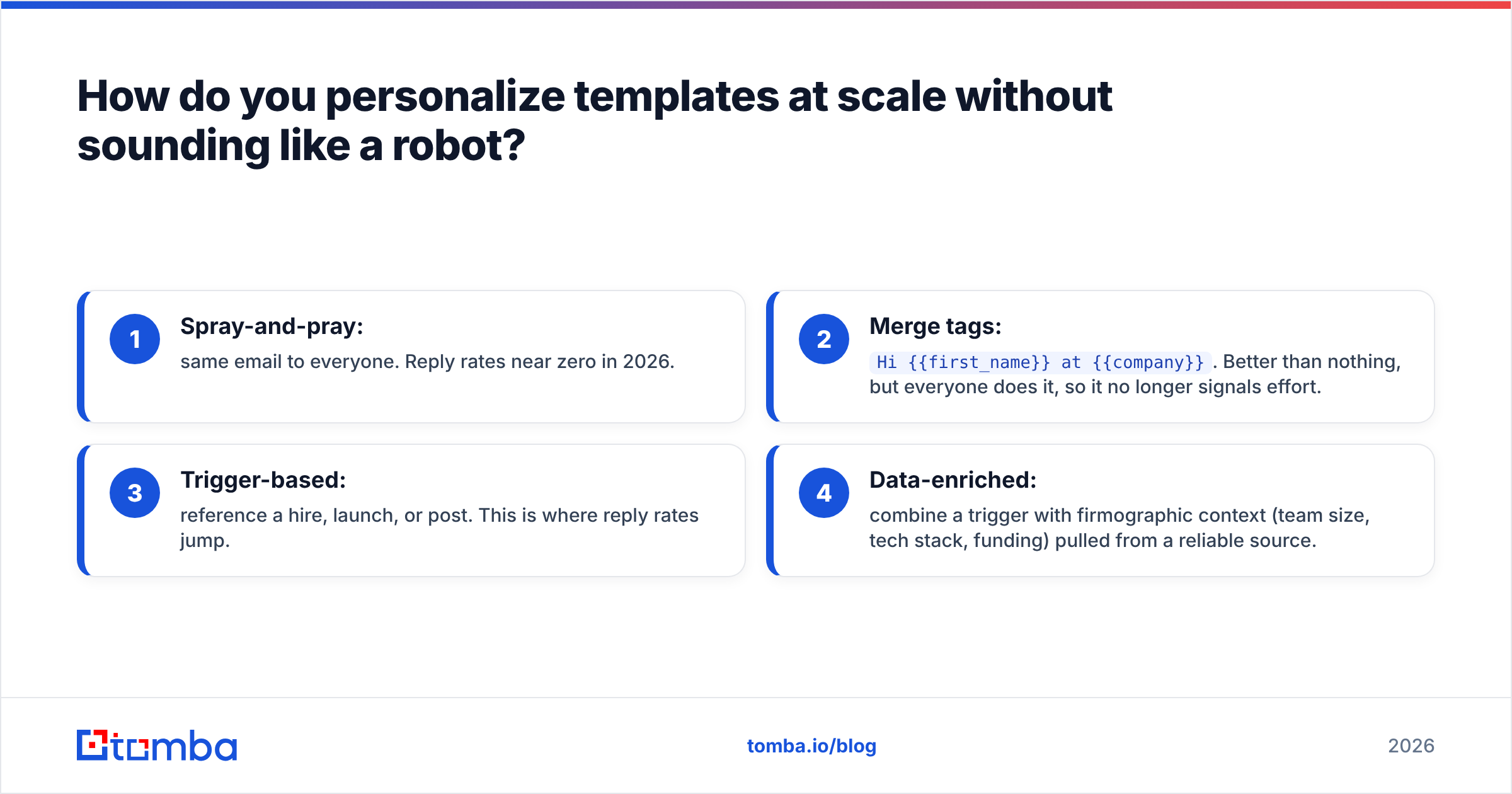
- Spray-and-pray: same email to everyone. Reply rates near zero in 2026.
- Merge tags:
Hi {{first_name}} at {{company}}. Better than nothing, but everyone does it, so it no longer signals effort. - Trigger-based: reference a hire, launch, or post. This is where reply rates jump.
- Data-enriched: combine a trigger with firmographic context (team size, tech stack, funding) pulled from a reliable source.
That fourth tier is where a tool earns its keep. Use data enrichment to append the role, company size, and signals you need to write the relevant line — then let a cold email AI draft a first-line variant you edit, rather than ship blind.

The honest truth most "template" roundups skip: the template barely moves the needle once you've picked a decent one. The list you send to — and whether those addresses are real — moves it far more. Independent reviews on G2 say the same thing across every outreach tool category: targeting and data quality, not clever copy, separate the campaigns that book meetings from the ones that bounce.
Why do good templates still fail? (Hint: it's the data)#
Most failed cold email campaigns fail before the first send — at the list. You can write the best cold email templates in the world, but if 20% of your addresses bounce, mailbox providers throttle you and even your good sends land in spam.
The pre-send checklist that protects every template:
- Find verified addresses. Use an email finder to source professional emails by name and domain instead of guessing patterns.
- Verify before sending. Run the list through an email verifier and keep bounce rates under 3%. Catch-all domains especially need a check.
- Warm the sending domain. New domains need 2–4 weeks of gradual volume before cold sending.
- Authenticate. SPF, DKIM, and DMARC must pass, or you're invisible to Gmail and Outlook bulk-sender rules.
- Keep volume human. 20–50 cold sends per inbox per day, not 500.
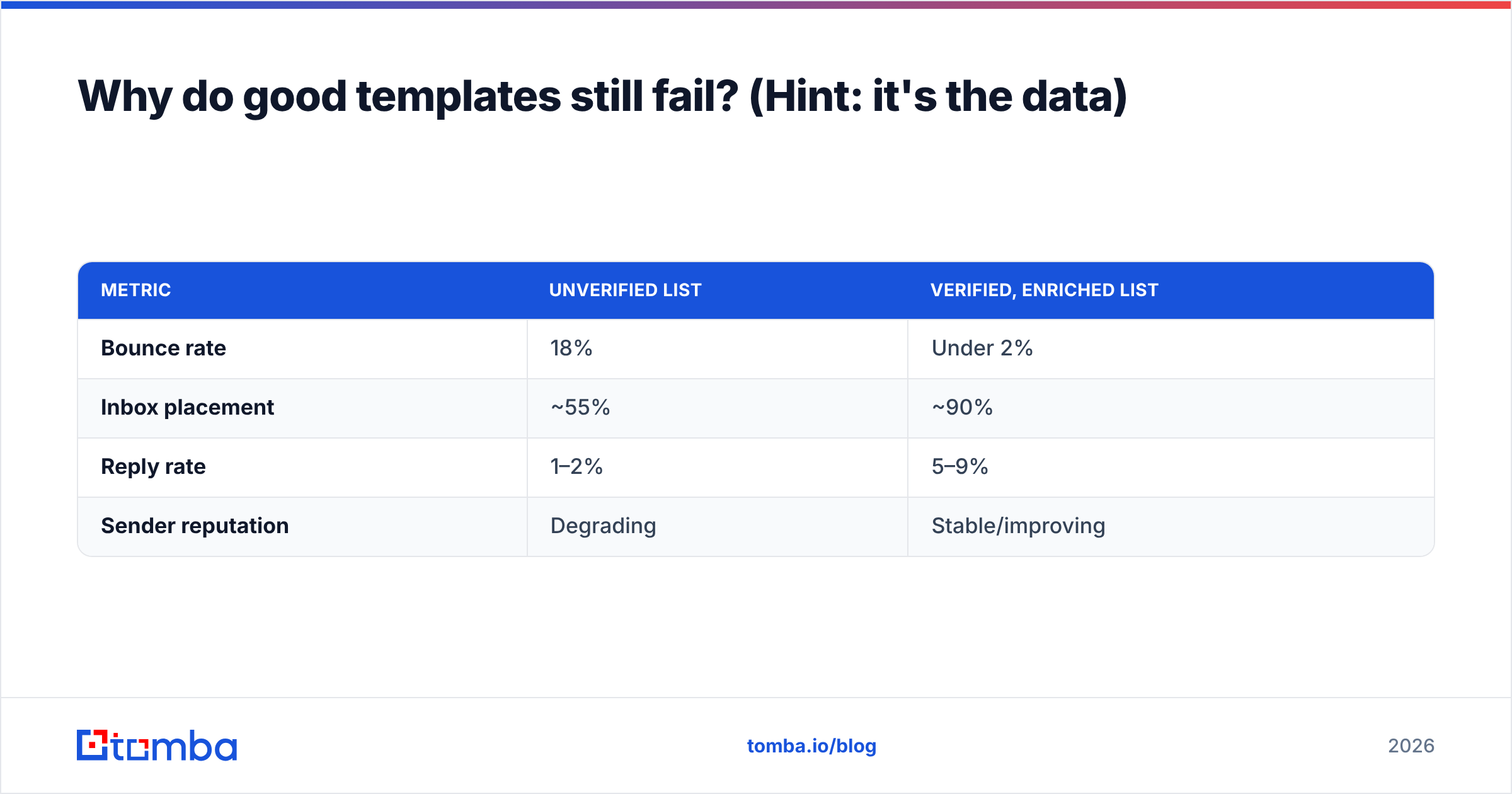
Here's how data quality changes the math on an identical template:
| Metric | Unverified list | Verified, enriched list |
|---|---|---|
| Bounce rate | 18% | Under 2% |
| Inbox placement | ~55% | ~90% |
| Reply rate | 1–2% | 5–9% |
| Sender reputation | Degrading | Stable/improving |
Same copy. Different outcome. The variable is the list, not the words.
How many follow-ups should a cold email sequence have?#
Three to four total emails is the sweet spot for most B2B outreach. A large share of replies — often the majority — come after the first email, so stopping at one leaves most of your pipeline on the table.
A proven sequence shape:
- Day 1 — Opener. Trigger-event or PAS. The full pitch.
- Day 3 — Nudge. Question-only follow-up. Short.
- Day 7 — Value add. Share a relevant case study, benchmark, or resource. No ask beyond "useful?"
- Day 12 — Breakup. Close the loop and create gentle urgency.
Resist the urge to add emails 5, 6, and 7. Past four touches, you mostly generate spam complaints, which hurt deliverability for your next campaign too.
Cold email templates: quick FAQ#
How long should a cold email be? 50–125 words. Short enough to read on a phone in under 15 seconds. If it needs scrolling, it's a pitch deck, not a cold email.
What's the best subject line for a cold email? Lowercase, 2–5 words, internal-sounding. "quick question," "[mutual] suggested I reach out," or a reference to their trigger. Test before you scale.
Are AI-written cold emails worth it? For first-line variants and editing, yes. For full unedited sends, no — they read generic. Use AI to draft, then make it specific.
How do I avoid the spam folder? Verify your list, authenticate your domain (SPF/DKIM/DMARC), warm up gradually, and keep daily volume human. Copy matters less than these.
Start with the right list, not the right line#
The fastest way to lift your cold email reply rate isn't a new template — it's a clean, verified, well-targeted list under the template you already have. Source real professional addresses with the Tomba Email Finder, confirm they're deliverable, and enrich each contact with the one detail that makes your opening line specific. Pair that with the frameworks above and you'll spend less time writing and more time booking meetings. Check Tomba pricing — the free tier gives you 25 searches a month to test it against your next campaign before you commit to a paid plan.
// get started
Find, verify and enrich your first contacts today
Start on the free plan with 25 searches a month, then scale when your team is ready.
Free plan · No credit card required · GDPR & CCPA
// about the author