Best Email Open Tracker in 2026: Top 9 Tools Compared
A neutral 2026 breakdown of the best email open tracker tools — how pixel tracking works, accuracy limits after Apple MPP, pricing, and which one fits your sales workflow.
You send a cold email, it goes quiet, and you have no idea whether the prospect read it twice or never saw it at all. An email open tracker closes that gap — it tells you when, where, and how often someone opens your message. This guide compares the best email open tracker tools in 2026, explains what the technology can and cannot do after Apple Mail Privacy Protection, and helps you pick the right one without overpaying.
TL;DR#
- Best all-rounder for sales teams: HubSpot Sales Hub — native CRM, free tier, clean notifications.
- Best free Gmail tracker: Mailtrack — unlimited tracking on the free plan, light footprint.
- Best for high-volume outbound: Mailsuite (formerly Mailtrack Pro) and Saleshandy for sequence-level analytics.
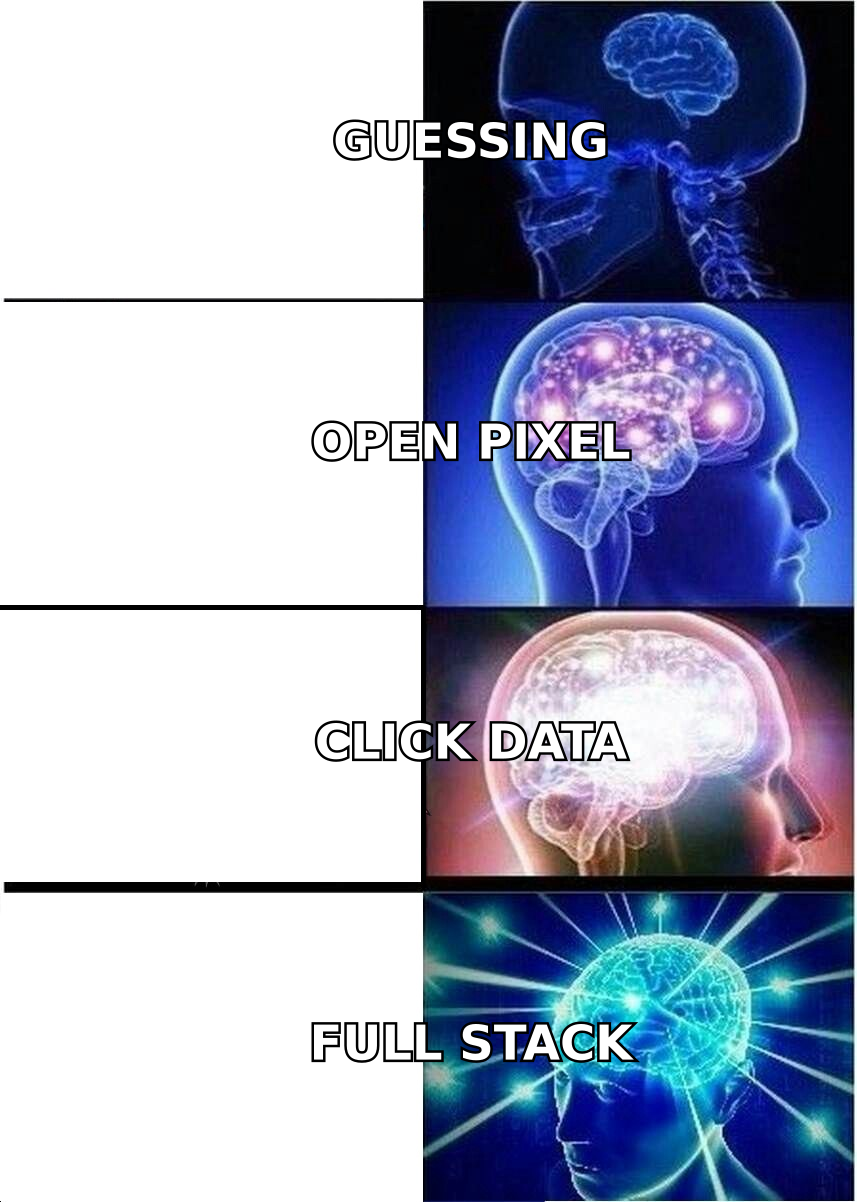
- Accuracy caveat: Apple Mail Privacy Protection inflates open rates. Treat opens as a directional signal, not gospel — pair them with reply and click data.
- Tracking ≠ finding: open trackers tell you who read an email; you still need a verified address first. That is a separate job (and a separate tool).
What is an email open tracker?#
An email open tracker is software that tells you when a recipient opens your email, usually by embedding a tiny invisible image — a "tracking pixel" — in the message body. When the recipient's email client loads that image from the sender's server, the open is logged with a timestamp, and often the device type and rough location.
Think of it like a read receipt that the recipient never agreed to. A regular read receipt asks permission; a tracking pixel just quietly reports back when the image loads. That distinction matters for both accuracy and privacy, which we will get to.
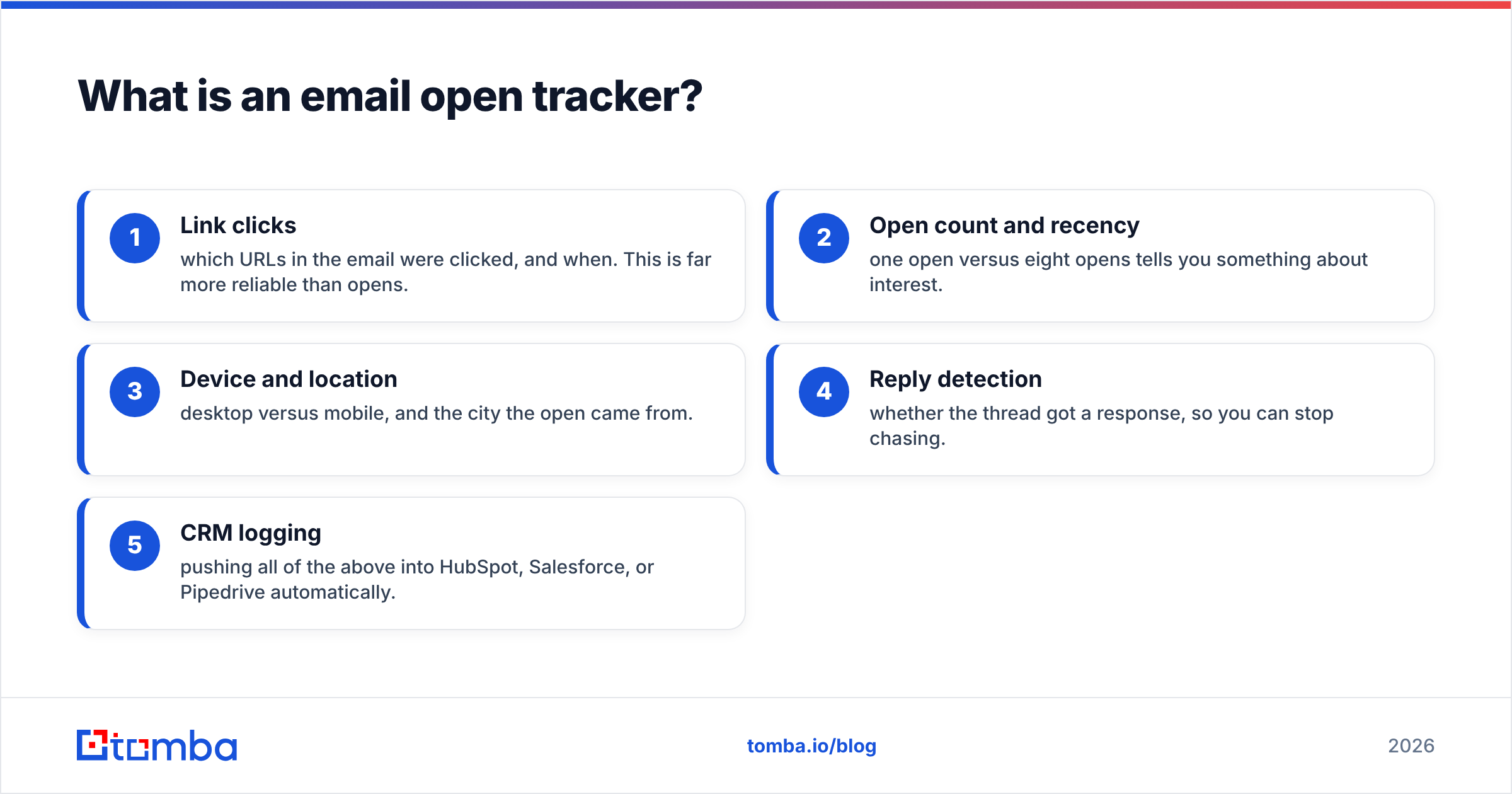
Most trackers go beyond opens. The useful ones also record:
- Link clicks — which URLs in the email were clicked, and when. This is far more reliable than opens.
- Open count and recency — one open versus eight opens tells you something about interest.
- Device and location — desktop versus mobile, and the city the open came from.
- Reply detection — whether the thread got a response, so you can stop chasing.
- CRM logging — pushing all of the above into HubSpot, Salesforce, or Pipedrive automatically.
The first three are core open-tracking features. The last two are what separate a toy Chrome extension from a real sales tool.
How does email open tracking actually work?#
A 1×1 transparent pixel is added to your outgoing email with a unique URL tied to that specific send. When the recipient's email app renders the message, it requests that image from the tracking server. That request is the "open." No image load, no recorded open.
This is why open tracking is inherently leaky:
- Image blocking. If the recipient's client blocks remote images by default (many do), the pixel never loads and a genuine open goes unrecorded — a false negative.
- Apple Mail Privacy Protection (MPP). Since 2021, Apple pre-fetches images for Mail users through a proxy, firing the pixel whether or not a human ever looked at the message — a false positive. Apple's own Mail Privacy Protection documentation spells this out.
- Plain-text emails. No HTML, no image, no tracking.
The practical takeaway: open rates have been systematically inflated since MPP rolled out, and the gap is widest for consumer-heavy lists. Clicks and replies are harder to fake, which is why mature teams weight them more heavily than raw opens. If deliverability is your real concern, opens are a weak proxy — read up on email deliverability and sender reputation instead of obsessing over open percentages.
Which is the best email open tracker in 2026?#
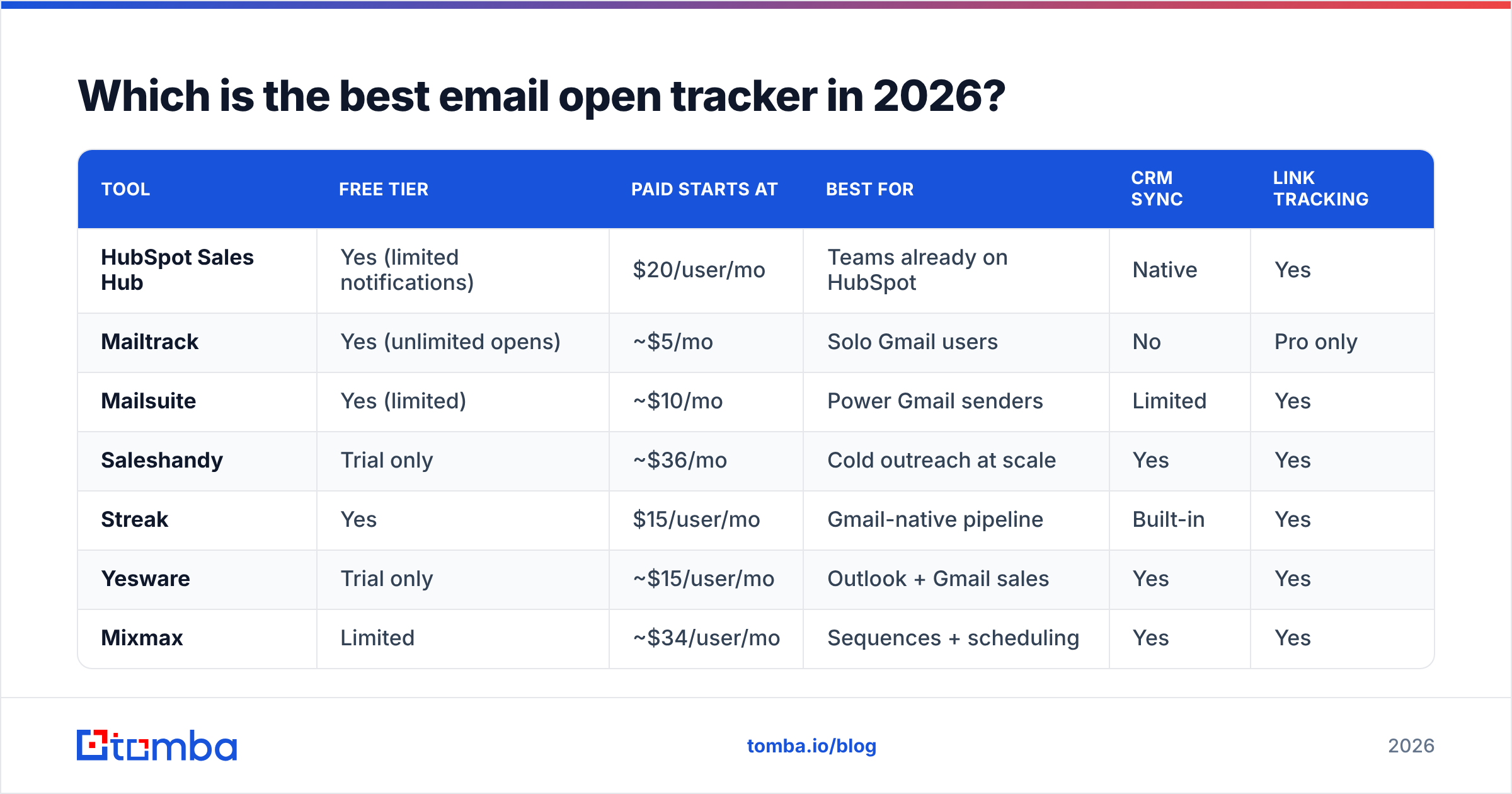
There is no single winner — the best email open tracker depends on volume, CRM, and budget. Here is how the leading tools stack up on the attributes that matter.
| Tool | Free tier | Paid starts at | Best for | CRM sync | Link tracking |
|---|---|---|---|---|---|
| HubSpot Sales Hub | Yes (limited notifications) | $20/user/mo | Teams already on HubSpot | Native | Yes |
| Mailtrack | Yes (unlimited opens) | ~$5/mo | Solo Gmail users | No | Pro only |
| Mailsuite | Yes (limited) | ~$10/mo | Power Gmail senders | Limited | Yes |
| Saleshandy | Trial only | ~$36/mo | Cold outreach at scale | Yes | Yes |
| Streak | Yes | $15/user/mo | Gmail-native pipeline | Built-in | Yes |
| Yesware | Trial only | ~$15/user/mo | Outlook + Gmail sales | Yes | Yes |
| Mixmax | Limited | ~$34/user/mo | Sequences + scheduling | Yes | Yes |
| Snov.io | Yes (credits) | ~$30/mo | Outreach + finding combo | Yes | Yes |
A few honest notes on this table. HubSpot's free tier is genuinely usable for one rep but throttles notifications fast; see the official HubSpot Sales Hub breakdown before assuming the free plan is enough. Mailtrack wins on price for individuals but its free plan stamps a signature on your emails. Saleshandy and Mixmax are sequence tools that happen to track opens — overkill if you only want read receipts, ideal if you run multi-step campaigns.
How do free and paid open trackers compare?#
The free-to-paid jump is mostly about three things: removing branding, unlocking link and reply tracking, and adding CRM logging.
| Capability | Free trackers | Paid trackers |
|---|---|---|
| Open notifications | Yes (often capped) | Unlimited |
| Branded signature in email | Usually present | Removed |
| Link click tracking | Rare | Standard |
| Reply / thread detection | No | Yes |
| Team analytics dashboard | No | Yes |
| CRM auto-logging | No | Yes |
| Sequence / drip support | No | Often included |
If you are a single rep tracking a handful of important threads, a free Gmail tracker is fine. The moment you have a team, a quota, or a CRM you actually live in, the paid tier pays for itself in saved manual logging alone.

What should you look for in open tracking software?#
Score any tool against these six criteria before you commit:
- Notification quality. Real-time, de-duplicated alerts beat a noisy feed that pings you for every MPP pre-fetch. The best tools let you mute self-opens and known proxies.
- Click and reply tracking. Opens lie; clicks and replies don't. Prioritize tools that surface both.
- CRM integration. Native logging to your CRM removes the worst part of sales admin. Check whether it is a real HubSpot integration or a flaky Zapier bridge.
- Privacy posture. Tracking pixels live in a gray zone under GDPR. Pick vendors that disclose tracking and let you disable it per-send when needed.
- Deliverability impact. Some trackers route links through their own domains, which can hurt your sender reputation if that domain is poorly maintained.
- Accuracy honesty. A vendor that openly explains MPP inflation is more trustworthy than one promising "99% accurate opens." That number is not possible in 2026.
Does open tracking still matter after Apple MPP?#
Yes — but as one signal among several, not the headline metric. The smart move is to stop treating a single open as a buying signal and start looking at patterns: repeated opens from a non-Apple client, a click on a pricing link, a forward to a colleague. Those are intent signals MPP can't manufacture.
This is also where a lot of teams realize the uncomfortable truth: tracking who opened your email is worthless if the email never reached a real inbox. A tracked send to a dead or catch-all address just sits at zero forever, and you can't tell a non-opener from a non-existent recipient.
That is a sequencing problem. Before you track anything, the address has to be real and reachable. Run your list through an email verifier to strip out invalid and risky addresses, and handle ambiguous domains with a dedicated catch-all verifier. Clean inputs make every downstream open-tracking number mean something.
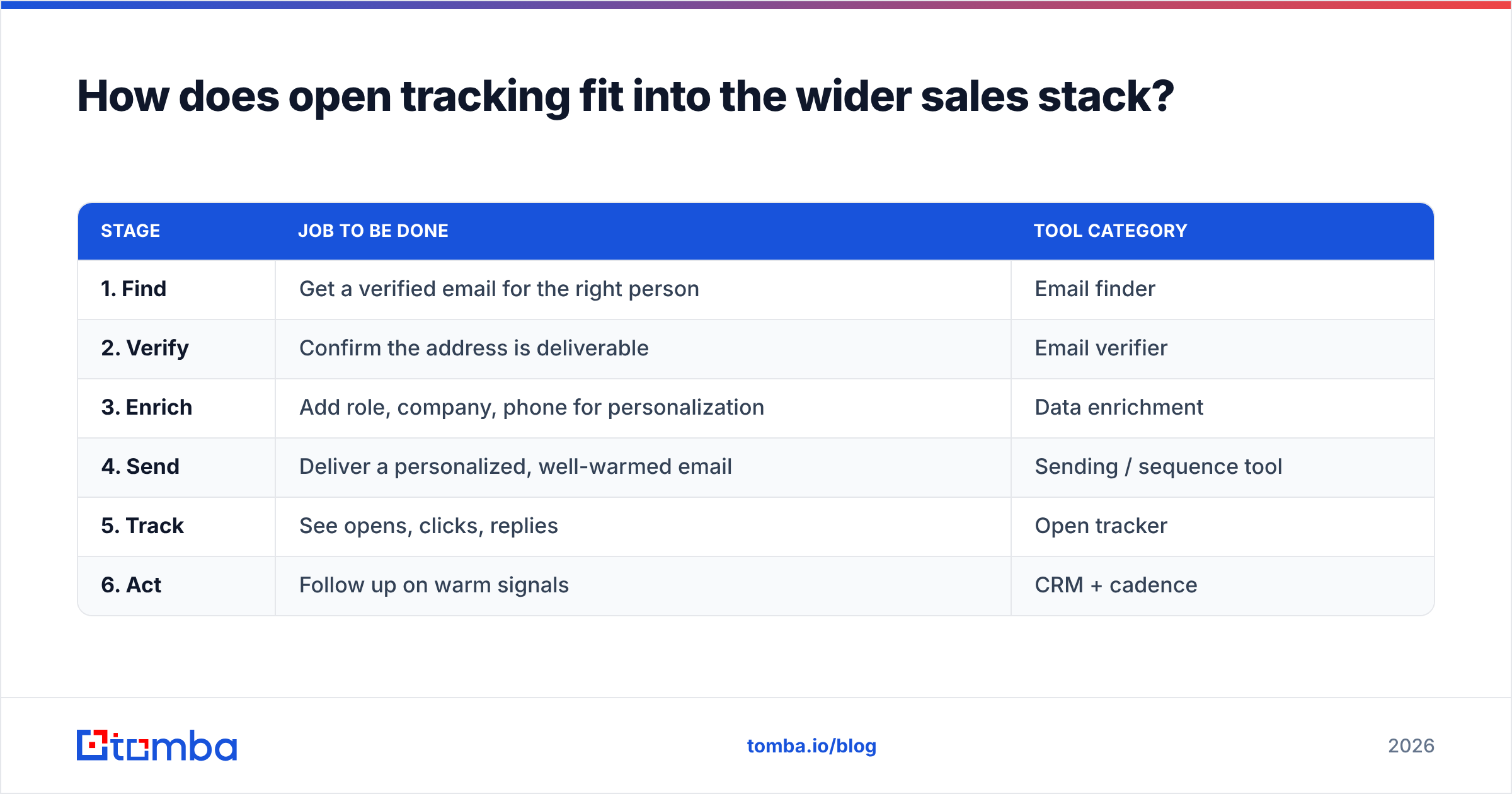
How does open tracking fit into the wider sales stack?#
Open tracking is the last mile of outreach, not the whole road. A working pipeline looks like this:
| Stage | Job to be done | Tool category |
|---|---|---|
| 1. Find | Get a verified email for the right person | Email finder |
| 2. Verify | Confirm the address is deliverable | Email verifier |
| 3. Enrich | Add role, company, phone for personalization | Data enrichment |
| 4. Send | Deliver a personalized, well-warmed email | Sending / sequence tool |
| 5. Track | See opens, clicks, replies | Open tracker |
| 6. Act | Follow up on warm signals | CRM + cadence |
Open tracking sits at stage five. If stages one and two are weak, stage five reports noise. This is why combining a tracker with an accurate sourcing layer outperforms any tracker alone. You can source clean, verified addresses with the Tomba Email Finder, enrich them with data enrichment, then hand the polished list to whichever open tracker you chose above. Pricing for the sourcing side is transparent — see the Tomba pricing page; the Free tier includes 25 searches a month, Starter is $49/mo, and Growth is $99/mo.
For shortlisting trackers themselves, cross-check real user reviews on G2 rather than trusting vendor marketing — open-tracking accuracy complaints surface fast in reviews.
Which open tracker should you choose?#
Match the tool to your situation:
- You live in HubSpot. Use HubSpot Sales Hub. The native logging is worth more than marginal feature differences elsewhere.
- You are a solo Gmail user on a budget. Mailtrack or Mailsuite. Free, fast, good enough for tracking key threads.
- You run multi-step cold campaigns. Saleshandy, Mixmax, or Snov.io — you want sequence-level analytics, not just per-email opens.
- You are Outlook-first. Yesware handles both Outlook and Gmail cleanly.
- You care most about pipeline visibility inside Gmail. Streak turns the inbox into a CRM with tracking baked in.
Whatever you pick, calibrate expectations. Open rates will read high because of MPP. Judge campaigns on replies and clicks, use opens for timing, and keep your underlying contact data clean.
The bottom line#
The best email open tracker is the one that fits your CRM, respects your budget, and reports honestly about accuracy after Apple MPP. HubSpot wins for CRM-native teams, Mailtrack for solo Gmail users, and Saleshandy or Mixmax for high-volume outbound. But every one of them is only as useful as the list you feed it.
Before you spend a credit tracking opens, make sure you are emailing real people at real addresses. Start with the Tomba Email Finder to source verified, deliverable contacts by name or domain — then let your open tracker do its job on a list that actually opens. Clean data in, meaningful signals out.
// get started
Find, verify and enrich your first contacts today
Start on the free plan with 25 searches a month, then scale when your team is ready.
Free plan · No credit card required · GDPR & CCPA
// about the author