Best Email Outbound Tools in 2026: A Buyer's Guide
A neutral, no-fluff breakdown of the best email outbound tools in 2026 — sending platforms, sequencers, warmup, and the data layer that makes them work.
TL;DR
- The "best email outbound tools" question has four answers, not one: a sending/sequencing platform, a deliverability/warmup layer, a data/enrichment source, and a CRM to catch the replies.
- For sending at scale on burner domains, Instantly and Smartlead lead on price-per-inbox; for tightly coupled CRM workflows, Outreach and Salesloft win on governance.
- No outbound tool fixes bad data. Bounces above 3-4% wreck deliverability faster than any subject line can save it — which is why your data layer matters more than your sequencer.
- Expect to spend $30–$300/month per seat on the sending side, plus a separate data budget.
- Tomba sits in the data layer: verified emails and enrichment feeding clean lists into whatever sender you choose.
What counts as an "email outbound tool" in 2026?#
The short answer: anything that gets a cold, personalized email into a prospect's inbox and tracks what happens next. The longer answer is that the category quietly split into four jobs, and most teams shop for one while ignoring the other three.
Think of outbound like running a restaurant. The sequencer is the kitchen that plates and sends. The warmup/deliverability layer is the health inspection that keeps your doors open. The data source is your supplier — bad ingredients ruin even a great kitchen. And the CRM is the host stand tracking who came back. Buy only the kitchen and you'll wonder why the food never reaches the table.
In 2026, the tools that win are the ones honest about which job they do. A sequencer that claims to also "find verified emails" usually means it resells a thin data feed — and your bounce rate pays for it.
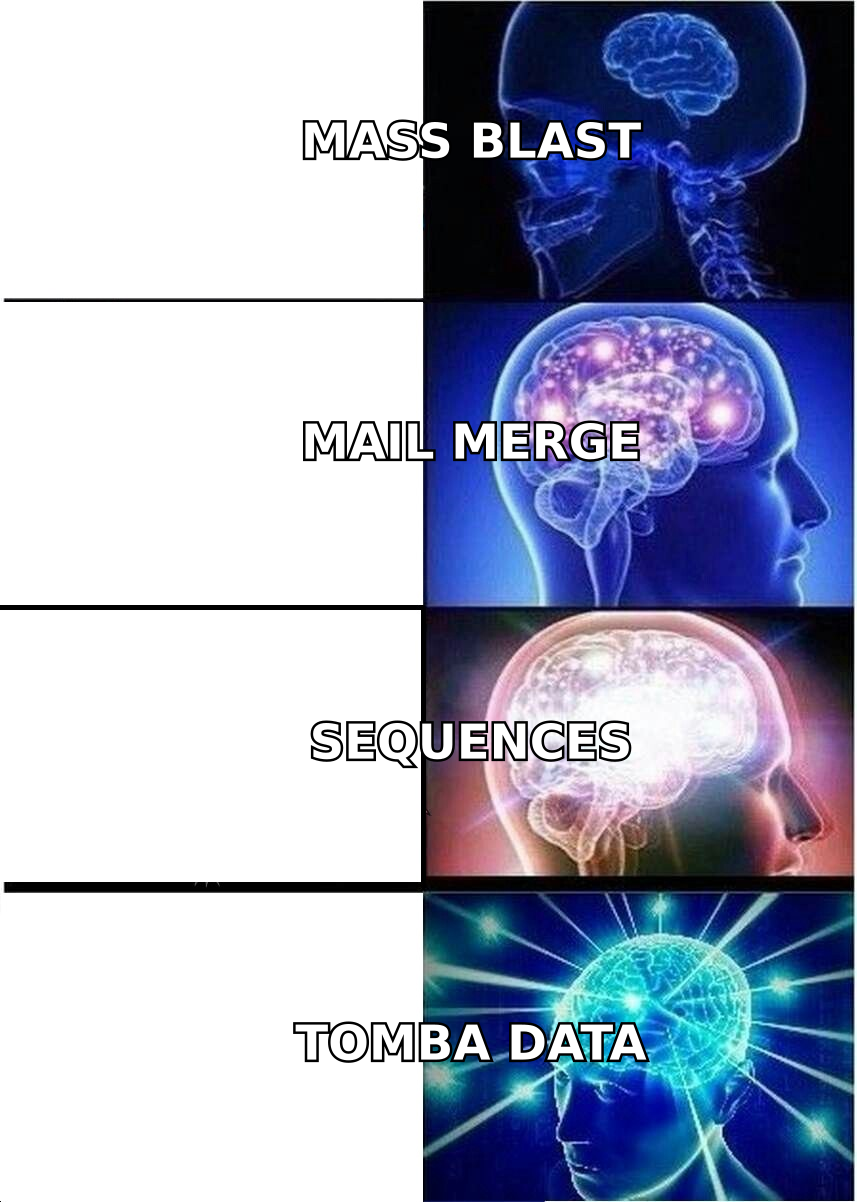
What are the four layers of an outbound stack?#
Here's how the jobs break down, with the leading tools in each and roughly what they cost.
- Sending & sequencing — The engine that schedules steps, rotates inboxes, and merges fields. Instantly, Smartlead, Saleshandy, lemlist, plus the enterprise pair Outreach and Salesloft. Pricing ranges from ~$30/mo for a solo sender to $100+/seat for enterprise governance.
- Deliverability & warmup — Keeps you out of spam: automated warmup, domain rotation, spam-score checks, SPF/DKIM/DMARC validation. Often bundled into Instantly/Smartlead, or run standalone. Check your SPF record before you send a single email.
- Data & enrichment — Where verified addresses and contact context come from. Tomba, Apollo, and similar providers live here. This is the layer that protects your sender reputation by keeping bounces low.
- CRM & reply management — HubSpot, Salesforce, Pipedrive. Captures replies, logs activity, and routes hand-raisers to reps so meetings actually get booked.
Most failed outbound programs over-invest in layer 1 and under-invest in layer 3. You can have the slickest sequencer on the market, but if 20% of your list bounces, mailbox providers will throttle you within a week.
Which email outbound tools are best in 2026?#
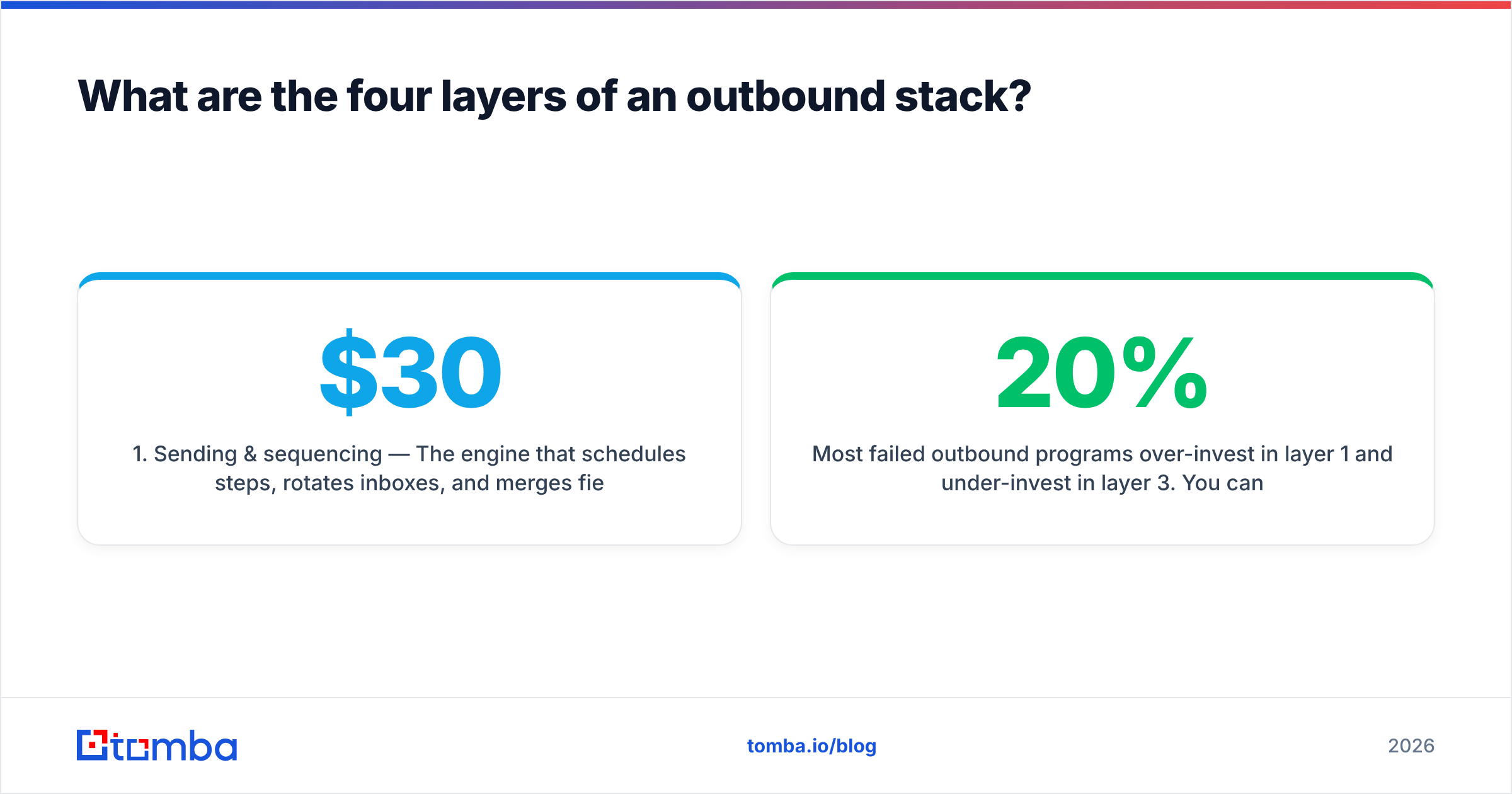
No single tool wins every category, so the comparison below scores the popular options by their primary job, starting price, and who they fit. Prices are entry tiers and shift often — confirm on each vendor's page before you buy.
| Tool | Primary job | Starting price | Best for | Built-in warmup |
|---|---|---|---|---|
| Instantly | Sending at scale | ~$37/mo | Agencies, high-volume burner domains | Yes |
| Smartlead | Sending + deliverability | ~$39/mo | Teams rotating many inboxes | Yes |
| Saleshandy | Sequencing + verification | ~$36/mo | SMBs wanting verify built in | Yes |
| lemlist | Multichannel sequencing | ~$39/mo | Personalized image/video outreach | Add-on |
| Outreach | Enterprise sequencing | Custom (seat-based) | Large, governed sales orgs | Limited |
| Salesloft | Enterprise cadence + analytics | Custom (seat-based) | RevOps-heavy enterprises | Limited |
| Tomba | Data & enrichment | Free, then $49/mo | Clean verified lists for any sender | N/A |
Read that last row carefully. Tomba isn't competing with Instantly or Outreach — it feeds them. The sender you pick is a matter of volume and budget; the data you pour into it decides whether the campaign survives.
How do high-volume senders differ from enterprise sequencers?#
They optimize for opposite things, and picking the wrong category is the most common (and expensive) mistake.
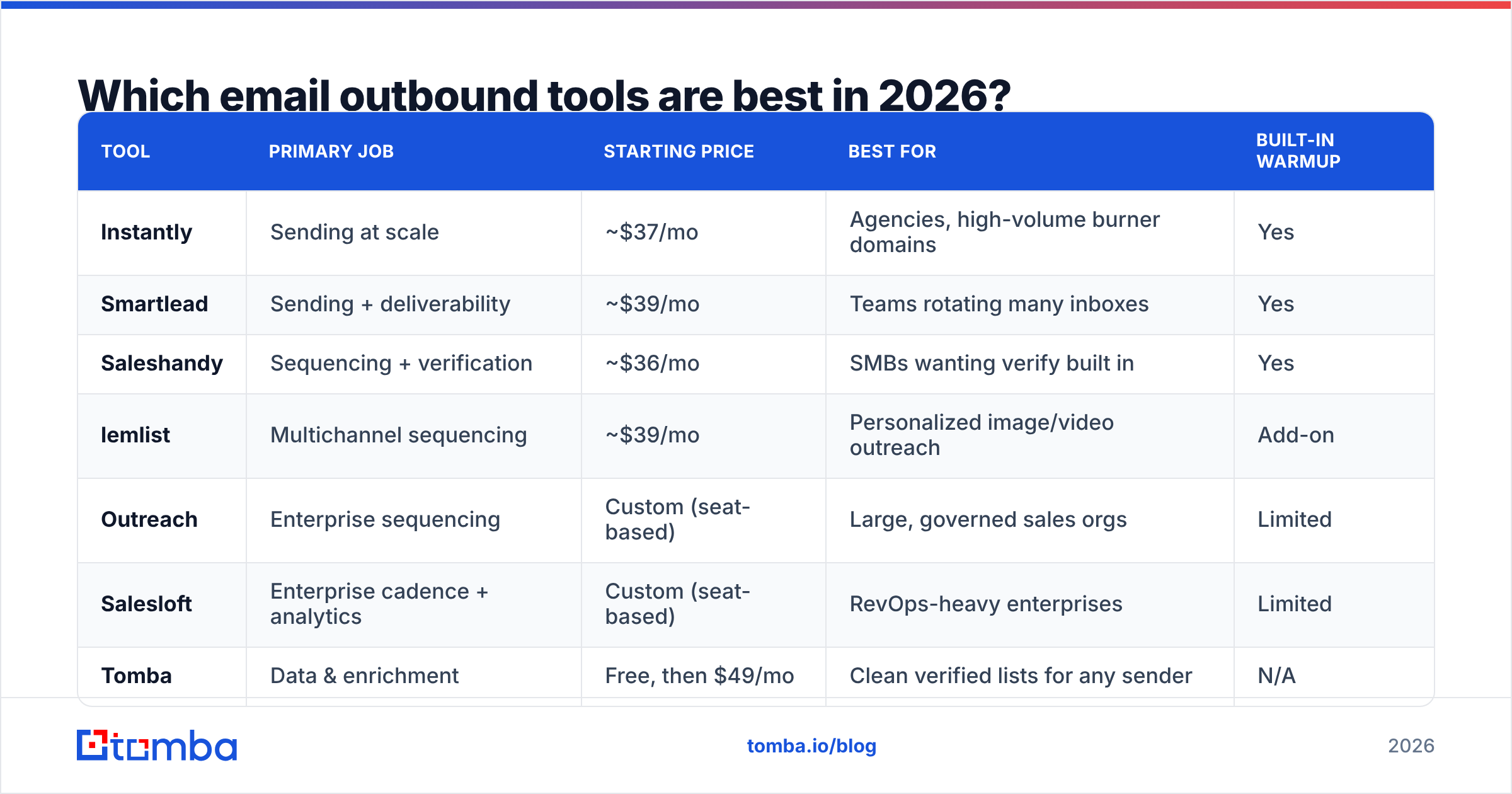
High-volume senders (Instantly, Smartlead) are built for spray-and-rotate at scale: dozens of inboxes across multiple domains, automated warmup baked in, and pricing that scales by inbox rather than by seat. They assume you're running cold campaigns on secondary domains you're willing to burn. The trade-off: thinner CRM integration and lighter compliance controls.
Enterprise sequencers (Outreach, Salesloft) optimize for governance and analytics. They live inside Salesforce, enforce sending rules, give managers cadence-level reporting, and treat each rep's primary mailbox as a protected asset. The trade-off: per-seat pricing that climbs fast, and warmup that's deliberately conservative because you're sending from real domains you can't afford to torch.
A 3-person agency running 50 burner inboxes wants the first category. A 200-rep org with a Salesforce mandate wants the second. Buying enterprise tooling for burner-domain volume — or vice versa — wastes money and breaks deliverability. According to HubSpot's sales research, personalization and timing beat raw volume on reply rate, which nudges most mid-market teams toward the sequencer end rather than pure blast.
Why does deliverability decide whether any of this works?#
Because the inbox is a gatekeeper, and it judges you on reputation, not effort. You can write the perfect sequence, but if Gmail and Outlook don't trust your sending domain, your emails land in spam and your reply rate craters to zero.
Three things drive email deliverability:
- Authentication. SPF, DKIM, and DMARC must be configured before you send. Missing records are an instant trust penalty. Google's own bulk sender guidelines made these mandatory, not optional.
- Warmup. New domains need weeks of gradual, human-like sending to build reputation. Tools that auto-warmup (Instantly, Smartlead) simulate this with seed networks.
- List hygiene. This is the silent killer. Every hard bounce signals to mailbox providers that you don't know who you're emailing. Keep bounces under 2-3% or expect throttling.
That third point is where the data layer earns its keep. If you scrape addresses or buy a stale list, you'll bounce 10-20% on the first send and undo months of warmup overnight. Running every address through an email verifier before it enters a sequence is the cheapest insurance in outbound.

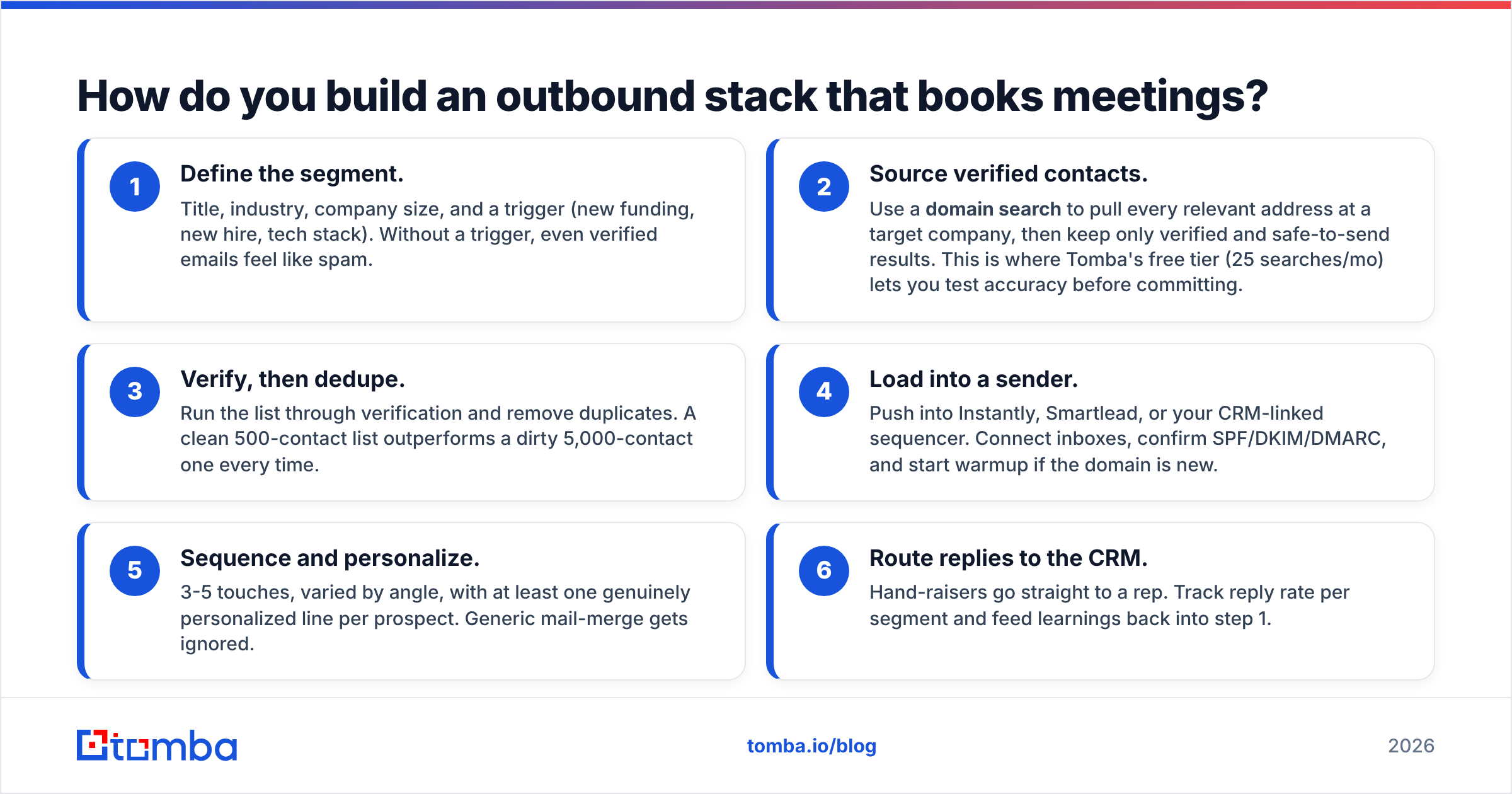
How do you build an outbound stack that books meetings?#
Start from the data and work outward. Here's a sequence that holds up for most B2B teams.
- Define the segment. Title, industry, company size, and a trigger (new funding, new hire, tech stack). Without a trigger, even verified emails feel like spam.
- Source verified contacts. Use a domain search to pull every relevant address at a target company, then keep only verified and safe-to-send results. This is where Tomba's free tier (25 searches/mo) lets you test accuracy before committing.
- Verify, then dedupe. Run the list through verification and remove duplicates. A clean 500-contact list outperforms a dirty 5,000-contact one every time.
- Load into a sender. Push into Instantly, Smartlead, or your CRM-linked sequencer. Connect inboxes, confirm SPF/DKIM/DMARC, and start warmup if the domain is new.
- Sequence and personalize. 3-5 touches, varied by angle, with at least one genuinely personalized line per prospect. Generic mail-merge gets ignored.
- Route replies to the CRM. Hand-raisers go straight to a rep. Track reply rate per segment and feed learnings back into step 1.
Notice that two of the six steps are pure data work. That's not an accident — it's where the leverage is. You can swap your sender in an afternoon; rebuilding reputation after a bad-data send takes weeks.
What does an outbound stack actually cost?#
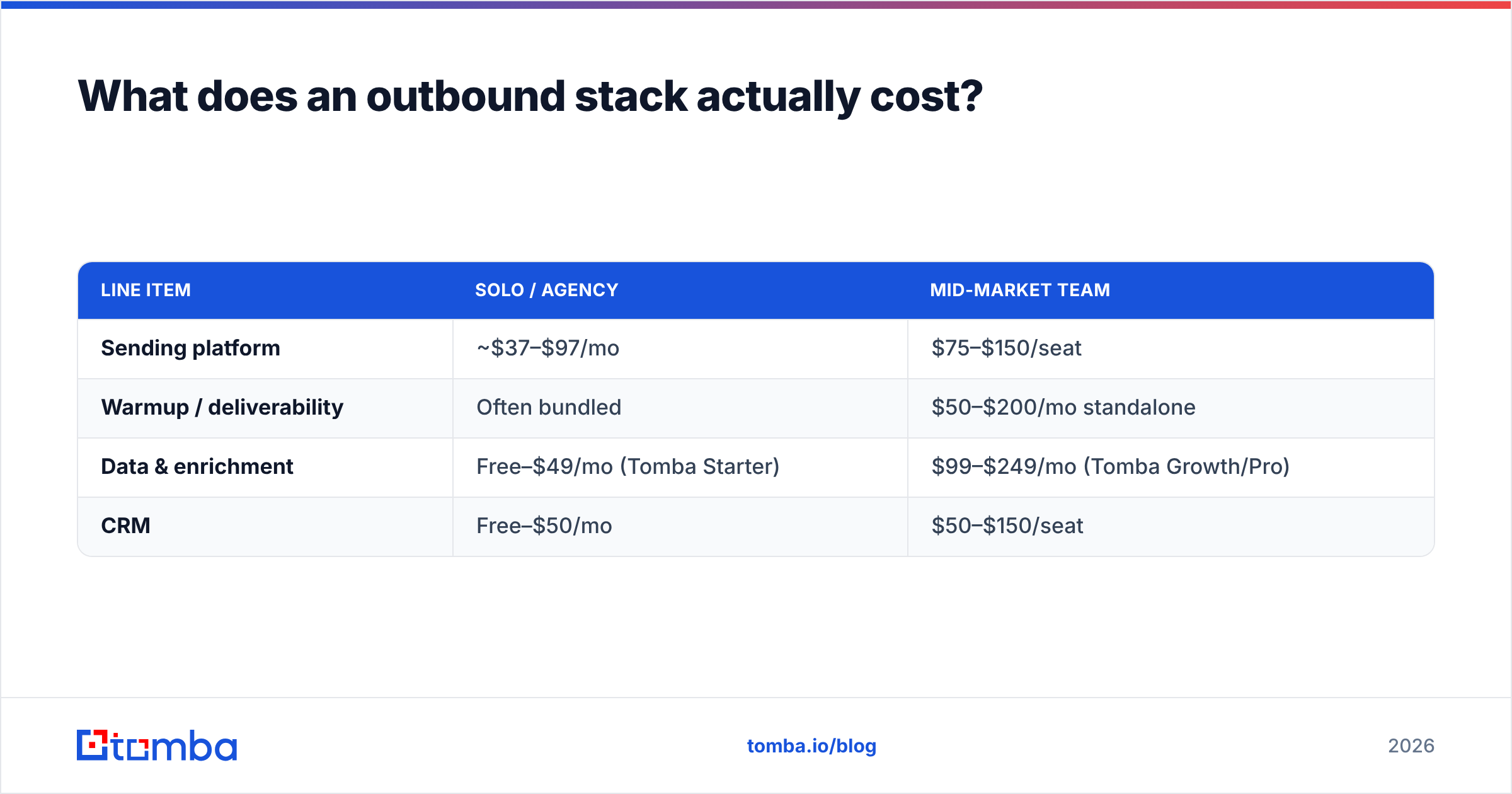
Budget across three lines, not one. A lean solo setup and a mid-market team look very different.
| Line item | Solo / agency | Mid-market team |
|---|---|---|
| Sending platform | ~$37–$97/mo | $75–$150/seat |
| Warmup / deliverability | Often bundled | $50–$200/mo standalone |
| Data & enrichment | Free–$49/mo (Tomba Starter) | $99–$249/mo (Tomba Growth/Pro) |
| CRM | Free–$50/mo | $50–$150/seat |
The honest takeaway: the data line is usually the smallest number on the page and the one with the highest return. Tomba's pricing starts free, moves to Starter at $49/mo, Growth at $99/mo, and Pro at $249/mo — and a clean list at Growth tier will out-earn a more expensive sequencer fed garbage.
If you're consolidating, check whether your sender already bundles warmup before paying for a standalone tool, and whether your data provider offers an email finder API so you can enrich inside your own workflows instead of exporting CSVs by hand.
Which tool should you actually pick?#
Match the tool to your constraint, not the hype:
- You're an agency sending high volume on burner domains → Instantly or Smartlead for inbox rotation and bundled warmup.
- You're an SMB that wants verification built into sending → Saleshandy or lemlist.
- You're an enterprise on Salesforce with compliance needs → Outreach or Salesloft.
- Your bounce rate is your real problem → fix the data layer first with verified contacts and enrichment, regardless of which sender you run.
For the data layer, Tomba's Email Finder gives you verified professional emails by name, domain, or company, plus enrichment and bulk processing — so the list you load into any sender is clean before the first send goes out. Start on the free tier, verify your accuracy assumptions against your own target accounts, and only scale spend once the bounce rate proves out. The best outbound stack isn't the one with the flashiest sequencer; it's the one where every layer does its job and the data underneath is real. Build from the data out, and the meetings follow.
// get started
Find, verify and enrich your first contacts today
Start on the free plan with 25 searches a month, then scale when your team is ready.
Free plan · No credit card required · GDPR & CCPA
// about the author