Best Email Verification Tool in 2026: Top Picks Compared
Bounces wreck sender reputation. Here's how to pick the best email verification tool in 2026 — accuracy, catch-all handling, pricing, and where each option wins.

TL;DR
- The best email verification tool is the one that catches the most bad addresses without falsely killing good ones — accuracy matters more than raw speed or price.
- Catch-all (accept-all) domains are where most tools quietly fail. How a vendor handles them is the single biggest differentiator in 2026.
- Expect to pay per verification. Mid-range list cleaning runs roughly $0.0004–$0.004 per email depending on volume and plan.
- Tomba bundles verification with finding and enrichment, so you clean lists in the same place you build them — and its catch-all logic goes beyond a simple SMTP ping.
- Pick by workflow: standalone bulk cleaner, API for real-time signup forms, or an all-in-one prospecting suite.
What does an email verification tool actually do?#
An email verification tool checks whether an address can receive mail before you hit send. Think of it like a bouncer at the door: it turns away the fakes, the typos, and the long-dead inboxes so your campaign only walks in with people who actually exist.
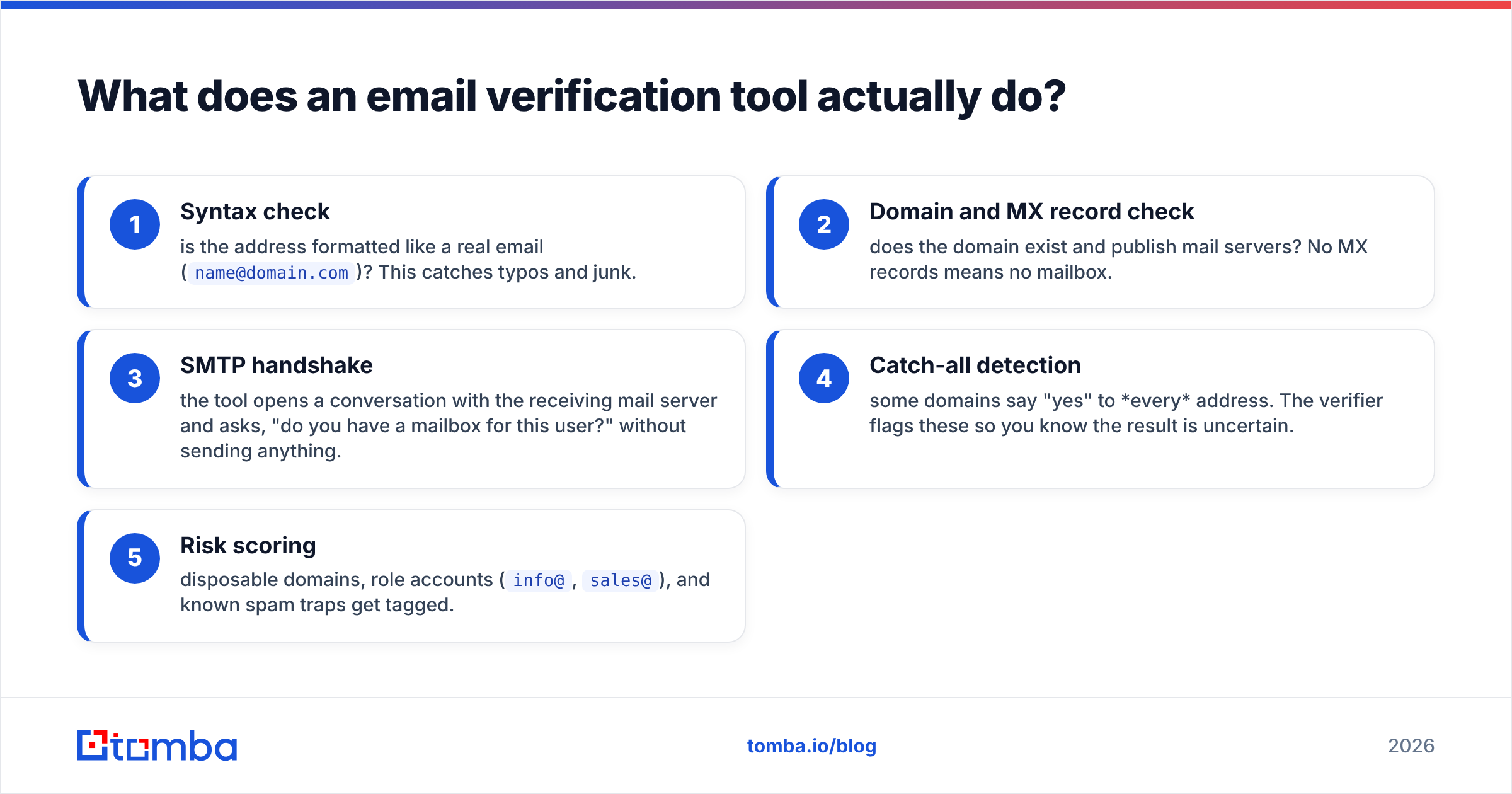
Under the hood, a good verifier runs a chain of checks:
- Syntax check — is the address formatted like a real email (
name@domain.com)? This catches typos and junk. - Domain and MX record check — does the domain exist and publish mail servers? No MX records means no mailbox.
- SMTP handshake — the tool opens a conversation with the receiving mail server and asks, "do you have a mailbox for this user?" without sending anything.
- Catch-all detection — some domains say "yes" to every address. The verifier flags these so you know the result is uncertain.
- Risk scoring — disposable domains, role accounts (
info@,sales@), and known spam traps get tagged.
The output is a status: valid, invalid, catch-all/accept-all, or unknown. Your job is to send to the valid ones and decide your risk appetite on the rest. If you want the textbook version, Wikipedia's overview of email verification covers the protocol-level basics.
Why does email verification matter so much in 2026?#
Because mailbox providers got stricter, and bounces now cost you reputation, not just a wasted send.
Google and Yahoo's bulk-sender rules pushed acceptable bounce and complaint rates lower. A list with 8% invalid addresses doesn't just waste credits — it tanks your email deliverability and drags down your sender reputation for every future campaign, including the clean ones.
Here's the chain reaction:
- High bounce rate → mailbox providers flag you as a careless sender.
- Flagged senders → more mail routed to spam, even for valid recipients.
- More spam placement → lower open rates → worse reputation. The spiral feeds itself.
Verification breaks the loop at the source. Clean the list once before a big send, verify in real time at signup, and you keep bounces under the ~2% threshold most providers tolerate. That's the whole game.
What makes the best email verification tool?#
The best email verification tool wins on accuracy first, then catch-all handling, then everything else. Price and speed only matter once the results you can trust.
Use these criteria when you evaluate:
- Accuracy / low false positives — A tool that marks good addresses as invalid is worse than useless; it deletes real leads. Look for published accuracy figures and a money-back or re-verify guarantee on bounces.
- Catch-all handling — Roughly a third of B2B domains are accept-all. A weak tool dumps them all into "unknown." A strong one applies pattern intelligence to give you a usable confidence score.
- Bulk + API parity — You want CSV upload for list cleaning and an API for real-time form validation, with the same engine behind both.
- Speed at volume — Verifying 100k addresses should take minutes, not a day. Greylisting-heavy servers slow everything down, so caching and retries matter.
- Data hygiene extras — Duplicate removal, role-account flagging, disposable detection, and syntax auto-correction.
- Transparent pricing — Per-credit cost should drop predictably as volume rises, with no surprise overage traps.
Which email verification tool is best? A side-by-side comparison#
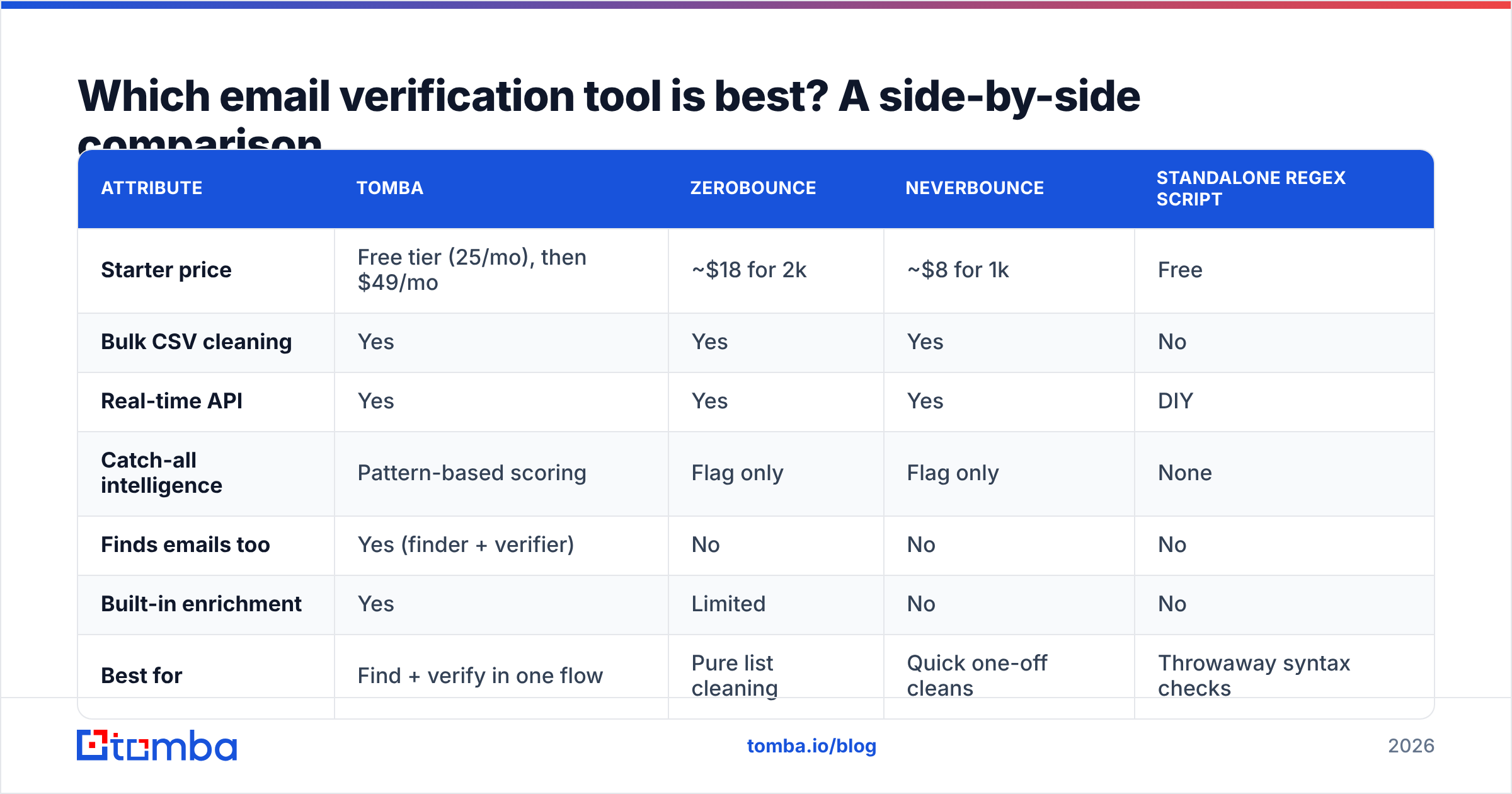
Below is how the most common options stack up on the attributes that decide real campaigns. Pricing is approximate entry-level and changes often — confirm on each vendor's site before you buy.
| Attribute | Tomba | ZeroBounce | NeverBounce | Standalone regex script |
|---|---|---|---|---|
| Starter price | Free tier (25/mo), then $49/mo | ~$18 for 2k | ~$8 for 1k | Free |
| Bulk CSV cleaning | Yes | Yes | Yes | No |
| Real-time API | Yes | Yes | Yes | DIY |
| Catch-all intelligence | Pattern-based scoring | Flag only | Flag only | None |
| Finds emails too | Yes (finder + verifier) | No | No | No |
| Built-in enrichment | Yes | Limited | No | No |
| Best for | Find + verify in one flow | Pure list cleaning | Quick one-off cleans | Throwaway syntax checks |
A few honest takeaways from the table:
- A regex script is not a verification tool. It catches typos and nothing else. It will happily approve
ceo@company-that-shut-down.com. - ZeroBounce and NeverBounce are solid pure cleaners if all you ever do is upload a list and download it cleaner. Compare user reviews on G2's email verification category before committing.
- Tomba's edge is the combined workflow. If you're building lists with an email finder anyway, verifying in the same platform removes an export/import round trip — and its catch-all verifier gives you a confidence read instead of a shrug.
If you want full plan details and per-credit math, the Tomba pricing page lays out each tier from Free through Enterprise.
How do you handle catch-all (accept-all) domains?#
Catch-all domains are the hardest problem in verification, and how a tool deals with them separates the best from the rest.
An accept-all server returns "valid" for every address you test, real or invented, because it's configured to accept all mail and sort it later. A naive SMTP ping can't tell jane.doe@acme.com from xkcd99@acme.com on these domains — both come back positive.
Three ways tools respond:
- Lazy: mark everything on the domain "unknown" and make it your problem.
- Reckless: mark everything "valid" and let you eat the bounces.
- Smart: combine the SMTP signal with known email patterns, historical data, and format analysis to score how likely the specific address is real.
Tomba leans on its pattern data and data sources to score catch-all addresses rather than dumping them. You still decide your risk threshold, but you're deciding with information instead of guessing. For high-stakes sends, a dedicated catch-all verifier pass on just those uncertain addresses is the move.

Standalone verifier or all-in-one platform?#
Choose a standalone verifier if list cleaning is a rare, isolated chore. Choose an all-in-one platform if you find, verify, and enrich contacts continuously.
Pick a standalone verifier (ZeroBounce, NeverBounce) when:
- You already have lists from another source and just need them scrubbed.
- Verification is occasional — a quarterly database clean, say.
- You don't do prospecting and don't need contact data beyond the email.
Pick an all-in-one (Tomba) when:
- You're actively prospecting and building lists from scratch.
- You want find → verify → enrich without exporting CSVs between three tools.
- You need supporting data: company info, phone numbers, or LinkedIn context attached to each contact.
- You verify at scale and want one credit system instead of three subscriptions.
The hidden cost of standalone tools is the workflow tax: every export, reformat, and re-import is a chance to introduce errors and burn time. If you're doing this weekly, the all-in-one usually wins on total effort even when the per-credit price looks similar.
How much should email verification cost in 2026?#
Expect to pay per verification, with the unit price dropping as volume climbs. Anything advertised as "unlimited free" is either rate-limited to uselessness or doing syntax checks only.
Rough 2026 market ranges:
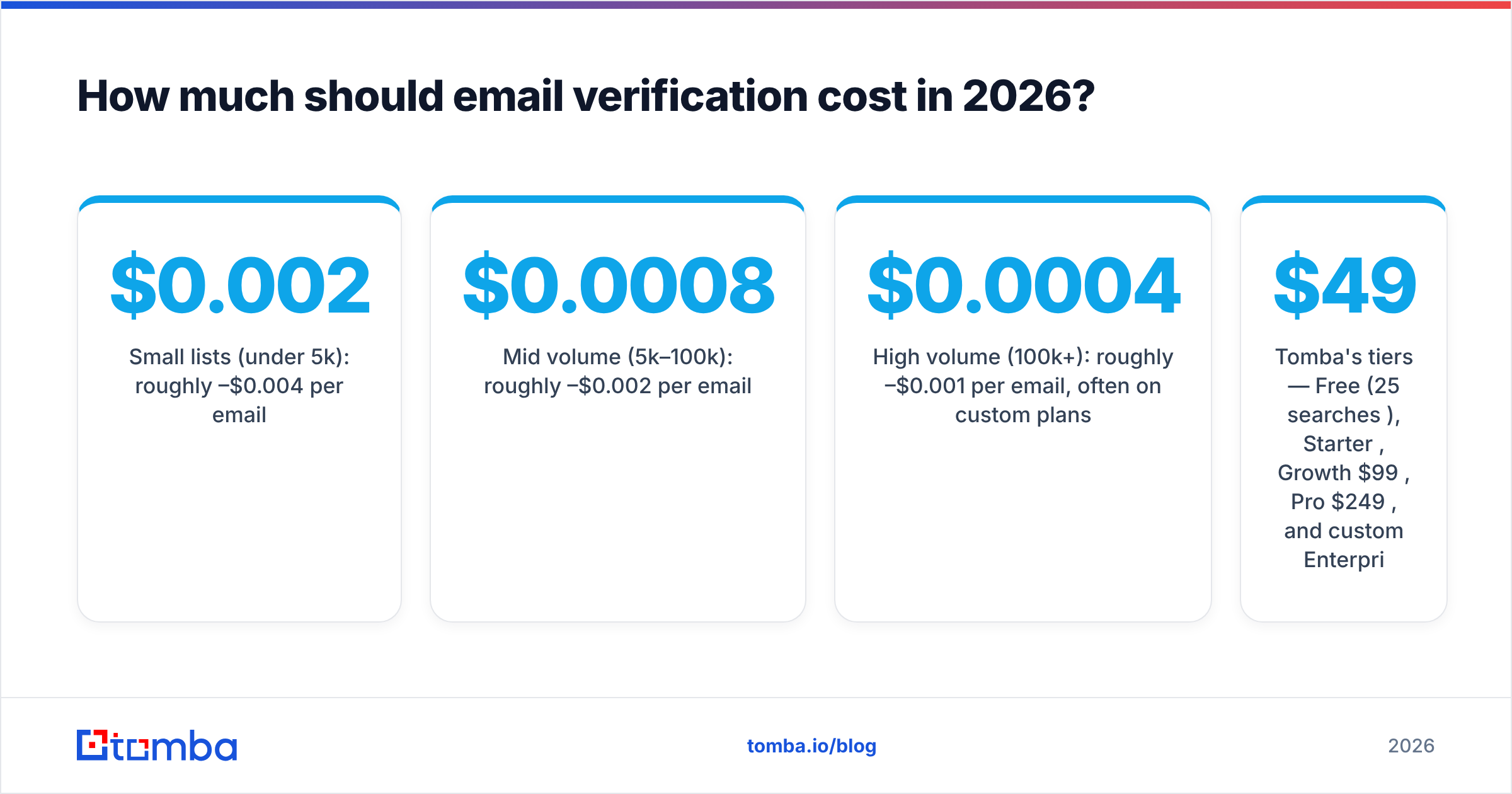
- Small lists (under 5k): roughly $0.002–$0.004 per email.
- Mid volume (5k–100k): roughly $0.0008–$0.002 per email.
- High volume (100k+): roughly $0.0004–$0.001 per email, often on custom plans.
Tomba's tiers — Free (25 searches/mo), Starter $49/mo, Growth $99/mo, Pro $249/mo, and custom Enterprise — bundle finding and verification credits together, which changes the math if you'd otherwise pay two vendors. Run your real monthly volume through each pricing page before deciding; the cheapest sticker price rarely wins once you factor accuracy and bundled features.
For ongoing list maintenance, the bulk verify workflow lets you clean tens of thousands of addresses in one job rather than metering them one at a time.
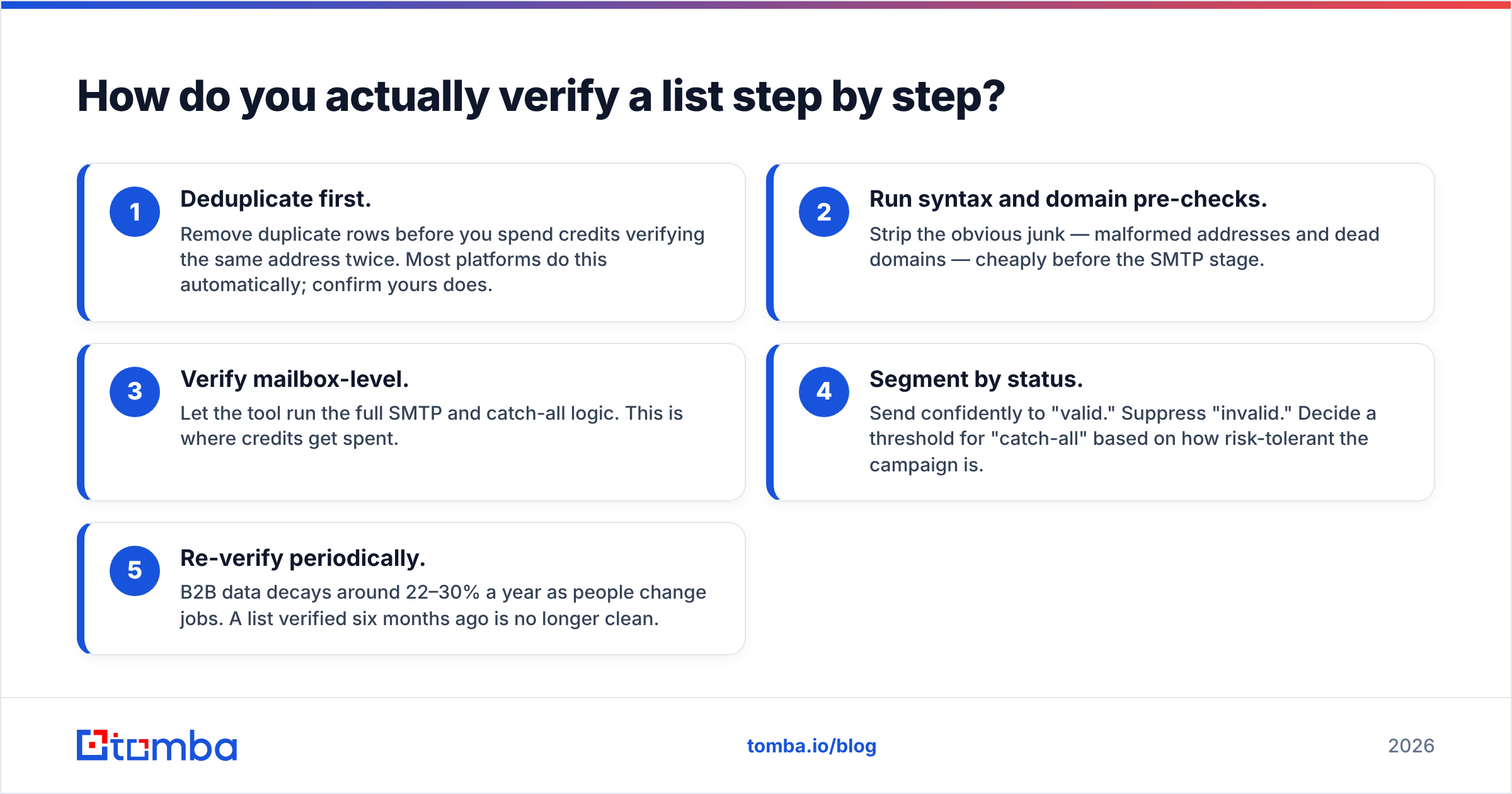
How do you actually verify a list step by step?#
The mechanics are simple once you have the right tool. Here's the repeatable process:
- Deduplicate first. Remove duplicate rows before you spend credits verifying the same address twice. Most platforms do this automatically; confirm yours does.
- Run syntax and domain pre-checks. Strip the obvious junk — malformed addresses and dead domains — cheaply before the SMTP stage.
- Verify mailbox-level. Let the tool run the full SMTP and catch-all logic. This is where credits get spent.
- Segment by status. Send confidently to "valid." Suppress "invalid." Decide a threshold for "catch-all" based on how risk-tolerant the campaign is.
- Re-verify periodically. B2B data decays around 22–30% a year as people change jobs. A list verified six months ago is no longer clean.
For signup forms and lead capture, skip the batch process entirely and call a verification API in real time so bad addresses never enter your database in the first place. Tomba exposes both the email verifier and a full API for exactly this.
Common email verification mistakes to avoid#
Even with a great tool, these errors cost senders deliverability:
- Verifying once and never again. Decay is constant. Re-verify before every major send.
- Treating catch-all as valid. It's a maybe, not a yes. Score it or send cautiously.
- Ignoring role accounts.
info@andsupport@addresses often have low engagement and higher complaint rates. Flag and handle them separately. - Skipping verification on "warm" lists. Even opt-in contacts go stale. Webinar signups from a year ago bounce just like cold ones.
- Chasing the lowest price over accuracy. A cheap tool with a 5% false-positive rate quietly deletes good leads — the most expensive mistake of all.
Which email verification tool should you choose?#
If you only clean static lists occasionally, a focused standalone verifier does the job fine. But if you're building and maintaining contact data continuously — finding addresses, verifying them, and enriching the records — a combined platform removes the busywork and keeps one source of truth.
That's where Tomba fits. You find professional addresses with the Tomba Email Finder, verify them with built-in mailbox and catch-all checks, and enrich each contact, all under one credit system that starts free and scales to $49/mo and beyond. Start on the free tier, run your real list through it, and judge it on the only metric that matters: how few good leads it throws away while killing the bad ones. Find, verify, and send with confidence — try Tomba's email finder and verifier free today.
// get started
Find, verify and enrich your first contacts today
Start on the free plan with 25 searches a month, then scale when your team is ready.
Free plan · No credit card required · GDPR & CCPA
// about the author