Best Email Warmup Tool in 2026: Top 8 Tools Compared
Your cold emails are landing in spam, and a warmup tool is half the fix. Here are the 8 best email warmup tools for 2026, compared on price, network size, and real inbox impact.
You bought a domain, wrote a sharp cold email, hit send to 200 prospects — and 70% of it vanished into spam. The reflex is to blame the copy. Usually the real culprit sits upstream: a cold mailbox with zero sending history and a list full of dead addresses. An email warmup tool fixes the first half of that problem. This guide ranks the best email warmup tool options for 2026 and shows where warmup ends and list hygiene begins.
TL;DR — The Best Email Warmup Tools at a Glance#
- Best all-in-one: Instantly — warmup is bundled free with its cold-email sending platform, so most teams already running outbound get it without a second invoice.
- Best standalone reputation tool: Mailreach — detailed deliverability scoring and spam-placement reports, priced per inbox.
- Best for high-volume agencies: Warmy or Warmup Inbox — large warmup networks and per-seat pricing that scales.
- Warmup is only half the job: a warmed inbox still burns if you mail invalid addresses. Pair any tool below with an email verifier to protect the reputation you just built.
- Free starting point: use a warmup calculator to model your ramp before you pay for anything.
What Is an Email Warmup Tool and Why Do You Need One?#
An email warmup tool is like breaking in a new pair of boots before a marathon. You don't go from zero to 26 miles on day one — you build up gradually so nothing falls apart under load. Warmup tools do the same for a fresh mailbox: they send small volumes of friendly, human-looking email from your account to a network of other real inboxes, open those messages, reply to them, and pull them out of spam if they land there.
Technically, the tool is teaching mailbox providers — Gmail, Outlook, Yahoo — that your domain is a legitimate sender. Every positive interaction (open, reply, "move to inbox", "mark not spam") feeds the engagement signals that build sender reputation. Skip warmup and you ask Gmail to trust a domain that has never sent a single message, then suddenly blast 300 cold emails — which looks exactly like a spammer.
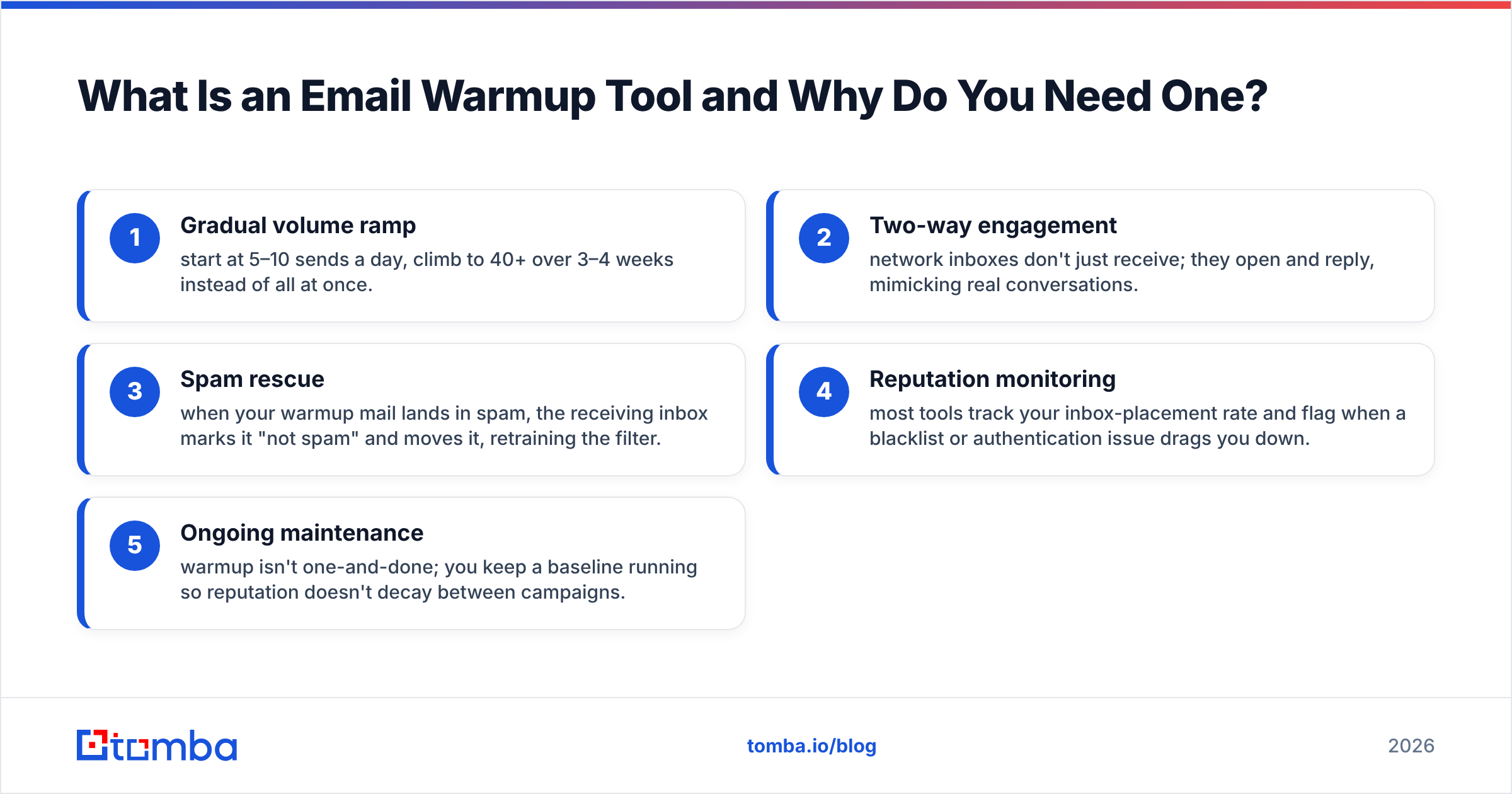
Here is what a warmup engine actually automates:
- Gradual volume ramp — start at 5–10 sends a day, climb to 40+ over 3–4 weeks instead of all at once.
- Two-way engagement — network inboxes don't just receive; they open and reply, mimicking real conversations.
- Spam rescue — when your warmup mail lands in spam, the receiving inbox marks it "not spam" and moves it, retraining the filter.
- Reputation monitoring — most tools track your inbox-placement rate and flag when a blacklist or authentication issue drags you down.
- Ongoing maintenance — warmup isn't one-and-done; you keep a baseline running so reputation doesn't decay between campaigns.

Before you pay for any of this, confirm your authentication is in order. A warmup tool can't save a domain with no SPF, DKIM, or DMARC records. Google's own Postmaster Tools and a quick SPF check should be step zero — warmup is step one.
How Did We Rank the Best Email Warmup Tools?#
We weighted five factors that actually move inbox placement, not vanity features:
- Network size and quality — a bigger, more realistic warmup pool produces more believable engagement.
- Provider coverage — does it warm Gmail, Outlook/Microsoft 365, and custom SMTP, or just one?
- Reporting depth — placement rate, spam-folder visibility, and reputation trend lines beat a single green checkmark.
- Price per inbox — agencies running 20+ mailboxes care about marginal cost more than headline price.
- Bundling — is warmup free inside a sending platform you already pay for, or a separate line item?
No single tool wins every category. The right pick depends on whether you already run a cold-email platform, how many inboxes you manage, and how much reporting you need.
Which Are the Best Email Warmup Tools in 2026?#
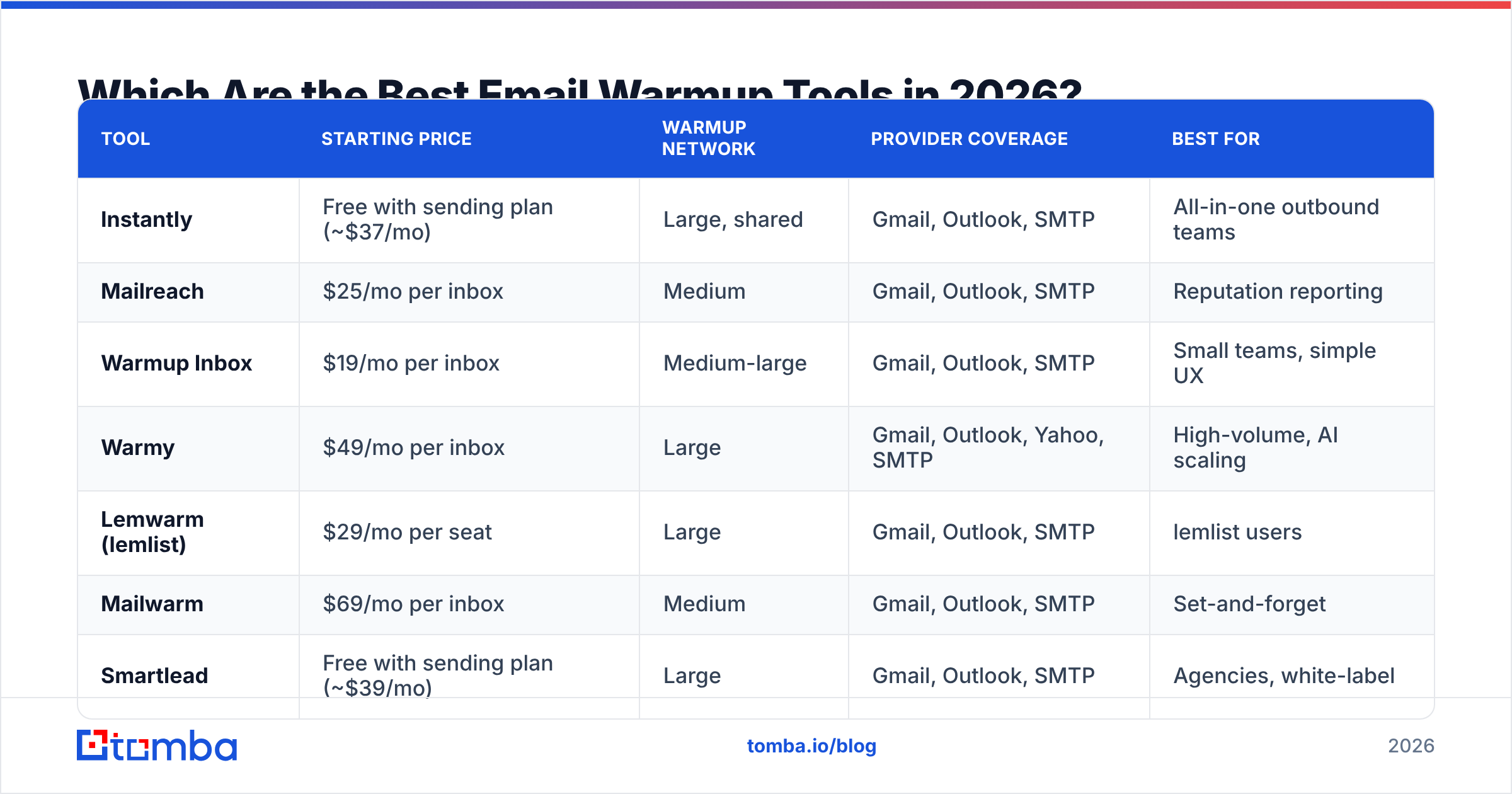
Here's the head-to-head. Prices are entry-level published rates as of mid-2026 and shift often — always confirm on the vendor's site.
| Tool | Starting price | Warmup network | Provider coverage | Best for |
|---|---|---|---|---|
| Instantly | Free with sending plan (~$37/mo) | Large, shared | Gmail, Outlook, SMTP | All-in-one outbound teams |
| Mailreach | $25/mo per inbox | Medium | Gmail, Outlook, SMTP | Reputation reporting |
| Warmup Inbox | $19/mo per inbox | Medium-large | Gmail, Outlook, SMTP | Small teams, simple UX |
| Warmy | $49/mo per inbox | Large | Gmail, Outlook, Yahoo, SMTP | High-volume, AI scaling |
| Lemwarm (lemlist) | $29/mo per seat | Large | Gmail, Outlook, SMTP | lemlist users |
| Mailwarm | $69/mo per inbox | Medium | Gmail, Outlook, SMTP | Set-and-forget |
| Smartlead | Free with sending plan (~$39/mo) | Large | Gmail, Outlook, SMTP | Agencies, white-label |
| TrulyInbox | $19/mo (multi-inbox) | Medium | Gmail, Outlook, SMTP | Budget multi-inbox |
Instantly#
If you're already sending cold email through Instantly, warmup comes bundled at no extra charge across every connected mailbox. That's the strongest value proposition on this list for anyone who needs both sending and warmup. The network is large and the ramp is automatic. The trade-off: warmup is tied to the platform, so it's not a standalone purchase if you send through something else.
Mailreach#
Mailreach leans into reporting. Its deliverability test sends a seed email to a panel of inboxes and shows you exactly where you land — primary, promotions, or spam — across providers, plus a reputation score that trends over time. At $25 per inbox it's mid-priced, and the visibility is worth it when you're diagnosing why placement dropped.
Warmup Inbox#
A clean, beginner-friendly option. Warmup Inbox keeps the dashboard simple, shows a daily warmup count and a basic health score, and supports the major providers. For a founder warming two or three inboxes, it does the job without overwhelming you with settings.
Warmy#
Warmy targets volume. It uses AI to adjust your ramp automatically based on placement, covers Yahoo in addition to Gmail and Outlook, and scales to large inbox fleets. The higher per-inbox price is aimed at teams that treat deliverability as an ongoing operation, not a one-week setup.
Lemwarm#
Lemwarm is lemlist's warmup module. If you live inside lemlist for sequencing, keeping warmup in the same tool is convenient and the network is sizable. Like Instantly, its strength is integration rather than standalone flexibility.
Smartlead#
Smartlead bundles unlimited warmup with its sending plans and is popular with agencies thanks to white-label options and a large warmup pool. The platform skews technical, which power users like and beginners sometimes don't.
Is Email Warmup Enough on Its Own?#
No — and this is where most cold-email programs quietly fail. Warmup builds reputation; it does nothing to stop you from torching that reputation on a bad list.

Here's the chain reaction. You warm an inbox for three weeks, hit a healthy placement rate, then launch a campaign to a list scraped six months ago. A chunk of those addresses are dead. Mailbox providers track your bounce rate closely, and a hard-bounce rate above roughly 2–3% signals "this sender doesn't manage their list" — the exact behavior of a spammer. Spam complaints from people who never asked to hear from you compound the damage. Within days, the reputation your warmup tool spent weeks building is gone.
This is why the workflow that actually protects email deliverability is two-sided:
- Warm the inbox with one of the tools above so the sender is trusted.
- Clean the list so every send goes to a real, deliverable person.
The second half is non-negotiable. Run your list through an email verifier before every campaign to strip invalids, catch-alls, and role accounts. If you're building lists from scratch, an accurate email finder returns verified addresses up front, so you bounce far less to begin with. Warmup plus clean data is the combination; warmup alone is half a strategy.
How Long Should You Warm an Inbox Before Sending Cold Email?#
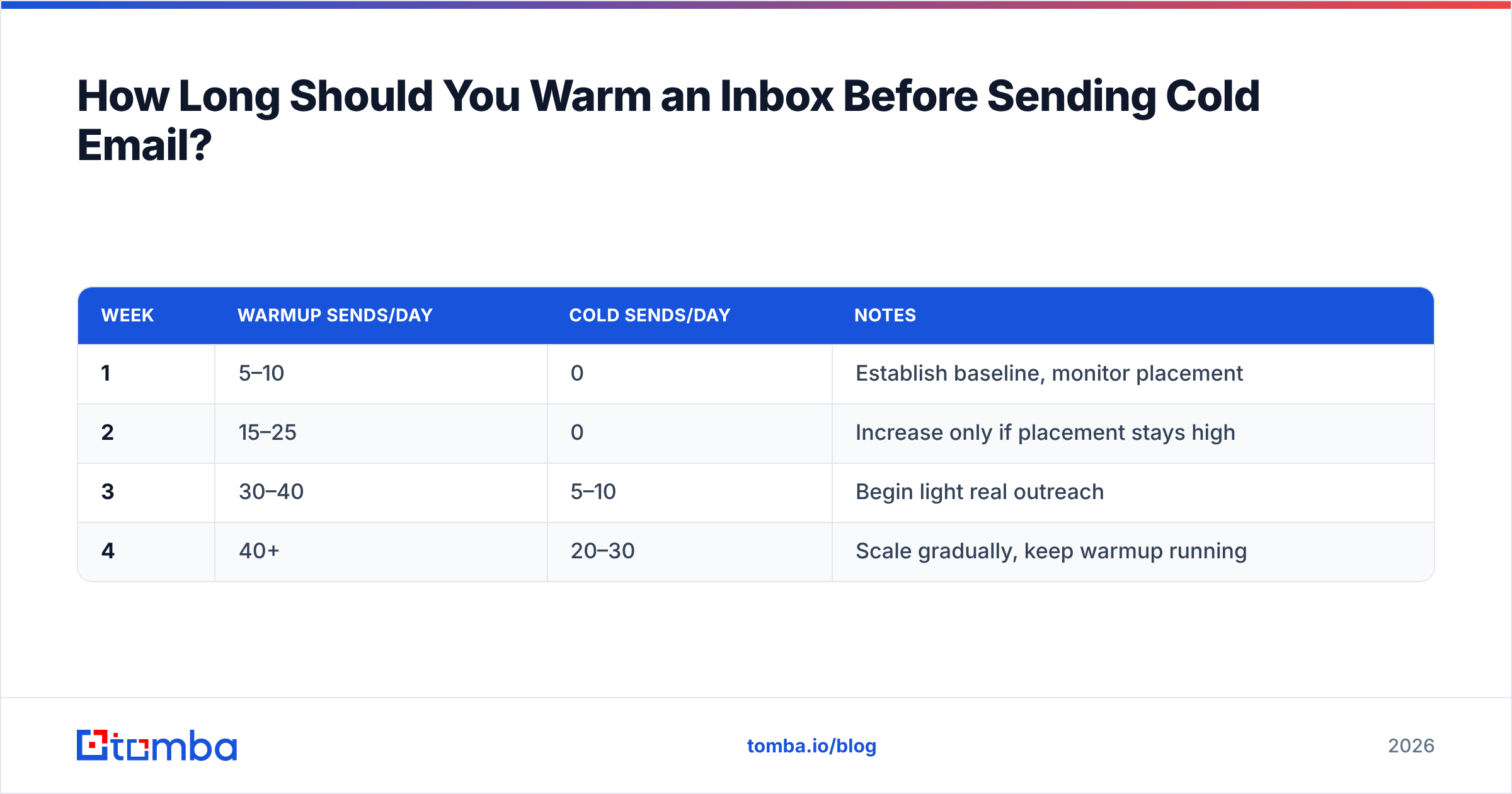
Plan on two to four weeks for a brand-new domain before you send a single cold email at volume. The ramp matters more than the calendar, though. A typical schedule looks like this:
| Week | Warmup sends/day | Cold sends/day | Notes |
|---|---|---|---|
| 1 | 5–10 | 0 | Establish baseline, monitor placement |
| 2 | 15–25 | 0 | Increase only if placement stays high |
| 3 | 30–40 | 5–10 | Begin light real outreach |
| 4 | 40+ | 20–30 | Scale gradually, keep warmup running |
Two rules keep you out of trouble. First, never stop warmup entirely — keep a baseline running underneath your live campaigns so reputation doesn't decay. Second, watch your placement rate, not just the day count; if it dips, slow down rather than pushing volume. Model your specific ramp with a free warmup calculator before you commit to a schedule.
What Should You Look for When Choosing a Warmup Tool?#
Match the tool to your situation rather than chasing the longest feature list:
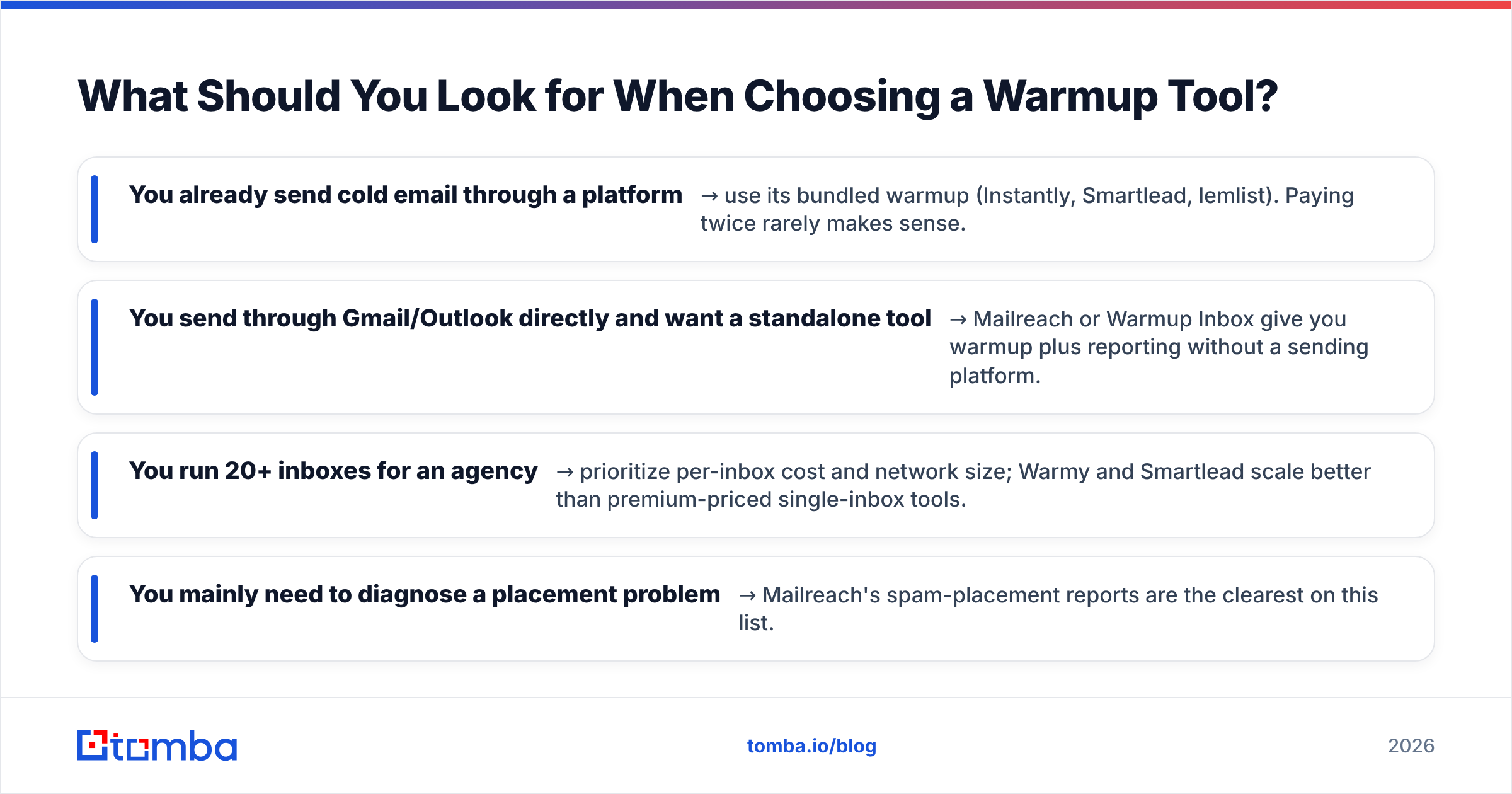
- You already send cold email through a platform → use its bundled warmup (Instantly, Smartlead, lemlist). Paying twice rarely makes sense.
- You send through Gmail/Outlook directly and want a standalone tool → Mailreach or Warmup Inbox give you warmup plus reporting without a sending platform.
- You run 20+ inboxes for an agency → prioritize per-inbox cost and network size; Warmy and Smartlead scale better than premium-priced single-inbox tools.
- You mainly need to diagnose a placement problem → Mailreach's spam-placement reports are the clearest on this list.
Cross-reference real user reviews on a site like G2 before committing — warmup networks change, and a tool that was great two years ago may have a degraded pool today. For broader deliverability tactics, HubSpot's email marketing resources cover the engagement and content side that warmup can't fix for you.
One caution: warmup networks are an arms race with spam filters. Gmail and Outlook actively work to detect artificial warmup traffic, so a tool's effectiveness can shift quietly. Treat warmup as ongoing maintenance with monitoring, not a one-time switch you flip and forget.
Is a Free Email Warmup Tool Worth It?#
Free warmup is fine for testing, risky for production. Truly free standalone tools tend to have small, low-quality networks — and a network full of other spammers' inboxes can actively hurt you, because engagement from flagged domains carries little weight. The genuinely free options worth using are the warmup features bundled into paid sending platforms (you're paying for the platform, not the warmup) and free planning tools like a warmup calculator.
If budget is tight, the smarter spend isn't a cheaper warmup tool — it's making sure the emails you eventually send are valid. A modest verification budget prevents the bounces that destroy reputation faster than any warmup tool can rebuild it.
The Bottom Line: Pair Warmup With Clean Data#
The best email warmup tool for you depends on your stack: bundle warmup with your sending platform if you have one, pick Mailreach or Warmup Inbox if you want a standalone tool with real reporting, and scale with Warmy or Smartlead if you're an agency. But every tool on this list does the same job — it builds reputation. None of them keep that reputation safe if you mail dead addresses.
That's where Tomba fits. Before you launch any warmed-up campaign, build your list with the Tomba Email Finder to source verified professional emails by name, company, or domain, then confirm them with the email verifier so your bounce rate stays near zero. Tomba's free tier covers 25 searches a month, and paid plans start at $49/mo — see full Tomba pricing for bulk and API options. Warm the inbox, clean the list, and your cold email finally lands where it belongs: the primary inbox.
// get started
Find, verify and enrich your first contacts today
Start on the free plan with 25 searches a month, then scale when your team is ready.
Free plan · No credit card required · GDPR & CCPA
// about the author