Best Sales Dialer in 2026: Top 9 Tools Compared
A neutral 2026 breakdown of the best sales dialer software — power vs parallel vs predictive — with pricing, features, and the data layer that decides whether your dials connect.
Best Sales Dialer in 2026: Top 9 Tools Compared
Picking a sales dialer feels like picking a car: everyone fixates on horsepower (dials per hour) and forgets the fuel quality (the phone data you feed it). A predictive dialer firing 400 calls an hour into stale numbers just burns your connect rate and your reps' morale faster. This guide ranks the best sales dialer tools for 2026 by what actually moves pipeline — connection rate, compliance, CRM depth, and the data underneath.
TL;DR#
- The best sales dialer depends on team size and motion. Solo and SMB teams want a power dialer; high-volume SDR floors want parallel or predictive.
- Top picks for 2026: Orum (parallel/AI), Nooks (AI parallel), PhoneBurner (power), Aircall (inbound + outbound), Salesloft and Outreach (dialer inside a full sequence platform).
- Dialer type matters more than brand. Power = 1 line, human-quality conversations. Parallel = 3–5 lines, AI filters. Predictive = statistical pacing, best at 8+ reps.
- Connect rate is a data problem, not a dialer problem. Bad numbers cap every dialer. Verify and enrich phone data before you dial.
- Budget realistically: expect $99–$165/user/mo for serious dialers, plus per-minute or credit costs on top.
What is a sales dialer and why does it matter?#
A sales dialer is software that automates the mechanical parts of outbound calling — looking up the number, dialing, detecting voicemail, logging the call — so reps spend their time talking instead of punching digits. The payoff is simple math: a rep dialing manually might make 40 calls a day; a good dialer pushes that to 100–250 while cutting the dead time between connects.
But raw dial volume is a vanity metric. What you actually care about is conversations per hour, and that depends on three things stacked together:
- Dialer type — how many lines it works and how it paces.
- Connect rate — whether the numbers are live and answered, which is a function of data quality and caller-ID reputation.
- Workflow depth — how tightly calls log to your CRM and trigger the next step.
Get all three right and a dialer is the highest-ROI tool on an SDR's desk. Get the data wrong and you've just automated dialing wrong numbers.

What are the types of sales dialers?#
Before comparing brands, understand the four engines. Most "best sales dialer" debates are really arguments about which engine fits your team.
- Power dialer — Dials one number at a time, automatically, the instant a rep ends the previous call. One line, zero awkward connection delay for the prospect, fully compliant in most regions. Best for AEs and SMB SDRs who value conversation quality.
- Parallel dialer — Dials 3–5 numbers simultaneously and uses AI to drop voicemails and filter out no-answers, connecting the rep only when a human picks up. Best for high-volume SDR teams chasing connect efficiency.
- Predictive dialer — Uses statistical pacing to dial ahead of rep availability based on average answer rates. Powerful at 8+ concurrent reps; risky and over-engineered below that (dropped-call/abandonment compliance exposure).
- Preview dialer — Shows the rep the contact's full context before the call fires, then dials on command. Best for high-ACV, research-heavy outbound where every call counts.
Which is the best sales dialer in 2026?#
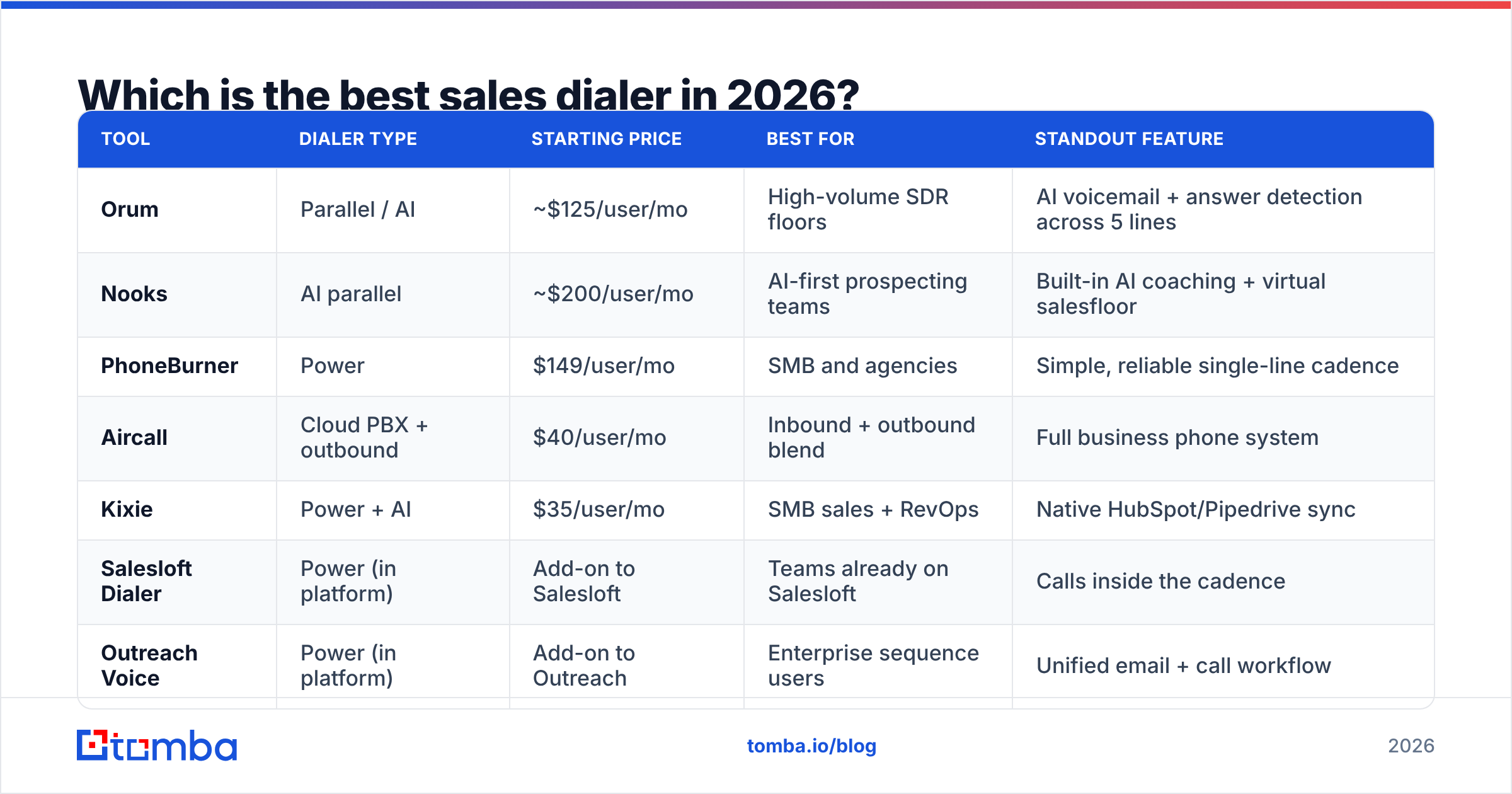
Here's the head-to-head. Prices are per user per month on annual billing as published by each vendor; per-minute telephony and AI usage are typically extra. Always confirm on the vendor's pricing page before you buy.
| Tool | Dialer type | Starting price | Best for | Standout feature |
|---|---|---|---|---|
| Orum | Parallel / AI | ~$125/user/mo | High-volume SDR floors | AI voicemail + answer detection across 5 lines |
| Nooks | AI parallel | ~$200/user/mo | AI-first prospecting teams | Built-in AI coaching + virtual salesfloor |
| PhoneBurner | Power | $149/user/mo | SMB and agencies | Simple, reliable single-line cadence |
| Aircall | Cloud PBX + outbound | $40/user/mo | Inbound + outbound blend | Full business phone system |
| Kixie | Power + AI | $35/user/mo | SMB sales + RevOps | Native HubSpot/Pipedrive sync |
| Salesloft Dialer | Power (in platform) | Add-on to Salesloft | Teams already on Salesloft | Calls inside the cadence |
| Outreach Voice | Power (in platform) | Add-on to Outreach | Enterprise sequence users | Unified email + call workflow |
| JustCall | Power + predictive | $29/user/mo | Global SMB teams | 70+ country numbers |
| RingCentral | Cloud PBX | $30/user/mo | Voice-first orgs | Enterprise telephony at scale |
A few honest read-outs from that table:
- Orum and Nooks win on pure connect efficiency. If your SDRs live in the dialer all day, the parallel + AI model genuinely changes throughput. You pay for it.
- PhoneBurner remains the dependable power-dialer pick for smaller teams that want conversation quality over raw volume, with no per-minute surprises on its core plan.
- Salesloft and Outreach dialers rarely beat a standalone dialer on features, but if your sequences already live there, the workflow gravity is worth more than a marginal feature edge. See how teams weigh the platforms in our Salesloft alternative and Outreach alternative breakdowns.
- Aircall, RingCentral, and JustCall straddle the line between dialer and full phone system — the right call if you need inbound support coverage too.
For independent user reviews to cross-check vendor claims, G2's auto dialer category is the most reliable third-party signal.
How do you choose the best sales dialer for your team?#
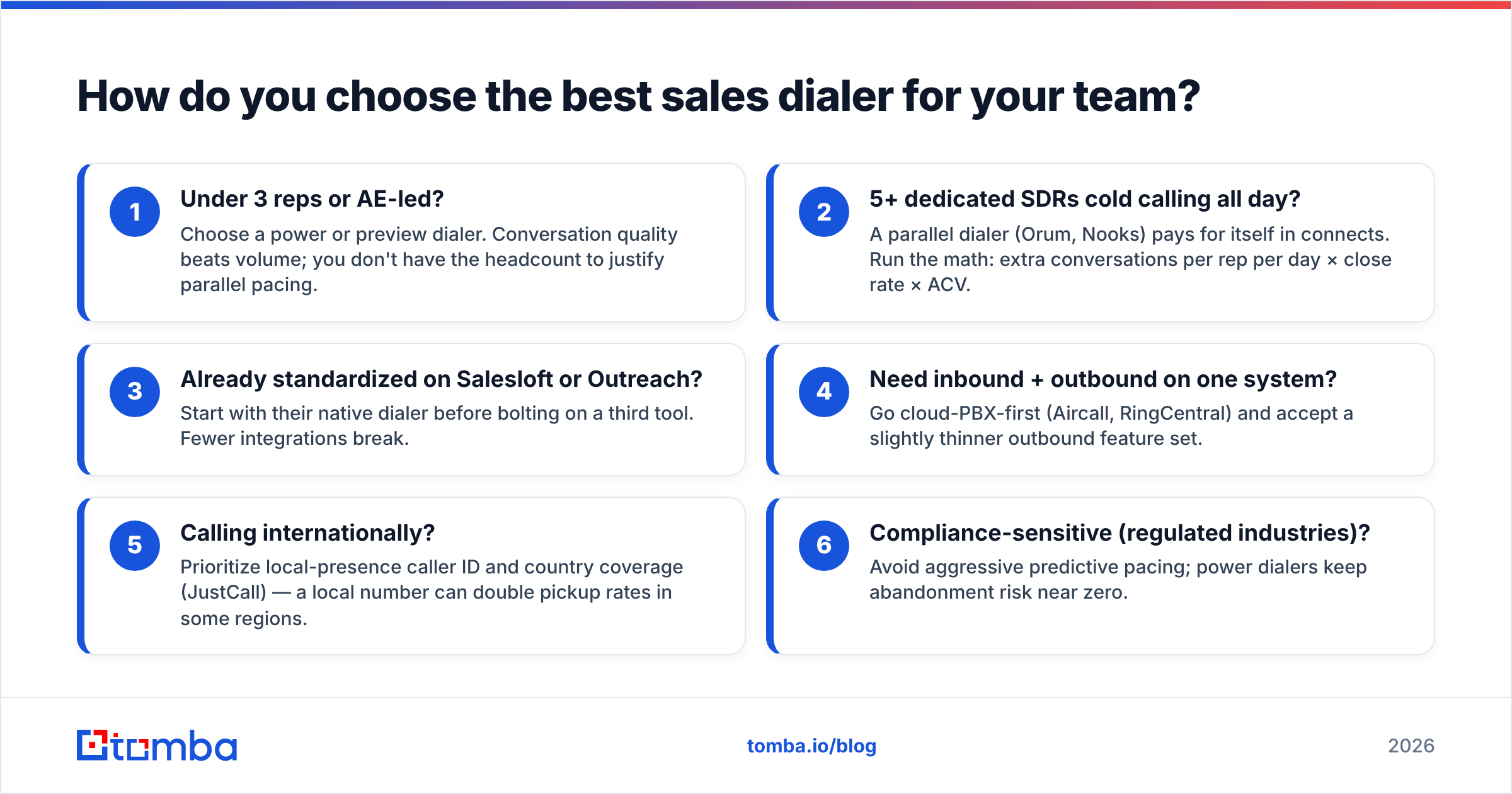
Match the engine to your motion, not to the loudest brand. Use this decision shortlist:
- Under 3 reps or AE-led? Choose a power or preview dialer. Conversation quality beats volume; you don't have the headcount to justify parallel pacing.
- 5+ dedicated SDRs cold calling all day? A parallel dialer (Orum, Nooks) pays for itself in connects. Run the math: extra conversations per rep per day × close rate × ACV.
- Already standardized on Salesloft or Outreach? Start with their native dialer before bolting on a third tool. Fewer integrations break.
- Need inbound + outbound on one system? Go cloud-PBX-first (Aircall, RingCentral) and accept a slightly thinner outbound feature set.
- Calling internationally? Prioritize local-presence caller ID and country coverage (JustCall) — a local number can double pickup rates in some regions.
- Compliance-sensitive (regulated industries)? Avoid aggressive predictive pacing; power dialers keep abandonment risk near zero.
The mistake teams make is buying the most powerful engine they can afford. A 5-line parallel dialer in the hands of 2 reps is a liability — you'll hit answer-rate ceilings and risk dropped-call compliance flags for no upside.
Does the dialer or the data decide your connect rate?#
The data decides — and most teams learn this the expensive way. You can A/B the best sales dialer against the worst, but if 30% of your phone numbers are wrong, both tools cap out at the same ceiling. Connect rate is bounded by list quality first, dialer cleverness second.
Think of it like a sprinkler system: the fanciest controller in the world can't water a lawn if half the pipes are disconnected. Your "pipes" are accurate, current mobile and direct-dial numbers.
This is where your pre-dial stack matters as much as the dialer itself:
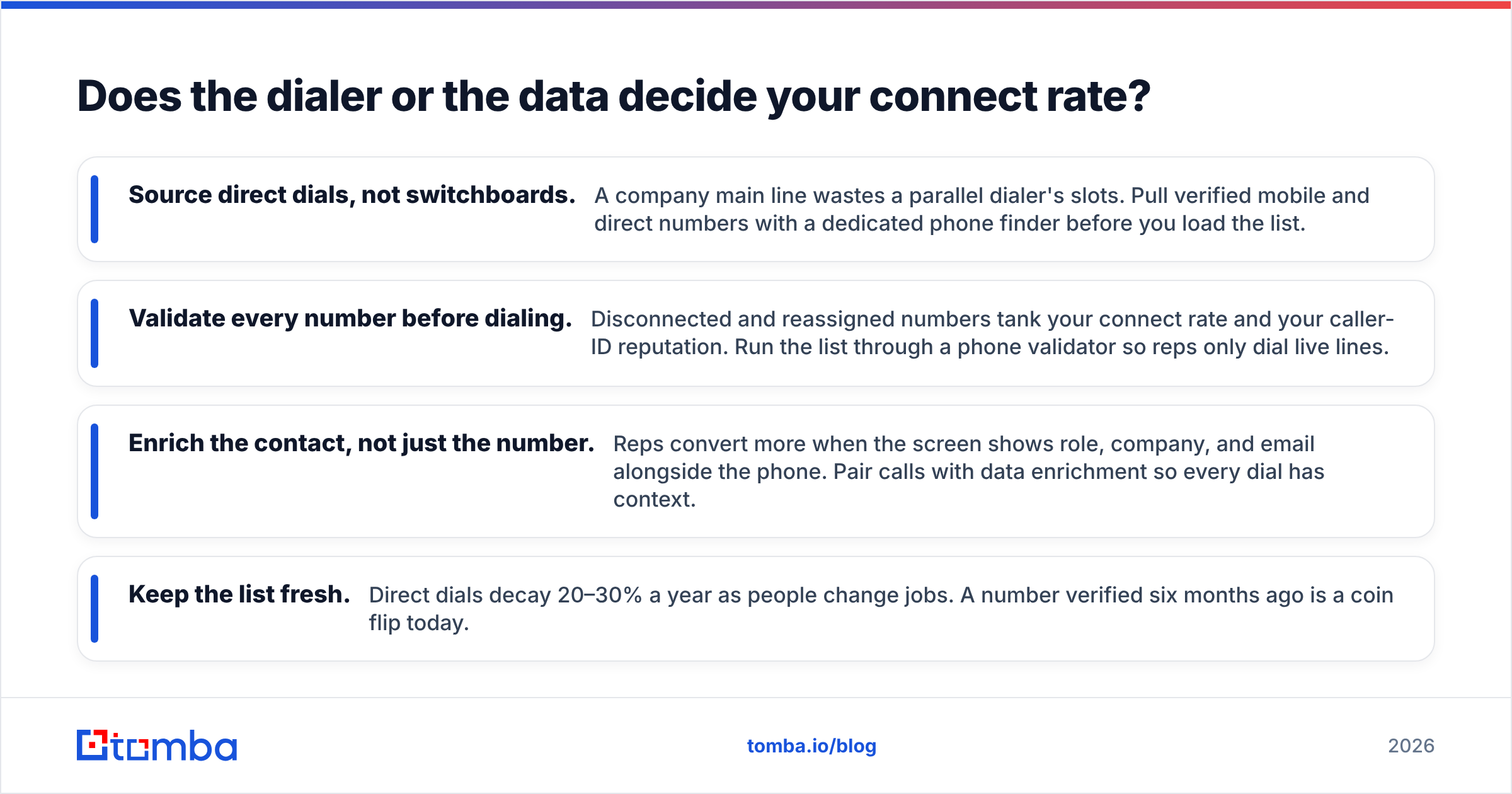
- Source direct dials, not switchboards. A company main line wastes a parallel dialer's slots. Pull verified mobile and direct numbers with a dedicated phone finder before you load the list.
- Validate every number before dialing. Disconnected and reassigned numbers tank your connect rate and your caller-ID reputation. Run the list through a phone validator so reps only dial live lines.
- Enrich the contact, not just the number. Reps convert more when the screen shows role, company, and email alongside the phone. Pair calls with data enrichment so every dial has context.
- Keep the list fresh. Direct dials decay 20–30% a year as people change jobs. A number verified six months ago is a coin flip today.

Tighten the data layer and a mid-tier power dialer will out-convert a premium predictive dialer running on a stale list. That's not a knock on the premium tools — it's a reminder that the dialer is the last mile, not the whole road.
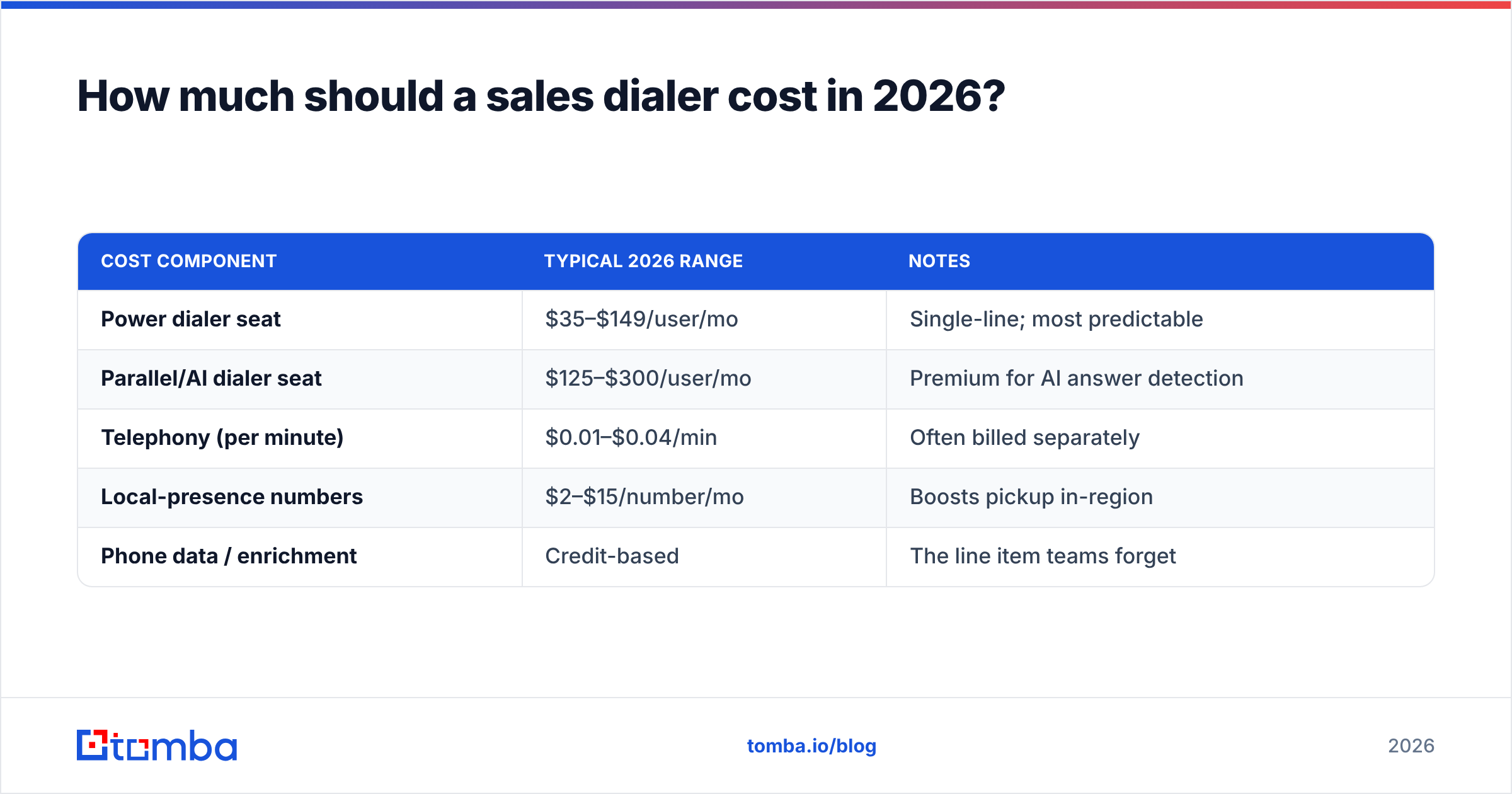
How much should a sales dialer cost in 2026?#
Budget in two buckets: the seat license and the usage on top of it.
| Cost component | Typical 2026 range | Notes |
|---|---|---|
| Power dialer seat | $35–$149/user/mo | Single-line; most predictable |
| Parallel/AI dialer seat | $125–$300/user/mo | Premium for AI answer detection |
| Telephony (per minute) | $0.01–$0.04/min | Often billed separately |
| Local-presence numbers | $2–$15/number/mo | Boosts pickup in-region |
| Phone data / enrichment | Credit-based | The line item teams forget |
The trap is comparing only seat prices. A $35 power dialer with a 12% connect rate can cost more per conversation than a $125 parallel dialer at 8% on a clean list — run cost-per-conversation, not cost-per-seat. And budget for the data line: a dialer subscription with no enrichment budget is a fast car with an empty tank.
For a sense of how usage-based data pricing works alongside dialer credits, our Tomba pricing page breaks down credit tiers from a free plan up.
What features actually matter beyond dialing?#
Once dialer type and data are sorted, these are the features worth paying for — and the ones that are mostly marketing:
Worth it:
- Native CRM logging (Salesforce, HubSpot) — manual call logging is where pipeline data goes to die. Tomba's Salesforce integration and HubSpot integration keep enriched contacts flowing into the same systems your dialer writes to.
- Local presence — region-matched caller ID that measurably lifts pickup rates.
- Voicemail drop — pre-recorded messages dropped in one click; saves hours weekly.
- Call recording + AI transcription — feeds coaching and keeps reps honest on follow-up commitments.
Mostly noise:
- "AI sentiment scores" that no manager actually reviews.
- Gamification leaderboards that look great in a demo and gather dust by week three.
- Vanity dashboards that count dials instead of response rate and booked meetings.
For broader context on how vendors position these features, both Salesforce's sales engagement overview and HubSpot's calling docs are useful neutral references on what's table-stakes versus premium.
Is a standalone dialer or an all-in-one platform better?#
It depends on where your team already lives. Standalone dialers (Orum, PhoneBurner, Nooks) win on call-specific depth — better answer detection, smarter pacing, tighter voicemail tooling. All-in-one platforms (Salesloft, Outreach) win on workflow gravity: the call is one step in a sequence that also fires emails and LinkedIn touches, all logged in one place.
The rule of thumb: if cold calling is your primary motion, go standalone and integrate. If calling is one channel inside a multi-touch cadence, the native platform dialer's convenience usually outweighs its feature gaps. Either way, the data feeding it should be the same verified, enriched layer — the dialer is downstream of the list.
The bottom line#
The best sales dialer in 2026 isn't a single product — it's the right engine (power, parallel, or predictive) for your team size, sitting on top of accurate phone data. Buy the dialer that matches your motion, run cost-per-conversation instead of cost-per-seat, and never let a premium dialer paper over a stale list.
Before you load a single number into any dialer, fix the input. Use the Tomba Email Finder and Tomba's phone finder, validator, and enrichment tools to build a verified, current contact list — direct dials and decision-maker context included — so every dial your reps make has a real chance of connecting. Start free with 25 searches and see your connect rate climb before you spend a dollar on telephony.
// get started
Find, verify and enrich your first contacts today
Start on the free plan with 25 searches a month, then scale when your team is ready.
Free plan · No credit card required · GDPR & CCPA
// about the author