BigDBM vs CUFINDER 2026: B2B Data Provider Comparison
BigDBM vs CUFINDER compared on data accuracy, coverage, pricing, and use cases for 2026 — plus where a verification-first stack beats both for cold outreach.
Choosing between BigDBM and CUFINDER usually comes down to one question: do you need raw data volume, or do you need contact data your reps can actually email today? These two platforms sit in the same neighborhood — B2B contact and company data — but they solve different problems. This guide breaks down where each one wins, where each one quietly costs you, and how to avoid paying for records that bounce.
TL;DR#
- BigDBM is a large-scale data licensing provider built for volume — consumer and B2B records sold in bulk, best for enterprises feeding data warehouses, identity resolution, and large ad audiences.
- CUFINDER is a self-serve B2B lead-generation and enrichment platform with a UI, Chrome extension, and API, aimed at sales and marketing teams who want emails, phones, and company data on demand.
- Accuracy is the real cost. Both sell "millions of records," but if 20% bounce, your sender reputation pays the bill — not the vendor.
- Pricing models differ sharply: BigDBM leans toward custom enterprise licensing; CUFINDER runs credit-based subscription tiers.
- For cold outreach, a verification-first finder like Tomba often beats raw bulk data because every email is checked before it leaves your list.
What is BigDBM?#
BigDBM is a U.S.-focused big-data provider that licenses both consumer (B2C) and business (B2B) datasets at scale. Think hundreds of millions of records spanning demographics, contact details, property and automotive data, and online behavioral signals. Companies use it for identity resolution, audience building, lead scoring models, and feeding internal data platforms.
The key word is licensing. BigDBM is less a "look up one prospect" tool and more a "pipe a few million matched records into our system" supplier. That makes it powerful for data engineering teams, ad-tech platforms, and enterprises building their own targeting — and overkill for a five-person SDR team that just needs verified emails this week.
You can read more about how they position their datasets on the BigDBM homepage, and cross-check user sentiment on G2.
What is CUFINDER?#
CUFINDER is a B2B lead-generation and data-enrichment platform built for sales and marketing users rather than data engineers. It offers an email finder, phone finder, company search, and enrichment APIs, wrapped in a self-serve UI with a Chrome extension and bulk tools. The pitch: find decision-makers, enrich your CRM, and export contact lists without writing SQL.
CUFINDER competes more directly with tools like Apollo, Lusha, and email finders generally. Its sweet spot is the mid-market sales team that wants company + contact data in one dashboard and is comfortable with a credit-based plan. You can see their feature set on the CUFINDER homepage.
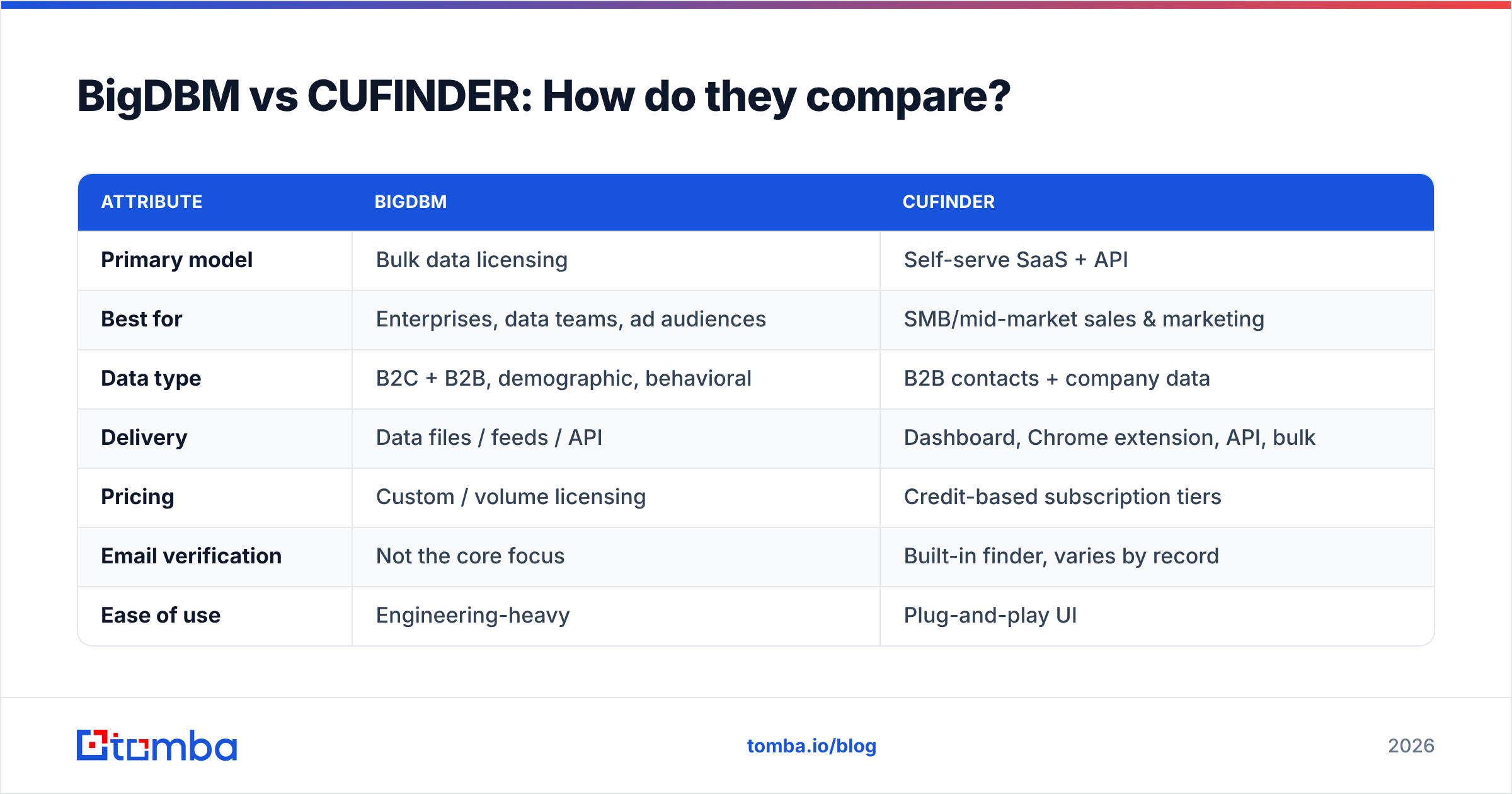
BigDBM vs CUFINDER: How do they compare?#
Here is the side-by-side on the attributes that actually change your buying decision.
| Attribute | BigDBM | CUFINDER |
|---|---|---|
| Primary model | Bulk data licensing | Self-serve SaaS + API |
| Best for | Enterprises, data teams, ad audiences | SMB/mid-market sales & marketing |
| Data type | B2C + B2B, demographic, behavioral | B2B contacts + company data |
| Delivery | Data files / feeds / API | Dashboard, Chrome extension, API, bulk |
| Pricing | Custom / volume licensing | Credit-based subscription tiers |
| Email verification | Not the core focus | Built-in finder, varies by record |
| Ease of use | Engineering-heavy | Plug-and-play UI |
| Free option | Demo/sample on request | Limited free credits |
The headline: these tools rarely belong on the same shortlist. If your evaluation is "BigDBM vs CUFINDER," you probably haven't decided whether you're buying infrastructure data or a sales prospecting tool. Nail that first.
Which one is more accurate?#
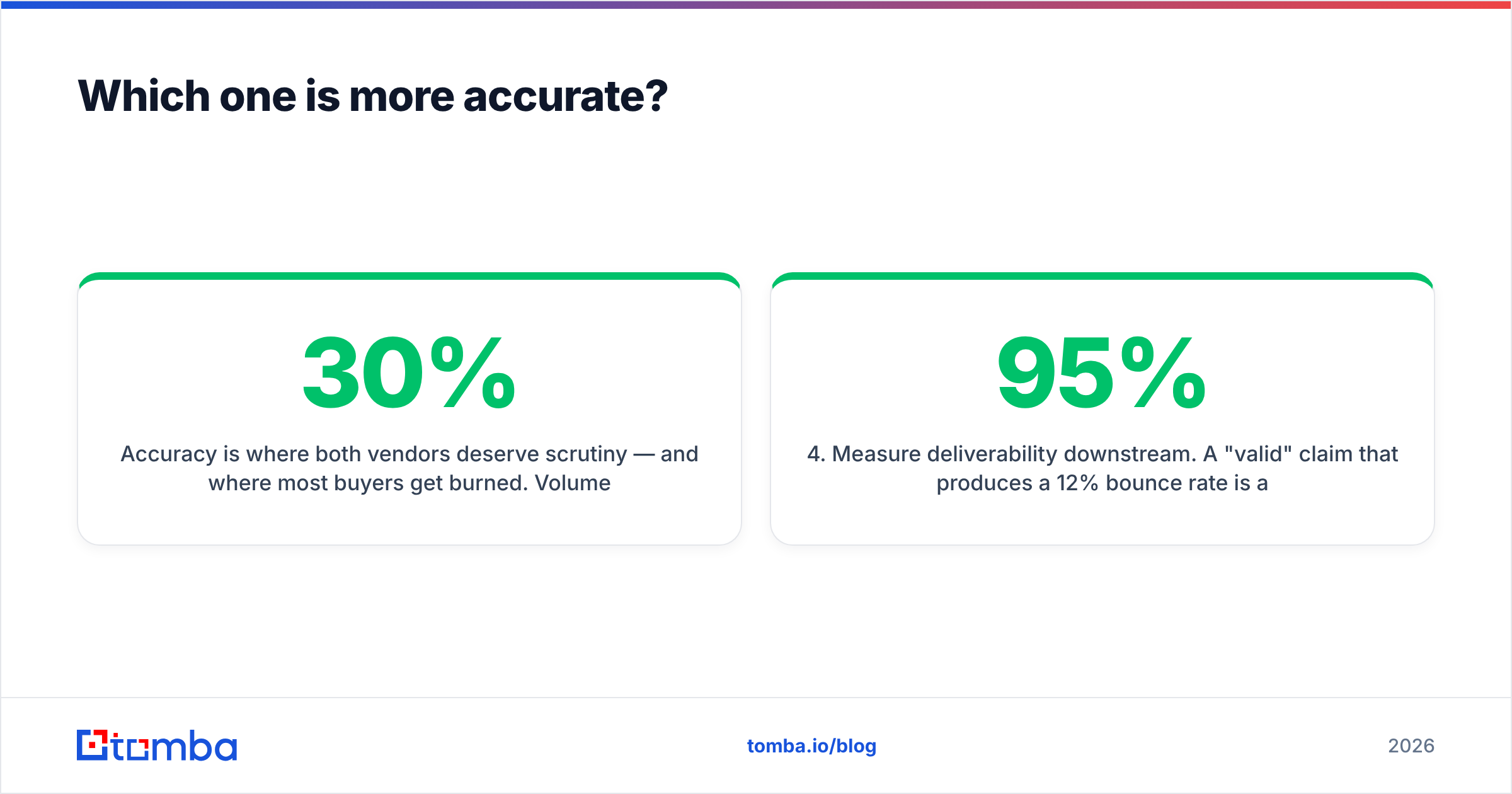
Accuracy is where both vendors deserve scrutiny — and where most buyers get burned. Volume claims ("400M+ records") tell you nothing about how many of those emails are deliverable today. People change jobs roughly every 2–3 years, so any static B2B database decays around 20–30% per year. That decay is invisible until your bounce rate spikes and your domain reputation tanks.

A few things to test before you trust any provider's accuracy:
- Run a real sample. Pull 200–500 records in your exact ICP and verify them independently with an email verifier you control — not the vendor's own score.
- Check catch-all handling. Many "valid" B2B emails sit on catch-all domains that accept everything and tell you nothing. A dedicated catch-all verifier separates real inboxes from traps.
- Look at data freshness, not just size. Ask when records were last updated and where they come from. Tomba documents its data sources openly; demand the same transparency from anyone.
- Measure deliverability downstream. A 95% "valid" claim that produces a 12% bounce rate is a 12% problem, regardless of the marketing.
For BigDBM, accuracy depends heavily on the specific dataset and match logic you license — strong for identity resolution, less predictable for individual cold-email deliverability. For CUFINDER, accuracy is solid for company-level data and varies by region and seniority for direct emails. Neither replaces an independent verification step.
What does each one cost?#
Pricing is the cleanest dividing line.
BigDBM uses custom, volume-based licensing. You talk to sales, describe your use case (audiences, identity graph, lead enrichment), and get a quote tied to record counts and contract length. This is normal for data-licensing vendors but means there's no public "$X/month" you can self-serve.
CUFINDER uses transparent, credit-based subscription tiers — you pick a plan, get monthly credits, and spend them on finds and enrichments. That's friendlier for a team that wants to start today without procurement.
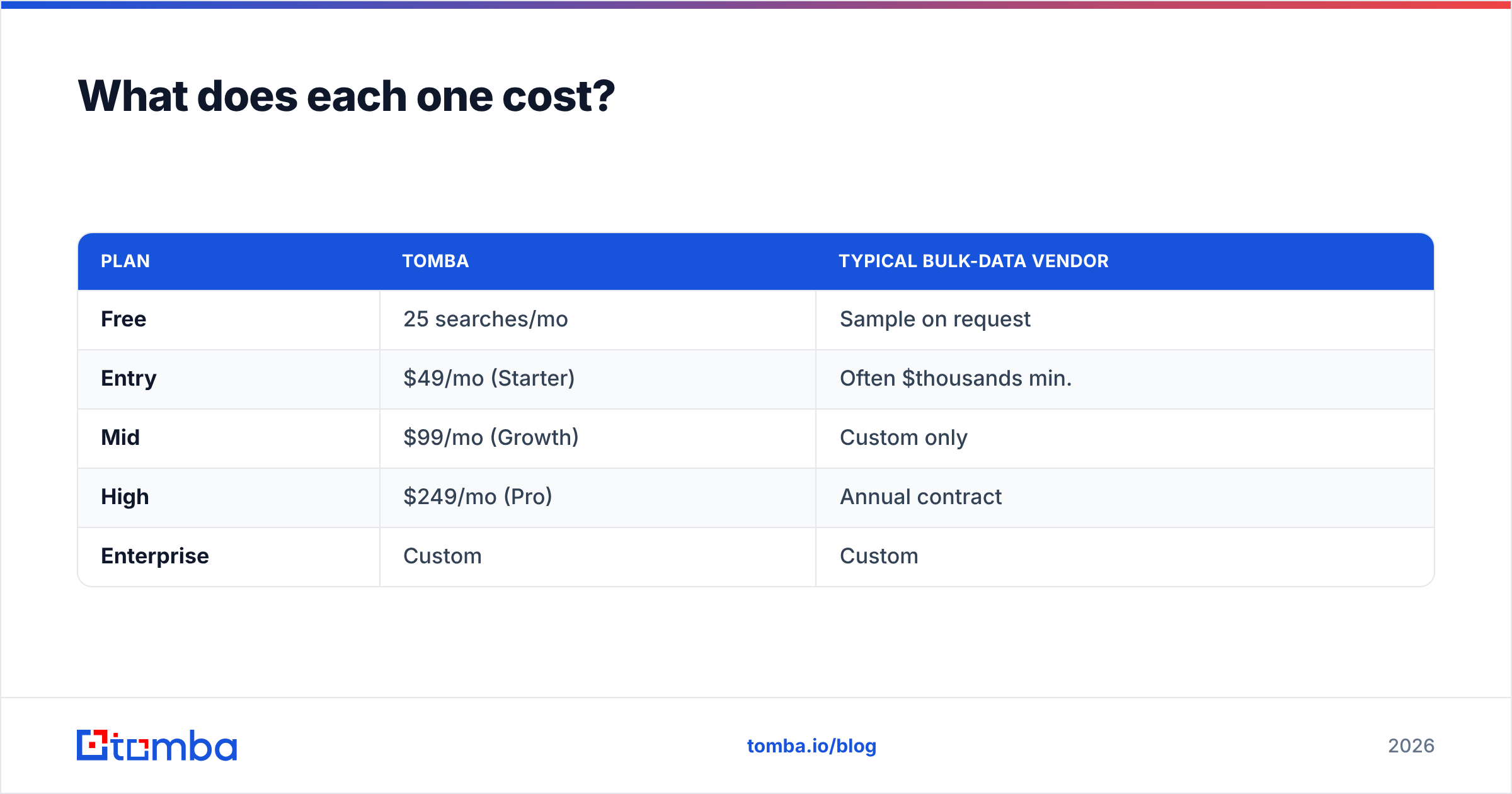
Here's how a verification-first alternative stacks up on transparency, using Tomba as the reference point:
| Plan | Tomba | Typical bulk-data vendor |
|---|---|---|
| Free | 25 searches/mo | Sample on request |
| Entry | $49/mo (Starter) | Often $thousands min. |
| Mid | $99/mo (Growth) | Custom only |
| High | $249/mo (Pro) | Annual contract |
| Enterprise | Custom | Custom |
You can see full Tomba pricing without a sales call — a useful contrast when a vendor won't show numbers until you're on a demo.
Which should you choose for cold outreach?#
For cold email and outbound prospecting, neither a bulk-licensing pipe nor a generic credit tool is automatically the right answer. What matters is the verified-email-per-dollar your reps actually send.
- Choose BigDBM if you're an enterprise building an internal data asset — identity graphs, ad audiences, model training, or multi-channel B2C+B2B targeting — and you have engineers to ingest and clean feeds.
- Choose CUFINDER if you're a sales/marketing team that wants an all-in-one dashboard to find company and contact data and enrich your CRM without code.
- Choose a verification-first finder if your #1 goal is protecting email deliverability while finding and confirming decision-maker emails one ICP at a time.
The hidden trap with raw bulk data is that it shifts the cleanup cost to you. A list of two million "B2B contacts" feels like a win until you realize you now own the verification, the deduplication, and the bounce risk. That's why many outbound teams pair a targeted finder with a real-time verifier instead of buying volume.
How does Tomba compare to both?#
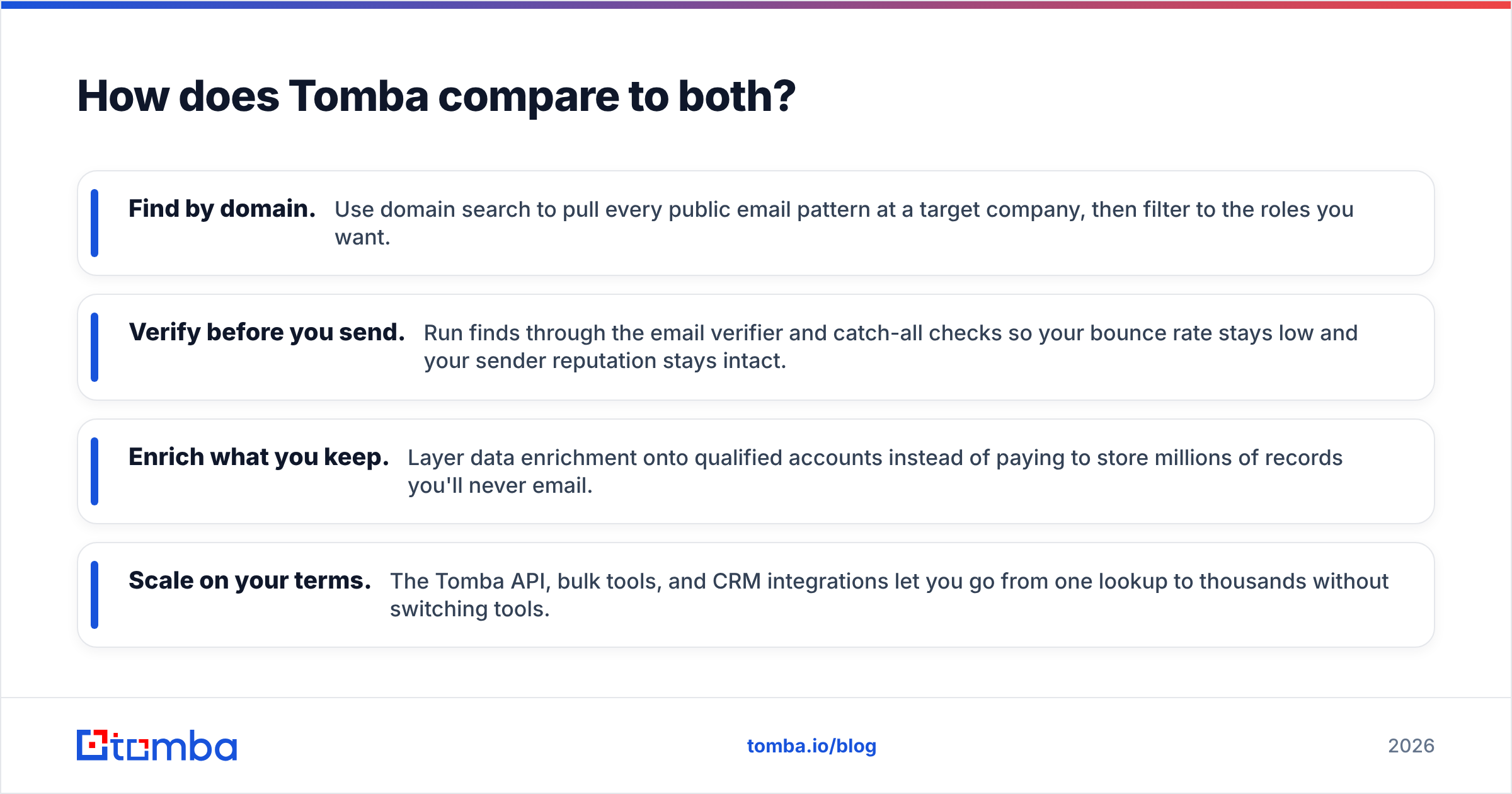
Tomba sits between "raw data dump" and "generic SaaS" by making verification the default, not an add-on. Instead of selling you a static file, the email finder finds professional addresses by name, company, or domain, and each result is checked before you ever load it into a sequence.
What that looks like in practice:
- Find by domain. Use domain search to pull every public email pattern at a target company, then filter to the roles you want.
- Verify before you send. Run finds through the email verifier and catch-all checks so your bounce rate stays low and your sender reputation stays intact.
- Enrich what you keep. Layer data enrichment onto qualified accounts instead of paying to store millions of records you'll never email.
- Scale on your terms. The Tomba API, bulk tools, and CRM integrations let you go from one lookup to thousands without switching tools.
The philosophy is different from BigDBM (volume licensing) and CUFINDER (broad enrichment): spend credits on contacts you'll actually use, verify everything, and protect the asset that really matters — your domain reputation. If your outreach lives or dies on deliverability, that trade is usually worth it.
Frequently asked questions#
Is BigDBM better than CUFINDER? Neither is universally better — they target different buyers. BigDBM wins for enterprise data licensing and identity resolution; CUFINDER wins for self-serve B2B prospecting with a friendly UI. Match the tool to whether you need infrastructure data or sales contacts.
Does CUFINDER include email verification? CUFINDER provides email finding and enrichment, but quality varies by region and seniority. For cold outreach, run any finder's output through an independent verifier before sending to avoid bounces on catch-all and stale records.
Can I use BigDBM for cold email? You can, but bulk-licensed data shifts verification and cleanup to you. Without an independent verification step, large lists can hurt deliverability fast. Pair it with real-time verification or use a verification-first finder instead.
What's the most affordable way to start? A self-serve tool with a free tier and public pricing lets you test accuracy before committing. Tomba offers 25 free searches per month and a $49/mo Starter plan, with no sales call required to see the numbers.
How do I check data accuracy myself? Pull a 200–500 record sample in your exact ICP, verify it with a tool you control, check catch-all handling, and measure the actual bounce rate downstream. Vendor-reported "valid" scores are a starting point, not proof.
The bottom line#
BigDBM and CUFINDER are both legitimate, but they answer different questions. BigDBM is data infrastructure for teams that build their own targeting at scale. CUFINDER is an approachable prospecting and enrichment platform for sales and marketing. If you're evaluating "BigDBM vs CUFINDER" for cold outreach specifically, the real winner is usually the option that verifies every address before it costs you a bounce.
If your goal is finding decision-maker emails that actually land — and keeping your domain reputation clean while you do it — start with the Tomba Email Finder. Find verified emails by name, company, or domain, confirm them in the same flow, and scale through the API when you're ready. Try it free with 25 searches a month, no contract and no sales call required.
Ready to find emails that actually work?
Join 150,000+ professionals who stopped guessing and started sending. Free credits on signup — no credit card required.
Get the Tomba newsletter
Practical outbound tactics and product updates — once every two weeks.
About the author