Bitrix24 vs HubSpot 2026: Which CRM Wins for B2B Teams?
Bitrix24 vs HubSpot, compared on pricing, sales features, automation, and data quality so you can pick the right CRM for your B2B team in 2026.
Bitrix24 vs HubSpot: Which CRM Actually Fits Your B2B Team in 2026?
Choosing between Bitrix24 and HubSpot is really a choice between two philosophies. One bundles everything — CRM, telephony, project management, even a website builder — into a single low-cost suite. The other gives you a polished, sales-first CRM that scales (and bills) as you grow. The right answer depends on your team size, budget, and how much complexity you're willing to manage.
TL;DR#
- Bitrix24 is the value pick: a true all-in-one suite (CRM, tasks, telephony, collaboration) with a generous free tier and flat per-account pricing. Best for budget-conscious teams that want everything under one roof.
- HubSpot is the experience pick: cleaner UX, deeper sales/marketing automation, and a massive app ecosystem — but costs climb fast once you add seats and marketing tools.
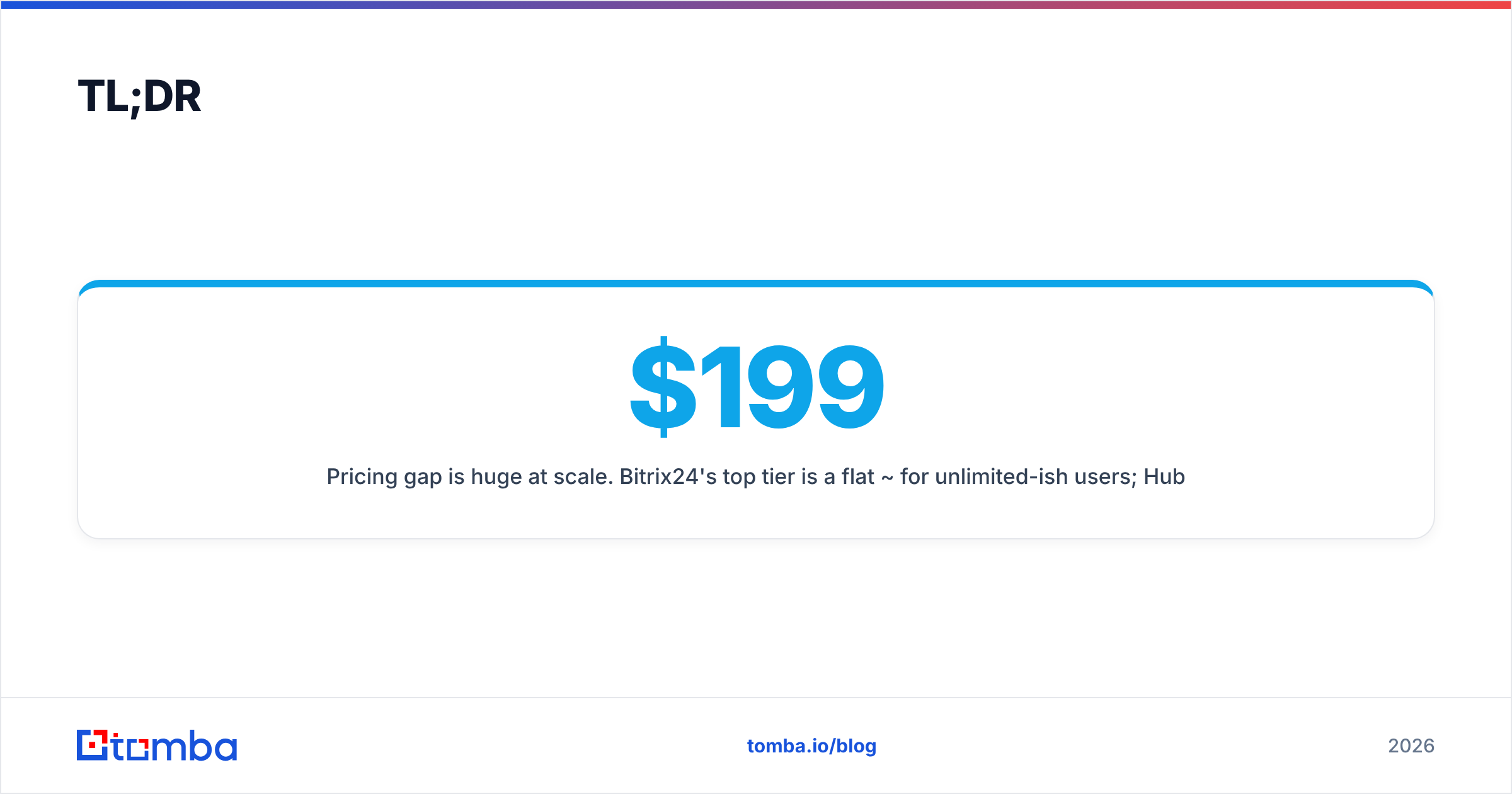
- Pricing gap is huge at scale. Bitrix24's top tier is a flat ~$199/mo for unlimited-ish users; HubSpot can run $1,000–$4,000+/mo depending on hubs and contacts.
- HubSpot wins on usability and integrations; Bitrix24 wins on breadth-per-dollar.
- Neither tool finds or verifies contact data for you. Both CRMs are only as good as the leads you feed them — pair either with a dedicated email finder to keep records clean.
What is Bitrix24?#
Bitrix24 is an all-in-one business platform that started as an intranet/collaboration tool and grew a full CRM around it. Today it bundles a sales CRM, contact center, telephony, project and task management, document storage, an HR module, and even website and landing-page builders — all billed per account rather than strictly per seat.
That bundling is the whole pitch. Instead of stitching together a CRM, a phone system, a chat tool, and a project tracker, a small company can run most of its operations inside Bitrix24 for one predictable price. The trade-off is a denser interface and a steeper learning curve, because you're navigating a suite, not a focused app.
What is HubSpot?#
HubSpot is a CRM platform built around "hubs" — Sales Hub, Marketing Hub, Service Hub, Content Hub, and Operations Hub — that share one contact database. The free CRM core is genuinely useful, and you upgrade individual hubs as your needs grow.
HubSpot's reputation is built on usability and content: clean dashboards, strong reporting, a best-in-class knowledge base, and the HubSpot App Marketplace with well over a thousand integrations. The catch is the pricing model. Costs scale with marketing contacts and paid seats, and the jump from Starter to Professional is steep enough to surprise teams that grew fast.
)
Bitrix24 vs HubSpot: Side-by-side comparison#
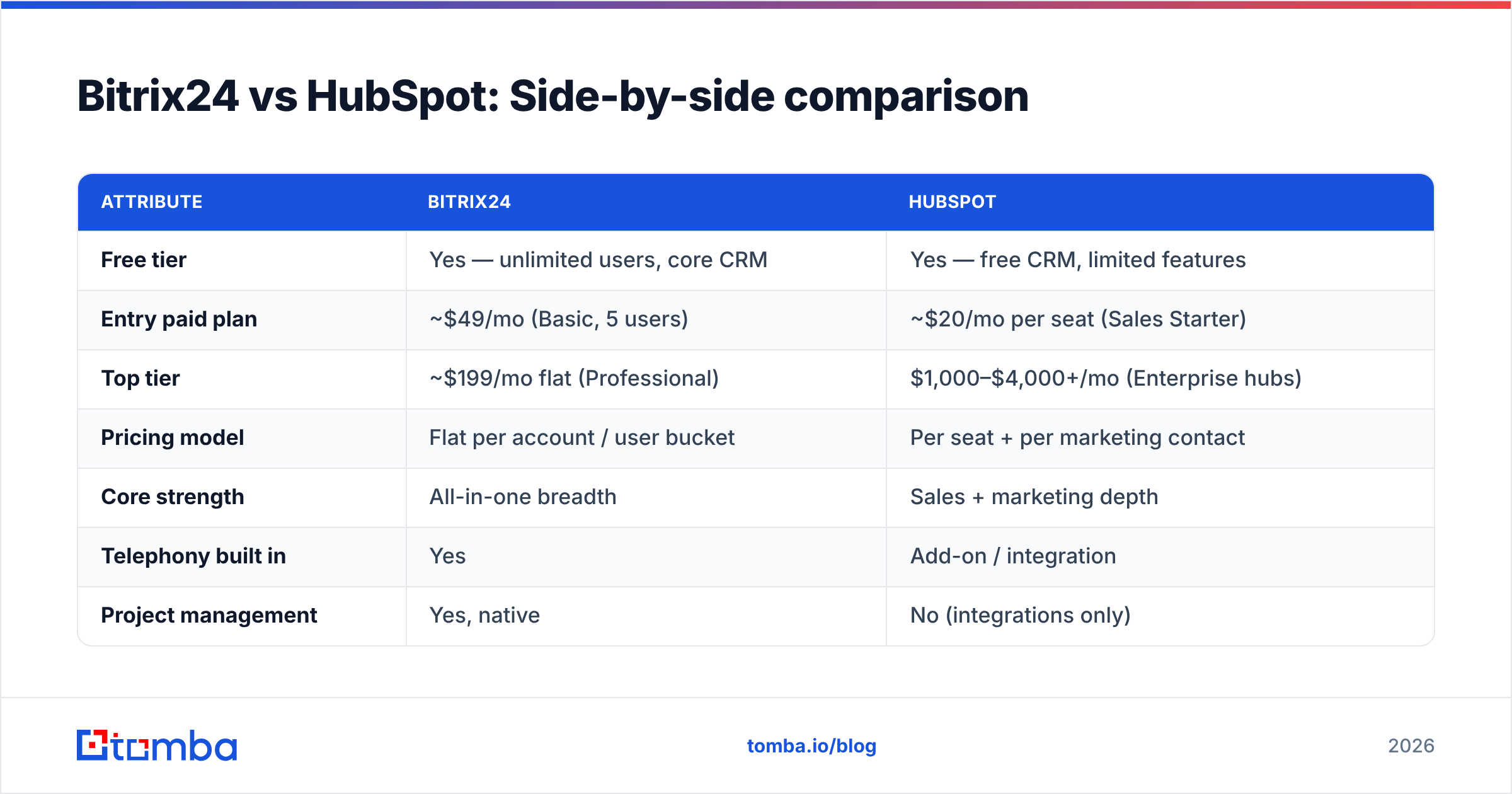
Here's how the two stack up on the attributes that actually drive a buying decision. Prices are list prices as of 2026 and vary by region and billing term.
| Attribute | Bitrix24 | HubSpot |
|---|---|---|
| Free tier | Yes — unlimited users, core CRM | Yes — free CRM, limited features |
| Entry paid plan | ~$49/mo (Basic, 5 users) | ~$20/mo per seat (Sales Starter) |
| Top tier | ~$199/mo flat (Professional) | $1,000–$4,000+/mo (Enterprise hubs) |
| Pricing model | Flat per account / user bucket | Per seat + per marketing contact |
| Core strength | All-in-one breadth | Sales + marketing depth |
| Telephony built in | Yes | Add-on / integration |
| Project management | Yes, native | No (integrations only) |
| Marketing automation | Basic to mid | Advanced |
| Ease of use | Moderate (dense UI) | High (polished UX) |
| Integrations | ~500 in marketplace | 1,500+ in marketplace |
| Best for | Budget all-in-one ops | Scaling sales/marketing teams |
Is Bitrix24 cheaper than HubSpot?#
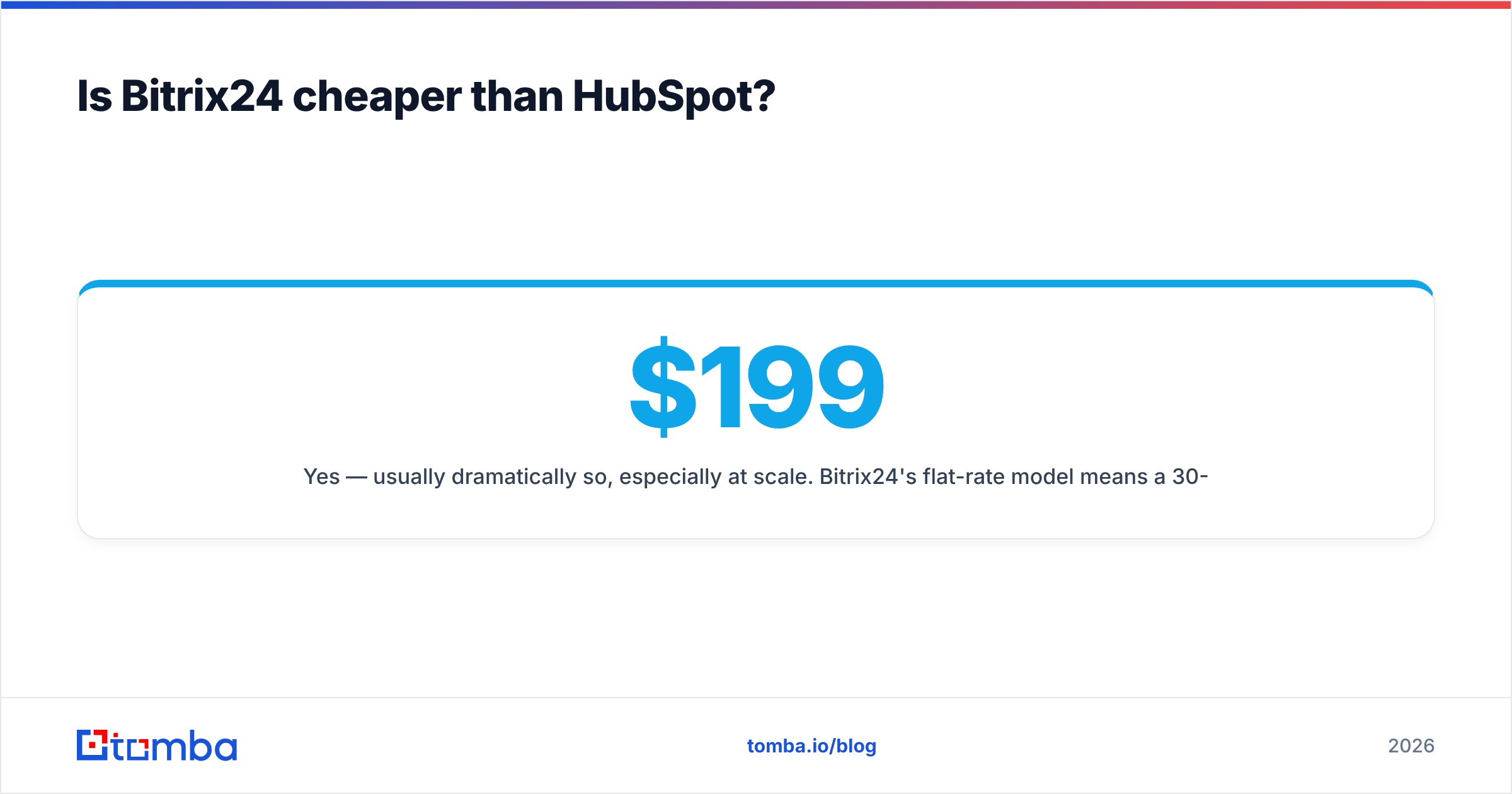
Yes — usually dramatically so, especially at scale. Bitrix24's flat-rate model means a 30-person sales org can pay a fixed ~$199/mo on the Professional plan, while the same headcount on HubSpot's paid Sales seats plus a Marketing Hub can easily cross $2,000–$4,000/mo once contact tiers kick in.
But "cheaper" is not the whole story. HubSpot's per-seat model is fairer for tiny teams that only need two or three sales reps and want premium automation. And Bitrix24's lower sticker price comes with real costs in setup time and admin overhead — you're configuring a sprawling suite, not flipping on a focused tool.
A few honest caveats:
- Marketing contacts inflate HubSpot fast. You pay for the size of your marketing database, so a big list of unengaged contacts quietly raises your bill. Clean lists matter here financially, not just for deliverability.
- Bitrix24's free tier is unusually generous. Unlimited users on the free plan is rare; most teams can genuinely test it without paying.
- Add-ons close the gap. HubSpot's telephony, advanced reporting, and dedicated support can each carry a price; Bitrix24 bundles many of these.
- Implementation labor is a hidden line item on both — budget for it regardless of which you choose.
If you want to compare against lean, usage-based tooling philosophies, Tomba pricing follows a simpler credit model — a useful mental contrast to HubSpot's contact-based billing.
Which has better sales features?#
HubSpot edges out Bitrix24 on pure sales-rep experience; Bitrix24 wins on operational breadth.
HubSpot's Sales Hub is purpose-built for reps: sequences, email tracking, meeting links, deal pipelines with drag-and-drop, and reporting that managers actually understand. The activity timeline on each contact is clean, and automation (workflows) is approachable without a developer.
Bitrix24 matches most of those features and adds things HubSpot doesn't natively have — built-in telephony with call recording, a contact center that unifies chat/social/email, and project management so a closed deal can flow straight into delivery tasks. The downside is discoverability: powerful features are buried under a busier interface, and new reps take longer to ramp.
If your bottleneck is running outbound and closing deals fast, HubSpot's focus helps. If your bottleneck is coordinating sales, support, and delivery in one place, Bitrix24's suite is hard to beat for the money. Either way, you'll want strong data enrichment feeding the pipeline so reps aren't chasing stale records.
How do they handle data quality and lead capture?#
This is where both CRMs share the same blind spot: neither finds new prospects or verifies that the contact data in your database is real. They store, organize, and automate around contacts — but the quality of those contacts is on you.
HubSpot will happily store a typo'd or long-dead email address and count it toward your billable marketing contacts. Bitrix24 will route a bad lead through your pipeline and waste a rep's call time. Garbage in, garbage out — and in HubSpot's case, garbage you literally pay to store.
That's why a data layer sits in front of the CRM in most healthy stacks:
- Find the contact — use an email finder to get verified professional emails from a name and company domain before the record ever enters the CRM.
- Verify before import — run lists through an email verifier so you don't import hard-bouncing addresses that hurt sender reputation.
- Sync cleanly — Tomba's HubSpot integration pushes verified contacts straight into your CRM, so the data is clean on arrival.
)
Which is easier to use?#
HubSpot, clearly. Its onboarding, in-app guidance, and academy content make it the friendlier tool for non-technical teams. Most sales reps can be productive in HubSpot within a day. Dashboards are readable, and the default views rarely overwhelm.
Bitrix24 is more capable but more intimidating. The left-hand navigation alone exposes CRM, tasks, chat, telephony, sites, and more. Admins often spend a week or two configuring permissions, pipelines, and automations before the team is fully onboard. Once it's set up, daily use is fine — but the path there is bumpier than HubSpot's.
If your team is small, non-technical, and allergic to setup friction, weight ease-of-use heavily. If you have an ops-minded admin who enjoys configuring systems, Bitrix24's complexity pays off in capability.
Which integrates better with your stack?#
HubSpot wins on raw integration count and quality — 1,500+ apps, deep native connectors for the major ad platforms, Slack, Gmail/Outlook, and most sales tooling. The ecosystem maturity means whatever else you use, there's probably a polished HubSpot connector.
Bitrix24's marketplace is smaller (~500 apps) but covers the essentials, and its built-in tools mean you need fewer integrations in the first place — telephony and project management are already inside the box. According to user reviews aggregated on G2, HubSpot scores higher on ease of integration, while Bitrix24 scores higher on value for money. That split mirrors the entire comparison.
For programmatic data workflows, both expose APIs — and you can layer the Tomba API on top of either to automate email discovery and verification as part of your lead-routing logic.
Bitrix24 vs HubSpot: Who should pick which?#
Pick Bitrix24 if you want maximum functionality per dollar, you're consolidating multiple tools (CRM + phone + project management) into one, and you have someone willing to own the setup. It's a strong fit for small-to-mid businesses, agencies, and ops-heavy teams that value breadth over polish.
Pick HubSpot if sales and marketing alignment is your priority, you want the smoothest UX with minimal training, and you can absorb the cost as you scale. It's the safer choice for fast-growing B2B SaaS and revenue teams that live in sequences, workflows, and reporting.
Both are legitimate, well-supported platforms — this isn't a case of one being a trap. It's a genuine fork between consolidated value and focused, scalable experience. Map the decision to your real constraint: budget and breadth point to Bitrix24; usability and growth-stage sales/marketing depth point to HubSpot.
The data layer matters more than the CRM logo#
Here's the uncomfortable truth underneath the whole Bitrix24 vs HubSpot debate: the CRM you choose matters less than the quality of the contacts inside it. A beautifully configured HubSpot full of bounced emails performs worse than a humble Bitrix24 fed with verified, enriched leads. The platform organizes your pipeline — it doesn't fill it with real people.
That's the gap Tomba closes. Whichever CRM you land on, start every contact with a verified email instead of a guess. Use the Tomba Email Finder to turn a name and a company domain into an accurate, deliverable email address, verify it before it ever touches your pipeline, and sync it cleanly into Bitrix24 or HubSpot. Spin up a free account (25 searches/mo), test it against your next prospect list, and let your CRM do what it's actually good at — managing relationships, not guessing at addresses.
Ready to find emails that actually work?
Join 150,000+ professionals who stopped guessing and started sending. Free credits on signup — no credit card required.
Get the Tomba newsletter
Practical outbound tactics and product updates — once every two weeks.
About the author