Bitrix24 vs Pipedrive 2026: Which CRM Wins for B2B Sales?
Bitrix24 vs Pipedrive in 2026: pricing, features, automation, and fit. A neutral breakdown to help you pick the right CRM for your B2B sales team.
Choosing between Bitrix24 and Pipedrive usually comes down to one honest question: do you want a sprawling all-in-one work platform, or a focused sales pipeline that anyone can use on day one? Both are popular, both are mature, and both will run your deals — but they were built for very different teams. This guide breaks down the real differences in 2026 so you can stop comparing feature checklists and pick the tool your reps will actually use.
TL;DR — Bitrix24 vs Pipedrive at a glance#
- Pipedrive is a sales-first CRM: visual pipelines, fast setup, low learning curve. Best for SMB and mid-market sales teams that want deals moving with minimal admin.
- Bitrix24 is an all-in-one work suite: CRM plus tasks, telephony, document management, intranet, and a free tier that scales to large teams. Best when you want one platform to replace several tools.
- Pricing: Pipedrive starts around $14/user/mo (Essential) and has no free tier; Bitrix24 has a genuinely free plan and flat-rate paid tiers that get cheaper per seat as you grow.
- Ease of use: Pipedrive wins for simplicity; Bitrix24 wins for breadth — but breadth costs you in onboarding time.
- The data layer matters more than the CRM. Neither tool finds or verifies contacts well on its own. Pairing either with a dedicated email finder and data enrichment is what fills the pipeline in the first place.
What is Bitrix24 and who is it for?#
Bitrix24 is a business operations platform with a CRM at its center. Think of it less like a sales tool and more like a digital office: alongside the CRM you get task and project management, internal chat, video calls, a company intranet, document storage, a website builder, and built-in telephony. The pitch is consolidation — instead of paying for a CRM, a project tool, a phone system, and a chat app, you run everything in one place.
That breadth makes Bitrix24 attractive to operations-heavy businesses, agencies, and teams that blend sales with delivery. The trade-off is complexity. There are a lot of modules, a lot of settings, and the interface can feel dense to a salesperson who just wants to log a call and move a deal. The free plan is unusually generous and supports unlimited users, which is why many small teams start there.
What is Pipedrive and who is it for?#
Pipedrive is a sales CRM built around one idea: a drag-and-drop deal pipeline that makes your sales process visible. It was designed by salespeople who were tired of CRMs that felt like data-entry chores. Everything centers on activities and stages — what's the next action on this deal, and where is it in the funnel.
Because the scope is narrow, Pipedrive is fast to learn. A new rep can be productive in an afternoon. It's the natural fit for SMB and mid-market sales teams that value speed and adoption over an all-encompassing platform. The cost of that focus: it's not trying to be your project manager, your intranet, or your phone system. You'll layer other tools around it, and Pipedrive's large marketplace exists precisely for that.
)
Bitrix24 vs Pipedrive: the core comparison table#
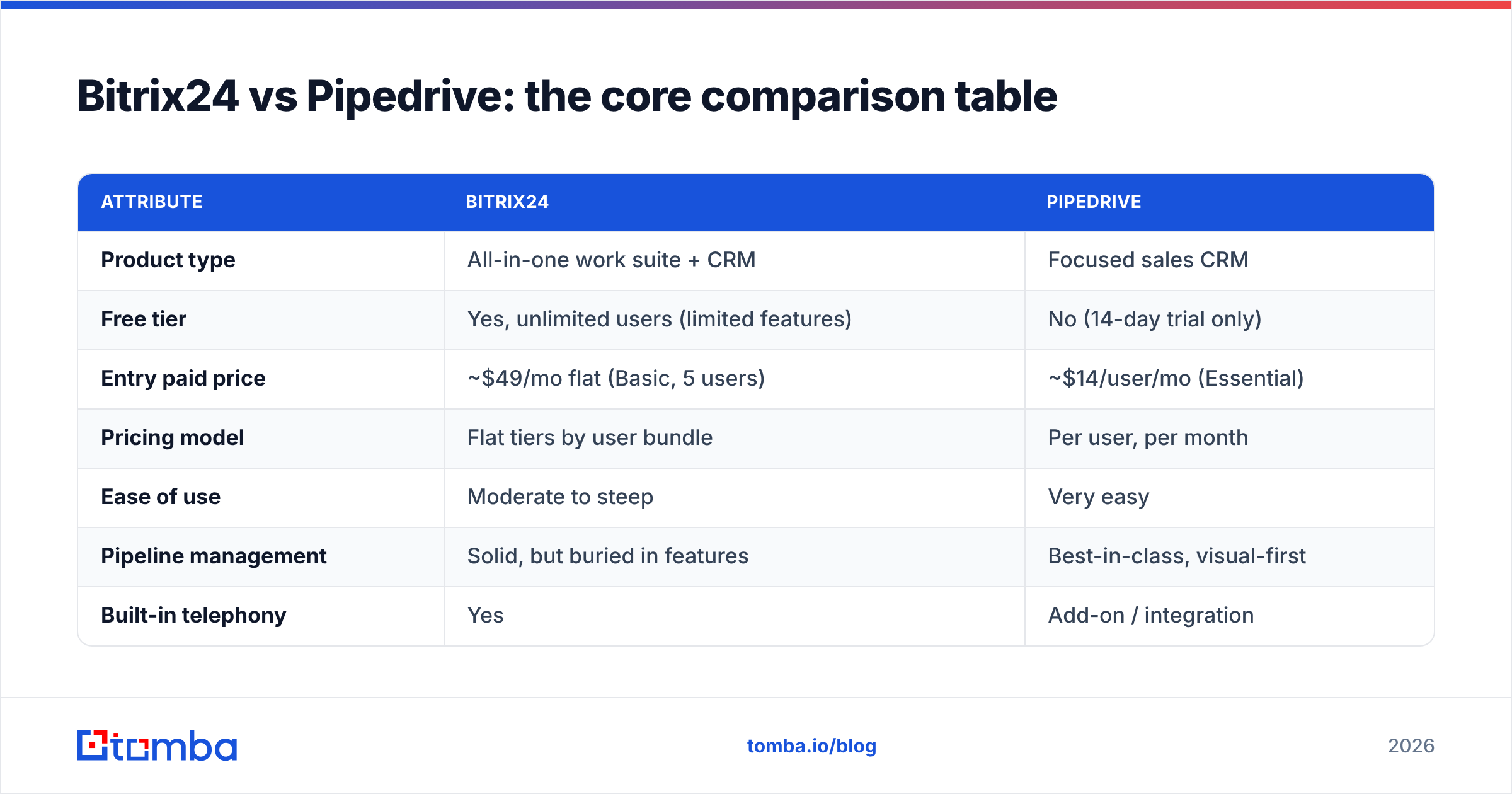
Here's the head-to-head on the attributes that actually drive the decision.
| Attribute | Bitrix24 | Pipedrive |
|---|---|---|
| Product type | All-in-one work suite + CRM | Focused sales CRM |
| Free tier | Yes, unlimited users (limited features) | No (14-day trial only) |
| Entry paid price | ~$49/mo flat (Basic, 5 users) | ~$14/user/mo (Essential) |
| Pricing model | Flat tiers by user bundle | Per user, per month |
| Ease of use | Moderate to steep | Very easy |
| Pipeline management | Solid, but buried in features | Best-in-class, visual-first |
| Built-in telephony | Yes | Add-on / integration |
| Project & task management | Yes, full module | No |
| Automation | Robust, rules + workflows | Strong, sales-focused |
| Best for | Ops-heavy teams wanting one platform | Sales teams wanting speed |
The pattern is clear: Bitrix24 sells you a platform, Pipedrive sells you a workflow. If two columns above (telephony, project management) feel essential and you'd otherwise buy them separately, Bitrix24's bundling is genuine value. If they feel like noise, you'll pay for Pipedrive's focus and be happier for it.
How do Bitrix24 and Pipedrive compare on pricing?#
Pricing is where the two philosophies diverge most.
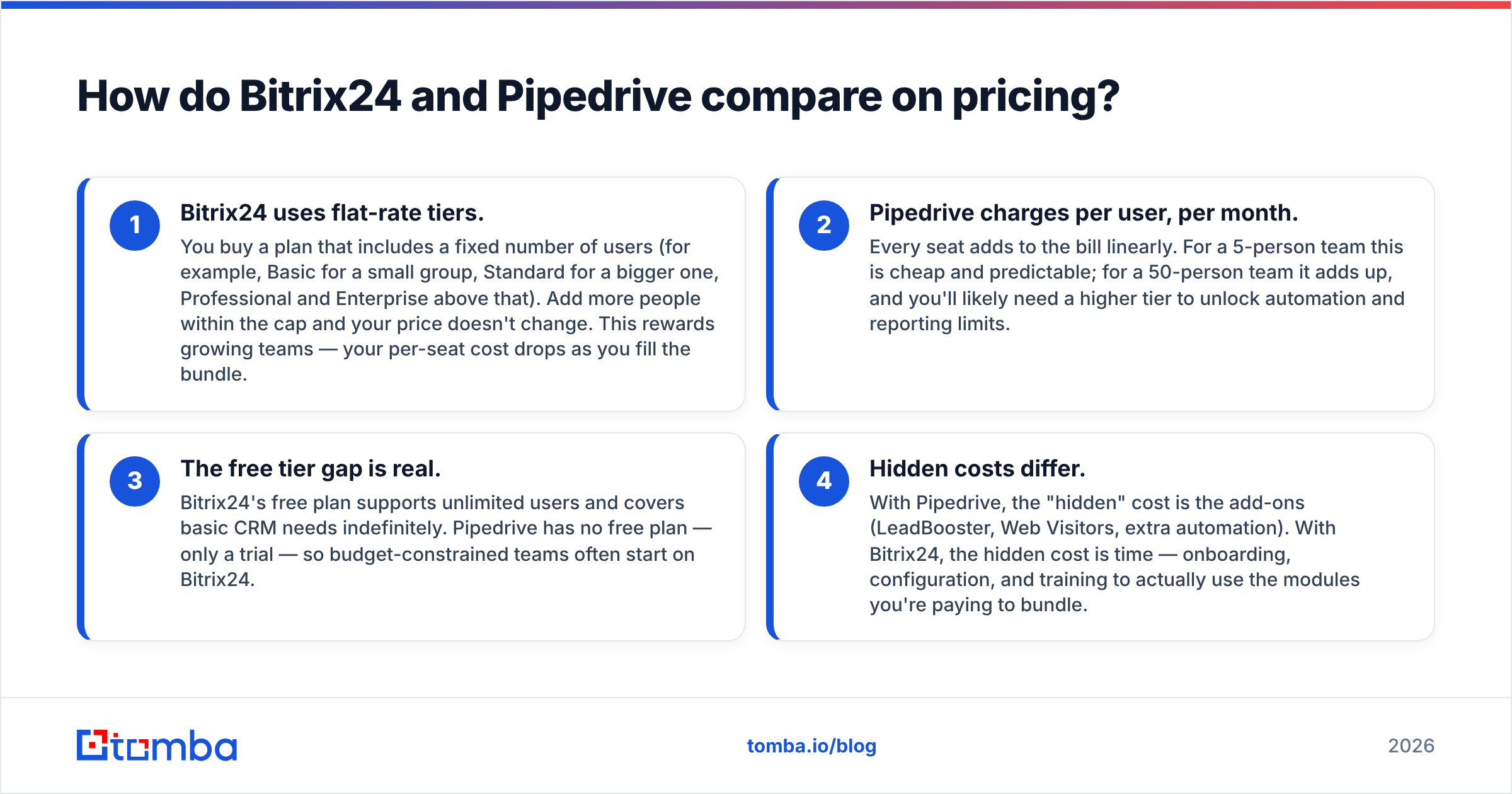
Bitrix24 uses flat-rate tiers. You buy a plan that includes a fixed number of users (for example, Basic for a small group, Standard for a bigger one, Professional and Enterprise above that). Add more people within the cap and your price doesn't change. This rewards growing teams — your per-seat cost drops as you fill the bundle.
Pipedrive charges per user, per month. Every seat adds to the bill linearly. For a 5-person team this is cheap and predictable; for a 50-person team it adds up, and you'll likely need a higher tier to unlock automation and reporting limits.
The free tier gap is real. Bitrix24's free plan supports unlimited users and covers basic CRM needs indefinitely. Pipedrive has no free plan — only a trial — so budget-constrained teams often start on Bitrix24.
Hidden costs differ. With Pipedrive, the "hidden" cost is the add-ons (LeadBooster, Web Visitors, extra automation). With Bitrix24, the hidden cost is time — onboarding, configuration, and training to actually use the modules you're paying to bundle.
For exact, current numbers always check each vendor's pricing page directly, since both adjust tiers regularly. And if you're budgeting for the full stack, remember the CRM is only one line item — see how a tool like Tomba's pricing fits alongside it for the contact-data layer.
Which CRM is easier to use day to day?#
Pipedrive, clearly — and it's not particularly close.
A CRM only works if reps actually log activity in it. Pipedrive's entire design optimizes for that: the pipeline is the home screen, dragging a deal between stages takes one motion, and the "next activity" nudge keeps the funnel honest. Adoption is the quiet killer of CRM projects, and Pipedrive's low friction is its biggest competitive advantage.
Bitrix24 asks more of you. The power is real, but discovering it means navigating menus, configuring modules, and deciding which of the dozen features your team will actually adopt. Larger organizations with an admin or operations lead can tame it; a three-person sales team often finds it overwhelming. If you don't have someone willing to own the setup, Bitrix24's depth becomes a tax rather than a benefit.
A useful mental model: Pipedrive is a well-organized toolbox where every tool is in reach. Bitrix24 is a fully equipped workshop — incredible if you know what you're doing, intimidating if you just need a screwdriver.
How do automation and integrations compare?#
Both tools automate the busywork, with different ceilings.
Pipedrive automation is sales-shaped: trigger an email when a deal enters a stage, create a follow-up activity automatically, route leads, and fire webhooks. It's intuitive and covers the 90% of sales workflows most teams need. Its integration marketplace is deep on sales and marketing tools.
Bitrix24 automation spans the whole business: CRM rules and triggers, plus workflow automation across tasks, documents, and approvals. If your process crosses departments — sales handing off to delivery, for instance — Bitrix24 can model that end to end in one system.
On integrations, both connect to the usual suspects, and both are reachable through automation hubs. If you run your stack through Zapier or similar, the integration gap narrows considerably. The bigger question is what you're feeding into these workflows — automation that fires off emails to stale or invalid contacts just automates waste.
)
What both CRMs get wrong: the data problem#
Here's the thing neither Bitrix24 nor Pipedrive solves well, and it's the thing that determines whether your pipeline is full or empty: getting accurate contact data into the CRM in the first place.
A CRM is a system of record. It stores and organizes the contacts you put in it; it does not reliably find new ones, and it does not verify that the emails sitting in your database still work. Sales teams routinely discover that 20–30% of their CRM contacts have bounced or gone stale, quietly tanking deliverability and wasting rep time. Understanding what a CRM is and isn't built for saves a lot of frustration.
This is where a dedicated data layer earns its keep, regardless of which CRM you choose:
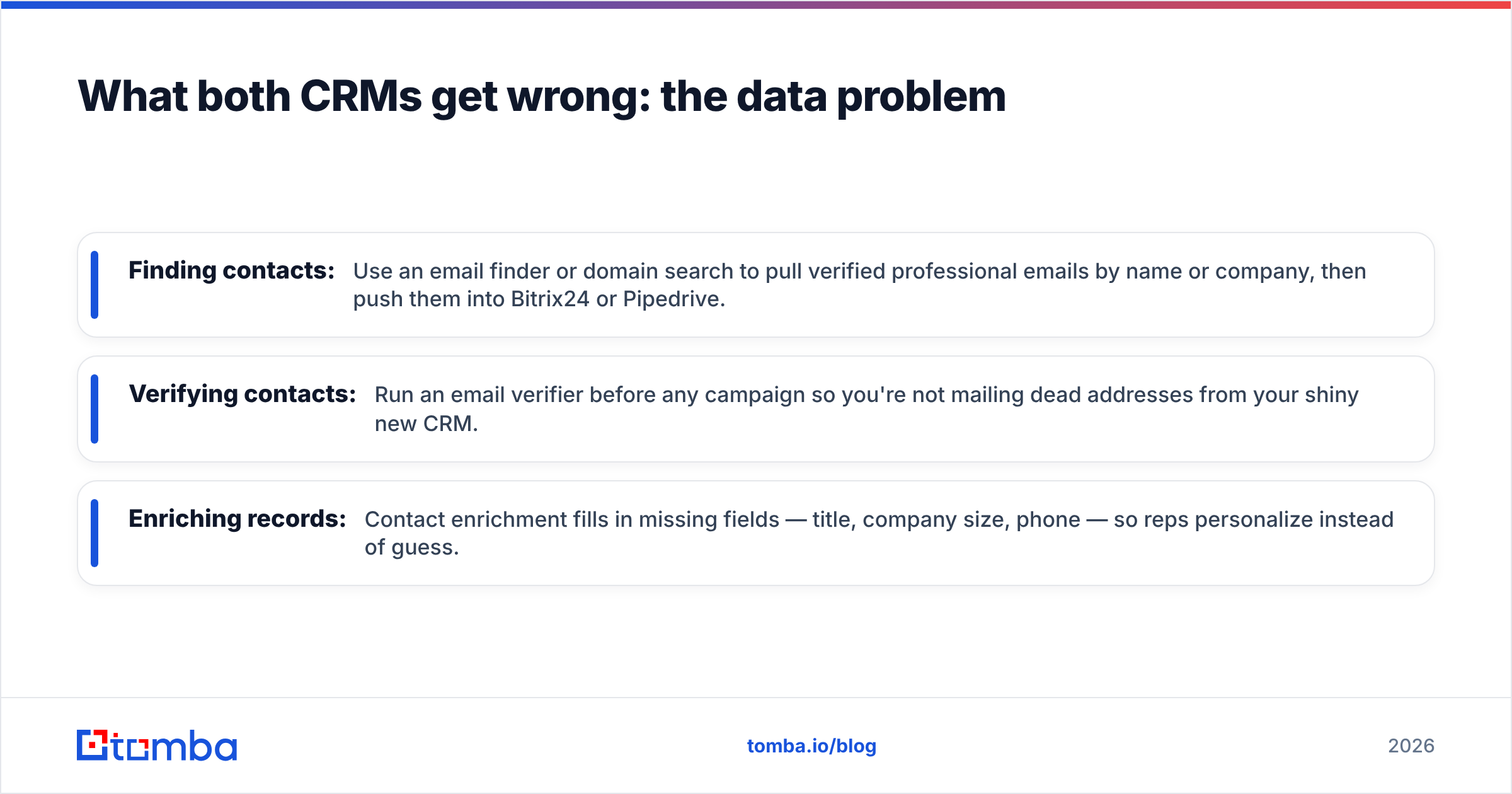
- Finding contacts: Use an email finder or domain search to pull verified professional emails by name or company, then push them into Bitrix24 or Pipedrive.
- Verifying contacts: Run an email verifier before any campaign so you're not mailing dead addresses from your shiny new CRM.
- Enriching records: Contact enrichment fills in missing fields — title, company size, phone — so reps personalize instead of guess.
If you've already standardized on Pipedrive, the native Pipedrive integration lets you find and verify contacts and sync them straight into your pipeline, so the data layer and the CRM stay in lockstep.
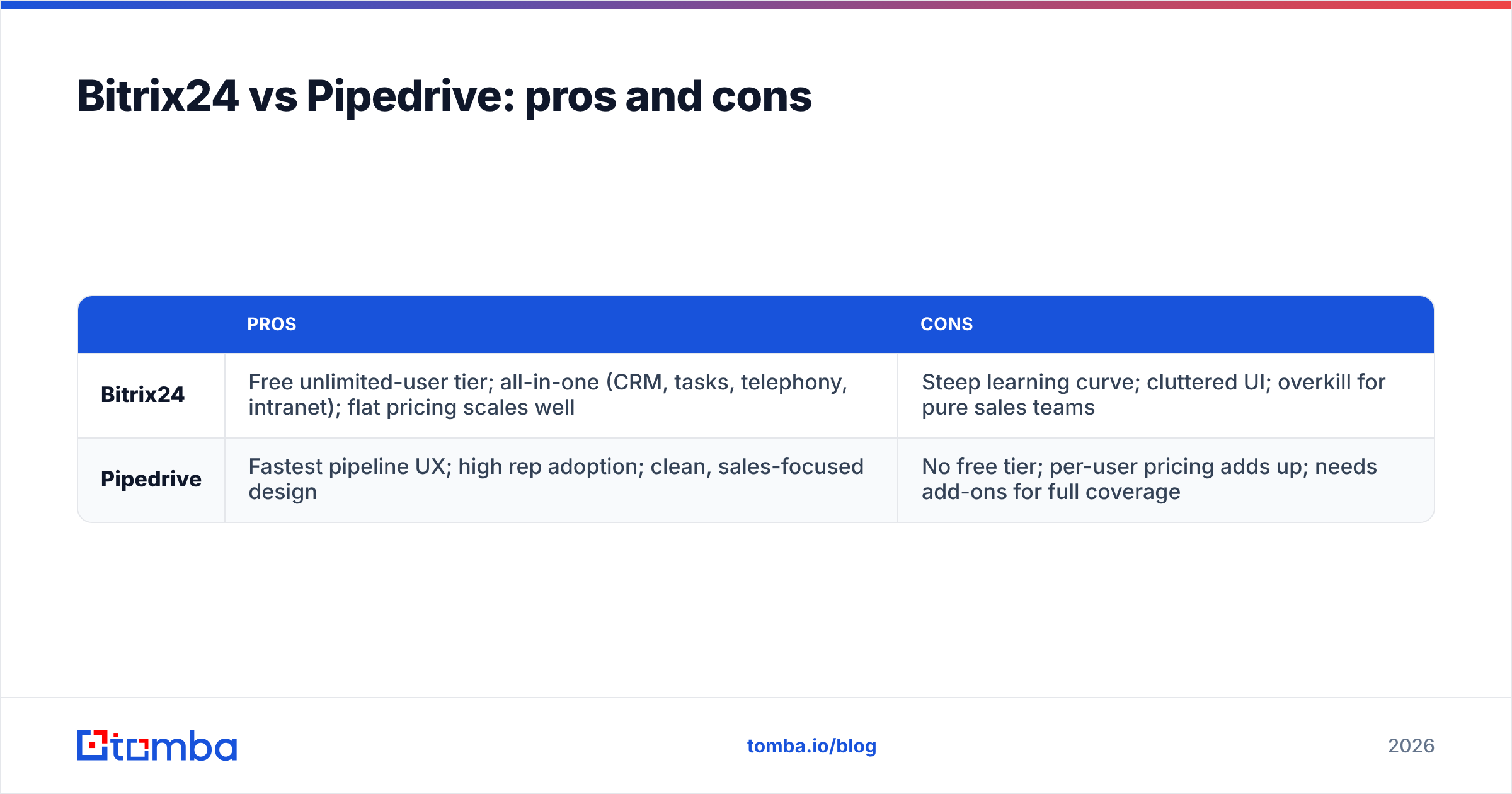
Bitrix24 vs Pipedrive: pros and cons#
| Pros | Cons | |
|---|---|---|
| Bitrix24 | Free unlimited-user tier; all-in-one (CRM, tasks, telephony, intranet); flat pricing scales well | Steep learning curve; cluttered UI; overkill for pure sales teams |
| Pipedrive | Fastest pipeline UX; high rep adoption; clean, sales-focused design | No free tier; per-user pricing adds up; needs add-ons for full coverage |
So which should you choose in 2026?#
The decision comes down to scope, not score.
Choose Pipedrive if you're a sales-led SMB or mid-market team, you want reps productive immediately, and you're happy to assemble a best-of-breed stack around a focused CRM. Adoption will be high and your pipeline will stay clean with minimal nagging. This is the safe pick for teams whose primary job is closing deals.
Choose Bitrix24 if you want to consolidate multiple tools into one platform, you have someone to own configuration, and your work spans beyond sales into project delivery, internal collaboration, or telephony. The free tier also makes it a strong starting point for very budget-conscious teams willing to invest setup time.
Choose neither — yet — if you haven't solved your data sourcing. The best CRM in the world is an empty shell without a steady flow of accurate, verified contacts. Many teams over-invest in CRM evaluation and under-invest in the data that feeds it, then wonder why the pipeline is thin.
Whichever platform wins your evaluation, the contacts you load into it decide your results. Start by filling the top of the funnel with verified, accurate leads: try the Tomba Email Finder free (25 searches a month, no card), find and verify professional emails by name or domain, and push clean records straight into Bitrix24 or Pipedrive. Pick the CRM that fits your team — then give it data worth managing.
Ready to find emails that actually work?
Join 150,000+ professionals who stopped guessing and started sending. Free credits on signup — no credit card required.
Get the Tomba newsletter
Practical outbound tactics and product updates — once every two weeks.
About the author