Bitscale Pricing in 2026: Plans, Credits, and Real Cost
A plain-English breakdown of Bitscale pricing in 2026 — how its credit model works, what each tier really costs, and where a flat-rate email finder saves money.
You came here for one number and Bitscale gives you a pricing model instead. This guide turns that model back into numbers you can budget against — and shows where a credit-based GTM platform makes sense versus where a flat-rate tool wins.
TL;DR#
- Bitscale is credit-based, not seat-based. Your real cost depends on how many enrichment "runs" you trigger each month, not just the sticker price of the plan.
- Entry plans look cheap until you turn on waterfall enrichment — stacking multiple data providers per row multiplies credit burn fast.
- Bitscale is a spreadsheet-style GTM workspace, not a pure email finder. You pay for orchestration and AI, plus the third-party data underneath.
- For straightforward "find and verify B2B emails," a flat-rate tool is usually cheaper. Tomba pricing starts at $49/mo with predictable search limits and a free tier.
- Pick by job-to-be-done: Bitscale for complex multi-source enrichment workflows, a dedicated email finder for clean, high-volume contact discovery.
What is Bitscale and how does its pricing work?#
Bitscale is a credit-powered, spreadsheet-style GTM platform: you build lists in a grid, then run columns of enrichment, AI prompts, and data lookups against each row. Think of it less like a single tool and more like a workbench where you wire together LinkedIn scraping, company data, email lookups, and GPT-style copy generation in one canvas.
That design is the key to understanding Bitscale pricing. You are not just paying for software access. You are paying for credits that get consumed every time a cell calls out to do work — and some of that work also bills through third-party data providers.
Here is the mental model. A subscription is like a phone plan: the monthly fee buys you a bucket of minutes (credits). Every enrichment column you run is a call that draws down those minutes. Run a "waterfall" that tries five providers in sequence to find one email, and you may spend five times the credits to fill a single cell.
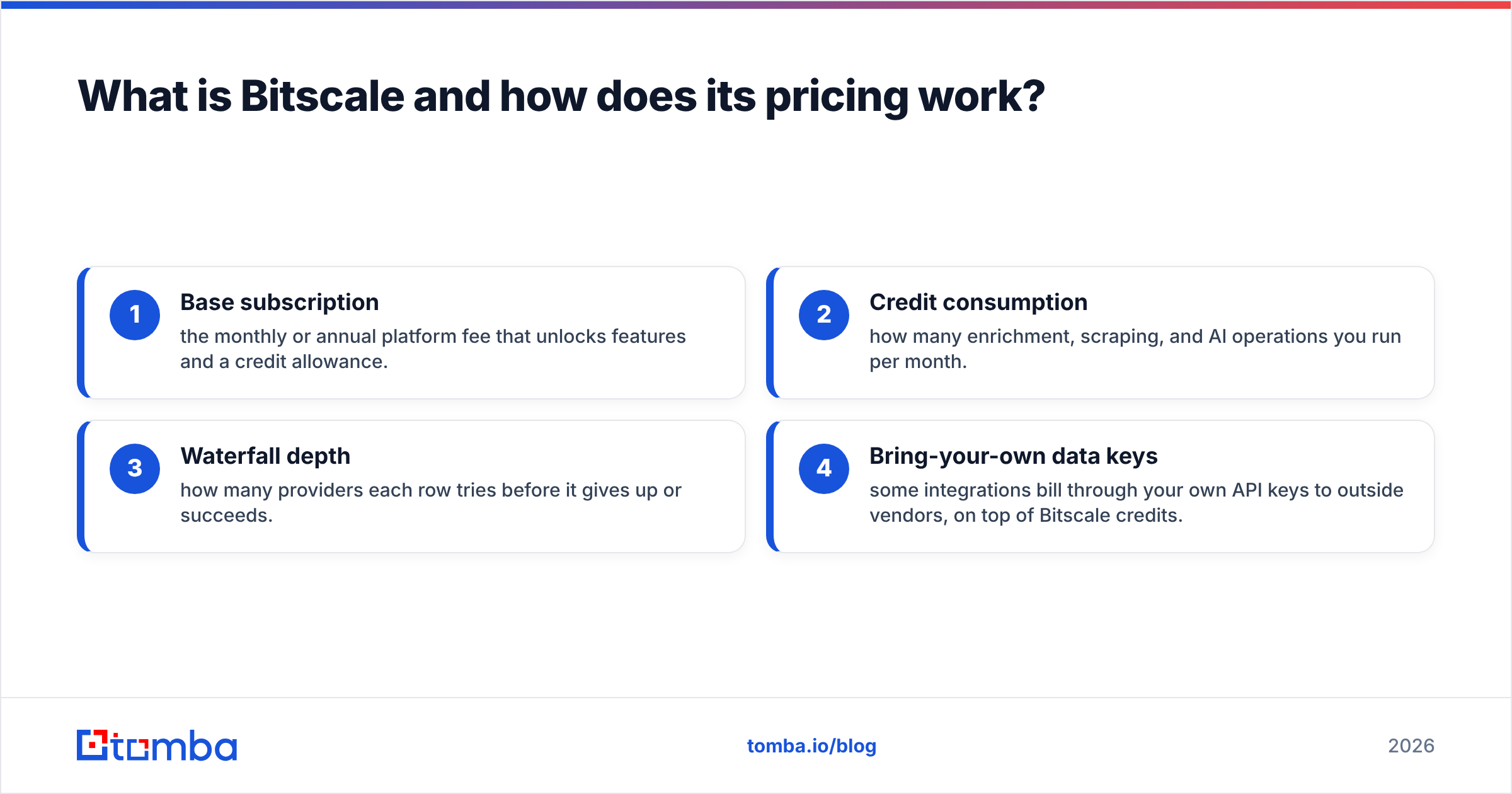
Bitscale's cost has four moving parts:
- Base subscription — the monthly or annual platform fee that unlocks features and a credit allowance.
- Credit consumption — how many enrichment, scraping, and AI operations you run per month.
- Waterfall depth — how many providers each row tries before it gives up or succeeds.
- Bring-your-own data keys — some integrations bill through your own API keys to outside vendors, on top of Bitscale credits.
Miss any one of those and your "$X per month" estimate will be wrong. The headline plan price is the floor, not the ceiling.

What does each Bitscale plan cost in 2026?#
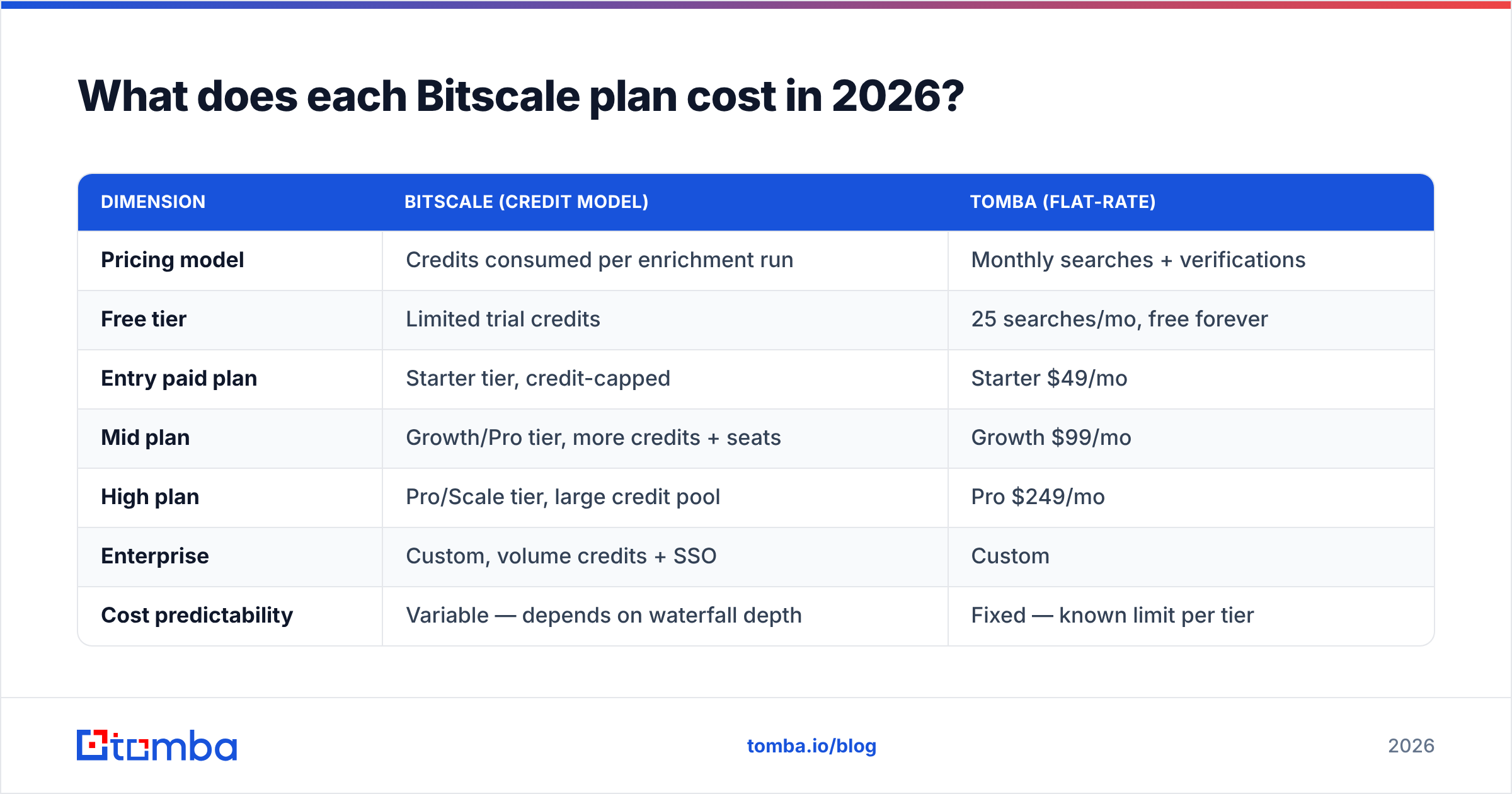
Bitscale publishes tiered plans that scale on credits, seats, and feature access. Exact numbers move over time and during promotions, so always confirm the live figure on their pricing page before you commit. As of 2026 the structure breaks down into three practical brackets, summarized below alongside Tomba for contrast.
| Dimension | Bitscale (credit model) | Tomba (flat-rate) |
|---|---|---|
| Pricing model | Credits consumed per enrichment run | Monthly searches + verifications |
| Free tier | Limited trial credits | 25 searches/mo, free forever |
| Entry paid plan | Starter tier, credit-capped | Starter $49/mo |
| Mid plan | Growth/Pro tier, more credits + seats | Growth $99/mo |
| High plan | Pro/Scale tier, large credit pool | Pro $249/mo |
| Enterprise | Custom, volume credits + SSO | Custom |
| Cost predictability | Variable — depends on waterfall depth | Fixed — known limit per tier |
| Best for | Multi-source GTM workflows | Email finding + verification at scale |
Two honest caveats. First, Bitscale's lower tiers can absolutely be cheaper than a comparable stack of point tools if you run light volume. Second, the moment you scale row counts and stack providers, credit-based billing becomes harder to forecast — which is exactly why finance teams sometimes prefer a flat line item. You can see what predictable looks like on the Tomba pricing page.
Why do Bitscale credits run out faster than expected?#
Because every column multiplies. The single most common budgeting mistake is treating one row as one credit. It rarely is.
Picture a 1,000-row list and a workflow with these columns: find LinkedIn URL, scrape job title, find work email, verify email, generate a personalized first line with AI. That is five operations per row — and the email-finding column might itself be a waterfall that tries three vendors. You are now looking at roughly 7,000 credit-consuming operations to "process 1,000 leads."
That is not a flaw in Bitscale; it is the nature of orchestration platforms. But it explains the gap between the plan price and the invoice.
Watch these credit multipliers:
- Waterfall enrichment — each fallback provider is a separate charge, even on rows where an earlier provider already succeeded if not configured to stop.
- AI columns — every GPT-style generation per row burns credits and can dwarf data lookups at volume.
- Re-runs — fixing a prompt and re-running a column re-bills the whole column.
- Scraping steps — LinkedIn and web scraping columns are often priced separately from data enrichment.
- Verification — validating deliverability is usually its own operation on top of finding the address.
)
If your core need is "give me verified emails for these companies," paying orchestration-platform credits for that one job is overkill. A dedicated email verifier and domain search handle find-and-verify at a flat rate without the waterfall surcharge.
Is Bitscale worth it compared to a dedicated email finder?#
It depends entirely on the job. Bitscale wins when your workflow is genuinely multi-source and creative; a focused email finder wins when the job is contact discovery at predictable cost.
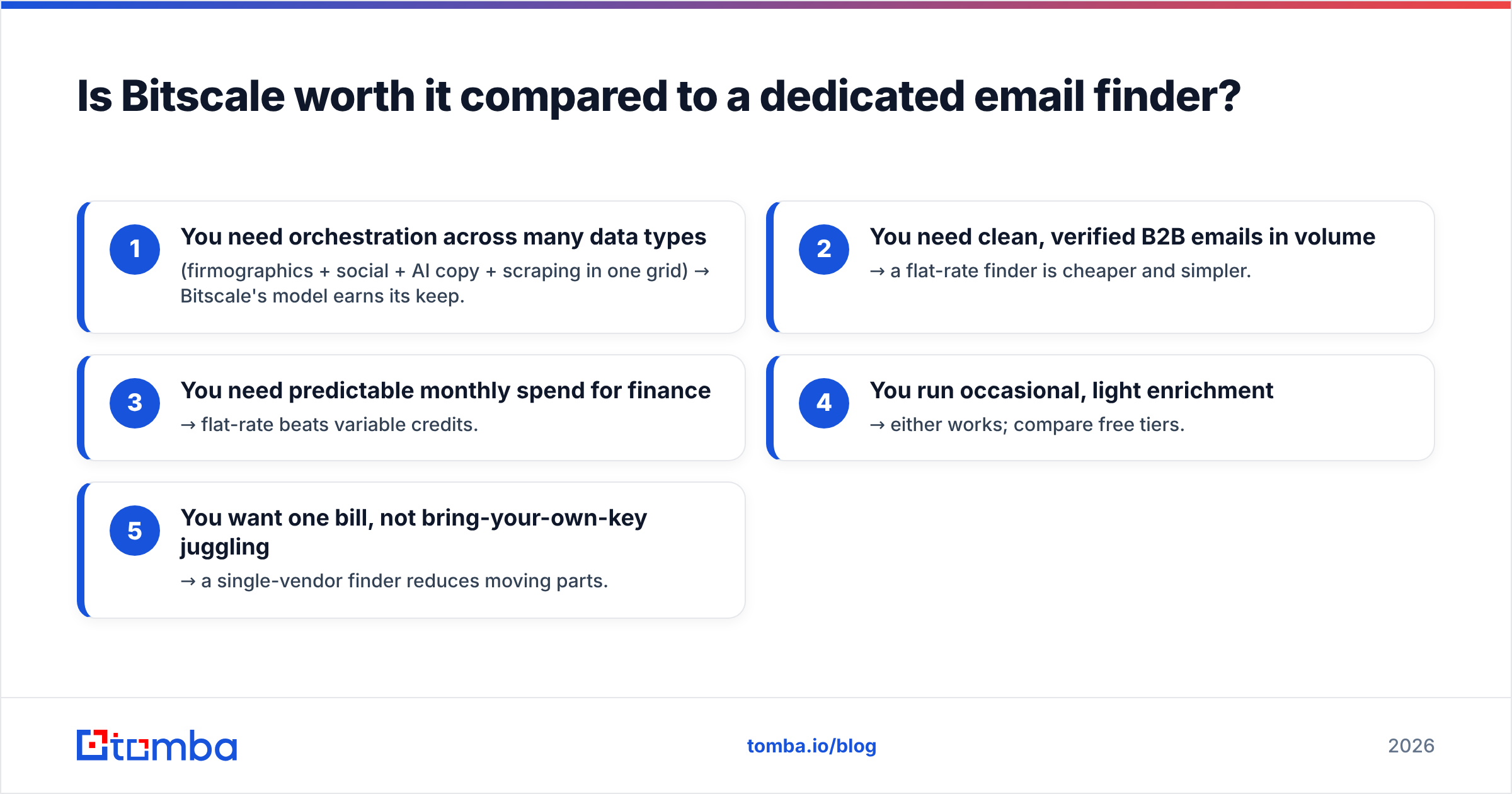
Use this decision frame:
- You need orchestration across many data types (firmographics + social + AI copy + scraping in one grid) → Bitscale's model earns its keep.
- You need clean, verified B2B emails in volume → a flat-rate finder is cheaper and simpler.
- You need predictable monthly spend for finance → flat-rate beats variable credits.
- You run occasional, light enrichment → either works; compare free tiers.
- You want one bill, not bring-your-own-key juggling → a single-vendor finder reduces moving parts.
The two products are not really competitors so much as different layers. Bitscale sits at the workflow layer. An email finder sits at the data layer underneath it. Many teams actually use a finder as the data source feeding a workflow tool — which is why Tomba's API and bulk email finder exist: to supply verified contacts to whatever orchestration layer you prefer, without paying that layer's premium per lookup.
For an apples-to-apples read on data quality, third-party review sites like G2 are a better neutral source than any vendor's own marketing — including ours.
How does Bitscale pricing compare to Tomba on real workflows?#
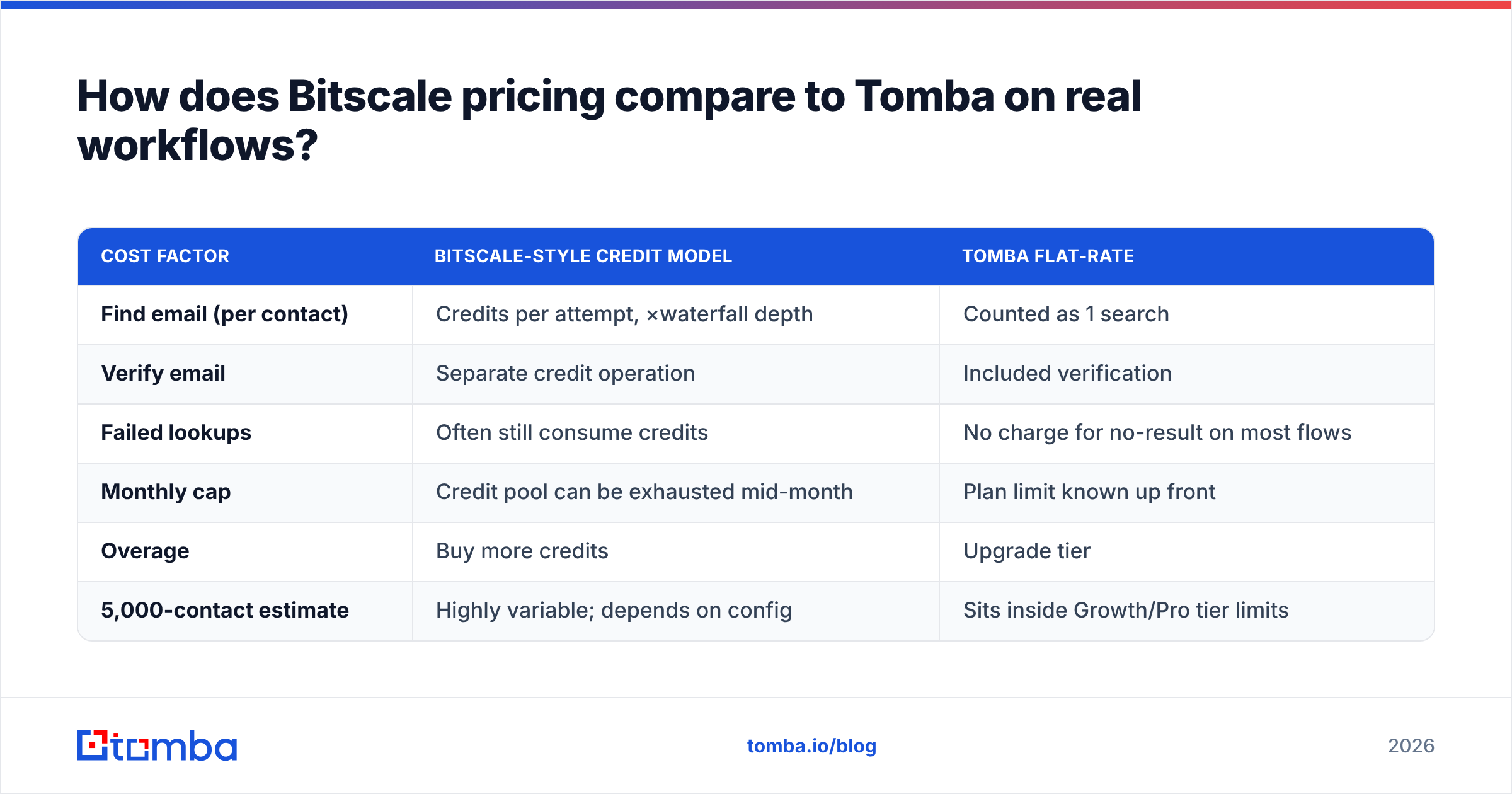
Let's price a concrete scenario: you want to find and verify work emails for 5,000 contacts in a month. No AI copy, no scraping — just the core data job.
| Cost factor | Bitscale-style credit model | Tomba flat-rate |
|---|---|---|
| Find email (per contact) | Credits per attempt, ×waterfall depth | Counted as 1 search |
| Verify email | Separate credit operation | Included verification |
| Failed lookups | Often still consume credits | No charge for no-result on most flows |
| Monthly cap | Credit pool can be exhausted mid-month | Plan limit known up front |
| Overage | Buy more credits | Upgrade tier |
| 5,000-contact estimate | Highly variable; depends on config | Sits inside Growth/Pro tier limits |
The takeaway is not that Bitscale is expensive — it is that Bitscale is variable, and variability is the enemy of a clean budget. If you can predict your volume, a flat plan removes the guesswork. If your volume is spiky and your workflows are elaborate, credits let you pay only for what you run.
A practical hybrid many teams land on: use a flat-rate finder for the high-volume "fill the list with verified emails" step, then reserve credit-based orchestration for the genuinely creative columns where it adds value. That keeps the expensive per-row operations off your most repetitive task.
What hidden costs should you budget for with Bitscale?#
The sticker price is the start of the conversation, not the end. Before you sign, account for these line items so the renewal invoice doesn't surprise you.
- Annual vs monthly gap — like most SaaS, monthly billing carries a premium; annual locks you in but discounts the rate.
- Seat expansion — adding teammates can push you into a higher tier even if your credit usage is flat.
- Bring-your-own API keys — third-party provider costs that bill outside your Bitscale subscription.
- Credit rollover rules — unused credits may or may not carry forward; expiring credits are effectively a use-it-or-lose-it tax.
- Re-processing — iterating on prompts and configs re-runs columns and re-spends credits.
None of these are unique to Bitscale. They are the standard fine print of credit-based GTM platforms. The fix is simple: estimate your monthly operations, not your monthly rows, and multiply by your waterfall depth. For the contact-data portion specifically, compare that estimate against a flat plan using real numbers from Tomba's data sourcing and pricing — it often reframes which tool should own which step.
For broader context on how data-enrichment vendors structure and price their offerings, vendor-neutral explainers like Wikipedia's overview of sales intelligence are a useful sanity check against marketing claims.
Who should choose Bitscale, and who shouldn't?#
Choose Bitscale if you are a RevOps or growth team running bespoke, multi-step enrichment — combining scraping, several data providers, and AI generation in one canvas — and you value flexibility over predictable billing. The credit model rewards teams that genuinely use the orchestration.
Skip it (or pair it with a finder) if your primary need is verified B2B emails and phone numbers at scale. Paying orchestration credits for plain contact discovery is like renting a film studio to take a passport photo. A dedicated finder does that job for less, with a number you can put in next year's budget today.
The honest summary: Bitscale pricing is reasonable for what it is — a flexible workflow platform. It just isn't the cheapest way to do the one thing most outbound teams need most often, which is turning a list of companies and names into verified, deliverable contacts.
The bottom line on Bitscale pricing#
Bitscale charges for orchestration and credits, so your true cost scales with workflow complexity, not headcount. That is powerful for elaborate GTM motions and overkill for straightforward contact discovery. Map your monthly operations, factor in waterfall depth and bring-your-own-key fees, and compare the contact-data slice against a flat plan before you commit.
If that slice — finding and verifying B2B emails at a predictable price — is what's actually driving your evaluation, start with the Tomba Email Finder. You get 25 free searches a month to test accuracy on your own domains, flat pricing from $49/mo with no credit math, and built-in verification so the addresses you pull are deliverable on day one. Run a sample list through it, compare the cost per verified contact against your Bitscale credit burn, and let the numbers decide.
// get started
Find, verify and enrich your first contacts today
Start on the free plan with 25 searches a month, then scale when your team is ready.
Free plan · No credit card required · GDPR & CCPA
// about the author