Blacklisted by UCEPROTECT Level 3? Causes and Fixes for 2026
Got flagged by UCEPROTECT Level 3 and watched your inbox rate crater? Here's exactly why L3 lists your whole IP range, who it actually hurts, and how to recover in 2026.
Getting blacklisted by UCEPROTECTL3 feels personal, but it usually isn't. Level 3 rarely cares what your specific mail server did. It listed you because of the neighborhood you live in.
TL;DR#
- UCEPROTECT Level 3 lists entire ASNs (autonomous systems) — not individual IPs — so you can be blocked for a "bad neighbor" you've never met, sharing your hosting provider's network.
- Most professional inbox providers (Google, Microsoft) largely ignore L3. The damage is concentrated in self-hosted servers, small business mail, and over-strict spam filters that still trust it.
- The fastest "fix" is often changing where your mail leaves from — a reputable sending IP or ESP — not begging UCEPROTECT for delisting.
- Paid express delisting exists, but it only clears your single IP temporarily and does nothing about the ASN-level listing.
- Prevention beats recovery: clean lists, verified recipients, authenticated domains, and gradual warmup keep you off every blacklist, not just this one.
What is UCEPROTECT Level 3?#
UCEPROTECT is a DNS-based blocklist (DNSBL) operated out of Germany that publishes three escalating levels. Think of it like a building's fire-safety rating. Level 1 inspects a single apartment (one IP). Level 2 inspects the floor (an allocation/netblock). Level 3 condemns the entire building (the whole ASN — the network owned by your hosting or transit provider).
That distinction is everything. When you are blacklisted by UCEPROTECTL3, the listing is almost never about your behavior. It's a statistical judgment: too many spam-emitting IPs were detected inside the same autonomous system within a scoring window, so UCEPROTECT lists every IP in that ASN — including yours — until the ratio improves.
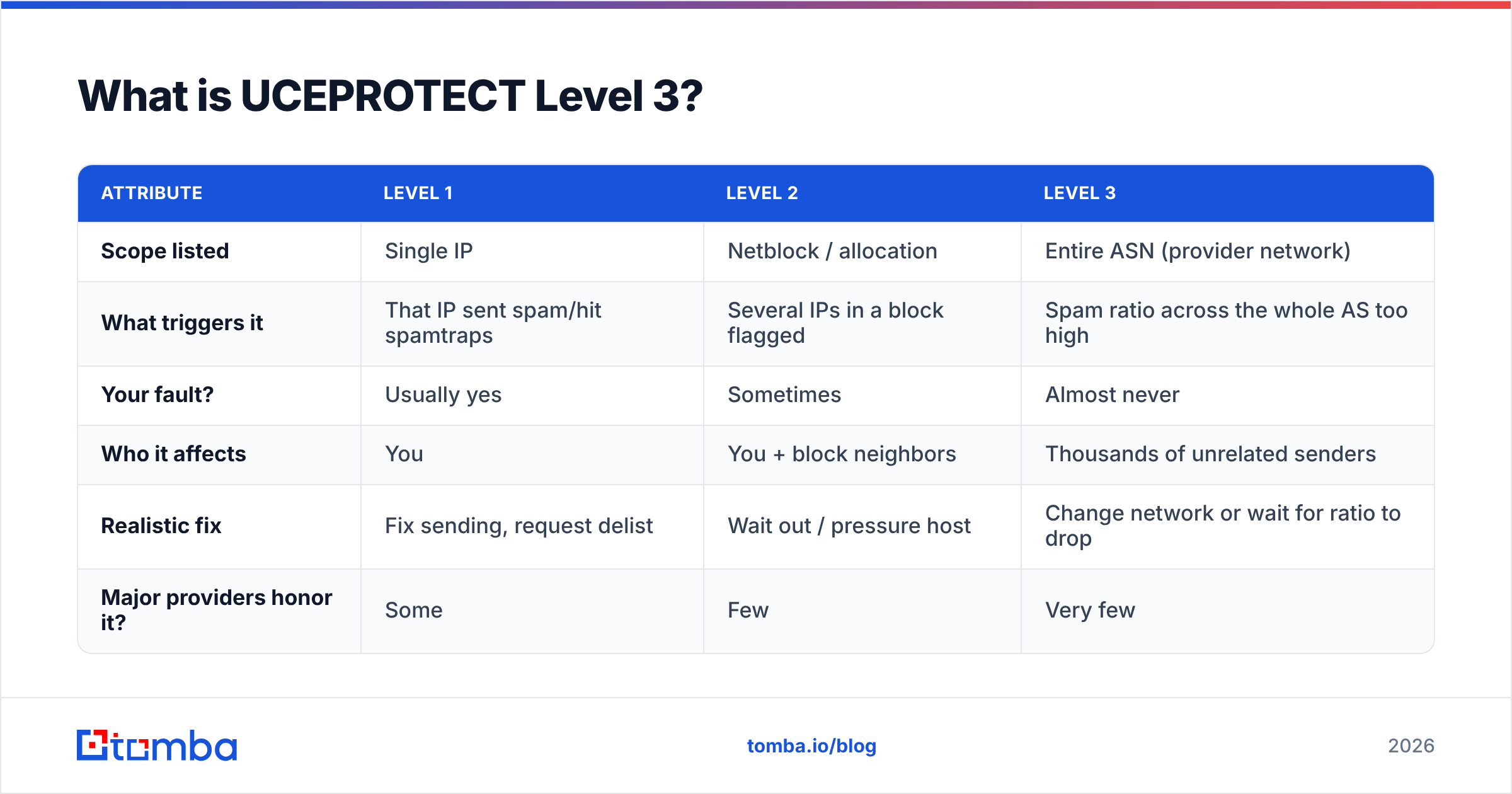
Here is how the three levels compare:
| Attribute | Level 1 | Level 2 | Level 3 |
|---|---|---|---|
| Scope listed | Single IP | Netblock / allocation | Entire ASN (provider network) |
| What triggers it | That IP sent spam/hit spamtraps | Several IPs in a block flagged | Spam ratio across the whole AS too high |
| Your fault? | Usually yes | Sometimes | Almost never |
| Who it affects | You | You + block neighbors | Thousands of unrelated senders |
| Realistic fix | Fix sending, request delist | Wait out / pressure host | Change network or wait for ratio to drop |
| Major providers honor it? | Some | Few | Very few |
You can confirm which level you're on using the official lookup at uceprotect.net or a neutral tool like MXToolbox. If only Level 3 shows a hit, breathe — your actual reputation is probably fine.
Why am I blacklisted by UCEPROTECTL3 when I didn't spam?#
Because UCEPROTECT Level 3 measures the company you keep, not your conduct. A DNSBL at the ASN level is collective punishment by design — the stated goal is to pressure negligent hosting providers into policing their own customers.
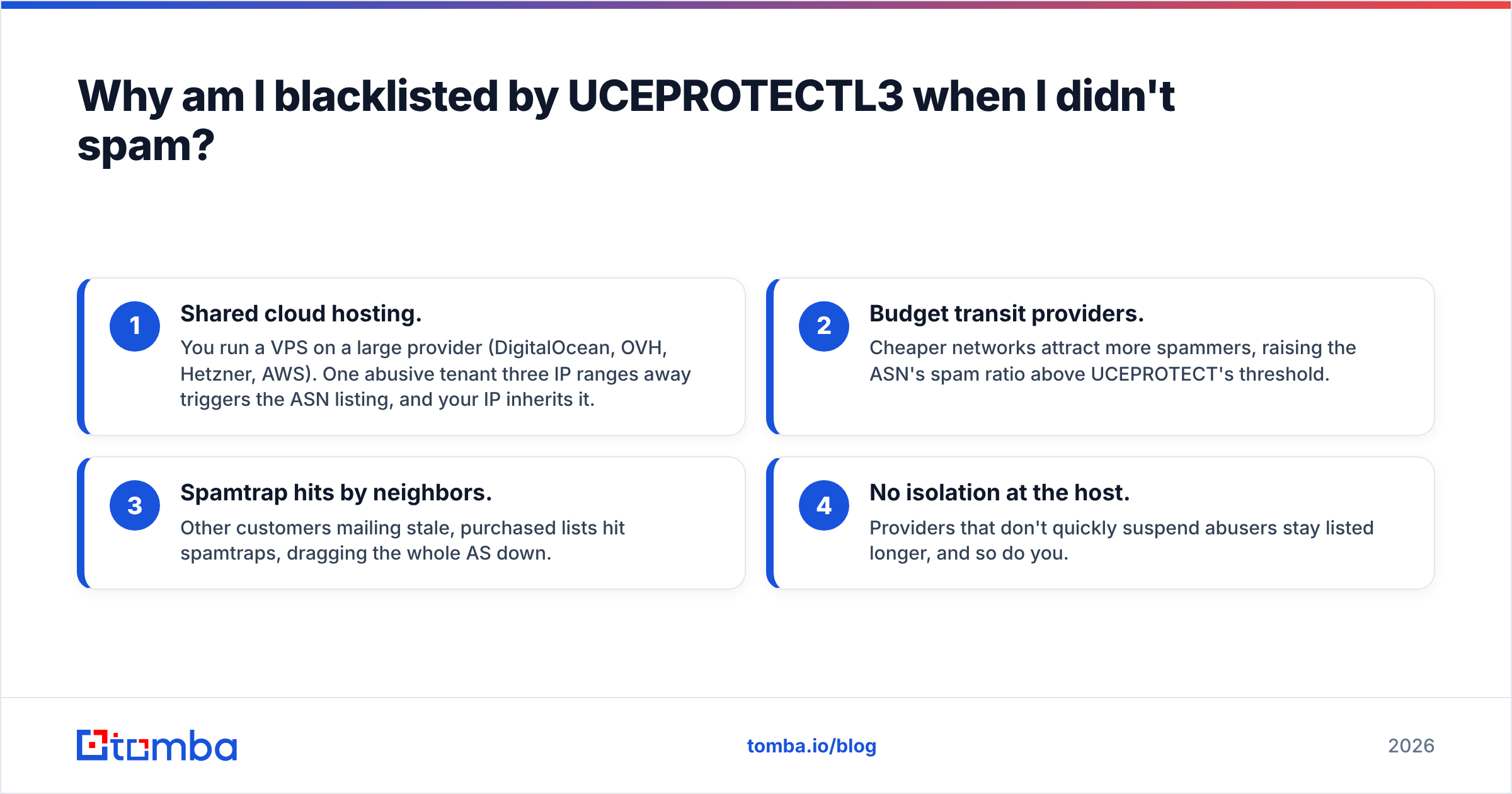
The common scenarios that land clean senders on L3:
- Shared cloud hosting. You run a VPS on a large provider (DigitalOcean, OVH, Hetzner, AWS). One abusive tenant three IP ranges away triggers the ASN listing, and your IP inherits it.
- Budget transit providers. Cheaper networks attract more spammers, raising the ASN's spam ratio above UCEPROTECT's threshold.
- Spamtrap hits by neighbors. Other customers mailing stale, purchased lists hit spamtraps, dragging the whole AS down.
- No isolation at the host. Providers that don't quickly suspend abusers stay listed longer, and so do you.
The uncomfortable truth: there is often nothing wrong with your mail program. You're a tenant whose landlord didn't evict the bad neighbors. This is why understanding email deliverability as a system — not just "is my IP clean" — matters so much.
Does being blacklisted by UCEPROTECTL3 actually hurt deliverability?#
Mostly no — but with sharp exceptions. UCEPROTECT's Level 3 list is widely considered too aggressive to use as a hard block, and the big mailbox providers reflect that.
Who safely ignores L3:
- Gmail / Google Workspace — uses its own reputation signals; ASN-wide DNSBLs carry little weight.
- Microsoft 365 / Outlook — same; relies on its internal sender reputation.
- Most reputable ESPs — SendGrid, Postmark, Amazon SES filter inbound by far more nuanced signals.
Who still bites:
- Self-hosted Postfix/Exim servers run by admins who enabled
dnsbl.3.uceprotect.netin their config. - Small business and ISP mail using off-the-shelf spam gateways with UCEPROTECT bundled in.
- Over-strict corporate filters that block on any DNSBL hit.
So the real question isn't "am I listed?" — it's "are the people I email behind a filter that trusts Level 3?" If you sell to enterprises on Google/Microsoft, an L3 listing may cost you almost nothing. If you email a long tail of small companies running their own mail servers, it can quietly eat 10–20% of your delivery. Watch your response rate and bounce logs, not just the blacklist status page.
How do I fix being blacklisted by UCEPROTECTL3?#
Conclusion first: change where your mail originates, or wait for the ASN ratio to recover — don't over-invest in delisting a single IP. Here's the decision path.
1. Confirm the scope#
Check all three levels. If you're only on L3, your IP and domain reputation are intact; the problem is your provider's network. If you're on L1 or L2 as well, fix your own sending first (see prevention below) — those listings genuinely reflect your IP.
2. Decide if it even matters#
Pull your last 30 days of bounce messages. Search for uceprotect in the SMTP rejection text. No hits? Your recipients' servers aren't using it. Don't spend a cent. This single check saves most people the entire ordeal.
3. Move your sending#
If L3 is causing real bounces, the cleanest fix is to stop sending from the condemned network:
- Route transactional and cold outreach through a reputable ESP with well-managed dedicated or shared IPs.
- Or migrate your mail server to a host with a clean ASN reputation.
This sidesteps UCEPROTECT entirely because reputable sending networks maintain low spam ratios.
4. Consider express delisting (carefully)#
UCEPROTECT sells a paid "express delisting" that whitelists your single IP for a fee. Understand the limits: it does not remove the ASN-level Level 3 listing, it expires, and you may relist the moment the window resets if your neighbors keep spamming. Treat it as a short bridge, not a cure.
5. Pressure your host#
File an abuse ticket asking your provider to address the IPs inflating their spam ratio. On large networks this rarely moves fast, but on smaller, responsive hosts it can drop the whole ASN off L3 within days.

How do I stay off UCEPROTECT and every other blacklist?#
Prevention is a hygiene routine, like brushing your teeth — boring, daily, and far cheaper than the dentist. The same habits that keep you off Level 1 also keep your provider off Level 3 by lowering everyone's spam ratio.
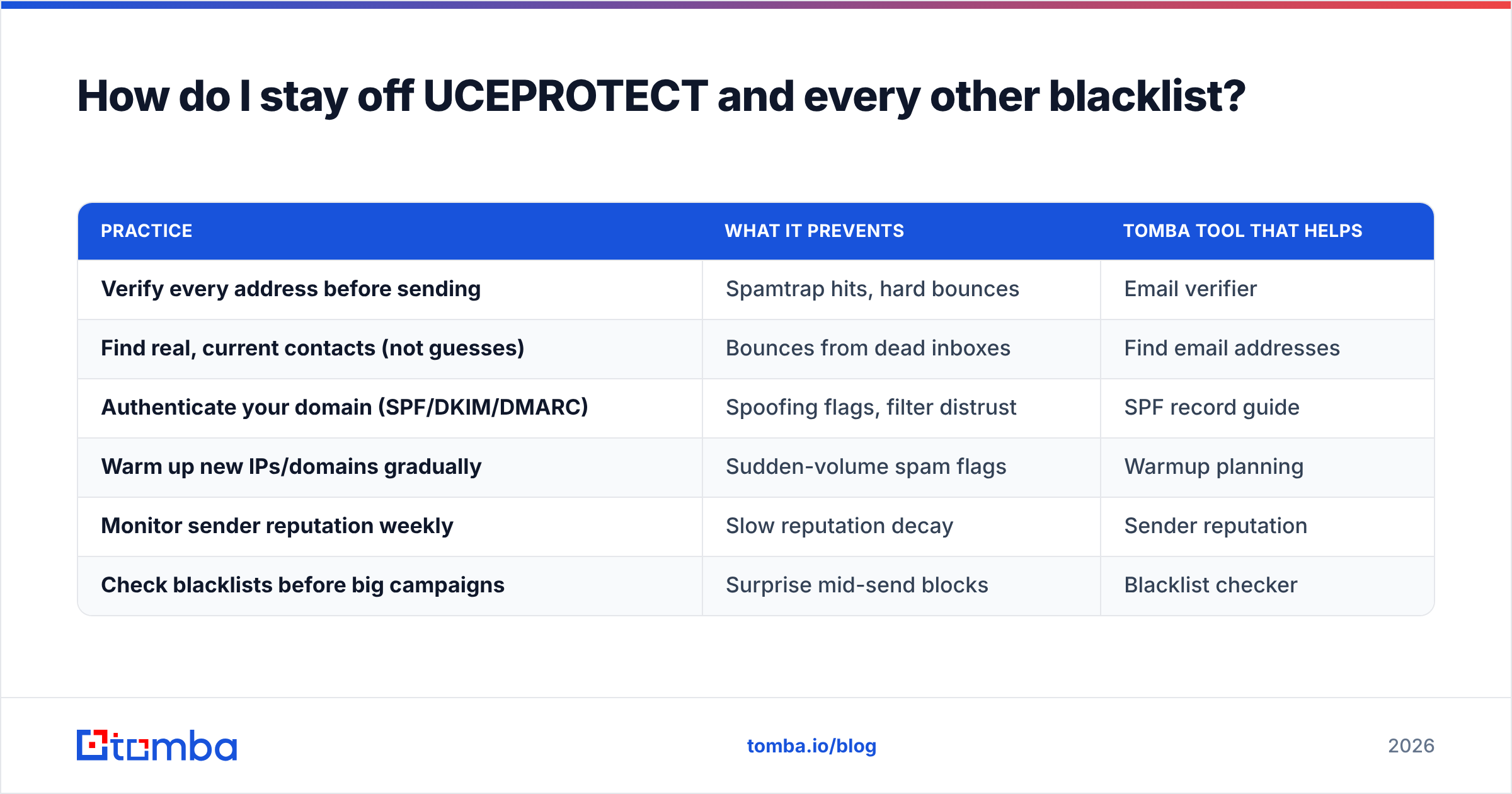
| Practice | What it prevents | Tomba tool that helps |
|---|---|---|
| Verify every address before sending | Spamtrap hits, hard bounces | Email verifier |
| Find real, current contacts (not guesses) | Bounces from dead inboxes | Find email addresses |
| Authenticate your domain (SPF/DKIM/DMARC) | Spoofing flags, filter distrust | SPF record guide |
| Warm up new IPs/domains gradually | Sudden-volume spam flags | Warmup planning |
| Monitor sender reputation weekly | Slow reputation decay | Sender reputation |
| Check blacklists before big campaigns | Surprise mid-send blocks | Blacklist checker |
A few specifics that matter most for avoiding ASN-level trouble:
- Never email purchased or scraped lists. Spamtrap addresses are seeded specifically to catch this, and one hit can ripple up to Level 2/3.
- Validate at the point of capture. Run new contacts through verification before they ever enter your sequence. Clean inputs mean clean reputation.
- Use catch-all detection. Catch-all domains accept everything, hiding dead addresses. A catch-all verifier tells you which ones are risky before you send.
- Keep volume steady. Spam-detection systems flag spikes. Ramp gradually and keep complaint rates under 0.1%.
Authentication deserves a special mention. Properly configured SPF, DKIM, and DMARC won't delist you from UCEPROTECT, but they make Gmail and Microsoft trust you regardless — which is exactly why an L3 listing barely dents senders who authenticate well. Pair that with verified recipient data and your delivery becomes resilient to any single blocklist's opinion.
Is UCEPROTECT Level 3 a legitimate blacklist to worry about?#
It's legitimate in that it's real and some servers use it — but it's broadly regarded as a blunt instrument, and you should weight it accordingly. The DNSBL community has long debated whether ASN-wide listing helps or just punishes the innocent. Independent reviews and admin discussions on sites like Wikipedia's DNSBL overview note that aggressive, wide-scope lists carry high false-positive rates, which is why mainstream providers downrank them.
Your practical stance should be:
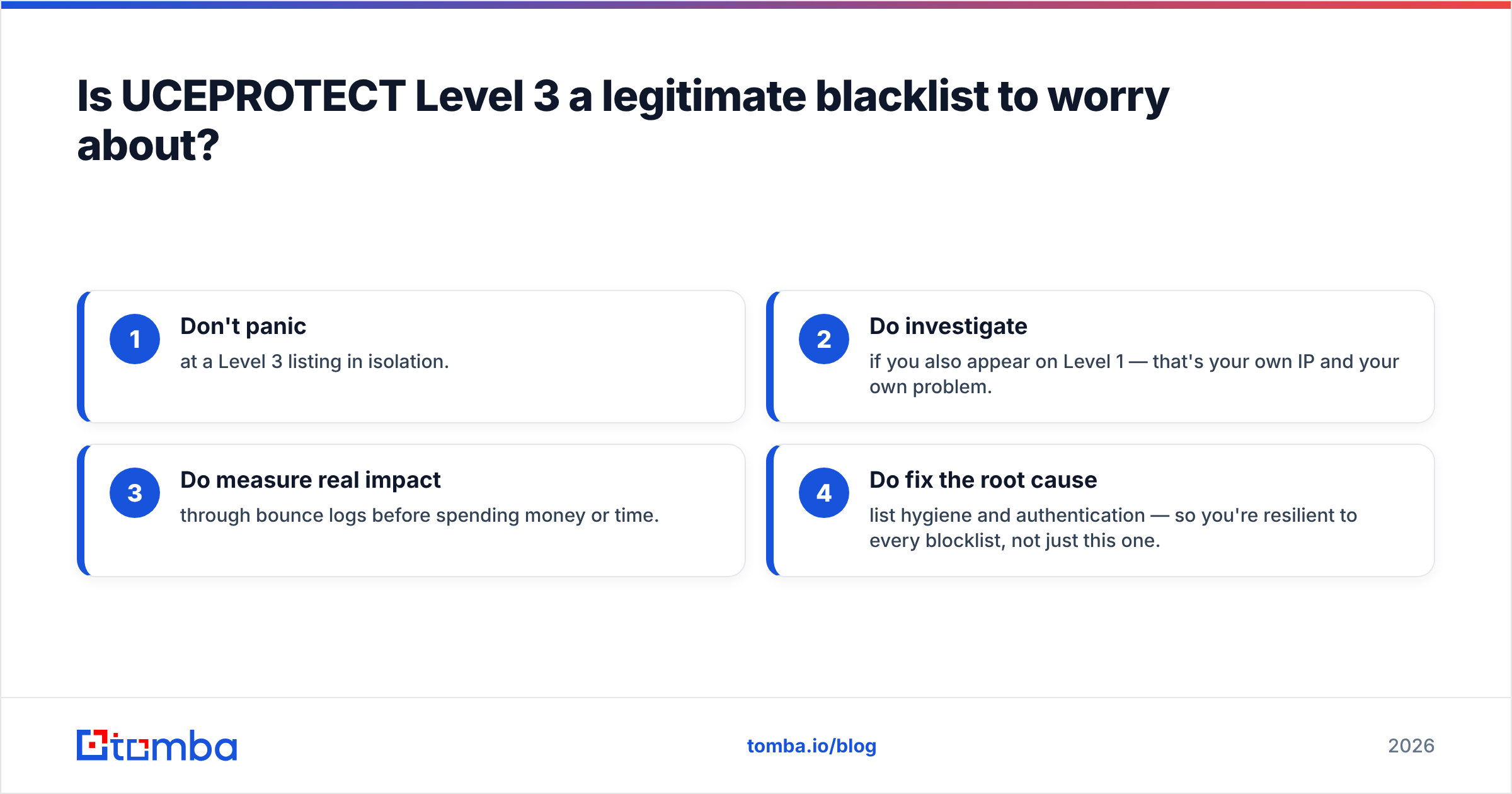
- Don't panic at a Level 3 listing in isolation.
- Do investigate if you also appear on Level 1 — that's your own IP and your own problem.
- Do measure real impact through bounce logs before spending money or time.
- Do fix the root cause — list hygiene and authentication — so you're resilient to every blocklist, not just this one.
If your bounce logs are clean and your inbox placement at Gmail and Outlook is healthy, a standalone L3 listing is closer to noise than emergency. Spend your energy on the inputs you control.
Quick recovery checklist#
- Look up your IP across L1/L2/L3 at uceprotect.net and MXToolbox.
- Grep your bounces for
uceprotect— no hits, no action needed. - If impacted, route sending through a reputable ESP or clean host.
- Fix authentication (SPF/DKIM/DMARC) so major providers trust you anyway.
- Verify your entire list to purge bounces and spamtraps.
- Re-check in 7 days and monitor reputation going forward.
Where Tomba fits#
You can't control your hosting provider's worst tenants, but you can control the quality of every address you send to — and that's what keeps spam ratios low and blacklists quiet. Start with the Tomba Email Finder to source verified, deliverable professional emails instead of guessing formats that bounce. Layer in the email verifier before every campaign, check your domain's status with the free blacklist checker, and you'll send to real people on healthy infrastructure. Plans start free (25 searches/month) and scale from $49/mo — see Tomba pricing for the tier that matches your volume. Clean data is the cheapest deliverability insurance you'll ever buy.
// get started
Find, verify and enrich your first contacts today
Start on the free plan with 25 searches a month, then scale when your team is ready.
Free plan · No credit card required · GDPR & CCPA
// about the author