The Best Bloom Alternatives in 2026: Top 9 Tools Compared
Outgrowing Bloom? Here are the 9 best Bloom alternatives for B2B prospecting, email finding, and lead enrichment in 2026 — with pricing, features, and honest trade-offs.
Switching tools is annoying. You learn a UI, you wire up integrations, you train the team — and then the pricing changes, the data quality slips, or a feature you depend on disappears behind an enterprise paywall. If you are evaluating Bloom alternatives in 2026, you are probably feeling one of those pains right now.
This guide breaks down the nine best alternatives, what each is actually good at, and how to pick based on your real workflow instead of a feature checklist.
TL;DR — The Short Version#
- Best overall value for email finding and enrichment: Tomba — a free tier (25 searches/mo), transparent pricing from $49/mo, and a full API.
- Best all-in-one sales engagement: Apollo.io, if you want prospecting, sequencing, and a dialer in one seat.
- Best for deep firmographic enrichment: Clearbit (now part of HubSpot), if you live inside HubSpot already.
- Best for individual recruiters and reps: RocketReach or Lusha for fast single-contact lookups.
- The honest filter: most teams overpay for bundled features they never touch. Match the tool to the one job you do every day.
What Is Bloom and Why Look for Alternatives?#
Bloom is positioned as a B2B growth and lead-intelligence tool that helps teams find, organize, and act on prospect data. It does a respectable job for the workflows it was built around, but "good enough" is not the same as "right for you."
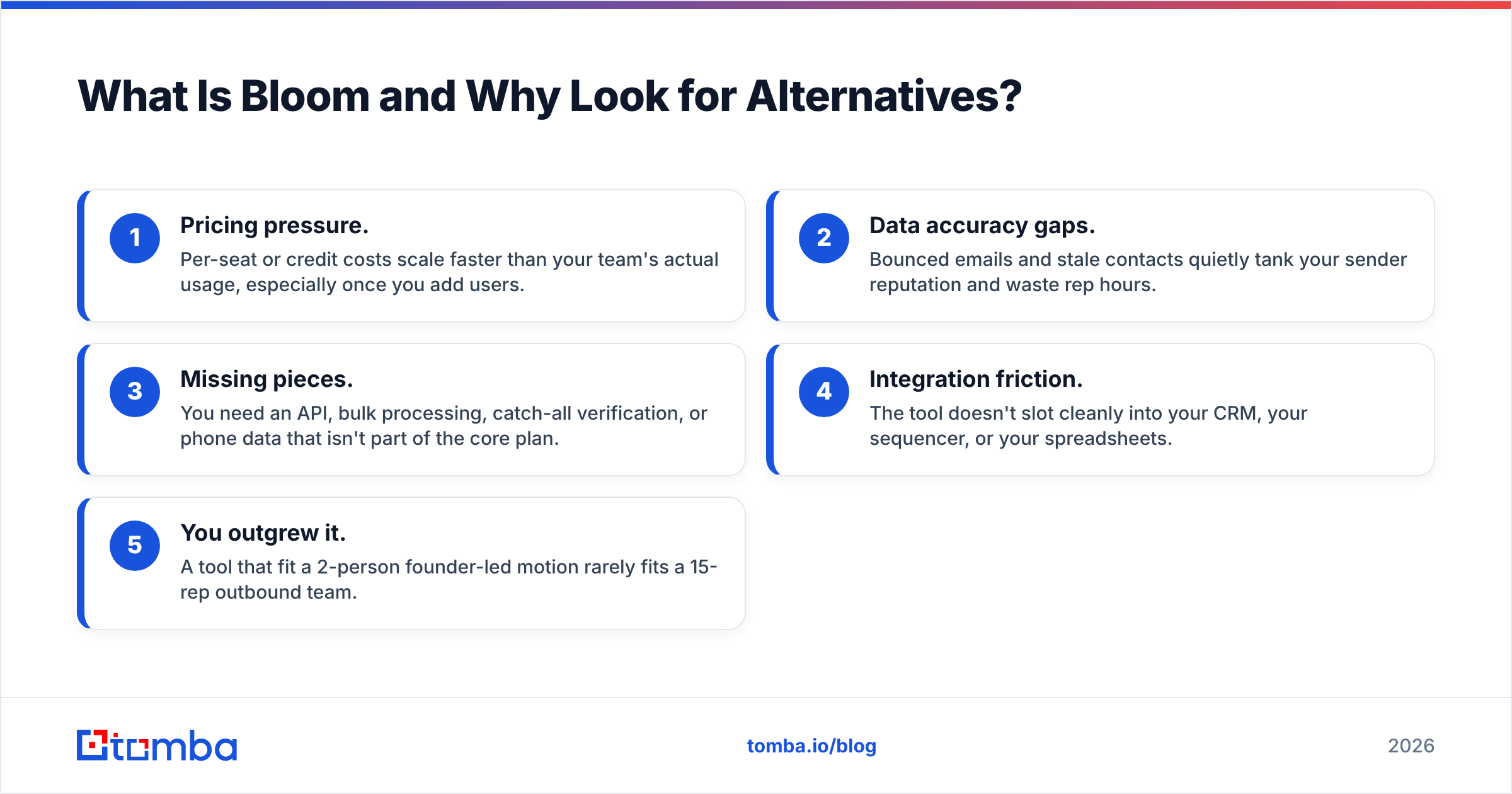
People search for Bloom alternatives for a handful of recurring reasons:
- Pricing pressure. Per-seat or credit costs scale faster than your team's actual usage, especially once you add users.
- Data accuracy gaps. Bounced emails and stale contacts quietly tank your sender reputation and waste rep hours.
- Missing pieces. You need an API, bulk processing, catch-all verification, or phone data that isn't part of the core plan.
- Integration friction. The tool doesn't slot cleanly into your CRM, your sequencer, or your spreadsheets.
- You outgrew it. A tool that fit a 2-person founder-led motion rarely fits a 15-rep outbound team.
If two or more of those sound familiar, it's worth a side-by-side look before you renew.
What Should You Look for in a Bloom Alternative?#
Before comparing logos, get specific about the job you're hiring the tool to do. Most evaluations go sideways because buyers compare feature lists instead of outcomes. Use these five criteria as your scorecard:
- Data accuracy and freshness — How recently was the contact verified? Does the vendor publish a verification method, or just a marketing number? This is the single biggest driver of cold email ROI.
- Coverage that matches your market — A tool strong in North American tech may be thin in EMEA manufacturing. Test against your target accounts, not the vendor's demo list.
- Workflow fit — Native CRM sync, a Chrome extension, bulk uploads, and a real email finder API matter more than a flashy dashboard you'll open twice a month.
- Verification built in — Finding an address is half the job. Built-in email verification and catch-all handling keep your bounce rate under control.
- Transparent, predictable pricing — Published tiers beat "contact sales" when you're trying to budget. Watch for credit rollover rules and overage fees.
Score each candidate 1–5 on those five dimensions, weight them by what you actually do daily, and the winner usually picks itself.
Which Are the Best Bloom Alternatives in 2026?#
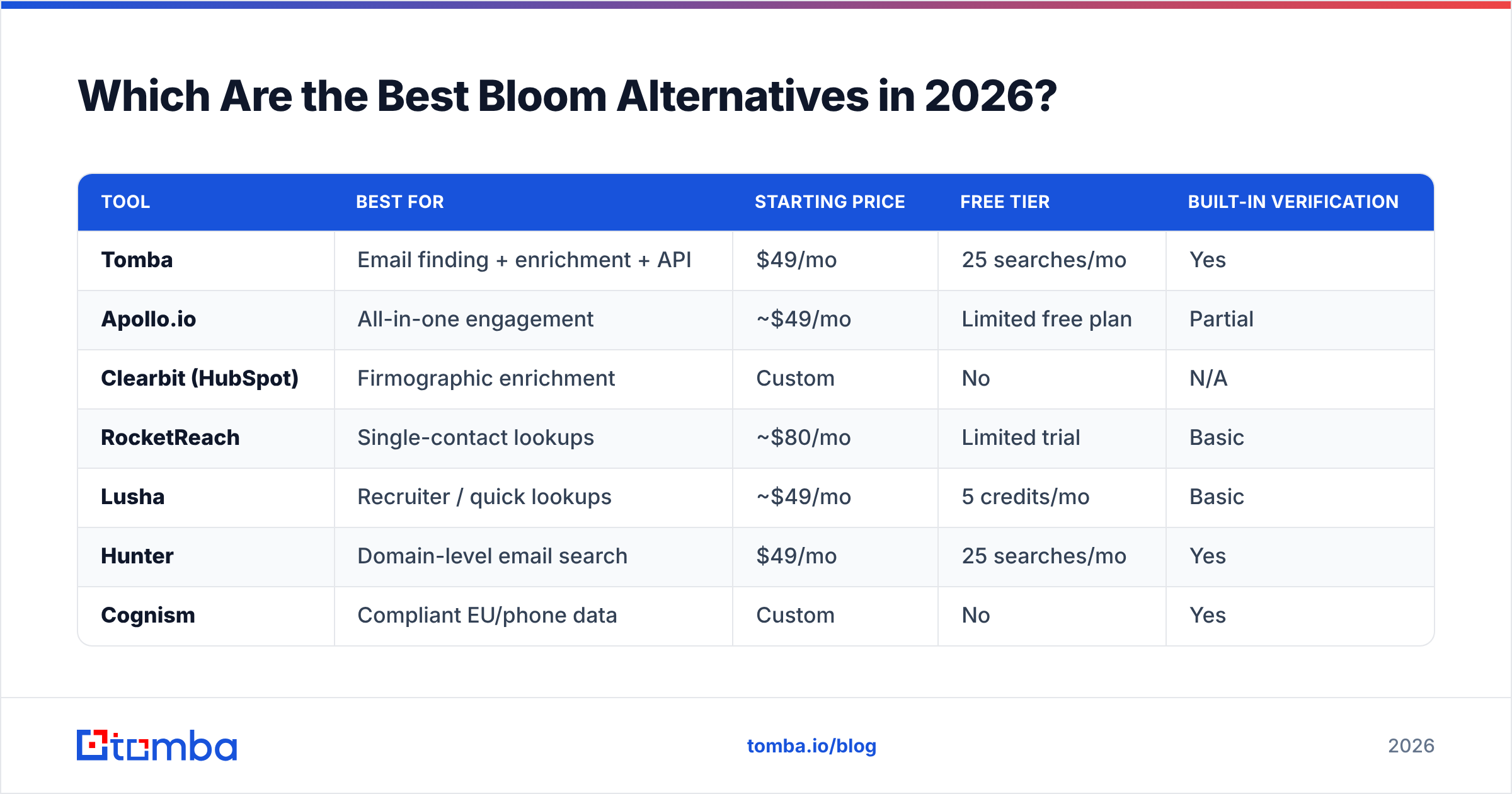
Here's the at-a-glance comparison. Pricing is approximate and changes often — always confirm current numbers on each vendor's site before you buy.
| Tool | Best for | Starting price | Free tier | Built-in verification |
|---|---|---|---|---|
| Tomba | Email finding + enrichment + API | $49/mo | 25 searches/mo | Yes |
| Apollo.io | All-in-one engagement | ~$49/mo | Limited free plan | Partial |
| Clearbit (HubSpot) | Firmographic enrichment | Custom | No | N/A |
| RocketReach | Single-contact lookups | ~$80/mo | Limited trial | Basic |
| Lusha | Recruiter / quick lookups | ~$49/mo | 5 credits/mo | Basic |
| Hunter | Domain-level email search | $49/mo | 25 searches/mo | Yes |
| Cognism | Compliant EU/phone data | Custom | No | Yes |
| ZoomInfo | Enterprise intelligence | Custom (high) | No | Yes |
| Seamless.AI | Real-time search | Custom | Limited free | Basic |
Now the detail on the contenders worth shortlisting.
Is Tomba a Good Bloom Alternative?#
Yes — especially if your core need is finding and verifying professional email addresses at a fair price. Tomba's email finder locates addresses by name, domain, or company, and every result runs through verification so you're not exporting guesses.
Where Tomba stands out against Bloom:
- A genuine free tier (25 searches/mo) so you can test accuracy on your own list before paying anything.
- Transparent Tomba pricing: Free, Starter $49/mo, Growth $99/mo, Pro $249/mo, then Enterprise.
- Developer-friendly: a documented API, CLI, bulk processing, and a Chrome extension.
- Full data stack: domain search, catch-all verification, phone finder, and data enrichment sit alongside the finder.
If Bloom feels like it's charging you for a broad suite when you mostly need accurate contact data, Tomba is the lean, honest swap.
Is Apollo.io a Better All-in-One Option?#
Apollo is the obvious pick if you want prospecting database, sequencing, and a dialer under one login. It's a strong consolidation play for teams tired of stitching five tools together. The trade-off: the database is deep but uneven by region, and the all-in-one design means you pay for engagement features even if you only wanted data. If you're weighing it specifically, see this breakdown of Apollo alternatives for where it wins and where it doesn't.
What About Clearbit, RocketReach, and Lusha?#
These three solve narrower problems well:
- Clearbit (now HubSpot Breeze Intelligence) is the enrichment layer of choice if you already run HubSpot. It's excellent at firmographic and technographic data, but pricing is custom and it's not really a standalone prospecting tool.
- RocketReach is built for fast individual lookups — great for recruiters and one-off research, less ideal for high-volume bulk pulls on a budget.
- Lusha shines as a browser-extension lookup tool for reps living in LinkedIn. Coverage is solid in North America; the free plan is thin at 5 credits a month.
Are Cognism, ZoomInfo, and Seamless.AI Worth It?#
For enterprise teams, maybe. ZoomInfo is the heavyweight with the broadest dataset and the highest price — it's a platform commitment, not a line item. Cognism is the go-to when GDPR-compliant European data and mobile numbers are non-negotiable. Seamless.AI leans on real-time search to surface fresh contacts, though many users supplement it with a dedicated verifier. All three typically require a sales call and an annual contract, so they suit larger budgets rather than lean teams.

How Do These Bloom Alternatives Compare on Price?#
Price is where the "all-in-one vs. focused tool" decision gets real. Bundled platforms (ZoomInfo, Apollo at scale, Cognism) charge for breadth; focused tools (Tomba, Hunter, Lusha) charge for the one job you do most.
A simple way to think about it:
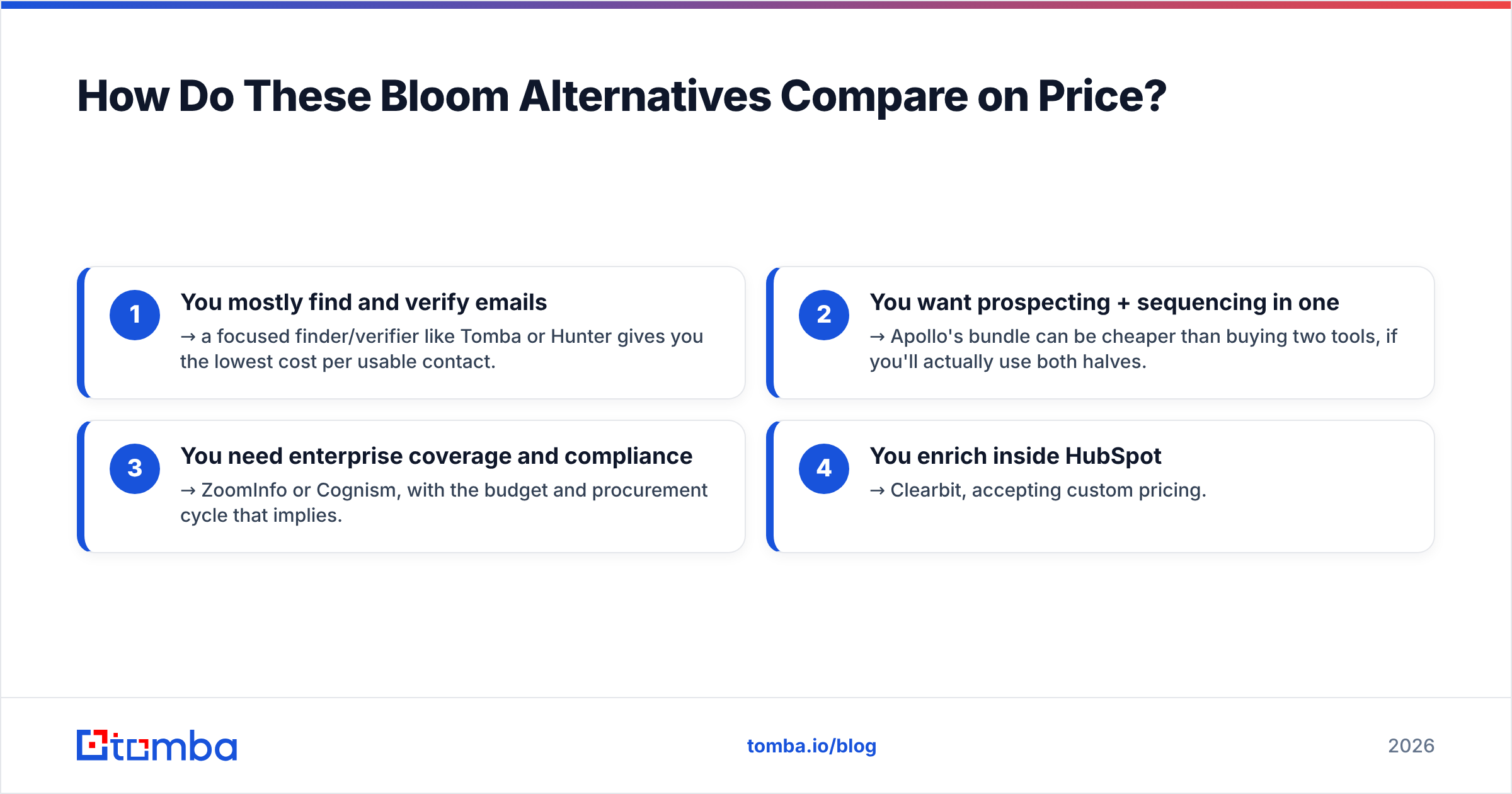
- You mostly find and verify emails → a focused finder/verifier like Tomba or Hunter gives you the lowest cost per usable contact.
- You want prospecting + sequencing in one → Apollo's bundle can be cheaper than buying two tools, if you'll actually use both halves.
- You need enterprise coverage and compliance → ZoomInfo or Cognism, with the budget and procurement cycle that implies.
- You enrich inside HubSpot → Clearbit, accepting custom pricing.
The mistake to avoid: paying enterprise prices for features your team opens once a quarter. Most outbound motions are bottlenecked by accurate contact data, not by another dashboard. According to peer reviews on G2 and Capterra, data accuracy and price-to-value are consistently the top two factors buyers cite when they switch.
How Do You Switch Without Breaking Your Workflow?#
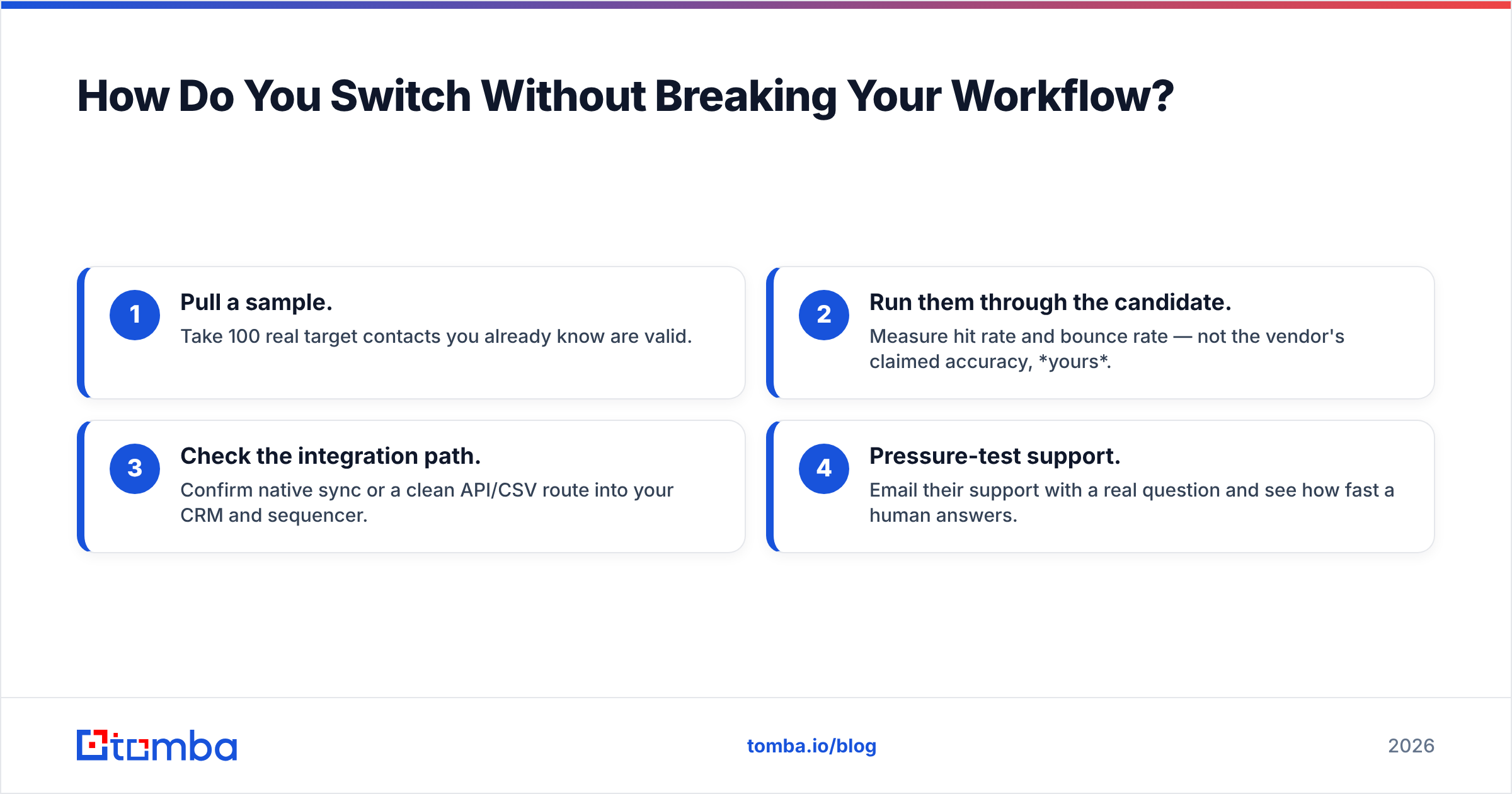
Migrating doesn't have to be painful. Run this four-step test before committing:
- Pull a sample. Take 100 real target contacts you already know are valid.
- Run them through the candidate. Measure hit rate and bounce rate — not the vendor's claimed accuracy, yours.
- Check the integration path. Confirm native sync or a clean API/CSV route into your CRM and sequencer.
- Pressure-test support. Email their support with a real question and see how fast a human answers.
Whichever tool wins your 100-contact test is the one to roll out. Everything else is marketing. For deliverability-sensitive teams, pairing any finder with strict email verification and catch-all checks is what actually protects your sender reputation — the data source matters less than whether you ship verified addresses.
Frequently Asked Questions#
What is the cheapest Bloom alternative? Tomba and Hunter both start at $49/mo with a free tier (25 searches/mo), making them the most budget-friendly entry points. The genuinely free option is to start on Tomba's free plan and upgrade only when your volume demands it.
Which Bloom alternative has the best data accuracy? Accuracy varies by region and industry, so test against your own list. Tools with built-in verification — Tomba, Hunter, Cognism — tend to deliver lower bounce rates because they don't hand you unverified guesses.
Can I replace Bloom with a free tool? You can start free. Tomba's free tier covers 25 searches a month, enough to validate accuracy and run small campaigns before you pay. Most teams graduate to a paid plan once volume grows, but you don't pay to find out if it works.
Do I need a separate email verifier? Not if your finder verifies as it goes. Tools that bundle verification save you a second subscription and keep your bounce rate — and sender reputation — healthier.
The Bottom Line#
Bloom is a fine tool, but "fine" rarely justifies a renewal when a more focused, better-priced option exists. If your real job is finding and verifying professional email addresses — and protecting your deliverability while you do it — start with a tool built for exactly that.
Run your 100-contact test on the Tomba Email Finder using the free tier. No credit card, no sales call — just put your own target list in and measure the hit rate against whatever you're paying for now. If the numbers win, switching is the easy part.
Ready to find emails that actually work?
Join 150,000+ professionals who stopped guessing and started sending. Free credits on signup — no credit card required.
Get the Tomba newsletter
Practical outbound tactics and product updates — once every two weeks.
About the author