BombBomb vs Covideo 2026: Which Video Email Tool Wins?
BombBomb vs Covideo compared on pricing, recording, CRM integrations, analytics, and deliverability — plus where each one fits in a 2026 outbound stack.
BombBomb vs Covideo: The 2026 Video Email Showdown
TL;DR
- BombBomb is the relationship-and-CRM-native pick: tight Gmail/Outlook/Salesforce integration, simple recording, and analytics built around reply rates. Best for sales teams that live inside email.
- Covideo leans toward outbound volume and customization: landing pages, teleprompter, video editing, and SMS delivery. Best for teams that treat video as a campaign channel.
- Pricing is close at the entry level, but Covideo pushes you toward annual contracts faster; BombBomb has clearer month-to-month tiers.
- Neither tool finds or verifies the addresses you send to — that is a separate job. A video to a dead inbox is a wasted recording.
- If you only need one differentiator: choose BombBomb for CRM-driven 1:1 selling, Covideo for marketing-style video at scale.
Video email stopped being a novelty years ago. The real question in 2026 is not "should I send video?" but "which platform actually fits how my team sells?" BombBomb and Covideo are the two names that come up most, and they are more different than their feature lists suggest. This breakdown compares them on the things that change your numbers — recording workflow, deliverability, CRM depth, analytics, and price — and shows where each one belongs in an outbound stack.
What are BombBomb and Covideo?#
Both platforms do the same core thing: you record a short video, drop it into an email (or text) as an animated thumbnail, and the recipient clicks through to watch on a hosted landing page. From there the products diverge.
BombBomb built its identity around "rehumanizing" business communication. The product is opinionated about relationships: record, send, track opens and plays, and follow up. It plugs deep into Gmail, Outlook, and Salesforce, so reps rarely leave their inbox or CRM.
Covideo positions itself closer to a video marketing toolkit. You still record and send, but you also get a teleprompter, in-app editing, branded landing pages, and SMS as a first-class delivery channel. It is built for teams that want to produce a lot of video and route it through multiple channels.

The short version: BombBomb optimizes for the 1:1 conversation; Covideo optimizes for production and distribution. Keep that frame as you read the comparison — most of the feature differences trace back to it.
How do BombBomb and Covideo compare feature by feature?#
Here is the head-to-head on the attributes that actually affect adoption and results.
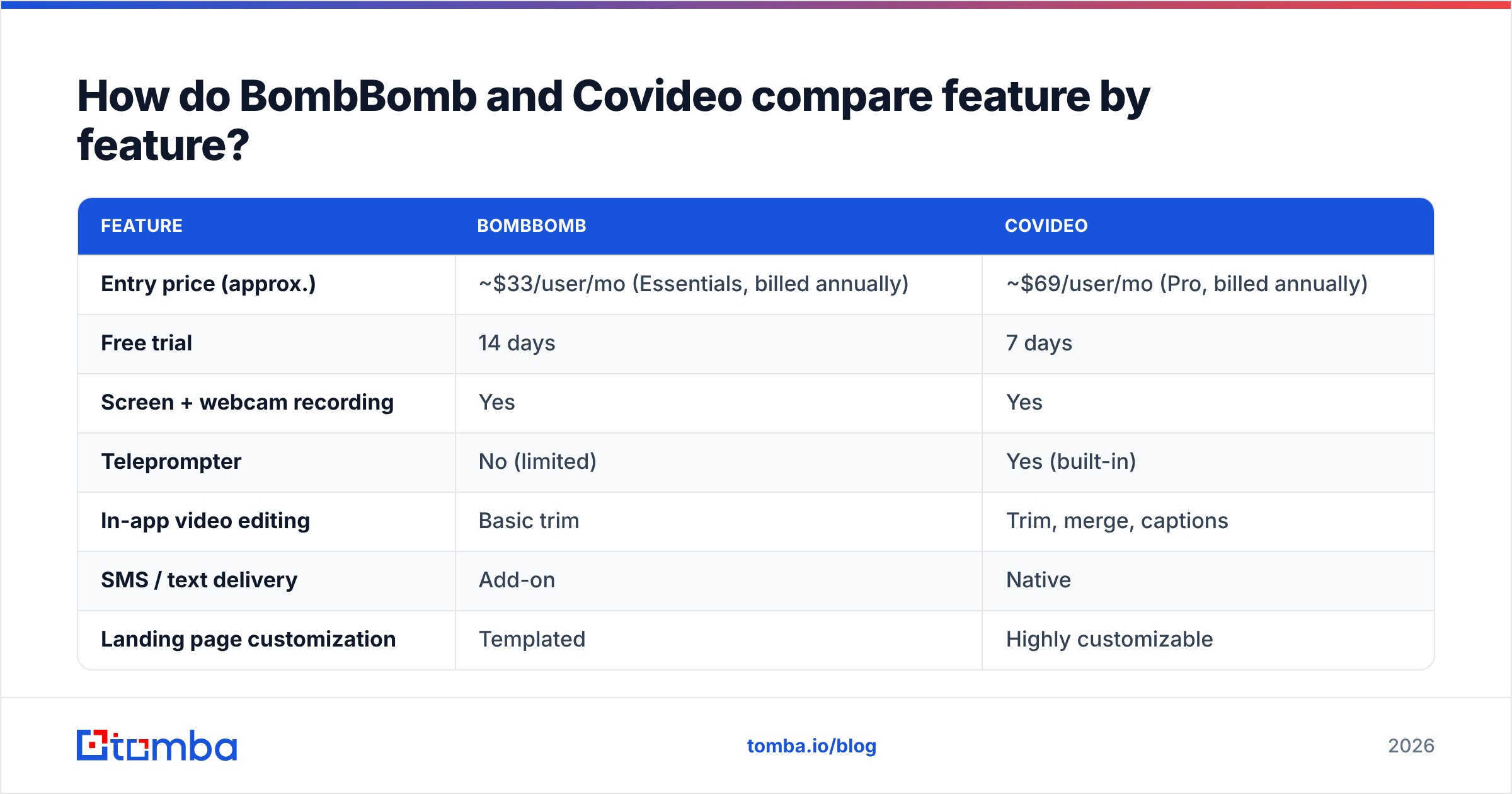
| Feature | BombBomb | Covideo |
|---|---|---|
| Entry price (approx.) | ~$33/user/mo (Essentials, billed annually) | ~$69/user/mo (Pro, billed annually) |
| Free trial | 14 days | 7 days |
| Screen + webcam recording | Yes | Yes |
| Teleprompter | No (limited) | Yes (built-in) |
| In-app video editing | Basic trim | Trim, merge, captions |
| SMS / text delivery | Add-on | Native |
| Landing page customization | Templated | Highly customizable |
| Salesforce integration | Deep (native) | Yes |
| Gmail / Outlook plugins | Yes (strong) | Yes |
| Analytics | Plays, click, reply tracking | Plays, heatmaps, engagement scoring |
| Best fit | CRM-driven 1:1 selling | High-volume / marketing video |
A few notes the table can't capture. BombBomb's Salesforce and inbox integrations feel more "invisible" — video lives where reps already work, which matters enormously for adoption. Covideo's editing and teleprompter tools mean your videos can look more produced without leaving the app, which matters when video is a deliberate content channel rather than a quick reply.
Pricing shifts often, so confirm current numbers on each vendor's site before you commit. Both nudge toward annual billing for the better per-seat rate.
Which one has better deliverability and tracking?#
This is where video email teams quietly lose money, and neither platform fully solves it.
Embedding a real video file in an email is a deliverability nightmare — most clients strip it. So both BombBomb and Covideo send an animated thumbnail (GIF) that links to a hosted landing page. That keeps the email lightweight and trackable. The tradeoff is that a linked image plus a tracking pixel can raise spam-filter suspicion if your sending domain isn't healthy.
That means your results depend less on the video tool and more on fundamentals the tool doesn't own:
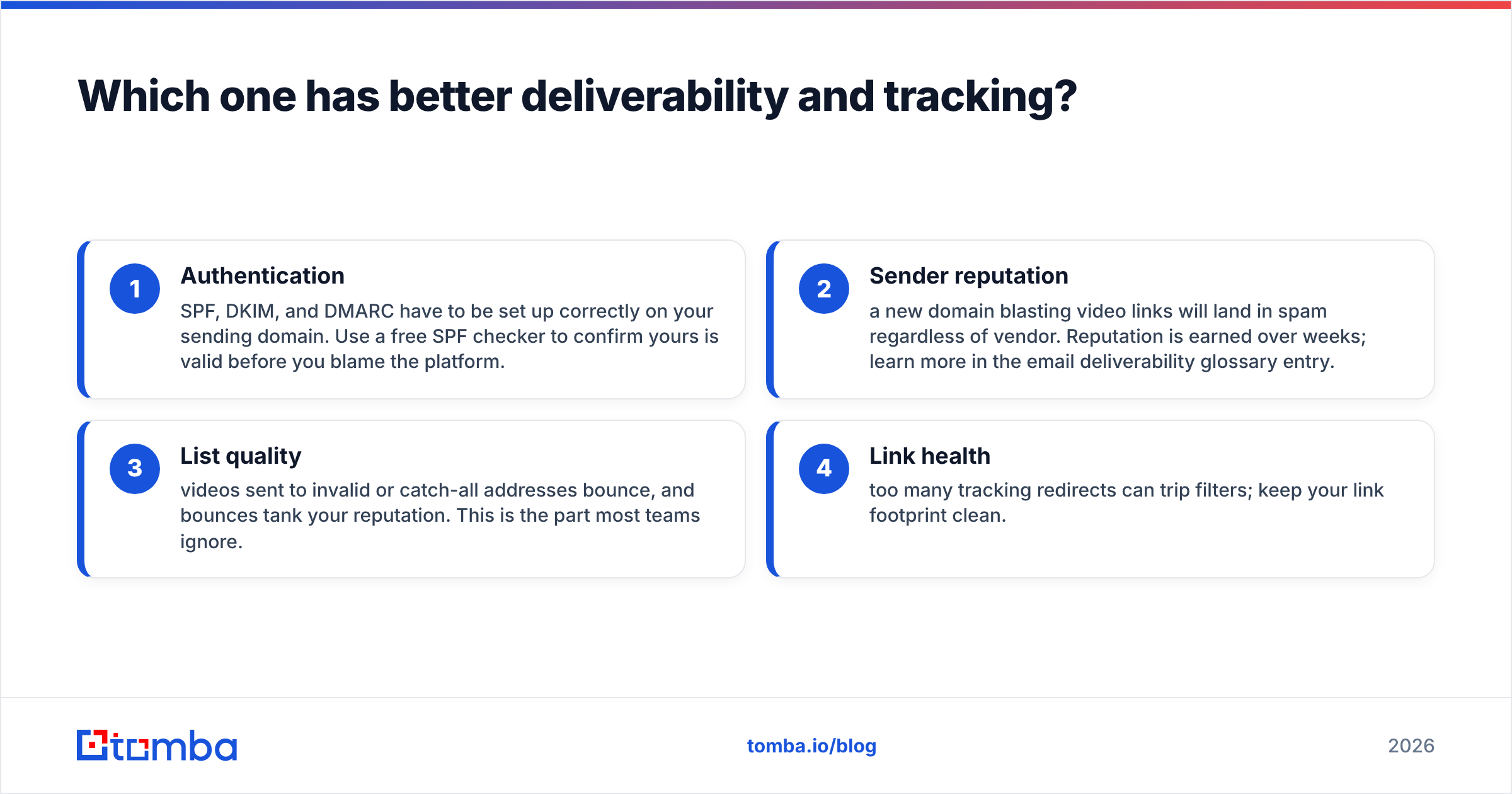
- Authentication — SPF, DKIM, and DMARC have to be set up correctly on your sending domain. Use a free SPF checker to confirm yours is valid before you blame the platform.
- Sender reputation — a new domain blasting video links will land in spam regardless of vendor. Reputation is earned over weeks; learn more in the email deliverability glossary entry.
- List quality — videos sent to invalid or catch-all addresses bounce, and bounces tank your reputation. This is the part most teams ignore.
- Link health — too many tracking redirects can trip filters; keep your link footprint clean.
On tracking, Covideo edges ahead for depth: engagement heatmaps and scoring tell you which seconds people watched. BombBomb keeps it simpler — plays, clicks, and reply attribution — which is honestly enough for most 1:1 reps and easier to act on. According to peer reviews on G2, both score well on ease of use, with BombBomb cited more for support and Covideo for feature breadth.
Is video email worth it without a clean list?#
No — and this is the gap both tools share. A recorded video is the most personal asset in your outbound arsenal, which makes sending it to a bad address the most wasteful mistake you can make. You spent 90 seconds on a custom message; if the inbox doesn't exist, you spent 90 seconds on nothing and damaged your domain on the way out.
Neither BombBomb nor Covideo finds prospect emails or verifies them. They assume you already have a clean, permission-appropriate list. In practice, most teams don't — they pull contacts from scattered exports, old CRM records, and LinkedIn scrapes, then send straight into a 20% bounce rate.

The fix is to put a sourcing-and-verification step before the video step:
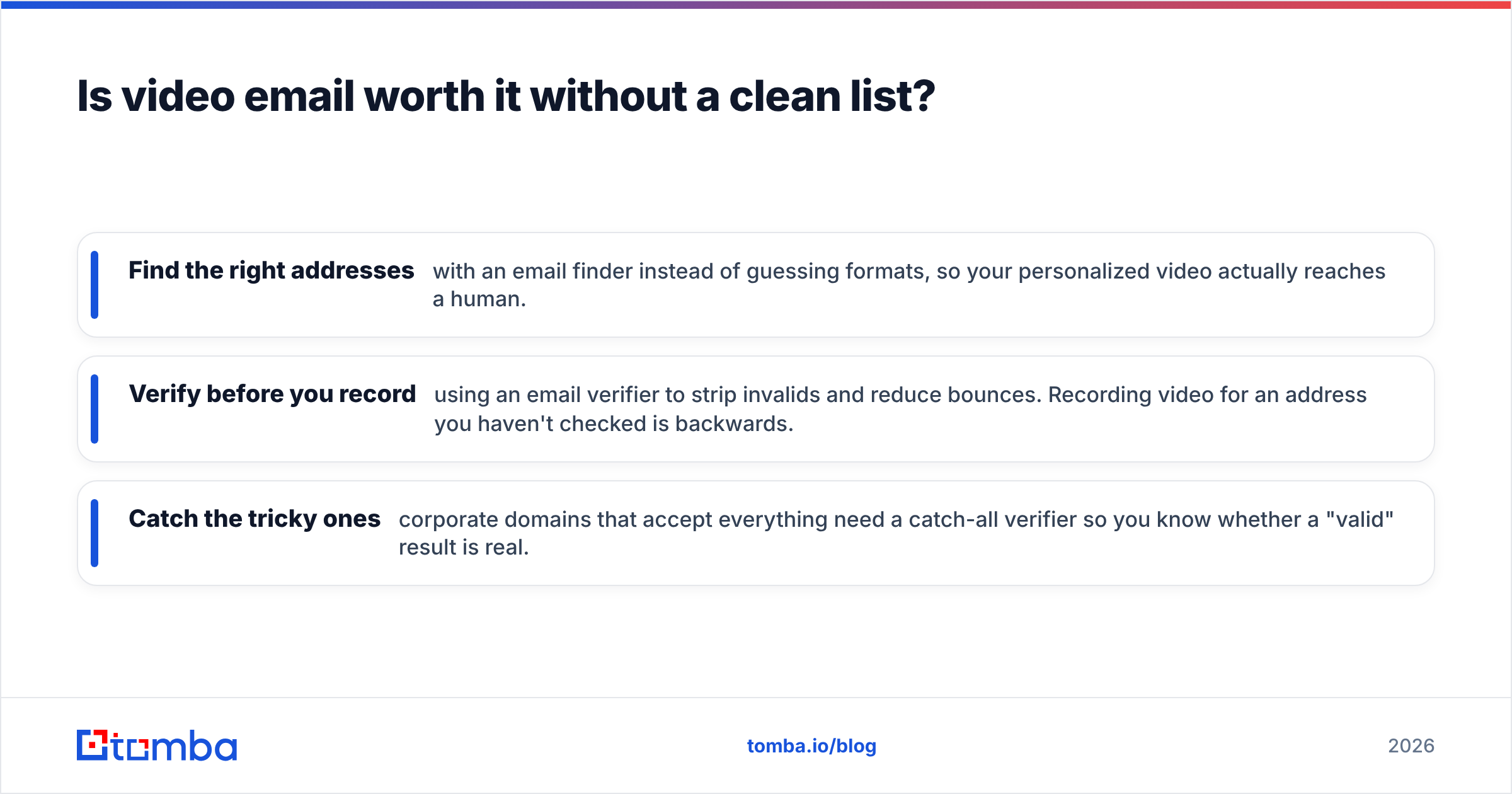
- Find the right addresses with an email finder instead of guessing formats, so your personalized video actually reaches a human.
- Verify before you record using an email verifier to strip invalids and reduce bounces. Recording video for an address you haven't checked is backwards.
- Catch the tricky ones — corporate domains that accept everything need a catch-all verifier so you know whether a "valid" result is real.
Do that, and both video tools perform dramatically better, because the variable they can't control is finally handled.
Which video email tool should you choose in 2026?#
Match the tool to your motion, not to the longest feature list.
Choose BombBomb if:
- Your reps sell 1:1 and live inside Gmail, Outlook, or Salesforce.
- You want fast adoption with minimal training — the lower the friction, the more videos actually get sent.
- Reply rate and relationship-building matter more than production value.
- You prefer clear month-to-month pricing tiers.
Choose Covideo if:
- You produce video as a deliberate channel and want editing, captions, and a teleprompter.
- SMS delivery is part of your outreach mix.
- You need highly branded landing pages and granular engagement analytics.
- You're comfortable with annual commitments for the best rate.
Choose neither (yet) if: you don't have a verified contact list. Fix sourcing first; video is a multiplier, and multiplying zero gives you zero.
A realistic 2026 stack looks like this: build and clean your target list with a dedicated data tool, push verified contacts into your CRM, then layer BombBomb or Covideo on top for the personal touch. The video platform is the last mile, not the foundation. If your team also needs decision-maker phone numbers for multichannel follow-up, a phone finder slots into the same pre-video step.
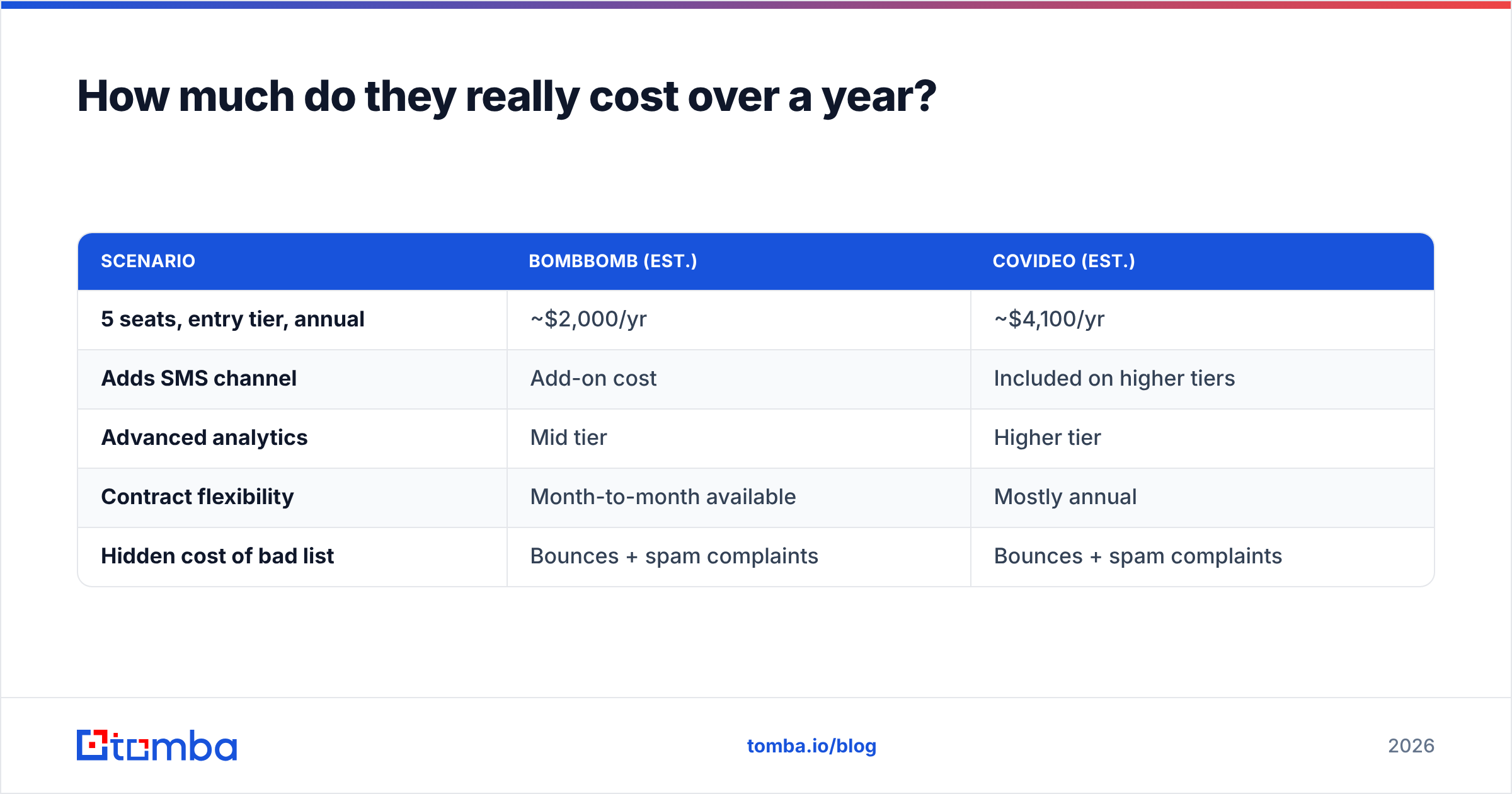
How much do they really cost over a year?#
Sticker price and annual reality differ. Here's a simplified total-cost view for a 5-rep team.
| Scenario | BombBomb (est.) | Covideo (est.) |
|---|---|---|
| 5 seats, entry tier, annual | ~$2,000/yr | ~$4,100/yr |
| Adds SMS channel | Add-on cost | Included on higher tiers |
| Advanced analytics | Mid tier | Higher tier |
| Contract flexibility | Month-to-month available | Mostly annual |
| Hidden cost of bad list | Bounces + spam complaints | Bounces + spam complaints |
The line that matters most is the last one, and it's identical for both. A 5-rep team sending to a 20%-invalid list will lose more to deliverability damage than the difference in subscription price. That's why pairing either tool with verification — and watching your sender reputation — usually returns more than picking the "cheaper" platform.
The bottom line#
BombBomb and Covideo are both strong, and the "winner" depends entirely on your motion. Pick BombBomb for low-friction, CRM-native, relationship selling. Pick Covideo for produced, multichannel, marketing-style video. What neither vendor will tell you is that the biggest lever on your results sits upstream of both: who you send to.
That upstream job is exactly what Tomba handles. Before you record a single video, use the Tomba Email Finder to source accurate, verified professional emails by name, company, or domain — then run them through verification so every personalized video lands in a real inbox. Start free with 25 searches a month and scale on a Tomba plan from $49/mo when your outbound takes off. Get the list right, and whichever video tool you choose will finally show you the reply rates the demo promised.
// get started
Find, verify and enrich your first contacts today
Start on the free plan with 25 searches a month, then scale when your team is ready.
Free plan · No credit card required · GDPR & CCPA
// about the author