Bookyourdata vs MyEmailVerifier: 2026 Data & Verify Test
Bookyourdata sells ready-made B2B contact lists; MyEmailVerifier cleans the lists you already have. Here's which one your pipeline actually needs in 2026.
TL;DR
- Bookyourdata is a pay-as-you-go B2B contact-list marketplace: you filter by title, industry, and geography, then buy emails and phone numbers as a one-time download.
- MyEmailVerifier does the opposite job — it doesn't sell you contacts, it cleans the lists you already have by checking syntax, MX records, and mailbox status.
- They are complementary, not competitors: one fills your list, the other scrubs it. Comparing them head-to-head only makes sense when you're deciding where your budget should go first.
- Static purchased lists decay roughly 22–30% per year, so even a "98% accurate" download needs ongoing verification to stay usable.
- If you'd rather find fresh, on-demand emails tied to live company domains — and verify them in the same workflow — a finder-plus-verifier like Tomba covers both jobs without a separate data purchase.
What's the real difference between Bookyourdata and MyEmailVerifier?#
The short version: Bookyourdata gives you contacts; MyEmailVerifier tells you which contacts are still real. They sit at different stages of the same pipeline.
Bookyourdata is a database company. You log in, build a filter (say, "VP of Marketing, SaaS, United States, 50–200 employees"), and the platform returns a count of matching records. You pay per credit and export the list with names, verified emails, phone numbers, and firmographics. It's the digital equivalent of buying a curated mailing list — except you control the filters.
MyEmailVerifier is a hygiene tool. It assumes you already have addresses — scraped, exported from a CRM, or bought from a vendor like Bookyourdata — and its only job is to sort them into deliverable, risky, and invalid. It checks formatting, confirms the domain has mail servers, pings the mailbox over SMTP, and flags catch-all domains, role accounts, and disposable addresses.
So when people search "bookyourdata vs myemailverifier," they're usually asking one of two real questions: Should I buy a clean list or clean my own? or Do I need both? The answer depends on where your leaks are.

How does each tool actually work?#
Bookyourdata — the acquisition layer:
- Filter — 100+ data points: job title, seniority, department, industry, company size, revenue, tech stack, location.
- Preview count — see how many records match before paying.
- Pay per credit — credits never expire, which is the platform's headline selling point.
- Export — download CSV/XLSX or push to your CRM.
- Accuracy guarantee — Bookyourdata advertises a 97%+ deliverability promise and credits back hard bounces above that threshold.
MyEmailVerifier — the validation layer:
- Upload — drop in a CSV or connect via API.
- Syntax + domain check — catch malformed addresses and dead domains instantly.
- SMTP probe — confirm the mailbox accepts mail without sending anything.
- Classify — valid, invalid, catch-all/unknown, role-based, disposable.
- Export clean — download the deliverable segment for your sending tool.
Notice that step 1 of Bookyourdata's flow and step 1 of MyEmailVerifier's flow are different universes. One starts from nothing and produces a list. The other starts from a list and produces a verdict. That's why treating them as direct rivals is slightly misleading — but budget is finite, so the comparison still matters.
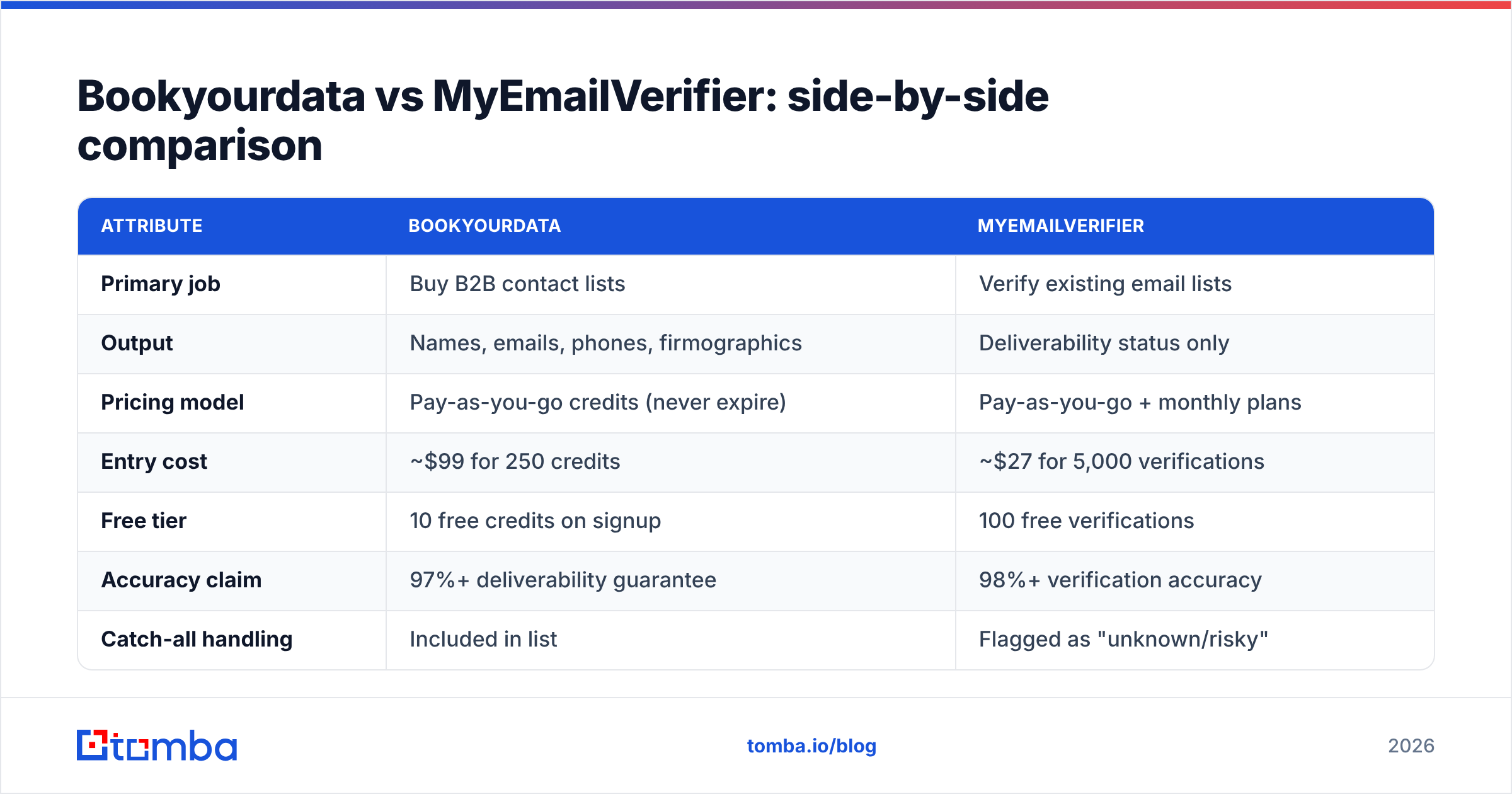
Bookyourdata vs MyEmailVerifier: side-by-side comparison#
| Attribute | Bookyourdata | MyEmailVerifier |
|---|---|---|
| Primary job | Buy B2B contact lists | Verify existing email lists |
| Output | Names, emails, phones, firmographics | Deliverability status only |
| Pricing model | Pay-as-you-go credits (never expire) | Pay-as-you-go + monthly plans |
| Entry cost | ~$99 for 250 credits | ~$27 for 5,000 verifications |
| Free tier | 10 free credits on signup | 100 free verifications |
| Accuracy claim | 97%+ deliverability guarantee | 98%+ verification accuracy |
| Catch-all handling | Included in list | Flagged as "unknown/risky" |
| Phone numbers | Yes (direct dials, mobiles) | No |
| API access | Yes | Yes |
| Best for | Teams with no list at all | Teams sitting on aging lists |
The pricing rows are the ones to read twice. Bookyourdata charges you for records — each contact costs a credit. MyEmailVerifier charges you for checks — and a check is far cheaper than a record because it returns one bit of information, not a full profile. A 5,000-row verification run costs less than a coffee round; 5,000 fresh contacts costs real money.
Which one is more accurate?#
Both publish high accuracy numbers, but they measure different things — and neither number survives contact with time.
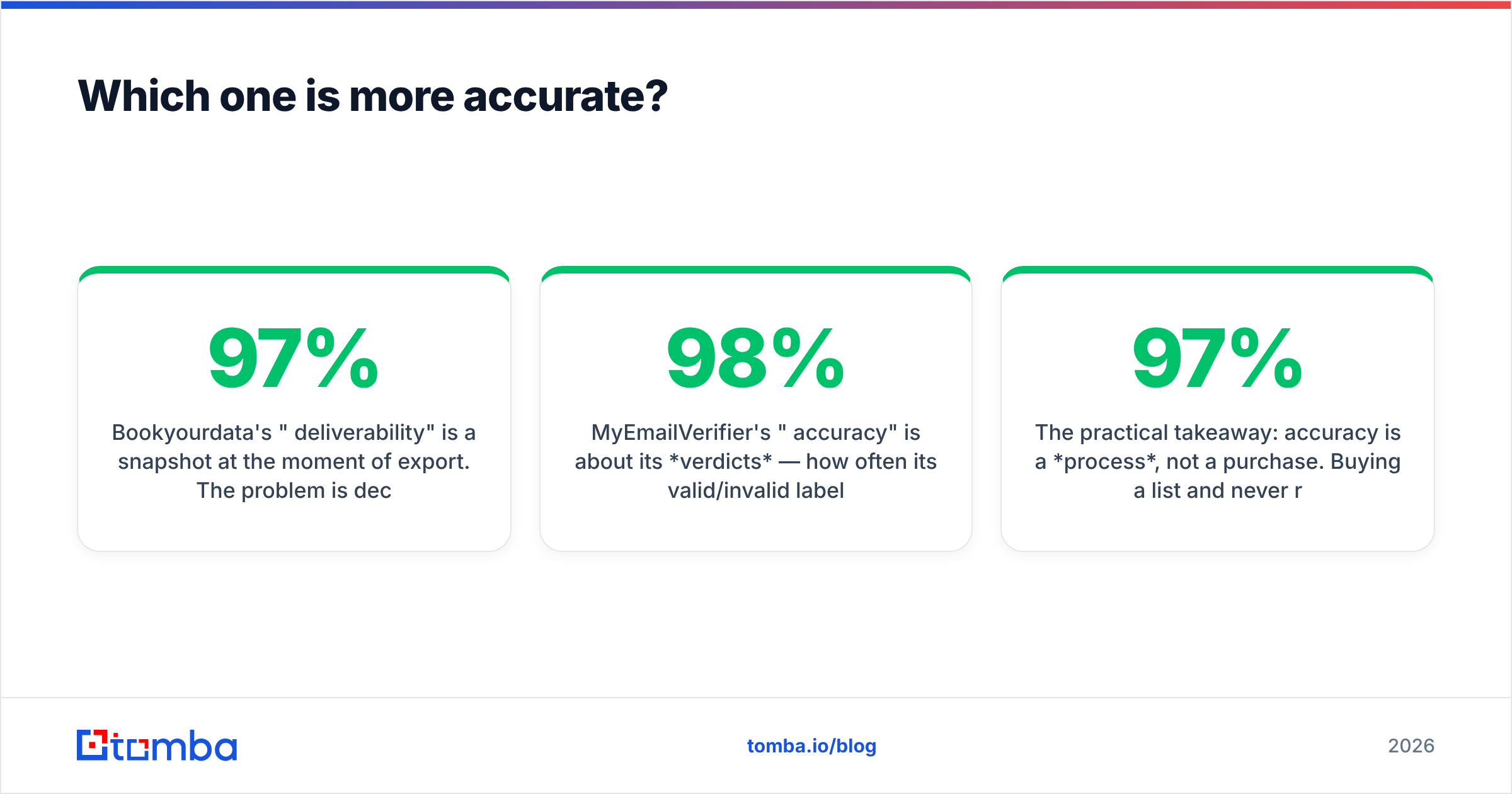
Bookyourdata's "97% deliverability" is a snapshot at the moment of export. The problem is decay. B2B contact data ages fast: people change jobs, companies rebrand domains, and mailboxes get deactivated. Industry estimates put B2B data decay at roughly 2–2.5% per month — call it 22–30% a year. A list that's genuinely 97% clean on download day can drift below 80% deliverable within six months if it sits in a spreadsheet.
MyEmailVerifier's "98% accuracy" is about its verdicts — how often its valid/invalid label is correct against a real send. That's a more honest metric for hygiene, but it has a known blind spot: catch-all domains. When a mail server accepts everything (common at large enterprises), an SMTP probe can't confirm a specific mailbox exists. Every verifier — MyEmailVerifier included — labels these "unknown" or "risky," and you're left guessing. Tomba addresses exactly this gap with a dedicated catch-all verifier that uses additional signals beyond a single SMTP handshake.
The practical takeaway: accuracy is a process, not a purchase. Buying a 97% list and never re-checking it guarantees you'll be sending to dead addresses by quarter's end. For more on how providers source and refresh records, Tomba documents its own data sources openly, which is worth comparing against any vendor's claims.
When should you choose Bookyourdata?#
Pick Bookyourdata when you genuinely have no list and need volume fast. Concrete cases:
- A brand-new SDR team that needs 5,000 enterprise contacts on day one and has zero CRM history to work from.
- Event or ABM campaigns targeting a tightly defined segment ("CTOs at fintech firms in the DACH region") where building the list manually would take weeks.
- Teams that want phone numbers too — Bookyourdata bundles direct dials, which pure verifiers never provide. If dialing is core to your motion, that's a real edge, though a dedicated phone finder often returns fresher mobile numbers.
The non-expiring credits are a legitimate advantage for spiky usage — buy a block, draw it down over a year. Just budget for verification on top, because a purchased list is a starting point, not a finished one.
When should you choose MyEmailVerifier?#
Pick MyEmailVerifier when you already have contacts and your bounce rate is creeping up. Concrete cases:
- A CRM full of leads collected over two years that nobody has cleaned — exactly the data that's decayed 40–50%.
- Pre-send hygiene before a big campaign, to protect your sender reputation and keep bounces under the 2% threshold that mailbox providers punish.
- Web-form and lead-magnet lists where users fudge their addresses and you need to strip typos and disposables before they poison your domain.
MyEmailVerifier is cheap, fast, and focused. What it won't do is grow your pipeline. If your problem is "not enough leads," a verifier is the wrong tool — you can't clean a list you don't have. For a deeper checklist on hygiene, see Tomba's guide to email deliverability.
Is buying a list even the right move in 2026?#
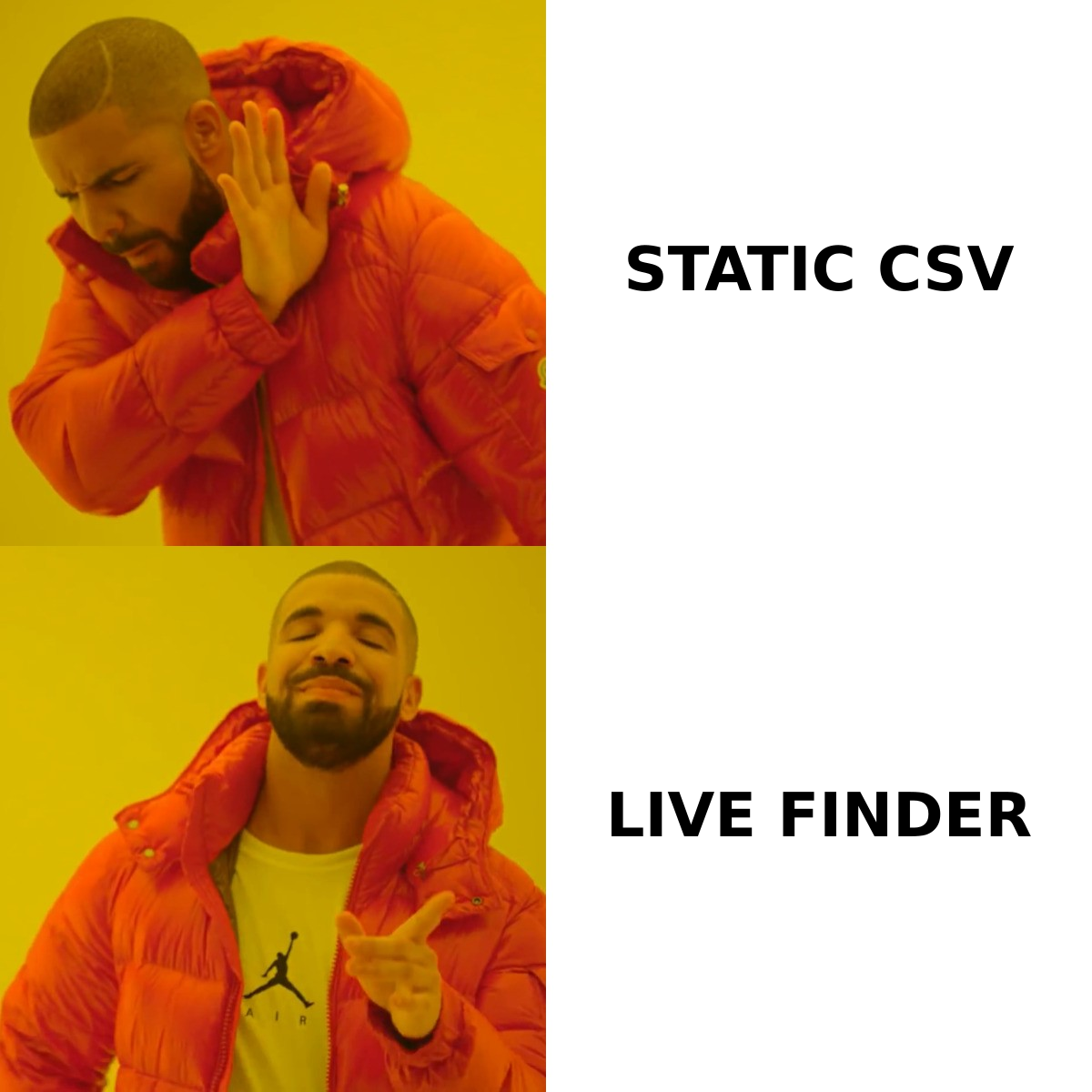
This is the question the head-to-head framing hides. The modern alternative to "buy a static list and verify it" is "find fresh emails on demand and verify them in one pass."
Static purchased lists have three structural problems no verifier fully fixes:
- Decay — covered above; the list is stalest the day after you buy it.
- Shared distribution — a marketplace can sell the same record to your competitors, so the prospect's inbox is already crowded.
- No intent timing — you bought the contact months before you actually needed to reach them.
An on-demand finder flips this. Instead of downloading 10,000 records and hoping, you search a company domain the moment a deal becomes relevant and pull the current, in-role contact. Tools like Tomba's domain search return every public email pattern for a company, and the built-in email verifier validates each one before it reaches your sequence — collapsing the Bookyourdata step and the MyEmailVerifier step into a single workflow.
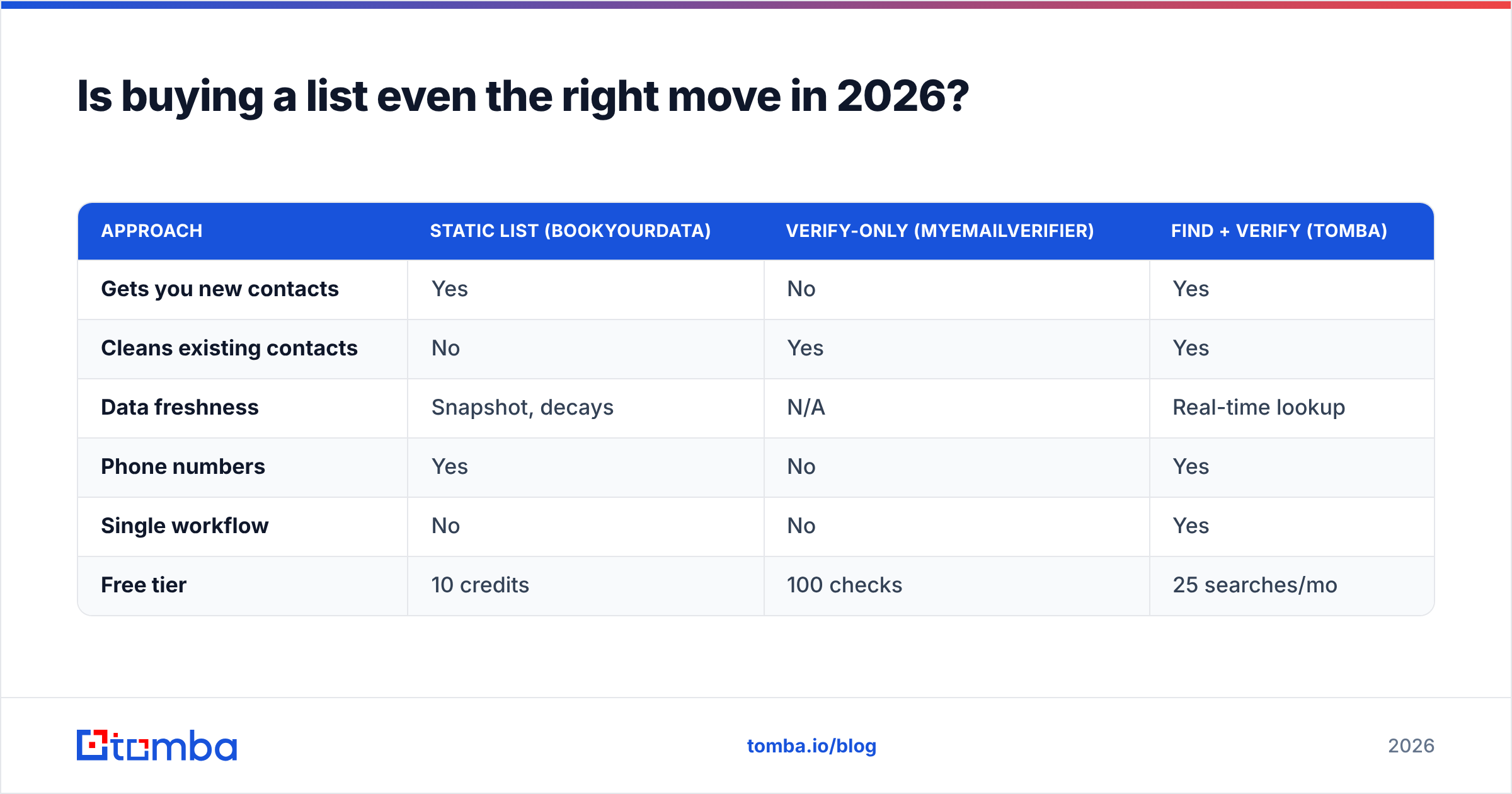
| Approach | Static list (Bookyourdata) | Verify-only (MyEmailVerifier) | Find + verify (Tomba) |
|---|---|---|---|
| Gets you new contacts | Yes | No | Yes |
| Cleans existing contacts | No | Yes | Yes |
| Data freshness | Snapshot, decays | N/A | Real-time lookup |
| Phone numbers | Yes | No | Yes |
| Single workflow | No | No | Yes |
| Free tier | 10 credits | 100 checks | 25 searches/mo |
What does each option cost?#
Rough 2026 entry points, normalized so you can compare apples to apples:
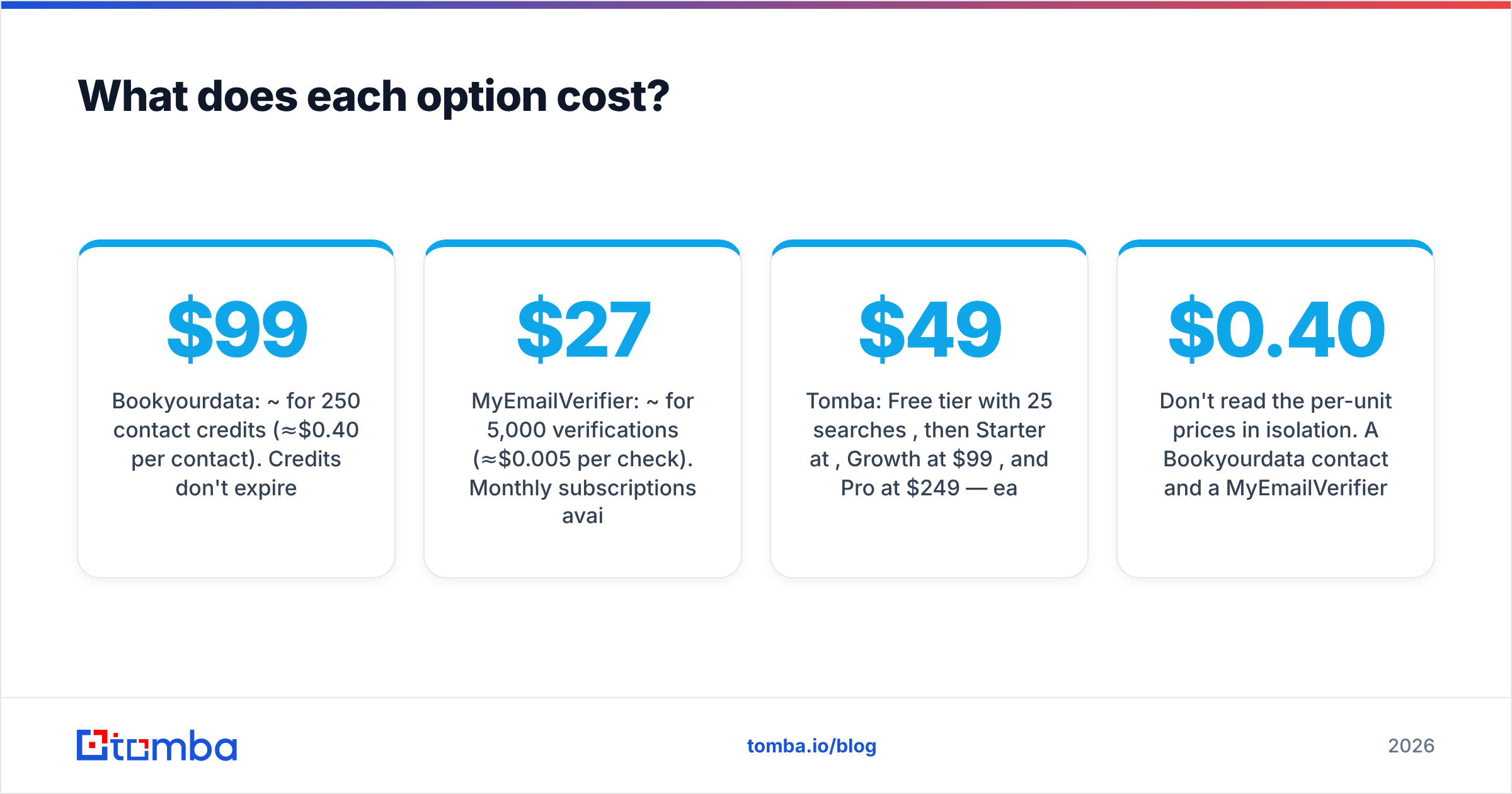
- Bookyourdata: ~$99 for 250 contact credits (≈$0.40 per contact). Credits don't expire.
- MyEmailVerifier: ~$27 for 5,000 verifications (≈$0.005 per check). Monthly subscriptions available for high volume.
- Tomba: Free tier with 25 searches/month, then Starter at $49/mo, Growth at $99/mo, and Pro at $249/mo — each search returns a finder result and verification, so you're not paying twice. Full Tomba pricing is public.
Don't read the per-unit prices in isolation. A Bookyourdata contact and a MyEmailVerifier check aren't the same product, so $0.40 vs $0.005 isn't a real comparison — it's the difference between buying a profile and validating one string. The honest math is: list cost + verification cost + decay write-off versus find-and-verify cost. When you add the verification you'll need anyway and the records you'll throw away to decay, the bundled approach usually wins on cost-per-usable-contact.
For broader context on the data-provider landscape, third-party review sites like G2 and Capterra carry current user ratings for all three categories of tool, and they're a useful sanity check against any vendor's own accuracy claims.
So which should you actually use?#
If you have no list: Bookyourdata gets you volume fast, but verify everything you download and re-verify quarterly — or skip the static buy and use an on-demand finder so the data is fresh by construction.
If you have a list that's gone stale: MyEmailVerifier is a solid, inexpensive scrubber. It does one job well. Just remember it can't grow your pipeline, and it'll punt on catch-all domains.
If you want both jobs in one place: a combined finder-and-verifier removes the seam between "acquire" and "validate," which is where most teams lose money and deliverability.
The deeper point is that "buy vs clean" is a false choice. Both are stages of the same problem — getting a real message in front of a real person — and in 2026 the most efficient stacks treat acquisition and verification as one continuous step rather than two separate purchases.
Find fresh, verified contacts in one workflow#
If the Bookyourdata-vs-MyEmailVerifier debate has you choosing between buying lists and cleaning lists, there's a third option that sidesteps both headaches. The Tomba Email Finder lets you pull current, in-role email addresses by name, company, or domain — and verifies each one in the same pass, so you skip the separate purchase, skip the separate scrub, and skip the decay write-off. Start on the free tier with 25 searches a month, confirm the accuracy against your own targets, and scale up only when the results prove themselves. Your pipeline gets contacts that are real today, not real on the day someone exported a spreadsheet.
Ready to find emails that actually work?
Join 150,000+ professionals who stopped guessing and started sending. Free credits on signup — no credit card required.
Get the Tomba newsletter
Practical outbound tactics and product updates — once every two weeks.
About the author