Bounceremove vs Findthatlead: Email Tools Compared (2026)
Bounceremove cleans bounces, Findthatlead finds leads. See where each wins on accuracy, pricing, and workflow fit—and the tool that does both.
Bounceremove vs Findthatlead: Which Email Tool Actually Fits Your Stack?
Picking between Bounceremove and Findthatlead is a little like choosing between a water filter and a well-digger. One cleans what you already have. The other goes and finds you more. They get lumped together because both touch "email," but they solve opposite halves of the same outbound problem—and buying the wrong one leaves a hole in your pipeline.
TL;DR#
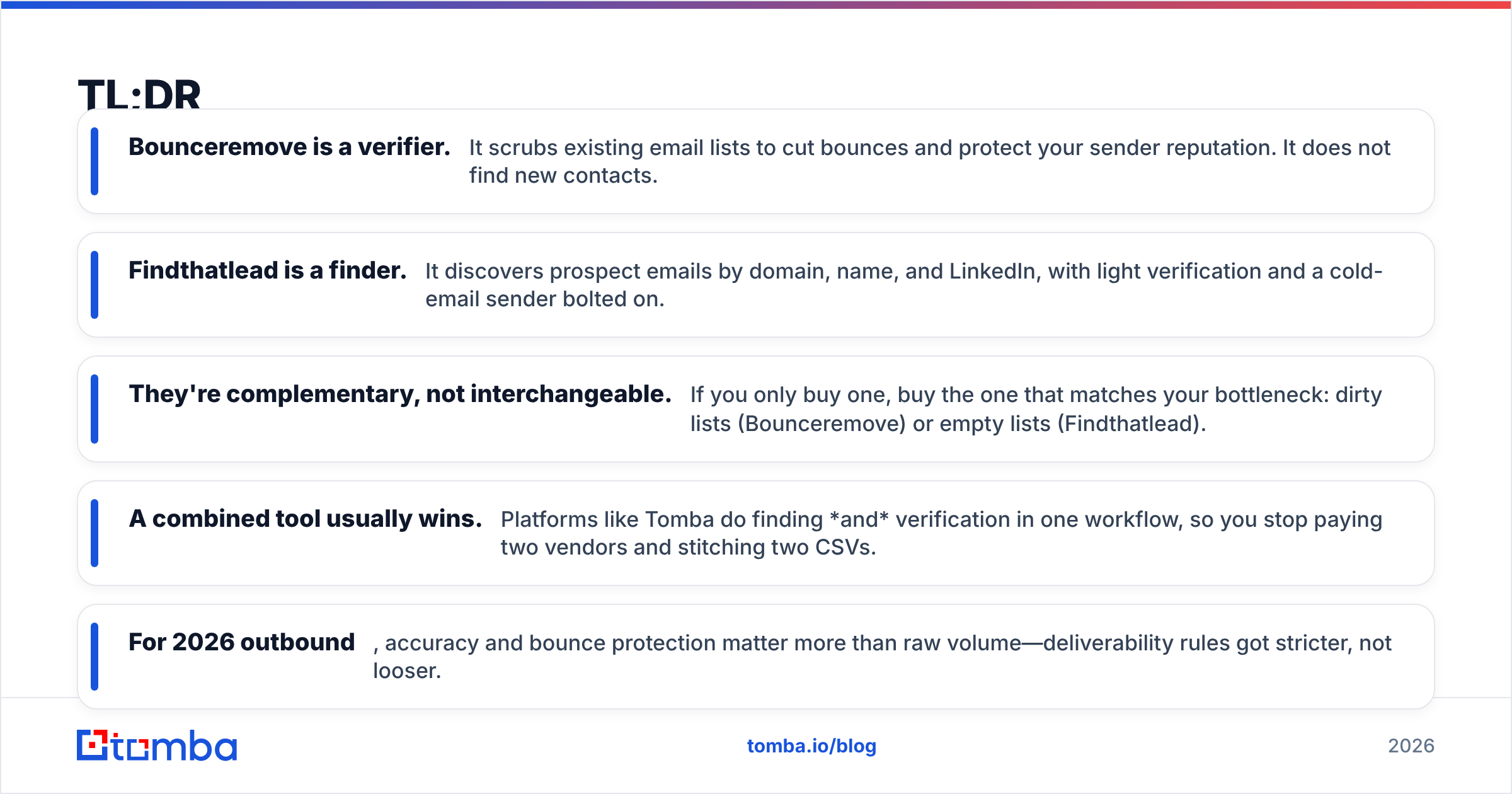
- Bounceremove is a verifier. It scrubs existing email lists to cut bounces and protect your sender reputation. It does not find new contacts.
- Findthatlead is a finder. It discovers prospect emails by domain, name, and LinkedIn, with light verification and a cold-email sender bolted on.
- They're complementary, not interchangeable. If you only buy one, buy the one that matches your bottleneck: dirty lists (Bounceremove) or empty lists (Findthatlead).
- A combined tool usually wins. Platforms like Tomba do finding and verification in one workflow, so you stop paying two vendors and stitching two CSVs.
- For 2026 outbound, accuracy and bounce protection matter more than raw volume—deliverability rules got stricter, not looser.
What Is Bounceremove?#
Bounceremove is an email verification and list-cleaning tool. You upload a list, it pings each address through syntax checks, MX/DNS lookups, and SMTP probing, then hands back a verdict: valid, invalid, risky, or unknown. The goal is simple—stop sending to dead inboxes before your bounce rate tanks your email deliverability.
Think of it as the spell-check you run before hitting "send" on 10,000 emails. It does that job and stops there. Bounceremove won't tell you who to email or hand you a single new prospect. It assumes you already have a list and just need it cleaned.
That's a real, valuable job. Mailbox providers like Google and Microsoft tightened bulk-sender rules, and a bounce rate above ~2% now actively suppresses your inbox placement. A clean list is table stakes. But list cleaning is a maintenance task, not a growth task.

What Is Findthatlead?#
Findthatlead (FTL) is a lead-generation and prospecting tool. It starts from the opposite end: you don't have the emails yet. Feed it a domain, a first/last name, or a LinkedIn profile, and it returns the most likely business email, plus a confidence score. It bundles a Chrome extension, bulk domain search, a basic verifier, and "Scrab.in" / cold-email sending for outreach.
So FTL is closer to a full prospecting suite than a single-purpose tool. Its center of gravity is acquisition—building lists from scratch. Verification exists, but it's a supporting actor, not the headline. If Bounceremove is the filter, Findthatlead is the well-digger that also sells you a few buckets.
The trade-off: finders that prioritize volume often ship more "risky" and catch-all addresses. You get more emails, but a chunk of them still need a serious verification pass before they're safe to send to. That's exactly why finder-only and verifier-only tools keep landing in the same shopping cart.
Bounceremove vs Findthatlead: Side-by-Side Comparison#
Here's the honest breakdown of where each tool sits. Pricing reflects publicly listed tiers and shifts often—treat it as directional.
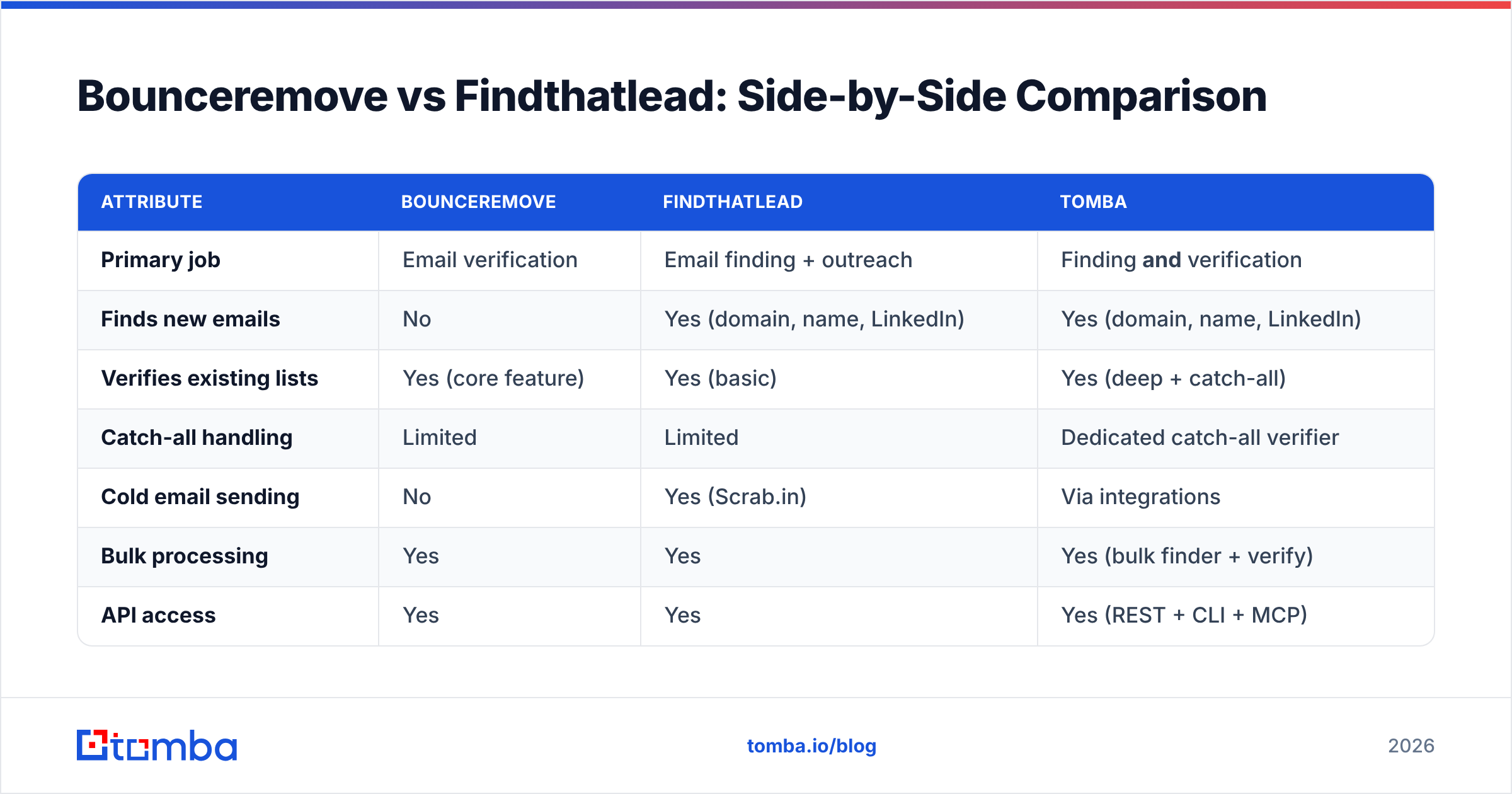
| Attribute | Bounceremove | Findthatlead | Tomba |
|---|---|---|---|
| Primary job | Email verification | Email finding + outreach | Finding and verification |
| Finds new emails | No | Yes (domain, name, LinkedIn) | Yes (domain, name, LinkedIn) |
| Verifies existing lists | Yes (core feature) | Yes (basic) | Yes (deep + catch-all) |
| Catch-all handling | Limited | Limited | Dedicated catch-all verifier |
| Cold email sending | No | Yes (Scrab.in) | Via integrations |
| Bulk processing | Yes | Yes | Yes (bulk finder + verify) |
| API access | Yes | Yes | Yes (REST + CLI + MCP) |
| Free tier | Limited trial credits | ~50 credits/mo | 25 searches/mo |
| Entry paid price | Per-credit packs | ~$49/mo | $49/mo Starter |
| Best for | List hygiene only | Net-new prospecting | End-to-end outbound |
The pattern is clear: Bounceremove is deep but narrow, Findthatlead is broad but shallow on verification, and a combined platform collapses both into one bill and one workflow.

Is Bounceremove or Findthatlead Better for Accuracy?#
Accuracy means two different things here, and conflating them is how people buy the wrong tool.
For Bounceremove, accuracy is about verification precision—does it correctly flag a dead inbox as invalid without nuking good addresses as false positives? Dedicated verifiers tend to do this well because it's their only job. The weak spot is catch-all domains, where the server accepts everything and SMTP probing can't get a clean answer. Most single-purpose verifiers shrug and mark these "unknown."
For Findthatlead, accuracy is about find rate and guess quality—when it returns an email, how often is that the real, deliverable address? Finders that pattern-match (firstname.lastname@domain) inflate their hit rate with plausible guesses that bounce. The score helps, but you're still trusting a probability.
This is the core reason teams end up running both: you find with one tool, then re-verify with another because you don't trust the finder's built-in check. A platform that's strong on both sides—high find rate and rigorous verification, including a real catch-all verifier—removes that double-handling entirely. Before you commit, it's worth understanding where the data comes from, because find-rate claims mean nothing without sourcing behind them.
)
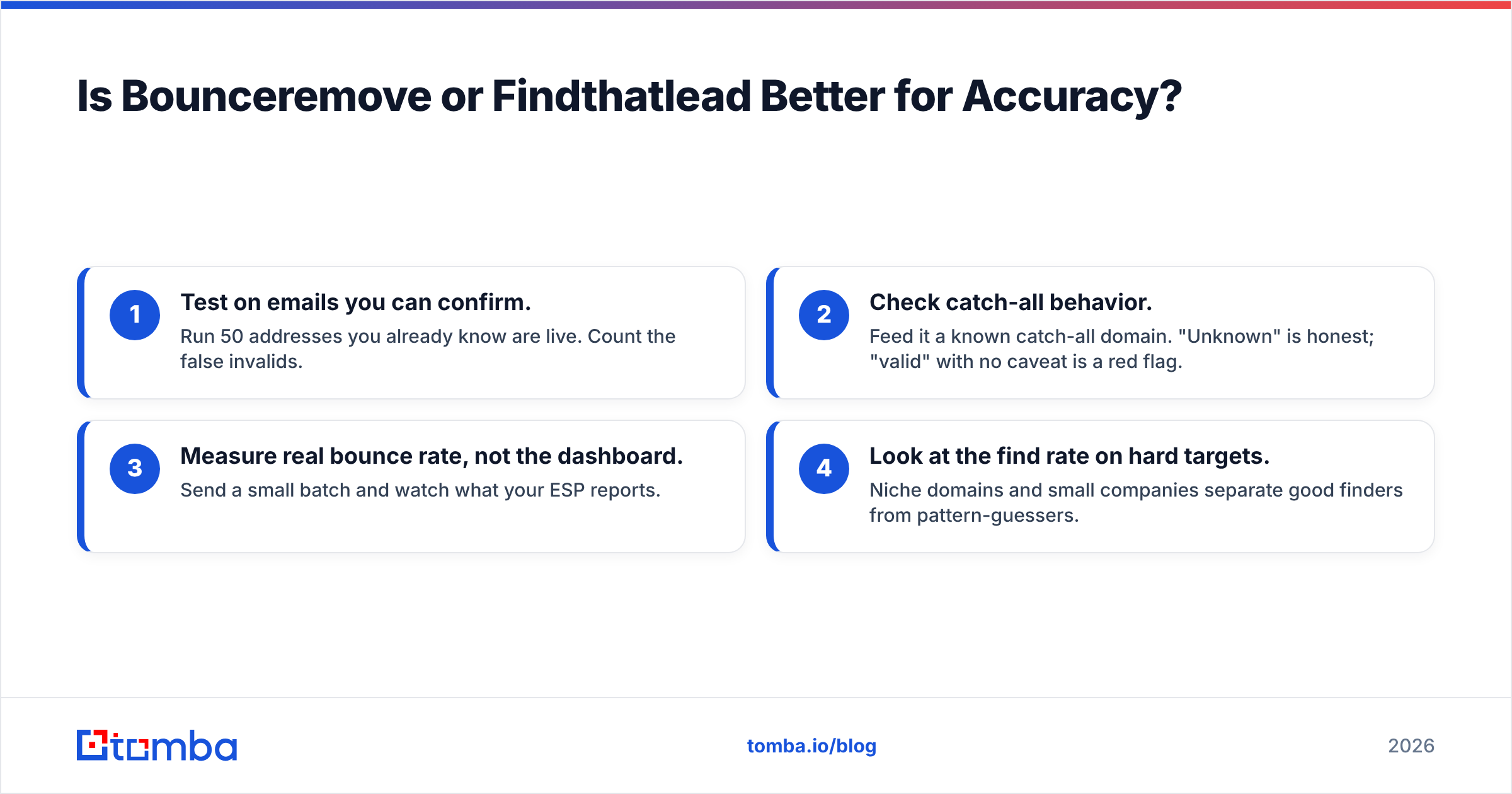
A quick gut-check for any vendor's accuracy claim:
- Test on emails you can confirm. Run 50 addresses you already know are live. Count the false invalids.
- Check catch-all behavior. Feed it a known catch-all domain. "Unknown" is honest; "valid" with no caveat is a red flag.
- Measure real bounce rate, not the dashboard. Send a small batch and watch what your ESP reports.
- Look at the find rate on hard targets. Niche domains and small companies separate good finders from pattern-guessers.
When Should You Choose Bounceremove?#
Pick Bounceremove (or any dedicated verifier) when your problem is purely hygiene. Specifically:
- You already own a large list—from events, signups, an old CRM export, or a previous campaign—and just need it scrubbed before sending.
- You don't need net-new contacts this quarter; you need to protect sender reputation on the contacts you have.
- You want a focused, single-purpose tool and you're fine paying separately for prospecting.
- Your team already has a finder it likes and only the verification slot is empty.
If that's you, a verifier is the right shape of tool. Just know you're solving half the problem, and the other half—filling the top of the funnel—still needs an answer. You can also pressure-test individual addresses for free with a free email checker before committing to a paid pass.
When Should You Choose Findthatlead?#
Pick Findthatlead when your bottleneck is an empty list, not a dirty one:
- You're starting outbound from zero and need to build prospect lists by domain or industry.
- You want finding, light verification, and basic sending in one place and you're comfortable with a generalist tool.
- Your volumes are modest enough that the built-in verifier's gaps won't sink your deliverability.
- You value a Chrome extension for grabbing emails off LinkedIn during manual prospecting.
The caveat repeats: budget for a real verification step on top of whatever FTL returns, especially before high-volume sends. A finder's job is to be generous; your sender reputation needs something stricter downstream. That's the seam where a lot of "why am I bouncing?" complaints originate.
Is There a Tool That Does Both Better?#
Yes—and this is where the two-tool stack starts looking like overhead. If you find with one vendor and verify with another, you're paying twice, exporting CSVs twice, and reconciling two sets of credits. For most teams that math doesn't hold up.
Tomba was built to cover the whole arc: discover the email, then verify it deeply, in one workflow. The email finder locates business addresses by domain, name, or company; the email verifier runs the strict deliverability check; and the domain search pulls every public address on a company in one pass. Catch-all domains—the blind spot for both Bounceremove and Findthatlead—get a dedicated catch-all verifier instead of a shrug.
Here's how the three approaches stack up on total workflow cost and coverage:
- Bounceremove only — Great hygiene, zero acquisition. You still need a finder. Two bills.
- Findthatlead only — Good acquisition, soft verification. You still need a serious verifier for volume. Often two bills anyway.
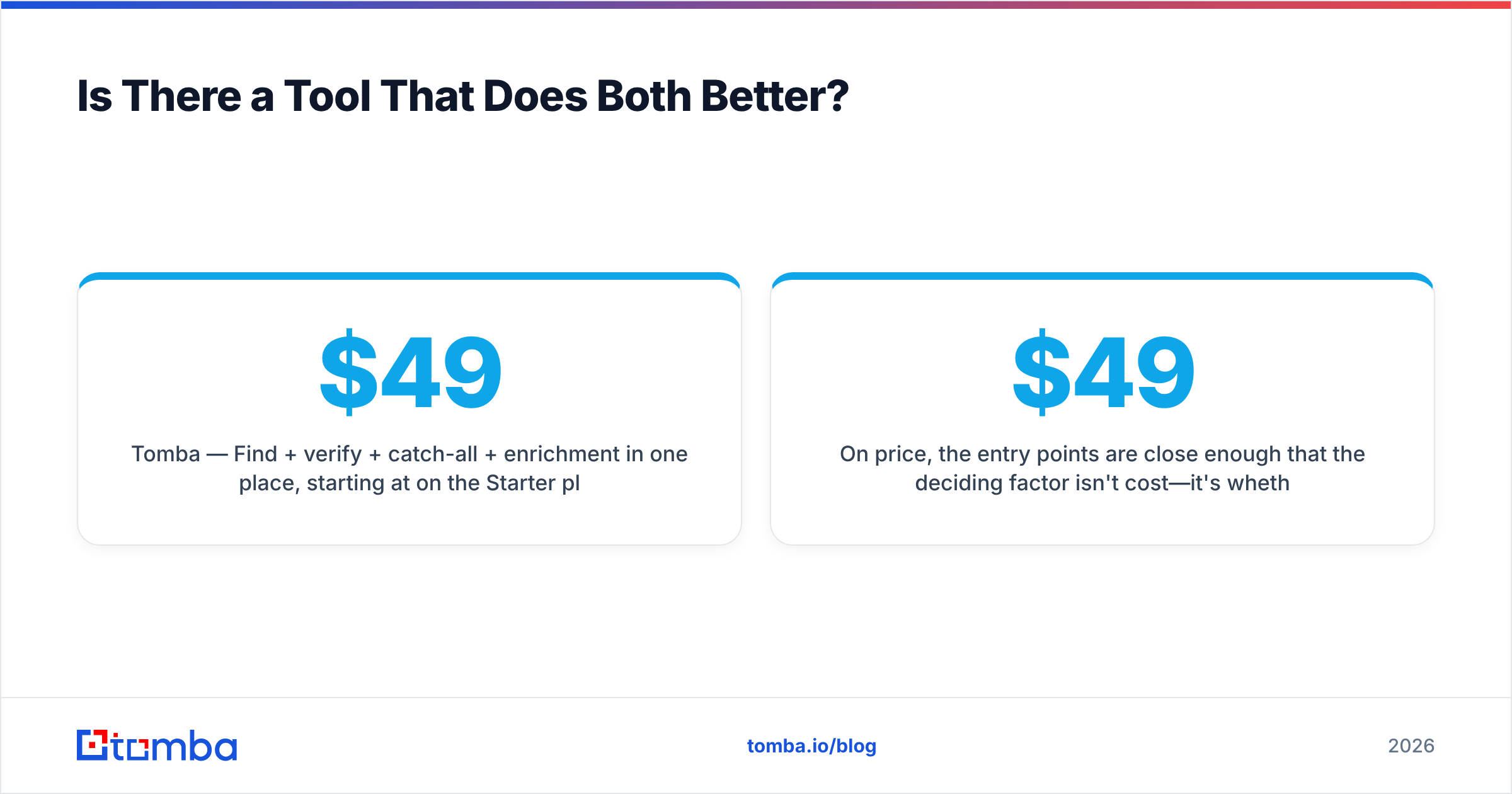
- Tomba — Find + verify + catch-all + enrichment in one place, starting at $49/mo on the Starter plan. One bill, one workflow.
On price, the entry points are close enough that the deciding factor isn't cost—it's whether you want one tool or two. Tomba's pricing runs a Free tier (25 searches/mo), Starter at $49/mo, Growth at $99/mo, and Pro at $249/mo, with the finder, verifier, and catch-all tooling included rather than sold as add-ons. For teams scaling outreach, the bulk email finder and data enrichment close the loop from raw domain to enriched, verified, send-ready contact.
None of this means Bounceremove or Findthatlead are bad tools. They're sharp at their one job. The question is whether running two sharp single-purpose tools beats running one that covers both—and for most outbound teams in 2026, it doesn't.
How Do You Decide in Five Minutes?#
Run this quick decision tree before you spend a dollar:
| Your situation | Best fit |
|---|---|
| Big existing list, no need for new contacts | Bounceremove (verify-only) |
| Empty list, need to prospect now | Findthatlead or Tomba |
| Both: building lists and worried about bounces | Tomba (find + verify) |
| Tight on tools/budget, want one platform | Tomba |
| Heavy catch-all domain targets | Tomba (dedicated catch-all verifier) |
The mistake to avoid is buying a finder when you needed a verifier, or vice versa, then blaming the tool when your numbers don't move. Match the tool to your actual bottleneck. And if your bottleneck is "both," don't buy two tools by reflex—check whether one platform already covers the span.
For deliverability fundamentals before you send, brush up on sender reputation and run your domain through an SPF checker. No verifier saves a campaign sent from a misconfigured domain.
The Bottom Line#
Bounceremove and Findthatlead aren't really competitors—they're two ends of the same outbound pipeline. Bounceremove cleans; Findthatlead finds. Choosing "the better one" only makes sense once you know which end is broken for you.
If you want to stop maintaining a two-tool stack and run finding plus verification—catch-all included—in a single workflow, start with the Tomba Email Finder. The Free tier gives you 25 searches a month to test the find rate and the verification against your own known-good list before you commit to a plan. Find the email, verify it's real, and send with confidence—without paying two vendors to do one job.
// get started
Find, verify and enrich your first contacts today
Start on the free plan with 25 searches a month, then scale when your team is ready.
Free plan · No credit card required · GDPR & CCPA
// about the author