How to Build a B2B Database in 2026: A Practical Guide
A buy-once contact list rots 30% a year. Here's how to build a B2B database in 2026 that stays accurate, compliant, and actually drives pipeline.
How to Build a B2B Database in 2026: A Practical Guide
A purchased contact list looks like a shortcut and behaves like a liability. Within twelve months, roughly a quarter to a third of the records inside it are wrong — people changed jobs, companies rebranded, domains lapsed. If your pipeline runs on data that decays that fast, you are not building an asset. You are renting a problem.
This guide walks through how to build a B2B database you actually own: one that maps to your ideal customer, stays verified, and feeds your CRM without poisoning your sender reputation. No fluff, no "data is the new oil" sermon. Just the decisions that matter and the order to make them in.
TL;DR#
- Buying a static list is the worst option. It decays ~30% per year, you don't control the schema, and you inherit other buyers' spam complaints.
- Start with the ICP, not the data. A tightly defined ideal customer profile decides every sourcing, filtering, and enrichment choice that follows.
- Source → verify → enrich → maintain is the loop. Skipping verification is how you torch deliverability before your first campaign.
- Aim for a "thin but clean" core (name, role, verified email, company, firmographics) and enrich on demand rather than hoarding 40 columns you never query.
- Budget for maintenance, not just acquisition. A database is a subscription to accuracy, not a one-time purchase.
What is a B2B database, really?#
A B2B database is a structured, queryable store of the companies and people you want to sell to — and the attributes that let you segment them. Think of it less like a phone book and more like a CRM's fuel tank: the cleaner the fuel, the smoother everything downstream runs.
The everyday analogy: a B2B database is a garden, not a statue. A statue you buy once and dust occasionally. A garden you plant, water, weed, and replant — and it only produces if you keep tending it. People who treat their database like a statue wonder why nothing grows.
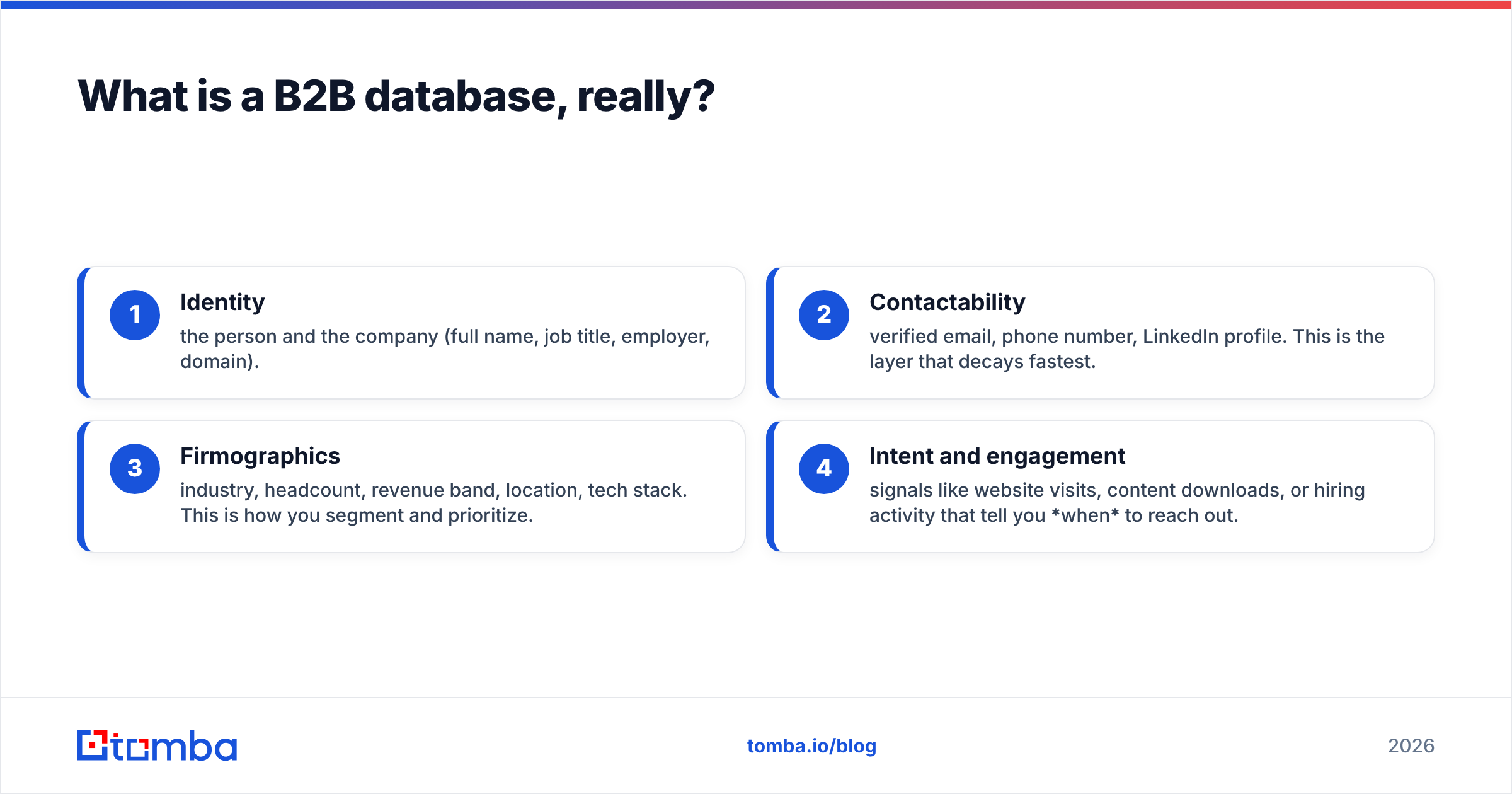
Technically, a usable B2B database has four layers of data:
- Identity — the person and the company (full name, job title, employer, domain).
- Contactability — verified email, phone number, LinkedIn profile. This is the layer that decays fastest.
- Firmographics — industry, headcount, revenue band, location, tech stack. This is how you segment and prioritize.
- Intent and engagement — signals like website visits, content downloads, or hiring activity that tell you when to reach out.
Most teams over-invest in layer 3 and under-invest in layer 2. A gorgeous firmographic profile attached to a bounced email is worth nothing.
Should you buy a B2B list or build your own database?#
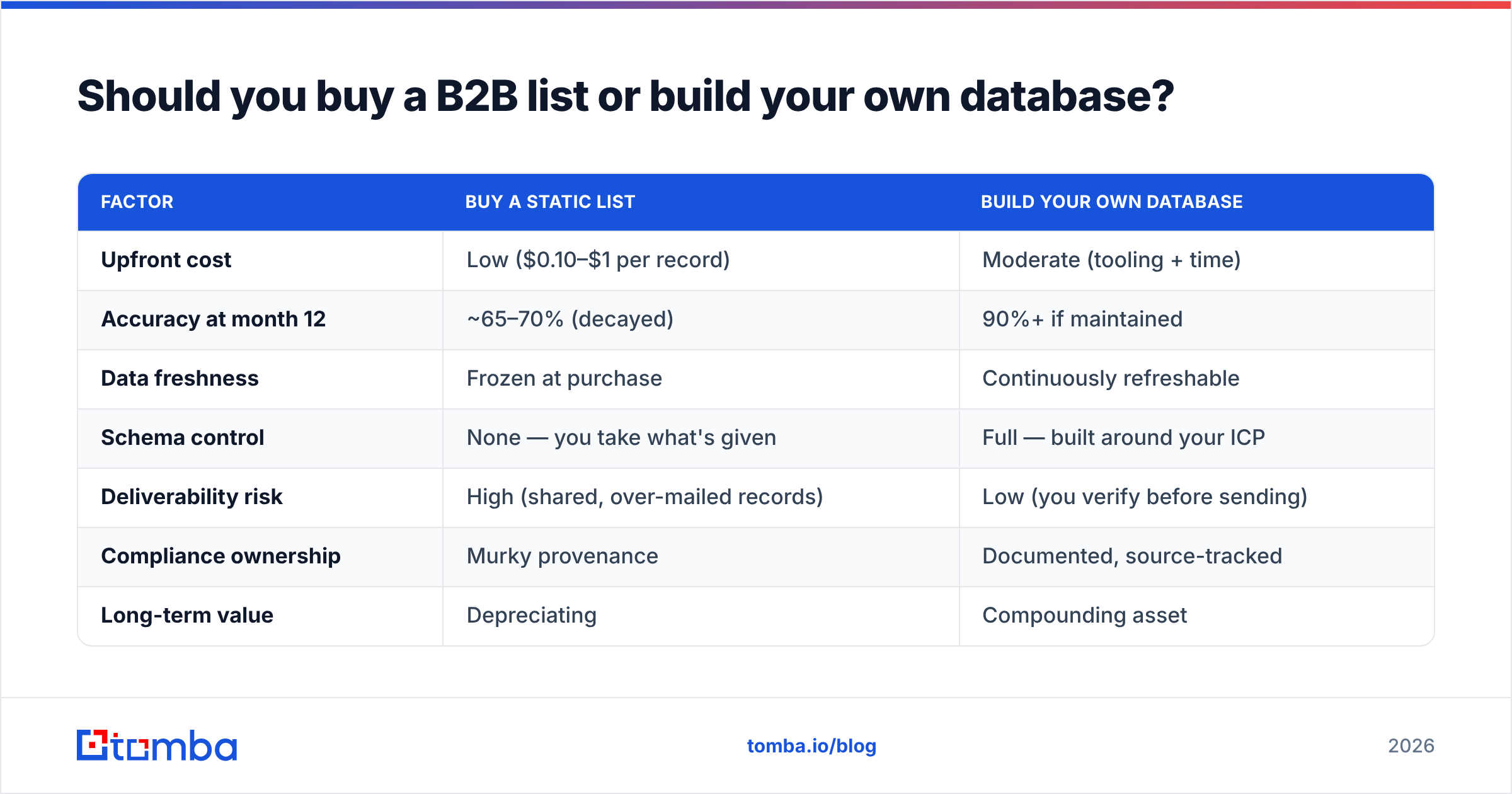
Build your own — in almost every case. Here is the honest comparison.
| Factor | Buy a static list | Build your own database |
|---|---|---|
| Upfront cost | Low ($0.10–$1 per record) | Moderate (tooling + time) |
| Accuracy at month 12 | ~65–70% (decayed) | 90%+ if maintained |
| Data freshness | Frozen at purchase | Continuously refreshable |
| Schema control | None — you take what's given | Full — built around your ICP |
| Deliverability risk | High (shared, over-mailed records) | Low (you verify before sending) |
| Compliance ownership | Murky provenance | Documented, source-tracked |
| Long-term value | Depreciating | Compounding asset |
The math that kills bought lists is decay. According to widely cited industry estimates and HubSpot's research on database health, B2B data degrades around 22–30% annually as contacts switch roles and companies churn. A list you bought in January is meaningfully wrong by summer. A database you build lets you re-verify and refresh those same records on a schedule, so accuracy is a dial you control instead of a clock running against you.
There is a narrow exception: if you need a one-off sample to validate a brand-new market hypothesis cheaply, a small purchased sample can work. Just don't pour it into your production CRM.
How do you build a B2B database step by step?#
Five phases, in order. Do not reorder them — each one constrains the next.
1. Define your ICP before you touch any data#
Your ideal customer profile is the spec sheet for the entire build. Without it, you collect noise.
A workable ICP names, at minimum:
- Firmographics — industry, company size (headcount or revenue), geography.
- The buying committee — which 2–4 job titles you actually need (e.g., "VP Marketing" and "RevOps Manager," not "anyone in marketing").
- Qualifying signals — uses a specific tech, recently raised funding, is hiring for a relevant role.
- Disqualifiers — too small, wrong region, a known non-fit industry.
Write this down as filters, not adjectives. "Mid-market SaaS" is an adjective. "Software companies, 50–500 employees, North America, using HubSpot or Salesforce" is a filter you can execute against.
2. Source the raw records#
Now you collect. The strongest databases blend several sources so no single gap or bias dominates:
- Domain-driven discovery. Start from a list of target company domains and pull the relevant contacts at each. A domain search returns the people and email patterns tied to a company in one pass — far faster than hunting profile by profile.
- First-party signals. Website visitors, demo requests, webinar registrants, newsletter subscribers. This is your highest-intent, lowest-cost source. Capture it before you go shopping externally.
- Public professional data. LinkedIn, company sites, conference attendee lists, GitHub for technical buyers.
- Programmatic enrichment via API. When you already have a name and company, an email finder resolves the verified work email so you are not guessing at formats.
The goal of this phase is coverage, not perfection. Perfection comes next.
3. Verify everything before it enters the database#
This is the phase teams skip, and it is the phase that protects your sender reputation. An unverified list is a deliverability landmine: hard bounces above ~2–3% get you throttled or blacklisted, and that damage outlasts any single campaign.
Run every email through verification before it lands in your production table. A good email verifier checks syntax, domain/MX records, and mailbox existence, then flags the dangerous middle ground — catch-all domains that accept everything and tell you nothing. For those, a dedicated catch-all verifier gives you a confidence score instead of a coin flip.
Treat verification as a gate, not a cleanup step. Records that fail get quarantined, not deleted (a job-changer's old email is a clue to find the new one) — but they never sit in the "ready to contact" segment.
4. Enrich the verified core#
Now add the firmographic and contextual layers that power segmentation. Resist the urge to grab every available field. Enrich for the attributes your ICP filters and your messaging actually use — industry, headcount, location, tech stack, maybe seniority. Data enrichment at this stage turns a flat contact list into something you can slice by segment, route by territory, and personalize against.
The discipline here: enrich on demand. Pull the heavy attributes when a record enters an active workflow, not speculatively across 100,000 rows you may never mail.
5. Maintain it on a schedule#
A database is a subscription to accuracy. Set a cadence:
- Re-verify active segments before each major send (or monthly for always-on outbound).
- Re-enrich quarterly to catch job changes and company moves.
- Suppress and archive hard bounces, unsubscribes, and contacts who left target accounts.
For large bases, a bulk email finder and bulk verification let you re-process thousands of records in a batch rather than one at a time. Automate this, or it will not happen.
What data should a B2B database actually contain?#
Less than you think. The temptation is to build a 40-column monster; the reality is you query maybe ten of those columns and the rest rot quietly.
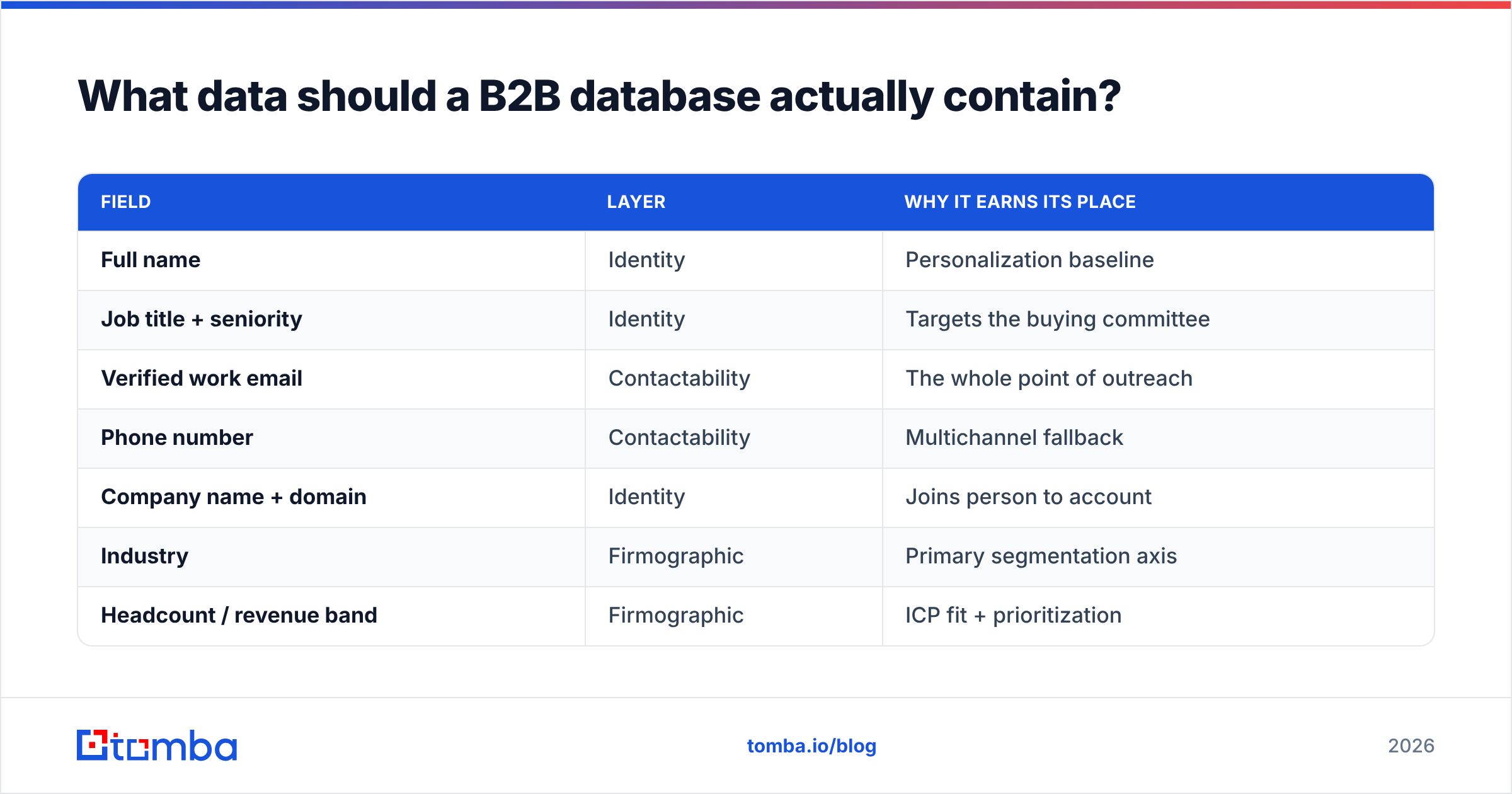
Here is a lean, high-leverage schema to start from:
| Field | Layer | Why it earns its place |
|---|---|---|
| Full name | Identity | Personalization baseline |
| Job title + seniority | Identity | Targets the buying committee |
| Verified work email | Contactability | The whole point of outreach |
| Phone number | Contactability | Multichannel fallback |
| Company name + domain | Identity | Joins person to account |
| Industry | Firmographic | Primary segmentation axis |
| Headcount / revenue band | Firmographic | ICP fit + prioritization |
| Location | Firmographic | Territory + compliance routing |
| Tech stack | Firmographic | Relevance signal for messaging |
| Source + date added | Provenance | Compliance + decay tracking |
That last row — provenance — is the one everyone forgets and auditors love. Knowing where each record came from and when is what makes the difference between a defensible database and a compliance headache. If you need phone coverage for a calling motion, a phone finder populates that column cleanly rather than from scraped, unvalidated sources.
How do you keep a B2B database compliant?#
Compliance is not a legal afterthought; it is a design constraint you build in from phase one.
The non-negotiables for 2026:
- Track provenance for every record. Where it came from, when, and on what legal basis (legitimate interest, consent, public-domain professional data). This is why the "source + date" field is mandatory, not optional.
- Honor opt-outs globally. One unsubscribe should suppress the contact across every campaign and tool, permanently. Maintain a central suppression list.
- Respect GDPR, CCPA, and CAN-SPAM. B2B does not exempt you. For EU contacts especially, document your lawful basis and provide a clear opt-out. Vendor compliance pages and resources like G2's data-compliance category are useful for vetting the tools you choose.
- Prefer transparent data sources. A vendor that explains where it gets data is one you can defend. It is worth reviewing a provider's stated data sources before you standardize on it.
Compliance done well is also just good hygiene — the same provenance and suppression discipline that keeps regulators happy keeps your bounce rates low and your domain off blacklists.
What tools do you need to build a B2B database?#
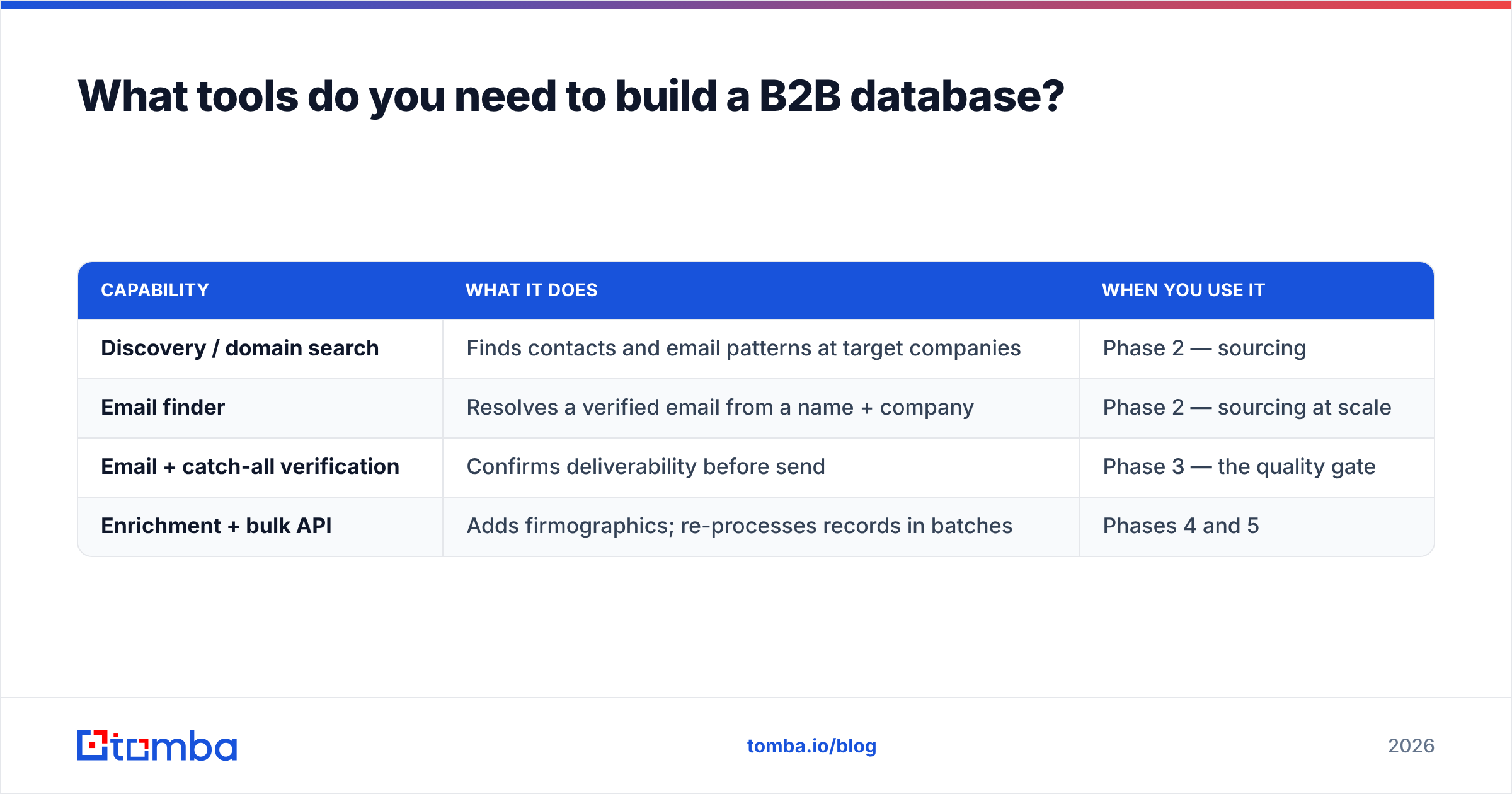
You need four capabilities. They can come from one platform or several, but the capabilities are non-negotiable: find, verify, enrich, and maintain.
| Capability | What it does | When you use it |
|---|---|---|
| Discovery / domain search | Finds contacts and email patterns at target companies | Phase 2 — sourcing |
| Email finder | Resolves a verified email from a name + company | Phase 2 — sourcing at scale |
| Email + catch-all verification | Confirms deliverability before send | Phase 3 — the quality gate |
| Enrichment + bulk API | Adds firmographics; re-processes records in batches | Phases 4 and 5 |
Where Tomba fits: it bundles all four under one roof — domain search, email finder, email and catch-all verification, plus enrichment and bulk processing through a single B2B database and API. That matters less because it is one vendor and more because the find → verify → enrich loop happens without exporting CSVs between four disconnected tools — every handoff between tools is a chance for records to desync or skip the verification gate.
On cost: building is not free, but it is predictable. Tomba's plans run from a free tier (25 searches/month) to Starter at $49/mo, Growth at $99/mo, and Pro at $249/mo, with Enterprise custom — see the full Tomba pricing for credit allowances. Compare that to per-record list buying and the build model wins as soon as you factor in re-verification you'd otherwise pay for again every quarter.
How big should your B2B database be?#
Smaller and cleaner beats bigger and dirtier, every time.
A common mistake is chasing record count as a vanity metric. Fifty thousand unverified contacts produce more bounces, more spam complaints, and more wasted rep time than five thousand verified, well-segmented ones. The teams with the best outbound numbers usually run tighter databases, not larger ones.
Right-size to your motion:
- Founder-led / niche ABM: a few hundred to a few thousand hand-verified accounts.
- Mid-market outbound team: 10,000–50,000 verified contacts, segmented hard by ICP.
- High-volume / multi-segment: 100,000+, but only with automated re-verification, or decay will outrun you.
Let your sales capacity, not your ambition, set the ceiling. A database you can't keep clean is a database working against you.
The bottom line#
Building a B2B database is a loop, not a purchase: define the ICP, source broadly, verify ruthlessly, enrich for what you'll actually use, and maintain on a schedule. Get that loop turning and your database becomes a compounding asset — more accurate and more valuable every quarter — instead of a depreciating list you have to keep re-buying.
Ready to start the loop? Spin up the Tomba Email Finder on the free tier, point it at your target domains, and watch verified, enrichment-ready contacts flow straight into your database. Find them, verify them, keep them clean — and let your pipeline run on data you actually own.
// get started
Find, verify and enrich your first contacts today
Start on the free plan with 25 searches a month, then scale when your team is ready.
Free plan · No credit card required · GDPR & CCPA
// about the author