Bulk Email Checker Online: Best Tools to Clean Lists in 2026
A bulk email checker online cleans thousands of addresses at once before you hit send. Here is how the tools compare, what accuracy really means, and how to pick one in 2026.
You collected 8,000 emails. You import them, hit send, and 22% bounce. Your domain reputation tanks, your next campaign lands in spam, and the leads you actually wanted never see your message. A bulk email checker online exists to stop exactly that — it validates a whole list in one pass so the only addresses left are ones a mailbox will accept.
This guide breaks down how bulk verification works, what "accuracy" actually means once catch-all domains enter the picture, and which tools are worth paying for in 2026.
TL;DR#
- A bulk email checker online verifies thousands of addresses at once — syntax, domain, MX records, and SMTP mailbox checks — without you sending anything.
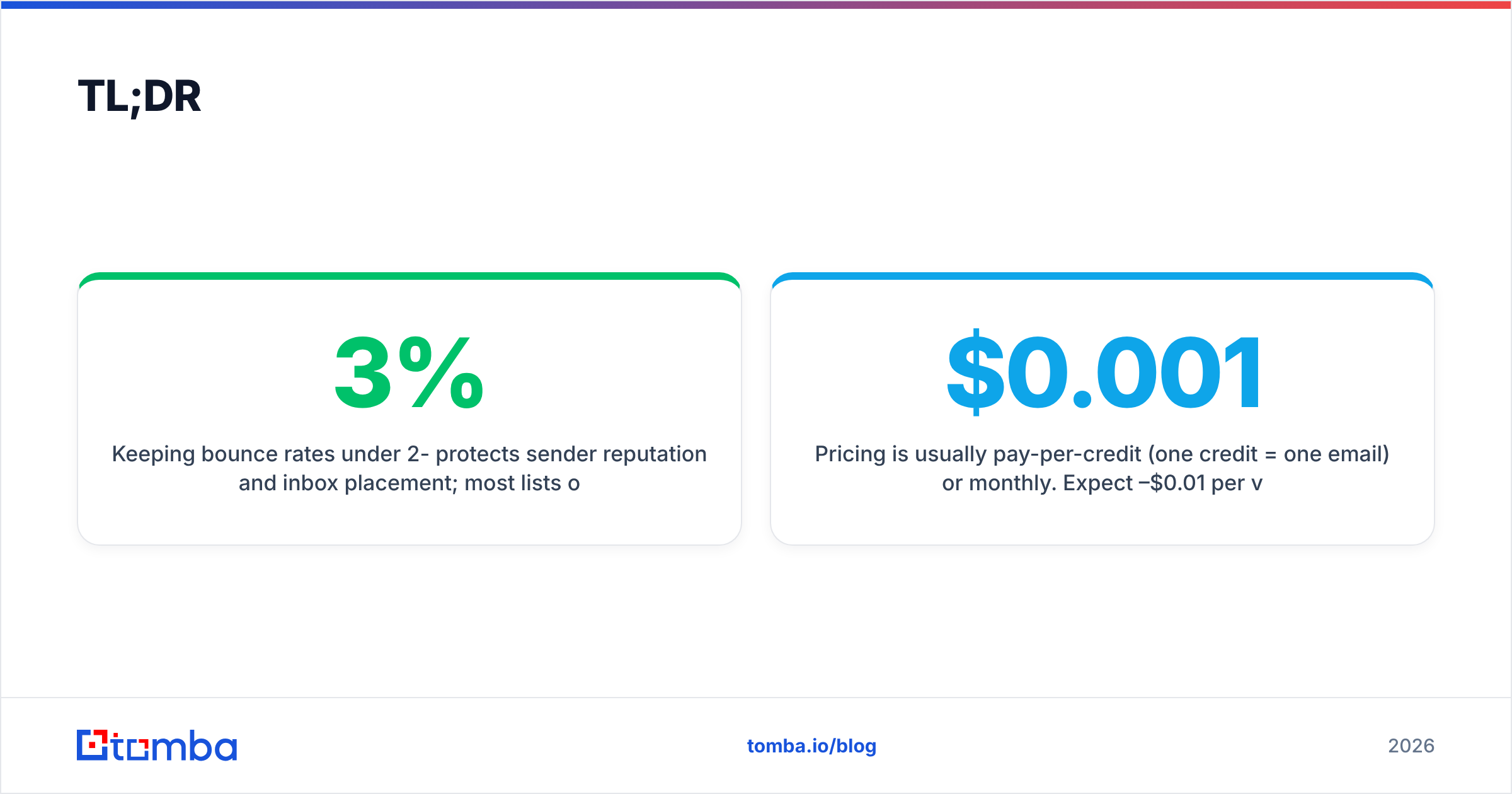
- Keeping bounce rates under 2-3% protects sender reputation and inbox placement; most lists over six months old need a clean before reuse.
- Catch-all domains are the hard part — many tools mark them "unknown" and you pay for guesses. Tools with a dedicated catch-all verifier resolve more of them.
- Pricing is usually pay-per-credit (one credit = one email) or monthly. Expect $0.001–$0.01 per verification at volume.
- For most teams, run verification as a step inside your finding workflow rather than a separate chore — tools like Tomba bundle bulk email finder and verification together.
What is a bulk email checker online?#
A bulk email checker is a tool that takes a list of email addresses — usually a CSV or a paste — and tells you, for each one, whether a real mailbox will accept mail at that address. "Bulk" means it processes the whole file in one job instead of one address at a time. "Online" means it runs in the cloud, so you upload and download rather than installing software.
Think of it like airport security for your email list. Every address walks through the same gates, and only the ones that clear all checks make it to the gate (your campaign). The ones flagged as risky get pulled aside so they never cause a problem mid-flight.
A good checker runs several layers of validation per address:
- Syntax check — Is the address formatted like a real email (
name@domain.com)? Catches typos and junk instantly, no network needed. - Domain and MX records — Does the domain exist and have mail servers configured to receive email? A domain with no MX record cannot accept mail.
- SMTP handshake — The tool opens a conversation with the receiving mail server and asks, without sending anything, whether the specific mailbox exists.
- Catch-all detection — Some domains accept mail to every address, so the SMTP check always says "yes." A strong checker flags these separately instead of reporting a false positive.
- Risk scoring — Disposable domains, role accounts (
info@,sales@), and known spam traps get tagged so you can decide whether to keep them.
Why does cleaning your list before sending matter?#
Because mailbox providers judge you by your bounce rate, and a dirty list will quietly destroy your deliverability before you notice. When too many messages bounce, Gmail and Outlook read it as a signal that you are not maintaining your list — a hallmark of spammers — and start routing even your good mail to spam.
The numbers that matter:
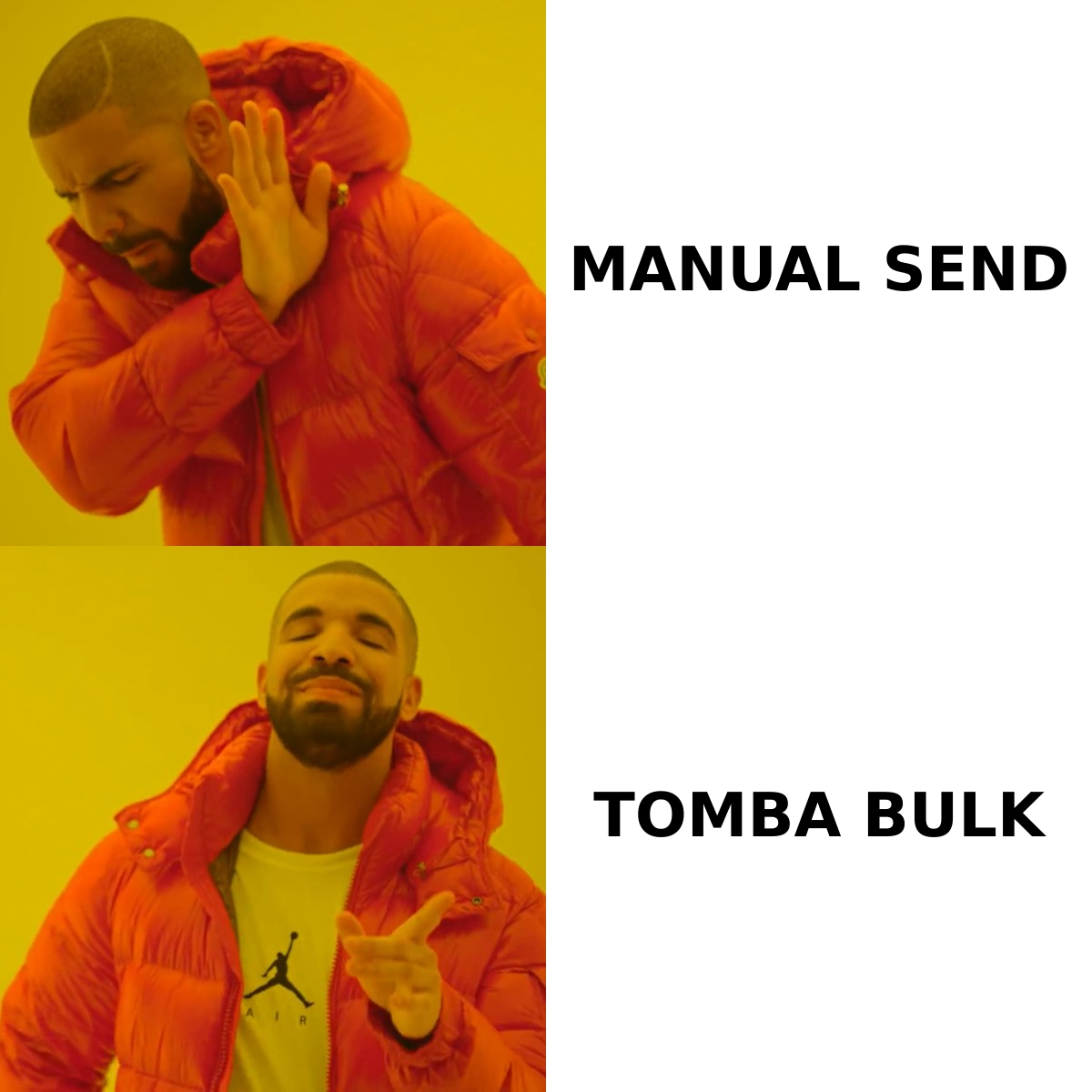
- Hard bounce rate under 2%. Above that, providers throttle you. Above 5%, some email service providers suspend your account.
- Spam trap hits. A single recycled spam trap on a major blocklist can get your domain listed, and getting off a blocklist takes days to weeks.
- Sender reputation. This is the long-game score that determines inbox placement. One bad send can take months to recover from. If you want the mechanics, Tomba's glossary entry on sender reputation and email deliverability covers it.
The cost asymmetry is the whole argument: verifying 10,000 emails might cost $40–$70. Recovering a burned sending domain costs you weeks of pipeline. Cleaning first is cheap insurance.
For a sanity check on a single address before a big send, a free email verifier is enough. For a list, you need bulk.
How does a bulk email checker online compare across tools?#
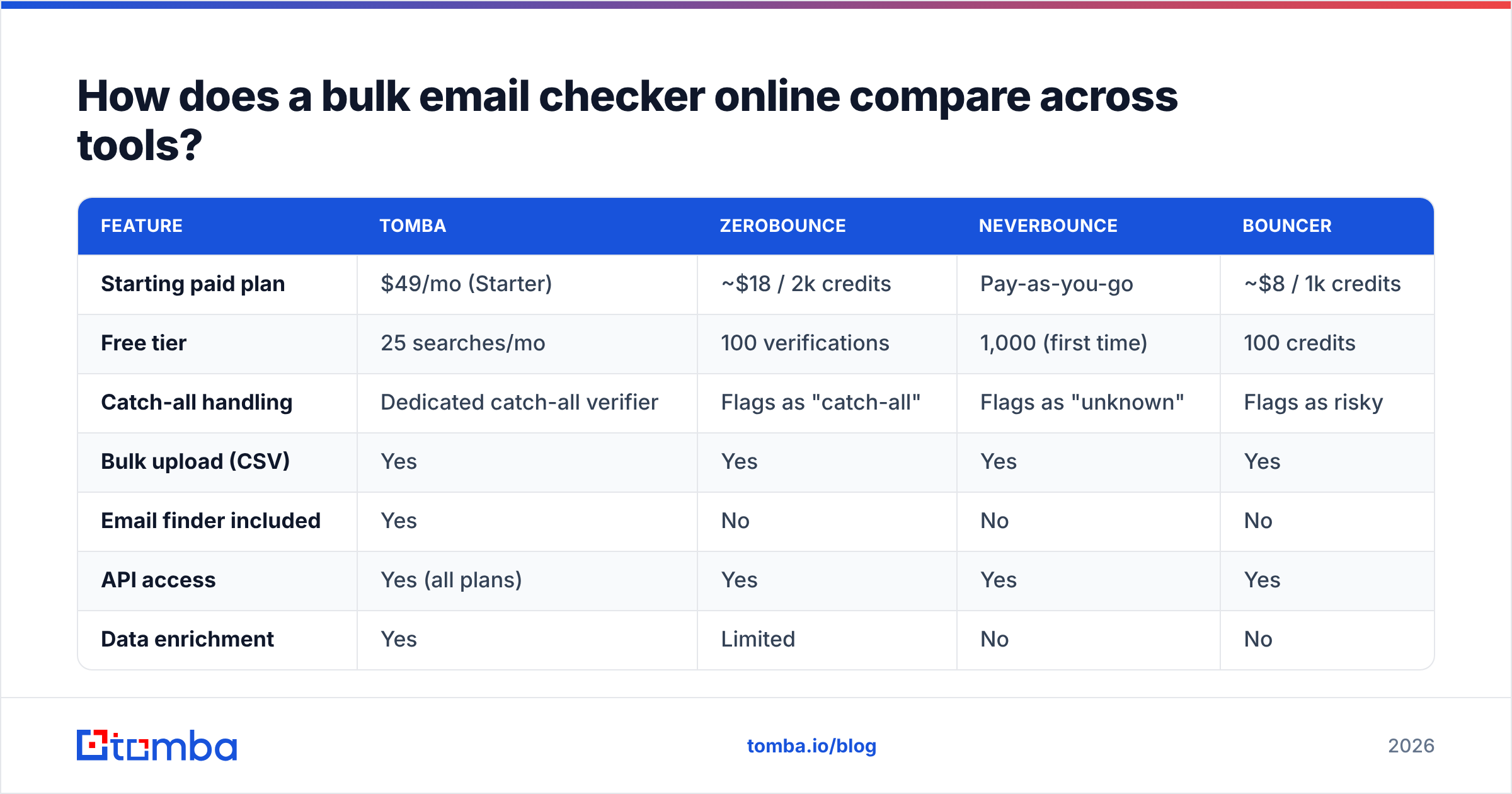
Most tools do the basic syntax and MX checks well. The real differences show up in catch-all handling, accuracy guarantees, pricing model, and whether verification is bolted on or built into a wider data workflow.
| Feature | Tomba | ZeroBounce | NeverBounce | Bouncer |
|---|---|---|---|---|
| Starting paid plan | $49/mo (Starter) | ~$18 / 2k credits | Pay-as-you-go | ~$8 / 1k credits |
| Free tier | 25 searches/mo | 100 verifications | 1,000 (first time) | 100 credits |
| Catch-all handling | Dedicated catch-all verifier | Flags as "catch-all" | Flags as "unknown" | Flags as risky |
| Bulk upload (CSV) | Yes | Yes | Yes | Yes |
| Email finder included | Yes | No | No | No |
| API access | Yes (all plans) | Yes | Yes | Yes |
| Data enrichment | Yes | Limited | No | No |
The standout distinction: dedicated verification tools (ZeroBounce, NeverBounce, Bouncer) only clean lists you already have. Tomba both finds the emails and verifies them, which matters if your real job is building a list, not just maintaining one. If you only ever clean lists someone else hands you, a single-purpose verifier is fine — see how Tomba stacks up as a ZeroBounce alternative if you want the head-to-head.
You can compare the broader market yourself on G2's email verification category — ratings there track catch-all accuracy and support quality closely.
What does "accuracy" actually mean for bulk verification?#
Accuracy is the percentage of addresses a tool classifies correctly — but the honest version of that number depends almost entirely on how it handles uncertainty. A tool that marks every doubtful address "valid" looks accurate until your campaign bounces.
Break results into three buckets:
- Deliverable — The mailbox exists and will accept mail. Send to these.
- Undeliverable — Hard fail; the mailbox does not exist. Remove these.
- Risky / unknown — Catch-all domains, full mailboxes, greylisted servers. These need judgment.
The middle of that risky bucket is where tools diverge. A catch-all domain answers "yes" to every SMTP probe, so a lazy checker reports every address on that domain as valid — and you eat the bounces. A serious tool runs additional signals (pattern matching, historical data, secondary probes) to separate real mailboxes from catch-all noise. Tomba's catch-all finder is built specifically for this, and the data sources behind it are what make the resolution possible.
When a vendor advertises "99% accuracy," ask the follow-up: 99% of what? If they exclude catch-all and unknown results from the denominator, the figure is marketing. Test any tool on a sample of your own list — 500 known-good and known-bad addresses — and check the real hit rate before you commit budget.

How much does a bulk email checker online cost?#
Most tools price one of two ways: pay-as-you-go credits (you buy a block, one credit verifies one email, credits often don't expire) or monthly subscriptions (a credit allowance resets each month). Pick by your pattern — occasional list cleans favor pay-as-you-go; steady monthly sending favors a subscription.
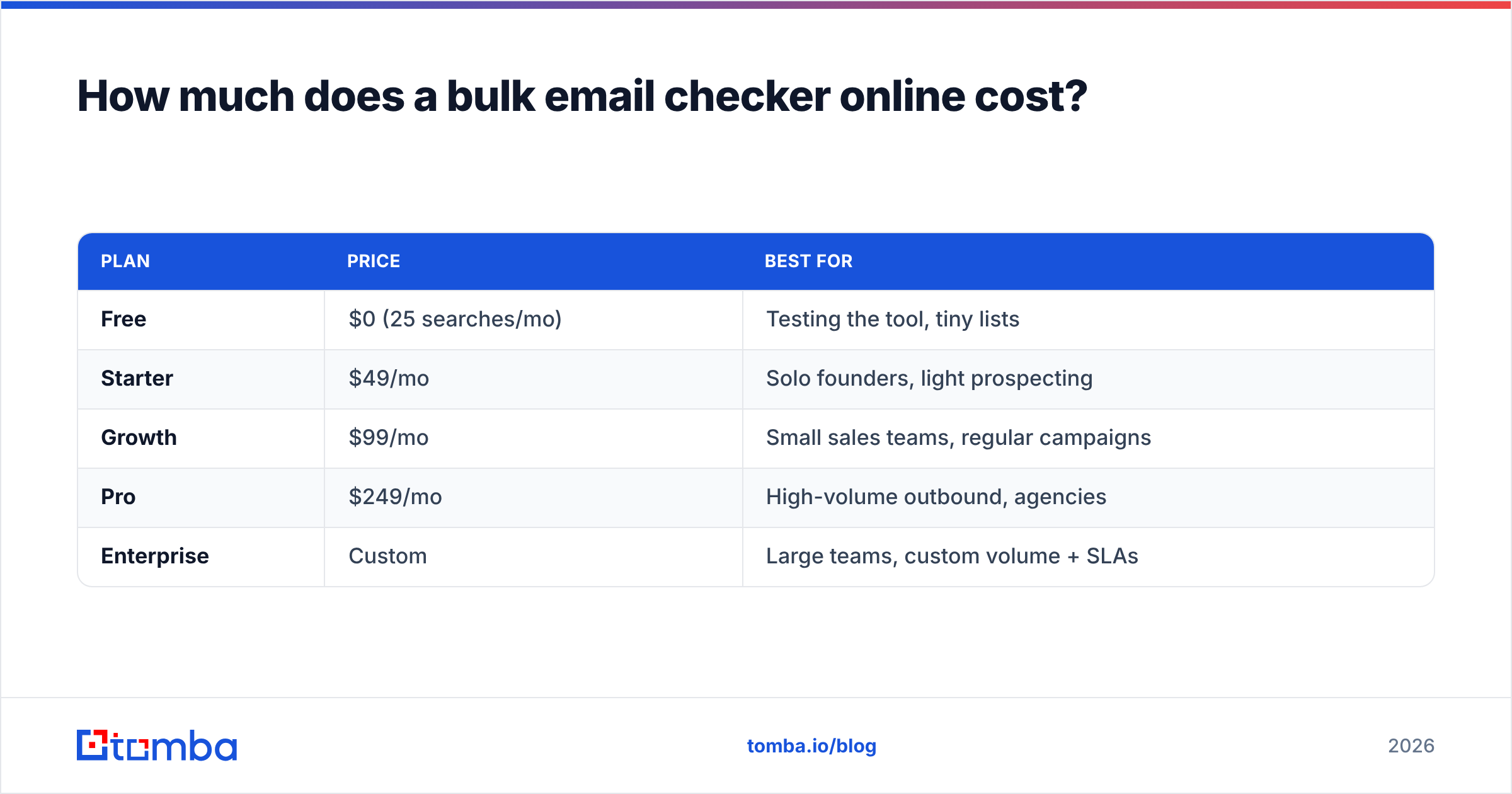
Tomba's plans are subscription-based and bundle finding plus verification:
| Plan | Price | Best for |
|---|---|---|
| Free | $0 (25 searches/mo) | Testing the tool, tiny lists |
| Starter | $49/mo | Solo founders, light prospecting |
| Growth | $99/mo | Small sales teams, regular campaigns |
| Pro | $249/mo | High-volume outbound, agencies |
| Enterprise | Custom | Large teams, custom volume + SLAs |
Full breakdown is on the Tomba pricing page. The practical math: if you send to a few thousand fresh contacts monthly and want them found and verified in one place, a bundled plan beats paying a finder and a separate verifier. If you already have a million-address database to scrub once, a pure pay-per-credit verifier may be cheaper for that single job.
Watch for hidden costs:
- Charging for unknowns. Some tools bill you for "risky" results you can't safely use. Read the credit policy.
- Credit expiry. Monthly allowances that reset can waste budget if your sending is uneven.
- API limits. If you verify programmatically, check rate limits on lower tiers — the Tomba API exposes verification on every plan.
How do you run a bulk email check the right way?#
Run it as a repeatable five-step routine, not a one-off panic before a big send. Here's the workflow that keeps lists clean without slowing you down.
- Export your list to CSV. One column of email addresses, UTF-8 encoded. Strip obvious junk (blank rows, duplicates) first — Tomba's free remove duplicates tool handles dedup in seconds.
- Upload to the bulk checker. Map the email column, start the job. Large lists (100k+) run in the background; you'll get a notification or email when done.
- Download segmented results. Don't just take "valid." Pull deliverable, undeliverable, and risky into separate segments.
- Decide on the risky bucket. For catch-all domains, run them through a catch-all verifier for a second opinion before you send or discard.
- Re-verify on a schedule. Email decays roughly 22–30% per year as people change jobs. Re-clean any list older than three to six months before reuse.
For teams that find and verify continuously, skip the manual CSV dance entirely. Tomba's bulk email finder and integrations with HubSpot and Google Sheets let verification happen inside the workflow where the data already lives.
Is a free bulk email checker good enough?#
For a few hundred addresses, occasionally — yes. For ongoing list hygiene at volume, no. Free tiers exist to let you test accuracy, not to run your business. Most cap you at 100–1,000 verifications, omit catch-all resolution, or watermark the export.
Use free tools the smart way: validate a sample of your list across two or three vendors, compare how each handles your catch-all and risky addresses, then pay for the one that classified them most honestly. Tomba's free email checker is a fine starting point for a quick single-address or small-batch test before you scale up.
The trap to avoid is treating a free tool's "valid" verdict as gospel on a 10,000-row list. Free tools rarely do the deeper catch-all and SMTP work, so their false-positive rate on tricky domains is exactly where your bounces will come from.
What about catch-all domains specifically?#
Catch-all domains are the single biggest reason bulk verification results disagree between tools, so they deserve their own answer. A catch-all (or "accept-all") domain is configured to accept mail sent to any address at that domain — anything@company.com returns "valid" even if no such mailbox exists.
This breaks the standard SMTP check. The receiving server says yes to everything, so a basic verifier reports every catch-all address as deliverable. You send, and a chunk silently bounces or lands nowhere.
How the better tools handle it:
- Flag, don't guess. Honest tools mark catch-all separately so you know the verdict is uncertain.
- Pattern + history signals. Cross-reference the address against known-valid patterns for that company and historical send data.
- Dedicated resolution. Purpose-built engines like Tomba's catch-all finder resolve a meaningful share of catch-all addresses that generic verifiers leave as "unknown."
If a large slice of your list sits on catch-all domains (common in enterprise B2B), this capability is the difference between a usable clean and paying for a list you still can't trust.
Which bulk email checker should you choose in 2026?#
Choose by what job you actually have. If you only clean lists other people hand you, a focused verifier with pay-as-you-go credits and strong catch-all flagging is the lean pick. If you're building lists — prospecting, enriching, then sending — a tool that finds and verifies in one place removes a whole step and a second subscription.
That's where Tomba fits best. The email finder sources professional addresses by name, domain, or company; the verifier and catch-all verifier clean them; and data enrichment fills in the rest of the contact record — all on one pricing plan with API access on every tier.
Start free with 25 searches a month, run your real list through it, and check the catch-all handling against whatever you use today. If you build and send to B2B contacts regularly, finding and verifying in one workflow with the Tomba Email Finder will save you more than the subscription costs in recovered deliverability alone.
// get started
Find, verify and enrich your first contacts today
Start on the free plan with 25 searches a month, then scale when your team is ready.
Free plan · No credit card required · GDPR & CCPA
// about the author