Bulk Email Verification Service: The 2026 Buyer's Guide
How a bulk email verification service cleans thousands of addresses at once, what accuracy and pricing to expect in 2026, and how to pick the right tool.
Bulk Email Verification Service: The 2026 Buyer's Guide
You built a list of 40,000 contacts. You hit send. Within an hour, 6,000 bounce, your domain reputation drops, and your next campaign lands in spam for everyone — even the valid addresses. That is the problem a bulk email verification service exists to solve.
This guide explains what these tools actually do, how to judge accuracy, what fair pricing looks like in 2026, and how to choose one without overpaying or trusting numbers that don't hold up.
TL;DR#
- A bulk email verification service checks thousands of email addresses at once for syntax, domain health, mailbox existence, and risk flags — before you send.
- Aim for a tool that delivers 97%+ accuracy, keeps your bounce rate under 2%, and detects catch-all and disposable domains.
- Pricing is usually pay-as-you-go credits ($0.0004–$0.004 per email) or monthly plans; volume discounts matter most above 100k.
- The best fit pairs verification with finding — so you clean lists and fill gaps from one credit pool. Tomba covers both.
- Always verify a list right before sending, not weeks earlier — addresses decay roughly 2–3% per month.
What is a bulk email verification service?#
A bulk email verification service is a tool that takes a large list of email addresses — a CSV upload, a spreadsheet, or an API batch — and checks every address for validity before you send anything to it. Think of it like a bouncer at the door of your email program: it inspects every guest and turns away the ones who will cause trouble, so the party (your sender reputation) stays intact.
Verification happens in layers. Each address passes through a series of checks, and the service returns a status you can act on.
- Syntax check — confirms the address is formatted correctly (no spaces, valid characters, a real
@structure). - Domain and MX check — confirms the domain exists and has mail servers configured to receive email.
- SMTP / mailbox check — opens a conversation with the receiving server to confirm the specific mailbox exists, without sending a message.
- Catch-all detection — flags domains that accept every address, where individual mailboxes can't be confirmed.
- Risk flags — identifies disposable, role-based (info@, sales@), spam-trap, and known-complainer addresses.
The output is a clean file: valid addresses you can mail, invalid ones to delete, and risky ones to handle with care. If you want to understand the underlying concept first, the email deliverability glossary entry is a useful primer.
Why does bulk verification matter so much in 2026?#
Because mailbox providers got stricter, and the cost of a dirty list is now immediate. In 2024 Google and Yahoo rolled out bulk-sender requirements that tightened again through 2025: senders must keep spam-complaint rates low, authenticate with SPF, DKIM, and DMARC, and — critically — avoid high bounce volumes. A spike in bounces signals that you don't maintain your list, and providers respond by throttling or junking your mail.
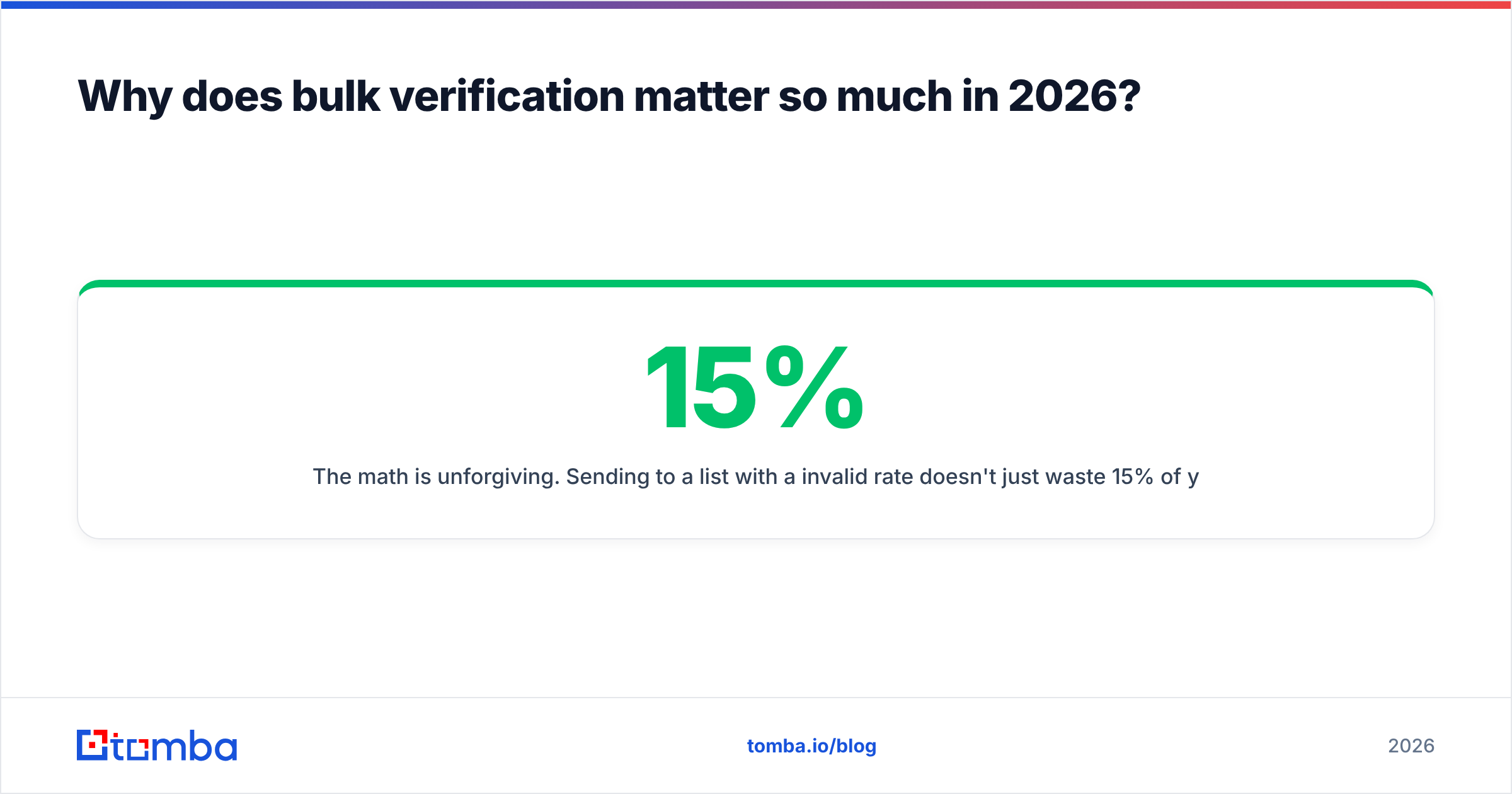
The math is unforgiving. Sending to a list with a 15% invalid rate doesn't just waste 15% of your effort — it can suppress inbox placement for the other 85%. One bad send poisons the well.
A bulk email verification service breaks that cycle by removing the addresses that trigger penalties before they ever reach a mail server. The result is a lower sender reputation risk, higher open rates, and accurate campaign metrics you can actually trust.
How accurate are email verification tools, really?#
Accuracy is the number every vendor advertises and the number you should trust least at face value. Here's how to read it honestly.

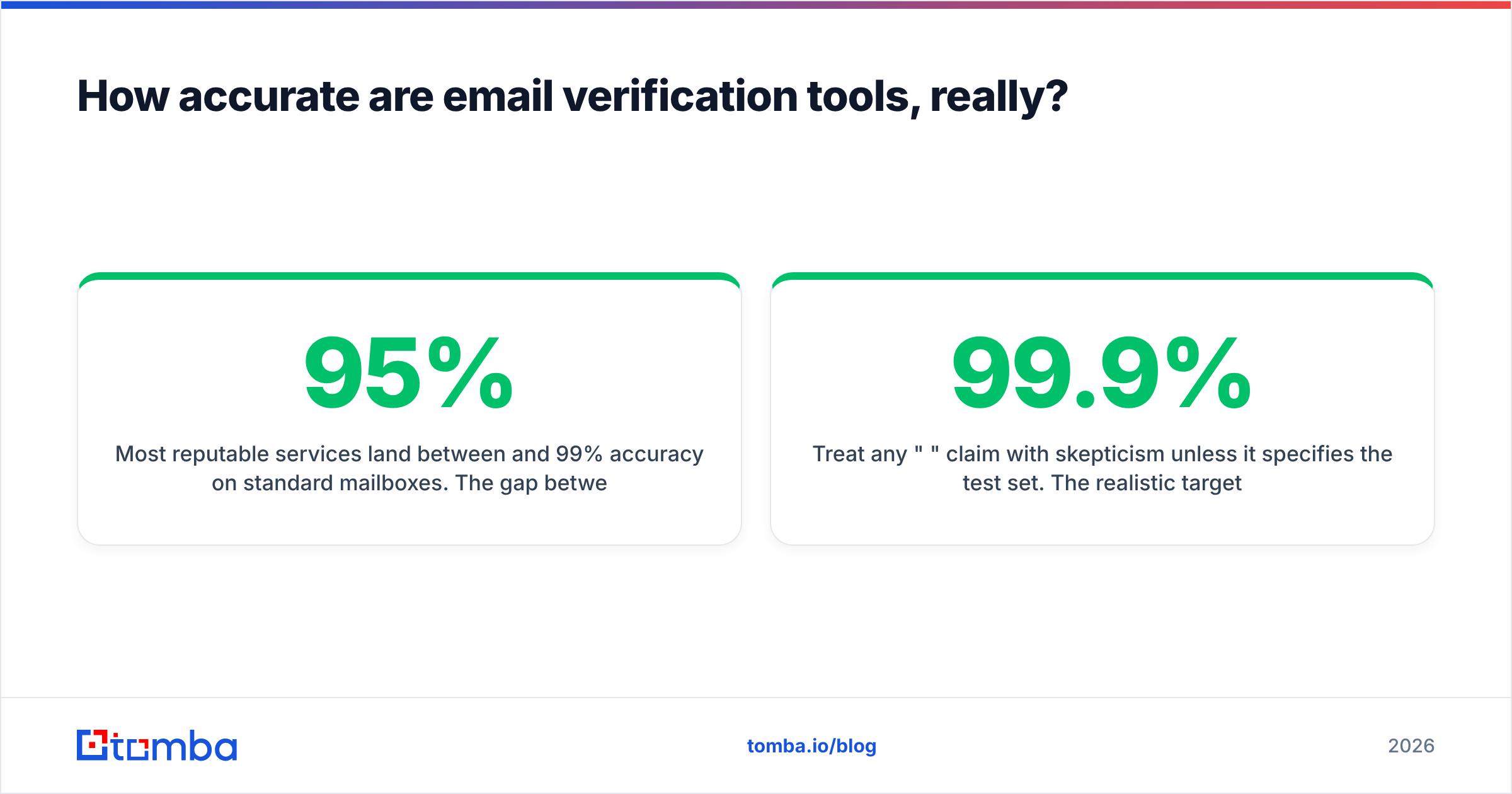
Most reputable services land between 95% and 99% accuracy on standard mailboxes. The gap between tools usually shows up in three hard cases:
- Catch-all domains. Many corporate domains accept all mail at the server level, so SMTP confirmation is impossible. A weak service marks everything "valid" (overconfident) or "unknown" (useless). A strong one uses additional signals — pattern history, prior sends, data sources — to give a probabilistic verdict. Tomba's catch-all verifier exists specifically for this.
- Greylisting and rate limits. Some servers temporarily reject verification probes. Tools that don't retry intelligently misclassify these as invalid.
- Spam traps. No tool can detect every recycled trap, but the good ones screen against known patterns and stale-domain heuristics.
Treat any "99.9%" claim with skepticism unless it specifies the test set. The realistic target is: bounce rate under 2% after cleaning. If a service delivers that consistently on your real lists, it works — regardless of the marketing number.
What features should a bulk email verification service have?#
Not every tool checks the same things. Use this checklist to separate complete services from thin ones.
- Bulk upload and export — CSV/XLSX in, enriched CSV out, with per-address status codes.
- API access — for verifying inside your own app or bulk lead generation workflow at scale.
- Catch-all handling — a real verdict, not a shrug.
- Disposable and role detection — to strip temporary and shared inboxes.
- Deduplication — remove duplicate rows before you pay to verify them twice (a standalone remove duplicates tool helps here).
- Integrations — native connections to your CRM and ESP, like HubSpot and Mailchimp.
- Compliance — GDPR-aware handling and clear data retention terms.
How does a bulk email verification service compare to alternatives?#
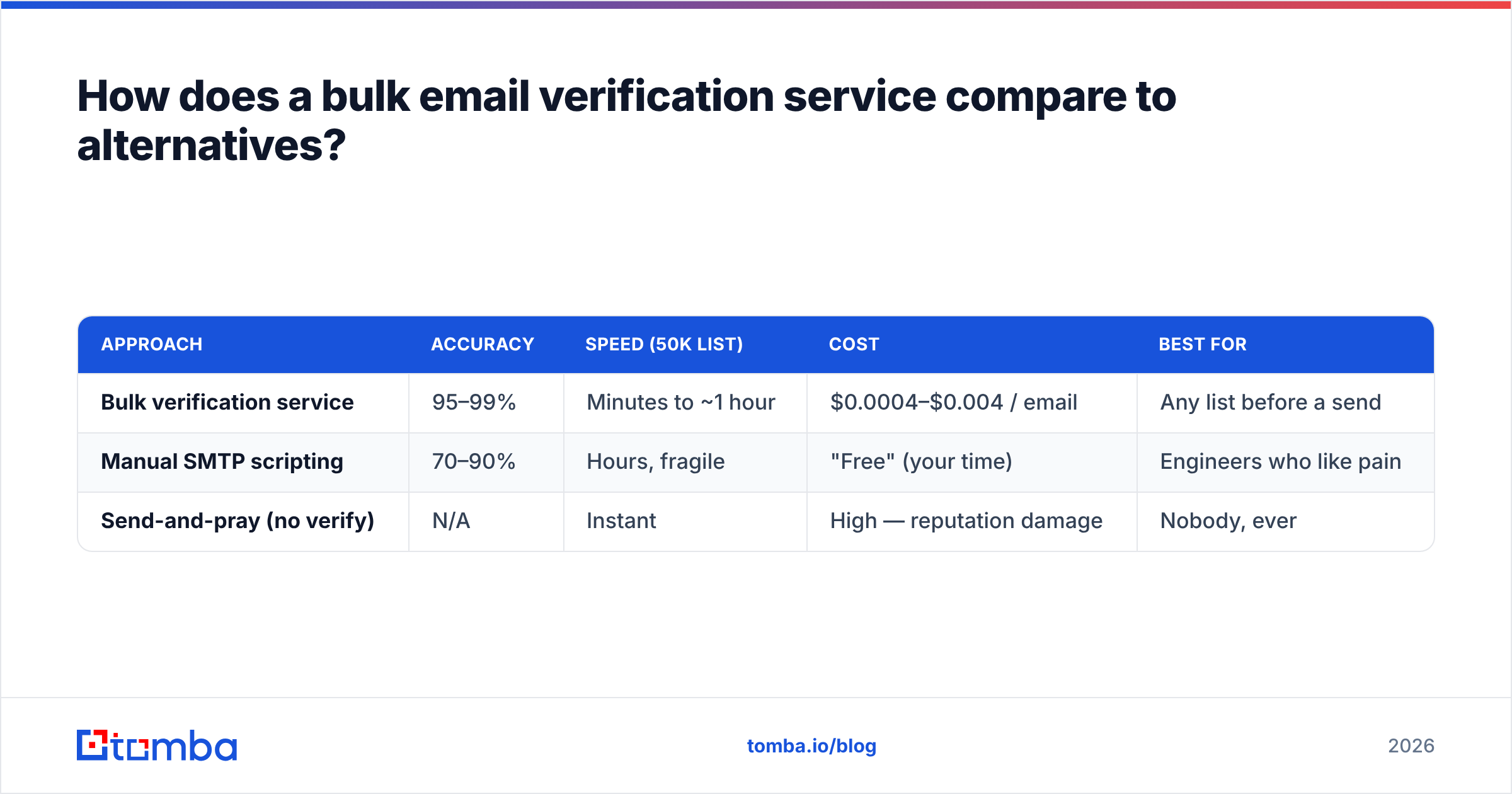
You have three realistic options for cleaning a list. Here's how they stack up.
| Approach | Accuracy | Speed (50k list) | Cost | Best for |
|---|---|---|---|---|
| Bulk verification service | 95–99% | Minutes to ~1 hour | $0.0004–$0.004 / email | Any list before a send |
| Manual SMTP scripting | 70–90% | Hours, fragile | "Free" (your time) | Engineers who like pain |
| Send-and-pray (no verify) | N/A | Instant | High — reputation damage | Nobody, ever |
Manual scripting looks free until your IP gets blocklisted for probing too aggressively, or greylisting wrecks your results. A dedicated service handles retries, rotation, and rate limits for you. The "send-and-pray" row is included only to be honest about what skipping verification actually costs.
What does bulk email verification pricing look like?#
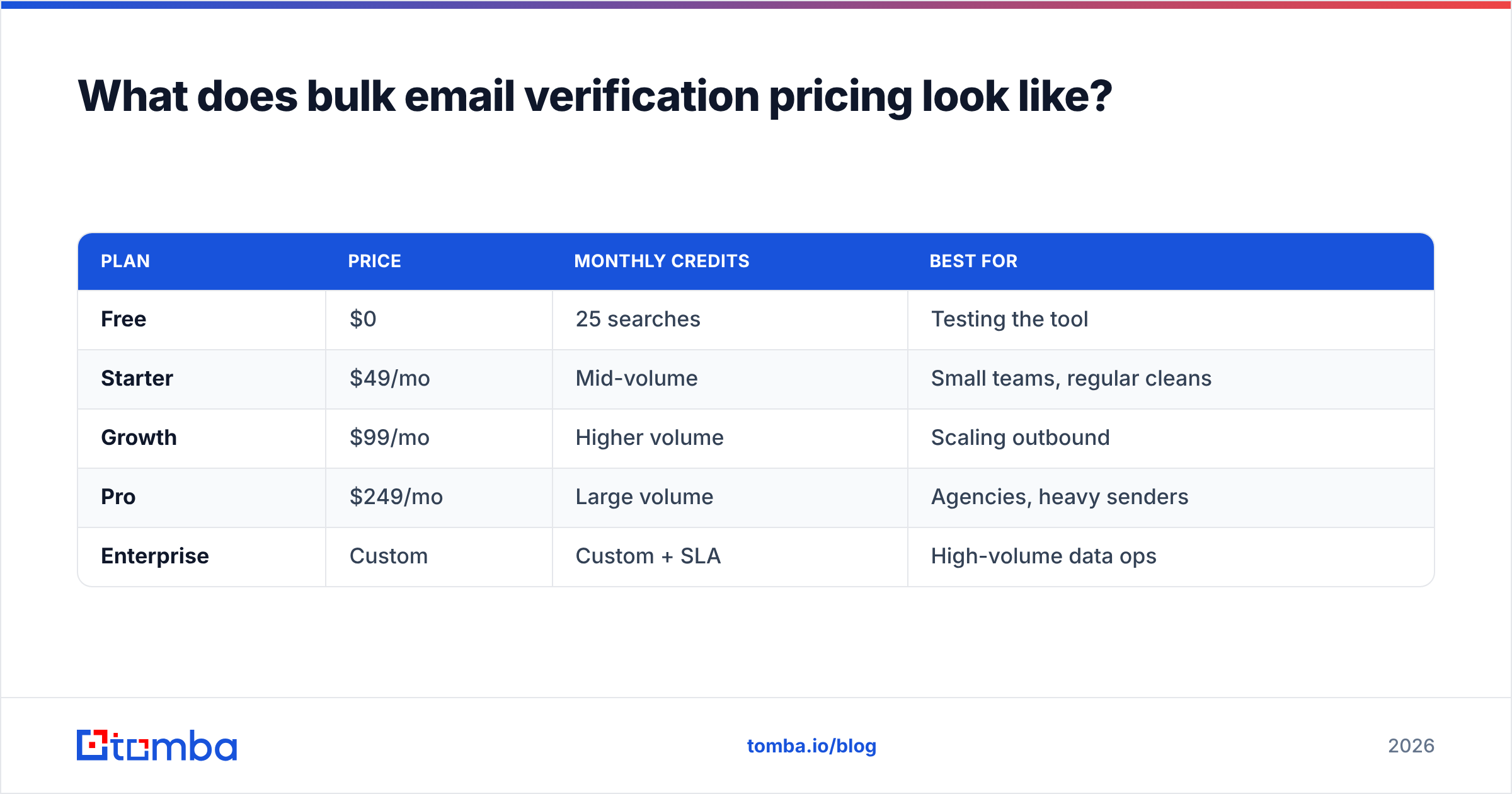
Pricing falls into two models, and most services offer both. Pay-as-you-go credits suit irregular, large one-off cleans; monthly subscriptions suit teams verifying continuously.
Here's how Tomba's plans map to verification needs, with the usual market context around them. Full numbers live on the Tomba pricing page.
| Plan | Price | Monthly credits | Best for |
|---|---|---|---|
| Free | $0 | 25 searches | Testing the tool |
| Starter | $49/mo | Mid-volume | Small teams, regular cleans |
| Growth | $99/mo | Higher volume | Scaling outbound |
| Pro | $249/mo | Large volume | Agencies, heavy senders |
| Enterprise | Custom | Custom + SLA | High-volume data ops |
Two pricing traps to avoid. First, watch whether catch-all and unknown results consume credits — some vendors charge full price for verdicts you can't use. Second, check whether finding and verifying draw from the same credit pool. With Tomba they do, which means you're not buying two separate subscriptions to both fill and clean a list. Compare that against a ZeroBounce alternative or a Bouncer alternative if you're weighing verification-only tools.

How do you verify a large list step by step?#
The process is simple once you stop treating verification as an afterthought.
- Deduplicate first. Remove exact and near-duplicate rows so you don't pay to verify the same address twice.
- Upload the list. Drop your CSV into the bulk tool or push it through the email verification API for automated pipelines.
- Let it run. A 50,000-row list typically finishes in minutes to an hour depending on how many catch-all domains it contains.
- Read the status codes. Keep
valid. Deleteinvalidanddisposable. Decide oncatch-allandunknownbased on your risk tolerance. - Segment risky addresses. Don't blanket-delete catch-alls — send to them on a separate, warmed sub-domain or at lower volume.
- Export and sync. Push the clean file back to your ESP or CRM and send.
The timing rule that matters most: verify immediately before you send. Email lists decay 2–3% per month as people change jobs and domains lapse. A list you cleaned in March is already stale by June.
When should you verify — and how does it fit with finding emails?#
Verification and finding are two halves of the same job, and treating them separately is where most teams waste money. You find an address with an email finder, but a found address is a prediction until it's verified. Conversely, a verified-but-old list has gaps that only finding can fill.
The cleanest workflow uses one platform for both:
- Prospecting from a domain? Use domain search to pull every public address at a company, then verify the batch in the same run.
- Enriching existing records? Run data enrichment to fill missing fields, then verify the emails it returns.
- Cleaning an inherited list? Skip finding, go straight to bulk verification, and re-find the contacts that bounce.
Because finding and verifying share Tomba's credit pool and data sources, you're not stitching two vendors together or reconciling two billing cycles. For teams that live in spreadsheets, the Google Sheets add-on runs both directly inside a tab.
What mistakes should you avoid?#
A few patterns cause most of the damage:
- Verifying once and reusing forever. Re-verify before every major send.
- Mailing every catch-all as valid. Catch-alls are a maybe, not a yes. Segment them.
- Ignoring role-based addresses. info@ and support@ inflate complaint rates. Strip or quarantine them.
- Skipping authentication. Even a perfectly clean list lands in spam without SPF, DKIM, and DMARC. Verification is necessary, not sufficient — pair it with proper SPF record setup.
- Buying lists. No verification service can fix a purchased list's fundamental consent problem. Verify lists you built, don't launder ones you bought.
According to deliverability guidance published by vendors like HubSpot, list hygiene and authentication together are the two highest-leverage moves for inbox placement — verification is how you do the first one at scale. Independent reviews on G2 are a reasonable place to sanity-check any vendor's accuracy claims against real user reports.
How do you choose the right tool?#
Match the tool to your volume and workflow, not to the loudest accuracy number.
- Verifying occasionally, small lists? A free tier plus pay-as-you-go credits is plenty. Start on Tomba's free plan.
- Sending weekly, growing list? A monthly plan at the Starter or Growth tier keeps per-email cost low and gives you API access.
- Running an agency or data team? Pro or Enterprise, with an SLA and bulk discounts — and prioritize the same-credit-pool advantage so finding and verifying don't double your spend.
Whatever you pick, run a real test batch first. Upload 1,000 of your addresses, send to the "valid" segment, and measure the actual bounce rate. That single test tells you more than any vendor benchmark.
Final recommendation#
If your work involves both building lists and keeping them clean, use a platform that does both from one credit pool rather than bolting a verifier onto a separate finder. Start with the Tomba Email Finder to source accurate, verified professional emails by name, company, or domain — then clean any existing list with the same account before your next send. The free tier (25 searches) is enough to test accuracy on your own data, and plans scale from $49/mo to Enterprise as your volume grows. Verify before you send, every time, and your bounce rate — and your sender reputation — will take care of themselves.
// get started
Find, verify and enrich your first contacts today
Start on the free plan with 25 searches a month, then scale when your team is ready.
Free plan · No credit card required · GDPR & CCPA
// about the author