Business Contacts Database: How to Build One That Converts in 2026
A business contacts database is only as good as its accuracy. Here's how to build, verify, and maintain one that actually books meetings in 2026.
A business contacts database is the engine behind every outbound motion you run. Get the data right and your reps spend their time selling. Get it wrong and you pay — in bounced emails, wrecked sender reputation, and pipeline that never materializes. This guide breaks down what a modern contacts database actually is, how to build one that holds up, and how to keep it from rotting the moment you stop looking.
TL;DR#
- A business contacts database is a structured, verified store of B2B people and company records — emails, phone numbers, titles, and firmographics — that you can segment and act on.
- Accuracy beats volume every time. A 5,000-row verified list outperforms a 50,000-row scraped one because deliverability and trust compound.
- Build it from first-party signals plus a reputable provider, then verify before every send and re-verify on a schedule.
- Decay is real: B2B data goes stale at roughly 22–30% per year as people change jobs. Budget for ongoing maintenance, not a one-time buy.
- Tools like Tomba Email Finder and an email verifier let you source and clean records without burning your domain.
What is a business contacts database?#
A business contacts database is a single, queryable source of truth for the people and companies you sell to. Think of it like a well-run kitchen pantry: it's not just having ingredients, it's knowing exactly what you have, that none of it is expired, and being able to grab the right thing in seconds. A pile of CSVs in someone's downloads folder is a junk drawer. A real database is the pantry.
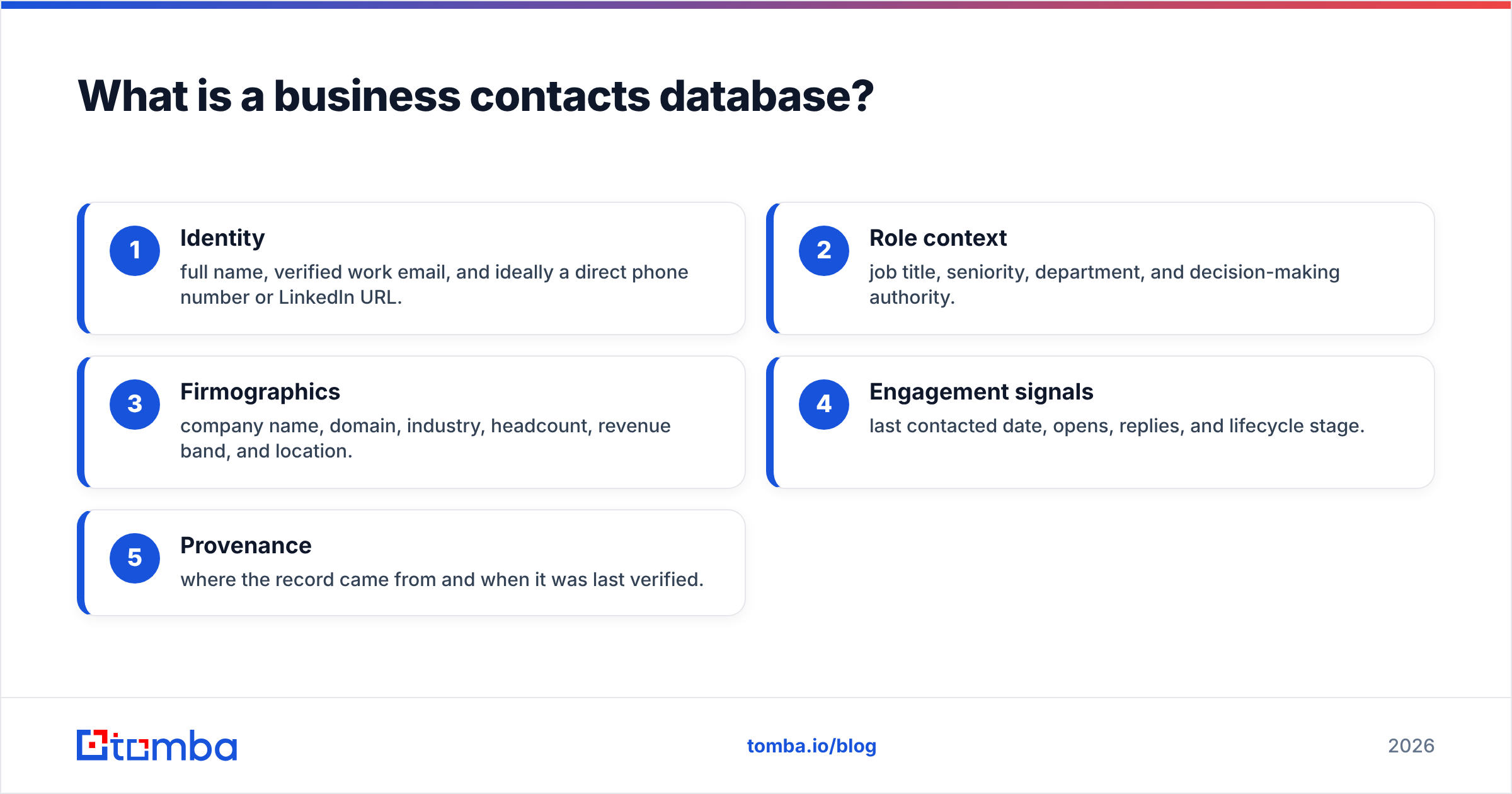
At minimum, each record carries a few core fields. The difference between a database that converts and one that wastes everyone's time lives in how reliably these fields are populated and verified:
- Identity — full name, verified work email, and ideally a direct phone number or LinkedIn URL.
- Role context — job title, seniority, department, and decision-making authority.
- Firmographics — company name, domain, industry, headcount, revenue band, and location.
- Engagement signals — last contacted date, opens, replies, and lifecycle stage.
- Provenance — where the record came from and when it was last verified.
That last field is the one most teams skip, and it's the one that saves you. Without provenance and a verification timestamp, you have no way to know which records are safe to email today versus which will bounce and drag your sender reputation down with them.
)
Why does data accuracy matter more than database size?#
Because deliverability and trust compound, while volume just multiplies your risk. Conclusion first: a smaller verified database almost always outperforms a larger dirty one.
Here's the chain reaction when you email unverified contacts. Bounces spike. Mailbox providers like Google and Microsoft read elevated bounce rates as a spam signal. Your email deliverability drops, which means even your good contacts stop seeing your messages. One bad list poisons the whole channel.
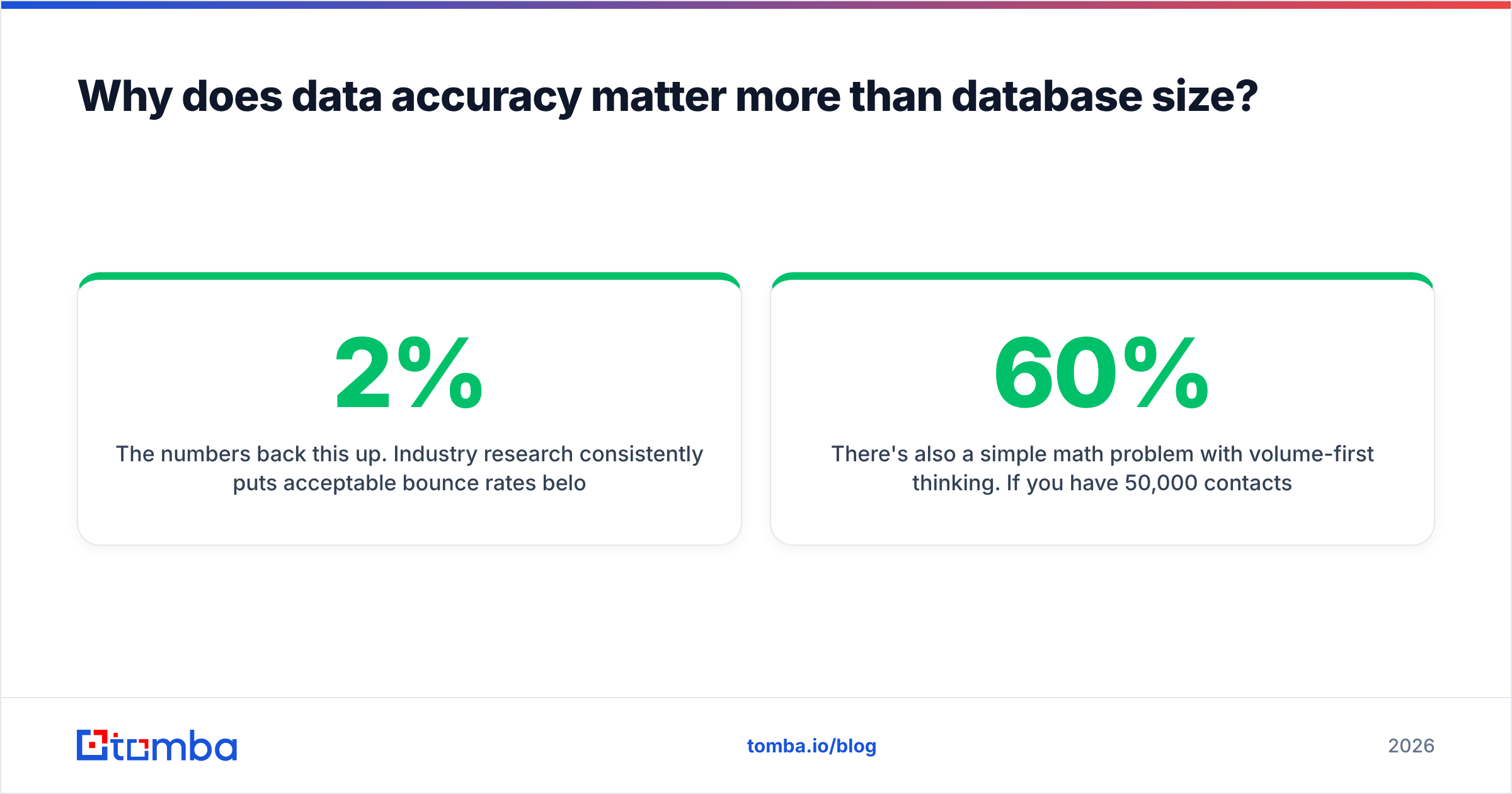
The numbers back this up. Industry research consistently puts acceptable bounce rates below 2%, and email service providers treat anything above that as a reputation hazard. Scraped or purchased lists routinely bounce at 15–40%. Do that once and you can spend weeks rebuilding trust with mailbox providers — assuming you don't get blocklisted first.
There's also a simple math problem with volume-first thinking. If you have 50,000 contacts but only 60% are deliverable, you have 30,000 usable records and a reputation problem. If you have 8,000 contacts at 97% deliverability, you have 7,760 usable records and a clean domain. The second list will book more meetings, full stop.
How do you build a business contacts database from scratch?#
Build it in layers, starting with the data you already own and earned. Don't open with a bulk purchase — that's the fastest way to inherit someone else's bounce problem.
Layer 1 — First-party signals. Website form fills, demo requests, newsletter subscribers, webinar registrants, and website visitor reveal data. These people already know you exist, so they convert at a far higher rate than cold records.
Layer 2 — Targeted discovery. Once you know your ideal customer profile, find the specific people who match it. Use domain search to pull every relevant contact at a target company, or an email finder to locate a named decision-maker. This is precision sourcing, not spray-and-pray.
Layer 3 — Enrichment. Take a thin record (just a name and company, say) and fatten it with title, phone, and firmographics through data enrichment. Enrichment is what turns a scraped name into a segmentable, actionable contact.
Layer 4 — Verification. Before anything enters the "send-safe" segment, run it through verification. This is non-negotiable and we'll cover it next.
For scale, a bulk email finder lets you process thousands of company-and-name pairs at once instead of one lookup at a time. Drop in a list, get back verified emails, route the unverifiable ones to a separate holding segment.
Which sources should feed your contacts database?#
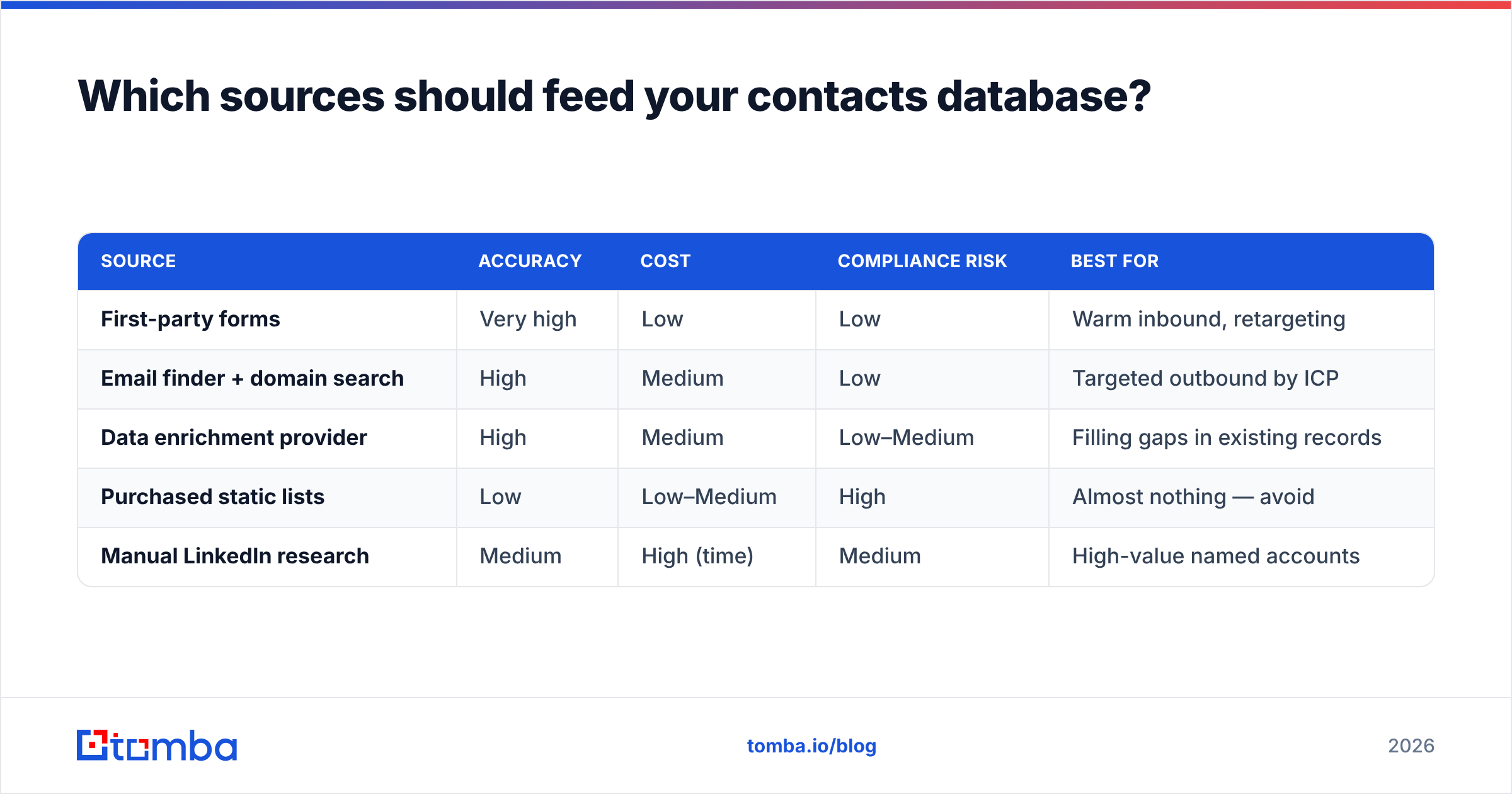
Different sources carry different accuracy and compliance profiles. Mix them deliberately rather than leaning on any single one. Here's how the common options stack up:
| Source | Accuracy | Cost | Compliance risk | Best for |
|---|---|---|---|---|
| First-party forms | Very high | Low | Low | Warm inbound, retargeting |
| Email finder + domain search | High | Medium | Low | Targeted outbound by ICP |
| Data enrichment provider | High | Medium | Low–Medium | Filling gaps in existing records |
| Purchased static lists | Low | Low–Medium | High | Almost nothing — avoid |
| Manual LinkedIn research | Medium | High (time) | Medium | High-value named accounts |
The pattern is clear: the cheapest-looking option (bought lists) carries the highest hidden cost in compliance exposure and deliverability damage. The sweet spot for most teams is first-party data plus an email finder and enrichment layer, with manual research reserved for your highest-value target accounts.
Worth knowing where your provider's data actually comes from. Tomba documents its data sources publicly, which matters for both accuracy auditing and answering procurement's compliance questions. A vendor that won't tell you where the data originated is a vendor you can't defend in a GDPR review.
How do you keep a business contacts database clean over time?#
Treat cleaning as a recurring process, not a project with an end date. B2B contact data decays fast — people switch jobs, companies get acquired, domains change. Estimates from data providers put annual decay between 22% and 30%, which means roughly a quarter of your database goes wrong every year if you do nothing.
A maintenance rhythm that works for most teams:
- Verify before every send. Run the target segment through an email verifier immediately before a campaign. Fresh verification beats stored verification because someone may have left since last month.
- Re-verify the full database quarterly. Sweep everything, demote bouncers, and flag records that haven't been touched in 90+ days.
- Handle catch-all domains separately. Catch-all servers accept every address, so standard verification can't confirm them. Route these through a catch-all verifier so you're not guessing.
- Deduplicate on a schedule. Merge duplicate records before they fragment your engagement history and inflate your seat costs.
- Suppress and archive, don't delete. Keep a suppression list of hard bounces and unsubscribes so they never re-enter your sends.
)
This is also where integrations earn their keep. If your database lives in a CRM, push verification and enrichment back into it automatically rather than exporting CSVs by hand. Tomba connects to HubSpot, Salesforce, and Pipedrive, so cleaned records flow straight into the system your reps actually use. Manual export-import loops are where data quality goes to die — every round trip is a chance to overwrite good data with stale data.
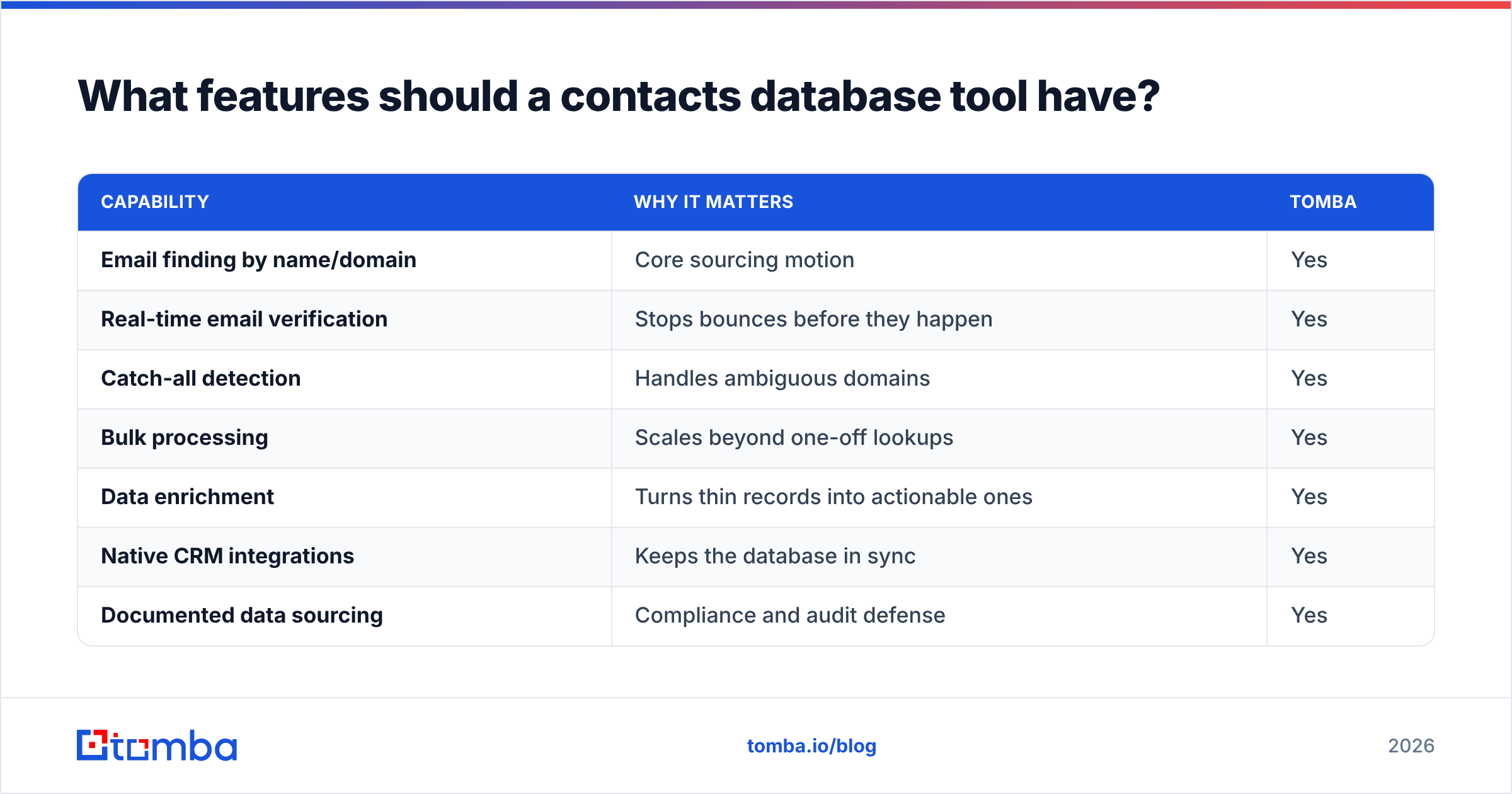
What features should a contacts database tool have?#
Match the tool to the way you actually work, not to the longest feature list. The capabilities that separate a serious B2B data tool from a glorified scraper:
| Capability | Why it matters | Tomba |
|---|---|---|
| Email finding by name/domain | Core sourcing motion | Yes |
| Real-time email verification | Stops bounces before they happen | Yes |
| Catch-all detection | Handles ambiguous domains | Yes |
| Bulk processing | Scales beyond one-off lookups | Yes |
| Data enrichment | Turns thin records into actionable ones | Yes |
| Native CRM integrations | Keeps the database in sync | Yes |
| Documented data sourcing | Compliance and audit defense | Yes |
| API / CLI access | Automate the whole pipeline | Yes |
Pricing matters too, especially as your list grows. Compare plans on cost per verified record, not headline credit counts — a cheap plan that surfaces lots of unverifiable emails costs more in the end. You can review Tomba pricing directly: a free tier with 25 searches per month, Starter at $49/mo, Growth at $99/mo, and Pro at $249/mo, with custom Enterprise plans for high-volume teams. Cross-reference vendor claims with independent reviews on G2 before you commit budget.
For teams that want to build the database into their own systems, the Tomba API lets you wire finding, verification, and enrichment directly into your data pipeline — so every new lead is verified the moment it's created, not weeks later in a manual cleanup.
How big should your business contacts database be?#
Big enough to cover your addressable market, no bigger. Conclusion first: chasing raw record counts is a vanity metric that costs you money and deliverability.
Size your database against your actual ICP. If you sell to mid-market SaaS companies in North America, there's a finite number of qualifying accounts and a finite number of buyers inside them. A database that maps that universe completely — with verified, enriched, current records — is worth ten times a bloated list padded with contacts you'll never legitimately reach.
A useful gut check: every contact in your database should answer "yes" to two questions. Does this person plausibly fit my ICP? Is this record verified and current? If either answer is no, the record isn't an asset — it's a liability waiting to bounce. Quality over quantity isn't a platitude here; it's the difference between a deliverable database and a blocklisted domain.
Final takeaway and next step#
A business contacts database is a living system, not a file you buy once. Build it from first-party signals and targeted discovery, enrich it into something segmentable, verify it before every send, and re-verify on a schedule so decay never gets ahead of you. The teams that win at outbound aren't the ones with the most contacts — they're the ones whose contacts actually exist and actually open.
Ready to build a database that converts instead of bounces? Start with the Tomba Email Finder to source verified, accurate contacts by name, domain, or company — then layer in verification and enrichment to keep it clean. The free tier gives you 25 searches a month to test the data quality yourself before you scale up. Clean data in, booked meetings out.
// get started
Find, verify and enrich your first contacts today
Start on the free plan with 25 searches a month, then scale when your team is ready.
Free plan · No credit card required · GDPR & CCPA
// about the author