Business Email Domain: How to Set One Up Right in 2026
Still sending sales emails from a @gmail.com address? Here's how a proper business email domain boosts trust, deliverability, and reply rates—and how to set one up in an afternoon.
A business email domain is the part of your address after the @ — you@yourcompany.com instead of you@gmail.com. It sounds cosmetic. It isn't. It changes how prospects judge you, whether spam filters trust you, and how easily other tools (including the ones your sales team uses to find and verify contacts) can map your organization. Get it right once and everything downstream gets easier.
TL;DR#
- A business email domain is your branded address (
name@company.com) running on email infrastructure you control, not a free consumer provider. - It raises perceived trust, protects your sender reputation, and unlocks authentication (SPF, DKIM, DMARC) that free domains can't give you.
- The three mainstream providers are Google Workspace, Microsoft 365, and Zoho Mail — pricing starts around $6, $6, and $1 per user/month respectively.
- Setup is a one-afternoon job: buy a domain, point MX records, add SPF/DKIM/DMARC, then warm it up before you send cold outreach.
- Once your domain is live, predictable email patterns (
first.last@) make it findable — which is exactly how tools like Tomba's domain search locate and verify contacts.
What is a business email domain?#
A business email domain is the custom domain your company sends and receives mail on. Think of it like a storefront address versus a P.O. box. Anyone can rent a P.O. box at the post office (a free @gmail.com or @outlook.com inbox), but a street address with your name on the door tells customers you're a real, locatable business that intends to stick around.
Technically, a business email domain means three things working together:
- A registered domain —
yourcompany.com, bought from a registrar. - A mailbox provider — the service that actually stores and delivers your mail (Google, Microsoft, Zoho, etc.).
- DNS records — the MX, SPF, DKIM, and DMARC entries that route mail and prove it's really you sending it.
When all three are configured, sarah@yourcompany.com becomes a credential. It signals you own infrastructure, you've done the technical legwork, and you're accountable for what leaves your servers.
Why does a business email domain matter for sales and deliverability?#
Conclusion first: a free domain quietly caps your trust and your inbox placement, and you rarely see the damage directly. Here's where it bites.
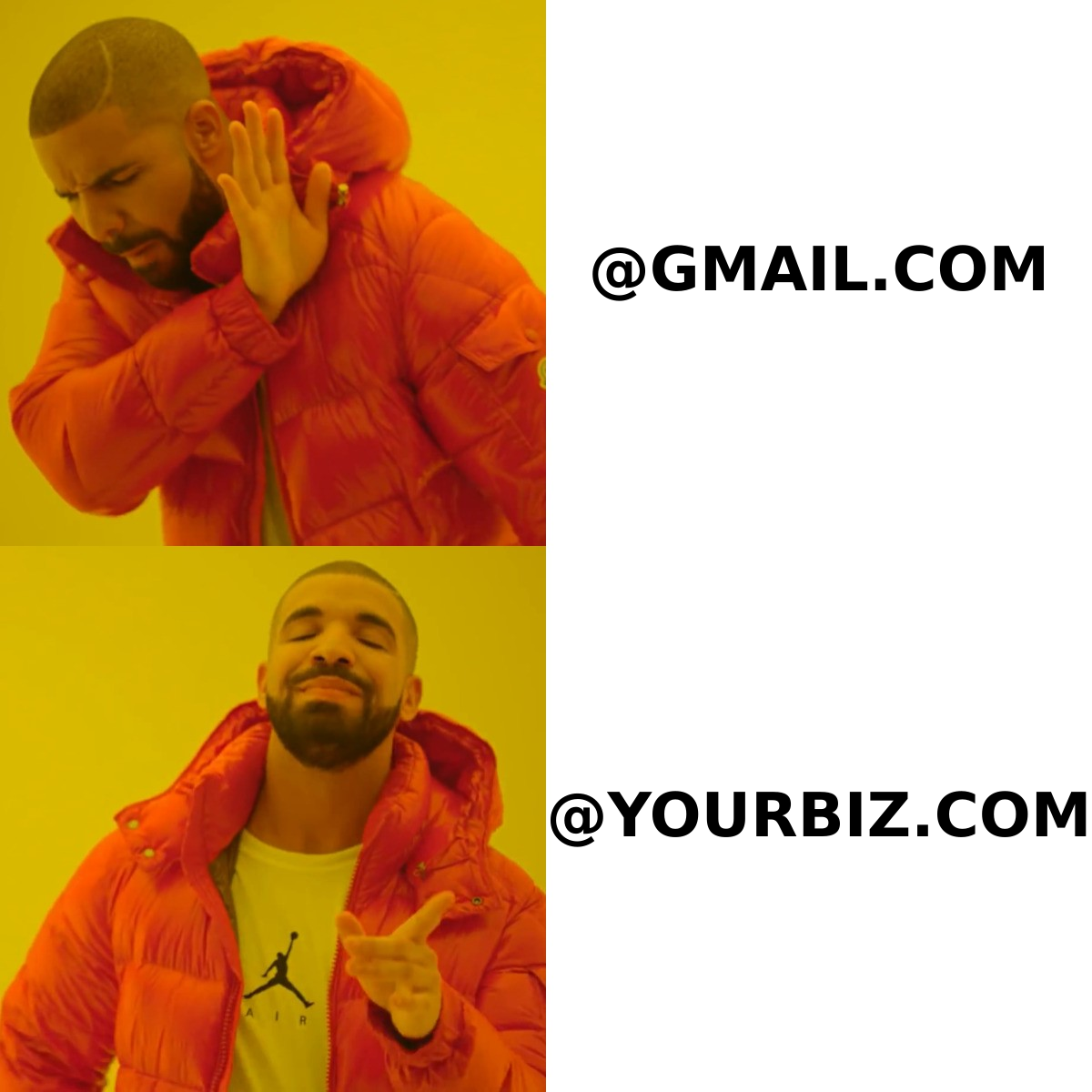
Credibility. Buyers screen senders in under a second. A 2023 study of B2B buying behavior repeatedly shows that perceived legitimacy drives whether a cold email gets opened at all. john@salesco.com reads as a company. johnsalesco23@gmail.com reads as a scam or a side hustle.
Authentication. You cannot publish a proper DKIM signature or a DMARC policy on gmail.com — you don't own it. Custom domains let you authenticate every message, which is now mandatory: since 2024, Google and Yahoo require SPF, DKIM, and DMARC for bulk senders or they throttle and bounce you. This is the foundation of email deliverability and protects your sender reputation over time.
Control and continuity. Employees leave; the inbox stays. With a business domain you reassign sales@company.com to the next rep in minutes. On a personal Gmail, the data walks out the door with the person.
Brand consistency. Every email, signature, and reply reinforces one domain. That same domain shows up on your website, your LinkedIn, and your invoices — a single, searchable identity.
What are the best business email domain providers in 2026?#
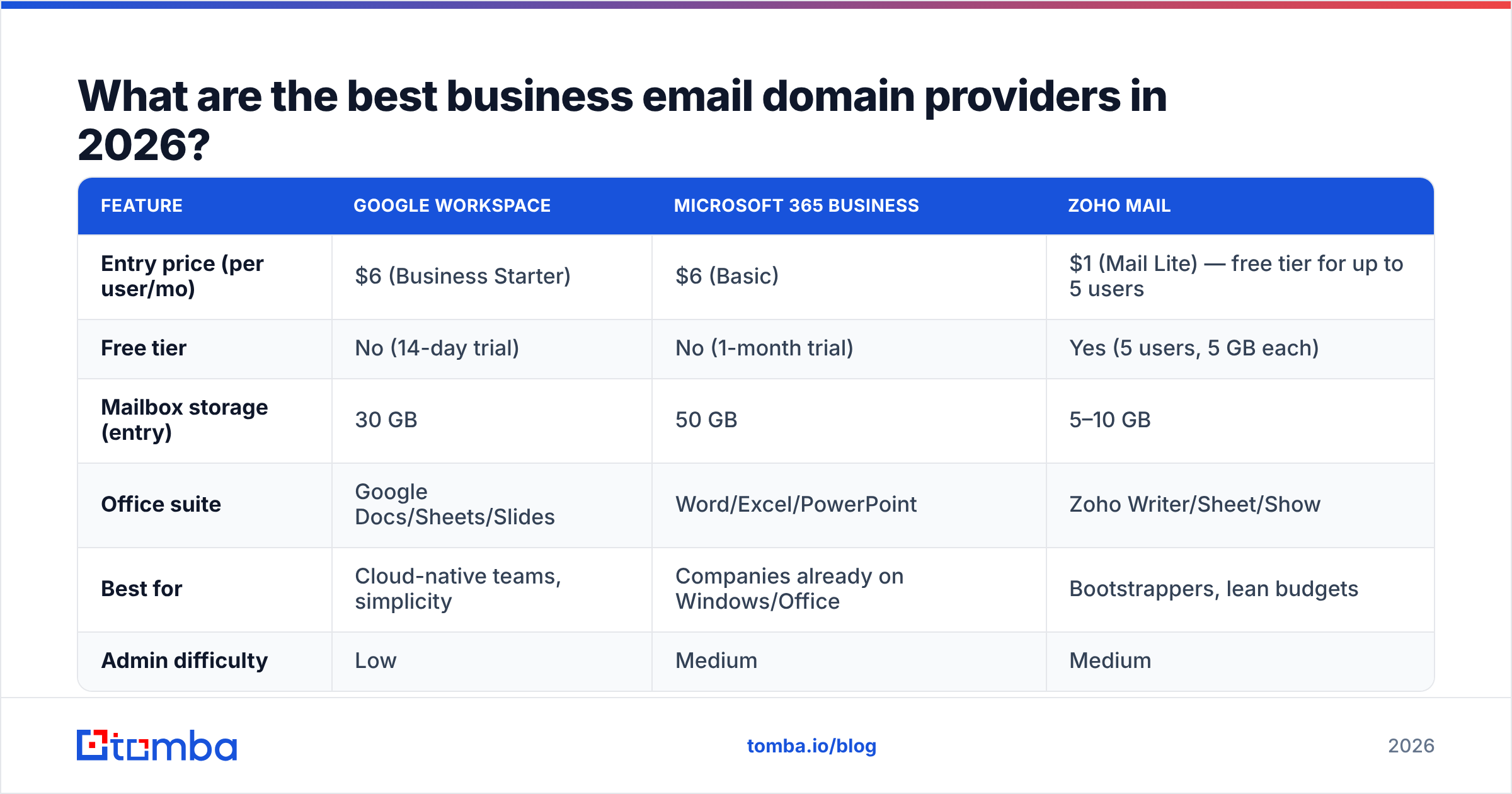
For most teams the decision comes down to three providers. All three give you custom-domain mailboxes, calendars, and storage; they differ on price, ecosystem, and how much administration you want to do.
| Feature | Google Workspace | Microsoft 365 Business | Zoho Mail |
|---|---|---|---|
| Entry price (per user/mo) | $6 (Business Starter) | $6 (Basic) | $1 (Mail Lite) — free tier for up to 5 users |
| Free tier | No (14-day trial) | No (1-month trial) | Yes (5 users, 5 GB each) |
| Mailbox storage (entry) | 30 GB | 50 GB | 5–10 GB |
| Office suite | Google Docs/Sheets/Slides | Word/Excel/PowerPoint | Zoho Writer/Sheet/Show |
| Best for | Cloud-native teams, simplicity | Companies already on Windows/Office | Bootstrappers, lean budgets |
| Admin difficulty | Low | Medium | Medium |
Quick guidance:
- Pick Google Workspace if you want the least friction and your team lives in the browser. Setup is the most forgiving and DNS verification is guided. See workspace.google.com.
- Pick Microsoft 365 if you already pay for Office, run Windows fleets, or need Teams and SharePoint. Details at microsoft.com/microsoft-365.
- Pick Zoho Mail if you're cost-sensitive or running a side business. The free tier for up to five users is genuinely usable — zoho.com/mail.
A note on what to avoid: do not run real sales outreach from a registrar's bundled "free email forwarding," and do not send cold campaigns from your primary company domain. Most teams buy a separate, similar domain (e.g., getyourcompany.com) for outbound so a deliverability mishap never burns the main brand.
How do you set up a business email domain step by step?#
You can do this in an afternoon. The order matters — authentication before sending.
- Register your domain. Buy
yourcompany.com(and a close cousin for cold outreach if you'll do volume). Use any reputable registrar; keep the registration on auto-renew so it never lapses. - Choose a mailbox provider from the table above and start the signup. You'll be asked to verify domain ownership with a TXT record.
- Point your MX records. These tell the internet where to deliver your mail. Your provider gives you the exact values; paste them into your DNS panel and delete any old MX entries.
- Add SPF. A single TXT record listing who may send on your behalf (your provider, plus any sending tools). One SPF record only — multiple records break it.
- Enable DKIM. Your provider generates a key; you publish it as a DNS record so receivers can verify messages weren't tampered with.
- Publish DMARC. Start at
p=noneto monitor, then tighten toquarantineand eventuallyrejectonce reports look clean. - Create mailboxes and a pattern. Decide your format —
first.last@,first@, orflast@— and apply it consistently. Consistency makes your org legible to humans and tools alike. - Warm up before you send. A brand-new domain has zero reputation. Ramp volume gradually over 2–4 weeks. Our email warmup calculator helps you plan the ramp.

Before you trust any address — yours or a prospect's — run it through an email verifier to confirm the mailbox actually exists. Sending to dead addresses spikes your bounce rate and undoes the warmup you just paid for.
How does your email domain pattern affect being found (and finding others)?#
Here's the part most setup guides skip. The moment you standardize a business email domain pattern, you make your company discoverable — and you learn how to discover everyone else.
Email-finding tools don't guess randomly. They detect the dominant pattern for a domain (say, first.last@acme.com), then validate candidate addresses against the mail server. If Acme uses one clean pattern, finding any employee's address is near-instant. If Acme runs five inconsistent formats, accuracy drops for everyone.
So your pattern choice is a two-way street:
- Inbound: a tidy pattern means partners, recruiters, and customers can reach the right person without playing inbox roulette.
- Outbound: when your reps prospect, they rely on the same logic. Knowing a target company's pattern is the difference between a verified hit and a guess.
You can inspect any organization's format with a company email pattern checker, then pull the full roster of known addresses with domain search. Both lean on real, sourced data — see where Tomba gets its data — rather than blind permutation.
What does a business email domain cost over a year?#
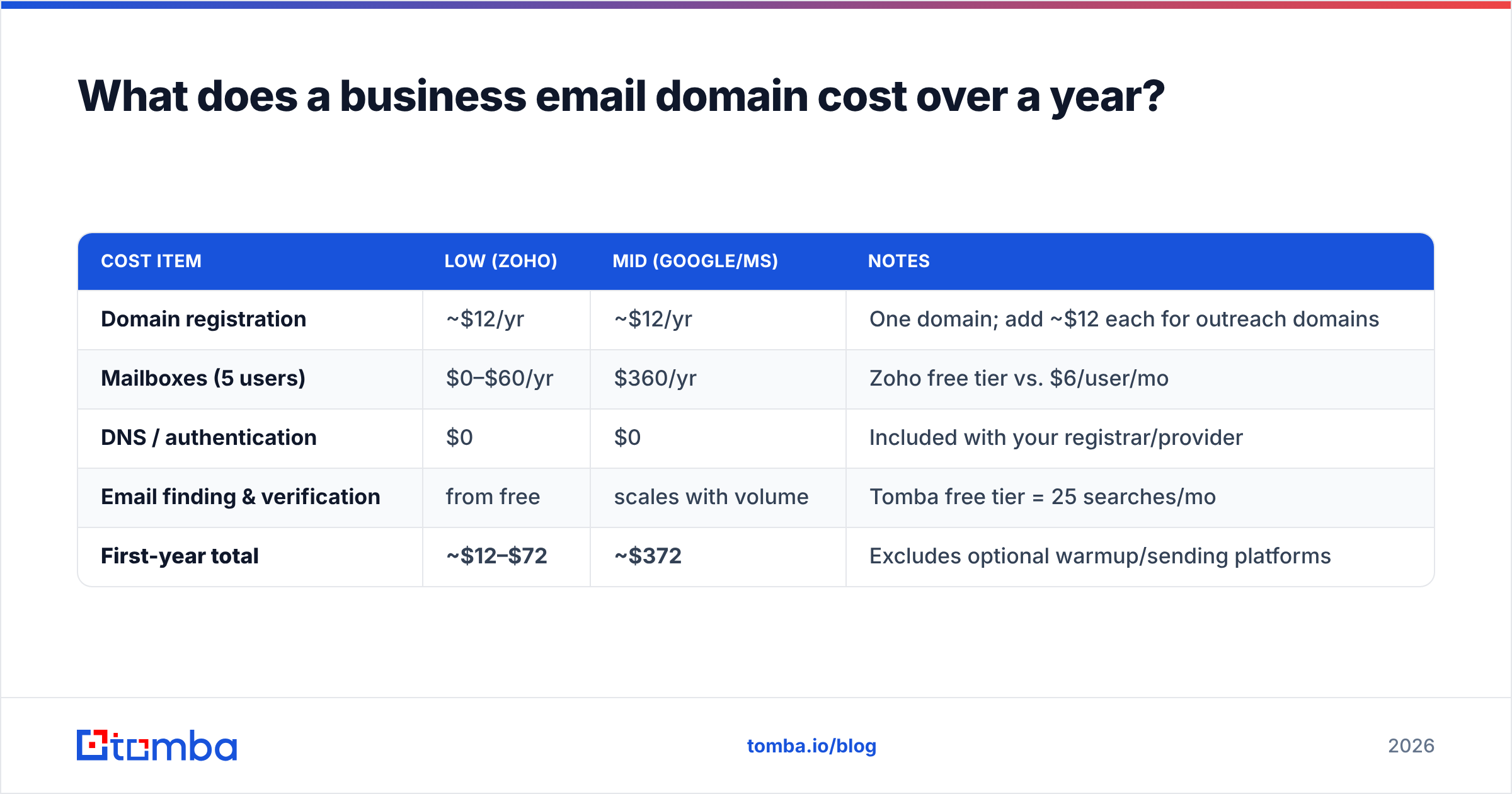
Budget for three line items: the domain, the mailboxes, and (optionally) the sending tooling. Here's a realistic picture for a five-person team.
| Cost item | Low (Zoho) | Mid (Google/MS) | Notes |
|---|---|---|---|
| Domain registration | ~$12/yr | ~$12/yr | One domain; add ~$12 each for outreach domains |
| Mailboxes (5 users) | $0–$60/yr | $360/yr | Zoho free tier vs. $6/user/mo |
| DNS / authentication | $0 | $0 | Included with your registrar/provider |
| Email finding & verification | from free | scales with volume | Tomba free tier = 25 searches/mo |
| First-year total | ~$12–$72 | ~$372 | Excludes optional warmup/sending platforms |
The takeaway: a credible business email domain costs less than a single SaaS seat. There is no good reason to keep prospecting from a free consumer inbox. If you want exact numbers for finding and verifying contacts at scale, check current Tomba pricing — the free tier is enough to test the workflow end to end.
Common business email domain mistakes to avoid#
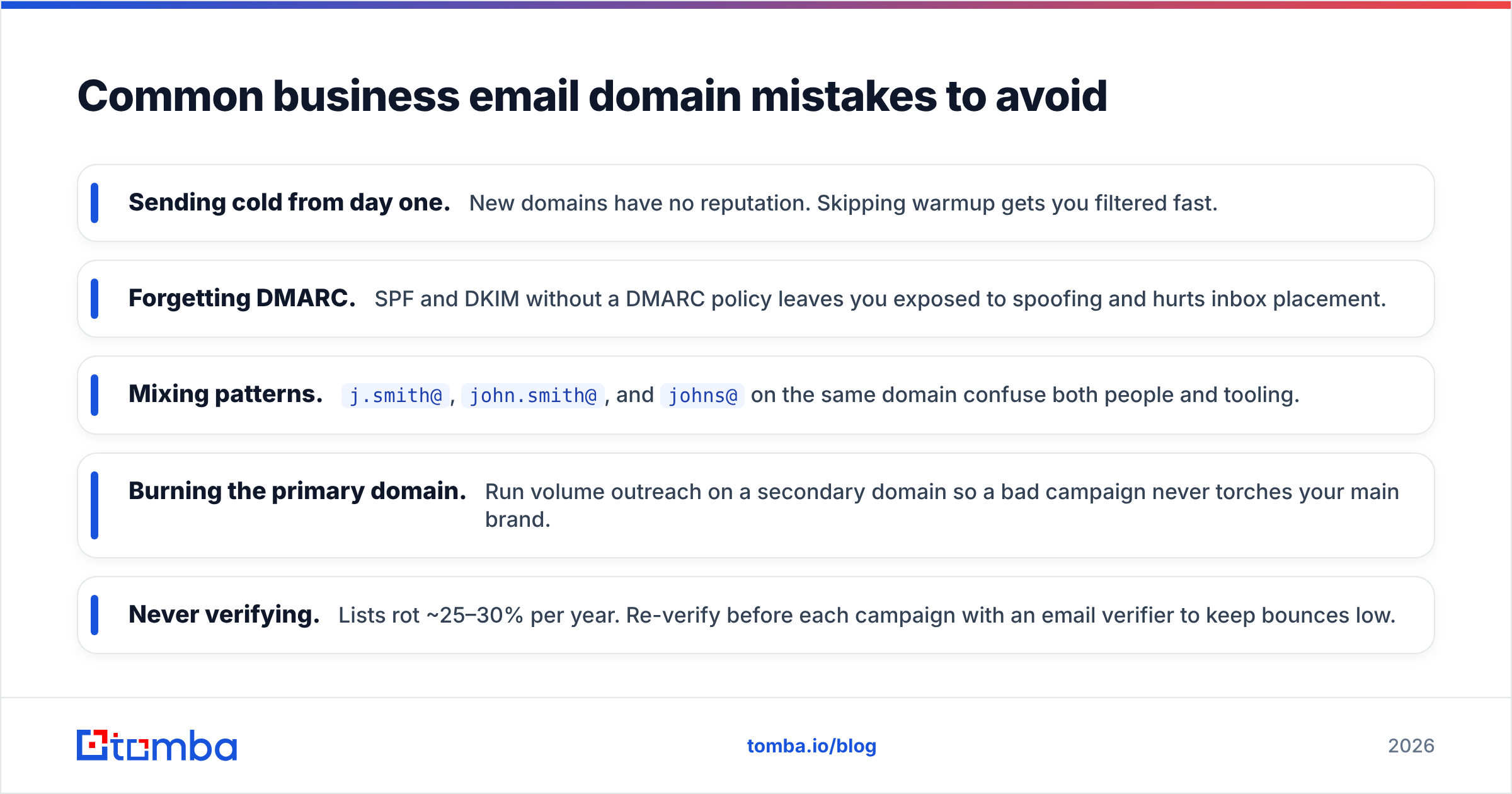
- Sending cold from day one. New domains have no reputation. Skipping warmup gets you filtered fast.
- Forgetting DMARC. SPF and DKIM without a DMARC policy leaves you exposed to spoofing and hurts inbox placement.
- Mixing patterns.
j.smith@,john.smith@, andjohns@on the same domain confuse both people and tooling. - Burning the primary domain. Run volume outreach on a secondary domain so a bad campaign never torches your main brand.
- Never verifying. Lists rot ~25–30% per year. Re-verify before each campaign with an email verifier to keep bounces low.
Frequently asked questions#
Do I need a business email domain for a one-person company? Yes. Solo founders gain the most from looking established. A $12 domain and a $6 mailbox immediately upgrade how every prospect perceives you.
Can I use my website domain for email?
Yes — that's the norm. Your website and email can share yourcompany.com. For high-volume cold outreach, add a separate lookalike domain to protect the primary one.
How long until a new domain can send cold email? Plan on 2–4 weeks of gradual warmup. Start with a handful of conversational emails per day and ramp slowly while monitoring bounces and spam complaints.
Is a free email domain ever acceptable in B2B? For one-off personal correspondence, fine. For sales, marketing, or anything representing a company, no — it caps trust and blocks authentication.
Where to go from here#
A business email domain is the cheapest credibility upgrade in B2B sales — and the prerequisite for every deliverability best practice that follows. Buy the domain, configure SPF/DKIM/DMARC, standardize your pattern, and warm it up before you scale.
Then put it to work. Once your domain (and your prospects') runs a clean, predictable pattern, finding the right contact is fast and accurate. Use the Tomba Email Finder to locate verified, professional addresses by name, company, or domain — and start every conversation from a trusted inbox instead of a guess. Spin it up on the free tier, run your first searches today, and upgrade only when your pipeline demands it.
// get started
Find, verify and enrich your first contacts today
Start on the free plan with 25 searches a month, then scale when your team is ready.
Free plan · No credit card required · GDPR & CCPA
// about the author