Buying Center Definition: Roles, Examples & Strategy 2026
A clear buying center definition, the six roles that shape every B2B deal, and how to map and reach each one before your competitor does in 2026.
TL;DR
- A buying center is the group of people inside a company who collectively influence and decide on a B2B purchase — rarely just one person.
- Most complex deals involve six roles: initiator, user, influencer, decider, buyer, and gatekeeper. One person can wear several hats.
- The average B2B purchase now pulls in 6 to 10 stakeholders (Gartner), so selling to a single contact is the fastest way to stall a deal.
- Winning reps map the entire buying center early, tailor messaging per role, and find verified contact data for every stakeholder — not just the one who replied first.
- You can build that map with org research plus a tool like Tomba's domain search to surface every relevant contact at the target account.
What is the buying center definition?#
A buying center is the collection of individuals and groups inside an organization who participate in a purchasing decision and share the goals and risks that come with it. The term comes from organizational buying theory and is sometimes called the decision-making unit (DMU).
Here is the everyday analogy: buying enterprise software is less like one person ordering a coffee and more like a family choosing a house. One person spots the need, another will actually live in it day to day, someone controls the budget, and someone else quietly vetoes the neighborhoods they hate. No single signature closes the deal — consensus does.
Technically, the buying center is not a permanent department on an org chart. It forms around a specific purchase, draws people from different functions and levels, and dissolves once the decision is made. That is exactly why it is so hard to sell to: the people you need to convince do not sit together, do not share a title, and often do not even agree with each other.
If you treat the first responder as "the buyer," you are negotiating with one voice in a room full of decision-makers you have never met. Understanding the full buying center is what separates reps who forecast accurately from reps who get surprised by "we decided to go another direction."
Why does the buying center matter in 2026?#
Because deals have more cooks than ever. Research from Gartner puts the typical B2B buying group at 6 to 10 decision-makers, each armed with their own stack of independently gathered information. Add remote work, procurement scrutiny, and security reviews, and a "simple" SaaS purchase can route through a dozen inboxes.
Three consequences follow directly from that:
- Single-threaded deals are fragile. If your only champion leaves, gets reorganized, or goes quiet, the deal dies with them. Multi-threading across the buying center is now table stakes.
- Generic messaging gets ignored. A CFO and an end user care about completely different things. One pitch cannot land with both.
- Speed depends on reach. The faster you identify and contact every relevant role, the faster you can resolve objections before they harden into a "no."
This is why prospecting has shifted from "find the decision-maker" to "map the buying committee." It is also why accurate contact data matters more than it used to — you cannot multi-thread an account if you can only reach one person.
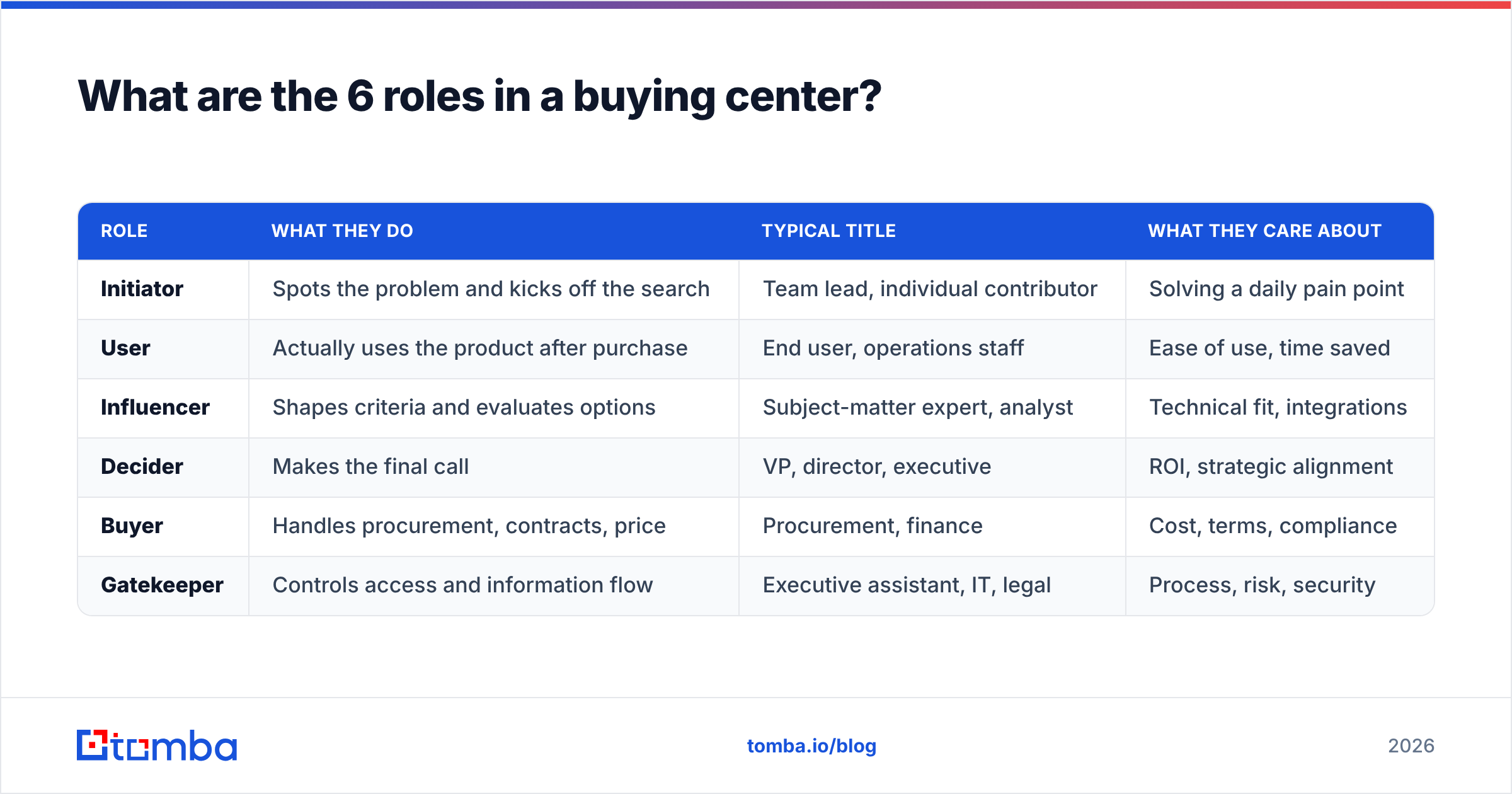
What are the 6 roles in a buying center?#
Most buying centers contain six functional roles. Importantly, these are roles, not job titles — a single person can hold two or three, and a single role can be shared across several people.
| Role | What they do | Typical title | What they care about |
|---|---|---|---|
| Initiator | Spots the problem and kicks off the search | Team lead, individual contributor | Solving a daily pain point |
| User | Actually uses the product after purchase | End user, operations staff | Ease of use, time saved |
| Influencer | Shapes criteria and evaluates options | Subject-matter expert, analyst | Technical fit, integrations |
| Decider | Makes the final call | VP, director, executive | ROI, strategic alignment |
| Buyer | Handles procurement, contracts, price | Procurement, finance | Cost, terms, compliance |
| Gatekeeper | Controls access and information flow | Executive assistant, IT, legal | Process, risk, security |
A few patterns worth knowing:
- The Decider is not always the highest title. In flat organizations, a senior engineer may hold more sway over a tooling decision than the VP who signs off.
- The Gatekeeper can quietly kill deals. Security or legal flagging a data-handling concern stops momentum cold, no matter how much your champion loves the product.
- Users are your hidden allies. They feel the pain most acutely and will advocate internally if you arm them with the right proof.
Map these six roles to real names at your target account, and a chaotic account suddenly looks like a chessboard you can actually play.
What does a buying center look like in practice?#
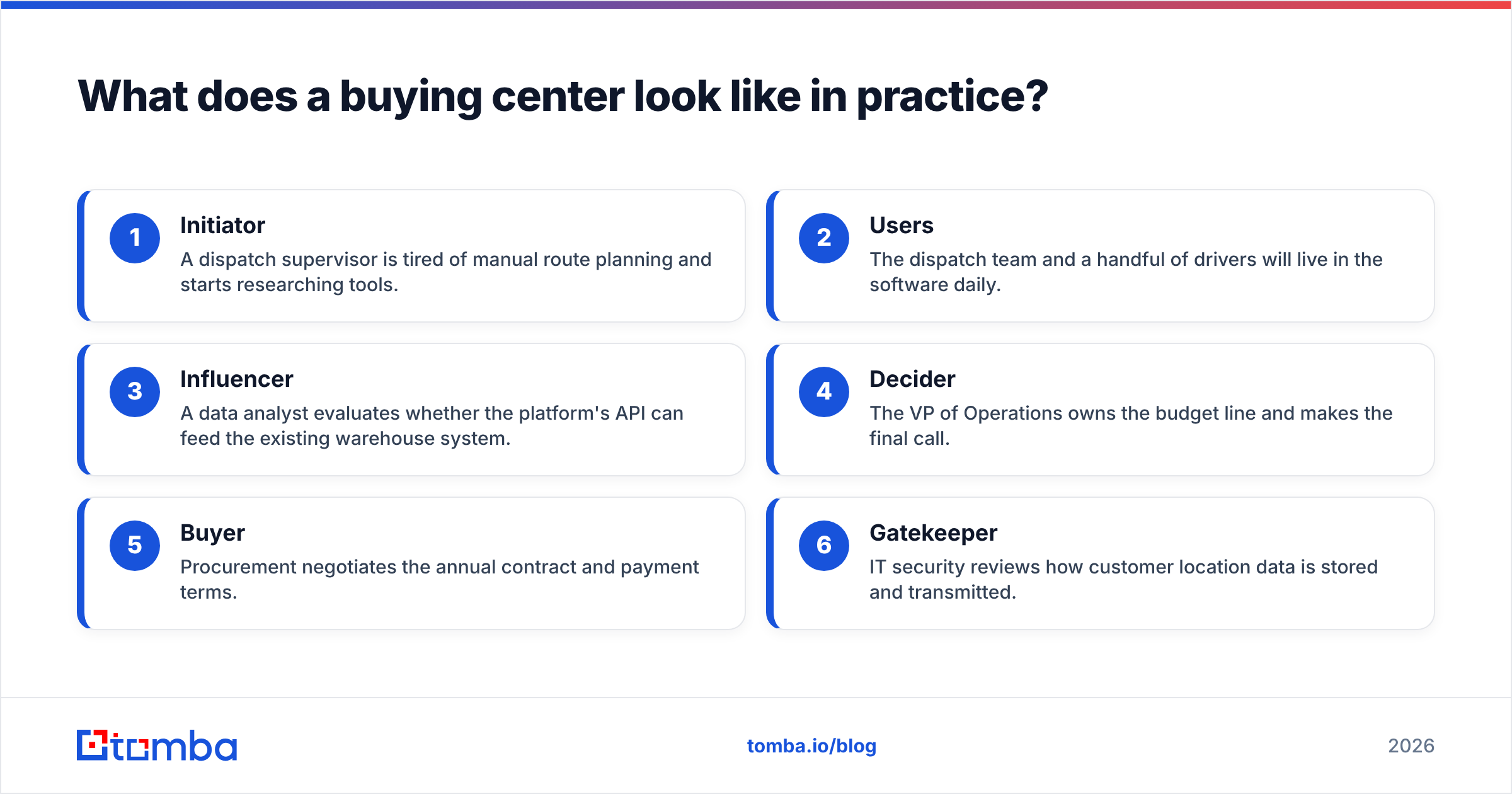
Walk through a concrete example: a 400-person logistics company buying a new route-optimization platform.
- Initiator — A dispatch supervisor is tired of manual route planning and starts researching tools.
- Users — The dispatch team and a handful of drivers will live in the software daily.
- Influencer — A data analyst evaluates whether the platform's API can feed the existing warehouse system.
- Decider — The VP of Operations owns the budget line and makes the final call.
- Buyer — Procurement negotiates the annual contract and payment terms.
- Gatekeeper — IT security reviews how customer location data is stored and transmitted.
Sell only to the dispatch supervisor, and you will hear "I love it, but I need to check with a few people" — then silence for six weeks. Sell to the whole center, and you can pre-empt IT's security questions, hand the analyst your API docs, and give the VP an ROI model before procurement ever asks for a discount.
To run that play, you need names and verified contact details for each role. That usually means combining LinkedIn org research with a data tool that returns work emails and direct dials. A phone finder helps you reach a busy VP who never opens cold email, while data enrichment fills in titles and departments so you can slot each contact into the right role on your map.
How is a buying center different from a buyer persona?#
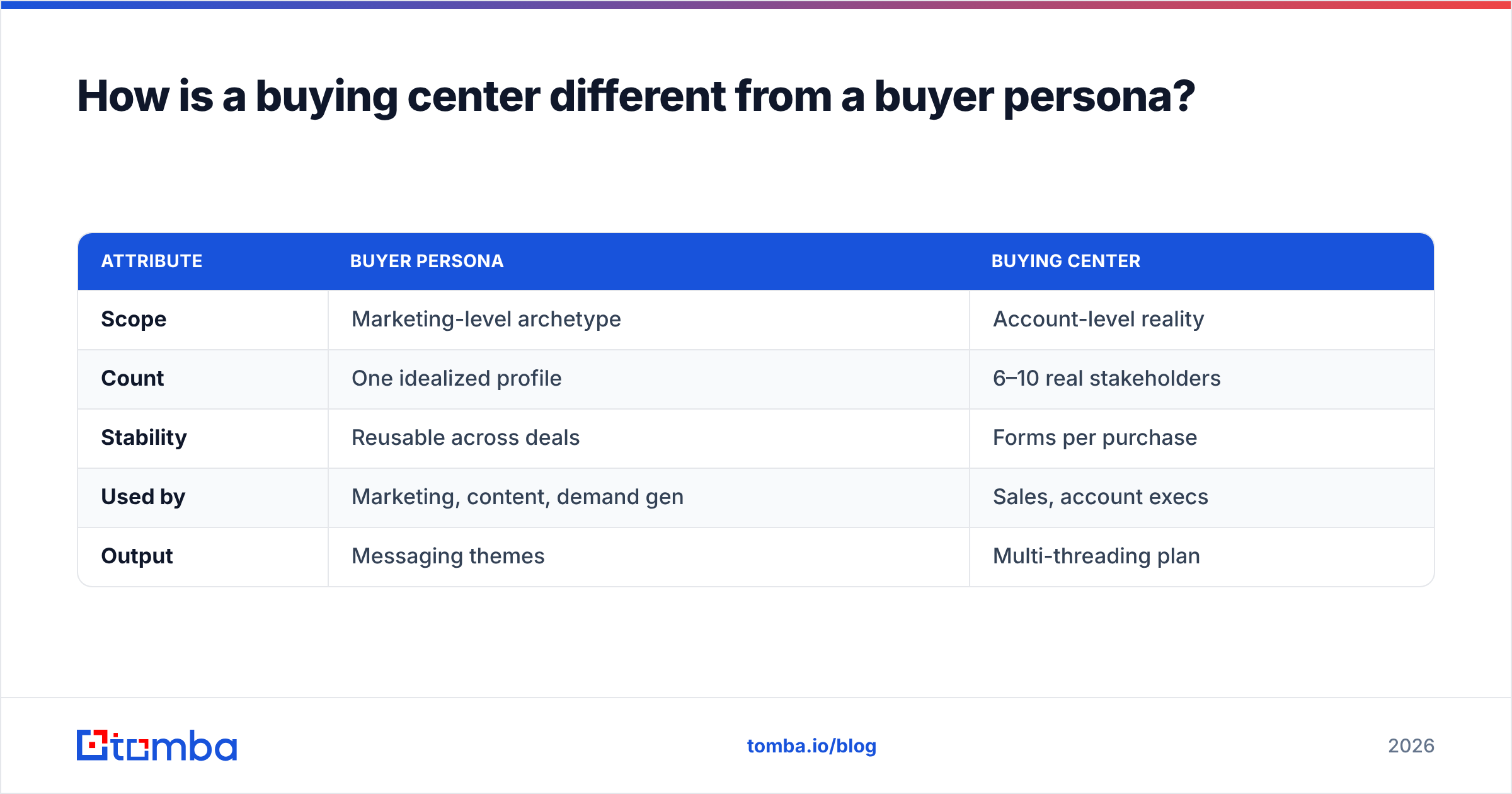
They answer different questions, and you need both. A buyer persona describes the kind of person you sell to; a buying center maps the specific people in a real deal.
| Attribute | Buyer persona | Buying center |
|---|---|---|
| Scope | Marketing-level archetype | Account-level reality |
| Count | One idealized profile | 6–10 real stakeholders |
| Stability | Reusable across deals | Forms per purchase |
| Used by | Marketing, content, demand gen | Sales, account execs |
| Output | Messaging themes | Multi-threading plan |
Think of the persona as the casting brief and the buying center as the actual cast on the day of the shoot. Marketing builds personas to attract the right traffic; sales builds buying-center maps to close the specific account in front of them. Teams that align the two — feeding real buying-center observations back into persona refinement — run tighter sales pipelines because their messaging matches the people who actually show up in deals.
How do you map and reach a buying center?#
Mapping a buying center is a repeatable four-step motion. Do it early — ideally before your first real pitch.
1. Research the org structure. Start with LinkedIn, the company website, and recent news. Identify the function that owns the problem and the executives above it. Tools like HubSpot's free CRM and G2 buyer-intent data help you spot which accounts are already in-market.
2. Assign roles to real names. For each of the six roles, write down at least one actual person. Leave gaps where you are unsure — those gaps are your discovery questions.
3. Find verified contact data. A map with no contact details is just a wish list. Pull work emails and phone numbers for every named stakeholder so you can multi-thread instead of relying on one warm contact. This is where an email finder and bulk lookups save hours of manual digging.
4. Tailor outreach per role. Send the user a time-saved story, the influencer your technical docs, the decider an ROI model, and the gatekeeper a clear security one-pager. Same product, five different angles.
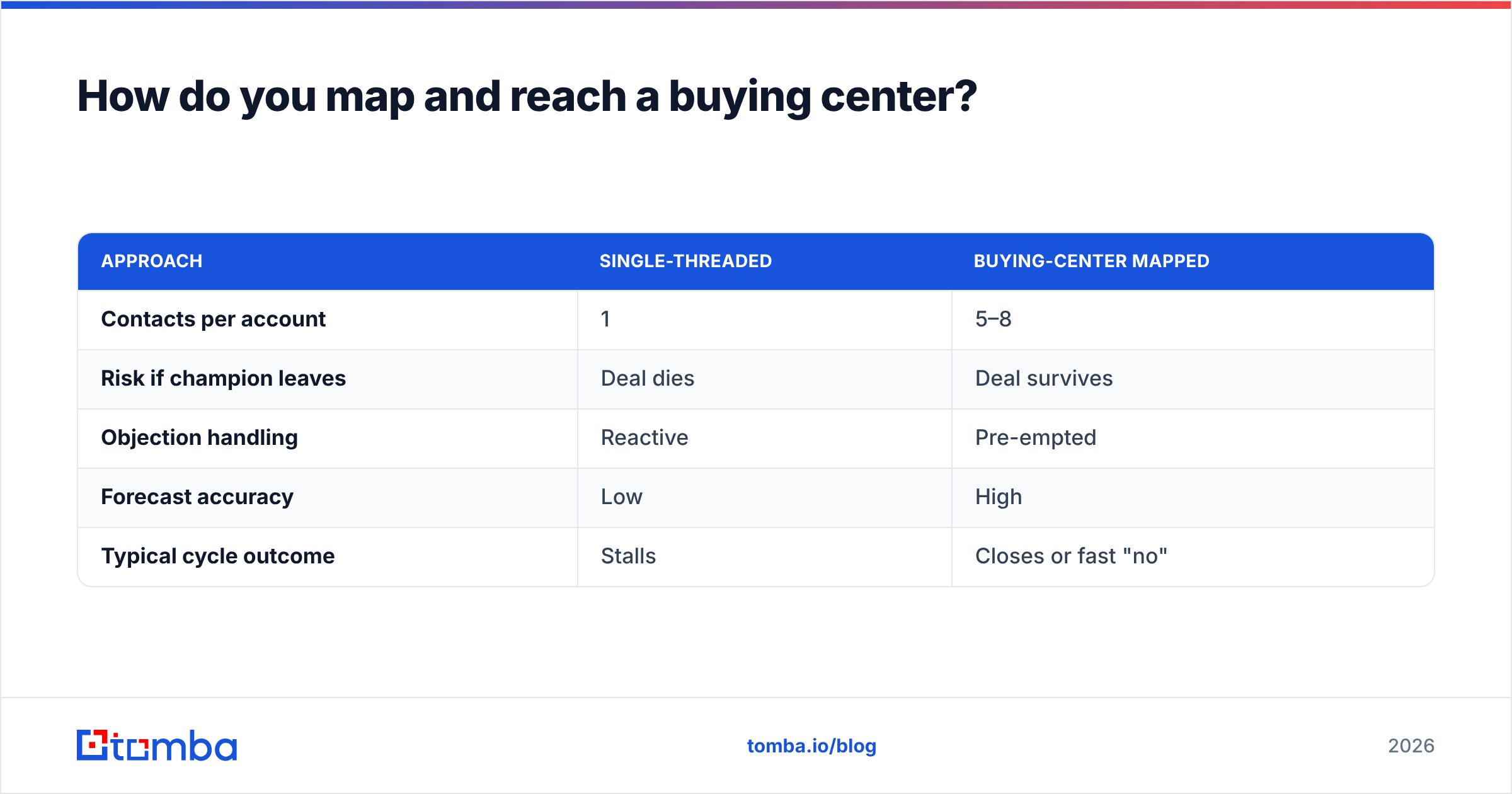
A quick contrast of approaches:
| Approach | Single-threaded | Buying-center mapped |
|---|---|---|
| Contacts per account | 1 | 5–8 |
| Risk if champion leaves | Deal dies | Deal survives |
| Objection handling | Reactive | Pre-empted |
| Forecast accuracy | Low | High |
| Typical cycle outcome | Stalls | Closes or fast "no" |
The second column wins almost every time. The only cost is the upfront work of finding and organizing contacts — and that is exactly the part you can automate.
How does data accuracy affect your buying-center strategy?#
Your map is only as good as the contact data behind it. A perfectly mapped buying center is useless if half the emails bounce or the phone numbers ring a former employee. Bad data does not just waste sends — it damages sender reputation and gets your domain flagged, which then hurts every other deal in your pipeline.
Two habits keep your buying-center data trustworthy:
- Verify before you send. Run every address through an email verifier so you are not pitching a decider at an email that died three reorgs ago.
- Re-enrich on a schedule. People change roles constantly. A contact who was a "user" last quarter may be this quarter's "decider." Periodic enrichment keeps your role assignments current.
Reliable data is the difference between a buying-center map that closes deals and a spreadsheet of guesses. When you can trust every name and number, multi-threading becomes a routine play instead of a research project.
Frequently asked questions#
What is a buying center in simple terms? It is the group of people inside a company who together decide on a purchase — the person who notices the need, the people who use the product, the ones who evaluate it, whoever signs off, procurement, and anyone controlling access. They form around one decision and disband after it.
How many people are in a typical buying center? For complex B2B purchases, usually six to ten stakeholders, according to Gartner. Smaller or lower-cost purchases may involve two or three; enterprise deals can involve far more.
Can one person hold multiple buying-center roles? Yes. In small companies a founder might be initiator, decider, and buyer at once. In large ones, a single role like "influencer" may be split across several specialists. Map roles, not just titles.
Is the buying center the same as the decision-making unit? Effectively yes. "Decision-making unit" (DMU) is the more common term in academic and procurement literature, while "buying center" is favored in sales. Both describe the same group of purchase participants.
Map your next account in minutes, not days#
The hardest part of buying-center selling is never the strategy — it is getting accurate names, emails, and phone numbers for every stakeholder before your competitor does. That is exactly what Tomba's Email Finder is built for: enter a company domain and surface verified professional emails across the whole org, then enrich and verify them so your map is built on data you can trust.
Start free with 25 searches a month, then scale to the Starter plan at $49/mo or Growth at $99/mo as your account list grows — full Tomba pricing is transparent and credit-based. Map the entire buying center, multi-thread every deal, and stop losing winnable accounts to a single unanswered email.
Ready to find emails that actually work?
Join 150,000+ professionals who stopped guessing and started sending. Free credits on signup — no credit card required.
Get the Tomba newsletter
Practical outbound tactics and product updates — once every two weeks.
About the author