Bytemine vs Nymeria (2026): Which Email Finder Wins?
Bytemine vs Nymeria compared head-to-head for 2026 — accuracy, pricing, data coverage, and integrations. See which email finder fits your B2B prospecting, and where a third option quietly beats both.
Bytemine vs Nymeria: The Honest 2026 Comparison
Choosing between Bytemine and Nymeria usually comes down to one question that neither vendor's landing page answers cleanly: which one actually returns valid, deliverable emails for the people you're trying to reach? This guide compares both tools on the attributes that move your reply rate — match accuracy, data freshness, pricing per usable contact, and how cleanly each fits a real prospecting workflow.
TL;DR — Bytemine vs Nymeria at a glance#
- Nymeria is the more mature, LinkedIn-centric enrichment tool — strong browser extension, broad social-profile coverage, and predictable per-credit pricing.
- Bytemine positions itself as a leaner, lower-cost finder/enricher aimed at teams who want bulk lookups without an enterprise contract.
- Accuracy is the real differentiator. Both publish optimistic match rates; your deliverability depends on whether emails are verified at the point of export, not just guessed.
- Neither tool is the only choice. If verification, catch-all handling, and price-per-valid-email matter, a third option (Tomba) is worth putting in the same bake-off.
- Fastest decision rule: pick the tool whose verified match rate on your target list is highest in a free-tier test — not the one with the louder homepage.
)
What do Bytemine and Nymeria actually do?#
Both are B2B contact-data tools, but they emphasize different jobs.
Think of it like two locksmiths. One (Nymeria) specializes in walking up to a LinkedIn profile and producing the matching work email and phone on the spot. The other (Bytemine) is built for handing over a spreadsheet of company domains and names and getting a batch of contacts back. They overlap heavily, but the "default motion" each is optimized for is different.
- Nymeria — a people-data platform best known for its Chrome extension that reveals emails and phone numbers directly on LinkedIn and other profiles. It also offers bulk enrichment and an API. Its sweet spot is reps who live inside LinkedIn Sales Navigator.
- Bytemine — an email-finder and enrichment service aimed at lower-cost bulk discovery: upload domains or names, get emails back, enrich with firmographic fields. Its pitch is value-per-credit for teams that don't want a per-seat enterprise plan.
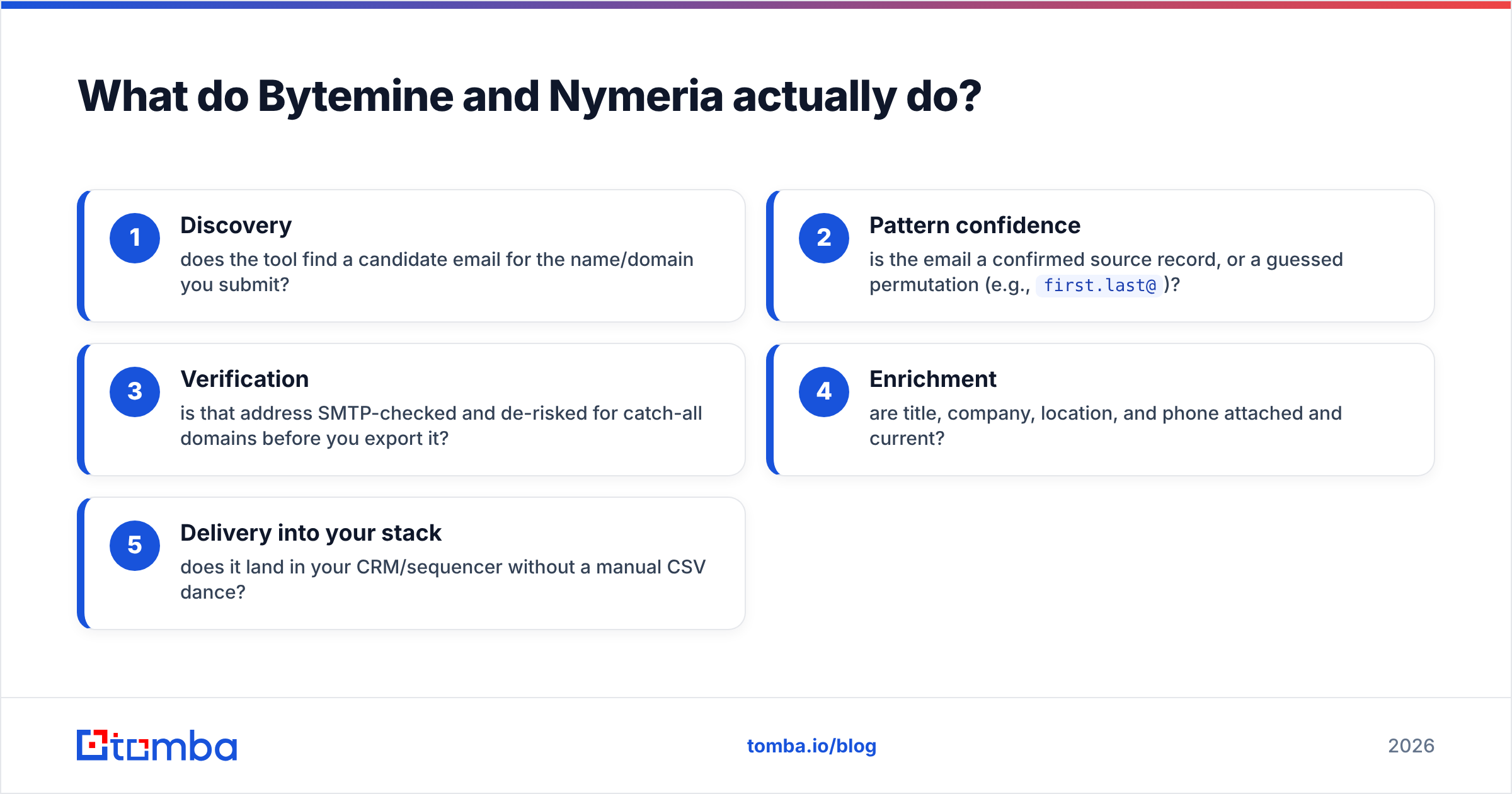
The core concept that decides the winner for you is not "who has more data" — it's the path from raw match to deliverable email. Here's how that path breaks down:
- Discovery — does the tool find a candidate email for the name/domain you submit?
- Pattern confidence — is the email a confirmed source record, or a guessed permutation (e.g.,
first.last@)? - Verification — is that address SMTP-checked and de-risked for catch-all domains before you export it?
- Enrichment — are title, company, location, and phone attached and current?
- Delivery into your stack — does it land in your CRM/sequencer without a manual CSV dance?
A tool can win step 1 and still lose you the deal at step 3. That's why a email verifier layer matters as much as the finder itself.
How do Bytemine and Nymeria compare on features and pricing?#
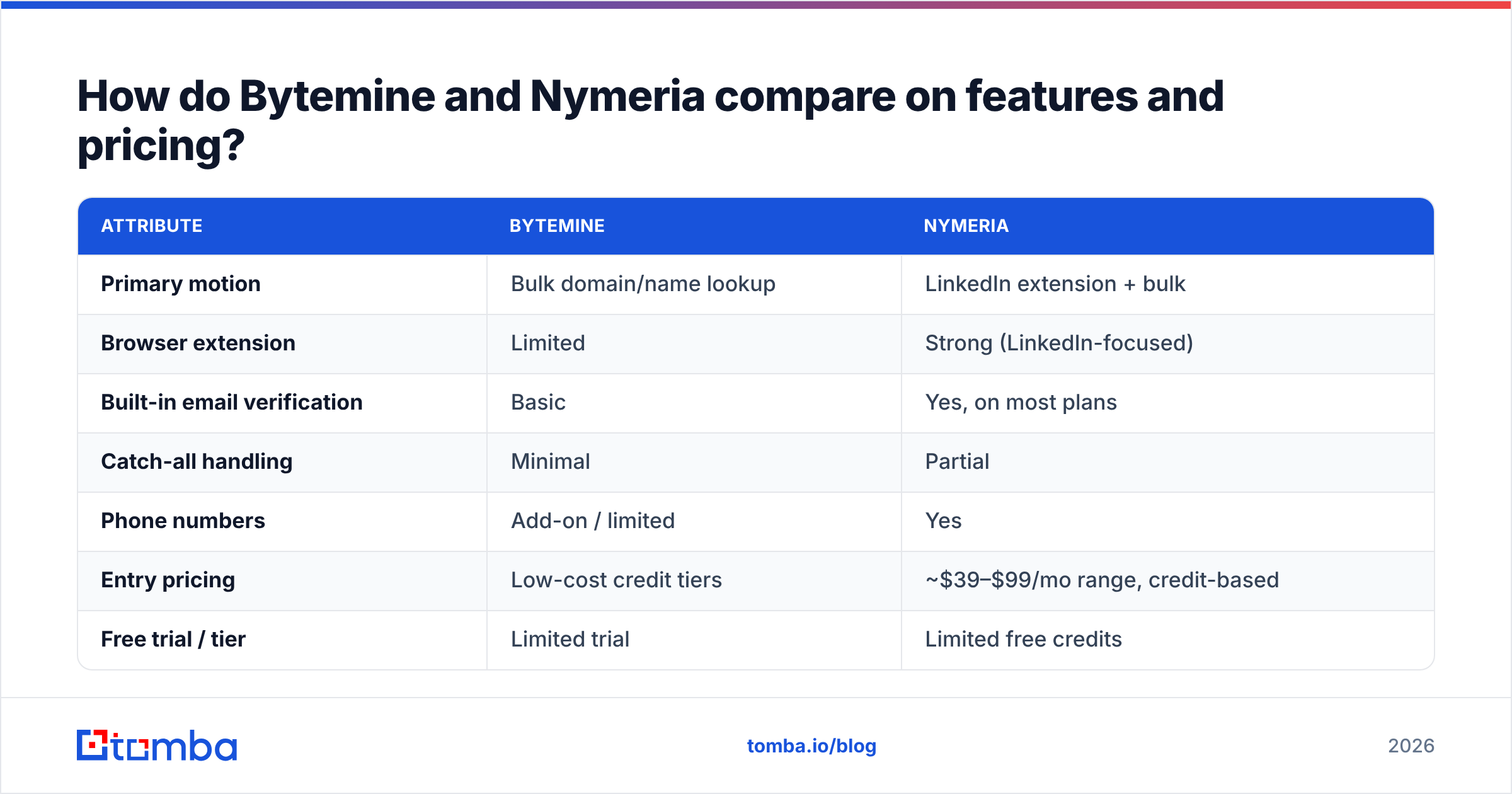
The table below maps both tools against the attributes that actually change cost-per-meeting. Treat published match rates as vendor claims, not lab results — always validate on your own list.
| Attribute | Bytemine | Nymeria |
|---|---|---|
| Primary motion | Bulk domain/name lookup | LinkedIn extension + bulk |
| Browser extension | Limited | Strong (LinkedIn-focused) |
| Built-in email verification | Basic | Yes, on most plans |
| Catch-all handling | Minimal | Partial |
| Phone numbers | Add-on / limited | Yes |
| Entry pricing | Low-cost credit tiers | ~$39–$99/mo range, credit-based |
| Free trial / tier | Limited trial | Limited free credits |
| API access | Yes | Yes |
| Best for | Budget bulk discovery | LinkedIn-native reps |
Two honest caveats. First, both vendors adjust pricing and credit definitions frequently, so confirm current numbers on their own sites and on review platforms like G2 and Capterra before you commit. Second, "credits" are not comparable across tools — one provider may charge a credit for a guess, another only for a verified hit. The only fair unit is cost per valid, deliverable email.
Where each tool genuinely shines#
- Nymeria wins if your reps prospect inside LinkedIn all day and want one-click reveal plus phone numbers without leaving the profile. Its extension workflow is the strongest part of the product.
- Bytemine wins on raw budget for bulk jobs — if you're feeding thousands of domains and can tolerate a heavier post-export verification pass, the lower credit cost adds up.
- Both struggle with catch-all domains, which now cover a large share of B2B mail servers. A finder that returns an unverified address on a catch-all domain hands you a coin flip, not a contact.
Which tool is more accurate?#
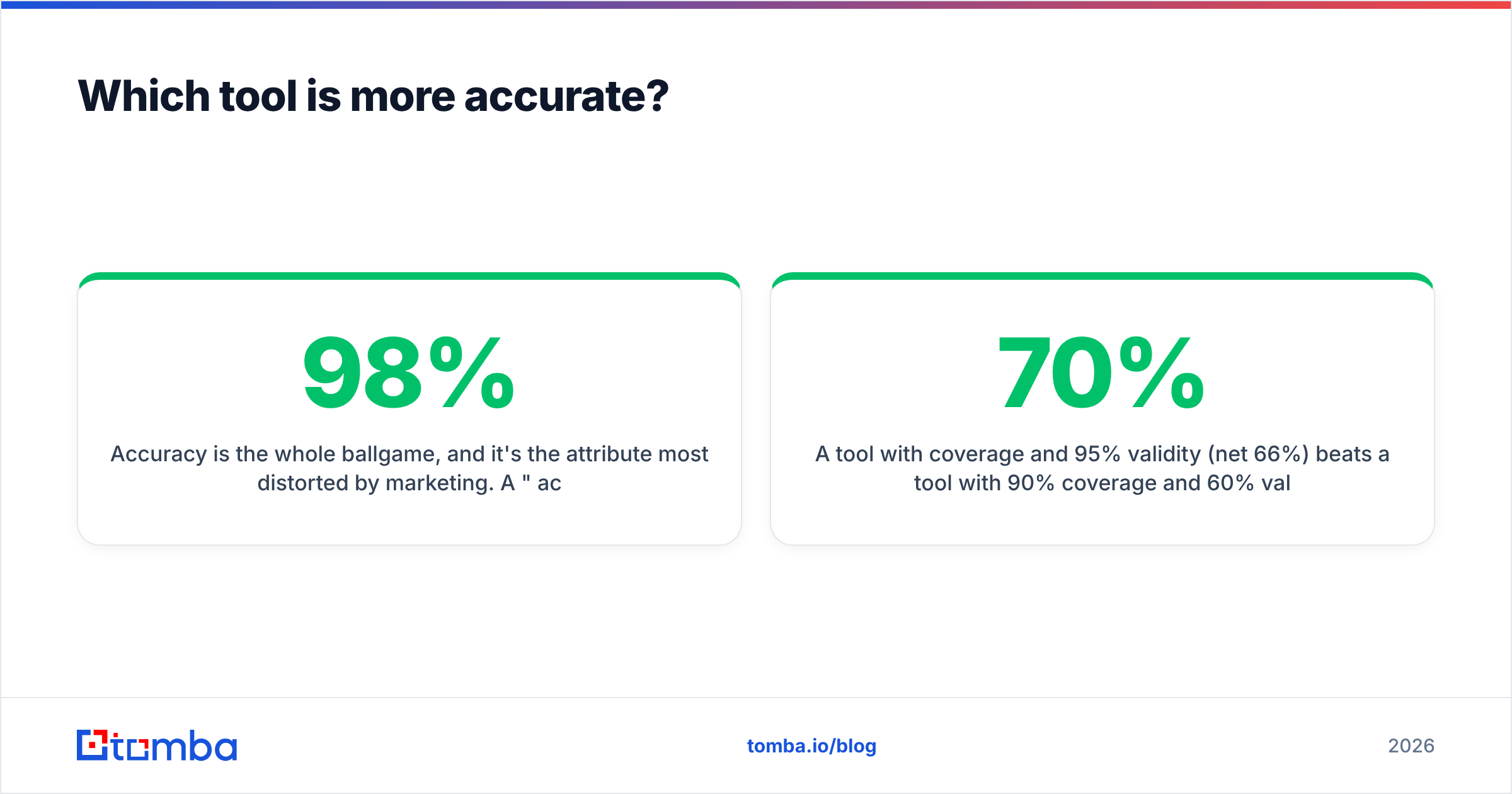
Accuracy is the whole ballgame, and it's the attribute most distorted by marketing. A "98% accuracy" claim usually means "of the emails we returned, 98% matched our internal pattern" — not "98% of them inbox successfully."
What you should measure instead:
- Coverage — of 100 target prospects, how many got any email returned?
- Validity — of those returned, how many pass an independent SMTP verification?
- Net usable rate — coverage × validity. This is the number that predicts your bounce rate.
A tool with 70% coverage and 95% validity (net 66%) beats a tool with 90% coverage and 60% validity (net 54%) every time, because the second one will torch your sender reputation with bounces.

The practical move: run the same 50-contact list through Bytemine, Nymeria, and at least one alternative on free credits, then verify every returned address with a neutral email verification tool. Rank by net usable rate, not by who returned the most rows. This single test will tell you more than any review roundup.
)
Bytemine vs Nymeria vs Tomba: is there a better third option?#
Yes — and ignoring it would make this comparison dishonest. If your decision criteria are verification quality, catch-all handling, and transparent price-per-valid-email, Tomba belongs in the same evaluation.
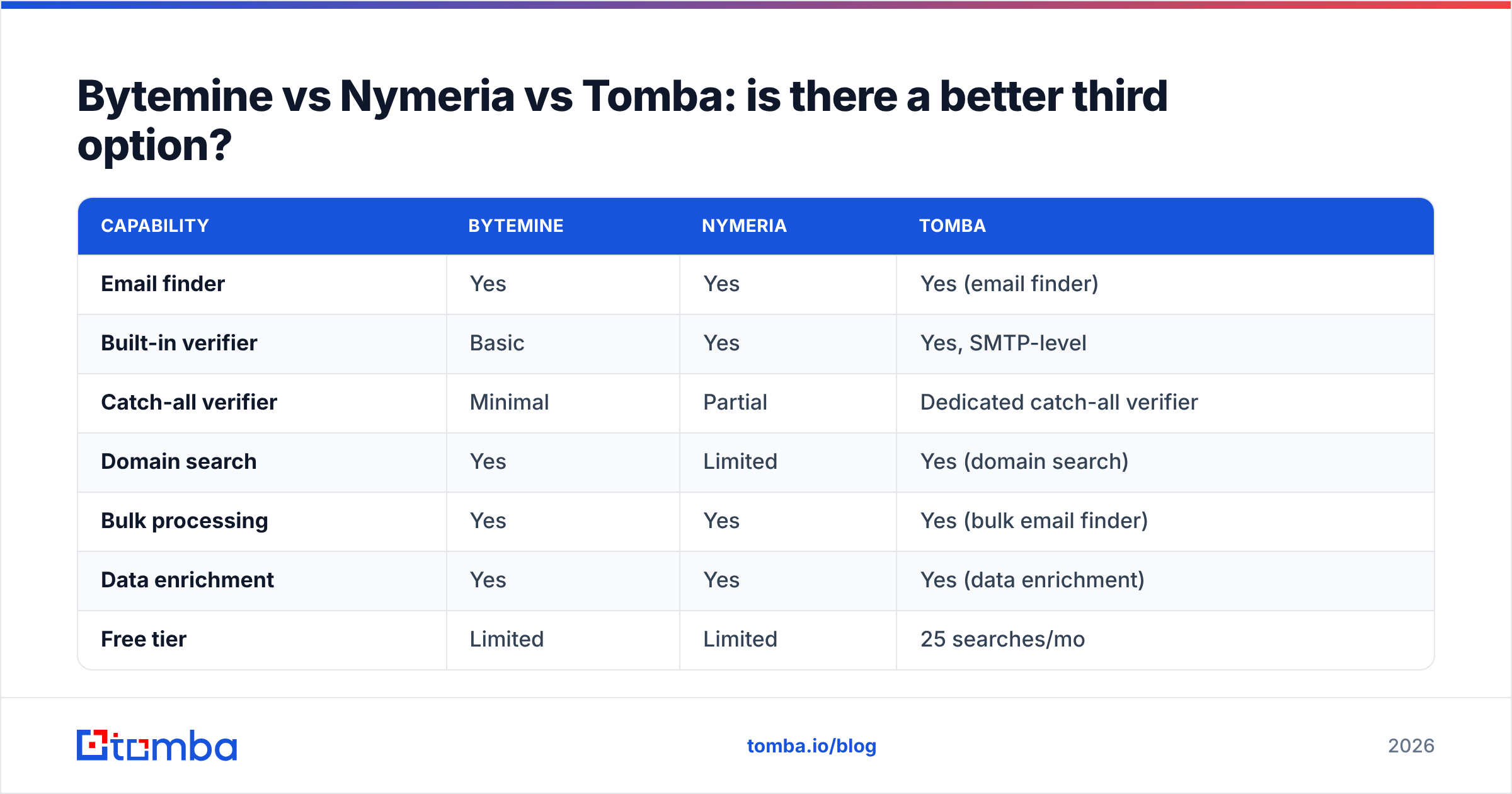
Here's how the three line up on the attributes that decide deliverability:
| Capability | Bytemine | Nymeria | Tomba |
|---|---|---|---|
| Email finder | Yes | Yes | Yes (email finder) |
| Built-in verifier | Basic | Yes | Yes, SMTP-level |
| Catch-all verifier | Minimal | Partial | Dedicated catch-all verifier |
| Domain search | Yes | Limited | Yes (domain search) |
| Bulk processing | Yes | Yes | Yes (bulk email finder) |
| Data enrichment | Yes | Yes | Yes (data enrichment) |
| Free tier | Limited | Limited | 25 searches/mo |
| Starter price | Low credits | ~$39+/mo | $49/mo |
| Native integrations | API | API + extension | API, Sheets, HubSpot, Salesforce |
The reason Tomba is worth testing isn't price alone — at $49/mo Starter it sits between the two on raw cost. It's that the finder and the verifier are designed as one pipeline, including explicit catch-all handling, so the email you export is the email you can send to. For teams that have been burned by a high "match rate" that translated into a high bounce rate, that integrated verification step is the difference. You can see the full breakdown on the Tomba pricing page.
If you're specifically replacing a tool, Tomba publishes side-by-side teardowns such as its RocketReach alternative and Apollo alternative pages that apply the same net-usable-rate logic described above.
How do they fit into a real prospecting workflow?#
A finder is only as good as how it hands off to the rest of your stack. Map your workflow before you pick:
- If you prospect 1:1 inside LinkedIn: Nymeria's extension is the smoothest single-profile experience. Pair it with an external verifier so catch-all domains don't slip through.
- If you run large bulk lists from a data source or scrape: Bytemine's low credit cost is attractive, but budget time (and a verifier) for the post-export cleanup. Tomba's bulk email finder collapses find + verify into one job, which removes that second pass.
- If your contacts live in a CRM or sequencer: prioritize native integrations over CSV exports. Manual CSV round-trips are where data goes stale and duplicates creep in.
A clean handoff also protects email deliverability. Every unverified address you load into a sequencer is a potential bounce, and modern mailbox providers treat repeated bounces as a reputation signal. Verifying before send is not optional hygiene in 2026 — it's the price of landing in the inbox at all.
Which should you choose?#
Decide with a short rubric rather than a gut call:
- List type — single-profile LinkedIn work leans Nymeria; bulk domain work leans Bytemine or Tomba.
- Tolerance for cleanup — if you don't want a separate verification pass, choose the tool with the strongest built-in verifier and catch-all handling.
- Cost per valid email — run the 50-contact bake-off and divide spend by verified hits. The cheapest credit is meaningless if half the emails bounce.
- Integration fit — does it drop into your CRM and sequencer without manual steps?
- Compliance and data sourcing — confirm how each vendor sources and refreshes data; check their public docs and review-site Q&A, e.g. Nymeria's own site at nymeria.io.
Run all three tools through that rubric on the same list. In most bake-offs the winner is whichever tool maximizes net usable rate at an honest price — and that's a test, not an opinion.
The bottom line#
Bytemine is the budget bulk option; Nymeria is the LinkedIn-native option. Both can work — but both leave verification partly on you, and on catch-all domains that gap is where your bounce rate hides. Before you sign an annual plan with either, put a verification-first finder in the same test.
Start free with the Tomba Email Finder: 25 searches a month, SMTP-level verification and a dedicated catch-all verifier built into the same pipeline, plus native HubSpot, Salesforce, and Google Sheets integrations. Find the email, verify it in the same step, and export only the contacts you can actually reach. Run your 50-contact list through it alongside Bytemine and Nymeria, compare net usable rates, and let the numbers — not the landing pages — pick your winner.
// get started
Find, verify and enrich your first contacts today
Start on the free plan with 25 searches a month, then scale when your team is ready.
Free plan · No credit card required · GDPR & CCPA
// about the author