Calendly vs HoneyBook 2026: Which Booking Tool Wins?
Calendly is a focused scheduling tool; HoneyBook is a full client-management platform. Here's an honest 2026 breakdown of which one actually fits your sales workflow.
You found two tools on your shortlist, they get compared constantly, and on the surface they look like they solve the same problem: getting a meeting on the calendar without the back-and-forth. They don't. Calendly and HoneyBook target different jobs, and picking the wrong one means you either overpay for features you'll never touch or outgrow a tool in three months.
This is the honest version. No "it depends on your needs" cop-out at the end.
TL;DR — Calendly vs HoneyBook in five lines#
- Calendly is a best-in-class scheduling tool. It books meetings, routes leads, and plugs into your stack. That's the whole job, and it's excellent at it.
- HoneyBook is a client-management platform — scheduling is one feature alongside contracts, invoices, payments, and a lightweight CRM.
- Pick Calendly if you run outbound sales, demos, or any high-volume booking flow and already have a CRM.
- Pick HoneyBook if you're a solopreneur or service business (photographers, consultants, agencies) who needs to send a proposal, sign a contract, and collect payment in one place.
- Neither finds your leads. Both assume the prospect already wants to talk. The pipeline before the booking link is a separate problem.
What is Calendly, really?#
Calendly is automated scheduling. You connect your calendar, define your availability and meeting types, and share a link. Invitees pick a slot, it lands on both calendars, and Calendly handles reminders, time-zone math, and buffers.
Where it earns its reputation is the layer above basic booking: round-robin and collective event types for teams, routing forms that qualify a lead and send them to the right rep, and deep integrations with Salesforce, HubSpot, Zoom, and Stripe. For a B2B sales team running inbound demos, Calendly's routing alone can replace a manual SDR triage step.
What Calendly is not: it doesn't store client records as a CRM, doesn't generate contracts, and its payment collection is a thin Stripe/PayPal pass-through for booking fees — not project invoicing.

What is HoneyBook, really?#
HoneyBook is an all-in-one "clientflow" platform built for independent service businesses. The scheduler is real and capable, but it's surrounded by the things a solo operator actually needs to run a business: branded proposals, e-signature contracts, invoices with milestone payments, automated client emails, and a project pipeline that tracks each client from inquiry to paid.
If you're a wedding photographer, a brand consultant, or a boutique agency, HoneyBook's pitch is that you stop stitching together Calendly + DocuSign + QuickBooks + a CRM and run everything from one dashboard. That consolidation is the entire value proposition.
What HoneyBook is not: it's not built for a 20-rep outbound sales team. The routing, lead-distribution, and enterprise-CRM sync that Calendly does well are either weaker or absent. And it's priced and designed around the owner-operator, not the sales org.
Calendly vs HoneyBook: the side-by-side comparison#
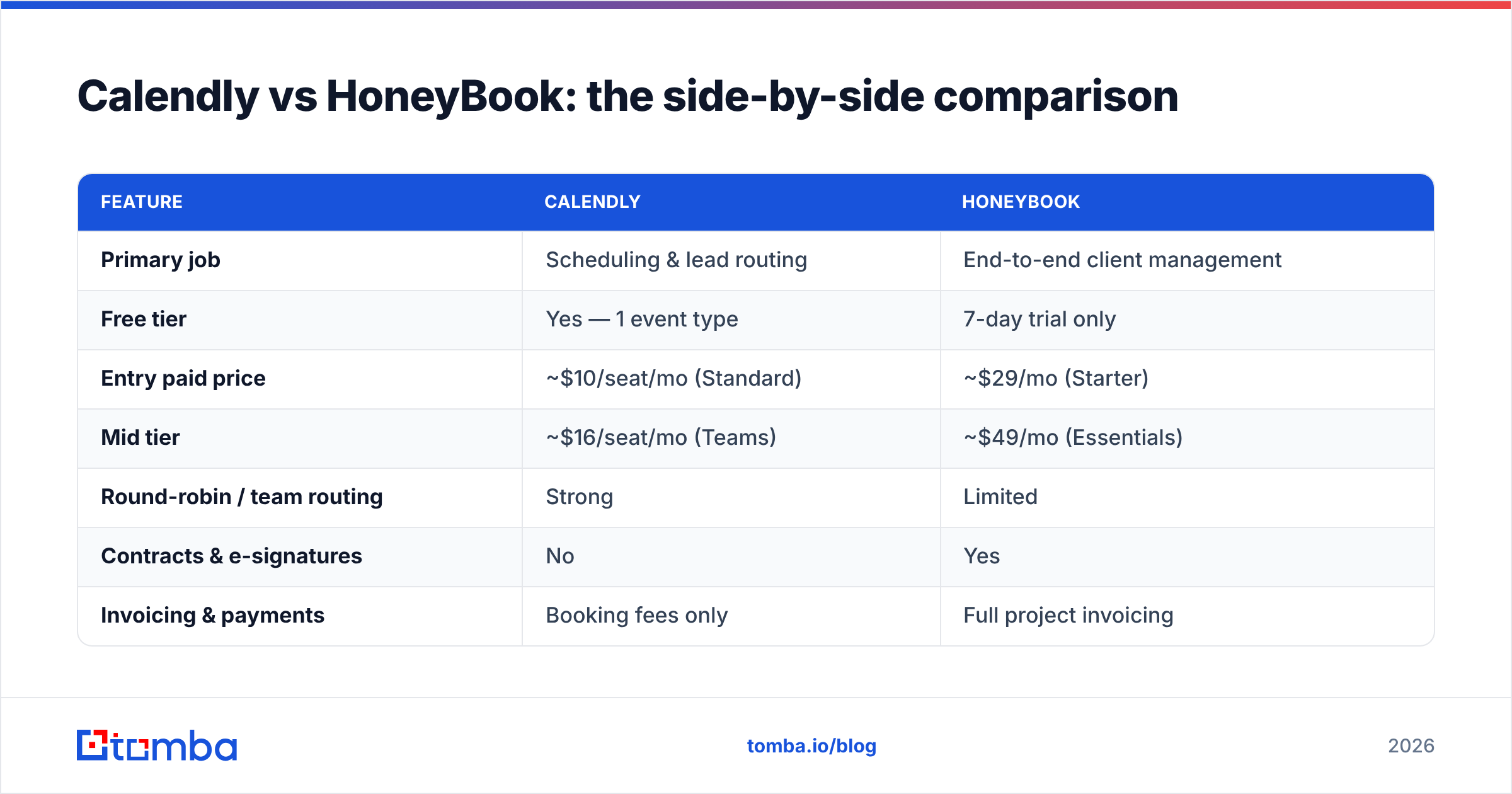
Here's where the two tools actually diverge. Prices reflect publicly listed 2026 plans; confirm current numbers on each vendor's site before you buy.
| Feature | Calendly | HoneyBook |
|---|---|---|
| Primary job | Scheduling & lead routing | End-to-end client management |
| Free tier | Yes — 1 event type | 7-day trial only |
| Entry paid price | ~$10/seat/mo (Standard) | ~$29/mo (Starter) |
| Mid tier | ~$16/seat/mo (Teams) | ~$49/mo (Essentials) |
| Round-robin / team routing | Strong | Limited |
| Contracts & e-signatures | No | Yes |
| Invoicing & payments | Booking fees only | Full project invoicing |
| Built-in CRM | No (syncs to external) | Yes (lightweight) |
| Best-fit user | B2B sales teams | Solo service businesses |
| CRM integrations | Salesforce, HubSpot, Pipedrive | Mostly self-contained |
The table makes the split obvious: you're not comparing two scheduling tools, you're comparing a scheduling tool against a business-operations suite that happens to schedule.
Is HoneyBook better than Calendly?#
For a freelancer or service business, yes — and it isn't close. The moment your workflow includes sending a proposal, getting a signature, and collecting a deposit, Calendly stops at step zero. You'd need three more tools to do what HoneyBook does natively. Paying ~$29–$49/month to collapse four subscriptions and a dozen manual handoffs into one pipeline is straightforward math.
For a sales team booking demos, no. HoneyBook's strengths are irrelevant to you, its routing is weaker, and you already run a real CRM that Calendly syncs to cleanly. Forcing a clientflow platform into an outbound motion is friction you don't need.
The honest framing: "better" depends entirely on whether your bottleneck is scheduling at scale (Calendly) or running a one-person business (HoneyBook).
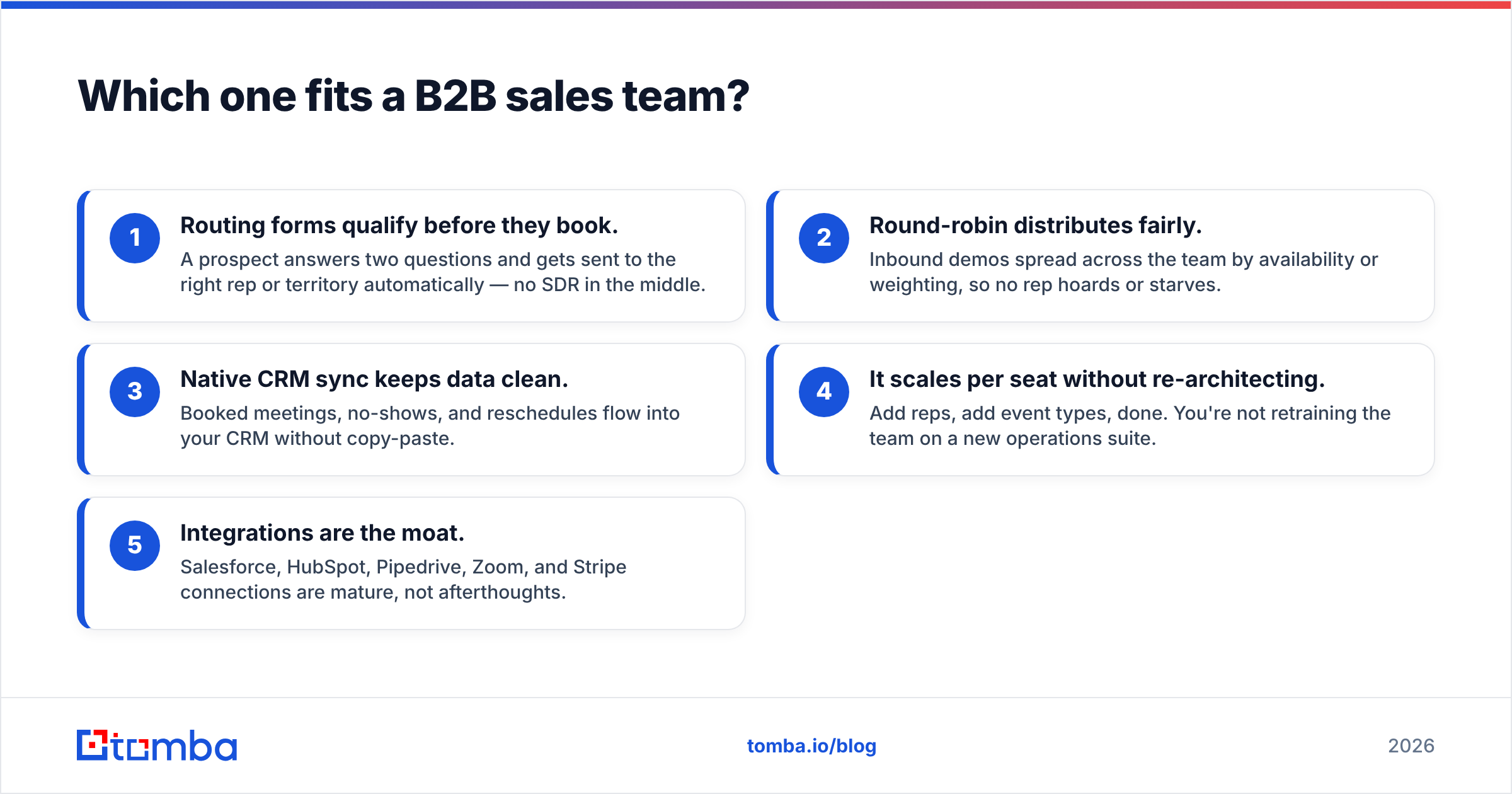
Which one fits a B2B sales team?#
Calendly, almost every time. A few concrete reasons:
- Routing forms qualify before they book. A prospect answers two questions and gets sent to the right rep or territory automatically — no SDR in the middle.
- Round-robin distributes fairly. Inbound demos spread across the team by availability or weighting, so no rep hoards or starves.
- Native CRM sync keeps data clean. Booked meetings, no-shows, and reschedules flow into your CRM without copy-paste.
- It scales per seat without re-architecting. Add reps, add event types, done. You're not retraining the team on a new operations suite.
- Integrations are the moat. Salesforce, HubSpot, Pipedrive, Zoom, and Stripe connections are mature, not afterthoughts.
HoneyBook can technically book a sales call, but you'd be ignoring 80% of what you pay for and accepting weaker routing to do it.
Which one fits a solo founder or service business?#
HoneyBook, for the same reasons inverted. If you sell a service — design, coaching, photography, consulting — your "sales process" and your "delivery process" are the same pipeline, and HoneyBook models that pipeline end to end.
You send a branded proposal, the client e-signs the contract, pays the deposit through the same link, and every email and file lives on one project record. Calendly would handle only the very first call and leave the rest to you and a stack of other tools. For a team of one, that consolidation is worth more than Calendly's superior routing, which you'd never use.
The exception: if you're a solo outbound seller doing cold demos rather than inbound service inquiries, Calendly's free or Standard tier plus a real CRM is the leaner setup.
How much do Calendly and HoneyBook cost in 2026?#
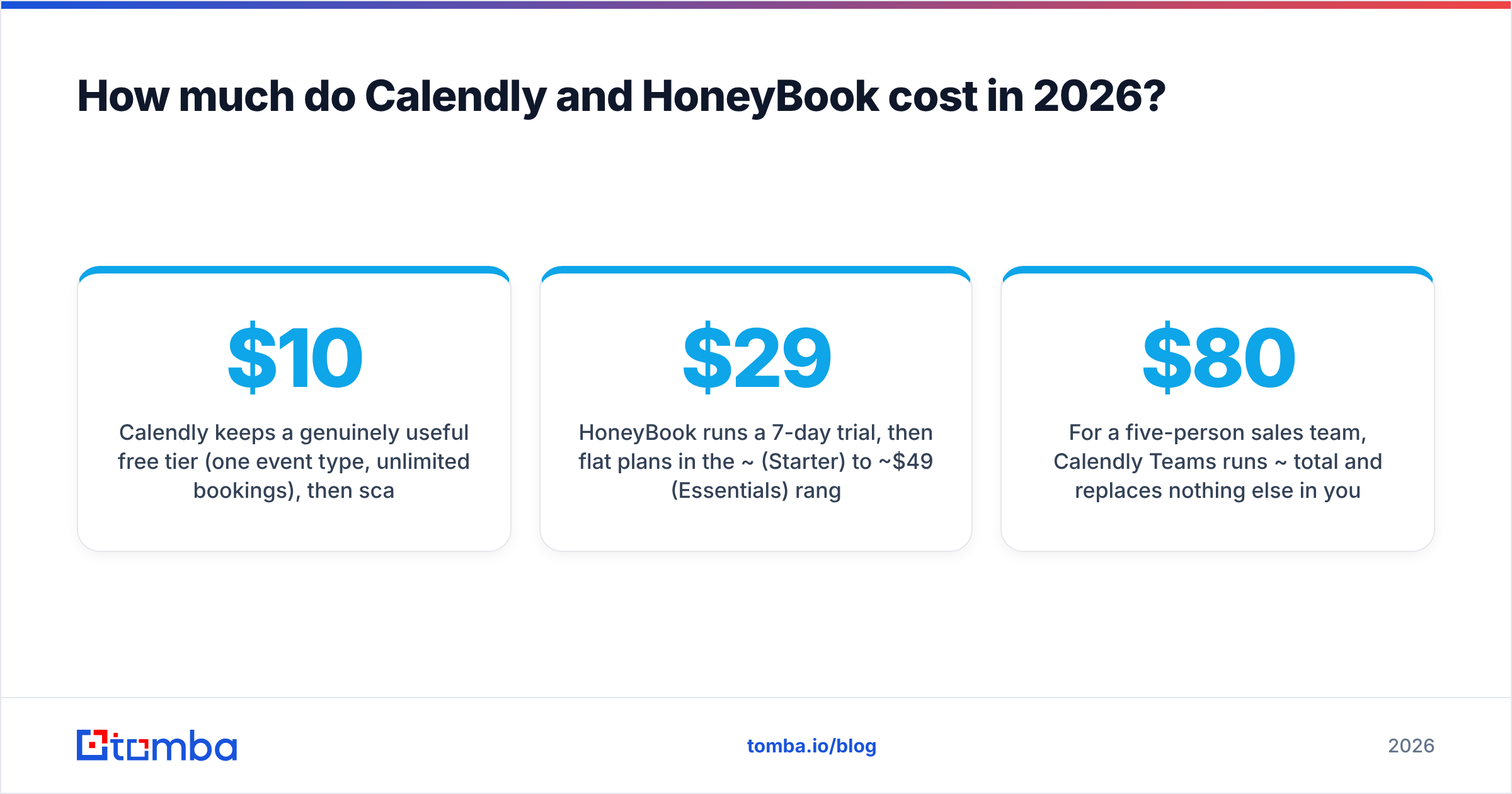
The pricing models reflect the different buyers. Calendly charges per seat because it sells to teams; HoneyBook charges a flat per-business rate because it sells to solo operators.
- Calendly keeps a genuinely useful free tier (one event type, unlimited bookings), then scales at roughly $10/seat/month (Standard) and $16/seat/month (Teams), with an Enterprise tier for SSO/security needs.
- HoneyBook runs a 7-day trial, then flat plans in the ~$29 (Starter) to ~$49 (Essentials) range, plus a Premium tier for multi-member businesses.
For a five-person sales team, Calendly Teams runs ~$80/month total and replaces nothing else in your stack. For a soloist, HoneyBook Essentials at ~$49/month replaces a scheduler, an e-sign tool, and an invoicing tool — so the headline price hides real savings. Compare both against your consolidated tool spend, not their list prices in isolation. (For reference on how flat-rate SaaS pricing tiers are typically structured, our own Tomba pricing follows a similar free-to-enterprise ladder.)
What both tools quietly assume — and where they fall short#
Here's the gap nobody on either pricing page mentions: both tools start the clock after the prospect already wants to meet you. Calendly's routing and HoneyBook's proposals are useless until someone lands on your link. They optimize conversion at the bottom of the funnel and do nothing for the top.
That's fine if your inbound is strong. If you're doing outbound — building a target list, reaching decision-makers, and earning the meeting in the first place — you need a layer in front of either tool. Specifically, you need verified contact data: the right person's email so your outreach reaches a human instead of bouncing.
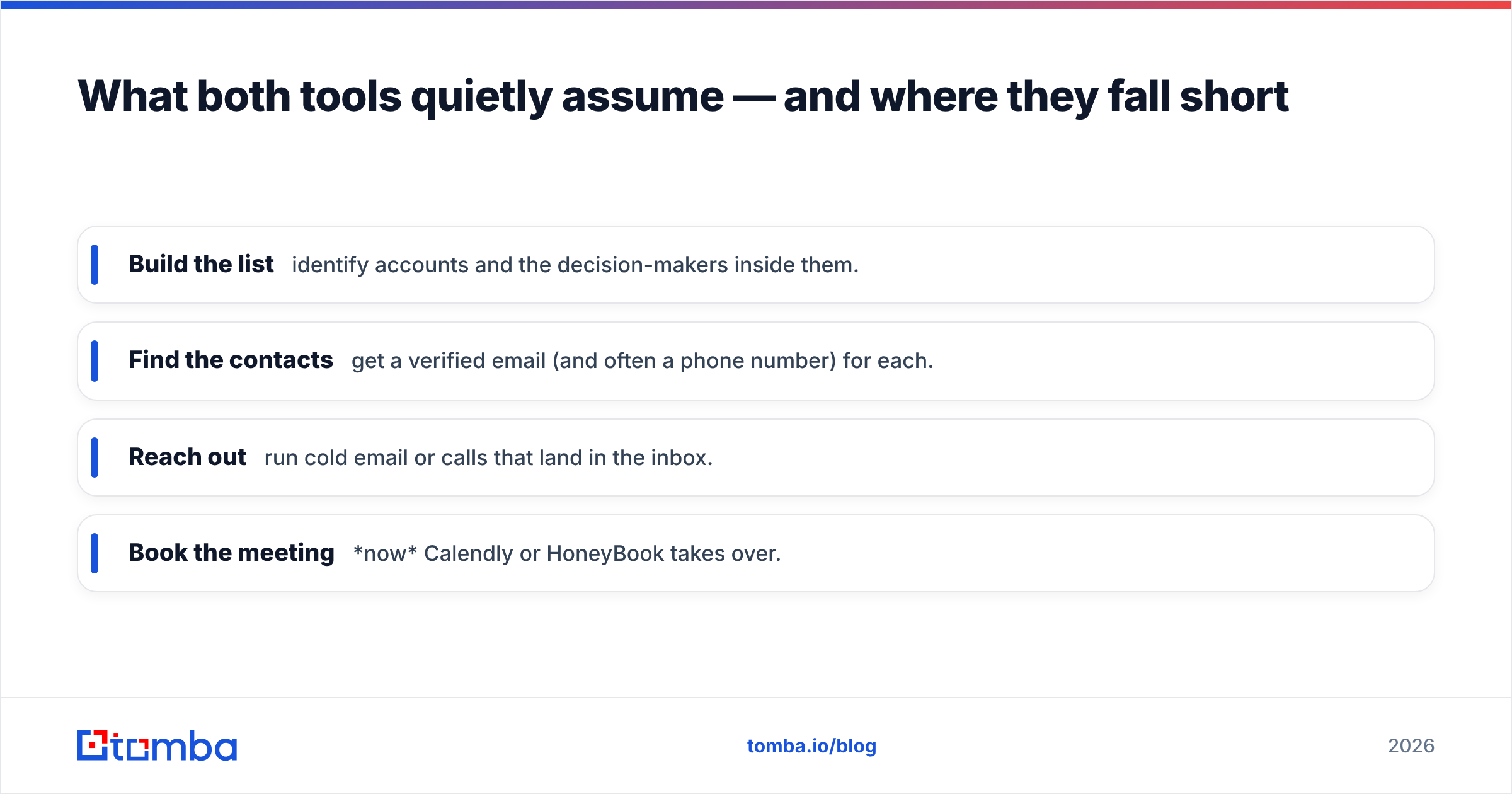
This is the actual sequence for an outbound motion:
- Build the list — identify accounts and the decision-makers inside them.
- Find the contacts — get a verified email (and often a phone number) for each.
- Reach out — run cold email or calls that land in the inbox.
- Book the meeting — now Calendly or HoneyBook takes over.
Calendly and HoneyBook own that last step. The three before it are where pipelines are actually won or lost — and where a B2B email finder does the heavy lifting. You can find a contact's email by name and company, verify emails so your bounce rate stays low and your sender reputation intact, and run a whole list through a bulk email finder before a single booking link goes out.
Skip this layer and the smartest scheduling routing in the world has nothing to route.
Calendly vs HoneyBook: the verdict#
Choose by the shape of your business, not the feature list:
- Run a sales team with inbound demos and an existing CRM? Calendly. The routing, round-robin, and integrations are best-in-class, and the per-seat model scales cleanly. See independent reviews on G2 and the feature breakdown on calendly.com to confirm the tiers fit your team size.
- Run a solo or small service business? HoneyBook. Replacing a scheduler, contract tool, and invoicing app with one clientflow platform is worth far more than Calendly's routing edge. Check the current plan details at honeybook.com.
- Doing outbound? Either tool works for the booking step — but fix the front of your funnel first.
Neither tool is a mistake. Buying the team tool for a one-person business (or the soloist tool for a 20-rep org) is.
Fill the funnel before you optimize the booking#
A scheduling link only earns its keep when qualified prospects keep hitting it. If your outbound pipeline is the constraint, start one step earlier: find and verify the decision-makers you actually want to meet. The Tomba Email Finder turns a name and company domain into a verified, deliverable email — so by the time a prospect reaches your Calendly or HoneyBook link, they're a real person who wanted the meeting. Start free with 25 searches a month, then scale on a plan that matches your outbound volume. Get the contacts right, and the booking tool finally has something to book.
Ready to find emails that actually work?
Join 150,000+ professionals who stopped guessing and started sending. Free credits on signup — no credit card required.
Get the Tomba newsletter
Practical outbound tactics and product updates — once every two weeks.
About the author