CAN SPAM Act Unsubscribe Rules: The 2026 Compliance Guide
A plain-English breakdown of CAN-SPAM Act unsubscribe rules for 2026: the 10-day deadline, what a compliant opt-out looks like, fines, and how to stay clean.
The unsubscribe link is the most regulated pixel in your cold email. It is also the one most senders get wrong. If you send any commercial email, the CAN-SPAM Act sets hard rules for how people opt out, how fast you must honor it, and what it costs when you don't. This guide breaks down the CAN SPAM Act unsubscribe rules for 2026 in plain English. It ends with a checklist you can ship today.
TL;DR#
- CAN-SPAM gives every recipient the right to opt out, and you must honor that request within 10 business days — no exceptions, no "let me check with marketing."
- The opt-out mechanism must stay live for at least 30 days after you send, and it must be free, single-step, and not gated behind a login or a survey.
- Fines reach $53,088 per individual email in 2026 (the figure is inflation-adjusted annually), and each address on a blast counts separately.
- You cannot sell, transfer, or keep emailing an address once it opts out — even to "confirm" the unsubscribe.
- Clean data and verified lists reduce the volume of opt-outs in the first place. Pair a verified list with an automated suppression flow and compliance becomes a non-event.
What is the CAN-SPAM Act?#
The CAN-SPAM Act is the U.S. federal law for commercial email. Congress passed it in 2003, and the Federal Trade Commission enforces it. It sets baseline rules for any message whose main purpose is to promote a product or service. That covers cold outreach, newsletters, product announcements, and most B2B sales email.
Think of CAN-SPAM like the rules of the road. You don't need a license to drive your car. But if you run a red light, the ticket is real and the fine is fixed. CAN-SPAM doesn't make you register before sending. It just punishes specific violations after the fact. The unsubscribe rules are the busiest intersection on that road.
The law applies to the sender, not the email platform. Using a tool that "handles compliance for you" does not transfer liability. If your name is on the From line, you own the opt-out obligation.
What does the CAN SPAM Act unsubscribe rule require?#
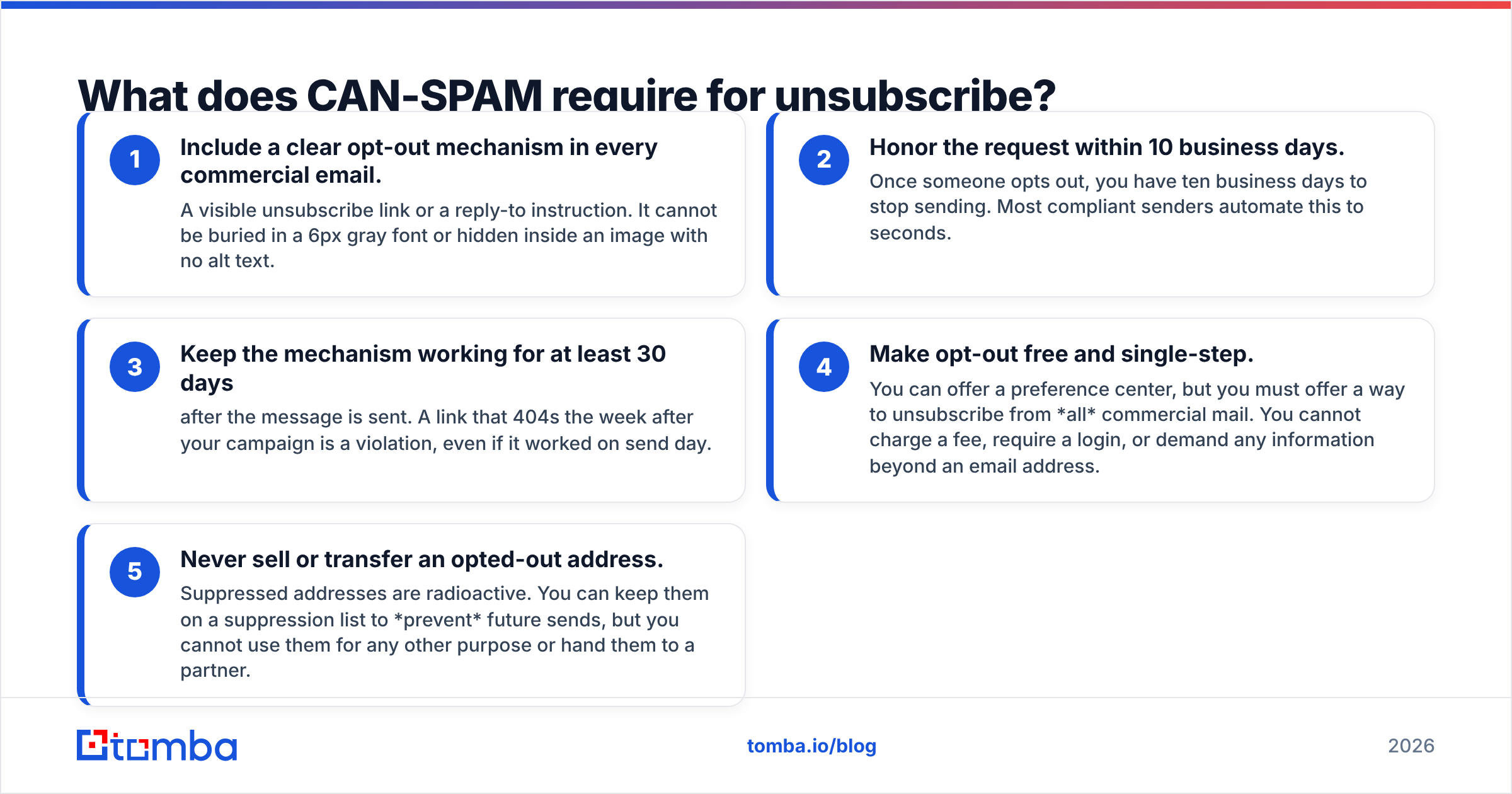
Five concrete obligations sit under the CAN SPAM Act unsubscribe rules. Get all five right and the opt-out portion of your compliance is done.
- Include a clear opt-out mechanism in every commercial email. A visible unsubscribe link or a reply-to instruction. It cannot be buried in a 6px gray font or hidden inside an image with no alt text.
- Honor the request within 10 business days. Once someone opts out, you have ten business days to stop sending. Most compliant senders automate this to seconds.
- Keep the mechanism working for at least 30 days after the message is sent. A link that 404s the week after your campaign is a violation, even if it worked on send day.
- Make opt-out free and single-step. You can offer a preference center, but you must offer a way to unsubscribe from all commercial mail. You cannot charge a fee, require a login, or demand any information beyond an email address.
- Never sell or transfer an opted-out address. Suppressed addresses are radioactive. You can keep them on a suppression list to prevent future sends, but you cannot use them for any other purpose or hand them to a partner.
A subtle trap: "confirming" an unsubscribe by sending a "Sorry to see you go" promotional email can itself be a violation if that message has a commercial primary purpose. A plain transactional confirmation is fine. A confirmation stuffed with upsells is not.
How fast must you honor a CAN-SPAM unsubscribe request?#
Ten business days. That is the legal ceiling, not the target. The FTC counts from the moment the request arrives. "Business days" skips weekends and federal holidays. Still, no court has ever praised a sender for using all ten. Google and Microsoft track how fast you stop mailing complainers. A slow opt-out hurts your sender reputation long before the FTC ever notices.
The practical standard in 2026 is immediate suppression. When an unsubscribe fires, the address should hit your suppression list in the same workflow run, before your next batch sends. Manual CSV exports and weekly "scrub days" are how teams accidentally send to someone who opted out on Tuesday — the exact fact pattern that turns one annoyed recipient into a complaint.
What are the penalties for CAN-SPAM violations?#
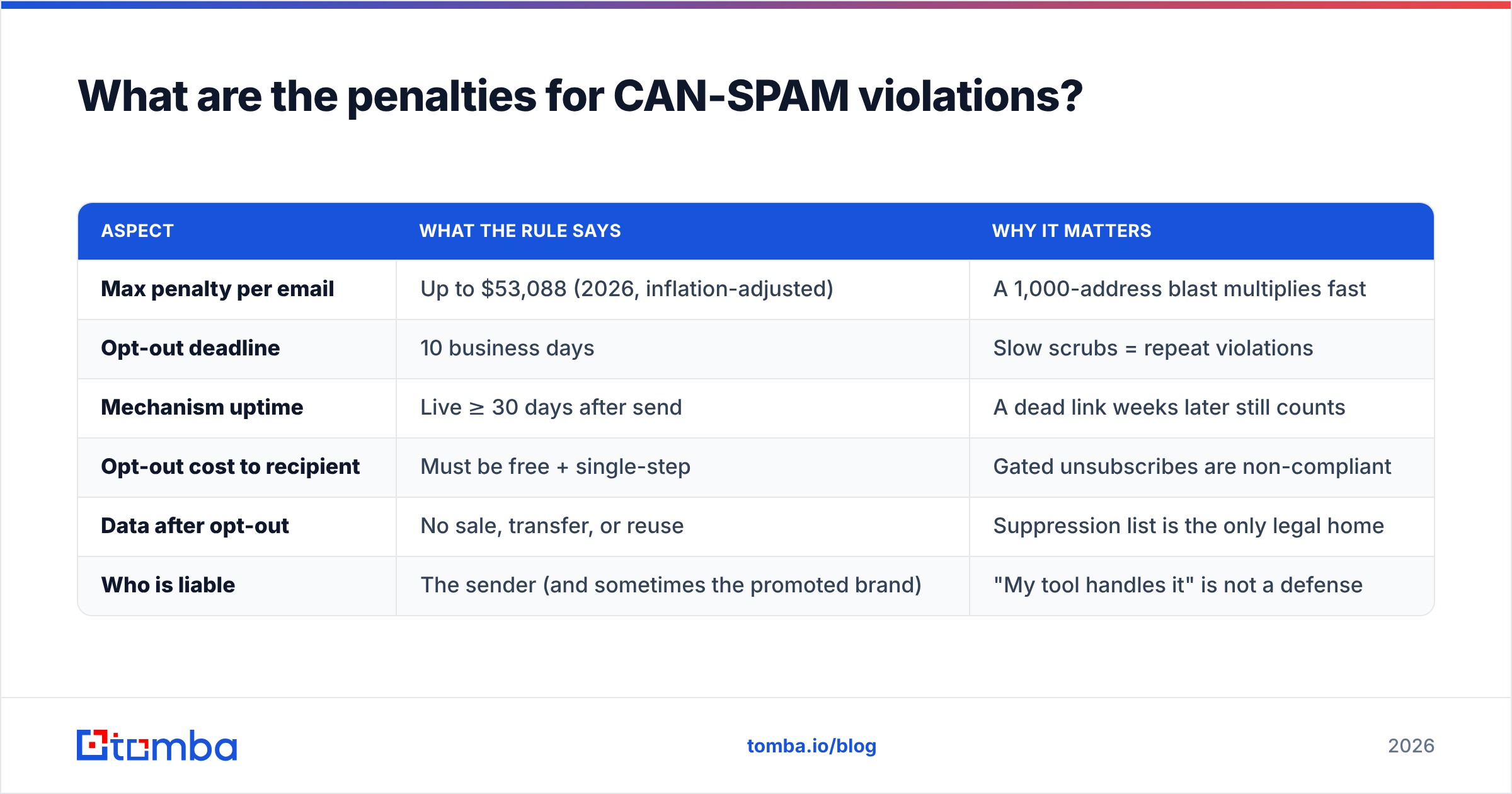
The headline number rises every year because the statutory maximum is indexed to inflation. As of 2026, each separate email that violates CAN-SPAM can trigger a civil penalty of up to $53,088. The math is brutal because it is per email, not per campaign.
| Aspect | What the rule says | Why it matters |
|---|---|---|
| Max penalty per email | Up to $53,088 (2026, inflation-adjusted) | A 1,000-address blast multiplies fast |
| Opt-out deadline | 10 business days | Slow scrubs = repeat violations |
| Mechanism uptime | Live ≥ 30 days after send | A dead link weeks later still counts |
| Opt-out cost to recipient | Must be free + single-step | Gated unsubscribes are non-compliant |
| Data after opt-out | No sale, transfer, or reuse | Suppression list is the only legal home |
| Who is liable | The sender (and sometimes the promoted brand) | "My tool handles it" is not a defense |
Aggravated violations can stack extra penalties and, in rare cases, criminal exposure. These include harvesting addresses, using dictionary attacks to generate them, or falsifying header information. The unsubscribe failures are the common, expensive ones. They happen at scale and leave a paper trail in the recipient's inbox.
Is CAN-SPAM the same as GDPR or CASL?#
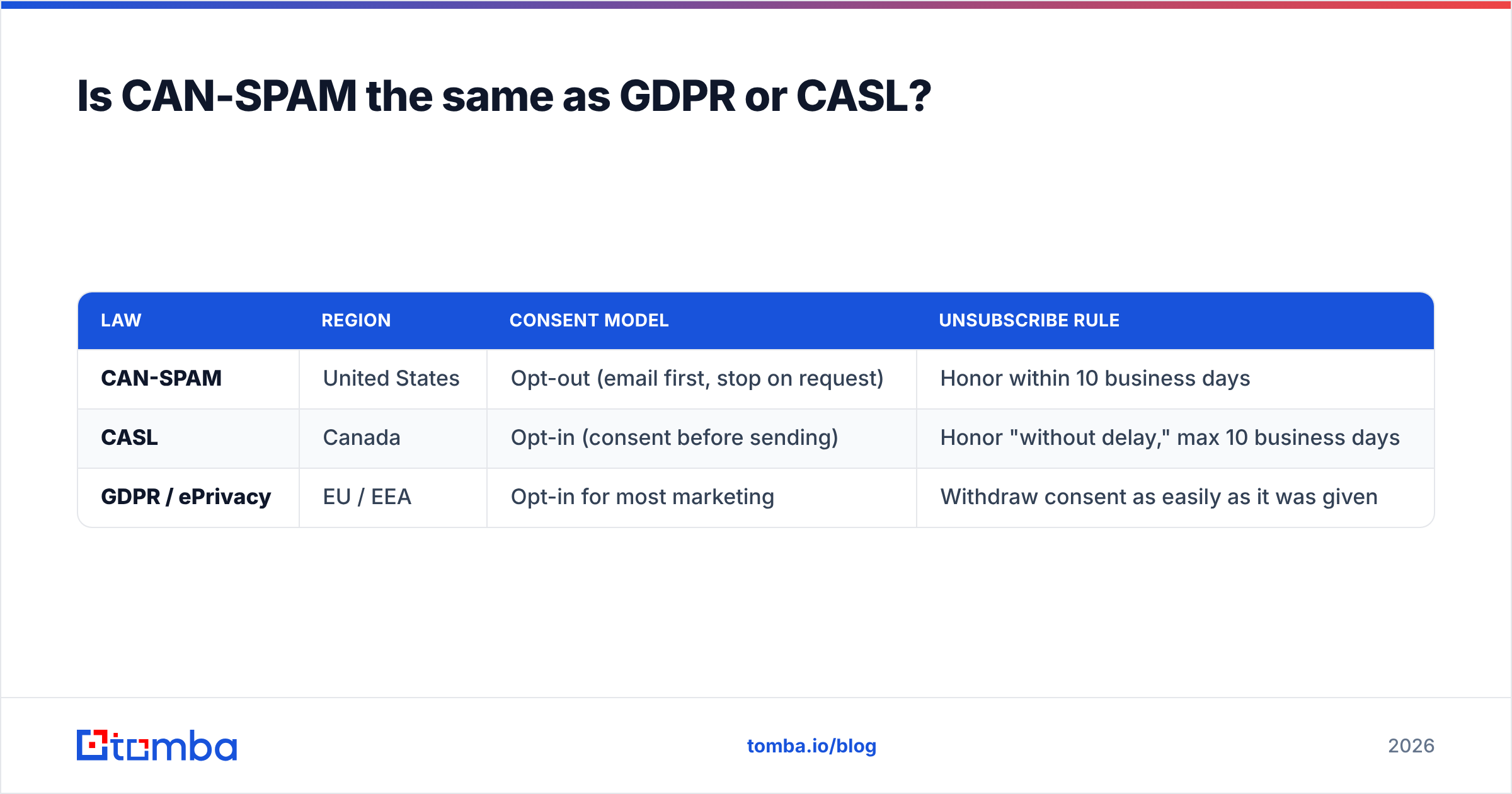
No, and treating them as interchangeable is a fast way to get fined under the one you ignored. CAN-SPAM is opt-out: you may email first and must stop when asked. The EU's GDPR and Canada's CASL are largely opt-in: you usually need consent before the first message. If your list spans regions, comply with the strictest law that applies to each recipient, not the most convenient one.
| Law | Region | Consent model | Unsubscribe rule |
|---|---|---|---|
| CAN-SPAM | United States | Opt-out (email first, stop on request) | Honor within 10 business days |
| CASL | Canada | Opt-in (consent before sending) | Honor "without delay," max 10 business days |
| GDPR / ePrivacy | EU / EEA | Opt-in for most marketing | Withdraw consent as easily as it was given |
For a B2B outreach team, the safe posture is simple. Treat every list as if the strictest rule applies. Segment by recipient region. Keep one global suppression list that every sending tool reads from. You can read more on the mechanics of email deliverability to see how these legal rules and the technical reputation systems reinforce each other.
How do you build a compliant unsubscribe flow?#
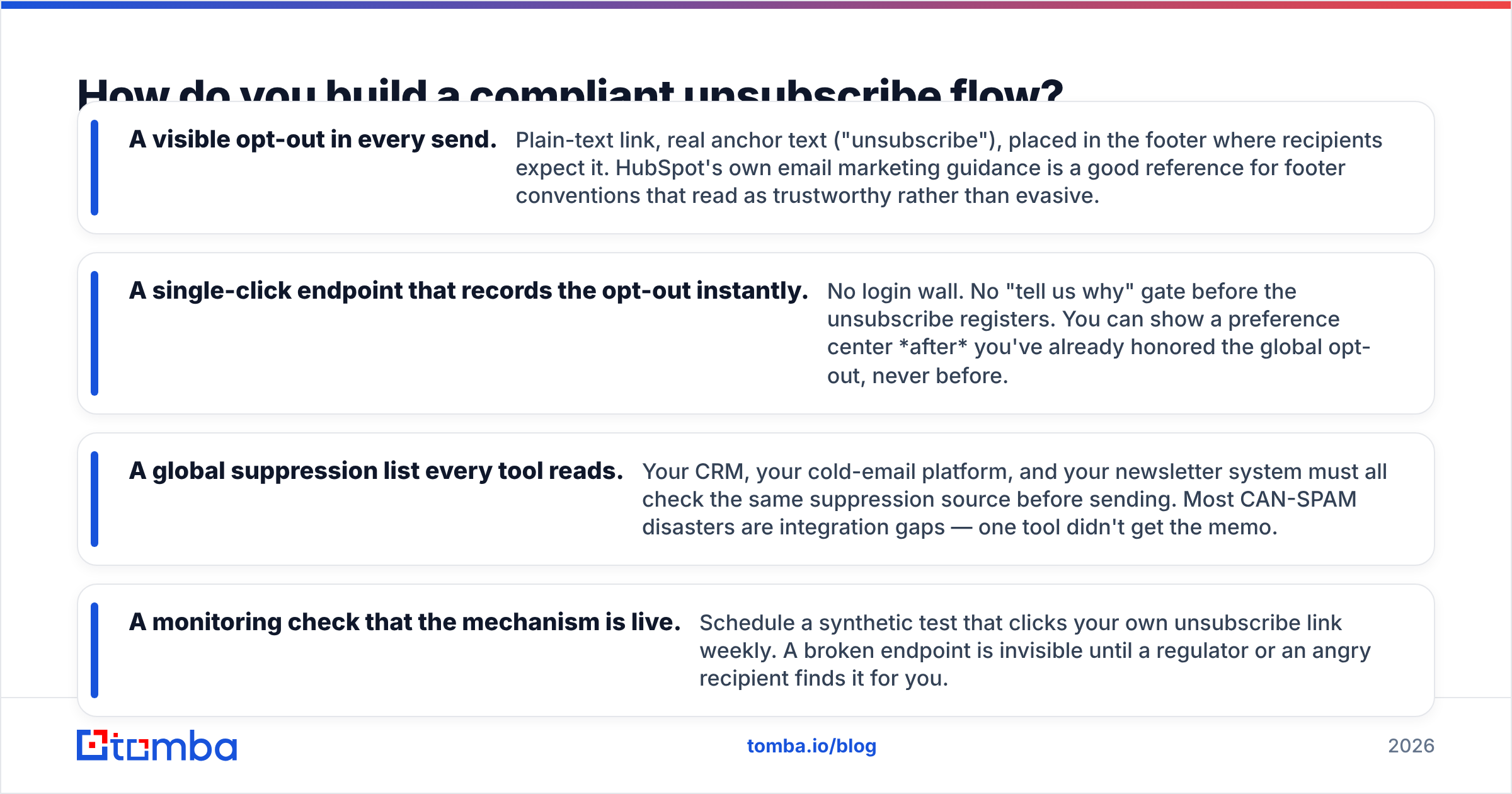
A compliant flow has four moving parts. None of them need legal review once they are built right.
- A visible opt-out in every send. Plain-text link, real anchor text ("unsubscribe"), placed in the footer where recipients expect it. HubSpot's own email marketing guidance is a good reference for footer conventions that read as trustworthy rather than evasive.
- A single-click endpoint that records the opt-out instantly. No login wall. No "tell us why" gate before the unsubscribe registers. You can show a preference center after you've already honored the global opt-out, never before.
- A global suppression list every tool reads. Your CRM, your cold-email platform, and your newsletter system must all check the same suppression source before sending. Most CAN-SPAM disasters are integration gaps — one tool didn't get the memo.
- A monitoring check that the mechanism is live. Schedule a synthetic test that clicks your own unsubscribe link weekly. A broken endpoint is invisible until a regulator or an angry recipient finds it for you.

The unglamorous truth: the best way to reduce unsubscribe headaches is to mail fewer wrong people in the first place. Outreach to invalid, role-based, or mistargeted addresses produces complaints and opt-outs at a far higher rate. A verified, accurate list lowers both your opt-out volume and your spam-complaint rate. That protects the sender reputation that ultimately decides whether your compliant mail even reaches the inbox.
How does list quality affect CAN-SPAM exposure?#
Directly. Every avoidable send to a bad address is a chance to trip a rule. Three quality habits cut your exposure:
- Verify before you send. Running addresses through an email verifier removes invalid and risky contacts that inflate bounce and complaint rates — the metrics mailbox providers weigh most heavily.
- Find the right contact, not just any contact. Targeting the correct decision-maker with an accurate email finder reduces "who is this and why are you emailing me" replies, which are unsubscribe-and-complaint generators.
- Deduplicate and maintain the list. Use a bulk verify pass on imported lists and remove duplicates so a single person doesn't receive — and opt out of — the same campaign twice.
None of these replace the unsubscribe mechanism. They shrink the surface area that mechanism has to cover. A 90%-accurate list emailing the right people generates a fraction of the opt-outs of a scraped, unverified one — and a fraction of the regulatory risk.
What does a CAN-SPAM unsubscribe checklist look like?#
Print this and run it before every campaign:
- Every email contains a visible, working unsubscribe link or reply instruction.
- The opt-out is free and requires no more than an email address — no login, no fee, no survey gate.
- The mechanism stays live for at least 30 days after send (verified by a synthetic weekly click).
- Opt-outs are suppressed within 10 business days — ideally within seconds, automatically.
- One global suppression list is read by every sending tool you operate.
- No opted-out address is ever sold, transferred, or reused for any purpose.
- Your From, To, and Reply-To headers are accurate and not deceptive.
- Your physical mailing address (a real postal address or registered PO box) appears in the footer — a separate CAN-SPAM requirement that pairs with the opt-out.
- The list was verified and targeted before send, minimizing wrong-recipient opt-outs.
If you can tick all nine, the unsubscribe portion of your CAN-SPAM compliance is solid. Most failures trace back to either a stale suppression list or a sending tool that wasn't wired into it — both operational, both preventable.
The bottom line#
CAN SPAM Act unsubscribe compliance is not complicated, but it is unforgiving. The rules are fixed. Put a clear opt-out in every message. Honor it within ten business days. Keep the mechanism live for thirty. Never reuse suppressed addresses. Expect a per-email fine north of $53,000 when you slip. The teams that never think about it are the ones who automated suppression and verified their lists before the law became a problem.
Start upstream. The fewer wrong, invalid, and mistargeted people you email, the fewer opt-outs you generate and the less the unsubscribe machinery has to do. Build your campaigns on accurate, verified contacts with the Tomba Email Finder — find the right decision-maker, verify the address, and keep your list clean before a single send goes out. Compliance gets easy when you're emailing the right people on purpose. Check the Tomba pricing plans, start on the free tier, and make your next campaign one a regulator would yawn at.
// get started
Find, verify and enrich your first contacts today
Start on the free plan with 25 searches a month, then scale when your team is ready.
Free plan · No credit card required · GDPR & CCPA
// about the author