CAN SPAM Physical Address Requirement: 2026 Rules Guide
Every commercial email you send needs a valid physical postal address. Here is exactly what the CAN-SPAM physical address requirement means in 2026, what counts, and how to stay compliant.
The single most overlooked line in any cold email isn't the subject line. It's the footer. The CAN SPAM physical address requirement says every commercial email must show a real postal address at the bottom. Skip it, fake it, or get it wrong, and you break U.S. federal law on every send.
TL;DR#
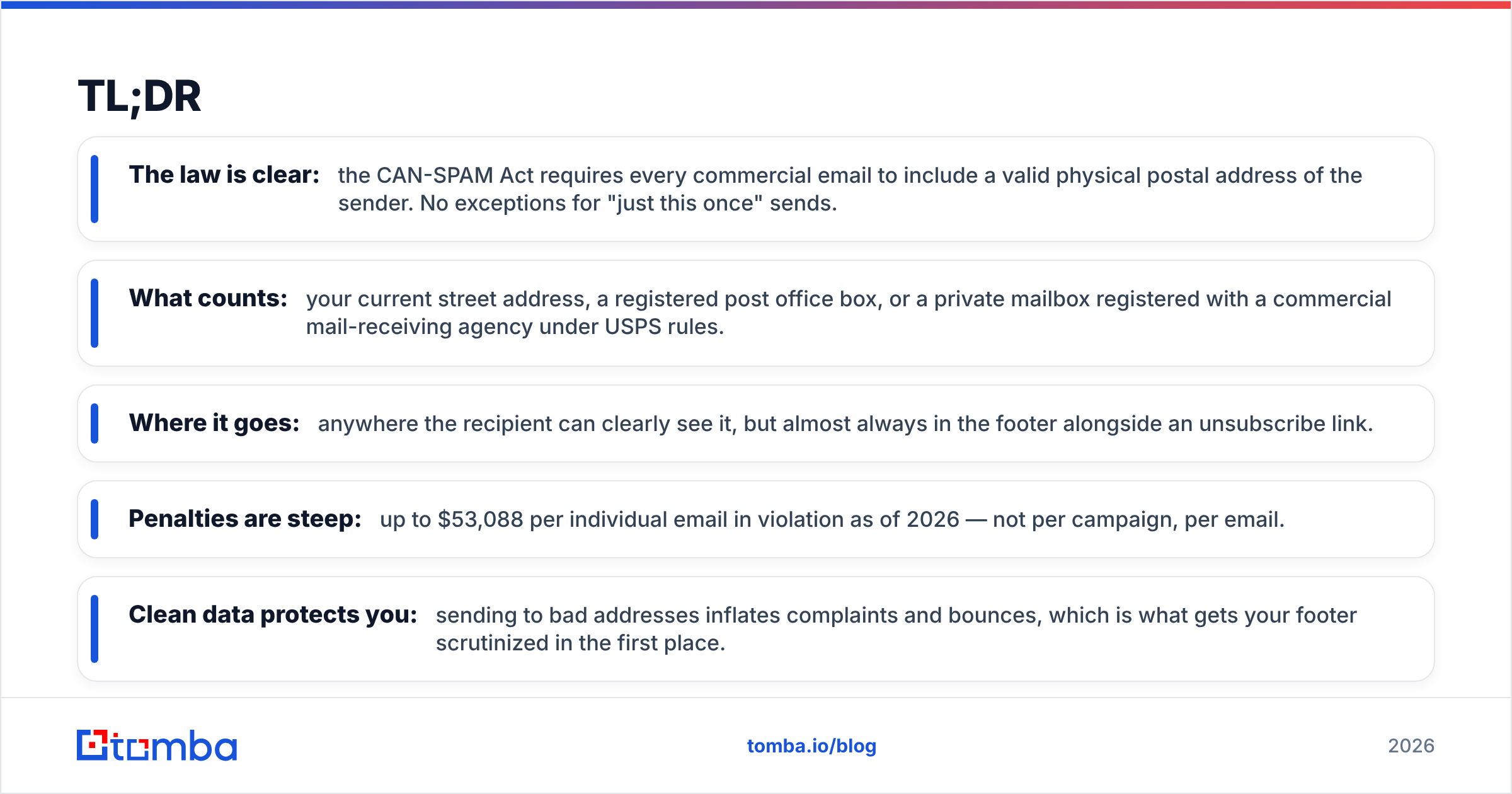
- The law is clear: the CAN-SPAM Act requires every commercial email to include a valid physical postal address of the sender. No exceptions for "just this once" sends.
- What counts: your current street address, a registered post office box, or a private mailbox registered with a commercial mail-receiving agency under USPS rules.
- Where it goes: anywhere the recipient can clearly see it, but almost always in the footer alongside an unsubscribe link.
- Penalties are steep: up to $53,088 per individual email in violation as of 2026 — not per campaign, per email.
- Clean data protects you: sending to bad addresses inflates complaints and bounces, which is what gets your footer scrutinized in the first place.
What is the CAN SPAM physical address requirement?#
The CAN SPAM physical address requirement is the rule that every commercial email must contain a valid, physical postal address for the sender. It comes from the CAN-SPAM Act of 2003, the U.S. federal law that governs commercial email. It is one of the law's seven core rules.
Think of it like the return address on a piece of physical mail. When a company sends you a postcard, you can see who sent it and where they're based. CAN-SPAM applies that same logic to email: recipients have a right to know who is contacting them and how to reach that entity in the real world, not just through a no-reply inbox.
The requirement applies to "commercial" email — any message whose main purpose is advertising or promoting a product or service. That sweeps in newsletters, product announcements, cold outreach, promotional blasts, and most sales sequences. Transactional emails (receipts, password resets, shipping notifications) get more leeway. But if your message mixes promotion with a transaction, the safest move is to treat it as commercial and include the address.
According to the FTC's official CAN-SPAM compliance guide, the address must be "valid." That word does a lot of work, and it's where most senders slip up.

Why does CAN-SPAM require a physical address?#
The address requirement exists for accountability. Spam thrives on anonymity — fake senders, untraceable domains, throwaway inboxes. By forcing a real postal address into every commercial message, the law makes it harder to hide behind a screen.
There are three practical reasons it matters for your business:
- Identity verification. The address proves a real organization stands behind the message, which builds recipient trust and reduces "this is a scam" reactions.
- Legal traceability. Regulators and recipients can identify and contact the responsible party if something goes wrong.
- Deliverability signals. Mailbox providers like Gmail and Outlook read a complete, compliant footer as a sign of a legitimate sender. A missing address correlates with spammy behavior, and that hurts your email deliverability.
That last point is the one teams forget. Compliance and deliverability aren't separate problems. The same patterns that satisfy the FTC also satisfy spam filters. Both are trying to answer the same question: is this a real sender or not?
What counts as a valid physical address?#
A valid address under CAN-SPAM is one that physically exists and can receive mail addressed to you. The FTC accepts three formats. Here's what each one means in plain terms:
- Your current street address. The literal physical location of your business — an office, a storefront, or your registered place of business.
- A registered post office box. A P.O. box you've registered with the U.S. Postal Service counts as a valid physical postal address. This is the most common solution for remote teams and solo founders.
- A private mailbox (PMB). A box you've registered with a commercial mail-receiving agency (CMRA) — think UPS Store mailboxes — established under USPS regulations.
What does not count:
- A made-up address or one you don't control.
- An email address or website URL (those aren't physical).
- A former address you've moved away from.
- Another company's address you haven't been authorized to use.
For solo operators and fully remote companies, the P.O. box or private mailbox options exist precisely so you don't have to publish your home address to thousands of strangers. That's a legitimate, fully compliant choice — not a loophole.
Where in the email must the address appear?#
The law doesn't dictate an exact pixel location. It requires that the address be present and clearly visible to the recipient. In practice, that means the footer.
Standard, compliant footers pair three elements together at the bottom of the message:
- The sender's name or company name
- The valid physical postal address
- A clear, working unsubscribe mechanism
Putting them together isn't required by statute, but it's the convention every major email platform follows because it reads as trustworthy. Mailbox providers have learned to expect that block. When it's missing, your message looks structurally different from legitimate mail, and filters notice.
A quick note on rendering: make sure the address shows in the plain-text version of your email too, not just the HTML. Some recipients and some filters read the text part only. An address that exists only in an image or an HTML-only block can be treated as missing.
How does CAN-SPAM compare to other email laws?#
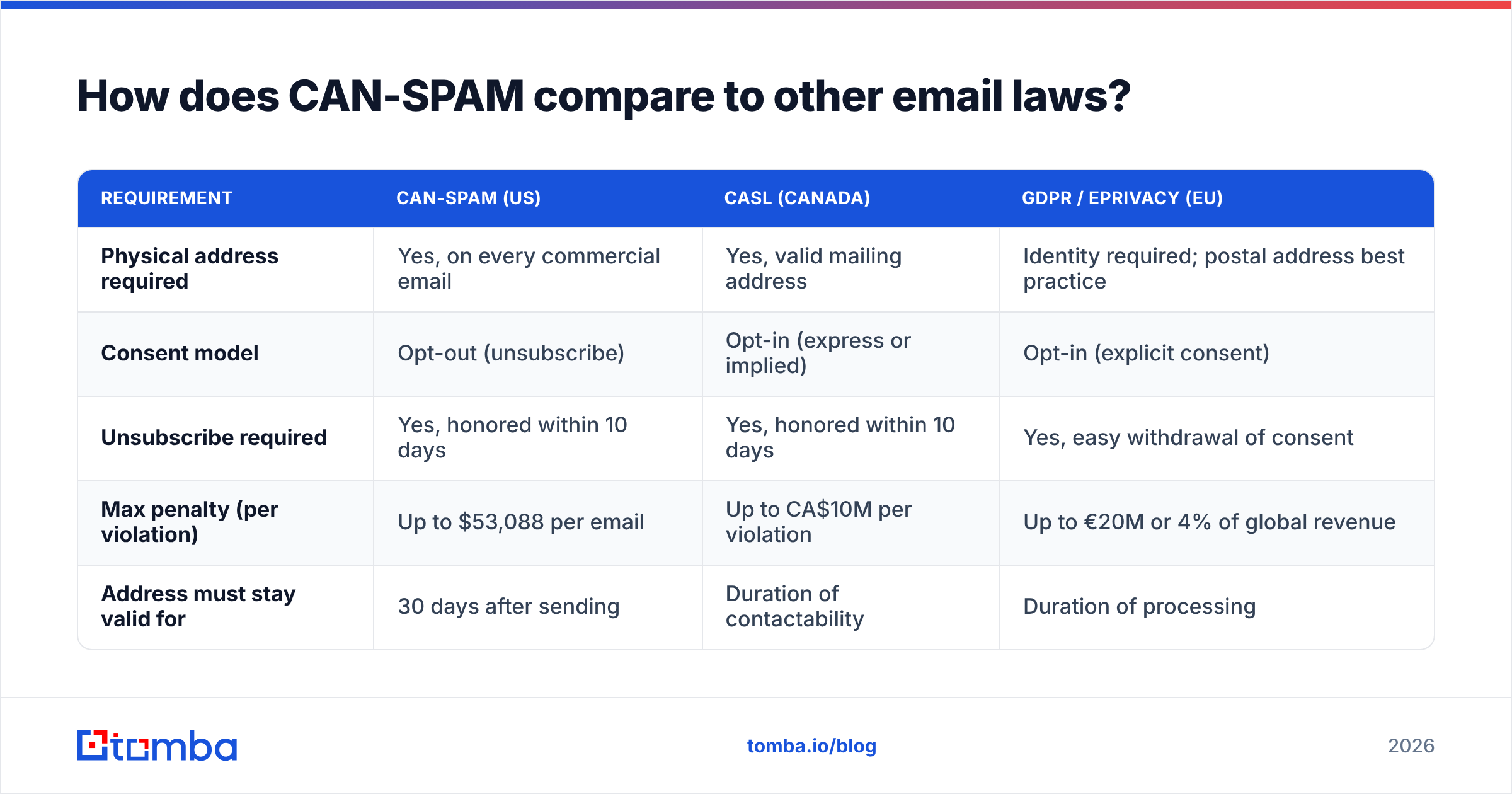
If you send beyond the U.S., CAN-SPAM is just one of several regimes you'll touch. Canada's CASL and the EU's GDPR each handle sender identification differently. Here's how the headline requirements stack up:
| Requirement | CAN-SPAM (US) | CASL (Canada) | GDPR / ePrivacy (EU) |
|---|---|---|---|
| Physical address required | Yes, on every commercial email | Yes, valid mailing address | Identity required; postal address best practice |
| Consent model | Opt-out (unsubscribe) | Opt-in (express or implied) | Opt-in (explicit consent) |
| Unsubscribe required | Yes, honored within 10 days | Yes, honored within 10 days | Yes, easy withdrawal of consent |
| Max penalty (per violation) | Up to $53,088 per email | Up to CA$10M per violation | Up to €20M or 4% of global revenue |
| Address must stay valid for | 30 days after sending | Duration of contactability | Duration of processing |
The pattern is consistent: every serious jurisdiction wants a real, reachable identity behind commercial mail. If you build your footer to satisfy CAN-SPAM and CASL together, you're most of the way to GDPR-friendly transparency as well. For a deeper background on the statute itself, the CAN-SPAM Act overview on Wikipedia is a solid primer.
What are the penalties for getting it wrong?#
Each separate email that violates CAN-SPAM can draw a penalty of up to $53,088 as of 2026. The figure is adjusted for inflation periodically, so it has climbed steadily from the original $16,000 ceiling. The critical word is "each." Fines accrue per email, not per campaign. So a single non-compliant blast to 50,000 recipients is theoretically 50,000 violations.
In reality, the FTC tends to pursue the worst offenders — senders combining a missing address with deceptive headers, no unsubscribe, or harvested lists. But "they probably won't come after me" is not a compliance strategy. The cost of adding a footer is zero. The cost of omitting it is open-ended.
Beyond fines, there's the quieter penalty: reputation damage. A pattern of complaints tied to non-compliant mail erodes your sender reputation. Once mailbox providers distrust your domain, even your compliant mail lands in spam. The legal risk is rare and large; the deliverability risk is common and corrosive.

How do I build a compliant footer?#
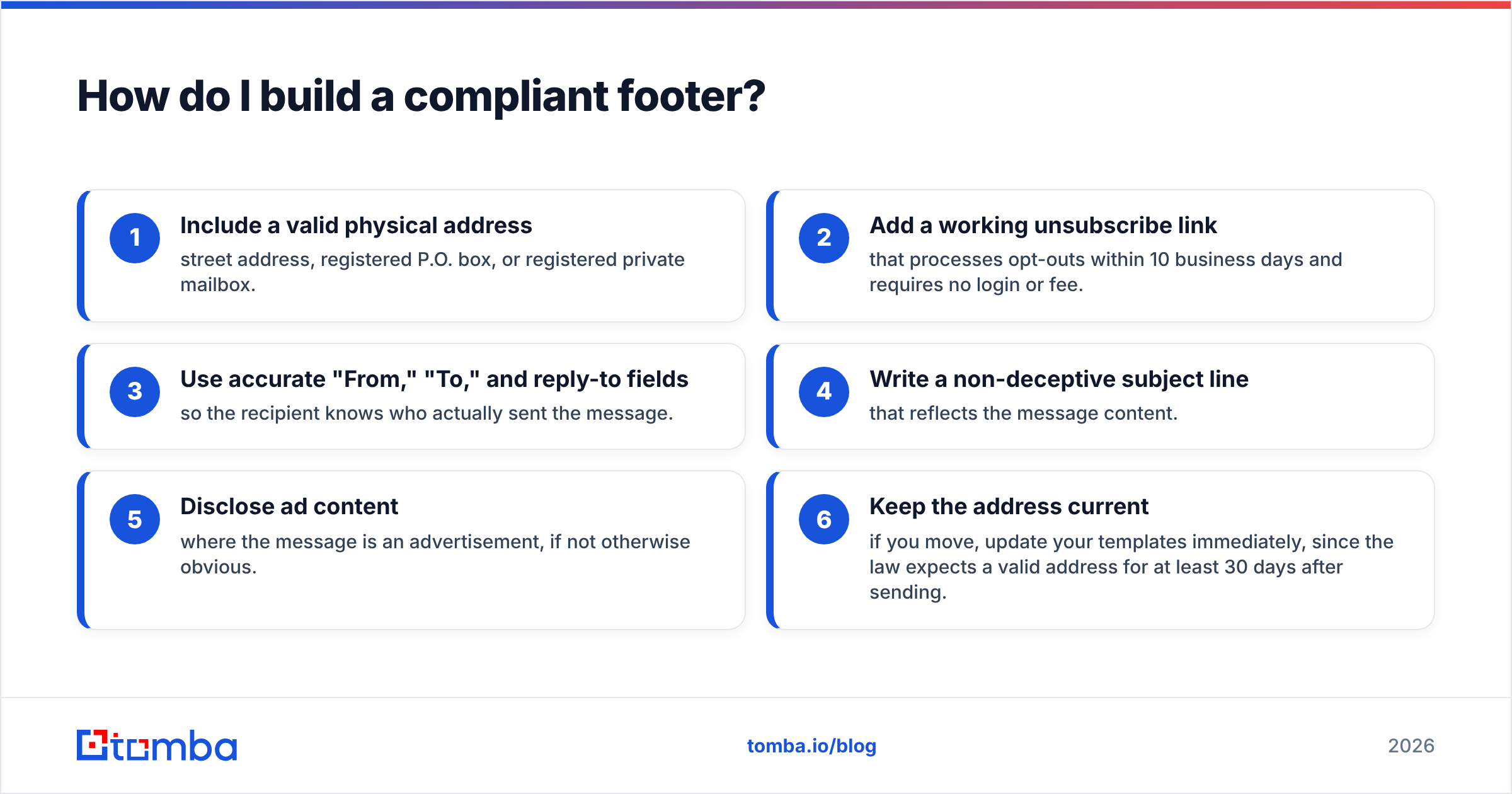
Here's a practical checklist you can apply to any commercial send before you hit go:
- Include a valid physical address — street address, registered P.O. box, or registered private mailbox.
- Add a working unsubscribe link that processes opt-outs within 10 business days and requires no login or fee.
- Use accurate "From," "To," and reply-to fields so the recipient knows who actually sent the message.
- Write a non-deceptive subject line that reflects the message content.
- Disclose ad content where the message is an advertisement, if not otherwise obvious.
- Keep the address current — if you move, update your templates immediately, since the law expects a valid address for at least 30 days after sending.
Most email service providers store your address once and inject it into every template automatically. The failure mode isn't usually the ESP. It's cold outreach sent from a personal inbox or a custom script where nobody wired the footer in. If you run sequences outside a mainstream platform, audit them manually. HubSpot's guidance on CAN-SPAM is a useful cross-check for marketing teams formalizing this.
Does a clean email list keep me compliant?#
Indirectly, yes — and this is where compliance and good prospecting meet. The physical address rule is about identifying yourself. But the other CAN-SPAM rules — no deceptive headers, honor opt-outs, don't send to harvested addresses — are all about list hygiene. The cleaner and more legitimately sourced your list, the less likely you are to trip any of them.
Two habits matter most:
- Source addresses legitimately. CAN-SPAM specifically prohibits sending to addresses gathered by automated harvesting or dictionary attacks. Using a permission-based tool that returns real, professionally sourced business emails keeps you on the right side of that line. A reputable email finder returns verified professional addresses tied to real people and companies, not scraped junk.
- Verify before you send. Sending to dead or invalid addresses spikes your bounce rate, which mailbox providers read as a spam signal — and high complaint rates are exactly what draws regulatory attention. Running your list through an email verifier before each campaign keeps bounces low and your sender reputation intact.
Neither tool writes your footer for you. But both reduce the surrounding risk that turns a minor footer slip into a deliverability crisis. Compliance is a system, not a single checkbox.
CAN SPAM physical address requirement: at a glance#
| Question | Answer |
|---|---|
| Is a physical address mandatory? | Yes, on all commercial email |
| Does a P.O. box count? | Yes, if registered with USPS |
| Does a virtual/private mailbox count? | Yes, if registered with a CMRA under USPS rules |
| Can I use just an email or URL? | No, it must be a physical postal address |
| Where should it appear? | Clearly visible, typically the footer |
| How long must it stay valid? | At least 30 days after sending |
| Penalty per violating email | Up to $53,088 (2026) |
Frequently asked questions#
Do I need a physical address on transactional emails? Purely transactional messages — receipts, account notices, shipping updates — are not "commercial" under CAN-SPAM, so the address requirement is relaxed. But if a transactional email also promotes products, treat it as commercial and include the address. When in doubt, add it; there's no downside.
Can I use my home address if I work from home? You can, but you don't have to. A registered P.O. box or private mailbox is fully compliant and protects your privacy. Most solo founders and remote teams use one for exactly this reason.
What if I send through a third-party platform? You're still responsible. Both the company whose product is promoted and the company actually sending the message can be held liable. Make sure your ESP or sales tool injects a valid address, and verify it on a real test send.
Does CAN-SPAM apply to cold B2B outreach? Yes. CAN-SPAM doesn't distinguish between B2B and B2C — commercial email is commercial email. Your cold sequences need the address, an unsubscribe option, and honest headers just like a newsletter does.
Stay compliant, and start with clean data#
The physical address requirement is the easy part — you set it once and it rides along on every send. The harder, ongoing work is making sure the list underneath your campaigns is legitimately sourced and clean, because that's what keeps you off regulators' radar and out of spam folders.
That's where the right data foundation pays off. The Tomba Email Finder returns verified, professionally sourced business emails tied to real people and companies — so you're building outreach on permission-based data, not scraped lists that invite trouble. Start free with 25 searches a month, then scale on the Starter plan at $49/mo when you're ready. Pair a clean list with a compliant footer, and you've covered both halves of the CAN-SPAM equation.
Ready to find emails that actually work?
Join 150,000+ professionals who stopped guessing and started sending. Free credits on signup — no credit card required.
Get the Tomba newsletter
Practical outbound tactics and product updates — once every two weeks.
About the author