Captain Verify vs Salesbot: Best Email Verifier 2026
Captain Verify vs Salesbot compared on accuracy, pricing, catch-all handling, and speed — plus where a finder-plus-verifier stack like Tomba beats a single tool in 2026.
You collected 40,000 contacts, loaded them into your sequencer, and watched 18% bounce on the first send. Now your domain reputation is in the gutter. Half your team is asking why the new campaign "isn't working." That is the problem email verification exists to solve. This Captain Verify vs Salesbot breakdown covers the two tools people reach for when they finally take bounce rates seriously.
This Captain Verify vs Salesbot post compares them honestly — accuracy, pricing, catch-all handling, bulk speed, and API. Then it makes the case that for most outbound teams the verifier is only half the job. If you are generating lists from scratch, a combined finder-plus-verifier workflow saves you from paying two vendors to do one pipeline.
TL;DR#
- Captain Verify is a mature, France-based email verification service with solid real-time and bulk validation, GDPR-friendly hosting, and pay-as-you-go credits — a good fit if you only need cleaning.
- Salesbot leans toward the prospecting-plus-verification crowd, bundling validation into a broader sales-data motion; quality is decent but documentation and accuracy disclosures are thinner.
- On raw list cleaning, both land in the same accuracy ballpark (mid-to-high 90s on deliverable verdicts); the real differences are pricing model, catch-all transparency, and API maturity.
- If you are finding emails and then verifying them, paying for two separate tools is wasteful. A suite like Tomba does find + verify + enrich in one credit system.
- Verify before every major send regardless of which tool you pick — a stale list decays roughly 2–3% per month.
What are Captain Verify and Salesbot?#
Captain Verify is a dedicated email verification platform. You upload a list (or call the API), and it runs syntax checks, MX-record lookups, SMTP handshakes, role-account detection, disposable-domain filtering, and catch-all flagging, then returns a status per address. It has been around long enough to be a known quantity. It also markets heavily on GDPR-compliant European hosting, which matters if your contacts are EU residents.
Salesbot sits closer to the sales-intelligence end of the spectrum. Rather than positioning purely as a hygiene tool, it folds verification into a prospecting and outreach context — the pitch is less "clean your list" and more "find and validate people to sell to." That framing is useful if you want fewer tabs open, but it also means verification is one feature among many rather than the entire product.
The distinction matters because it changes what "winning" means. If you already have lists and just need them clean, the dedicated verifier usually wins on depth. If you are building lists, the bundled approach is more convenient — though, as you will see, a true finder-plus-verifier suite tends to beat both.

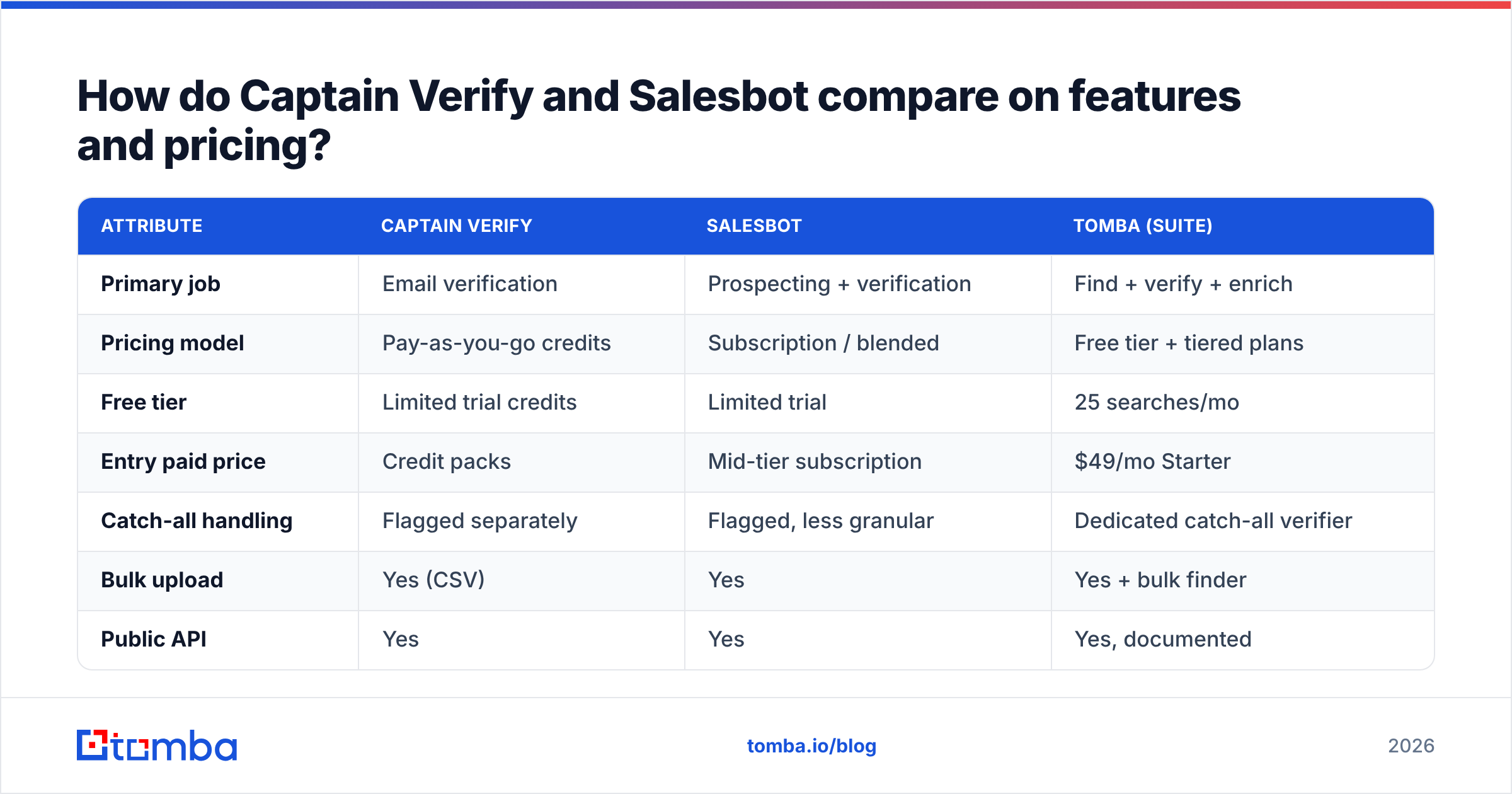
How do Captain Verify and Salesbot compare on features and pricing?#
Here is the head-to-head. Treat any single accuracy figure with healthy skepticism — results vary by industry, list age, and how many catch-all domains you target — but the structural differences below are stable.
| Attribute | Captain Verify | Salesbot | Tomba (suite) |
|---|---|---|---|
| Primary job | Email verification | Prospecting + verification | Find + verify + enrich |
| Pricing model | Pay-as-you-go credits | Subscription / blended | Free tier + tiered plans |
| Free tier | Limited trial credits | Limited trial | 25 searches/mo |
| Entry paid price | Credit packs | Mid-tier subscription | $49/mo Starter |
| Catch-all handling | Flagged separately | Flagged, less granular | Dedicated catch-all verifier |
| Bulk upload | Yes (CSV) | Yes | Yes + bulk finder |
| Public API | Yes | Yes | Yes, documented |
| EU/GDPR hosting | Strong selling point | Standard | Compliant |
| Best for | List cleaning only | All-in-one prospecting | Build + clean in one stack |
A few honest takeaways from the table:
- Pricing transparency favors planning, not Salesbot's bundle. Captain Verify's credit model is easy to forecast: you buy N verifications, you spend N verifications. Salesbot's blended subscription can be cheaper if you use the prospecting features, and more expensive if you only verify. Map the model to how you actually work before you commit.
- Catch-all is where verifiers quietly differ. Every tool can mark a domain as catch-all (accepts all addresses, so SMTP can't confirm a specific inbox). What separates them is how they score those addresses afterward. If a big share of your TAM sits on catch-all domains, this single behavior matters more than the headline accuracy number.
- API maturity decides whether you can automate. Both expose APIs. The deciding factors are rate limits, response schema clarity, and webhook support for large async batches. Read the docs before you build.
- "All-in-one" is only a saving if you use all of it. Salesbot's broader surface area is genuinely convenient — but you pay for the prospecting layer whether you touch it or not.
For a deeper, ongoing reference on the cleaning side specifically, Tomba's email verifier and catch-all verifier pages break down each verdict type, which is handy even if you ultimately pick a different vendor.
Captain Verify vs Salesbot: which one is more accurate?#
Conclusion first: on a typical mixed B2B list, Captain Verify and Salesbot both land in the mid-to-high 90s on deliverable verdicts. Neither is dramatically ahead. Read any accuracy claim above 99% as "on clean, non-catch-all domains" — the easy case.
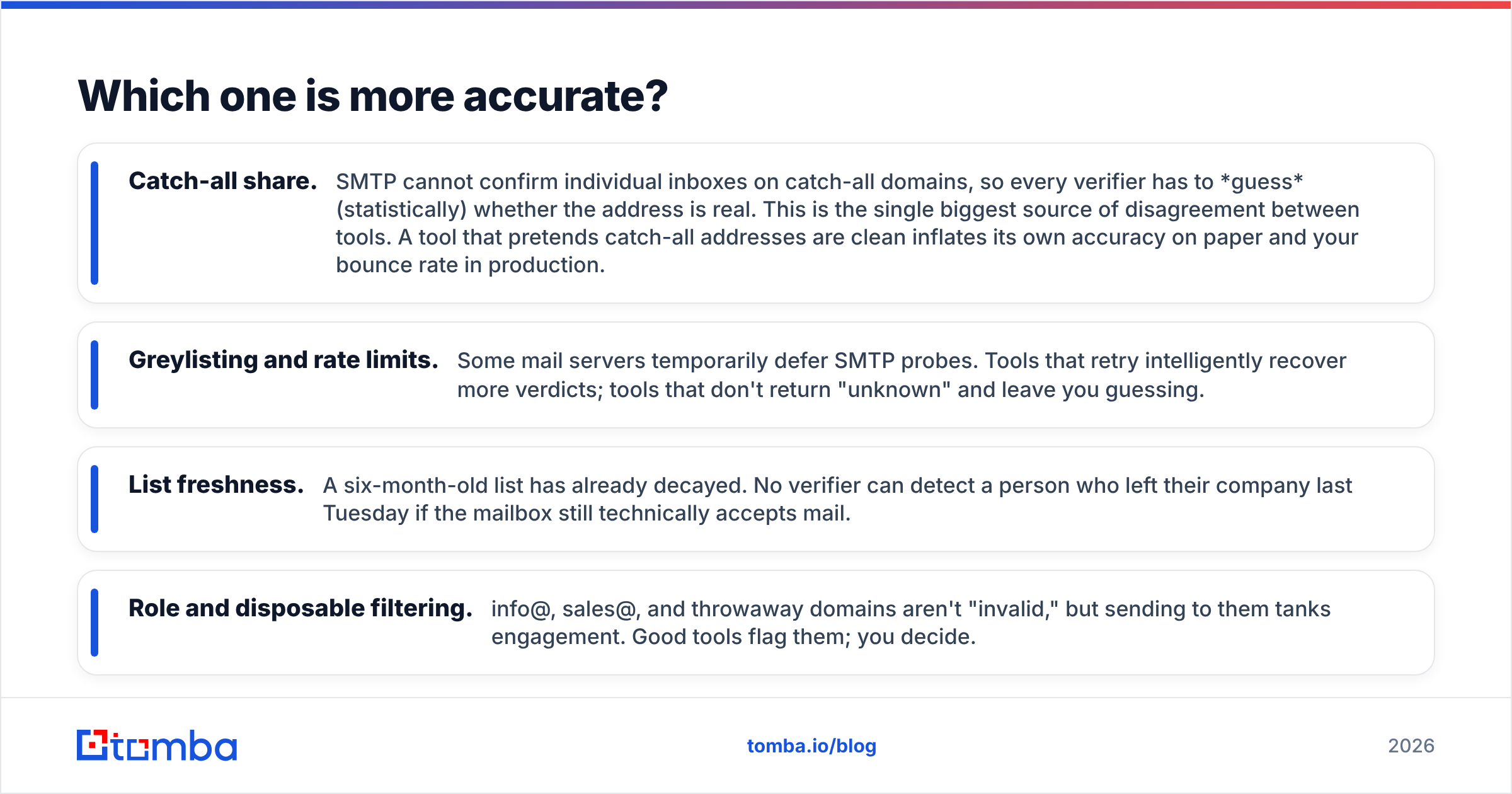
Real-world verification accuracy depends on four things, in roughly this order of impact:
- Catch-all share. SMTP cannot confirm individual inboxes on catch-all domains, so every verifier has to guess (statistically) whether the address is real. This is the single biggest source of disagreement between tools. A tool that pretends catch-all addresses are clean inflates its own accuracy on paper and your bounce rate in production.
- Greylisting and rate limits. Some mail servers temporarily defer SMTP probes. Tools that retry intelligently recover more verdicts; tools that don't return "unknown" and leave you guessing.
- List freshness. A six-month-old list has already decayed. No verifier can detect a person who left their company last Tuesday if the mailbox still technically accepts mail.
- Role and disposable filtering. info@, sales@, and throwaway domains aren't "invalid," but sending to them tanks engagement. Good tools flag them; you decide.
The practical move is simple. Test both on the same 1,000-row sample of your data, send to the "deliverable" verdicts, and measure the actual bounce rate. That number — not a vendor's marketing page — is your accuracy. For background on how SMTP verification works under the hood, the Wikipedia entry on email verification is a neutral primer. Peer reviews on G2 give you a feel for where each tool frustrates real users.
Is a standalone verifier even the right tool?#
Here is the question most "X vs Y verifier" posts skip: why are you verifying in the first place?
If you bought or exported a list, you need cleaning, full stop — pick Captain Verify or Salesbot and move on. But if you are building lists from company domains, names, or LinkedIn, you are running two jobs: finding the address, then verifying it. Splitting those across two vendors means two bills, two credit systems, two integrations, and two places for data to fall through the cracks.
This is the gap a suite closes. With Tomba you run domain search to pull every public address at a company, and the email finder to resolve a specific person. Verification then happens in the same pipeline against the same data sources — one credit system, one API, one export.
For bulk work, the bulk email finder finds and validates thousands of rows in a single job. That beats a find-here-verify-there shuffle.
That is not a knock on Captain Verify — it is genuinely good at the one thing it does. It is a workflow argument. If finding is part of your job, a finder-plus-verifier stack removes a whole category of busywork.
How should you choose between Captain Verify and Salesbot?#
Match the tool to your actual motion rather than to whichever has the louder accuracy claim.
- Pick Captain Verify if: you already have lists, you want a focused cleaning tool, predictable pay-as-you-go pricing appeals to you, and EU/GDPR hosting is a compliance requirement. It is the cleanest "just verify my list" choice of the two.
- Pick Salesbot if: you want prospecting and verification under one login, you will genuinely use the broader feature set, and you prefer a subscription to credit packs. The bundle pays off only when you use the bundle.
- Pick a suite (Tomba) if: you are generating lists, not just cleaning them — and you would rather not run find and verify as two separate paid steps. See Tomba pricing to compare the blended cost against paying a finder and a verifier separately.
A quick decision checklist:
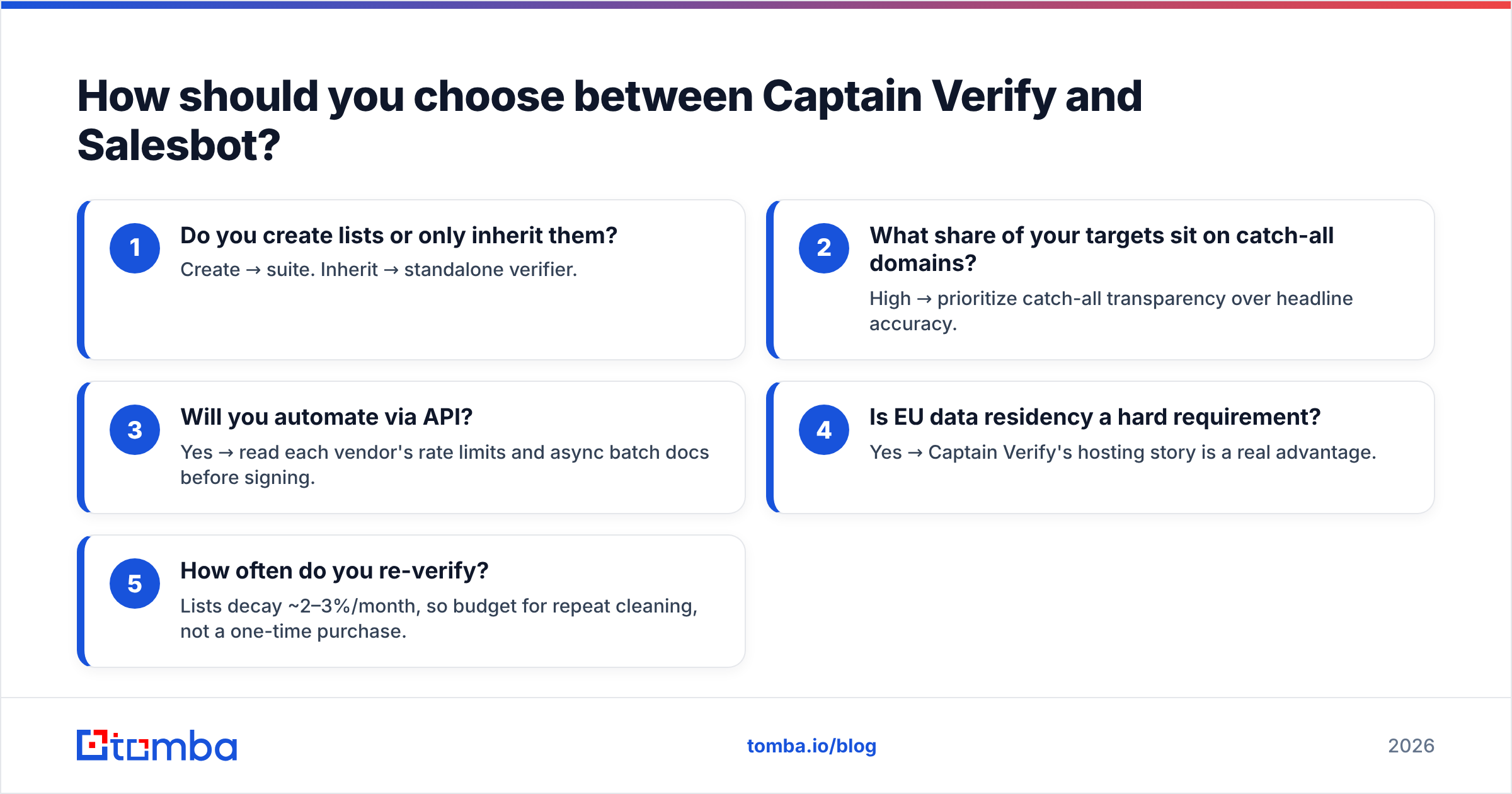
- Do you create lists or only inherit them? Create → suite. Inherit → standalone verifier.
- What share of your targets sit on catch-all domains? High → prioritize catch-all transparency over headline accuracy.
- Will you automate via API? Yes → read each vendor's rate limits and async batch docs before signing.
- Is EU data residency a hard requirement? Yes → Captain Verify's hosting story is a real advantage.
- How often do you re-verify? Lists decay ~2–3%/month, so budget for repeat cleaning, not a one-time purchase.
How do you actually run a clean verification workflow?#
Whichever tool you choose, the process is the same and the order matters:
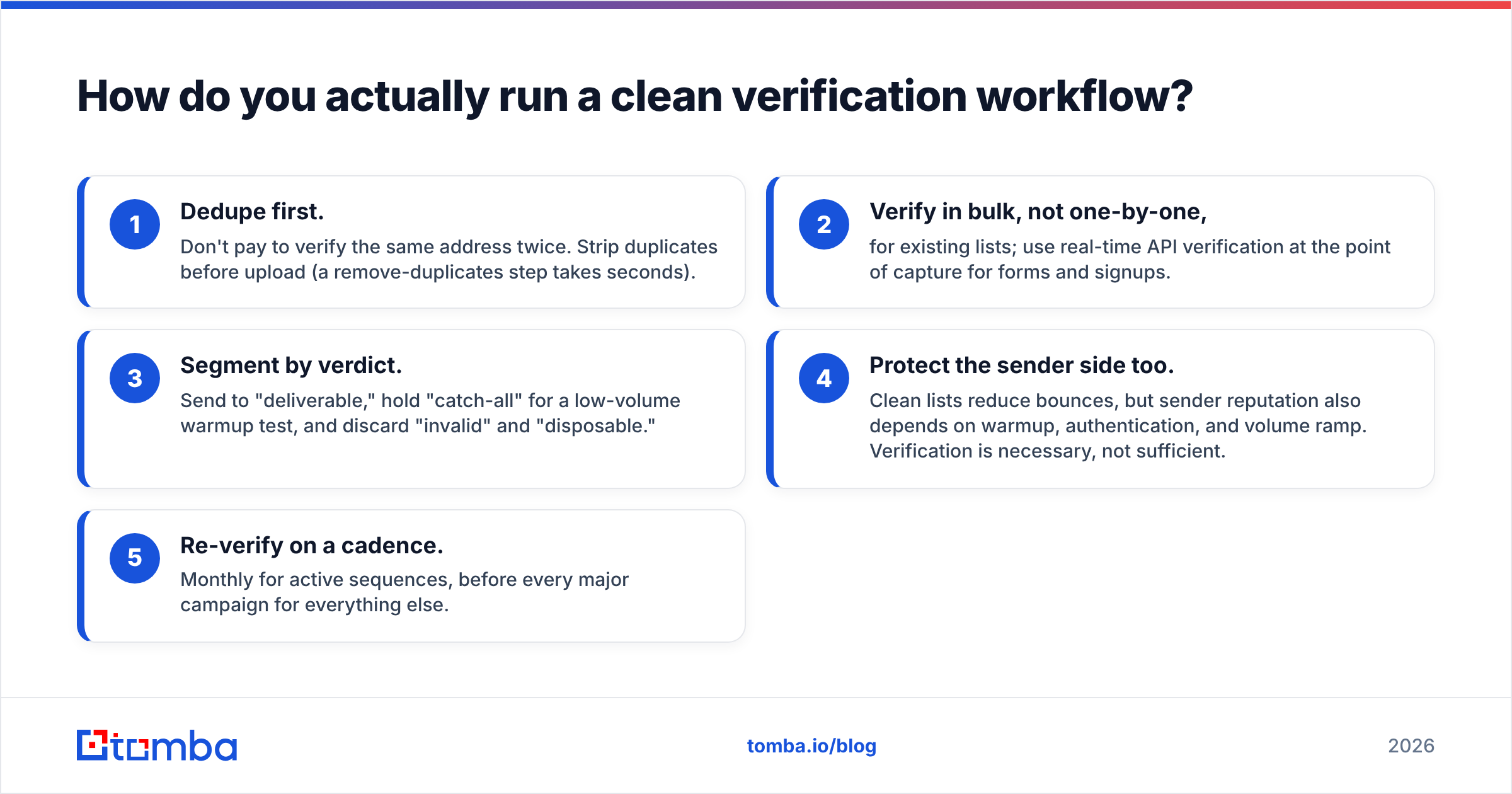
- Dedupe first. Don't pay to verify the same address twice. Strip duplicates before upload (a remove-duplicates step takes seconds).
- Verify in bulk, not one-by-one, for existing lists; use real-time API verification at the point of capture for forms and signups.
- Segment by verdict. Send to "deliverable," hold "catch-all" for a low-volume warmup test, and discard "invalid" and "disposable."
- Protect the sender side too. Clean lists reduce bounces, but sender reputation also depends on warmup, authentication, and volume ramp. Verification is necessary, not sufficient.
- Re-verify on a cadence. Monthly for active sequences, before every major campaign for everything else.
Skip step 3 and even a 99%-accurate verifier won't save you, because catch-all addresses will still slip into your main send. The tool matters less than the discipline.
The bottom line#
The Captain Verify vs Salesbot verdict: both are legitimate choices. Captain Verify is the sharper pure-play verifier with predictable credits and strong EU hosting. Salesbot is the better fit if you want prospecting and validation in one subscription and will actually use both halves. On accuracy, test them on your own data — the difference between them is smaller than the difference made by how you handle catch-all addresses and how fresh your list is.
But if your real job is building lists and then cleaning them, you are choosing the wrong category. Don't pay one vendor to find emails and another to verify them. Tomba's email finder finds professional addresses by domain, name, or company and validates them in the same workflow — one credit system, one API, one export — so the list that lands in your sequencer is already clean. Start on the free tier (25 searches a month), and only scale to a paid plan once it's paying for itself.
// get started
Find, verify and enrich your first contacts today
Start on the free plan with 25 searches a month, then scale when your team is ready.
Free plan · No credit card required · GDPR & CCPA
// about the author