Centrex Pricing, Reviews, Pros and Cons: A 2026 Buyer's Guide
Is Centrex still worth it in 2026? A neutral breakdown of Centrex pricing, real-world reviews, and the pros and cons versus PBX and cloud VoIP for sales teams.
Centrex is one of the oldest business phone arrangements still on the market, and in 2026 it sits in an awkward spot: cheaper than buying your own switch, but pricier and stiffer than cloud VoIP. This guide gives you the honest version — what Centrex actually costs, what reviewers say after years on it, and where it still makes sense.
TL;DR#
- Centrex is a carrier-hosted phone service: the phone company runs the "switch" in their central office and rents you features per line, so you skip the cost of owning a PBX.
- Typical pricing runs roughly $20–$45 per line per month, often on 1–5 year contracts, with extra charges for features, moves, adds, and changes.
- Pros: no hardware to maintain, predictable monthly billing, carrier-grade reliability, and easy small-site coverage.
- Cons: per-line costs add up fast, features lag modern VoIP, contracts are rigid, and change requests can be slow and billable.
- For most sales teams in 2026, cloud VoIP wins on price and flexibility — but Centrex still fits regulated, low-change, or rural single-carrier environments.
What is Centrex and how does it work?#
Centrex (short for "Central Office Exchange Service") is like renting an apartment instead of buying a house. You get a fully functioning phone system, but the landlord — your telephone carrier — owns and maintains the actual equipment in their building. You just pay rent per line and use the features.
Technically, Centrex moves the switching intelligence of a PBX out of your office and into the carrier's central office. Each handset connects back to the carrier, which provides extension dialing, call transfer, hold, voicemail, hunt groups, and direct inward dialing (DID) as a managed service. You never rack a server, patch firmware, or replace a failed switch — that's the carrier's problem.
That model was a big deal in the 1980s and 1990s, when owning a PBX meant a five-figure capital purchase and a closet full of hardware. It's still sold today, usually to organizations that value hands-off operation over cutting-edge features. The trade-off is that you pay for that simplicity every single month, per line, more or less forever.

Wait — ignore that placeholder framing; the important comparison here is operational, not visual. Here is how the three common models actually differ in who owns what:
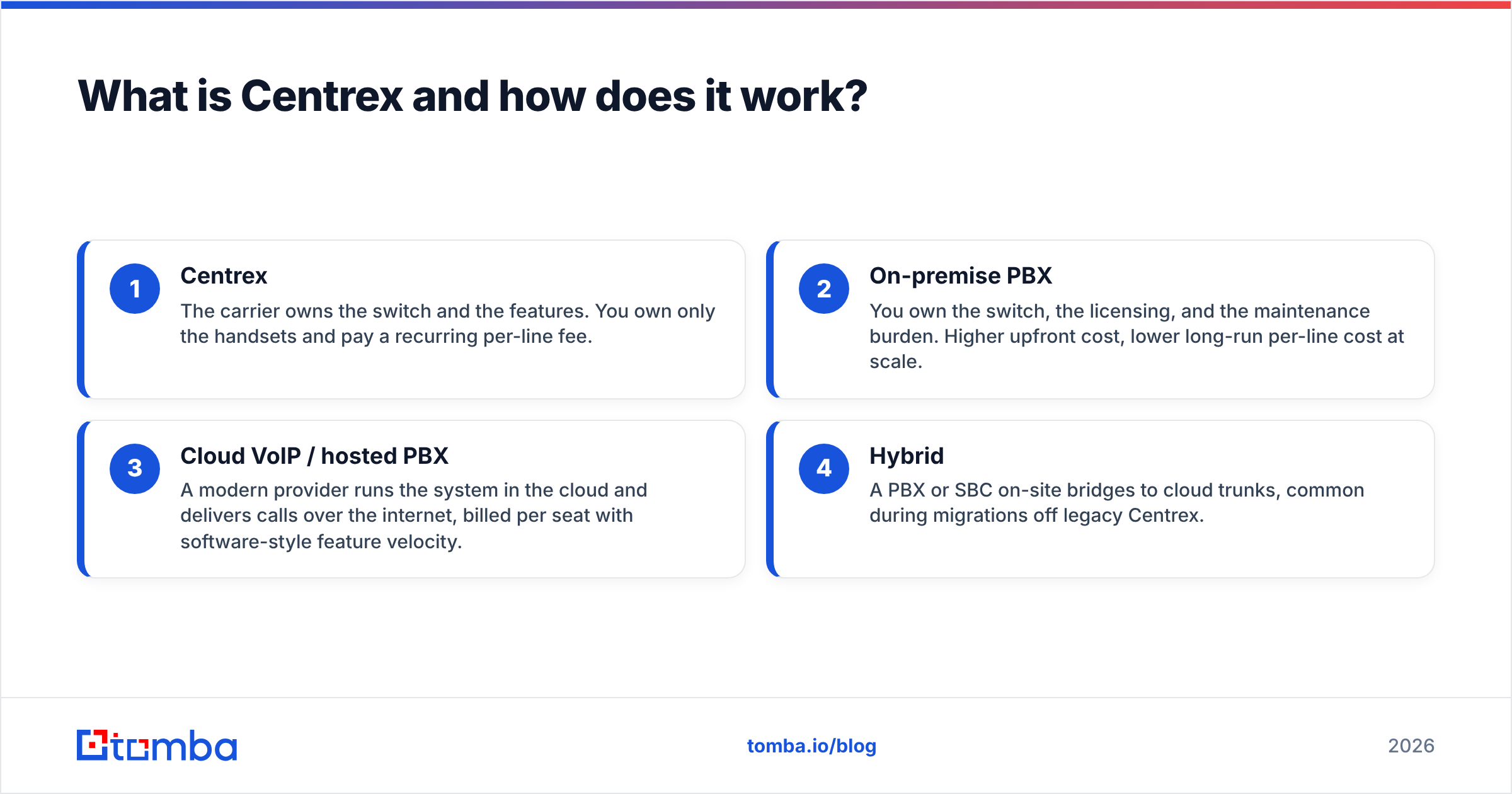
- Centrex — The carrier owns the switch and the features. You own only the handsets and pay a recurring per-line fee.
- On-premise PBX — You own the switch, the licensing, and the maintenance burden. Higher upfront cost, lower long-run per-line cost at scale.
- Cloud VoIP / hosted PBX — A modern provider runs the system in the cloud and delivers calls over the internet, billed per seat with software-style feature velocity.
- Hybrid — A PBX or SBC on-site bridges to cloud trunks, common during migrations off legacy Centrex.
How much does Centrex cost in 2026?#
Expect roughly $20 to $45 per line per month, before add-ons and taxes. Centrex is almost never sold as a flat published rate — it's quoted by your local or regional carrier based on line count, contract length, and which feature package you choose. That makes apples-to-apples shopping harder than with cloud VoIP, where pricing pages are public.
The pricing usually breaks into four buckets:
- Per-line base rate — the monthly charge for each working line or extension.
- Feature packages — voicemail, auto-attendant, hunt groups, and call reporting are frequently tiered add-ons rather than included.
- Installation and MAC fees — moves, adds, and changes ("MAC" work) are often billed individually, and provisioning a new extension can take days.
- Contract term — discounts scale with 3- and 5-year commitments, which is where the rigidity bites later.
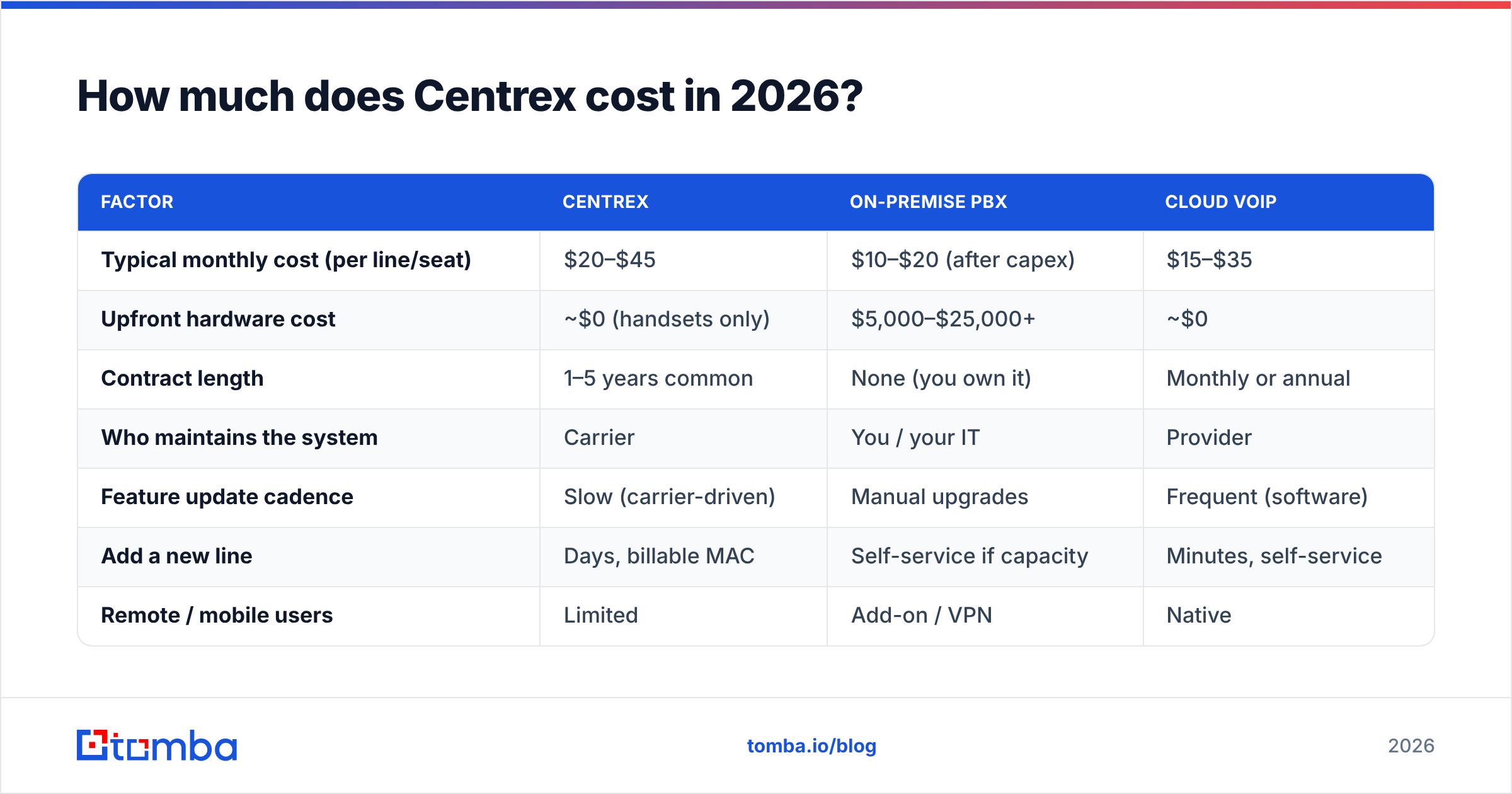
Here is how that stacks up against the main alternatives for a hypothetical 10-seat sales office:
| Factor | Centrex | On-premise PBX | Cloud VoIP |
|---|---|---|---|
| Typical monthly cost (per line/seat) | $20–$45 | $10–$20 (after capex) | $15–$35 |
| Upfront hardware cost | ~$0 (handsets only) | $5,000–$25,000+ | ~$0 |
| Contract length | 1–5 years common | None (you own it) | Monthly or annual |
| Who maintains the system | Carrier | You / your IT | Provider |
| Feature update cadence | Slow (carrier-driven) | Manual upgrades | Frequent (software) |
| Add a new line | Days, billable MAC | Self-service if capacity | Minutes, self-service |
| Remote / mobile users | Limited | Add-on / VPN | Native |
| Best fit | Low-change, single-carrier sites | Large stable HQ | Distributed sales teams |
The headline takeaway: Centrex looks reasonable line-for-line, but it rarely beats cloud VoIP once you factor in feature add-ons, MAC fees, and the opportunity cost of slow changes. For a sales org that adds and removes reps constantly, those change fees and lead times are a hidden tax.
)
What do Centrex reviews actually say?#
Reviews of Centrex are consistent in a way that tells you a lot: people praise it for not breaking and criticize it for not changing. After collecting common themes from telecom buyers and IT forums, the sentiment clusters into a few repeatable patterns.
On the positive side, long-term users repeatedly mention reliability. Because the switching lives in a carrier-grade central office with redundant power and monitoring, uptime tends to be excellent, and there's no internal server to crash on a Friday afternoon. Smaller organizations without dedicated telecom staff like that they can "set it and forget it."
The complaints are just as predictable. Reviewers describe slow change management — needing a service ticket and a fee to do something a cloud admin would self-serve in seconds. They flag feature stagnation, since Centrex feature sets evolve at carrier speed, not software speed, so capabilities like presence, softphones, SMS, and CRM integration are often missing or bolted on awkwardly. And they note price creep, where the all-in bill — base lines plus packages plus surcharges — ends up higher than the original quote implied.
If you want the neutral encyclopedic background, the Centrex entry on Wikipedia is a good, vendor-free primer on the technology's history and decline relative to hosted VoIP.
What are the pros and cons of Centrex?#
Here's the balanced ledger. None of these are absolute — they depend on your size, change frequency, and how much your sales motion relies on modern software integrations.
Pros
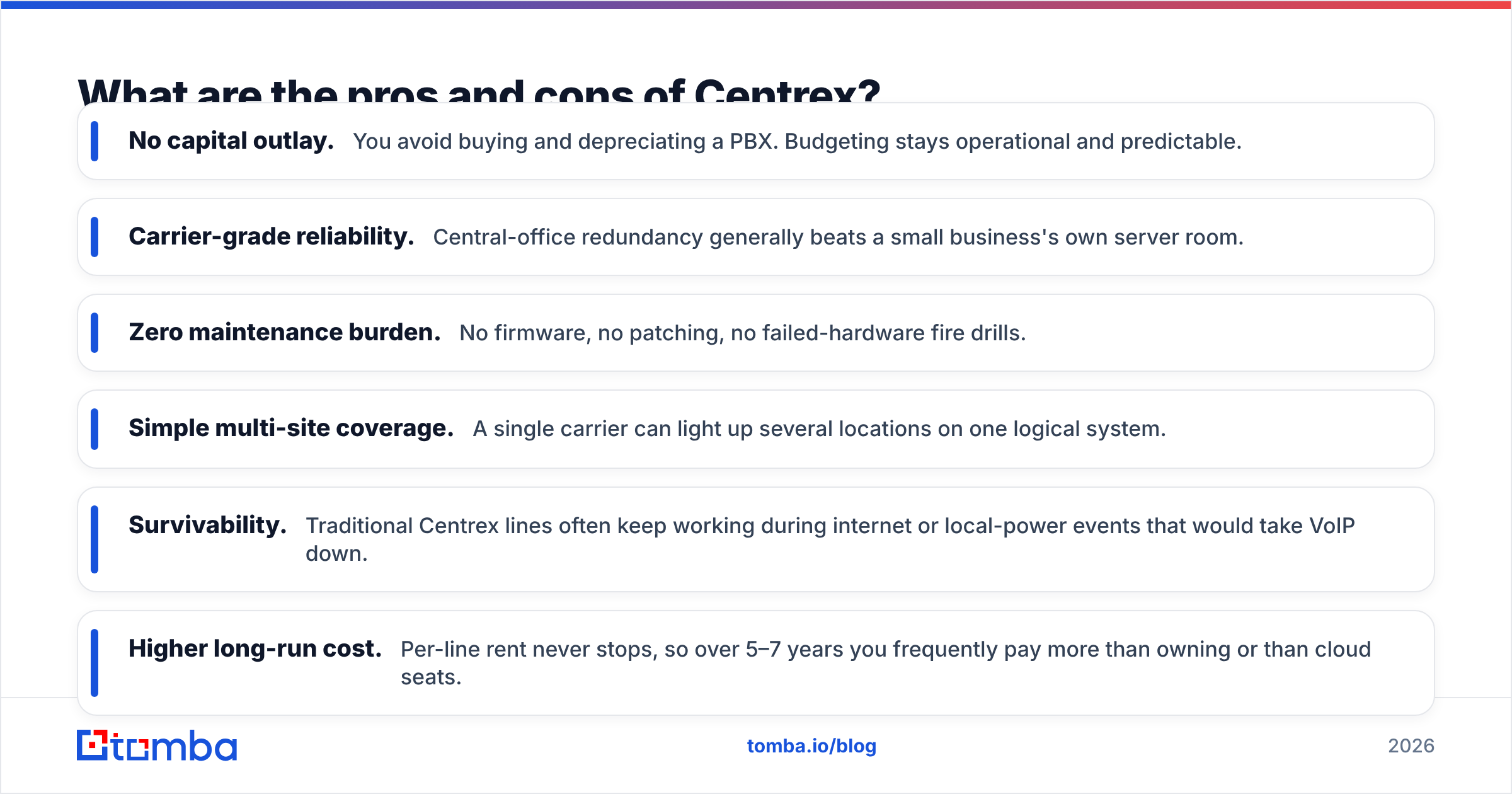
- No capital outlay. You avoid buying and depreciating a PBX. Budgeting stays operational and predictable.
- Carrier-grade reliability. Central-office redundancy generally beats a small business's own server room.
- Zero maintenance burden. No firmware, no patching, no failed-hardware fire drills.
- Simple multi-site coverage. A single carrier can light up several locations on one logical system.
- Survivability. Traditional Centrex lines often keep working during internet or local-power events that would take VoIP down.
Cons
- Higher long-run cost. Per-line rent never stops, so over 5–7 years you frequently pay more than owning or than cloud seats.
- Rigid contracts. Multi-year terms with early-termination penalties limit your ability to switch when something better appears.
- Slow, billable changes. Adds, moves, and reconfigurations need carrier tickets and fees.
- Feature lag. Softphones, mobile apps, SMS, analytics, and CRM hooks are weak or absent compared to modern VoIP.
- Vendor lock-in. You're tied to one carrier's footprint and pricing power.
The pattern is clear: Centrex optimizes for stability and low effort, and pays for it in flexibility and modern capability. A growing outbound sales team usually values the second set more.
Is Centrex better than cloud VoIP for sales teams?#
For most sales teams in 2026, no — cloud VoIP is the better default, with Centrex as a niche exception. The reason is structural. Sales operations live and die on change velocity and software integration: you add reps, spin up local presence numbers, route calls by territory, log everything to the CRM, and dial from a laptop in a hotel. Those are exactly the things Centrex does slowly or not at all.
Cloud VoIP and dialer platforms connect directly to your CRM, auto-log calls, and let an admin provision a new rep in minutes. They support softphones so reps work from anywhere, and they expose analytics that feed into your win rate and call-volume reporting. For a comparison of how modern providers price and package these features, third-party review sites like G2's VoIP category are a useful neutral starting point.
That said, Centrex still wins in a few specific situations:
- You operate in a rural or single-carrier region where reliable broadband for VoIP isn't a given.
- You're in a regulated or risk-averse environment that prizes carrier survivability and predictable billing over features.
- Your phone usage is stable and low-change — a back office that rarely adds lines, not a scaling SDR floor.
Outside those cases, the math and the workflow both point toward cloud.
)
What should you check before signing a Centrex contract?#
If you're seriously evaluating Centrex, treat the quote like a contract negotiation, not a price sheet. The published per-line number is the start, not the total.
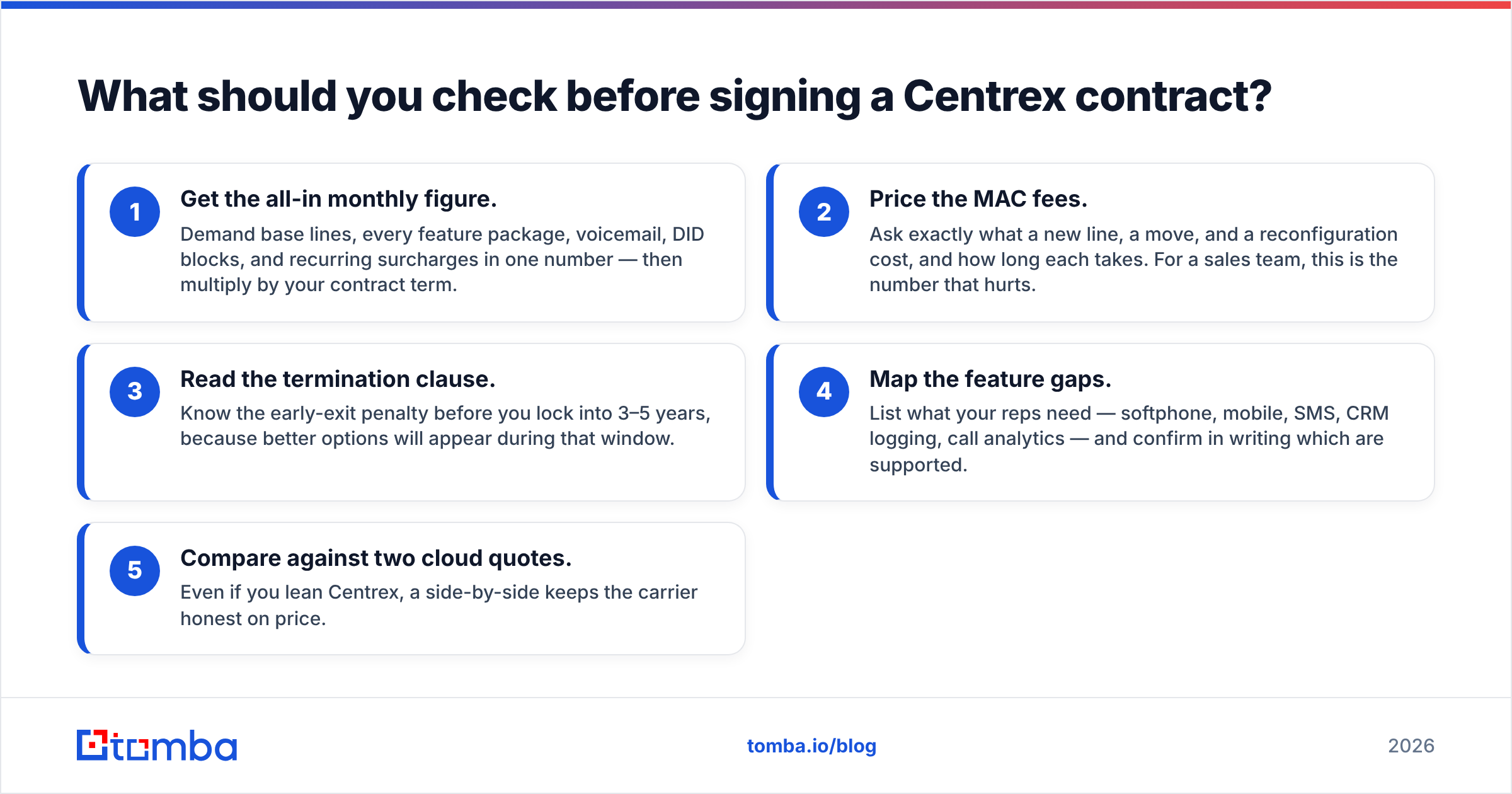
- Get the all-in monthly figure. Demand base lines, every feature package, voicemail, DID blocks, and recurring surcharges in one number — then multiply by your contract term.
- Price the MAC fees. Ask exactly what a new line, a move, and a reconfiguration cost, and how long each takes. For a sales team, this is the number that hurts.
- Read the termination clause. Know the early-exit penalty before you lock into 3–5 years, because better options will appear during that window.
- Map the feature gaps. List what your reps need — softphone, mobile, SMS, CRM logging, call analytics — and confirm in writing which are supported.
- Compare against two cloud quotes. Even if you lean Centrex, a side-by-side keeps the carrier honest on price.
How does contact data fit into the phone-system decision?#
Here's the part teams forget: the phone system is only half the equation. A perfect dialer with bad numbers still wastes reps' time. Whether you stay on Centrex or move to cloud VoIP, the quality of the numbers you dial drives connect rates more than the platform does.
This is where your prospecting data stack matters. Before a rep ever picks up the handset, you want verified, current direct-dial and mobile numbers — not a guess from an org chart. Tools like a dedicated phone finder surface B2B phone numbers tied to real contacts, and a phone validator checks that those numbers are live before they hit your dial list, cutting wasted attempts and protecting your callers' time.
Pairing accurate contact data with whatever phone system you choose is what actually moves your response rate. The PBX-versus-Centrex-versus-VoIP debate decides your infrastructure cost; clean data decides whether that infrastructure produces revenue. If you also run multichannel outreach, enriching those records with verified emails via an email finder means a missed call can become a tracked follow-up instead of a dead end.
Centrex pricing reviews pros and cons: the verdict#
Centrex is a competent legacy choice that's been quietly out-competed for most use cases. Its pricing is predictable but not cheap over time; its reviews praise reliability and criticize rigidity; and its pros (no hardware, carrier reliability) are real but increasingly matched by cloud VoIP that also brings the features Centrex lacks.
Choose Centrex if you're a low-change, reliability-first, single-carrier operation that genuinely values hands-off simplicity. Choose cloud VoIP if you're a sales team that adds reps, dials from anywhere, and lives in the CRM — which describes most of you reading this. And in either case, remember that the system is only as good as the numbers you feed it.
Want every dial to land on a real, reachable decision-maker? Start with the data layer. Tomba's Email Finder — alongside its phone finder, verifier, and enrichment tools — gives your reps verified contact details to load into any phone system, on a free tier of 25 searches a month before you scale up to a paid plan. Get the data right first, and the phone-system decision gets a lot less stressful.
// get started
Find, verify and enrich your first contacts today
Start on the free plan with 25 searches a month, then scale when your team is ready.
Free plan · No credit card required · GDPR & CCPA
// about the author