Champify Alternatives: 7 Best Job-Change Tools for 2026
Champify tracks job changes and new-hire signals, but it isn't the only option. Compare 7 Champify alternatives by signal type, data depth, and price for 2026.
Champify is a strong job-change signal tool, but it's not the only one — and for many teams it's not the best fit. If you bought Champify to catch when champions switch jobs and ended up wanting deeper data, broader signals, or a lower price, this guide compares the seven best Champify alternatives for 2026 and shows where each one wins.
TL;DR#
- Champify is best at one thing: alerting you when contacts in your CRM change jobs and surfacing new-hire signals inside Salesforce.
- The strongest Champify alternatives are UserGems (champion tracking), Common Room and Pocus (signal aggregation), and Apollo or Cognism (all-in-one prospecting).
- No signal tool is useful without accurate contact data — the moment someone moves, you need their new work email and phone, which is where a dedicated email finder earns its keep.
- Pricing ranges from free tiers up to custom enterprise quotes; pick based on which signals you act on, not feature-count.
- The smart stack is a signal tool plus a data layer like Tomba to enrich and verify the new contact.
What does Champify actually do?#
Champify watches the contacts and leads already in your CRM and tells you when they change jobs, get promoted, or when a company hires someone into a role you sell to. The pitch is simple: your past champions are your warmest pipeline, and they're invisible the day they switch companies unless something flags it.
That's a real, valuable signal. A buyer who loved your product at Company A is far more likely to buy again at Company B. Champify automates the catch so reps don't manually scan LinkedIn.
But "job-change alerting bolted onto Salesforce" is a narrow slice of a bigger category. Depending on what you actually need — more signal types, better data coverage, phone numbers, or a price that fits a small team — a different tool may serve you better.
)
Why look for a Champify alternative?#
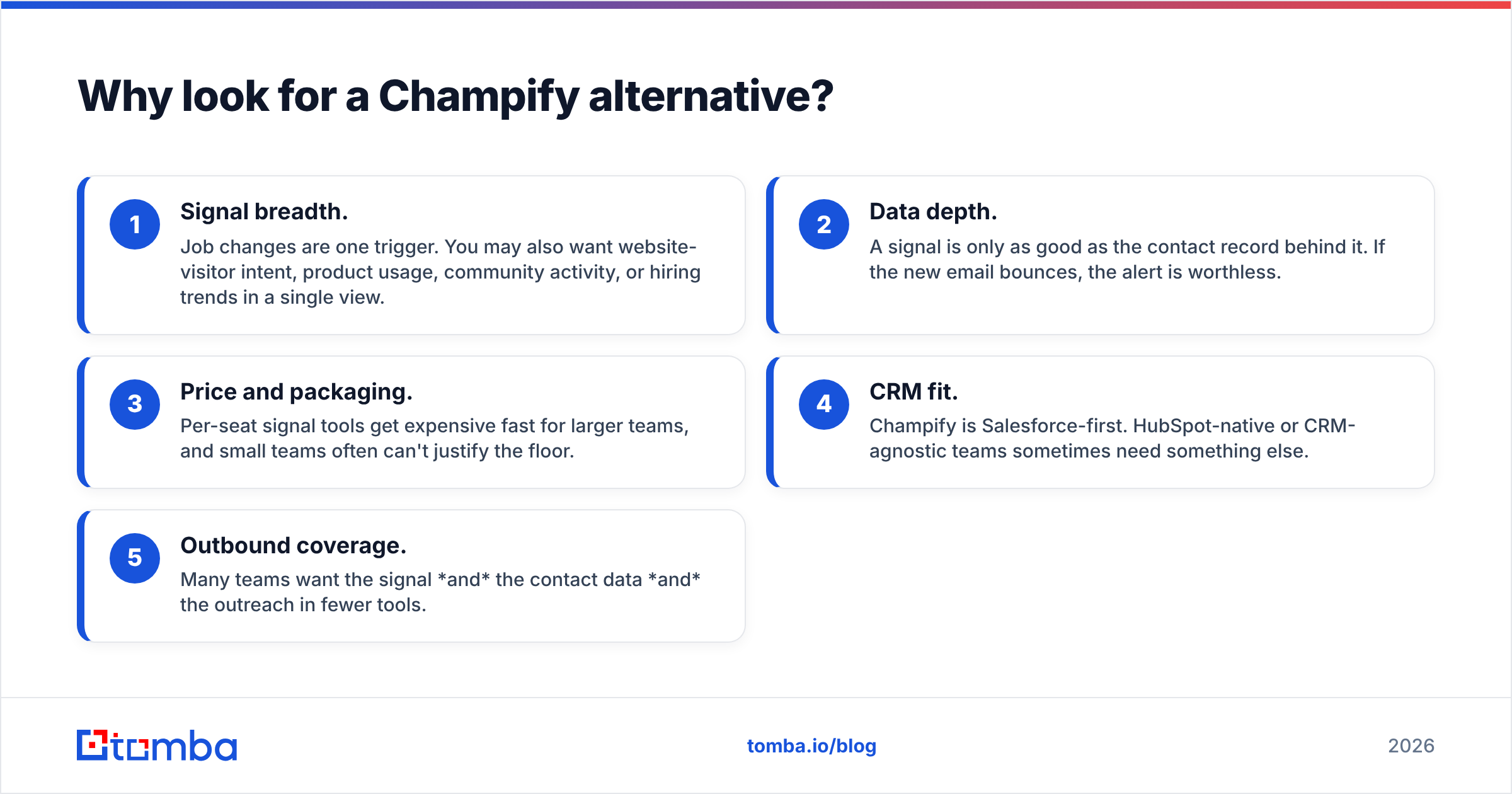
Teams usually start shopping for Champify alternatives for one of these reasons:
- Signal breadth. Job changes are one trigger. You may also want website-visitor intent, product usage, community activity, or hiring trends in a single view.
- Data depth. A signal is only as good as the contact record behind it. If the new email bounces, the alert is worthless.
- Price and packaging. Per-seat signal tools get expensive fast for larger teams, and small teams often can't justify the floor.
- CRM fit. Champify is Salesforce-first. HubSpot-native or CRM-agnostic teams sometimes need something else.
- Outbound coverage. Many teams want the signal and the contact data and the outreach in fewer tools.
Keep those five levers in mind as you read — the "best" alternative is the one that matches the lever you care about.
What are the best Champify alternatives in 2026?#
Here's the short list, grouped by what they're built for.
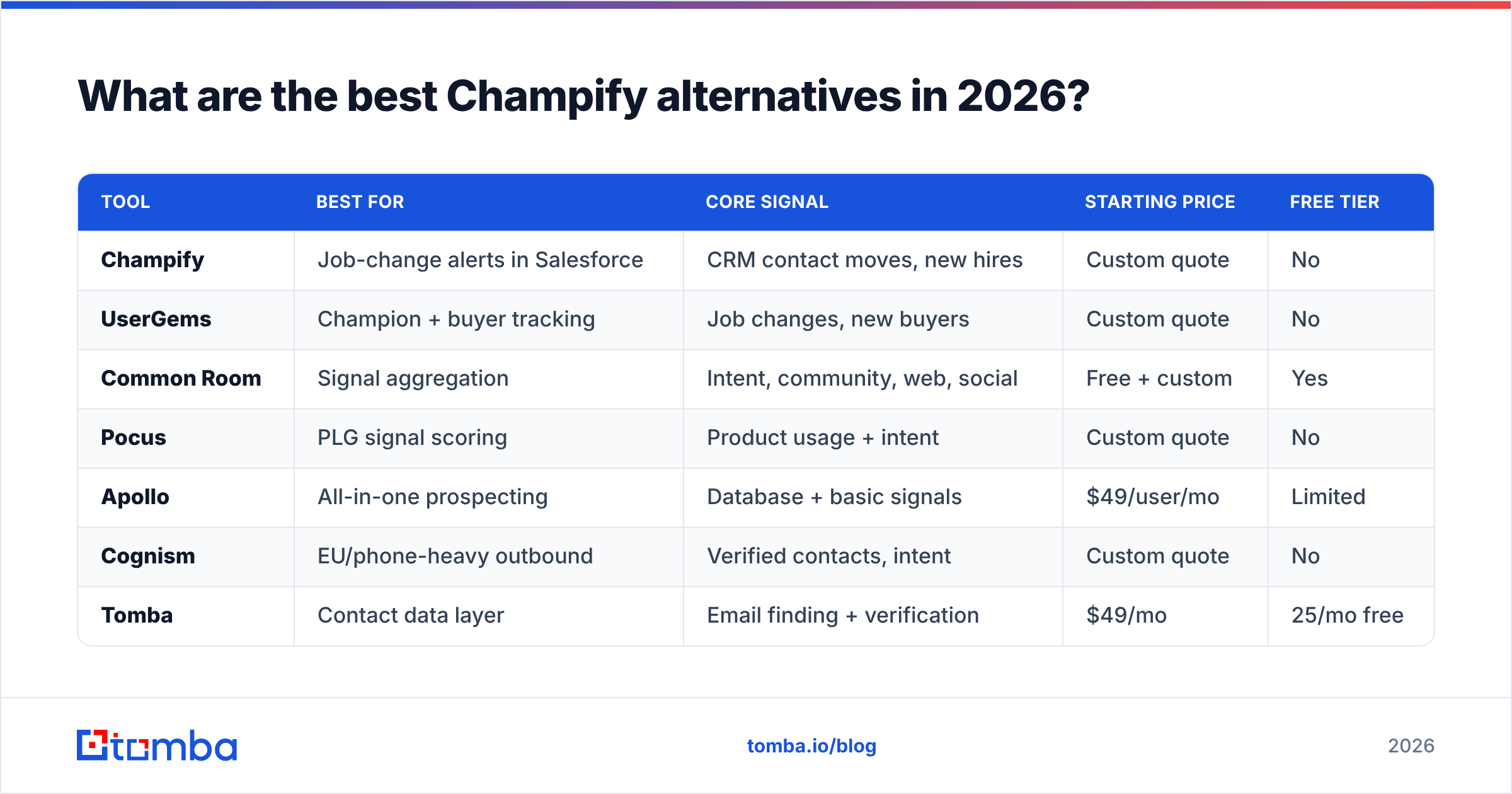
| Tool | Best for | Core signal | Starting price | Free tier |
|---|---|---|---|---|
| Champify | Job-change alerts in Salesforce | CRM contact moves, new hires | Custom quote | No |
| UserGems | Champion + buyer tracking | Job changes, new buyers | Custom quote | No |
| Common Room | Signal aggregation | Intent, community, web, social | Free + custom | Yes |
| Pocus | PLG signal scoring | Product usage + intent | Custom quote | No |
| Apollo | All-in-one prospecting | Database + basic signals | $49/user/mo | Limited |
| Cognism | EU/phone-heavy outbound | Verified contacts, intent | Custom quote | No |
| Tomba | Contact data layer | Email finding + verification | $49/mo | 25/mo free |
A few notes on how to read that table. Champify and UserGems are direct competitors — both center on champion job-change tracking. Common Room and Pocus are signal platforms that fold job changes into a wider intent picture. Apollo and Cognism are prospecting databases that include some signal coverage. And Tomba sits underneath all of them as the contact-data engine.
UserGems — the closest head-to-head#
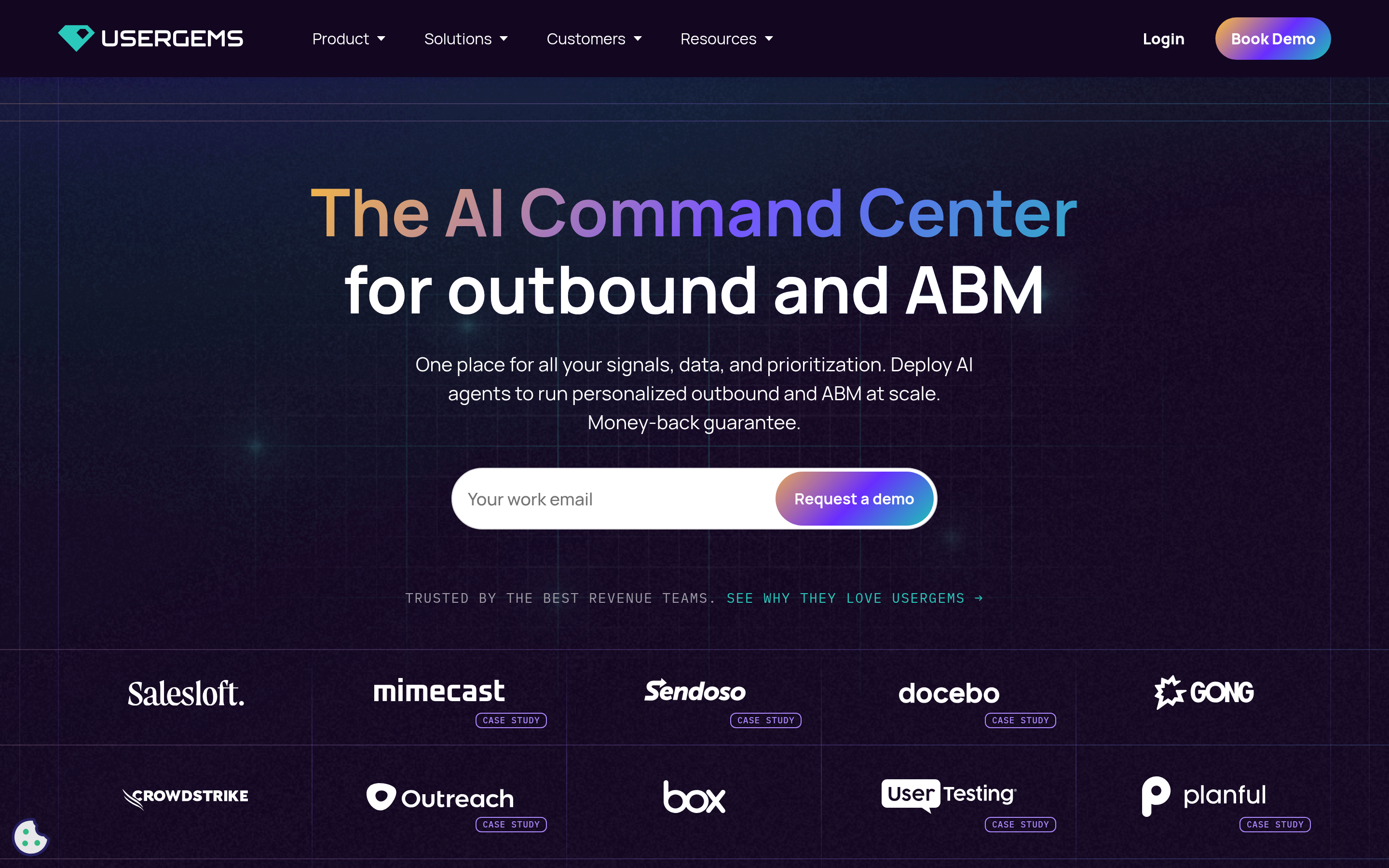
UserGems is the most direct Champify competitor. It tracks when your contacts change jobs and when new buyers (people who fit your past-buyer profile) land in target accounts, then writes those signals into your CRM and sequences. If you want a like-for-like swap focused on champion tracking, UserGems is the first tool to trial. It's enterprise-priced and Salesforce/HubSpot-native.
Common Room — when one signal isn't enough#
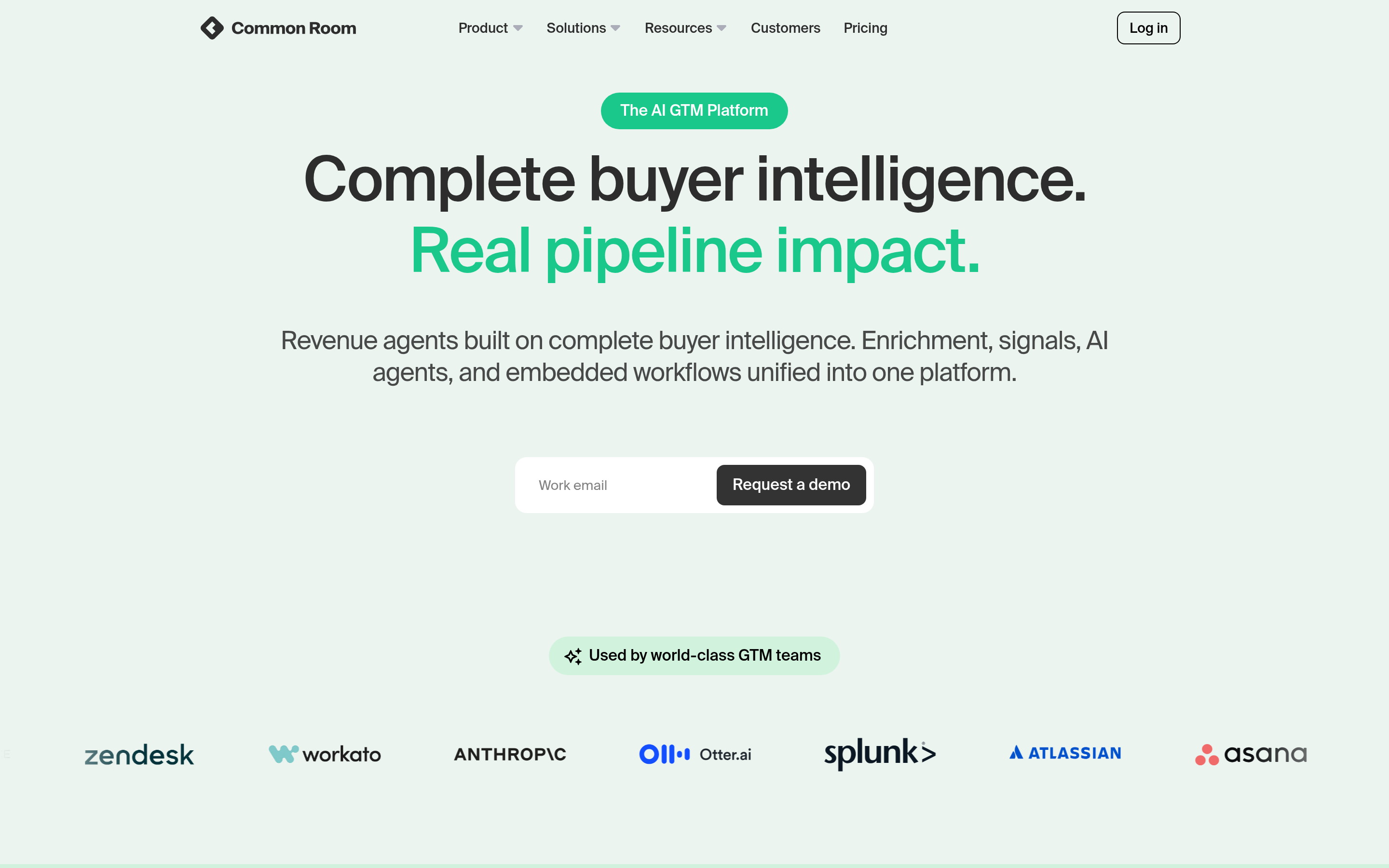
Common Room aggregates signals from across the web, community platforms, product usage, and yes, job changes, into a single "who's showing intent right now" surface. If your problem is too many disconnected alerts, Common Room's job is to unify them. It offers a free tier, which makes it easy to evaluate before committing.
Pocus — for product-led teams#
If you run a product-led motion, Pocus scores accounts on product usage plus external intent so reps work the warmest PLG signals first. Job changes are one input among many. It's less about "my champion moved" and more about "this self-serve account is ready for sales."
Apollo and Cognism — signal plus database#
Apollo and Cognism aren't signal-first tools, but both bundle a large B2B contact database with intent and basic change tracking. If you'd rather consolidate prospecting, data, and light signals into one subscription, they're worth a look — though pure job-change accuracy won't match a dedicated tool like UserGems or Champify.
How do these tools compare on data accuracy?#
Here's the part most comparison posts skip: a job-change alert is only actionable if the new contact data is correct. The day your champion starts at a new company, their old email dies. The alert says "Sarah just joined Acme" — great, but sarah@oldco.com now bounces, and Acme's email format might be s.lastname@ instead of first@.
Signal tools vary widely in how fresh and complete that new contact record is. Some hand you a LinkedIn URL and a guess at the email. Others charge premium rates for verified data. In practice, teams pair a signal tool with a dedicated email verifier and email finder so every triggered contact gets a clean, deliverable address before a rep ever hits send.
This is the gap that quietly kills outbound from job-change signals: reps act fast on a stale alert, the email bounces, and sender reputation takes the hit. Verifying the new address first — and finding it correctly via domain search when the format changed — is the difference between a warm reconnection and a hard bounce.
)
Champify vs the field: which should you pick?#
Match the tool to your actual constraint:
- You only care about champion job changes and live in Salesforce → Champify or UserGems. Trial both; the difference is in data freshness and CRM workflow polish.
- You're drowning in disconnected signals → Common Room. It unifies and ranks.
- You run a PLG / self-serve motion → Pocus. Product usage is the primary signal.
- You want database + outreach + light signals in one tool → Apollo or Cognism.
- Your real bottleneck is contact data quality → keep your signal tool, add a data layer (see below).
Notice that the last bullet isn't an either/or. The most common failure mode isn't picking the wrong signal tool — it's pairing a good signal tool with bad contact data.
How much do Champify alternatives cost?#
Most of this category is "contact sales" pricing, which makes budgeting hard. Here's a realistic breakdown of how the tiers shake out in 2026.
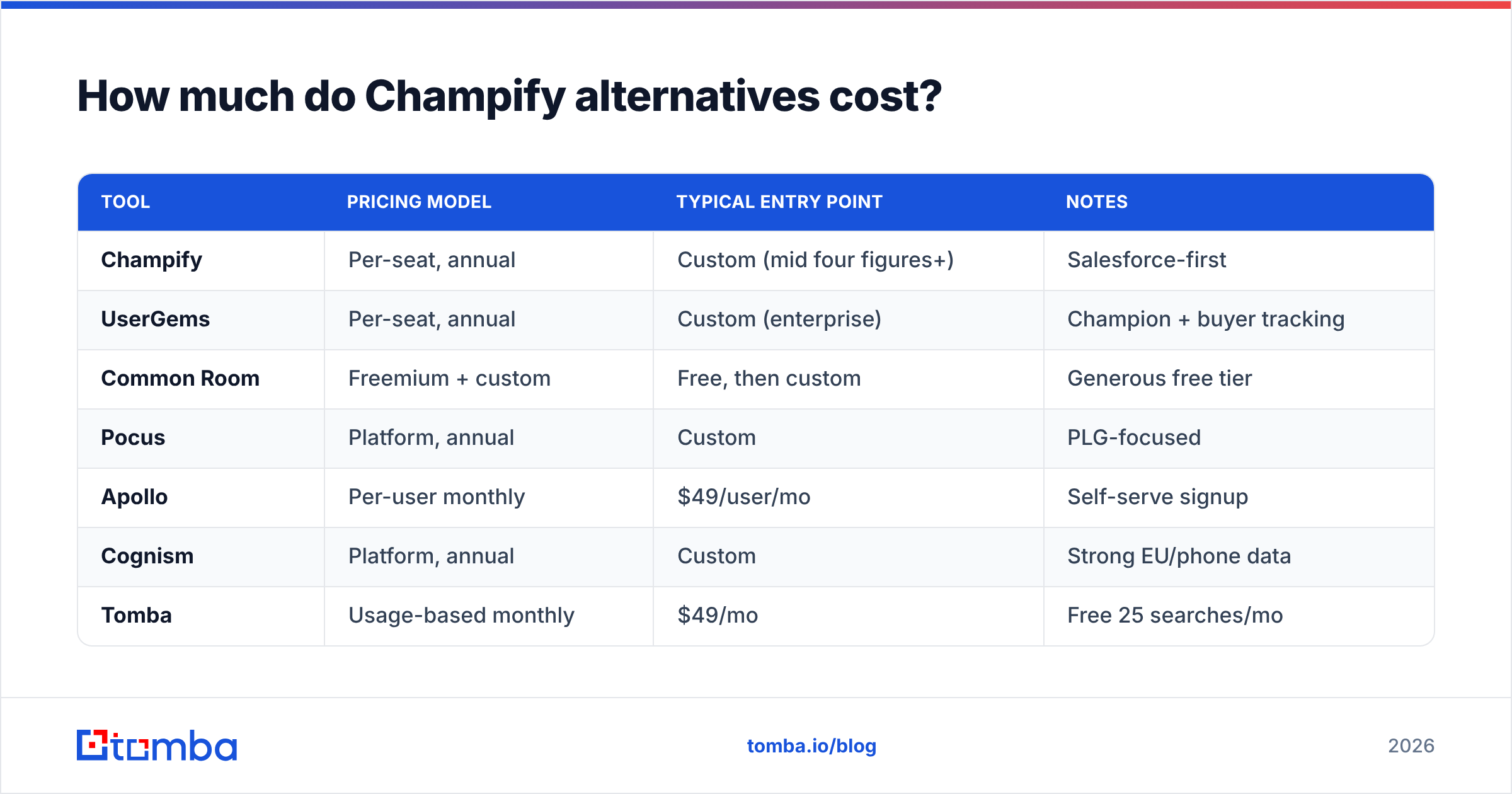
| Tool | Pricing model | Typical entry point | Notes |
|---|---|---|---|
| Champify | Per-seat, annual | Custom (mid four figures+) | Salesforce-first |
| UserGems | Per-seat, annual | Custom (enterprise) | Champion + buyer tracking |
| Common Room | Freemium + custom | Free, then custom | Generous free tier |
| Pocus | Platform, annual | Custom | PLG-focused |
| Apollo | Per-user monthly | $49/user/mo | Self-serve signup |
| Cognism | Platform, annual | Custom | Strong EU/phone data |
| Tomba | Usage-based monthly | $49/mo | Free 25 searches/mo |
If predictable, transparent pricing matters to you, the self-serve options (Apollo, Tomba) are easiest to budget. The enterprise signal platforms deliver more if you have the volume and the RevOps muscle to act on every alert — but you pay for it. You can see full, public Tomba pricing without a sales call, which is rare in this space.
What's the smartest Champify stack for 2026?#
Buy the signal tool that fits your motion, then put an accurate data layer underneath it. Signals tell you who and when; data tells you how to reach them. They solve different problems, and the best teams run both.
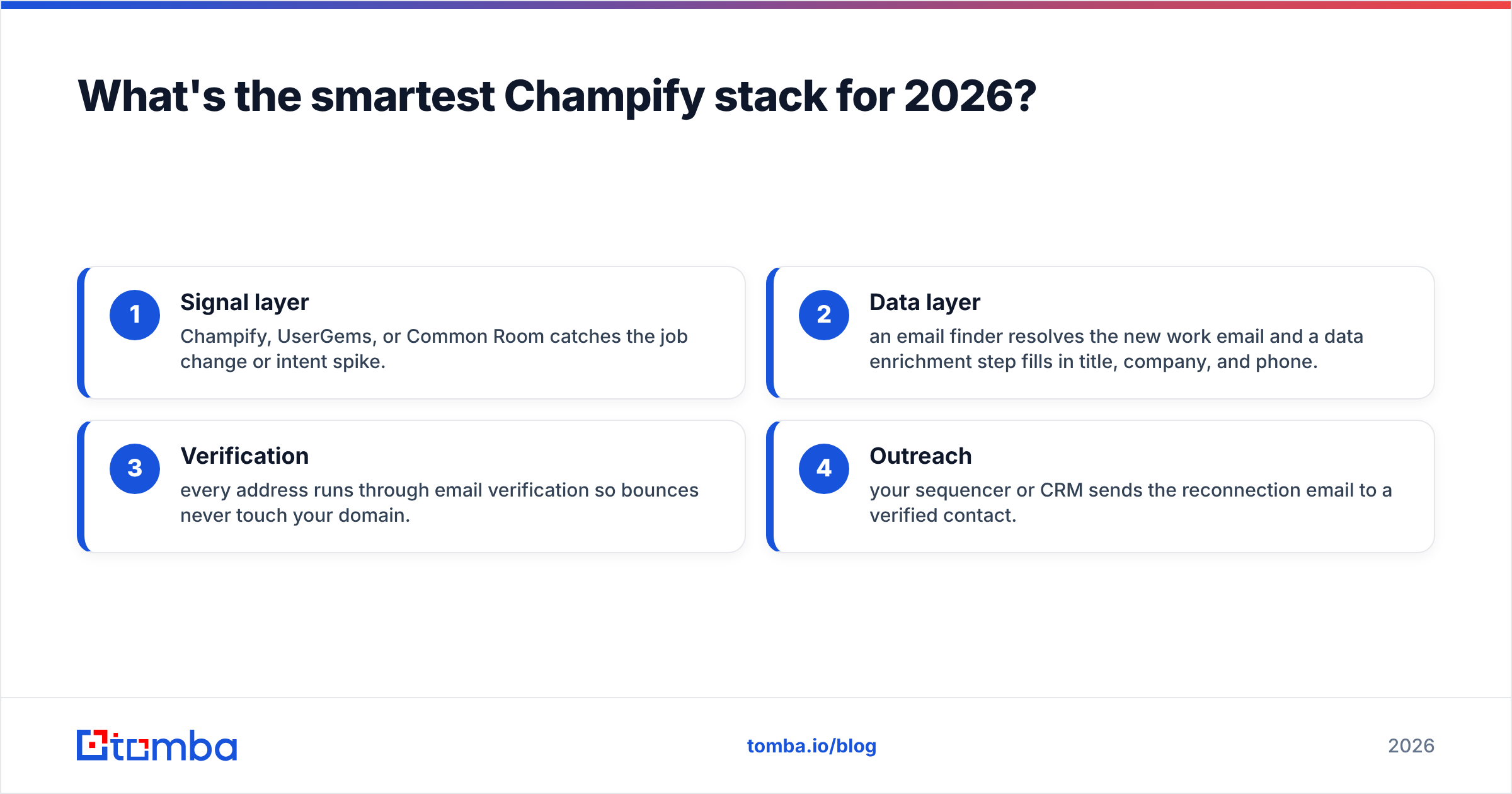
A practical stack looks like this:
- Signal layer — Champify, UserGems, or Common Room catches the job change or intent spike.
- Data layer — an email finder resolves the new work email and a data enrichment step fills in title, company, and phone.
- Verification — every address runs through email verification so bounces never touch your domain.
- Outreach — your sequencer or CRM sends the reconnection email to a verified contact.
That order matters. Acting on a signal with unverified data is how good triggers turn into bounce spikes. Tools like Tomba exist specifically to sit between the signal and the send. For a wider view of the category, independent review sites like G2 and vendor docs such as UserGems and HubSpot's CRM resources are worth bookmarking as you evaluate.
Frequently asked questions#
Is there a free Champify alternative? Common Room offers a free tier, and Tomba includes 25 free searches per month for finding and verifying contacts. Champify itself doesn't publish a free plan. For testing data quality on a budget, a free email checker lets you validate a handful of addresses at no cost.
Do I need both a signal tool and an email finder? In most cases, yes. Signal tools tell you a contact moved; they don't always supply a verified new email. Pairing them prevents acting on stale or guessed addresses.
Which Champify alternative is best for HubSpot users? Common Room and Apollo both work well outside the Salesforce-first world. Tomba integrates with HubSpot too, so the data layer plugs in regardless of your CRM via the integrations library.
What's the most accurate way to find a contact's new email after a job change? Run a domain search on their new company to learn the email pattern, then find and verify the specific address before sending.
The bottom line#
Champify is good at champion job-change alerts, but it's one tool in a layered stack — and depending on whether your constraint is signal breadth, CRM fit, or price, UserGems, Common Room, Pocus, Apollo, or Cognism may serve you better. Whichever signal tool you choose, the alert is only as valuable as the contact data behind it.
That's where Tomba fits. The moment a signal tool tells you a buyer moved, Tomba's Email Finder gives you their new, verified work email so the reconnection lands in the inbox instead of bouncing. Start free with 25 searches a month, no sales call required, and turn every job-change signal into a deliverable conversation.
// get started
Find, verify and enrich your first contacts today
Start on the free plan with 25 searches a month, then scale when your team is ready.
Free plan · No credit card required · GDPR & CCPA
// about the author