ChatGPT Email: How to Write Cold Emails That Convert in 2026
ChatGPT can draft a cold email in seconds, but raw output gets ignored. Here are the prompts, frameworks, and guardrails that turn AI drafts into replies in 2026.
TL;DR
- ChatGPT is excellent at first drafts, variation, and editing - but terrible at the two things that actually decide reply rates: targeting and accurate contact data.
- The winning workflow is "AI for words, real data for everything else": research the prospect, feed ChatGPT specifics, then verify the email address before you hit send.
- Generic ChatGPT email output is the new spam. Specificity in the prompt is the only thing that separates a reply from a delete.
- Use structured prompts (role, context, constraints, examples) instead of "write me a cold email" - the difference in quality is enormous.
- Pair your drafts with a clean, verified list so your carefully written emails actually land in the inbox.
What does "ChatGPT email" actually mean in 2026?#
"ChatGPT email" has become shorthand for using a large language model to write, rewrite, or personalize sales and marketing emails. In practice it covers three jobs: drafting cold outreach from scratch, rewriting templates so they sound human, and generating dozens of subject-line or opener variations for testing.
Here's the conclusion up front: ChatGPT writes the sentences, but it does not run your campaign. It has no idea who your prospect is, whether their email address is valid, or whether your domain is warmed up. Treat it as a fast junior copywriter who has never met your buyer - brilliant at phrasing, clueless about context unless you supply it.
Think of it like a GPS. A GPS gives you a perfect route, but only if you type in the right destination. Type a vague address and you end up in the wrong town. ChatGPT is the same: vague prompt in, vague (and ignorable) email out.
Why do most ChatGPT cold emails get ignored?#
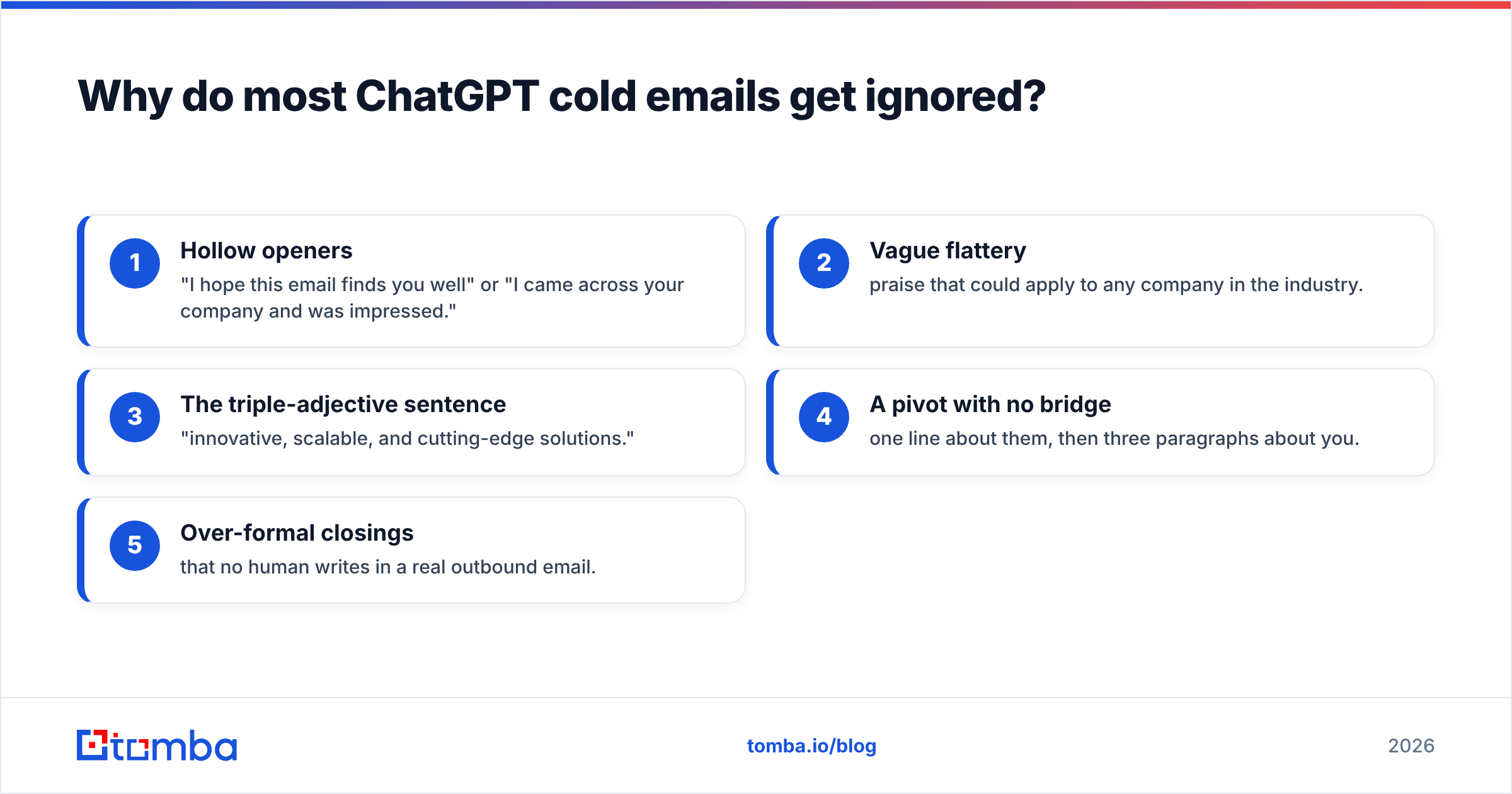
Because they read like they were written by ChatGPT. Recipients have now seen thousands of AI-generated emails, and they pattern-match instantly on the tells:
- Hollow openers - "I hope this email finds you well" or "I came across your company and was impressed."
- Vague flattery - praise that could apply to any company in the industry.
- The triple-adjective sentence - "innovative, scalable, and cutting-edge solutions."
- A pivot with no bridge - one line about them, then three paragraphs about you.
- Over-formal closings that no human writes in a real outbound email.
The root problem is not the model - it's the input. If you prompt "write a cold email to a marketing director about our SEO tool," ChatGPT has nothing concrete to work with, so it fills the gap with filler. Garbage context in, generic email out.
There's also a deliverability layer most people skip. A beautifully written email still fails if it's sent to a guessed address that bounces, or from a domain with a poor sender reputation. Copy quality and inbox placement are two different problems, and ChatGPT only touches one of them.
How do you prompt ChatGPT to write a cold email that converts?#
Use a structured prompt with four parts: role, context, constraints, and an example. Skipping any one of them is why your output feels generic.
Here's a template you can copy:
Role: You are an experienced B2B SDR writing cold outbound, not marketing fluff.

Context:
- My product: [one-sentence description + the single biggest outcome]
- Prospect: [name, title, company, and ONE specific detail - a recent
  hire, launch, funding round, job post, or LinkedIn comment]
- Why now: [the trigger event that makes this relevant today]

Constraints:
- Under 90 words. Plain language, no buzzwords.
- One clear idea. One soft CTA (a question, not a meeting demand).
- Reference the specific detail in the first line.
- No "I hope this finds you well." No adjectives stacked three-deep.

Example of the tone I want: [paste one email you've actually replied to]
The single most important line in that prompt is the specific detail. "I saw you're hiring three SDRs this quarter" lands; "I was impressed by your company" does not. That one fact is what ChatGPT cannot invent - you have to supply it, which means you need real research and real data behind every send.
If you want to skip the prompt engineering, Tomba's cold email AI wraps this structure into a guided generator, and the subject line generator handles the part of the email most likely to kill your open rate.
ChatGPT vs. dedicated tools: which does what?#
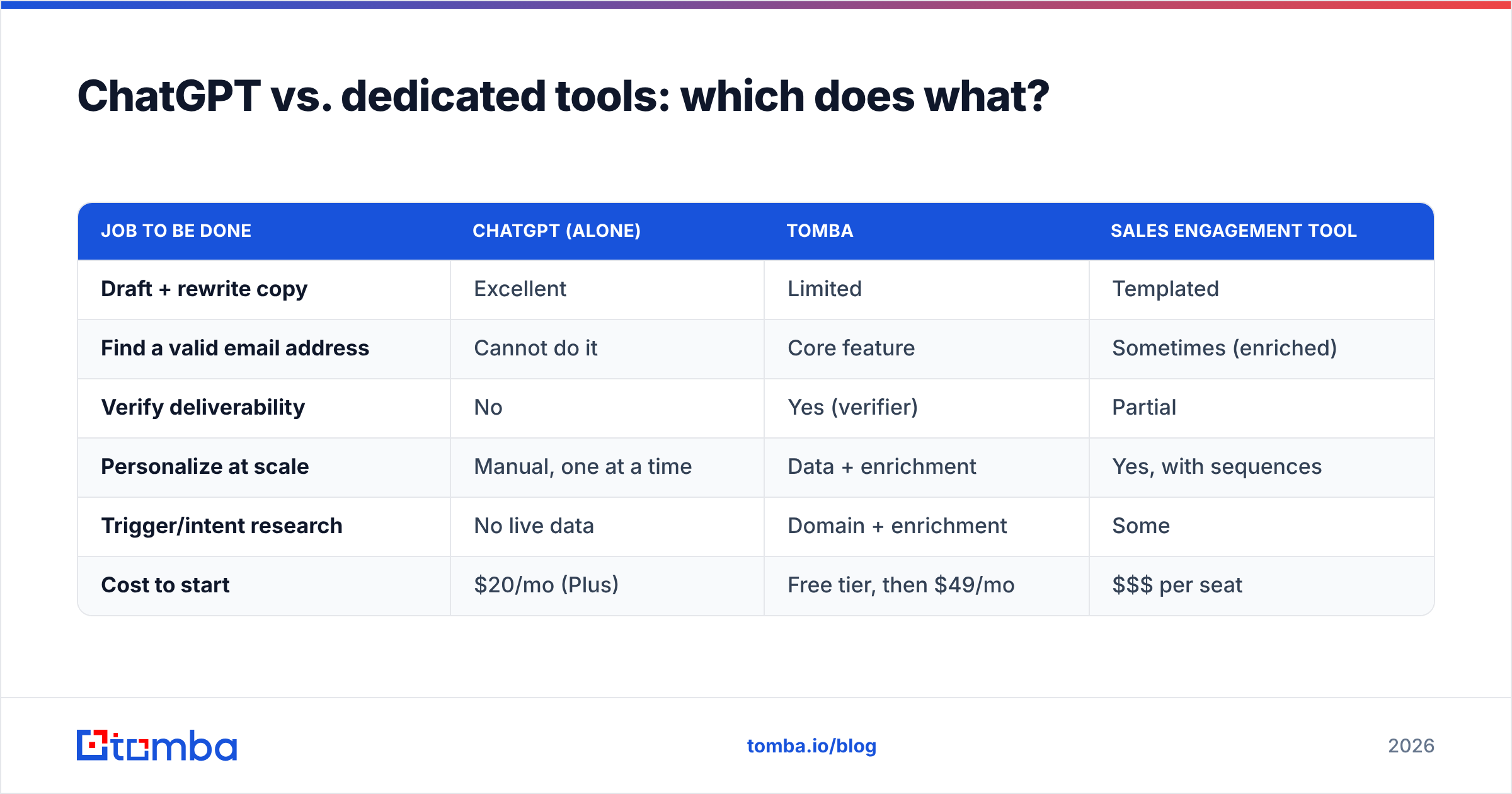
ChatGPT is general-purpose. Sales tooling is specialized. The smart play is using each for what it's actually good at rather than forcing one to do everything.
| Job to be done | ChatGPT (alone) | Tomba | Sales engagement tool |
|---|---|---|---|
| Draft + rewrite copy | Excellent | Limited | Templated |
| Find a valid email address | Cannot do it | Core feature | Sometimes (enriched) |
| Verify deliverability | No | Yes (verifier) | Partial |
| Personalize at scale | Manual, one at a time | Data + enrichment | Yes, with sequences |
| Trigger/intent research | No live data | Domain + enrichment | Some |
| Cost to start | $20/mo (Plus) | Free tier, then $49/mo | $$$ per seat |
The pattern is clear: ChatGPT owns the language column, a data platform owns the contact and deliverability columns, and a sequencer owns the sending cadence. Trying to make ChatGPT do all three is where campaigns fall apart - it will happily hallucinate an email address format for you, and that confidence is exactly what bounces your domain reputation.
What's the full workflow from idea to inbox?#
Here's the end-to-end process that actually produces replies, with ChatGPT slotted into the one step it belongs in.
- Build the target list. Define your ICP, then pull matching companies and roles. Use domain search to find the right people at each target account rather than spraying a generic info@ inbox.
- Find and verify the address. A guessed email is a coin flip. Run candidates through an email verifier so you're only sending to addresses that resolve - protecting your bounce rate and your domain.
- Gather the specific detail. For each prospect, capture one real trigger: a recent post, a hire, a launch. This is the fuel for personalization.
- Draft with ChatGPT. Feed the structured prompt above, including that specific detail. Generate three variations.
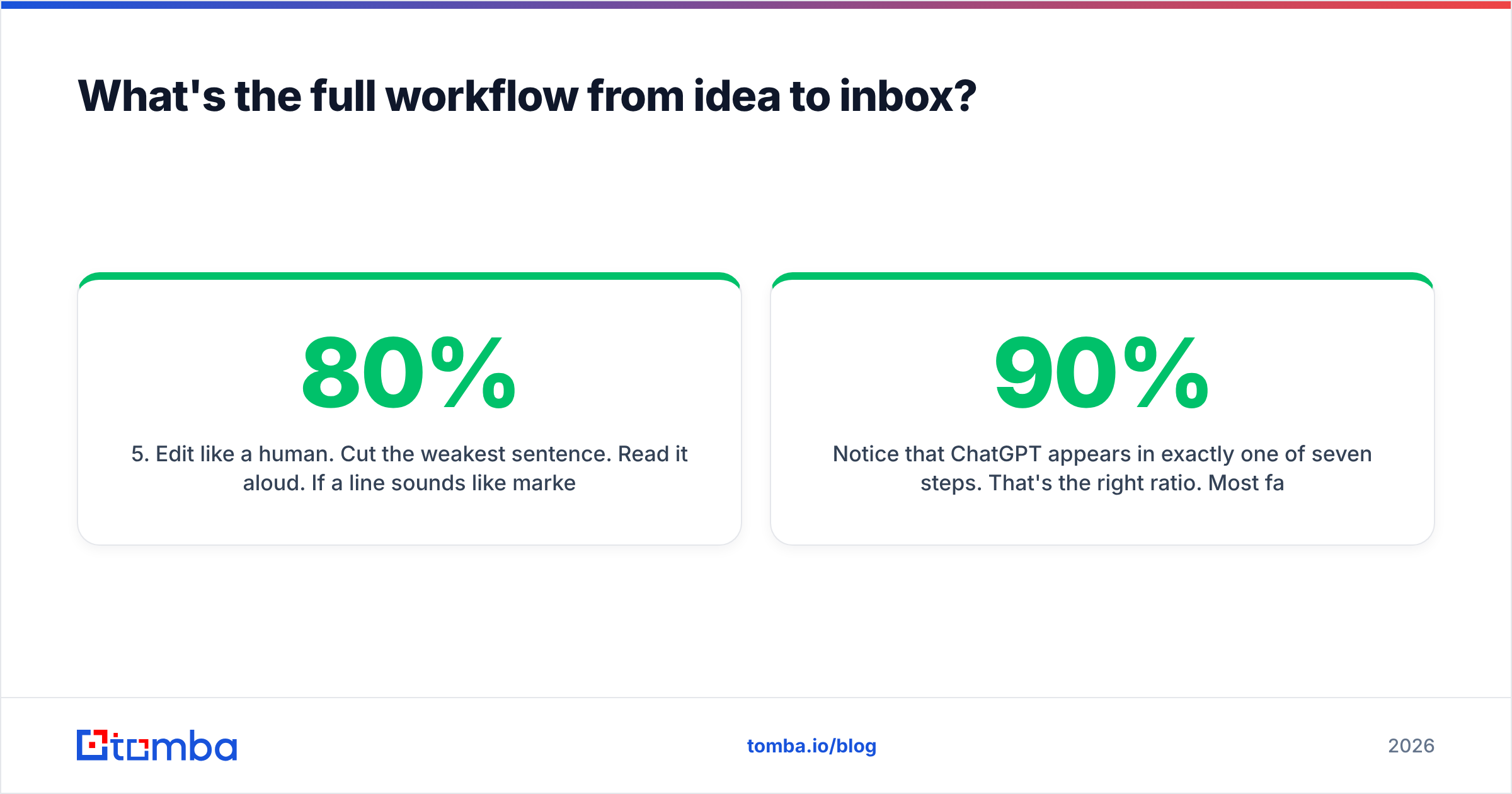
- Edit like a human. Cut the weakest sentence. Read it aloud. If a line sounds like marketing, delete it. ChatGPT gets you 80% there; the last 20% is judgment.
- A/B test subject lines. Generate 5-10 options, send your best two against each other.
- Send from a warmed domain. Even perfect copy dies in spam if your email deliverability foundation - SPF, DKIM, warmup - isn't in place.
Notice that ChatGPT appears in exactly one of seven steps. That's the right ratio. Most failed AI outreach inverts it - 90% prompt-tweaking, 10% targeting - and wonders why nothing converts.
What are the best ChatGPT prompts for sales emails?#
A few prompt patterns that consistently beat "write me a cold email":
- The rewrite prompt: "Here's a cold email I wrote. Make it 30% shorter, cut every buzzword, and rewrite the first line to lead with the prospect's recent product launch. Keep my voice." This keeps your judgment in the loop while letting AI do the trimming.
- The variation prompt: "Give me 5 distinct first lines for this email, each referencing a different angle: their hiring, their funding, their competitor, their tech stack, their recent post." Then you pick the one that matches your research.
- The objection prompt: "A prospect replied 'we already use a competitor.' Write a 2-sentence response that's curious, not defensive, and asks one question." Great for follow-ups.
- The tone-match prompt: Paste two emails you've actually replied to and ask ChatGPT to match that register. This anchors output to real human writing instead of the model's default formality.
For reply handling specifically, an AI email response generator can speed up the back-and-forth once a prospect engages, while keeping your tone consistent across a thread.
What can ChatGPT NOT do for cold email?#
Be honest about the limits - this is where people get burned.
It cannot find or verify email addresses. If you ask ChatGPT for "the email of John Smith at Acme," it will invent a plausible-looking pattern (john@acme.com) with total confidence. That guess bounces, and bounces destroy deliverability. Use a real email finder instead; never let the model fabricate contact data.
It has no live data. It doesn't know who got funded last week, who switched jobs, or which company is hiring. Every "trigger event" has to come from your research, not the model.
It doesn't understand compliance. GDPR, CAN-SPAM, and CCPA rules around consent and opt-out aren't reliably enforced in its output. That's on you.
It can't measure anything. Open rates, reply rates, deliverability - none of it lives inside ChatGPT. Per HubSpot's research on outreach, response rates hinge far more on relevance and timing than on prose polish, and only your analytics stack can tell you what's working (HubSpot State of Sales).
It can homogenize your voice. Lean on it too hard and every email sounds the same - which is exactly the AI tell recipients now filter out. Reviews on G2 repeatedly flag "everything sounds AI-generated" as the top complaint about over-automated outreach.
The official OpenAI usage guidance (openai.com) is consistent on this point too: the model is a drafting assistant, not a system of record. Keep your facts, your data, and your judgment outside of it.
How do you keep ChatGPT emails out of the spam folder?#
Copy and deliverability are separate problems, and a great email solves only one of them. To get the other half right:
- Verify before you send. A list full of dead addresses tanks your bounce rate within one campaign. Clean it with a bulk verify pass first.
- Warm up new domains. Don't blast 500 emails from a domain registered last week.
- Authenticate. SPF, DKIM, and DMARC records must be in place. Check your SPF record before launching.
- Avoid spam triggers in copy. Ironically, ChatGPT sometimes adds them - excessive links, salesy superlatives, ALL CAPS. Run a final spam-score check.
- Send less, target better. A tightly targeted list of 50 verified contacts beats 5,000 guesses every time.
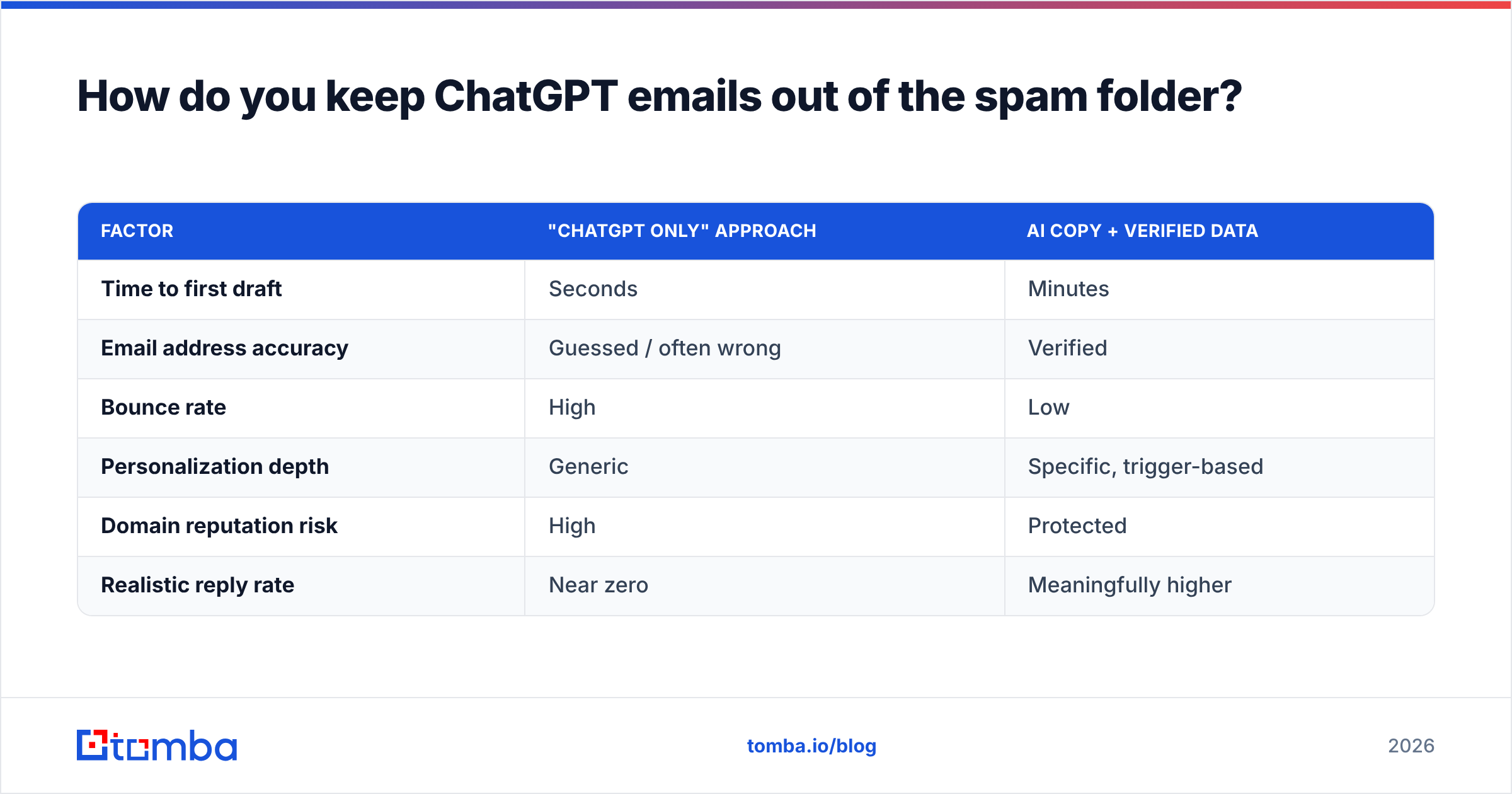
Compare the two approaches honestly:
| Factor | "ChatGPT only" approach | AI copy + verified data |
|---|---|---|
| Time to first draft | Seconds | Minutes |
| Email address accuracy | Guessed / often wrong | Verified |
| Bounce rate | High | Low |
| Personalization depth | Generic | Specific, trigger-based |
| Domain reputation risk | High | Protected |
| Realistic reply rate | Near zero | Meaningfully higher |
The right column isn't more expensive in any meaningful way - Tomba starts free and scales at transparent Tomba pricing - it's just more disciplined. The copy is the cheap part. The data is what makes the copy worth sending.
So is ChatGPT worth using for cold email at all?#
Yes - emphatically - as long as you keep it in its lane. ChatGPT is the fastest way to get from blank page to solid draft, to generate test variations, and to edit your own writing down to something tight. It removes the part of outbound that most reps hate: staring at an empty screen.
What it won't do is build your list, find your prospects' real addresses, verify them, or tell you who's worth contacting today. Those are data problems, and data problems need data tools. The teams winning at outbound in 2026 aren't choosing between AI and data - they're stacking them: ChatGPT for the words, a verification-grade platform for everything that decides whether those words ever reach a human.
Start your next campaign the right way around. Build a clean, verified list with the Tomba Email Finder, confirm every address resolves, then let ChatGPT help you write the message. Get the data foundation right first, and your AI-drafted emails finally have somewhere real to land.
// get started
Find, verify and enrich your first contacts today
Start on the free plan with 25 searches a month, then scale when your team is ready.
Free plan · No credit card required · GDPR & CCPA
// about the author