How to Check Domain for Email Blacklist Status in 2026
Wondering why your cold emails vanish? Learn how to check your domain for email blacklist entries, read the results, and get delisted fast in 2026.
If your open rates fell off a cliff this week and nothing about your copy changed, a blacklist is the first thing to rule out. A single listing on a major DNS blacklist can quietly route your mail to spam folders — or bounce it entirely — across millions of inboxes, and you will rarely get a warning email about it.
This guide shows you exactly how to check your domain for email blacklist entries, how to read the results without panicking, and how to get delisted without making things worse.
TL;DR#
- A blacklist (DNSBL/RBL) is a published list of domains and IPs flagged for sending spam. Inbox providers query these lists in real time before accepting your mail.
- Check both your sending domain and your sending IP — they get listed separately, and fixing one without the other leaves you half-blocked.
- Use 2-3 independent lookup tools (MXToolbox, Spamhaus, and a free domain checker) because no single tool queries every list.
- Most listings are symptoms, not the disease. Fix the root cause — compromised account, bad list hygiene, broken authentication — before you request delisting.
- Clean lists prevent listings. Verifying contacts before you send is the cheapest insurance against ever needing this guide again.
What does it mean to be on an email blacklist?#
A blacklist is a real-time "do not trust" registry that mailbox providers consult before they accept your message. Think of it like a bouncer with a clipboard: when your server knocks on Gmail's door, Gmail's spam filter checks whether your IP or domain is on any clipboard it trusts. If it is, you get turned away or shoved into the spam folder.
These lists are technically called DNSBLs (DNS-based blocklists) or RBLs (real-time blackhole lists). They are queried over DNS, which is why a lookup returns an answer in milliseconds. Operators like Spamhaus, Barracuda, and SpamCop maintain their own lists with their own rules for getting on — and off — them.
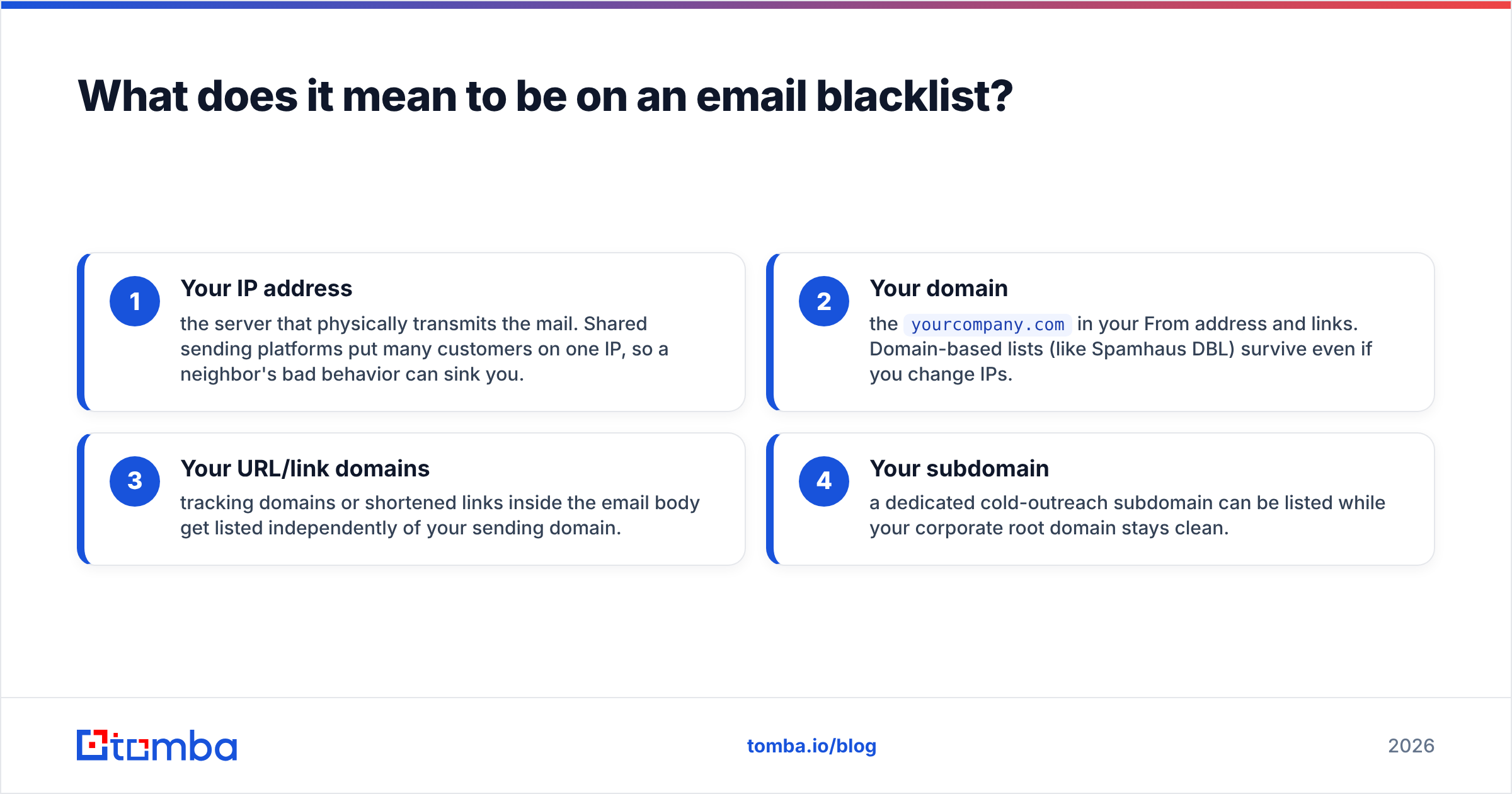
There are two distinct things that can get listed, and conflating them is the most common mistake:
- Your IP address — the server that physically transmits the mail. Shared sending platforms put many customers on one IP, so a neighbor's bad behavior can sink you.
- Your domain — the
yourcompany.comin your From address and links. Domain-based lists (like Spamhaus DBL) survive even if you change IPs. - Your URL/link domains — tracking domains or shortened links inside the email body get listed independently of your sending domain.
- Your subdomain — a dedicated cold-outreach subdomain can be listed while your corporate root domain stays clean.
Being listed is not a moral judgment — it is a reputation signal. Providers treat it as one input among many, alongside your sender reputation, authentication records, and engagement metrics. But on the strictest lists, one entry is enough to tank delivery.
How do you check a domain for email blacklist entries?#
Run your domain and IP through multiple independent blacklist lookup tools, then cross-reference the results. No single service queries every list, so checking only one tool gives you false confidence.
Here is the workflow I use whenever delivery suddenly drops:
- Find your real sending IP. Open a recent email's raw headers and look at the
Received:line closest to your server, or check your sending platform's settings. This is the IP that actually matters — not your office network. - Run a multi-list IP lookup. Paste the IP into MXToolbox's blacklist check, which queries dozens of RBLs at once and shows green/red status per list.
- Check the domain separately. Domain-based lists won't show up on an IP-only scan. Run your root domain and any sending subdomains through a domain blacklist checker.
- Confirm against the source of truth. For the lists that matter most, query the operator directly — Spamhaus runs a free lookup tool that tells you which of its specific lists you're on and why.
- Log the date, list name, and reason. You'll need this when you request delisting and when you're proving to yourself the fix worked.
If you want a fast, no-signup starting point, Tomba's free blacklist checker scans your domain and IP across the major DNSBLs in one pass, and the sender reputation checker gives you the surrounding context — because a clean blacklist result with a terrible reputation score still means trouble.

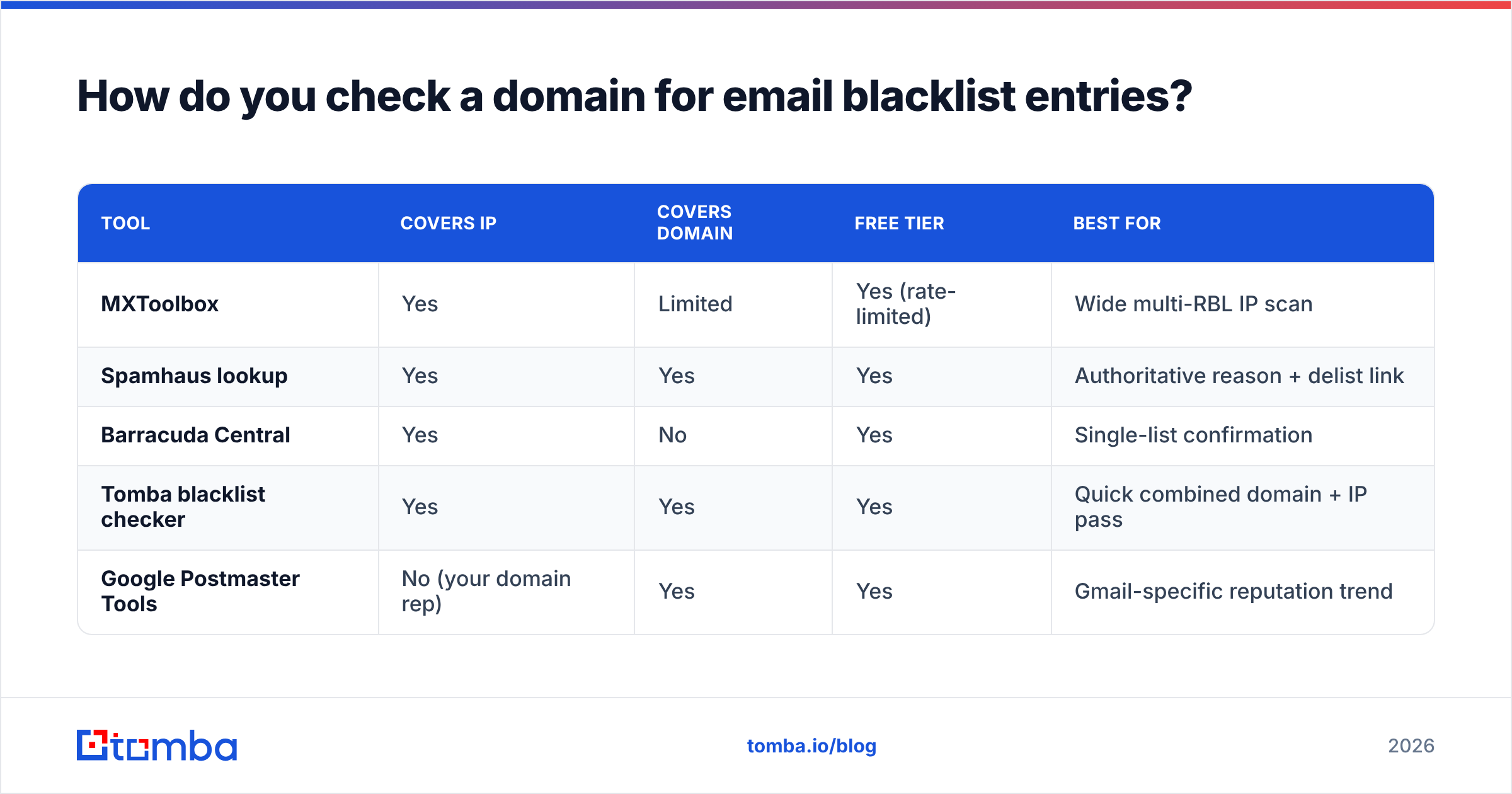
Comparison: where to run your blacklist check#
| Tool | Covers IP | Covers domain | Free tier | Best for |
|---|---|---|---|---|
| MXToolbox | Yes | Limited | Yes (rate-limited) | Wide multi-RBL IP scan |
| Spamhaus lookup | Yes | Yes | Yes | Authoritative reason + delist link |
| Barracuda Central | Yes | No | Yes | Single-list confirmation |
| Tomba blacklist checker | Yes | Yes | Yes | Quick combined domain + IP pass |
| Google Postmaster Tools | No (your domain rep) | Yes | Yes | Gmail-specific reputation trend |
Treat these as layers, not substitutes. I start with a broad scan, confirm any red flags against the operator's own tool, and watch Google Postmaster Tools for the Gmail-side reputation picture that DNSBLs can't show you.
Which blacklists actually matter in 2026?#
Hundreds of DNSBLs exist, but a handful drive the overwhelming majority of real-world delivery problems. Chasing a listing on an obscure, rarely-queried list is a waste of time; a Spamhaus hit is a five-alarm fire.
Here's how to triage by impact:
- Spamhaus (ZEN, SBL, DBL) — the most widely consulted lists on the internet. A listing here affects delivery almost everywhere. Fix this first, always.
- Barracuda Reputation Block List — used by a large base of enterprise mail servers. High impact, especially for B2B.
- SpamCop — populated by user spam reports; listings expire automatically but recur if behavior doesn't change.
- Microsoft / Outlook internal lists — not public DNSBLs, but Microsoft maintains its own blocking. Use their Smart Network Data Services and JMRP programs to see and fix this.
- UCEPROTECT / minor lists — often listed by entire IP ranges and weighted lightly by most providers. Don't lose sleep over these unless a specific recipient uses them.
A practical rule: if a list is queried by Gmail, Outlook, and Yahoo, it matters. If you've never heard of it and it lists /24 blocks wholesale, note it and move on. You can read more about how these systems fit into overall email deliverability in the glossary.
How do you get your domain delisted?#
Fix the root cause first, then submit a delisting request through the operator's official form — never before. Requesting removal while you're still sending the behavior that triggered the listing gets you re-listed within hours and can extend the penalty.
Work the problem in this order:
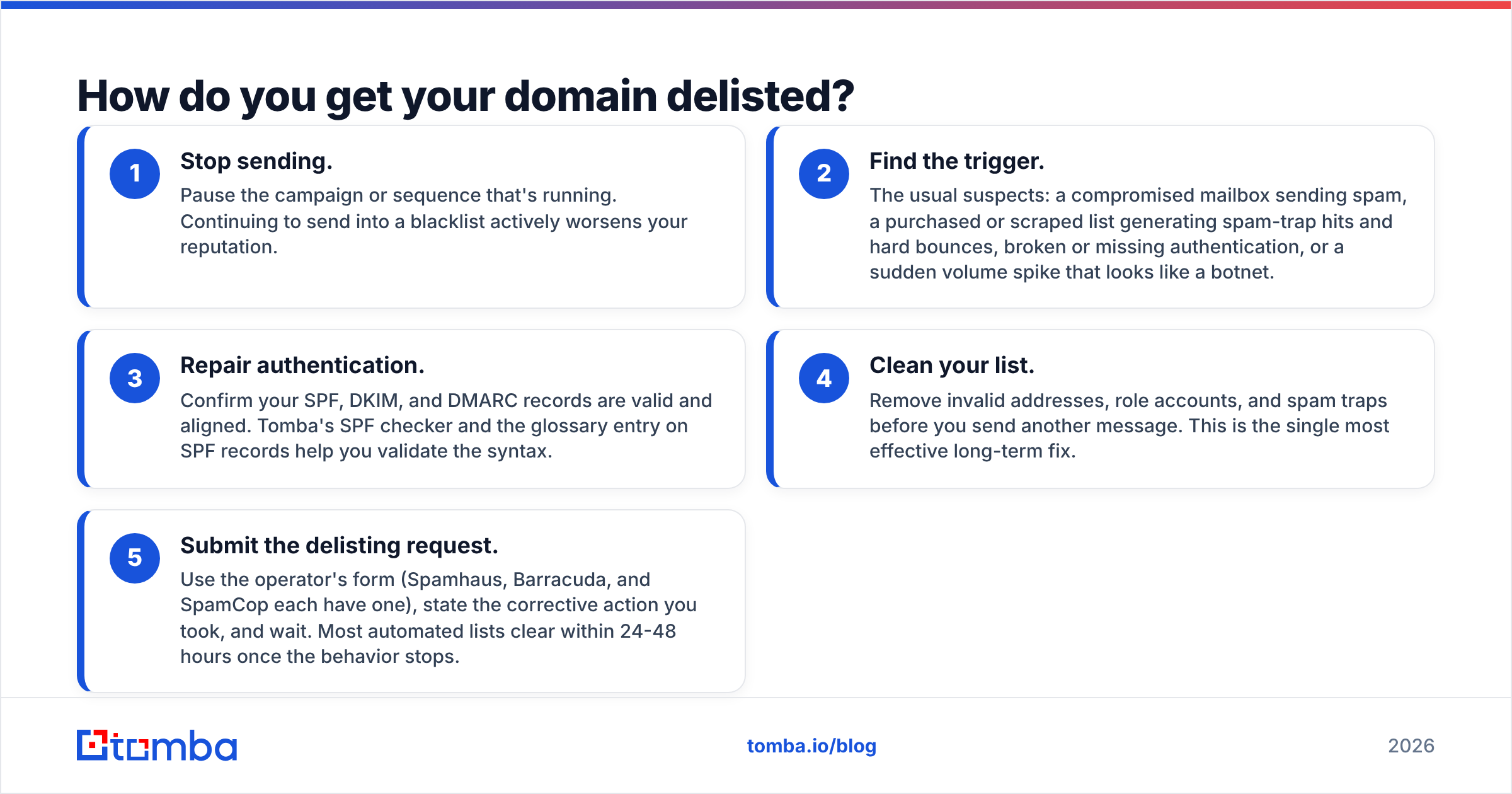
- Stop sending. Pause the campaign or sequence that's running. Continuing to send into a blacklist actively worsens your reputation.
- Find the trigger. The usual suspects: a compromised mailbox sending spam, a purchased or scraped list generating spam-trap hits and hard bounces, broken or missing authentication, or a sudden volume spike that looks like a botnet.
- Repair authentication. Confirm your SPF, DKIM, and DMARC records are valid and aligned. Tomba's SPF checker and the glossary entry on SPF records help you validate the syntax.
- Clean your list. Remove invalid addresses, role accounts, and spam traps before you send another message. This is the single most effective long-term fix.
- Submit the delisting request. Use the operator's form (Spamhaus, Barracuda, and SpamCop each have one), state the corrective action you took, and wait. Most automated lists clear within 24-48 hours once the behavior stops.
What gets you re-listed immediately#
| Mistake | Why it backfires |
|---|---|
| Delisting before fixing the cause | The next send re-triggers the same rule |
| Sending to a stale, unverified list | Spam traps and bounces spike your complaint rate |
| Ignoring authentication | Providers treat unauthenticated mail as suspicious by default |
| Warming a new domain too fast | Volume spikes mimic spammer behavior |
| Reusing the same shared IP after a neighbor problem | You inherit the bad reputation again |
Delisting is the easy part. Staying off the list is the real work, and it lives entirely in your sending habits.
How do you avoid blacklists in the first place?#
Send wanted mail to verified addresses at a steady cadence — that's 90% of the job. Blacklists are downstream of behavior. Get the behavior right and you rarely interact with them at all.
The highest-leverage prevention habits:
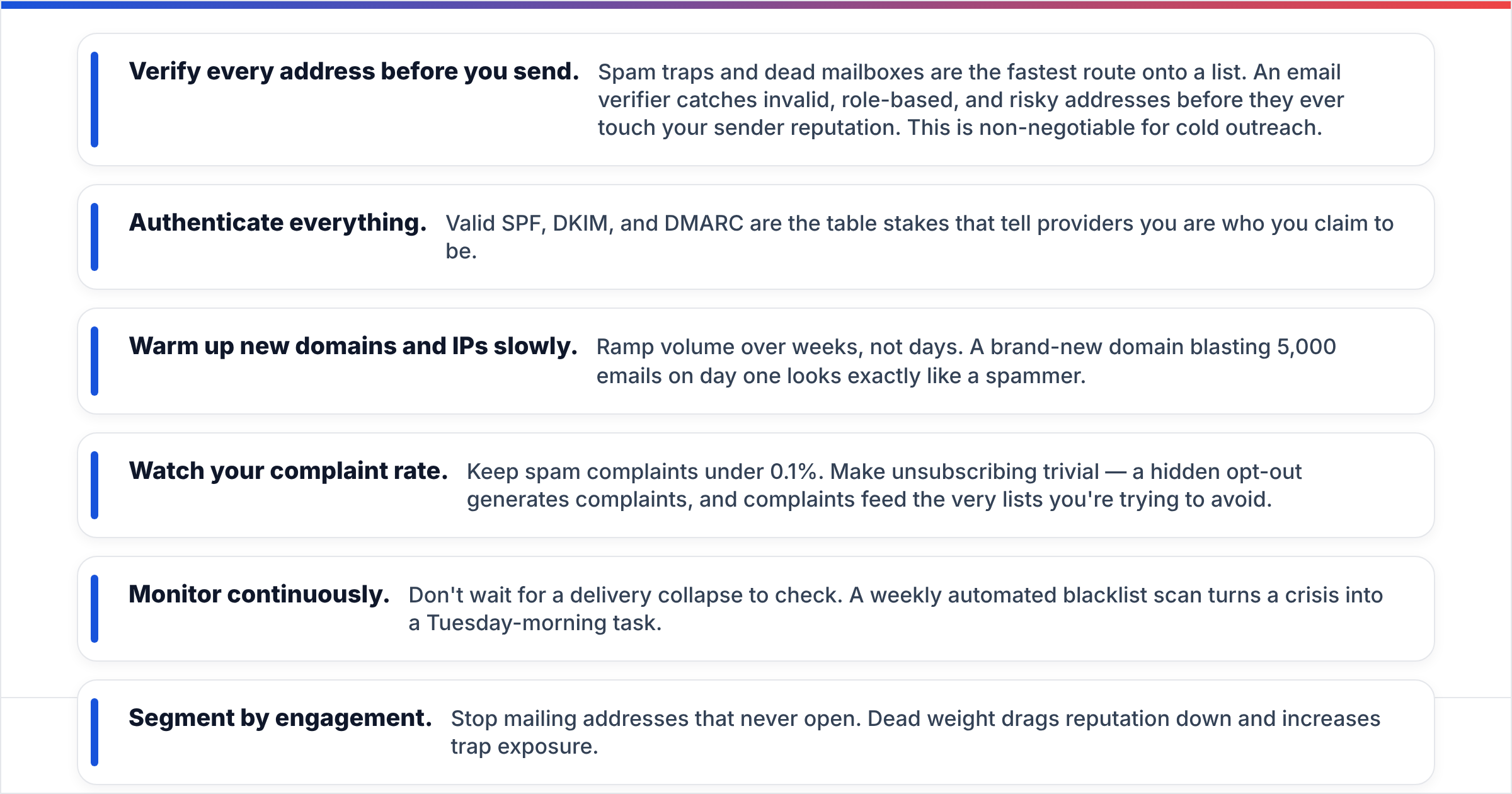
- Verify every address before you send. Spam traps and dead mailboxes are the fastest route onto a list. An email verifier catches invalid, role-based, and risky addresses before they ever touch your sender reputation. This is non-negotiable for cold outreach.
- Authenticate everything. Valid SPF, DKIM, and DMARC are the table stakes that tell providers you are who you claim to be.
- Warm up new domains and IPs slowly. Ramp volume over weeks, not days. A brand-new domain blasting 5,000 emails on day one looks exactly like a spammer.
- Watch your complaint rate. Keep spam complaints under 0.1%. Make unsubscribing trivial — a hidden opt-out generates complaints, and complaints feed the very lists you're trying to avoid.
- Monitor continuously. Don't wait for a delivery collapse to check. A weekly automated blacklist scan turns a crisis into a Tuesday-morning task.
- Segment by engagement. Stop mailing addresses that never open. Dead weight drags reputation down and increases trap exposure.
The pattern across all of these is the same: blacklists punish carelessness, not volume. Senders who respect their recipients and verify their data almost never end up here. You can see how clean data sourcing supports this in Tomba's data approach.
How often should you check your domain?#
Weekly for active senders, daily during a campaign launch or after a reputation event. Blacklist status is not static — you can be clean Monday and listed Friday because a spam trap fired or a neighbor on a shared IP misbehaved.
A reasonable monitoring rhythm:
| Situation | Check frequency |
|---|---|
| Steady-state, low volume | Monthly |
| Active cold outreach | Weekly |
| New domain/IP warmup | Daily for first 30 days |
| After a delivery drop | Immediately, then daily until stable |
| Right after delisting | Daily for one week to confirm it held |
Automate it. Manual checks get forgotten exactly when you're busiest. Set a recurring scan and route alerts somewhere you'll actually see them, so a new listing reaches you before your prospects' inbox providers act on it.
What's the fastest way to confirm a clean domain before a campaign?#
Run a pre-flight check the day before you launch: verify the contact list, confirm SPF/DKIM/DMARC pass, and scan the sending domain and IP against the major DNSBLs. If all three are green, you've eliminated the three most common reasons a campaign underperforms before you've sent a single message.
This pre-flight habit is far cheaper than the alternative. A blacklisting discovered mid-campaign means paused sends, a delisting wait, and a reputation dent that can take weeks to recover. Five minutes of checking beats five days of recovery every time.
Bringing it together#
Checking your domain for an email blacklist is a three-part discipline, not a one-time fix: detect across multiple independent lists, diagnose the root cause behind any listing, and prevent recurrence with verified data and steady sending. Skip the prevention layer and you'll be back in the delisting queue within a month.
The single biggest lever is list quality. Most blacklistings trace directly back to sending mail to addresses that should never have been on the list — spam traps, hard bounces, and abandoned mailboxes. Clean that up at the source and the rest of the deliverability stack has a fighting chance.
That's exactly where the right tooling earns its keep. Before your next outreach push, run your prospect list through the Tomba Email Finder to source verified, deliverable addresses, then validate them with the built-in email verifier so spam traps and dead mailboxes never reach your send queue. Start free with 25 searches a month and see full Tomba pricing when you're ready to scale — it's the cheapest insurance you'll ever buy against a blacklist.
// get started
Find, verify and enrich your first contacts today
Start on the free plan with 25 searches a month, then scale when your team is ready.
Free plan · No credit card required · GDPR & CCPA
// about the author