How to Check If an Email Is Valid: 7 Methods (2026 Guide)
Bounces wreck your sender reputation. Here are seven reliable ways to check if an email is valid in 2026 — from free syntax checks to SMTP and catch-all verification.
You collected a list of email addresses. Before you send a single message, you need to know one thing: are they real? Sending to dead or fake addresses is the fastest way to torch your sender reputation and land in spam.
This guide walks through every practical way to check if an email is valid in 2026 — from a five-second syntax glance to deep SMTP and catch-all verification — and shows you when each method is worth your time.
TL;DR#
- A valid email passes four layers: correct syntax, a real domain with MX records, an inbox that exists on the mail server, and not being a disposable or role address.
- Free syntax and MX checks catch obvious junk but miss most dead inboxes. Use them as a first filter, never as proof.
- SMTP verification is the only way to confirm an inbox actually accepts mail without sending a test message.
- Catch-all domains accept everything, so they need a separate confidence score — a plain SMTP check will lie to you.
- For lists over a few hundred rows, a dedicated email verifier is faster, safer, and more accurate than any manual method.
What does it actually mean for an email to be valid?#
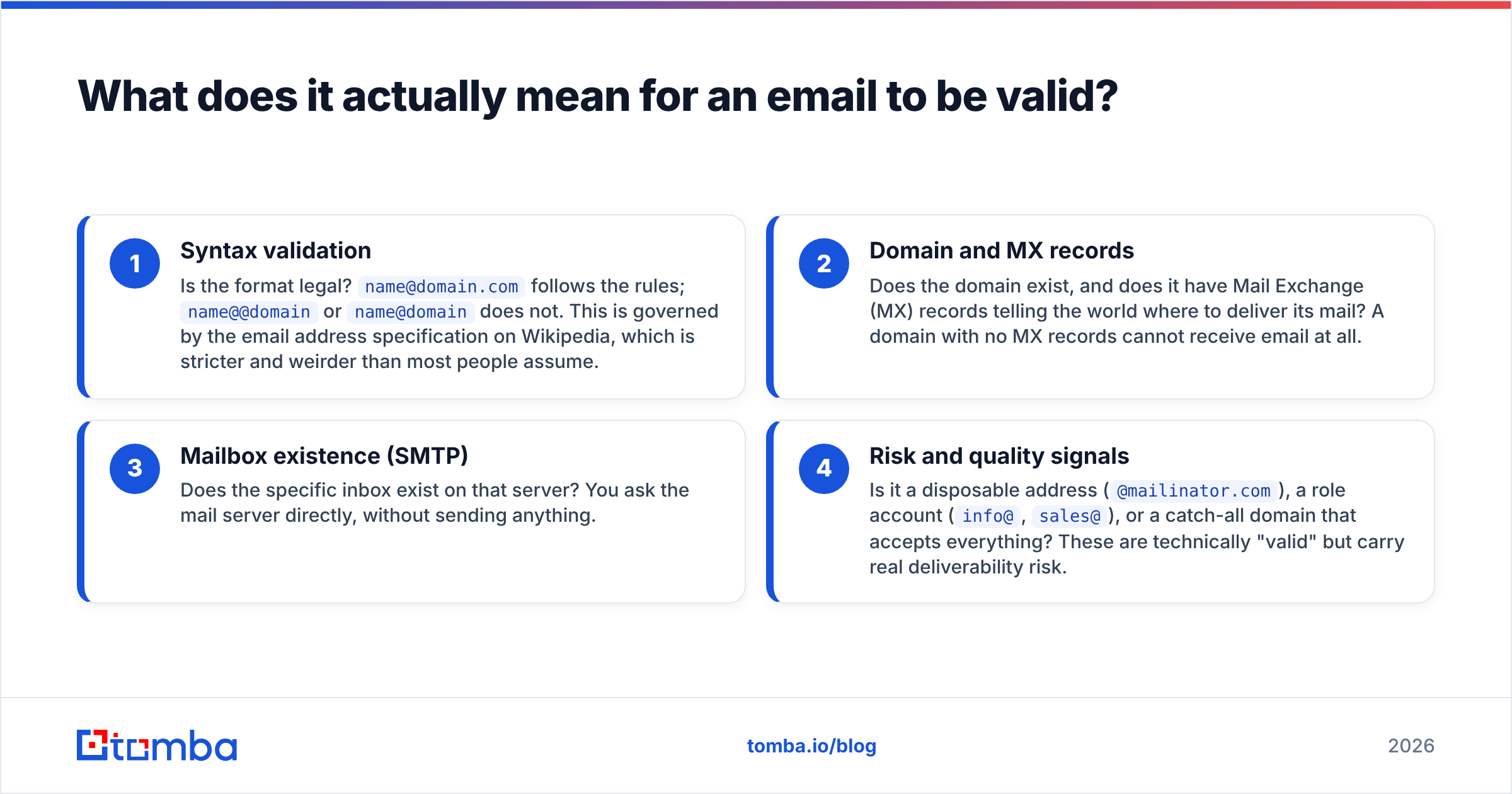
A "valid" email is not one thing — it's a stack of four checks, and an address can pass one while failing the next.
Think of it like mailing a physical letter. The address has to be written correctly (syntax). The street and city have to exist (domain). There has to be a house at that number (the mailbox). And someone has to actually live there to receive it (an active inbox). Skip any layer and your letter — or your email — goes nowhere.
Here is what each layer checks:
- Syntax validation — Is the format legal?
name@domain.comfollows the rules;name@@domainorname@domaindoes not. This is governed by the email address specification on Wikipedia, which is stricter and weirder than most people assume. - Domain and MX records — Does the domain exist, and does it have Mail Exchange (MX) records telling the world where to deliver its mail? A domain with no MX records cannot receive email at all.
- Mailbox existence (SMTP) — Does the specific inbox exist on that server? You ask the mail server directly, without sending anything.
- Risk and quality signals — Is it a disposable address (
@mailinator.com), a role account (info@,sales@), or a catch-all domain that accepts everything? These are technically "valid" but carry real deliverability risk.

Why should you check if an email is valid before sending?#
Because bounces are expensive, and the cost is mostly hidden.
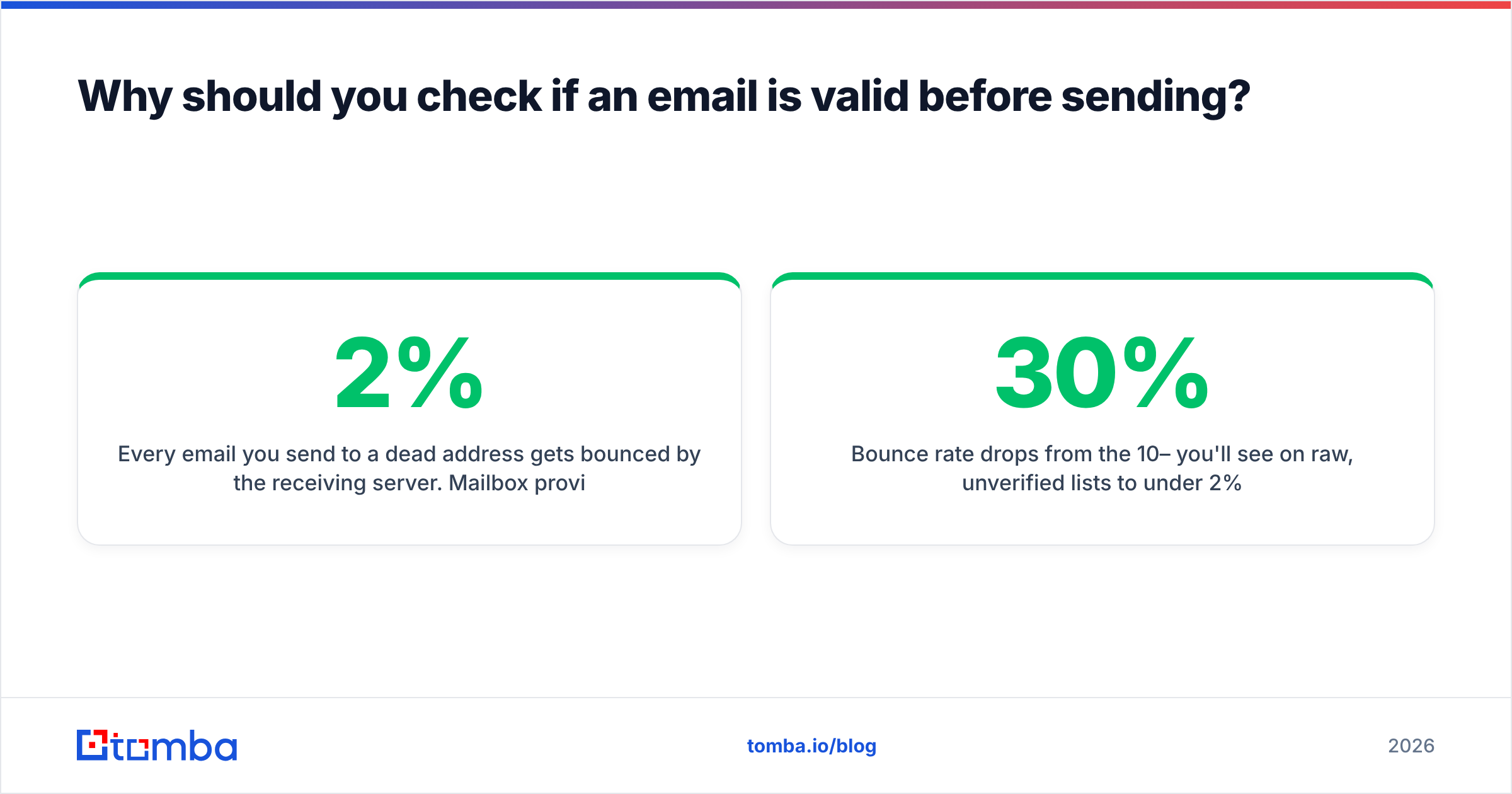
Every email you send to a dead address gets bounced by the receiving server. Mailbox providers like Google and Microsoft watch your bounce rate closely. Cross roughly 2% and they start treating you as a careless or malicious sender — which means more of your good email lands in spam, not just the bad. One messy import can drag down an entire domain's sender reputation for weeks.
The numbers that move when you verify first:
- Bounce rate drops from the 10–30% you'll see on raw, unverified lists to under 2%.
- Inbox placement improves because providers trust senders with clean lists.
- Wasted spend on email and outreach tools falls — you're not paying to message ghosts.
- Reply and conversion rates rise simply because real people receive your message.
If you run cold outreach, this is non-negotiable. A single spam-trap hit on an unverified list can blacklist your domain.
How to check if an email is valid: 7 methods#
Here are the seven methods, ordered from quickest-and-weakest to most reliable.
1. Eyeball the syntax#
The fastest check costs nothing. Scan for missing @, double dots (john..doe), spaces, or obviously fake domains (@test.com, @example.com). This catches typos and lazy fakes but tells you nothing about whether the inbox is live. Treat it as a janitor, not a bouncer.
2. Use a free online email checker#
A browser-based tool runs syntax, domain, and basic MX checks in one pass. It's perfect for spot-checking a single address before you add it to a CRM. Tomba's free email checker does this without an account — paste an address, get an instant read on format and domain health.
3. Verify the domain's MX records#
Every receiving domain publishes MX records in DNS. If a domain has none, no email can reach it — full stop. You can query this yourself with nslookup -type=mx domain.com on the command line, or let a verifier do it. This step alone kills addresses on parked or misconfigured domains.
4. Run an SMTP handshake#
This is where real verification happens. Your tool opens a connection to the recipient's mail server and begins the delivery conversation (HELO, MAIL FROM, RCPT TO) — then stops before actually sending. The server's response reveals whether the inbox exists. If you want to see the raw exchange, an SMTP tester lets you watch the handshake live. Doing this at scale yourself will get your IP rate-limited or blocked, which is why most people use a service.
5. Send a confirmation (double opt-in)#
For your own signups, the gold standard is asking the user to click a link in a confirmation email. If they click, the address is provably real and the person wants your mail. This doesn't scale to purchased or scraped lists, but for organic list-building it's the cleanest signal there is.
6. Check for disposable and role addresses#
Disposable domains (@guerrillamail.com, @10minutemail.com) are designed to die. Role addresses (info@, admin@, support@) reach a shared mailbox, not a person, and tend to bounce or report spam. A good verifier flags both automatically so you can decide whether to keep them.
7. Score catch-all domains separately#
Some domains accept mail for every address — real or not — so an SMTP check returns "valid" for asdfqwer@theirdomain.com. These need a confidence score based on pattern data and historical signals rather than a yes/no. A dedicated catch-all verifier gives you a probability instead of a false green light.

Which validation method should you use?#
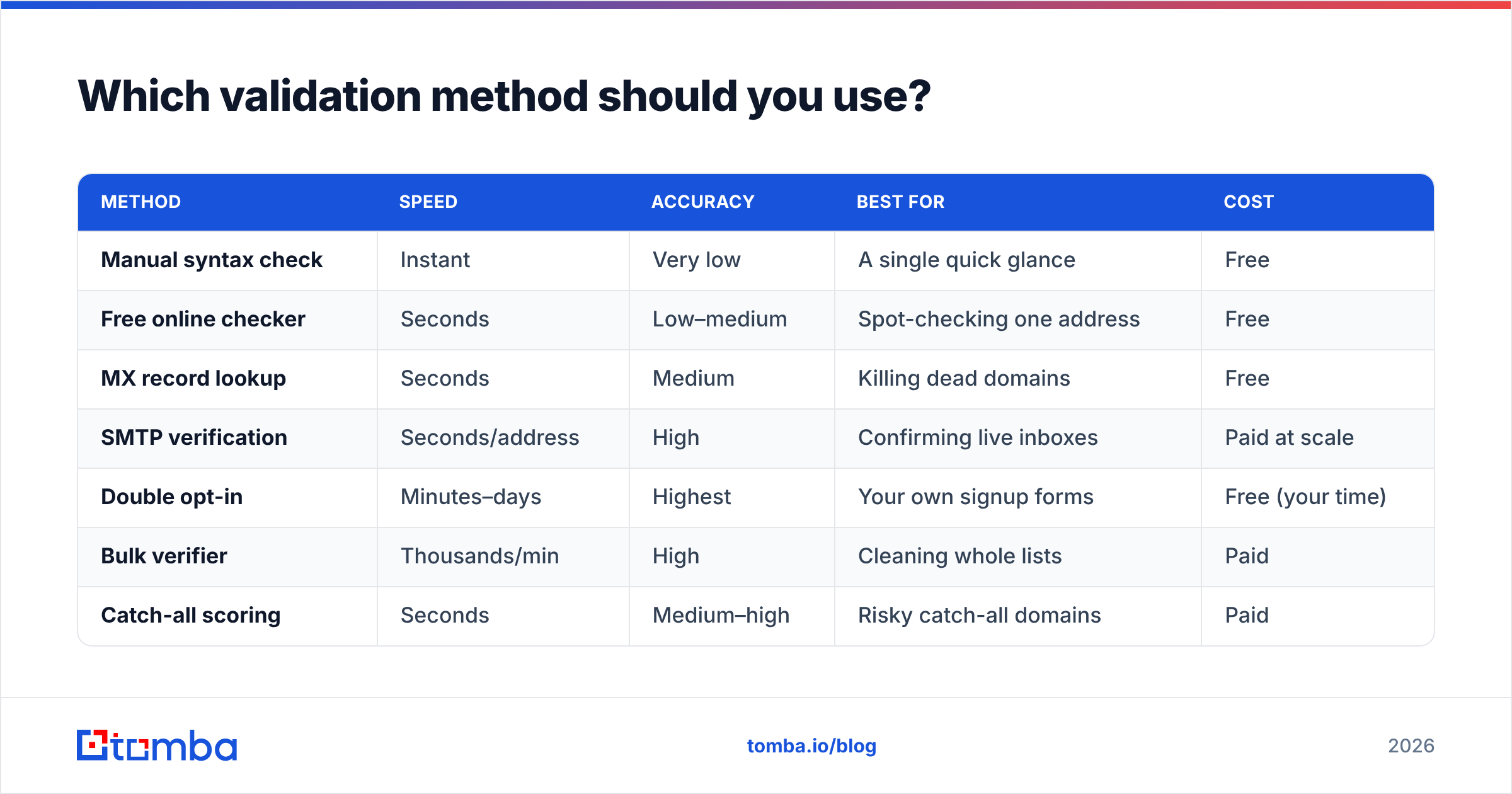
Match the method to the job. Checking one address before a big sales email is a different problem than cleaning a 50,000-row export.
| Method | Speed | Accuracy | Best for | Cost |
|---|---|---|---|---|
| Manual syntax check | Instant | Very low | A single quick glance | Free |
| Free online checker | Seconds | Low–medium | Spot-checking one address | Free |
| MX record lookup | Seconds | Medium | Killing dead domains | Free |
| SMTP verification | Seconds/address | High | Confirming live inboxes | Paid at scale |
| Double opt-in | Minutes–days | Highest | Your own signup forms | Free (your time) |
| Bulk verifier | Thousands/min | High | Cleaning whole lists | Paid |
| Catch-all scoring | Seconds | Medium–high | Risky catch-all domains | Paid |
The pattern is clear: free tools are fine for one-off checks, but anything involving a list you plan to email needs SMTP-grade verification and catch-all handling.
How do you check a whole list at once?#
Manual checks fall apart past a few dozen addresses. For real lists, you run a batch.
A bulk email verifier takes a CSV, runs all four validation layers on every row in parallel, and hands back a clean file tagged by status: valid, invalid, risky, catch-all, disposable, and role. You then keep the valid rows, drop the invalid ones, and decide case-by-case on the risky ones.
A sensible bulk workflow looks like this:
- Export your raw list to CSV with the email column clearly labeled.
- Deduplicate first — there's no point verifying the same address twice. A free remove-duplicates tool handles this in seconds.
- Upload to the verifier and let it process the batch.
- Segment the results: send to
valid, discardinvalid, and putcatch-all/riskyinto a low-volume warm-up segment. - Re-verify quarterly — email data decays at roughly 2–3% per month as people change jobs.
For engineering teams, the same checks are available programmatically through the Tomba API, so verification can happen the moment an address enters your system — at the form, in the CRM, or inside your data pipeline.
What makes an email "risky" instead of just invalid?#
A risky email is one that's technically deliverable but likely to hurt you. Knowing the difference saves good contacts you'd otherwise delete.
- Catch-all — The domain accepts all mail, so existence can't be confirmed. Often these are real people at small companies; verify with a confidence score before discarding.
- Role-based —
sales@,hello@,careers@. Real, but routed to teams and prone to spam complaints. Fine for support workflows, weak for one-to-one outreach. - Disposable — Temporary inboxes that self-destruct. Almost always safe to delete.
- Greylisted — The server temporarily defers the check. Re-verify later rather than trusting the first "unknown" result.
- Full mailbox — The inbox exists but is over quota. Valid today, may bounce tomorrow.
Treating every non-"valid" result as garbage throws away reachable contacts. Treating every "valid" result as gospel ignores catch-all risk. The middle path — segment and treat by risk level — is what separates a clean program from a reckless one.
How accurate is automated email verification?#
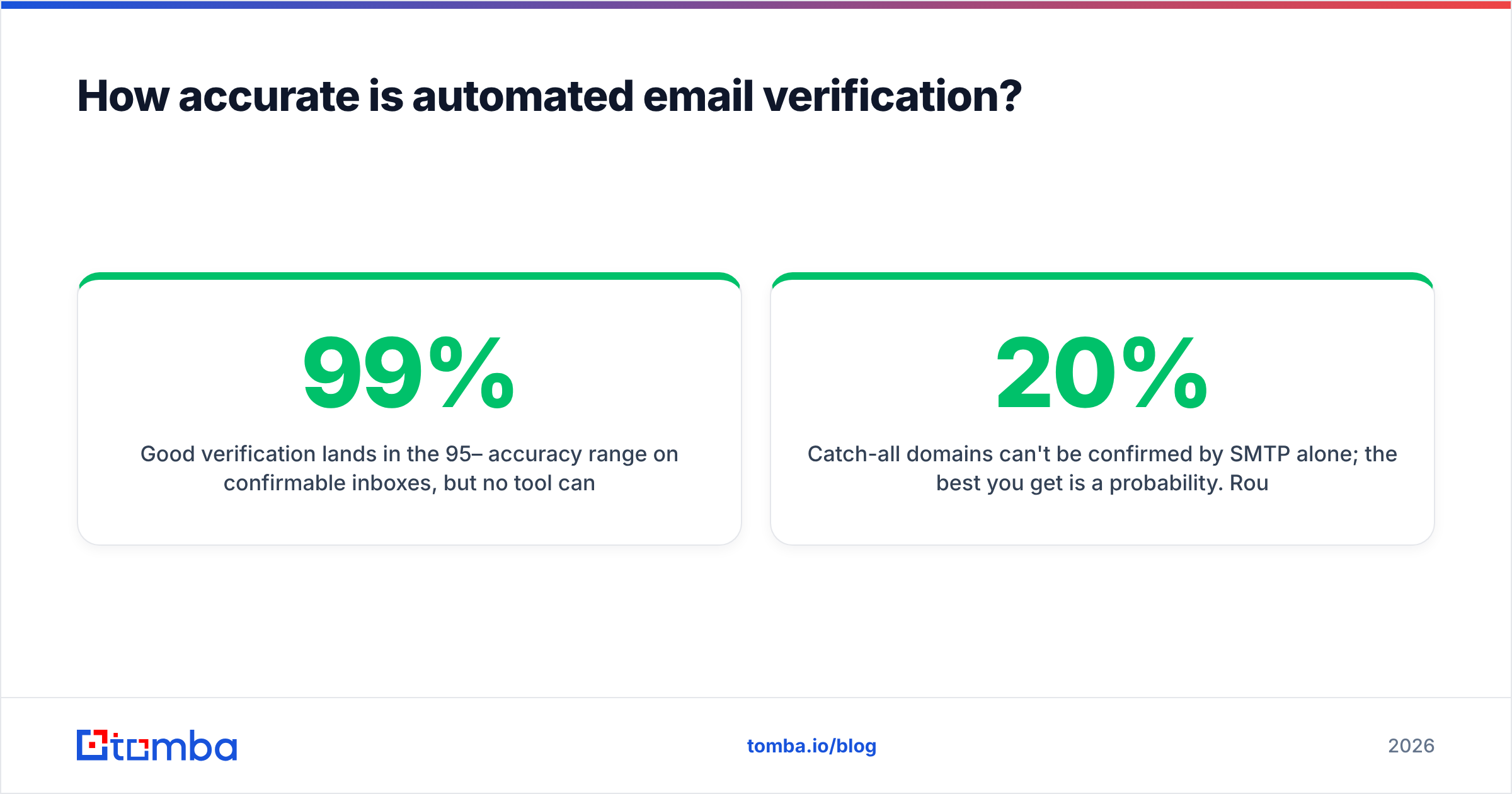
Good verification lands in the 95–99% accuracy range on confirmable inboxes, but no tool can hit 100% — and any tool that claims 100% on every domain is overstating it.
The honest limits:
- Catch-all domains can't be confirmed by SMTP alone; the best you get is a probability. Roughly 15–20% of business domains are catch-all.
- Strict providers sometimes accept the SMTP handshake for any address to thwart harvesters, then bounce later. Quality vendors model this with historical data.
- Temporary failures (greylisting, rate limits) produce "unknown" results that need a retry, not a verdict.
This is why data sourcing matters as much as the checking logic. You can read how a verifier sources and refreshes its data accuracy to judge whether its numbers hold up. Independent reviews on platforms like G2 are also a useful sanity check against vendor marketing — and a reminder that deliverability fundamentals from sources like HubSpot's deliverability guidance apply no matter which tool you pick.
Common email validation mistakes to avoid#
- Trusting regex alone. A regex can confirm format but never existence.
noreply@spacexrocket.fakepasses most regex patterns and bounces every time. - Verifying once and forgetting. Lists rot. A clean list from January is dirty by summer.
- Sending to catch-all domains blindly. Warm up to them slowly instead of blasting on day one.
- DIY SMTP at scale. Hammering mail servers from your own IP gets you blocked and pollutes your reputation.
- Skipping deduplication. Duplicates waste verification credits and inflate your apparent list size.
The bottom line#
Checking if an email is valid is a layered job: syntax, domain, mailbox, and risk. Free tools cover the first two layers and are great for one-off checks. The moment you're working with a real list — for outreach, newsletters, or CRM hygiene — you need SMTP-level verification and catch-all scoring, run in bulk and refreshed on a schedule.
Want to clean a list without babysitting an SMTP server? Run it through the Tomba Email Verifier. It validates syntax, MX, mailbox existence, catch-all probability, and disposable/role flags in one pass — free for your first 25 searches a month, then $49/mo on the Starter plan when you're ready to scale. See full Tomba pricing to match a plan to your volume, and stop letting bounces decide your sender reputation for you.
// get started
Find, verify and enrich your first contacts today
Start on the free plan with 25 searches a month, then scale when your team is ready.
Free plan · No credit card required · GDPR & CCPA
// about the author