Check Mail Server Reputation: The Complete 2026 Guide
Your mail server reputation decides whether you hit the inbox or the spam folder. Here's how to check it, read the signals, and fix a bad score in 2026.
Check Mail Server Reputation: The Complete 2026 Guide
You can write the perfect cold email, time it perfectly, and personalize every line — and still land in spam because your mail server has a bad reputation. Mailbox providers judge the sender before they judge the message. This guide shows you exactly how to check mail server reputation, what each score actually means, and how to repair a damaged one.
TL;DR#
- Mail server reputation is a trust score (roughly 0–100) that providers like Gmail and Outlook assign to your sending IP and domain. Low score = spam folder.
- Check it in three places: Google Postmaster Tools (Gmail), a blacklist/RBL lookup, and a sender-score service. No single tool sees everything.
- The biggest reputation killer is bad data — sending to invalid addresses and spam traps. Clean your list before you check anything else.
- A bad reputation is fixable but slow: warm up, cut bounces, fix authentication (SPF/DKIM/DMARC), and let engagement rebuild trust over 2–6 weeks.
- Prevention beats repair: verify every address before you send, and you avoid 80% of reputation problems outright.
What is mail server reputation?#
Think of your mail server like a driver's record at an insurance company. Every clean trip (delivered, opened, replied-to email) keeps your premium low. Every accident (bounce, spam complaint, hit spam trap) raises it. After enough accidents, you're effectively uninsurable — your mail goes straight to spam or gets rejected at the door.
Technically, mailbox providers track two overlapping reputations:
- IP reputation — tied to the specific IP address your mail leaves from. Shared on most ESPs, dedicated on high-volume setups.
- Domain reputation — tied to your sending domain and follows you even if you change IPs. This is the one that matters most in 2026.
Providers blend signals — bounce rate, spam-complaint rate, sender reputation history, authentication status, and engagement — into a score that decides inbox placement in milliseconds. You never see the exact formula, but you can see the outputs, and that's what checking is about.
Why does checking mail server reputation matter?#
Because email deliverability is the silent tax on every campaign you run. Industry data consistently shows roughly one in six legitimate marketing emails never reaches the inbox. If you send 10,000 emails and 1,600 vanish into spam, that's not a copy problem — it's a reputation problem, and no subject-line tweak will fix it.
Checking regularly gives you three things:
- Early warning. Reputation degrades before it collapses. A score drifting from "high" to "medium" is your cue to act before deliverability craters.
- Root-cause clarity. When open rates drop, reputation data tells you whether it's the audience, the content, or the server.
- Proof for providers. If you need to file a delisting request or a Postmaster ticket, you need the data to back it up.
How do you check mail server reputation? (Step by step)#
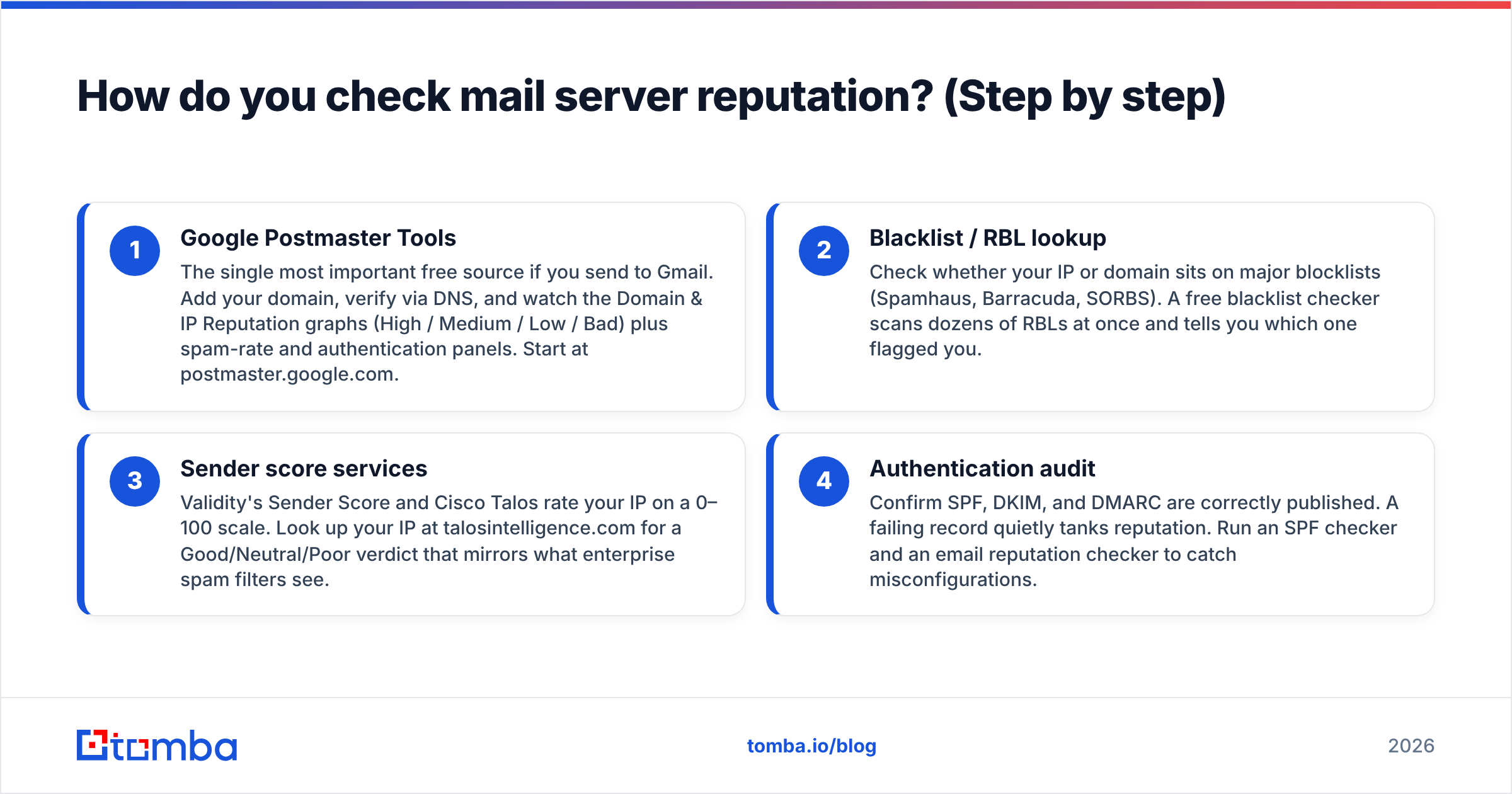
No single dashboard shows your full reputation. Use these four checks together for a complete picture.
- Google Postmaster Tools — The single most important free source if you send to Gmail. Add your domain, verify via DNS, and watch the Domain & IP Reputation graphs (High / Medium / Low / Bad) plus spam-rate and authentication panels. Start at postmaster.google.com.
- Blacklist / RBL lookup — Check whether your IP or domain sits on major blocklists (Spamhaus, Barracuda, SORBS). A free blacklist checker scans dozens of RBLs at once and tells you which one flagged you.
- Sender score services — Validity's Sender Score and Cisco Talos rate your IP on a 0–100 scale. Look up your IP at talosintelligence.com for a Good/Neutral/Poor verdict that mirrors what enterprise spam filters see.
- Authentication audit — Confirm SPF, DKIM, and DMARC are correctly published. A failing record quietly tanks reputation. Run an SPF checker and an email reputation checker to catch misconfigurations.
Run all four whenever you onboard a new sending domain, before any big campaign, and on a monthly cadence after that.
Which tools should you use to check mail server reputation?#
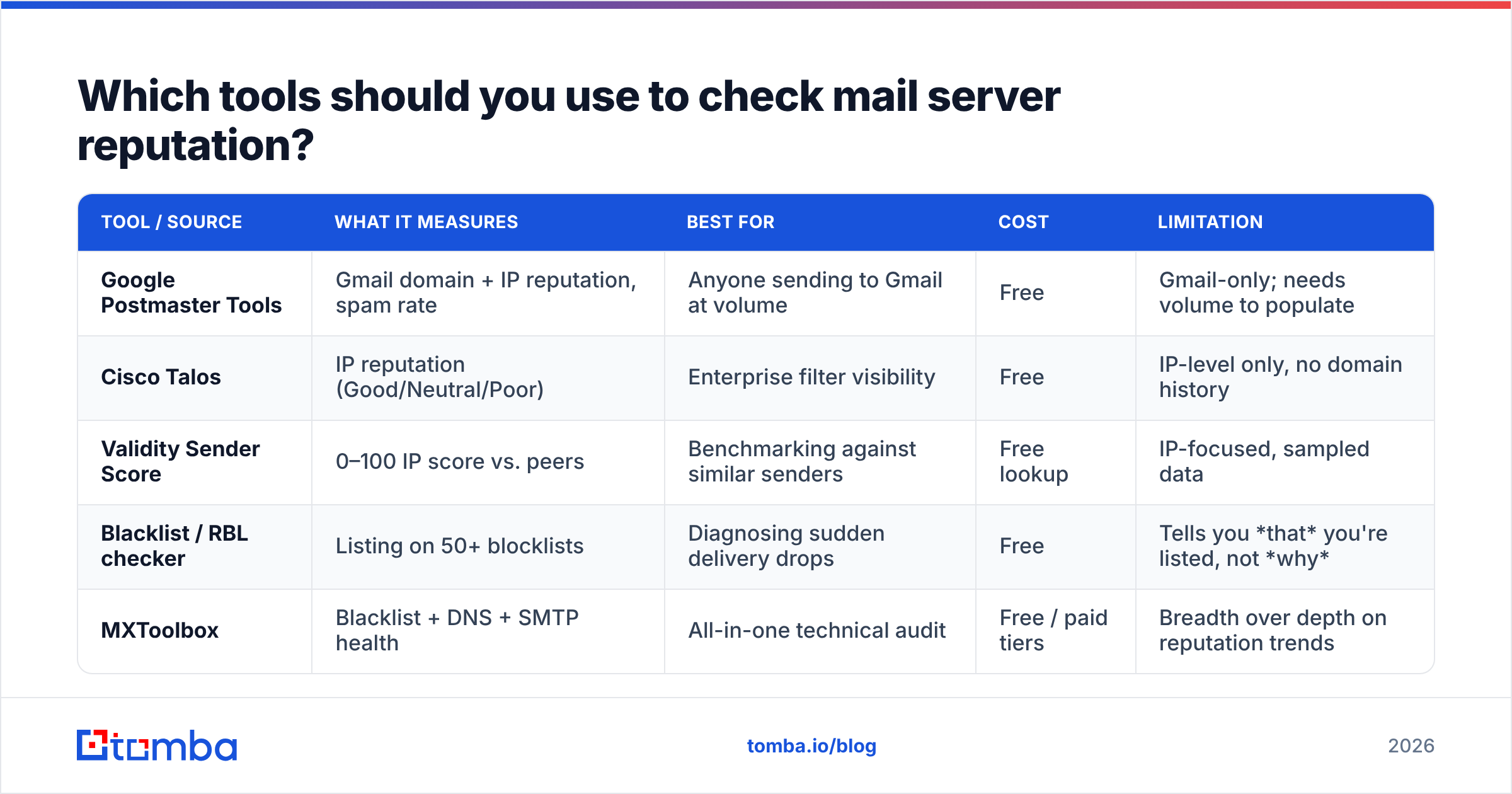
Each tool answers a different question. Here's how the main categories compare so you can pick the right one for the signal you need.
| Tool / Source | What it measures | Best for | Cost | Limitation |
|---|---|---|---|---|
| Google Postmaster Tools | Gmail domain + IP reputation, spam rate | Anyone sending to Gmail at volume | Free | Gmail-only; needs volume to populate |
| Cisco Talos | IP reputation (Good/Neutral/Poor) | Enterprise filter visibility | Free | IP-level only, no domain history |
| Validity Sender Score | 0–100 IP score vs. peers | Benchmarking against similar senders | Free lookup | IP-focused, sampled data |
| Blacklist / RBL checker | Listing on 50+ blocklists | Diagnosing sudden delivery drops | Free | Tells you that you're listed, not why |
| MXToolbox | Blacklist + DNS + SMTP health | All-in-one technical audit | Free / paid tiers | Breadth over depth on reputation trends |
For a deeper technical sweep across blacklists, DNS, and SMTP in one report, mxtoolbox.com is the practical default. Pair it with Postmaster Tools and you cover both the Gmail world and the broader filtering ecosystem.
What's a good mail server reputation score?#
Targets vary by source, but these are the practical thresholds in 2026:
- Sender Score (Validity): 80–100 is healthy. Below 70 means filters are actively throttling you. Below 50 is a crisis.
- Google Postmaster: "High" is the goal. "Medium" is workable but fragile. "Low" or "Bad" means most mail is already filtered.
- Cisco Talos: "Good" passes most filters. "Neutral" is borderline. "Poor" gets blocked.
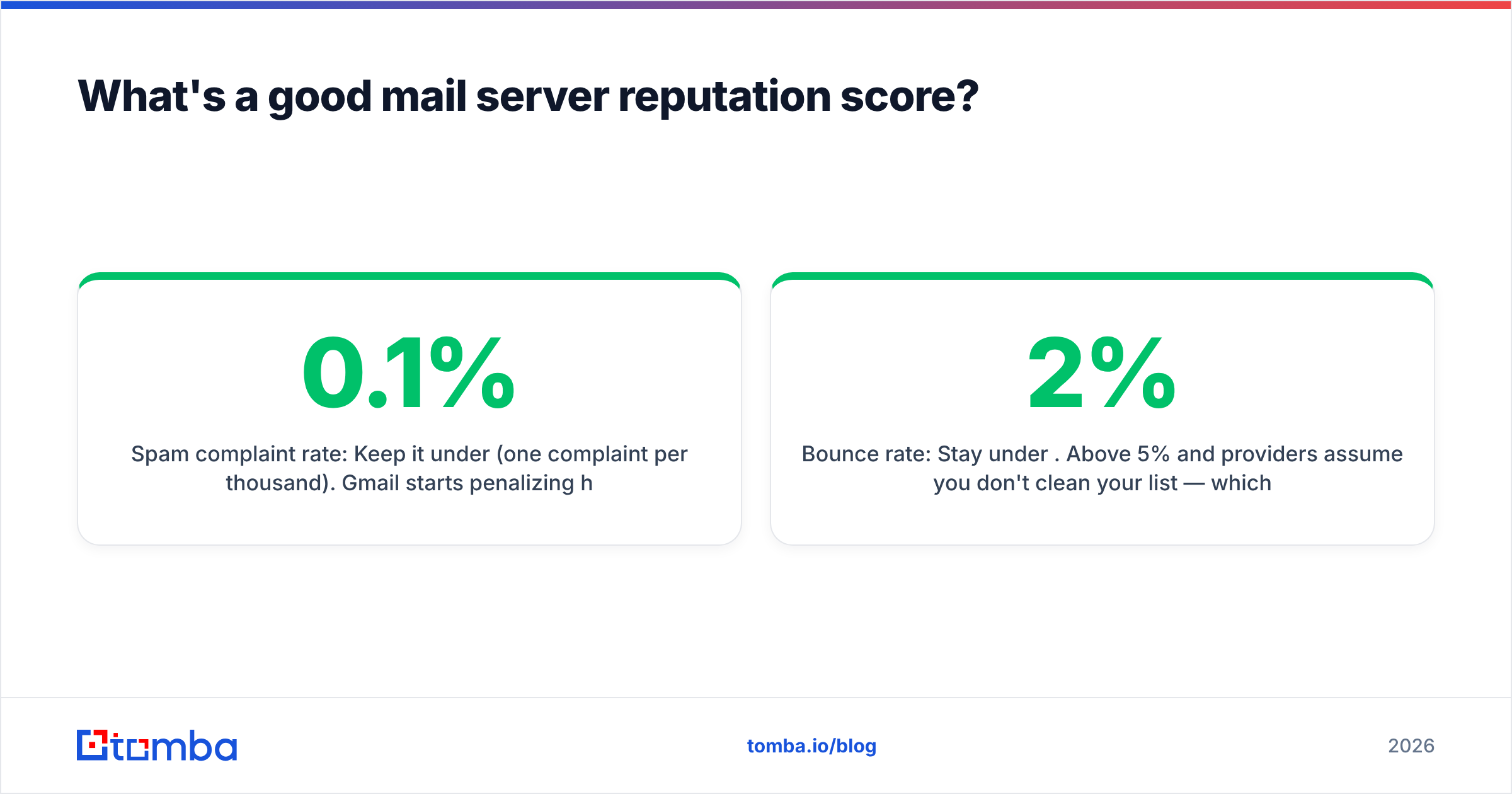
- Spam complaint rate: Keep it under 0.1% (one complaint per thousand). Gmail starts penalizing hard above 0.3%.
- Bounce rate: Stay under 2%. Above 5% and providers assume you don't clean your list — which is usually true.
If you're below any of these, the cause is almost always upstream: who you're sending to, not what you're sending.
What damages mail server reputation the most?#
Reputation rarely dies from one mistake. It erodes from repeated patterns providers read as spammer behavior:
- High bounce rates from unverified lists. Sending to dead or mistyped addresses is the number-one signal that you bought or scraped a list without cleaning it.
- Spam traps. Recycled or pristine trap addresses exist only to catch senders with poor hygiene. One hit can blacklist you.
- Spam complaints. Recipients marking you as junk is the loudest negative signal there is.
- Sudden volume spikes. Going from 100 to 50,000 sends overnight on a cold IP looks like a hijacked account.
- Broken authentication. Missing or misaligned SPF/DKIM/DMARC tells filters you might be a spoofer.
- Low engagement. If nobody opens, clicks, or replies, providers conclude your mail isn't wanted.
Notice the through-line: most of these trace back to list quality. That's why hygiene is the highest-leverage fix.

How do you fix a damaged mail server reputation?#
You can't buy back trust — you rebuild it. Here's the sequence that works:
1. Stop the bleeding. Pause campaigns to your full list. Continuing to blast a damaged reputation just digs the hole deeper.
2. Clean your list ruthlessly. Remove every invalid, risky, and role-based address. Run your list through an email verifier and drop anything that doesn't return a valid, deliverable result. This single step resolves most bounce-driven reputation damage. For domains where verification is ambiguous, a catch-all verifier helps you decide which addresses are safe to keep.
3. Fix authentication. Publish correct SPF, DKIM, and DMARC records. Confirm alignment — a record that exists but doesn't align still fails. Use an SPF record reference if you're unsure of the syntax.
4. Warm back up. Restart sending at low volume to your most engaged contacts only — people who opened or replied recently. Gradually increase volume as positive signals accumulate. This retrains the provider's model.
5. Re-engage, don't re-blast. Send to people who actually want your mail. Rising open and reply rates are the fastest way to climb from "Low" back to "High."
6. Monitor weekly. Recheck Postmaster, blacklists, and your sender score every week until you're back in the green, then drop to monthly.
Expect 2–6 weeks for a full recovery, depending on how deep the damage went. There's no shortcut — providers deliberately make trust slow to rebuild so spammers can't game it.
How is reputation different from blacklisting?#
People conflate the two, but they're distinct. A blacklist (RBL) is a binary, public list — you're on it or you're not, and being on Spamhaus can get you outright rejected. Reputation is a continuous, private score each provider calculates internally. You can have a clean blacklist record and still have a mediocre reputation that throttles you into spam.
The practical takeaway: check both. A blacklist checker catches the binary problem; Postmaster and Sender Score catch the gradual one. Fixing a blacklist (via a delisting request) doesn't automatically restore reputation, and vice versa.
How often should you check mail server reputation?#
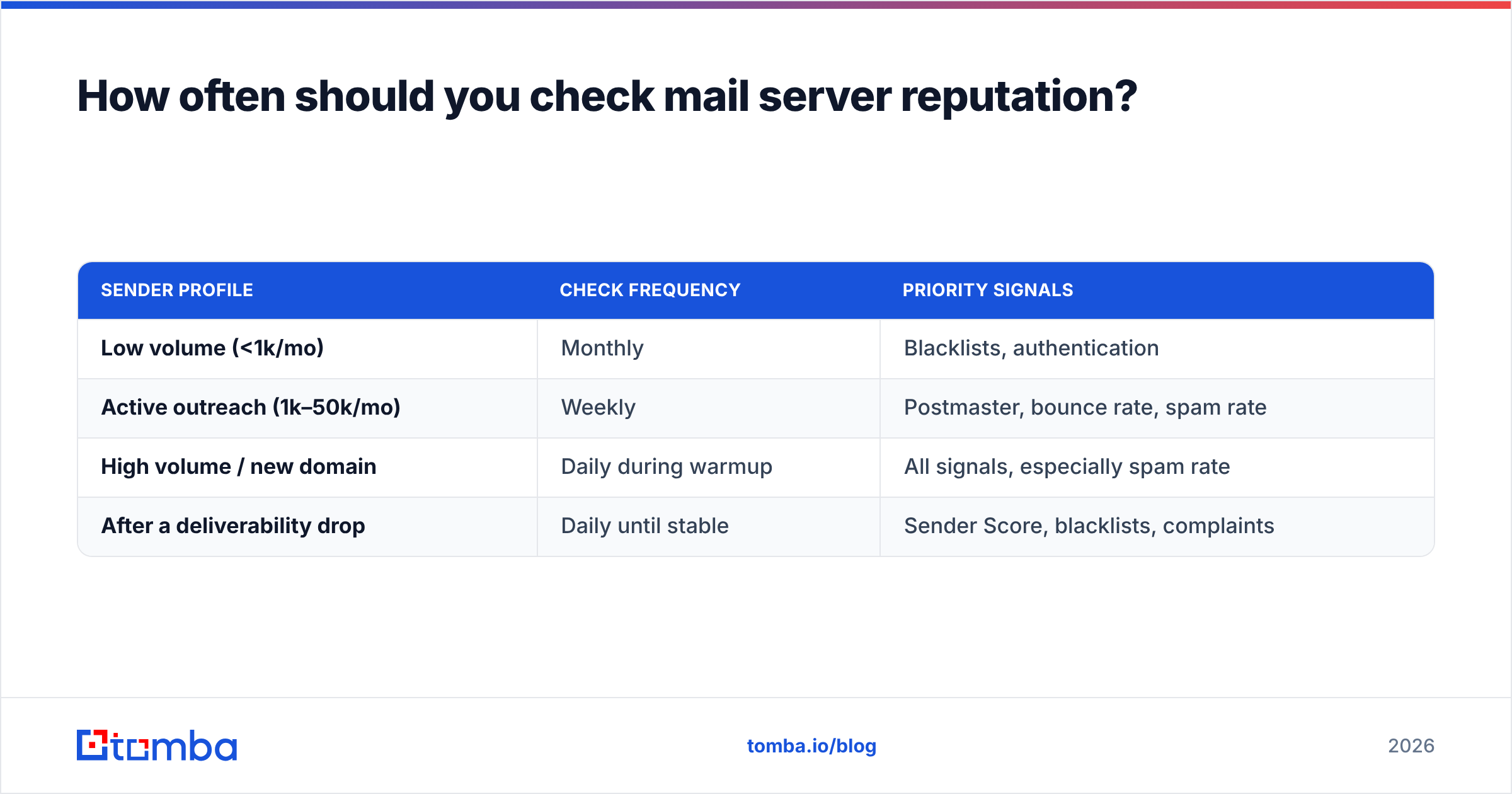
Match the cadence to your sending volume and stakes:
| Sender profile | Check frequency | Priority signals |
|---|---|---|
| Low volume (<1k/mo) | Monthly | Blacklists, authentication |
| Active outreach (1k–50k/mo) | Weekly | Postmaster, bounce rate, spam rate |
| High volume / new domain | Daily during warmup | All signals, especially spam rate |
| After a deliverability drop | Daily until stable | Sender Score, blacklists, complaints |
The pattern most teams settle into: a quick weekly glance at Postmaster and Sender Score, a full four-point audit monthly, and daily monitoring any time you're warming a new domain or recovering from a hit.
How do you prevent reputation problems before they start?#
The cheapest reputation repair is the one you never have to do. Three habits keep you out of trouble:
- Verify before you send — always. Every address goes through verification before it enters a campaign. This kills bounces and spam-trap hits at the source. Good data is upstream of every deliverability metric; if you want to understand the foundation, see where Tomba gets its data.
- Authenticate once, correctly. Set SPF, DKIM, and DMARC properly at domain setup and they protect you indefinitely.
- Send to people who want it. Sourcing accurate, opt-in-appropriate contacts beats volume every time. Marketers who track response rate as a north star naturally protect their reputation, because engagement is the strongest positive signal there is. (HubSpot's deliverability research at hubspot.com backs this up across millions of sends.)
Prevention is mostly about data quality. If the addresses you collect are accurate and current, your bounce rate stays low, your traps stay unhit, and your reputation stays high without heroic intervention.
The bottom line#
Checking mail server reputation isn't a one-time task — it's a vital sign you monitor. Use Google Postmaster Tools, a blacklist checker, and a sender-score service together, watch for drift, and act before "Medium" becomes "Bad." But the real lever isn't any monitoring tool. It's the quality of the addresses you send to. Clean, verified data prevents the bounces and spam-trap hits that cause most reputation damage in the first place.
That's where sourcing matters as much as sending. Start with accurate contacts: use the Tomba Email Finder to find verified professional addresses by name, domain, or company, then keep your list clean with built-in email verification. Better data in means a healthier reputation out — and a lot fewer emails lost to the spam folder. Compare Tomba pricing and start on the free tier to protect your sender reputation before your next send.
// get started
Find, verify and enrich your first contacts today
Start on the free plan with 25 searches a month, then scale when your team is ready.
Free plan · No credit card required · GDPR & CCPA
// about the author