7 Best Clay Alternatives in 2026 (Cheaper & Simpler)
Clay is powerful but pricey and steep to learn. Here are the 7 best Clay alternatives in 2026, compared on price, data accuracy, and how fast you can actually ship a list.
Clay built a cult following by turning spreadsheets into programmable enrichment engines. It is genuinely clever. It is also expensive, credit-hungry, and steep enough that plenty of teams buy a seat, build two tables, and quietly churn. If that is you, you are not looking for a more powerful tool. You are looking for a simpler one that still gets the data right.
This guide breaks down the seven best Clay alternatives in 2026, what each one actually replaces, and where a focused email-and-enrichment tool beats a do-everything platform.
TL;DR#
- Clay is overkill for most teams. If you mainly need verified emails, phone numbers, and contact enrichment, a dedicated tool is cheaper and faster to ship.
- Pricing is the #1 reason teams leave. Clay's credit model gets expensive fast once you run waterfall enrichment across thousands of rows.
- Best all-round value: Tomba for accurate email finding and enrichment at a flat, predictable price starting at $49/mo.
- Best for full GTM automation: Apollo or Clay itself if you truly need agentic, multi-step table logic.
- Match the tool to the job. Don't pay for a programmable spreadsheet when you need a clean list of decision-maker emails by Friday.
What is Clay and why look for alternatives?#
Clay is a spreadsheet-style GTM data platform. You drop in a list of companies or people, then chain together "enrichment" columns that pull from dozens of third-party data providers, scrape sources, and run AI prompts row by row. The result is a flexible, programmable table that can do almost anything: find emails, score leads, summarize websites, and push everything into your CRM.
The power is real. So are the trade-offs:
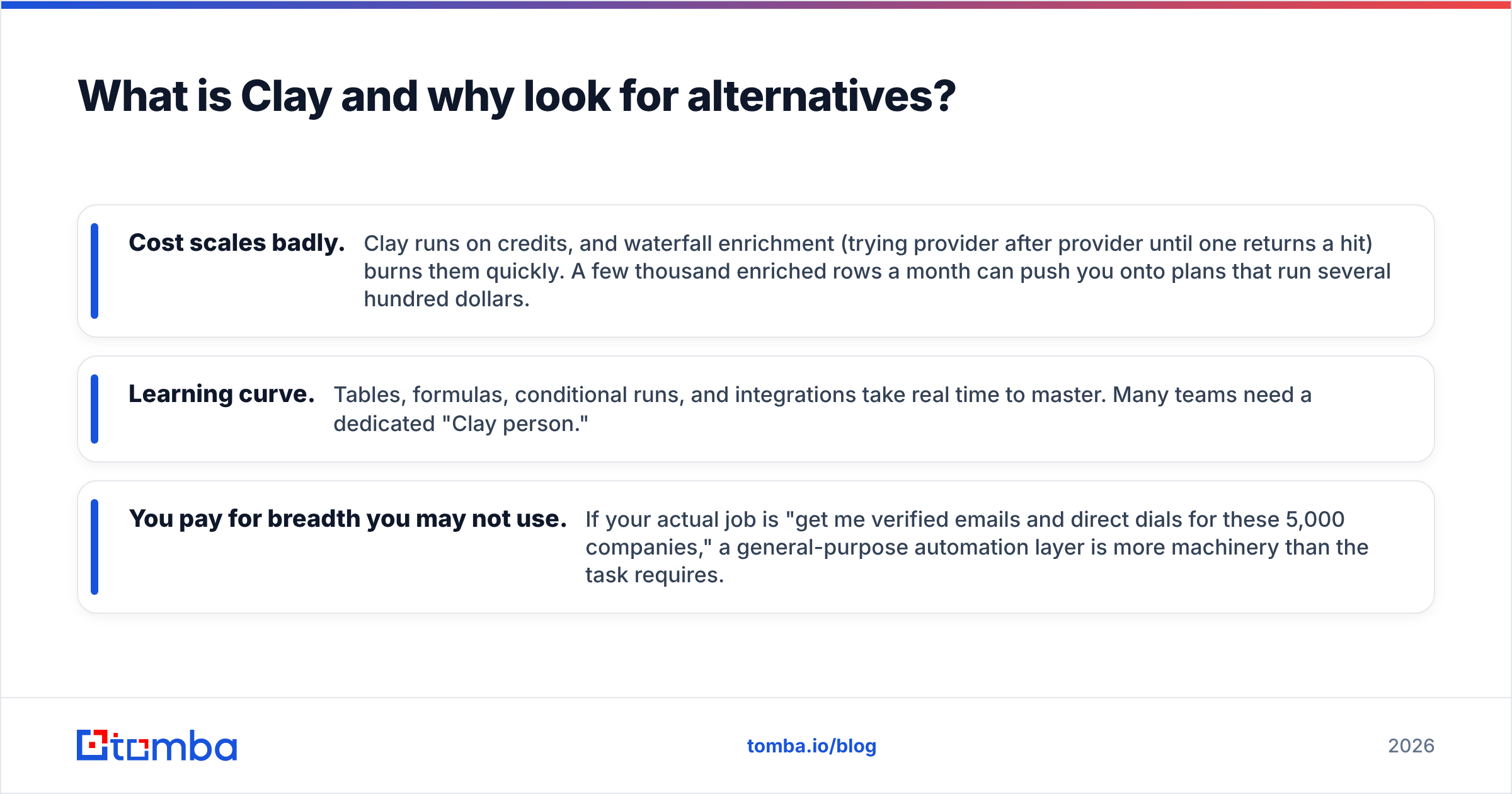
- Cost scales badly. Clay runs on credits, and waterfall enrichment (trying provider after provider until one returns a hit) burns them quickly. A few thousand enriched rows a month can push you onto plans that run several hundred dollars.
- Learning curve. Tables, formulas, conditional runs, and integrations take real time to master. Many teams need a dedicated "Clay person."
- You pay for breadth you may not use. If your actual job is "get me verified emails and direct dials for these 5,000 companies," a general-purpose automation layer is more machinery than the task requires.
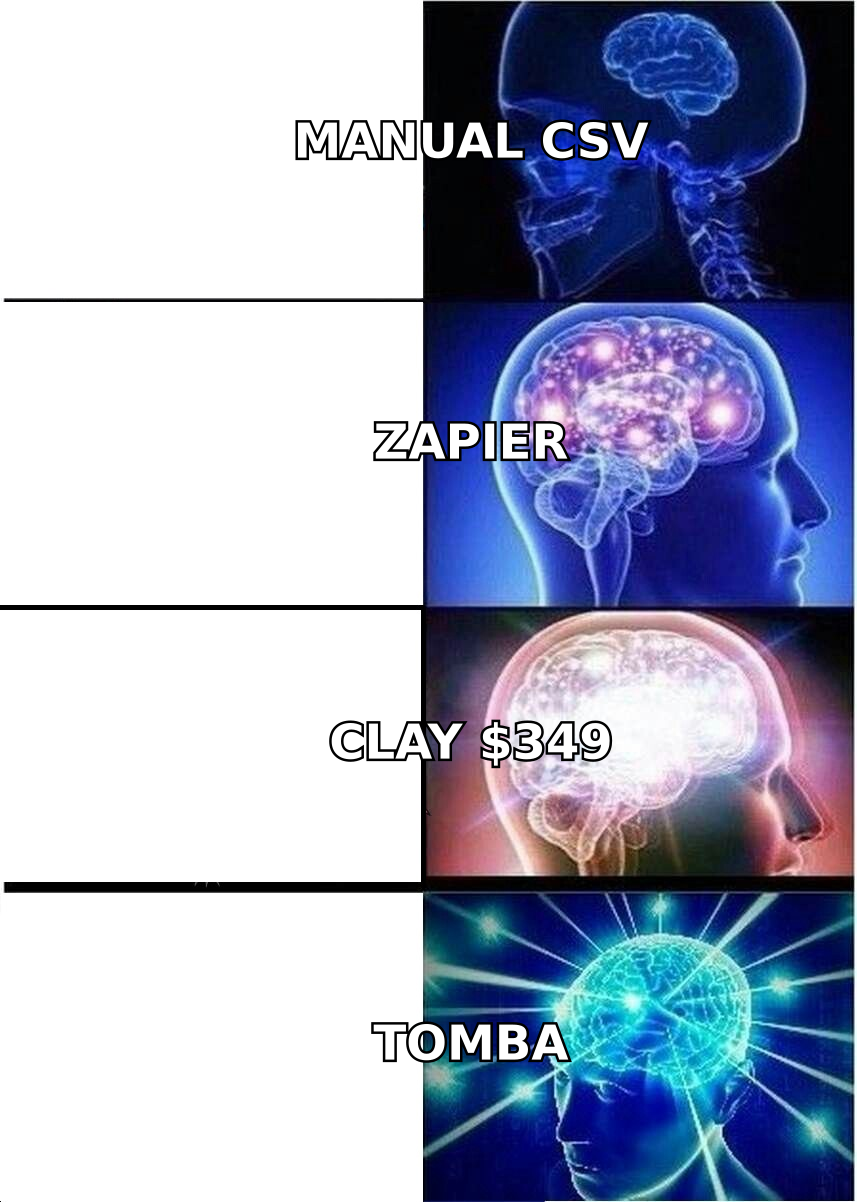
If any of that stings, an alternative will likely serve you better. The question is which kind.
What should a Clay alternative actually replace?#
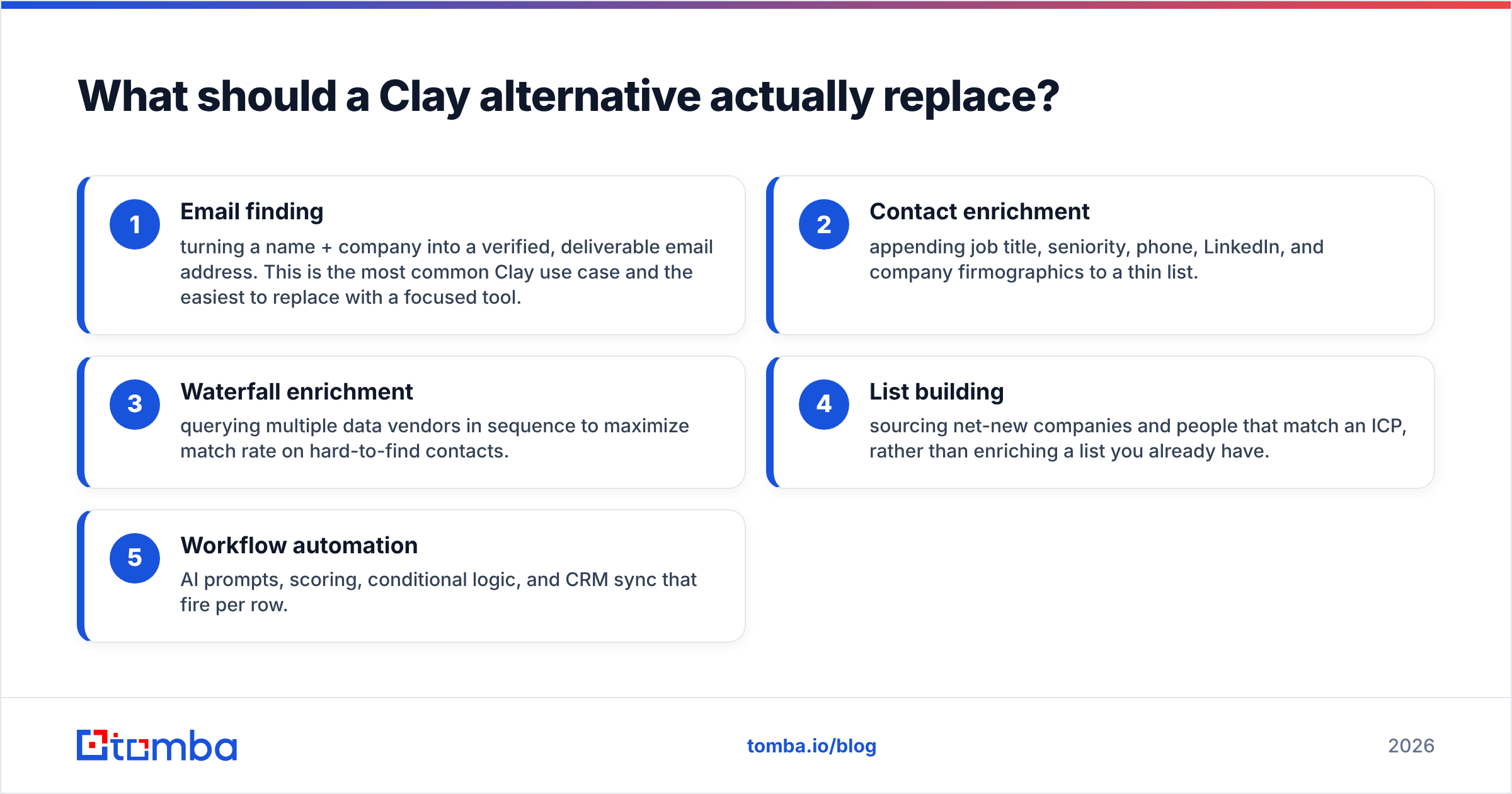
Before comparing logos, get specific about which job you are replacing. Clay bundles several distinct functions, and most teams only lean on one or two:
- Email finding — turning a name + company into a verified, deliverable email address. This is the most common Clay use case and the easiest to replace with a focused tool.
- Contact enrichment — appending job title, seniority, phone, LinkedIn, and company firmographics to a thin list.
- Waterfall enrichment — querying multiple data vendors in sequence to maximize match rate on hard-to-find contacts.
- List building — sourcing net-new companies and people that match an ICP, rather than enriching a list you already have.
- Workflow automation — AI prompts, scoring, conditional logic, and CRM sync that fire per row.
If your honest answer is "mostly 1, 2, and 3," you do not need a programmable spreadsheet. You need accurate data enrichment and a reliable email finder with a sane price. That single distinction eliminates most of the buyer's remorse around Clay.
How do the top Clay alternatives compare?#
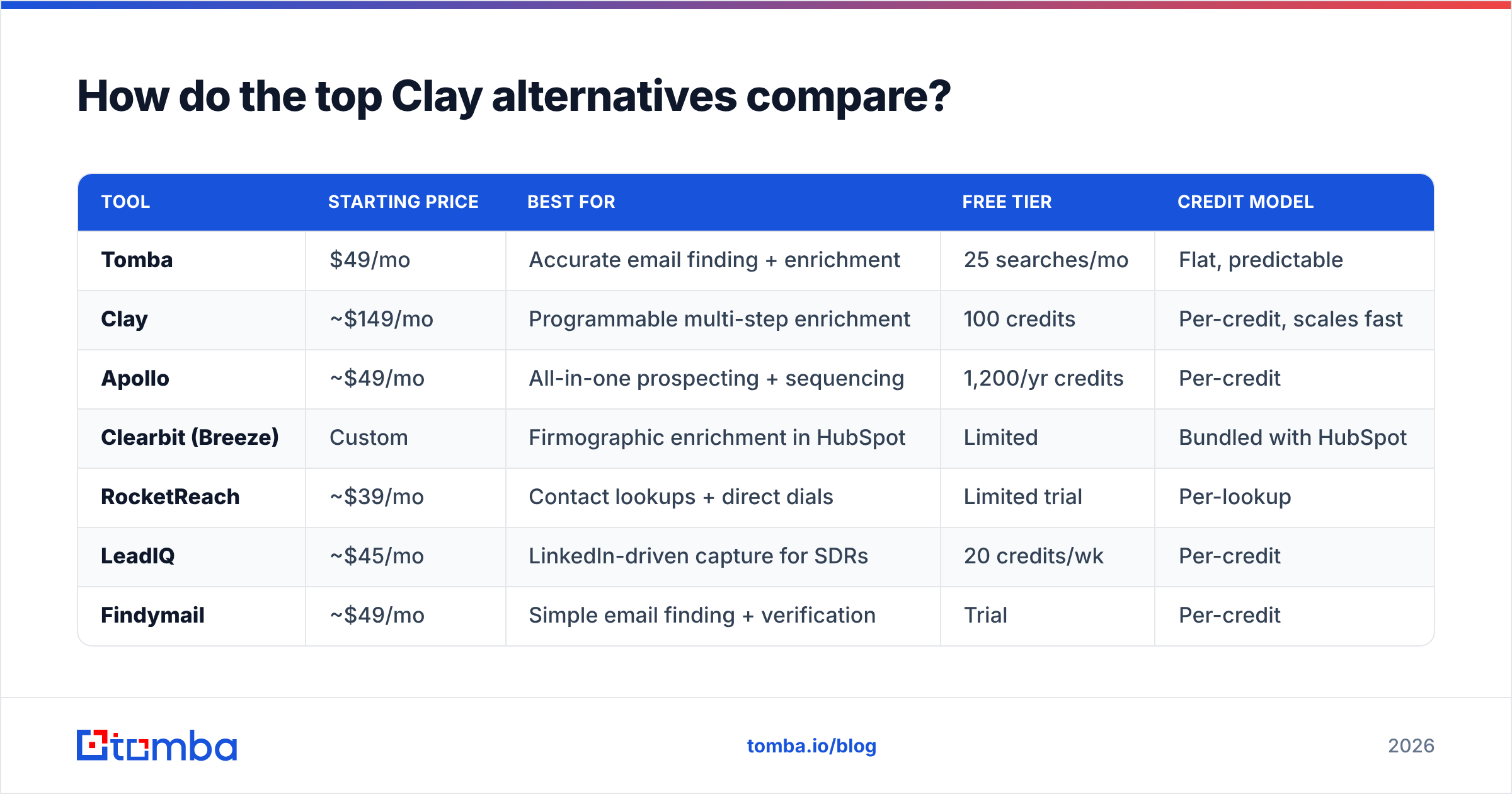
Here is a side-by-side look at the platforms most teams evaluate when leaving Clay. Prices reflect entry paid tiers as of 2026; always confirm on the vendor's site since plans shift.
| Tool | Starting price | Best for | Free tier | Credit model |
|---|---|---|---|---|
| Tomba | $49/mo | Accurate email finding + enrichment | 25 searches/mo | Flat, predictable |
| Clay | ~$149/mo | Programmable multi-step enrichment | 100 credits | Per-credit, scales fast |
| Apollo | ~$49/mo | All-in-one prospecting + sequencing | 1,200/yr credits | Per-credit |
| Clearbit (Breeze) | Custom | Firmographic enrichment in HubSpot | Limited | Bundled with HubSpot |
| RocketReach | ~$39/mo | Contact lookups + direct dials | Limited trial | Per-lookup |
| LeadIQ | ~$45/mo | LinkedIn-driven capture for SDRs | 20 credits/wk | Per-credit |
| Findymail | ~$49/mo | Simple email finding + verification | Trial | Per-credit |
A few takeaways:
- Tomba and Apollo anchor the affordable end. Both start around $49/mo, but they solve different problems — Tomba focuses on data accuracy and finding, Apollo bundles an entire outbound engine.
- Clay's entry price understates true cost. The plan is one thing; the credits you burn on waterfalls are another. Heavy users routinely land on plans several times the headline figure.
- Clearbit only makes sense inside HubSpot. After its acquisition and rebrand under HubSpot's Breeze Intelligence, it is excellent if you already live in that CRM and irrelevant if you don't.
Which Clay alternative is best for each use case?#
Best for accurate email finding and enrichment: Tomba#
If your core need is verified emails and enriched contact records, Tomba is the most direct swap. You give it a domain, a name, or a company, and it returns professional email addresses with confidence scores, plus enrichment like role, department, and social profiles. Pricing is flat and legible: a free tier with 25 searches/mo, Starter at $49/mo, Growth at $99/mo, and Pro at $249/mo — no credit math to reverse-engineer before you can forecast a bill.
Where it beats Clay for this job:
- No build phase. You are not wiring columns; you search, verify, export.
- Built-in verification. Every find can be checked for deliverability so your bounce rate stays low.
- Bulk and API. Run a bulk email finder job over thousands of rows, or wire the Tomba API into your own pipeline if you want Clay-style automation without Clay-style pricing.
Best for full prospecting + sequencing: Apollo#
Apollo is the closest thing to an all-in-one. It pairs a large B2B database with sequencing, dialer, and CRM features. If you want to find, enrich, and email from one tab, Apollo is compelling — and its starting tier is in the same range as Tomba. The trade-off is data accuracy that varies by region and a UI that nudges you toward its sequencing suite. If you only want clean data, you are paying for an outreach engine you may not use. See the Apollo alternative breakdown for a deeper split.
Best inside HubSpot: Clearbit / Breeze#
Clearbit now lives as Breeze Intelligence inside HubSpot. For teams already standardized on HubSpot, automatic firmographic enrichment on every inbound record is hard to beat. For everyone else, it is a non-starter — there is no meaningful standalone product anymore. Check the Clearbit alternative page if you want enrichment without committing to one CRM.

Best for SDR LinkedIn workflows: LeadIQ#
LeadIQ shines when reps are prospecting live on LinkedIn and want one-click capture into the CRM with a verified email and direct dial. It is narrower than Clay and lighter than Apollo. The weekly credit cadence frustrates heavy users, but for a focused SDR motion it is fast.
Best lightweight email finder: RocketReach or Findymail#
RocketReach and Findymail both do "name in, email out" without the platform overhead. They are fine for low volume. At scale, watch the per-lookup pricing and verify accuracy on a sample before committing — match rates differ a lot by industry and geography.
Is Clay worth it versus a cheaper alternative?#
Clay is worth it in exactly one scenario: you need multi-step, conditional, AI-assisted enrichment across many data sources, and you have someone to build and maintain it. Agencies running bespoke enrichment for clients, RevOps teams scoring inbound with custom logic, and data engineers who would otherwise script this themselves all get real leverage from Clay.
For everyone else, the math rarely favors it. Consider a typical mid-market outbound team:
- Goal: 5,000 verified decision-maker emails per month, enriched with title and company size.
- On Clay: waterfall enrichment plus verification burns credits per row, and AI columns add more. Real-world bills routinely clear several hundred dollars once you account for misses and retries.
- On a focused finder: a flat plan covers the same volume with verification built in, and there is nothing to maintain.
The deciding question is not "which tool is more powerful." It is "does my workflow need programmable logic, or does it need accurate data delivered cheaply?" Be honest, because the power tax is real. Independent reviews on G2 consistently flag Clay's cost and complexity as the top friction points, even from fans.
How do you choose the right Clay alternative?#
Run this quick filter before you commit to any platform:
- Score your real workflow. If 80% of your usage is find + verify + enrich, pick a focused tool. If you genuinely chain five or more conditional steps per row, stay with Clay or move to a true automation layer.
- Stress-test accuracy on your ICP. Pull 100 contacts in your exact industry and region, run them through each tool's free tier, and compare valid-email rates. Vendor-quoted accuracy is an average; yours is what matters.
- Model the bill at your volume, not the headline plan. Multiply expected rows by the credits each enrichment step costs. Flat pricing wins more often than the sticker suggests.
- Check the integration path. Make sure the tool pushes cleanly into your stack — CRM, spreadsheet, or API. Tomba covers HubSpot, Sheets, and direct API among others.
- Verify deliverability is included. Finding an email is half the job; an unverified list quietly destroys your sender reputation. Prefer tools where verification is native, not a separate purchase.
Score those five and the right alternative is usually obvious within an afternoon.
Frequently asked questions#
What is the cheapest Clay alternative?#
For predictable, flat pricing, Tomba starts at $49/mo with a free tier of 25 searches, which undercuts Clay's effective cost once credits are factored in. RocketReach and Findymail also sit at the affordable end but use per-lookup or per-credit models that can climb at volume.
Are Clay alternatives as accurate as Clay?#
Clay's accuracy largely comes from the data vendors it queries, not Clay itself. A focused finder with strong native data and built-in verification can match or beat a single-pass Clay enrichment for standard email-finding tasks. Always test on a sample of your own ICP rather than trusting headline accuracy numbers.
Do I lose automation if I leave Clay?#
Not necessarily. If you need programmatic enrichment, most dedicated tools expose an API and integrations (Zapier, Make, native CRM connectors) that cover the common automation cases. You lose Clay's per-row conditional logic and AI columns — useful only if you were actually using them.
Which Clay alternative is best for cold email?#
Pick one with native verification so your bounce rate stays low and your domain reputation holds. Tomba pairs finding with verification in the same workflow, which is exactly what a healthy cold email program needs before the first send.
The bottom line#
Clay is a brilliant tool for the small slice of teams that need programmable, multi-source enrichment and have someone to run it. For the majority who just need accurate, verified contact data without the credit roulette or the build phase, a focused alternative is cheaper, faster, and far easier to live with.
If that is you, start with the Tomba Email Finder. Find professional emails by domain, name, or company, verify them in the same flow, and export or pipe them straight into your stack — on a flat plan you can actually forecast. Spin up the free tier, run your hardest 25 contacts through it, and compare the hit rate to whatever Clay table you were about to rebuild.
// get started
Find, verify and enrich your first contacts today
Start on the free plan with 25 searches a month, then scale when your team is ready.
Free plan · No credit card required · GDPR & CCPA
// about the author