Clay vs Unify 2026: Which GTM Automation Platform Wins?
Clay and Unify both promise to automate your GTM motion, but they solve different problems. Here's an honest 2026 breakdown of pricing, enrichment, and fit.
You are choosing between Clay and Unify because both claim to run your outbound on autopilot. They do not do the same job. Clay is a flexible data orchestration spreadsheet; Unify is an opinionated warm-outbound engine. Picking wrong means months of wasted onboarding and a credit bill you will resent.
This breakdown is for revenue and GTM operators deciding where to put their 2026 budget. No marketing fluff — just where each tool actually wins.
TL;DR#
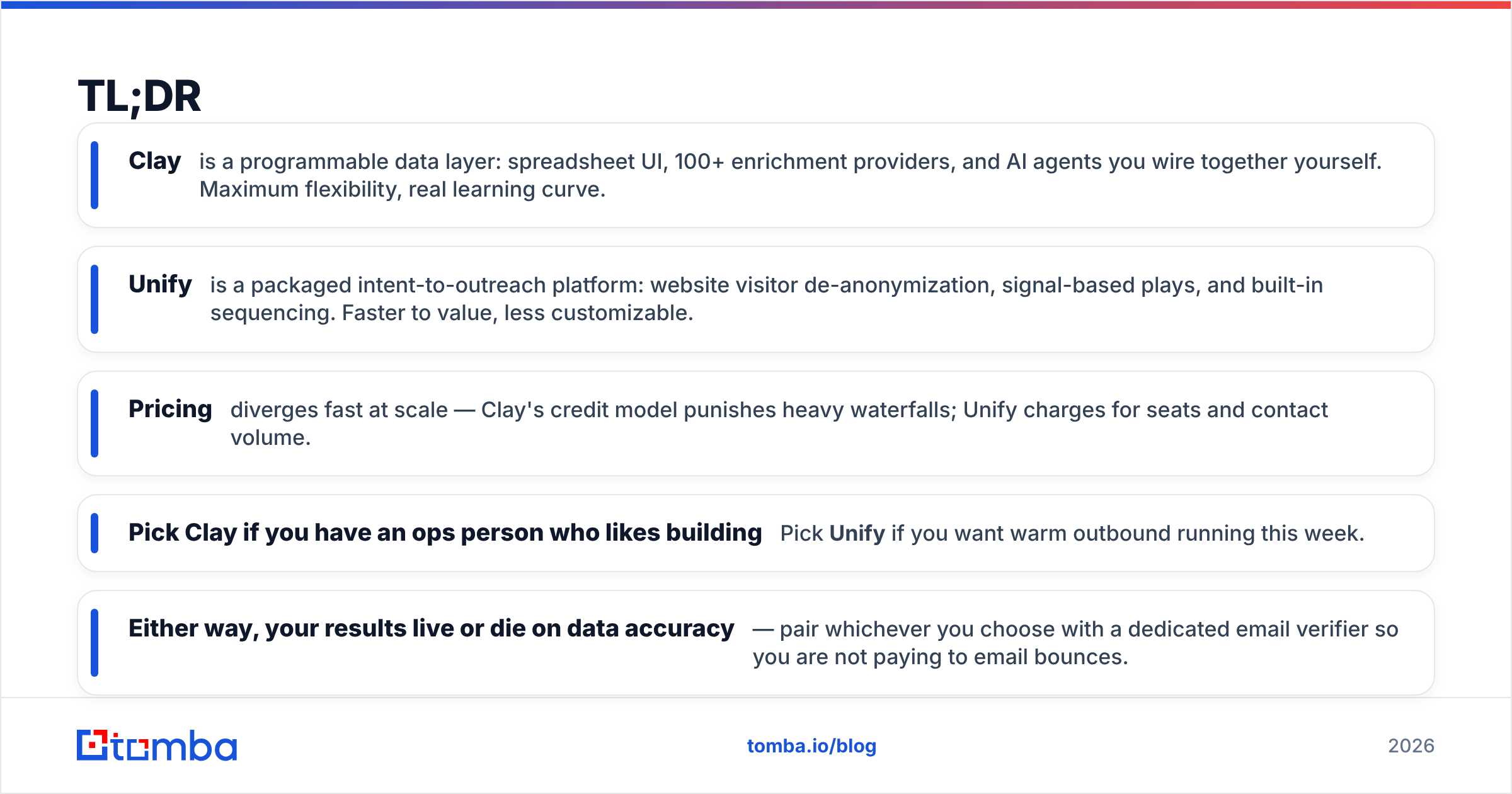
- Clay is a programmable data layer: spreadsheet UI, 100+ enrichment providers, and AI agents you wire together yourself. Maximum flexibility, real learning curve.
- Unify is a packaged intent-to-outreach platform: website visitor de-anonymization, signal-based plays, and built-in sequencing. Faster to value, less customizable.
- Pricing diverges fast at scale — Clay's credit model punishes heavy waterfalls; Unify charges for seats and contact volume.
- Pick Clay if you have an ops person who likes building. Pick Unify if you want warm outbound running this week.
- Either way, your results live or die on data accuracy — pair whichever you choose with a dedicated email verifier so you are not paying to email bounces.
What is Clay?#
Clay is a revenue operations tool that looks like a spreadsheet and behaves like a no-code data pipeline. Each row is a company or person; each column can call an enrichment provider, an AI prompt, or a conditional formula. You chain those columns into "waterfalls" — try provider A for an email, fall back to B, then C — and only pay for the one that returns a hit.
Think of Clay as a kitchen with every appliance on the counter. You can cook anything, but you have to know the recipe. Teams use it to build lead lists, score accounts, dedupe CRMs, and run AI research at scale across hundreds of data sources.
The strength is breadth. The cost is that Clay assumes you will design the workflow. A blank Clay table does nothing until someone builds it.
What is Unify?#
Unify is a warm-outbound platform built around buying signals. Its core loop: identify companies showing intent (website visits, job changes, keyword research), enrich the relevant contacts, and push them into automated sequences — often blending email with LinkedIn and agent-driven personalization.
Where Clay hands you a toolbox, Unify hands you a working machine with sensible defaults. It is opinionated about the motion: capture intent, act on it fast, measure replies. That makes it faster to deploy but harder to bend into a shape its designers did not anticipate.
Unify leans heavily on its visitor de-anonymization and "plays" — pre-built automations that trigger when a signal fires. If your GTM thesis is "strike while the account is warm," Unify is built for exactly that.
How do Clay and Unify compare at a glance?#
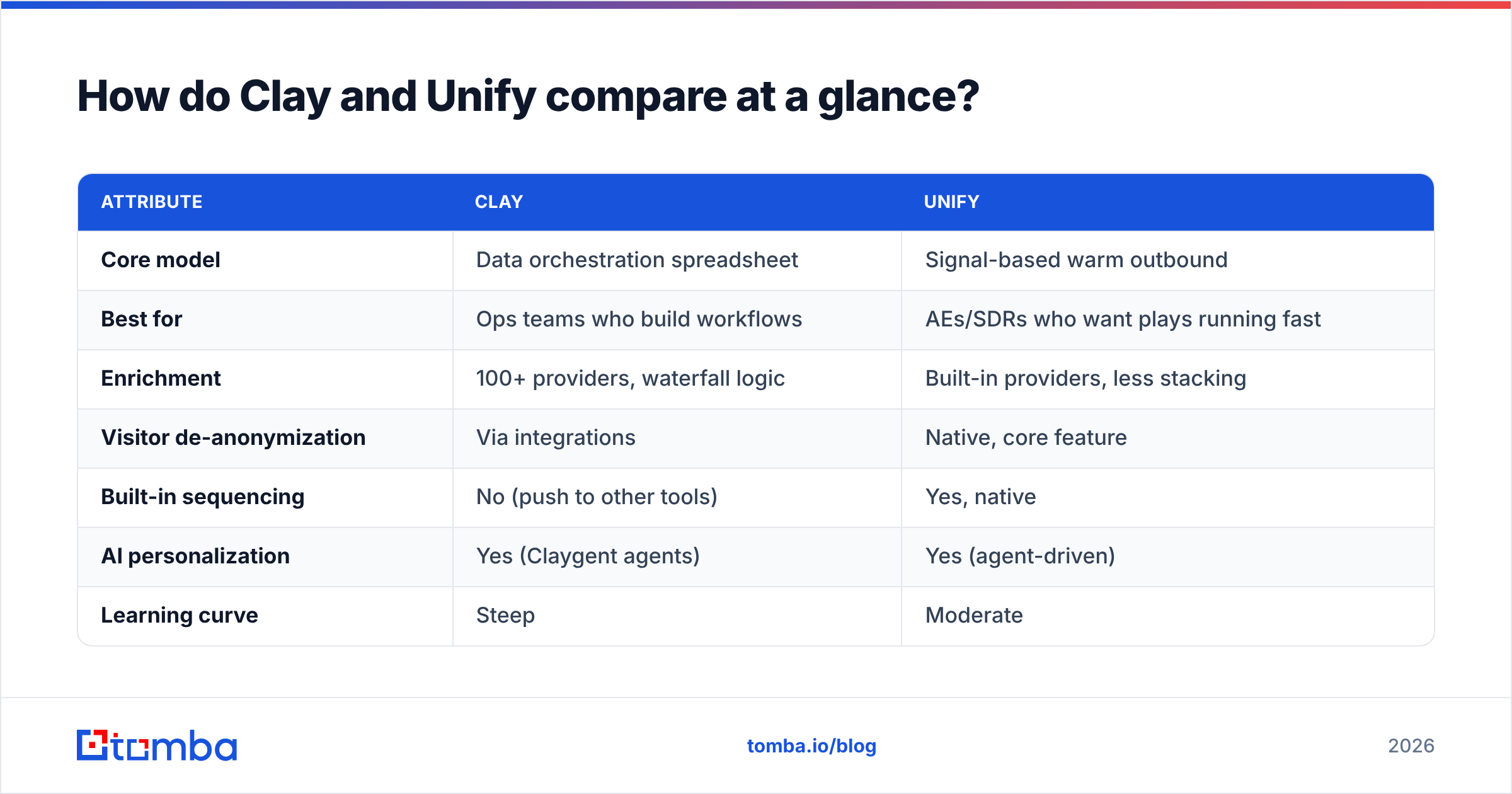
Here is the honest side-by-side. Prices reflect publicly listed 2026 plans and shift with contracts, so treat them as directional.
| Attribute | Clay | Unify |
|---|---|---|
| Core model | Data orchestration spreadsheet | Signal-based warm outbound |
| Best for | Ops teams who build workflows | AEs/SDRs who want plays running fast |
| Enrichment | 100+ providers, waterfall logic | Built-in providers, less stacking |
| Visitor de-anonymization | Via integrations | Native, core feature |
| Built-in sequencing | No (push to other tools) | Yes, native |
| AI personalization | Yes (Claygent agents) | Yes (agent-driven) |
| Learning curve | Steep | Moderate |
| Entry pricing | ~$149/mo (Starter, billed annually) | Custom / seat-based, sales-led |
| Free option | Free plan with limited credits | Demo-gated, no open free tier |
The pattern: Clay is bottom-up and self-serve; Unify is top-down and sales-led. You can start tinkering in Clay tonight. You will likely book a Unify demo first.
Which has better data and enrichment?#
Neither tool owns a meaningfully better dataset — both rent it. This is the single most misunderstood point in the Clay vs Unify debate.
Clay's advantage is the waterfall: it queries multiple providers in sequence and keeps the first valid result, so coverage on hard-to-find contacts is genuinely higher. The tradeoff is credit burn. A three-step email waterfall across 10,000 rows eats credits fast, and you still need to verify the output.
Unify bundles enrichment into the platform, which is simpler but gives you less control over which source answered and how fresh it is. You trust the black box.
Both share the same weakness every enrichment tool has: a found email is not a valid email. Provider data ages, people change jobs, and catch-all domains lie. If you skip verification, you will burn sender reputation regardless of which platform you bought. Run found contacts through an email verification step and a catch-all verifier before they ever hit a sequence.
The four data checks that actually move reply rates#
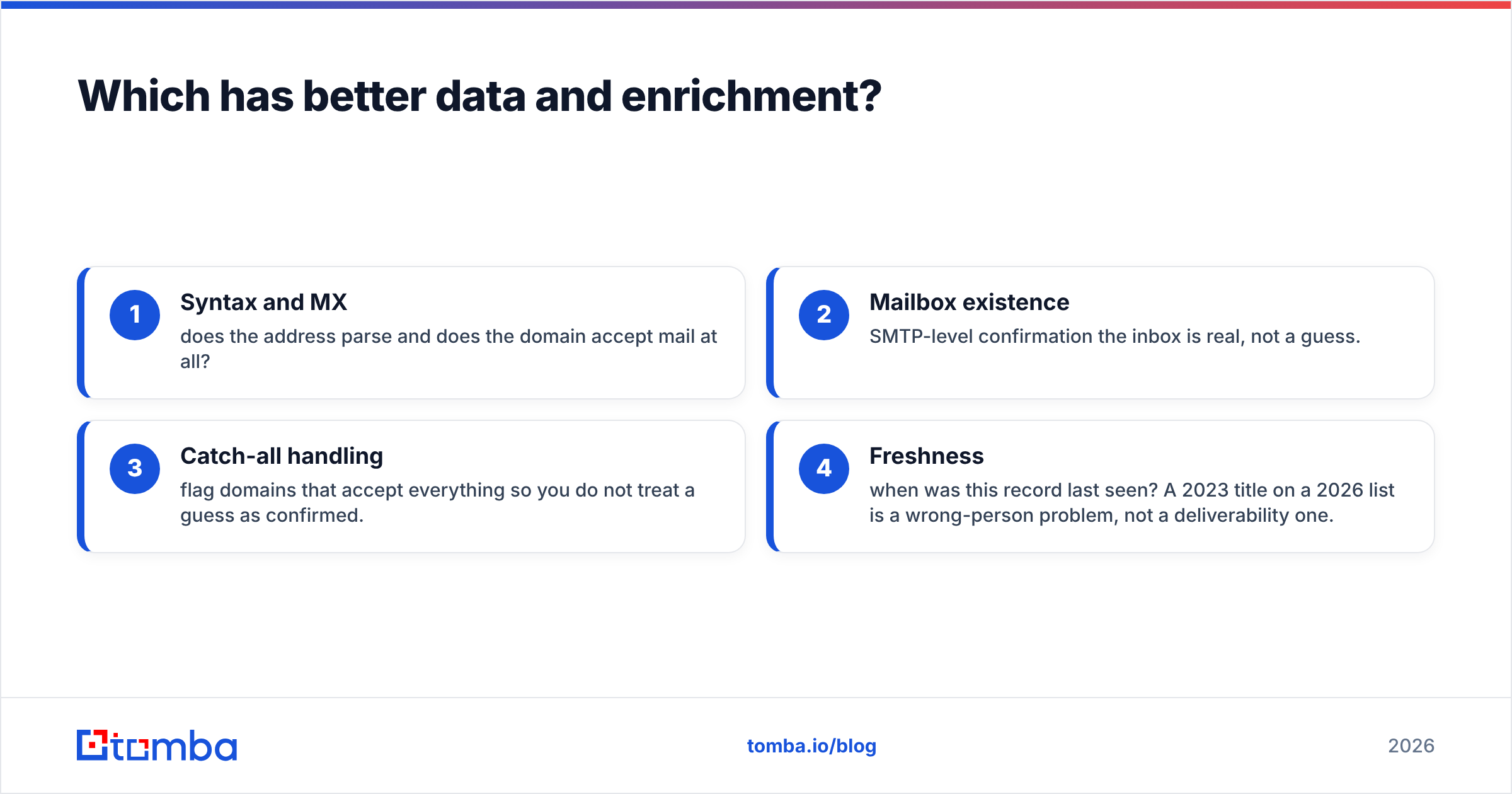
- Syntax and MX — does the address parse and does the domain accept mail at all?
- Mailbox existence — SMTP-level confirmation the inbox is real, not a guess.
- Catch-all handling — flag domains that accept everything so you do not treat a guess as confirmed.
- Freshness — when was this record last seen? A 2023 title on a 2026 list is a wrong-person problem, not a deliverability one.
Clay and Unify will both find contacts. They are weaker on guaranteeing the four checks above hold at send time — which is why most serious operators bolt a dedicated verification layer onto either one.
Is Clay better than Unify for cold outbound?#
It depends on who is doing the work. Conclusion first: Clay wins for teams with a builder; Unify wins for teams without one.
Clay does not send email. It builds and enriches the list, then hands off to your sequencer (Smartlead, Instantly, your CRM). That separation is powerful if you want full control of deliverability and routing — and annoying if you wanted one tool to do everything.
Unify closes that loop. Signals, enrichment, and sequencing live in one place, so an SDR can go from "this account is hot" to "email sent" without leaving the platform. For a lean team that wants warm outbound live this week, that integration is the whole pitch.
The risk with Unify is lock-in to its motion. If your plays do not match its signal model, you are fighting the tool. The risk with Clay is the opposite — infinite flexibility means infinite ways to build something brittle.
How does pricing really compare?#
Both pricing models surprise people, in opposite directions.
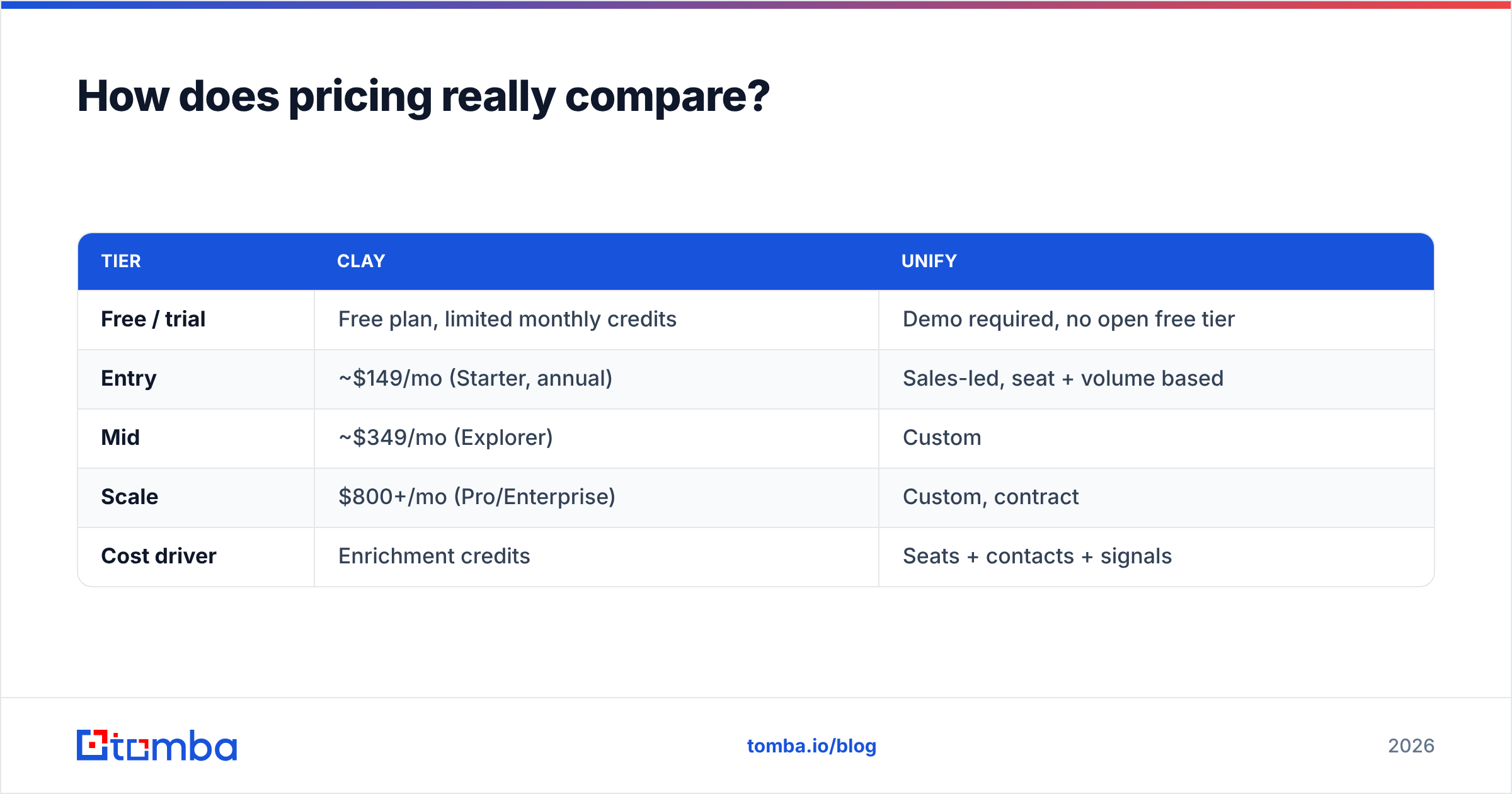
| Tier | Clay | Unify |
|---|---|---|
| Free / trial | Free plan, limited monthly credits | Demo required, no open free tier |
| Entry | ~$149/mo (Starter, annual) | Sales-led, seat + volume based |
| Mid | ~$349/mo (Explorer) | Custom |
| Scale | $800+/mo (Pro/Enterprise) | Custom, contract |
| Cost driver | Enrichment credits | Seats + contacts + signals |
Clay's credit model means a cheap plan can blow past budget the moment you run big waterfalls — the headline price is not your real bill. Unify's seat-and-volume model is more predictable per month but rarely cheap, and it is gated behind a sales conversation.
For comparison, a focused tool like Tomba pricing runs Free (25 searches/mo), Starter $49/mo, Growth $99/mo, and Pro $249/mo — a fraction of either platform if email finding and verification is the specific job you need done, rather than a full GTM operating system.
When should you choose Clay?#
Choose Clay if any of these are true:
- You have a dedicated ops or RevOps person who enjoys building systems. Clay rewards that skill set enormously.
- Your workflows are non-standard — unusual scoring logic, custom research agents, multi-source dedupe. Clay's flexibility is unmatched here.
- You want to control your sending stack and treat list-building as a separate, swappable layer.
- You run many small, varied campaigns rather than one big repeatable motion.
Clay is the better long-term platform for teams that treat data as an engineering problem. Just budget for the credit reality and a verification step.
When should you choose Unify?#
Choose Unify if:
- You want warm outbound live fast without hiring a builder.
- Website visitor de-anonymization is central to your strategy — it is a first-class Unify feature, not a bolt-on.
- Your team is AEs and SDRs, not ops engineers, and they want plays that just run.
- Predictable monthly cost matters more than per-action flexibility.
Unify is the better fit for product-led or mid-market teams whose GTM thesis is signal-driven and whose advantage is speed of follow-up.
What do Clay and Unify both get wrong?#
They both quietly assume their data is clean enough to send. It usually is not. The most common failure mode for new users of either tool is launching a sequence on unverified contacts, watching bounce rates spike, and torching sender reputation in week one.
Both platforms also encourage volume. More signals, more rows, more sends. Volume without verification is how a warmed-up domain ends up in spam folders. The fix is boring and non-negotiable: verify before you send, every time, and keep your lists deduplicated and fresh.
If your actual need is narrower than a full GTM platform — you mostly need to find and verify professional emails by company or domain — a focused domain search and data enrichment tool will be cheaper, faster, and more accurate than paying for orchestration features you will not use. And if you do run Clay or Unify, both connect cleanly to a CRM via standard integrations so verification can sit in the middle.
Clay vs Unify: the verdict#
There is no universal winner — only a fit.
- Clay is the right call when flexibility and data control matter most and you have someone to wield it. It is a platform you grow into.
- Unify is the right call when speed-to-warm-outbound and a packaged motion matter most. It is a platform you switch on.
Both are real, capable tools. Read independent reviews on G2 and check each vendor's own docs — Clay and Unify — before committing to a contract, because pricing and feature sets move quarter to quarter.
Whichever you pick, remember the unglamorous truth: the platform finds the contacts, but your accuracy determines your results. Garbage in, bounces out.
Get the data layer right first#
Before you spend $300+ a month on orchestration, make sure the contacts feeding it are real. Tomba's Email Finder locates verified professional emails by name, company, or domain, with verification built in — so the leads you push into Clay or Unify actually land. Start free with 25 searches a month, scale to Starter at $49/mo when you are ready, and stop paying to email addresses that were never going to reply. Build the GTM machine on clean data, not guesses.
// get started
Find, verify and enrich your first contacts today
Start on the free plan with 25 searches a month, then scale when your team is ready.
Free plan · No credit card required · GDPR & CCPA
// about the author