Clearalist vs FindThatLead 2026: Which Email Finder Wins?
A neutral, data-driven breakdown of Clearalist vs FindThatLead in 2026 — accuracy, pricing, verification, and which email finder fits your outbound stack.
You found two email-finder tools on a shortlist — Clearalist and FindThatLead — and now you need to know which one actually delivers inbox-ready contacts without torching your bounce rate. This is the neutral breakdown.
TL;DR
- FindThatLead is the more established name, bundling email finding, a Chrome extension, cold-email sending, and a lead search engine into one platform — broad, but spread thin on raw accuracy.
- Clearalist is the leaner, lower-profile option that markets clean, verified B2B lists; coverage outside its core regions and data sources can be inconsistent.
- Neither wins on verification depth — both bounce more on catch-all domains than a dedicated verifier would.
- Accuracy and price-per-verified-email matter more than feature count. A tool that finds 1,000 emails at 70% deliverability costs you more than one finding 600 at 96%.
- If you want a finder with a separate, real-time email verifier and transparent Tomba pricing, Tomba is worth benchmarking against both before you commit.
What are Clearalist and FindThatLead?#
Both tools answer the same core question: given a name and a company, what is this person's work email? They just take different routes to get there.
FindThatLead has been around since the mid-2010s and positions itself as an all-in-one prospecting suite. You get a domain-level email search, a single-contact finder, a "Lead Search" engine for building lists by criteria, a Chrome extension, and an integrated cold-email sender called Scrab.in/Prospector. The pitch is "find and email leads without leaving the platform."
Clearalist is the newer, narrower entrant. It leans on the promise of pre-cleaned, verified B2B contact lists rather than a deep self-serve finder workflow. The appeal is simplicity: fewer dials to turn, lists that are supposed to be inbox-safe out of the box.
The trade-off is the classic one in this category. A broad suite gives you more surface area but rarely the best version of any single feature. A narrow tool can be sharp in its lane but leave gaps the moment your targeting moves outside its sweet spot.

How accurate is each email finder?#
Accuracy is the only metric that survives contact with a real campaign. Everything else — UI, integrations, credits — is downstream of whether the emails actually land.
Here's how the two tools tend to behave in practice, and where a finder-plus-verifier approach changes the math:
- Pattern guessing vs. sourced data. Many finders, FindThatLead included, lean heavily on permutation logic (first.last@, f.last@, etc.) and a light SMTP ping. That's fast and cheap, but it inflates "found" counts with addresses that were never confirmed received mail.
- Catch-all blindness. Domains configured to accept every address ("catch-all") defeat a simple SMTP check — the server says yes to everything. Without a dedicated catch-all verifier, both Clearalist and FindThatLead can mark these "valid" when they're a coin flip.
- Coverage by region and seniority. Clearalist's clean-list angle works best where its underlying data is dense. Outside those pockets, you'll see thinner results. FindThatLead's broader crawl gives wider coverage but a noisier signal-to-noise ratio.
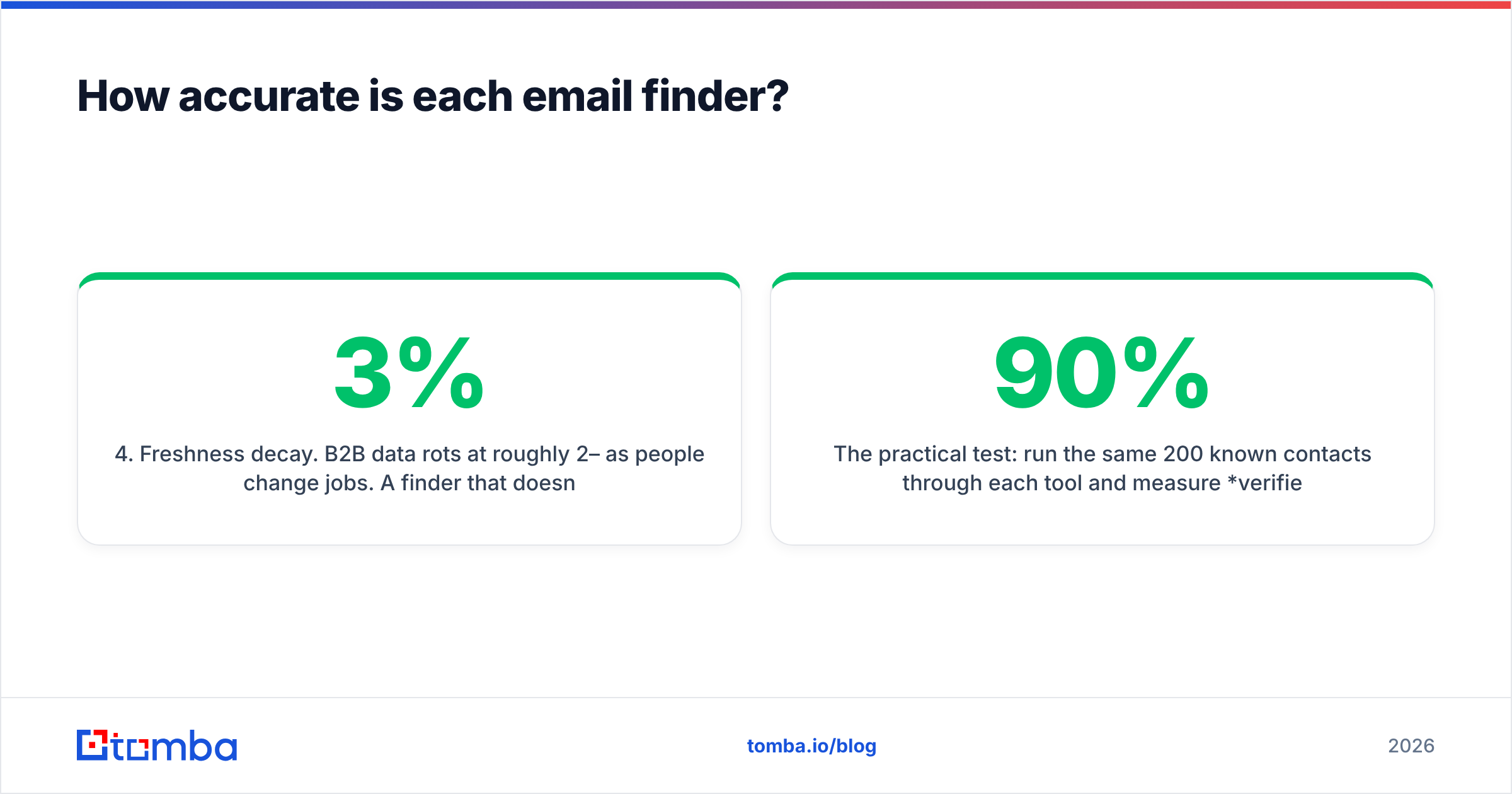
- Freshness decay. B2B data rots at roughly 2–3% per month as people change jobs. A finder that doesn't re-validate at query time hands you yesterday's truth.
The practical test: run the same 200 known contacts through each tool and measure verified deliverable, not returned. A tool returning 90% of rows at 70% deliverability is worse than one returning 65% at 95% — the second wastes less of your sending reputation. If you care about that reputation, read up on email deliverability before you pick.
Clearalist vs FindThatLead: full comparison table#
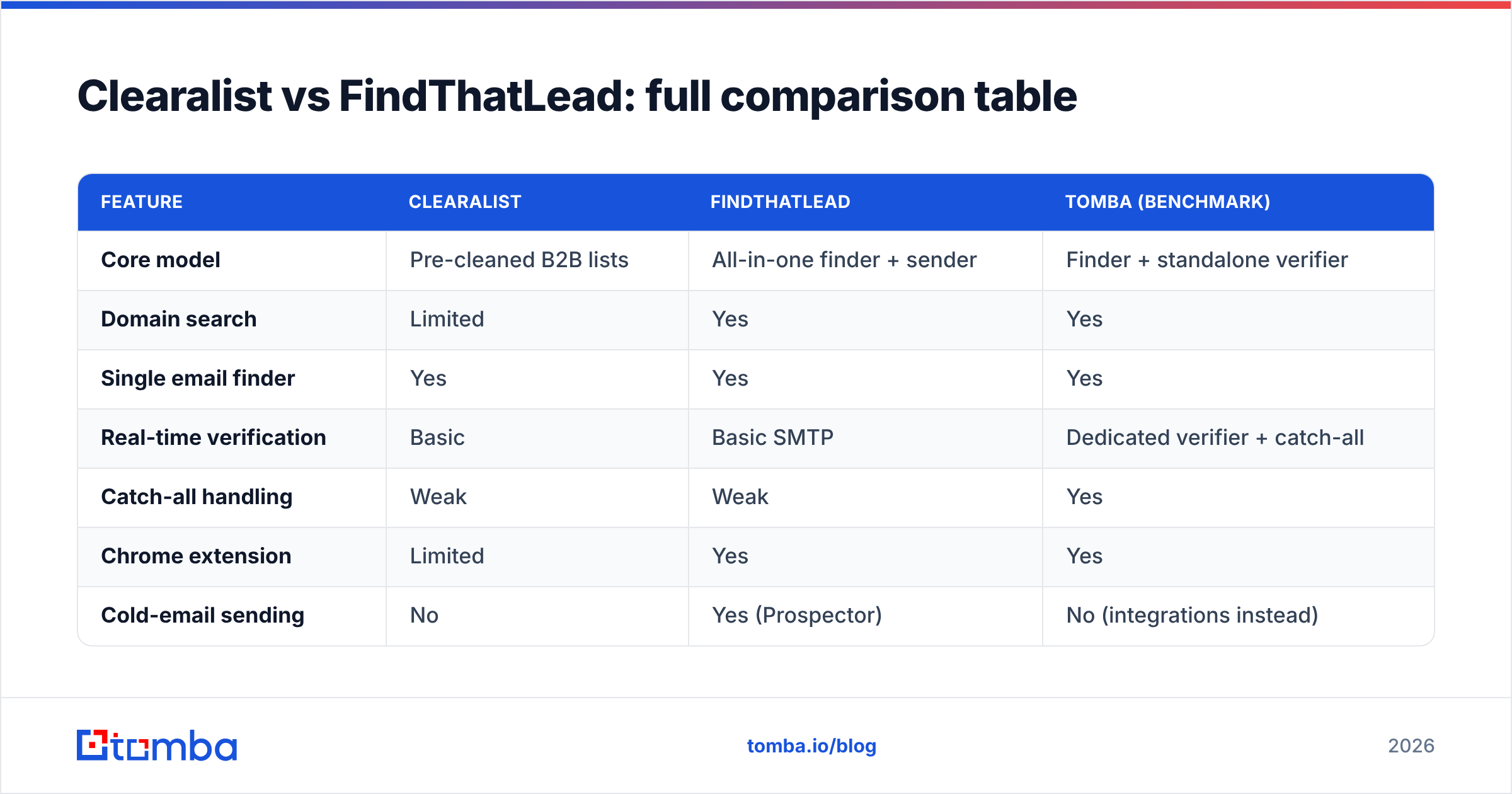
| Feature | Clearalist | FindThatLead | Tomba (benchmark) |
|---|---|---|---|
| Core model | Pre-cleaned B2B lists | All-in-one finder + sender | Finder + standalone verifier |
| Domain search | Limited | Yes | Yes |
| Single email finder | Yes | Yes | Yes |
| Real-time verification | Basic | Basic SMTP | Dedicated verifier + catch-all |
| Catch-all handling | Weak | Weak | Yes |
| Chrome extension | Limited | Yes | Yes |
| Cold-email sending | No | Yes (Prospector) | No (integrations instead) |
| Bulk processing | Yes | Yes | Bulk finder |
| Free tier | Limited trial | ~50 credits/mo | 25 searches/mo |
| Entry paid price | Varies / quote | ~$49/mo | $49/mo |
| API access | Limited | Yes | Full REST API |
| Data transparency | Low | Medium | Documented data sources |
Read this table as a map of where each tool spends its effort. FindThatLead invests in breadth (sending, lead search, extension). Clearalist invests in the promise of clean delivery. Tomba is shown as a benchmark because it splits the job correctly: a finder that finds, and a verifier that verifies, instead of one half-step that pretends to do both.

Which tool has better pricing and value?#
FindThatLead is the more predictable spend; Clearalist often runs on quotes — but neither tells you cost-per-verified email up front.
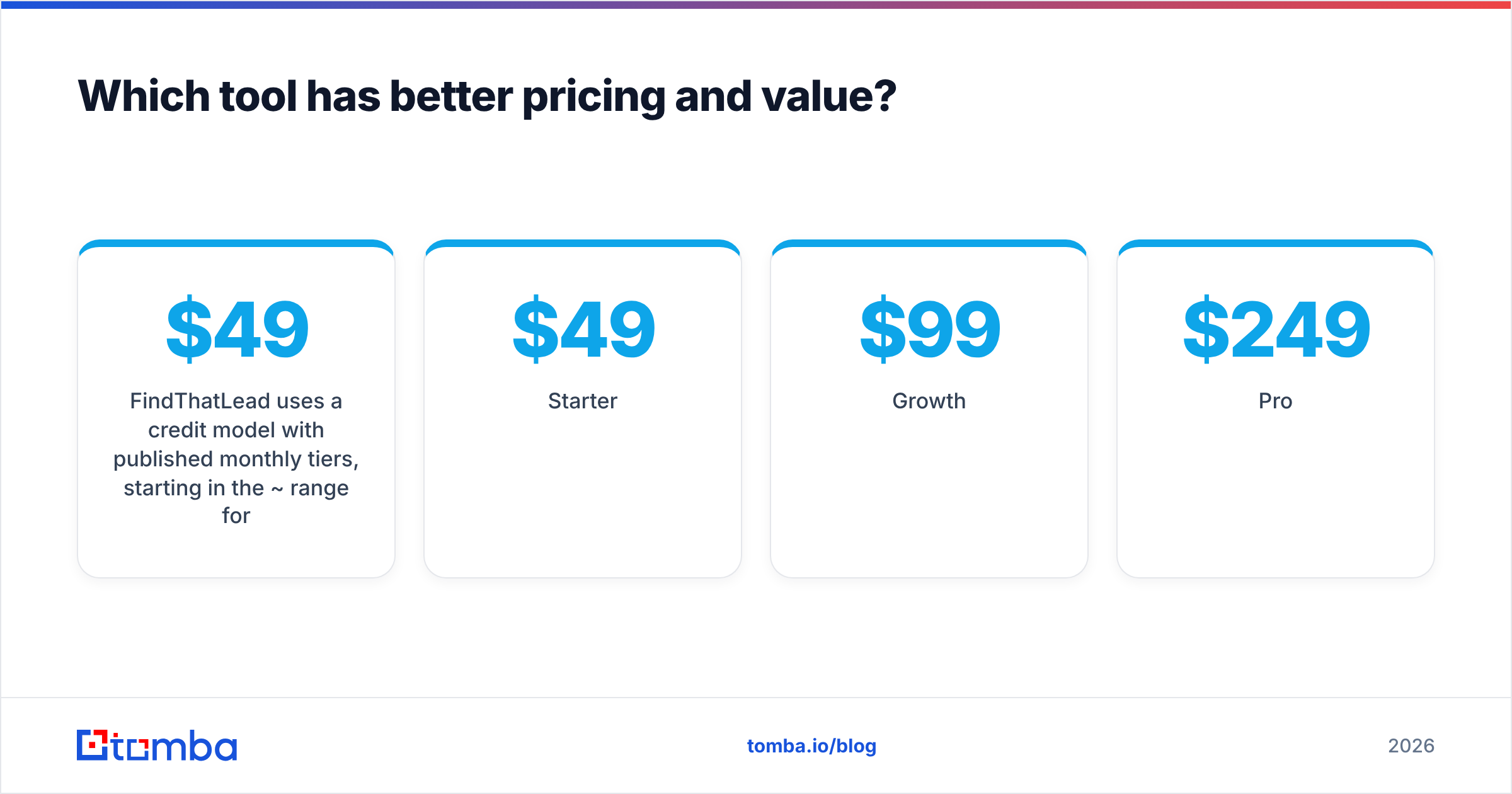
FindThatLead uses a credit model with published monthly tiers, starting in the ~$49/mo range for its entry plan and scaling with credit volume. That transparency is genuinely useful. The catch is that a "credit" is spent on a returned result, verified or not, so your effective cost per usable email is higher than the sticker.
Clearalist's list-based, often quote-driven pricing makes apples-to-apples comparison harder. Clean lists can be worth a premium if the cleaning is real — but you're trusting a verification step you can't independently inspect.
For comparison, Tomba pricing is flat and public:
- Free — 25 searches/month
- Starter — $49/month
- Growth — $99/month
- Pro — $249/month
- Enterprise — custom
The number that matters is cost per verified, deliverable email, not cost per credit. Always divide your monthly fee by the count of contacts that actually pass verification and don't bounce. A cheap tool with a 30% bounce rate is expensive once you factor in lost sender reputation and burned domains.
Quick gut check: if a vendor won't show you a deliverability or bounce-rate figure for a sample, assume the number is bad. Good data sells itself with stats.
Is verification good enough on either platform?#
No — and that's the most important sentence in this article. Both Clearalist and FindThatLead treat verification as a feature bolted onto finding, not as a discipline in its own right.
A proper email verification pass does several things a basic SMTP ping skips:
- Syntax and domain checks — is the address well-formed and the domain live with valid MX records?
- Mailbox-level SMTP — does the specific inbox exist, not just the domain?
- Catch-all detection — flags domains that accept everything so you can route them to a catch-all finder instead of blindly sending.
- Role and disposable filtering — strips info@, sales@, and burner addresses that wreck engagement metrics.
- Greylisting tolerance — retries servers that defer first contact instead of marking a real inbox invalid.
When a finder folds a single SMTP check into the find step, it can't do most of that. That's why the smart workflow is find, then verify with a separate engine — even if it means using a second tool. Your bounce rate is the score the mailbox providers keep, and they don't grade on effort.
Which should you choose — and where does Tomba fit?#
Here's the honest decision tree.
Choose FindThatLead if you want one login for finding and sending, you're running lighter-volume outbound, and you value the integrated cold-email workflow more than raw data precision. It's a reasonable all-in-one for solo founders and small teams who'd rather not stitch tools together.
Choose Clearalist if your targeting sits squarely inside its data strengths, you prefer buying lists over building them, and you're willing to spot-check the "clean" claim against your own verification before a big send.
Benchmark Tomba against both if accuracy and verification are the whole point. Tomba keeps the finder and the verifier as distinct, serious products, documents where its data comes from, and exposes everything through a full REST API, a Chrome extension, and native integrations with HubSpot, Salesforce, and Pipedrive. For high-volume work, the bulk email finder and domain search cover list-building without the catch-all guesswork.
A few practical notes regardless of which tool you land on:
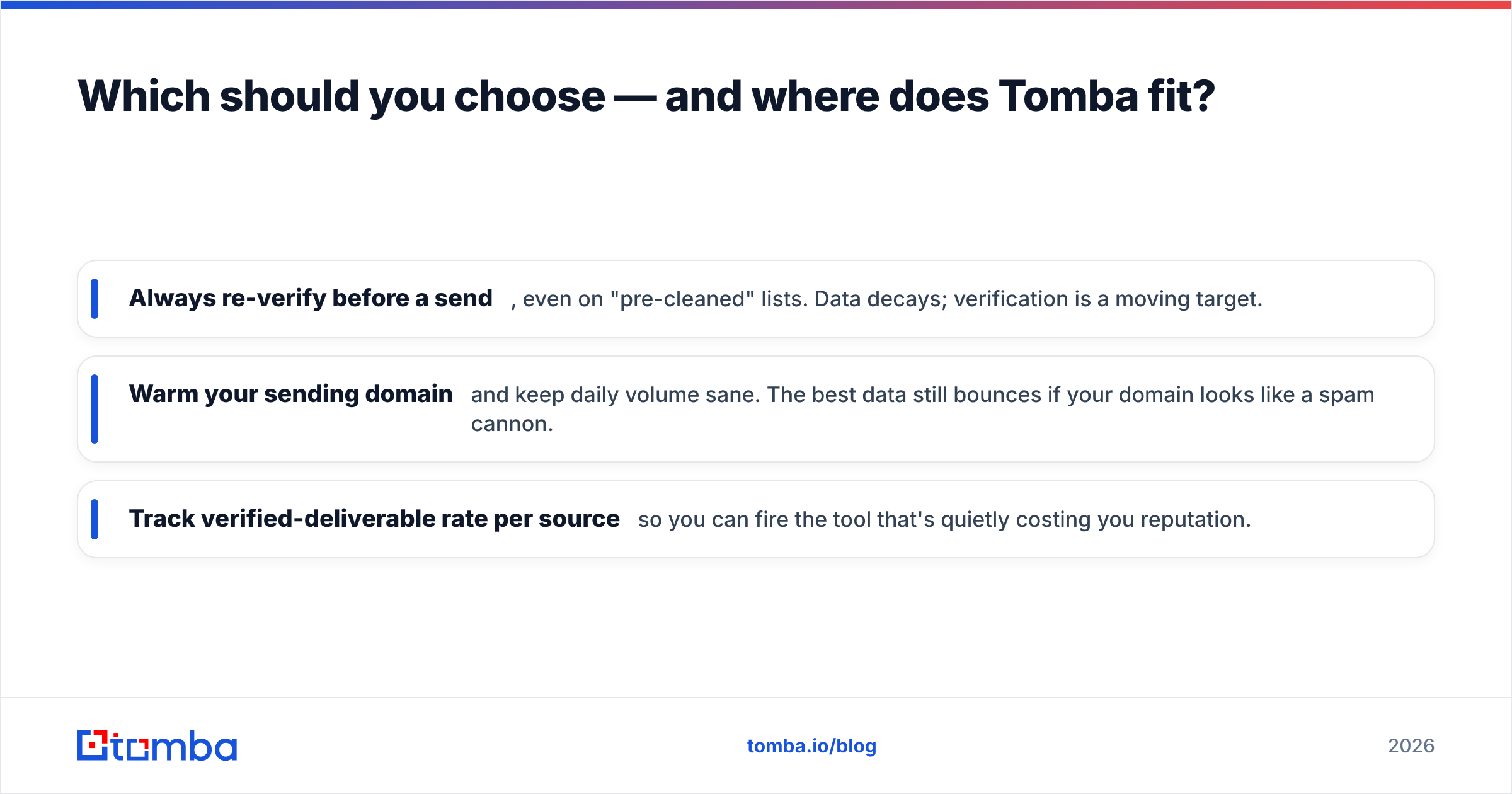
- Always re-verify before a send, even on "pre-cleaned" lists. Data decays; verification is a moving target.
- Warm your sending domain and keep daily volume sane. The best data still bounces if your domain looks like a spam cannon.
- Track verified-deliverable rate per source so you can fire the tool that's quietly costing you reputation.
For independent reviews of all three categories, cross-check user ratings on G2 and Capterra rather than trusting any single vendor's marketing page — including this one.

How do these tools handle scale and workflow?#
Once you move past a few hundred contacts a month, workflow ergonomics start to matter as much as accuracy.
FindThatLead scales through its Lead Search engine and bulk uploads, and the built-in sender means you can go from list to campaign in one place. The downside is concentration risk: when finding, verifying, and sending all live in one tool, a weak link in any stage drags the whole pipeline down, and you have no clean way to swap out just the bad part.
Clearalist scales by selling larger lists, which shifts the work from "find" to "trust and verify." That's lower effort up front but puts the entire quality burden on a verification step you don't control.
A modular stack — finder, verifier, and sender as separate, swappable components — is more work to set up but far more resilient. If your finder underperforms on a vertical, you replace the finder, not the whole system. Tomba is built for that modular approach: it does finding and verification well and hands sending off to your tool of choice through integrations and the API, rather than locking you into one sender.
For teams systematizing outbound, that separation pays off the first time you need to audit why a campaign bounced. With discrete tools, you can isolate the failure to a stage. With an all-in-one, you're guessing.
Final verdict: Clearalist vs FindThatLead in 2026#
FindThatLead is the safer general-purpose pick thanks to transparent pricing, broad features, and a real sending workflow — accept that its accuracy is "good enough," not "best in class." Clearalist suits buyers who want clean lists in a tight target market and are disciplined about re-verifying before they send.
But if you strip the comparison down to the question that decides campaign ROI — how many emails actually reach a human inbox? — neither tool's bundled verification is where it needs to be. That's the gap worth closing.
Start by running the same contact set through each option and measuring verified-deliverable rate, not raw returns. Then benchmark the Tomba Email Finder alongside them — pair it with the email verifier on the free tier (25 searches a month, no card) and compare bounce rates head-to-head. Your sender reputation is the one asset you can't buy back once it's gone, so let the deliverability numbers — not the feature lists — make the call.
// get started
Find, verify and enrich your first contacts today
Start on the free plan with 25 searches a month, then scale when your team is ready.
Free plan · No credit card required · GDPR & CCPA
// about the author