Clearalist vs Tomba 2026: Email Finder & Verifier Compared
Clearalist cleans lists, but can it find new contacts? We compare Clearalist vs Tomba on accuracy, finding, pricing, and API to show which fits your 2026 outbound stack.
Clearalist vs Tomba: Which Email Tool Actually Fills Your Pipeline in 2026?
Picking between Clearalist and Tomba comes down to one question most comparison posts skip: do you need to clean a list you already have, or do you need to build one in the first place? They sound like competitors. In practice they solve two different halves of the same problem.
TL;DR#
- Clearalist is a verifier first. It shines at scrubbing an existing list — bounces, traps, role accounts — but it does not generate net-new contacts for you.
- Tomba is a finder and a verifier. You start from a domain, name, or company and walk away with a deliverable email, then verify it in the same workflow.
- On price, both have free tiers. Tomba's paid plans start at $49/mo and bundle finding, verification, enrichment, and phone lookup under one credit pool.
- For cold outbound teams, the finder-plus-verifier model wins because the expensive bottleneck is sourcing contacts, not cleaning them.
- Pick Clearalist if you only ever upload lists you already own. Pick Tomba if you need to discover, verify, and enrich from scratch.

What is Clearalist?#
Clearalist is an email verification and list-cleaning service. You hand it a CSV of addresses you already collected — from a form, an export, a scraped list — and it tells you which ones are safe to send to. The core jobs it does well:
- Syntax and MX checks — catches malformed addresses and domains with no mail server.
- Bounce prediction — flags addresses likely to hard-bounce before you send.
- Spam trap and disposable detection — strips out the addresses that wreck sender reputation.
- Role-account flagging — marks
info@,sales@, and similar catch-all-ish inboxes.
That is genuinely useful work. A dirty list will tank your email deliverability faster than almost anything else, and a dedicated verifier is the right tool for that one job. The limitation is structural: Clearalist improves a list you bring. It does not answer the harder question — where does the list come from?
What is Tomba?#
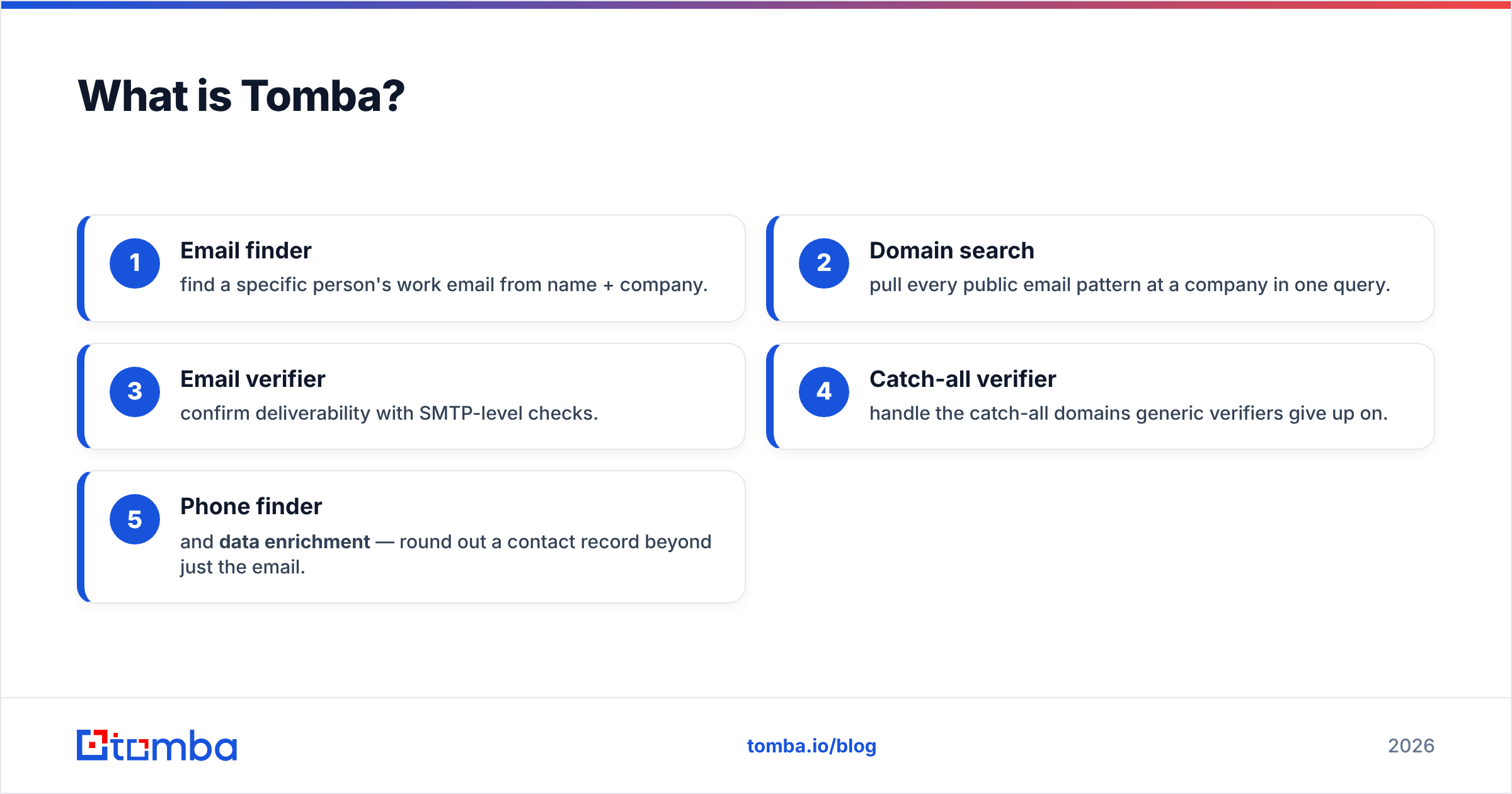
Tomba is a B2B email-finder and lead-enrichment platform. The starting point is not a list — it is a target. Give Tomba a company domain, a person's name, or a LinkedIn profile, and it returns a professional email address with a confidence score, then verifies it. The platform spans the whole sourcing-to-clean pipeline:
- Email finder — find a specific person's work email from name + company.
- Domain search — pull every public email pattern at a company in one query.
- Email verifier — confirm deliverability with SMTP-level checks.
- Catch-all verifier — handle the catch-all domains generic verifiers give up on.
- Phone finder and data enrichment — round out a contact record beyond just the email.
In other words, Tomba does Clearalist's job (verification) and the job that has to happen before it (finding). That is the crux of the whole comparison.
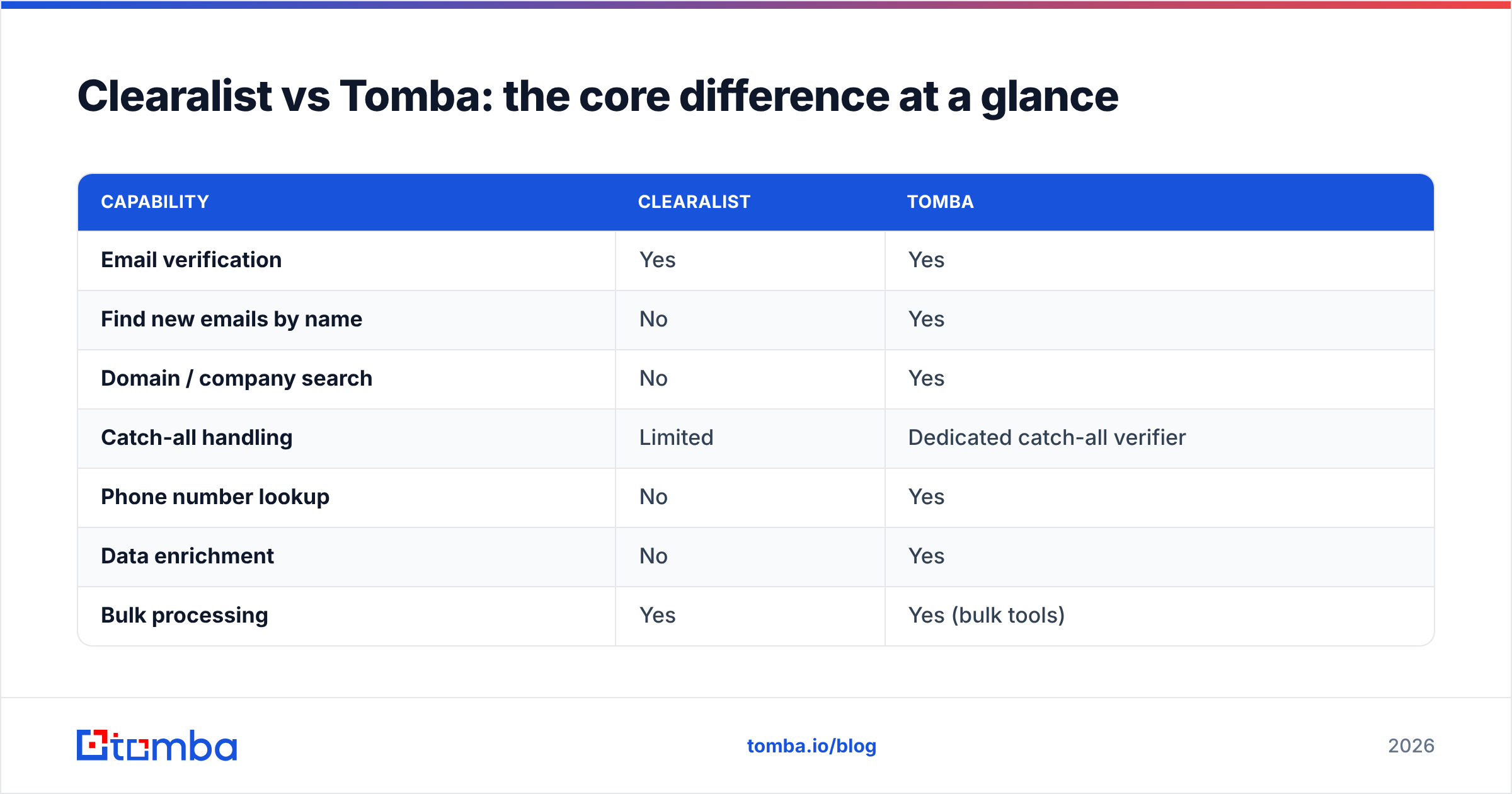
Clearalist vs Tomba: the core difference at a glance#
| Capability | Clearalist | Tomba |
|---|---|---|
| Email verification | Yes | Yes |
| Find new emails by name | No | Yes |
| Domain / company search | No | Yes |
| Catch-all handling | Limited | Dedicated catch-all verifier |
| Phone number lookup | No | Yes |
| Data enrichment | No | Yes |
| Bulk processing | Yes | Yes (bulk tools) |
| Native CRM integrations | Limited | HubSpot, Salesforce, Pipedrive, Zapier |
| Free tier | Yes | Yes (25 searches/mo) |
| API access | Verification only | Full finder + verifier API |
The pattern is hard to miss. Clearalist is a single column of "yes" in the verification row. Tomba covers the row above it — sourcing — which is where most outbound teams actually lose time and money.
Is Tomba better than Clearalist for cold outreach?#
For cold outreach, yes — and the reason is about where the bottleneck sits. Think of building a prospect list like cooking dinner. Verification is washing the vegetables. Finding the contacts is the grocery run. Clearalist hands you a great sink. Tomba drives you to the store and gives you the sink.
If your team already has a clean source of raw addresses — say, an existing CRM export or an opt-in newsletter list — then a standalone verifier covers you, and Clearalist does that competently. But cold outbound by definition starts with people who never gave you their email. You have to find those addresses. A verifier can only react to a list; it cannot create one.
This is why most cold email teams end up paying for two tools when they standardize on a verifier-only product: one to find, one to verify. Tomba collapses that into a single credit pool and a single API. Fewer moving parts, fewer handoffs, lower combined cost.
How do Clearalist and Tomba compare on accuracy?#
Accuracy means different things for each tool, so compare them on their own turf.
For verification accuracy, both run the standard gauntlet: syntax, MX, SMTP handshake, disposable and trap detection. The honest take is that any mature verifier — Clearalist, Tomba, or a dedicated competitor — lands in a similar deliverability range on clean B2B data. The real differentiator at the verification layer is catch-all handling. Catch-all domains accept every address at the SMTP level, so a naive verifier marks them "unknown" and you're stuck guessing. Tomba runs a dedicated catch-all finder that uses pattern data and historical signals to make a real call instead of a shrug.

For finding accuracy, there is no comparison to run — Clearalist does not find emails. Tomba's finder returns a confidence score per result and is transparent about where its data comes from, which matters when you're deciding whether to trust an address enough to send. When you need to validate that an address is real before it hits your sequence, Tomba's combined find-then-verify flow means the email you export has already cleared both gates.
Pricing: Clearalist vs Tomba#
Both tools offer a free tier so you can test before paying. The structural difference is what a paid credit buys you.
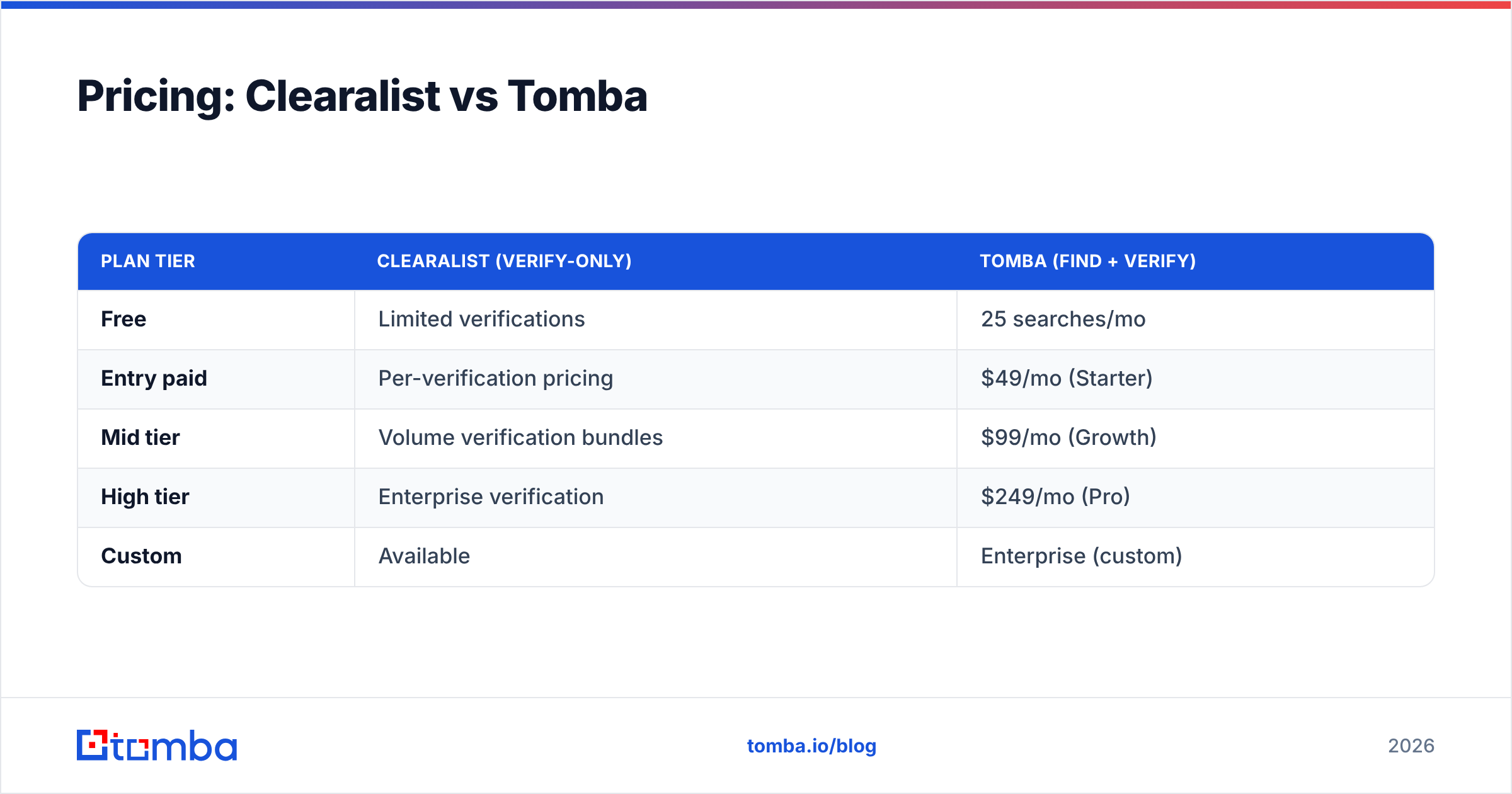
| Plan tier | Clearalist (verify-only) | Tomba (find + verify) |
|---|---|---|
| Free | Limited verifications | 25 searches/mo |
| Entry paid | Per-verification pricing | $49/mo (Starter) |
| Mid tier | Volume verification bundles | $99/mo (Growth) |
| High tier | Enterprise verification | $249/mo (Pro) |
| Custom | Available | Enterprise (custom) |
With a verify-only tool, every credit does one thing: it checks an address you already have. With Tomba, the same plan covers finding, verifying, domain search, enrichment, and phone lookup from one pool. If you would otherwise buy a finder and a verifier, the bundled model usually wins on total cost. You can see the full breakdown on the Tomba pricing page, but the headline is that the Starter plan at $49/mo replaces what would normally be two separate subscriptions.
A note on a common mistake: Tomba's entry plan is $49/mo, not $39. If you see a $39 figure quoted somewhere, it's stale.
Which integrations and API does each tool offer?#
This is where many teams get locked in for years, so it's worth a close look.
Clearalist exposes a verification API — useful for validating addresses at form-submit time or scrubbing a list programmatically. But because the product is verification-only, the API can only verify. There's no endpoint to find a contact.
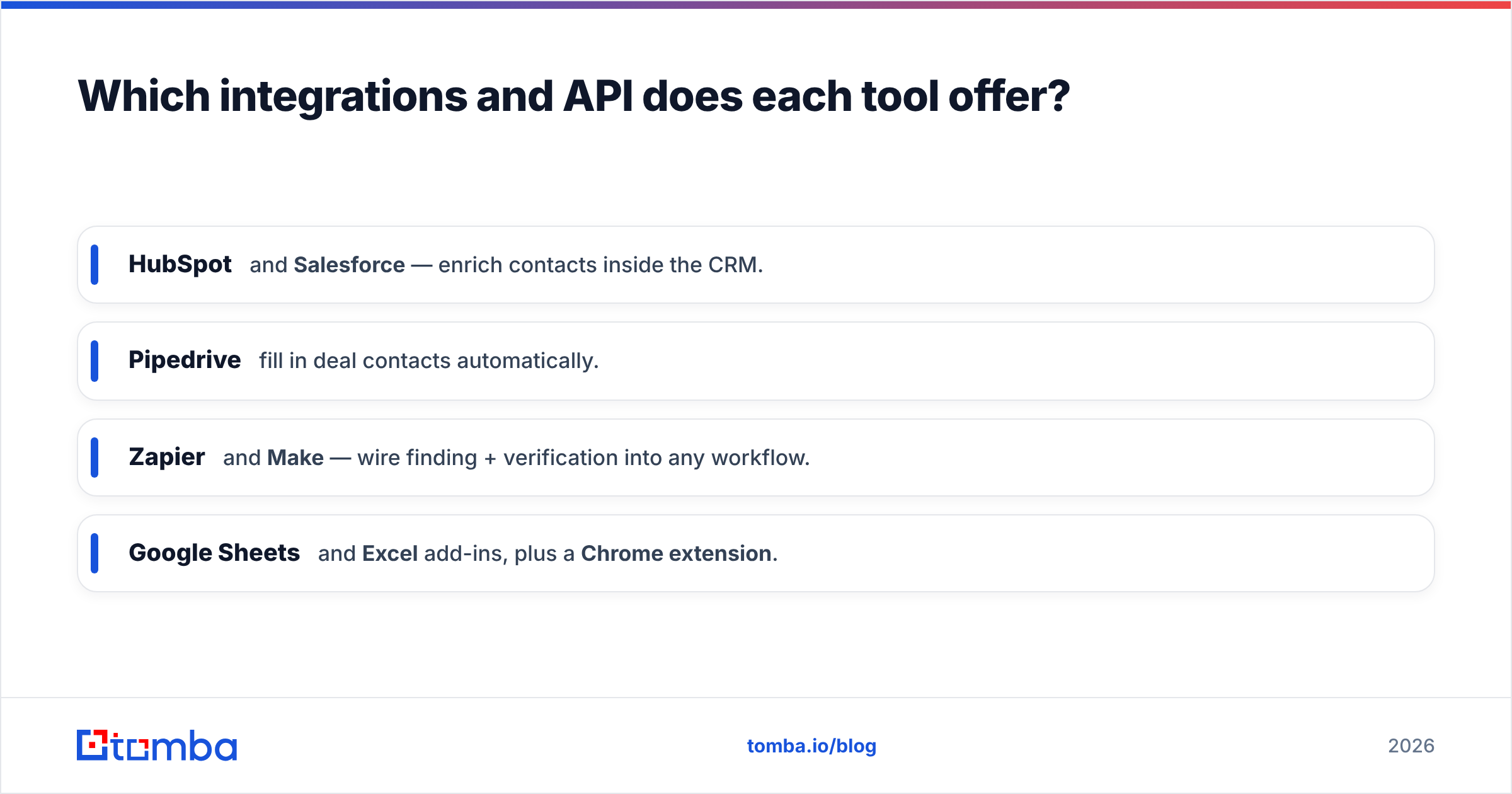
Tomba ships a full email finder API covering finding, domain search, verification, and enrichment, plus a command-line tool and an MCP server for AI agents. On the no-code side, Tomba connects natively to the tools sales teams already live in:
- HubSpot and Salesforce — enrich contacts inside the CRM.
- Pipedrive — fill in deal contacts automatically.
- Zapier and Make — wire finding + verification into any workflow.
- Google Sheets and Excel add-ins, plus a Chrome extension.
If your roadmap includes any agent-driven or programmatic sourcing, the find-capable API is the deciding factor. You cannot bolt a finder onto a verifier-only API later.

When should you actually choose Clearalist?#
Be fair to the tool. Clearalist is the right call in specific situations:
- You already own a large, raw list — an old CRM, an event scan dump, a newsletter export — and you just need it scrubbed before a send.
- Verification is your only gap. You have a separate, working source for new contacts and you don't want to change it.
- You want a narrow, single-purpose tool and prefer best-of-breed point solutions over a platform.
In those cases, a dedicated verifier is a clean fit, and Clearalist does that job without forcing you to pay for finding capabilities you won't use.
When should you choose Tomba?#
Choose Tomba when finding is part of the job — which, for most outbound and growth teams, it is:
- You build prospect lists from scratch. Cold outreach, ABM, recruiting, partnerships — anything where you start from a company or a name, not an email.
- You want one tool, one bill, one API instead of stitching a finder and a verifier together.
- You need catch-all resolution, phone numbers, or enrichment alongside the email.
- You're automating with AI agents or scripts and need a find-and-verify endpoint.
For a deeper dig on data sourcing, Tomba's B2B database and data sources pages explain the inputs behind every result — worth reading before you commit to any vendor, including the competition.
Clearalist vs Tomba: the honest verdict#
These tools are not really rivals — they overlap on verification and diverge everywhere else. Clearalist is a sharp, focused verifier. Tomba is a sourcing-to-clean platform that happens to include a verifier as good for the common cases.
The decision is almost mechanical:
- If your contacts already exist and you only need them cleaned → Clearalist (or any solid verifier) is enough.
- If you need to create the list — find the people, get their emails, confirm those emails, and enrich the record → Tomba, because a verifier alone cannot do the first three steps.
Most teams reading a "vs" post like this one are trying to grow pipeline, and growing pipeline means finding new contacts. That's the half Clearalist structurally can't cover.
Start finding and verifying in one place#
If your real problem is an empty list, not a dirty one, start with the Tomba Email Finder. Drop in a domain or a name, get a verified professional email with a confidence score, and push it straight into HubSpot, Salesforce, or a Google Sheet — finding and verification handled in the same flow, on a free tier that gives you 25 searches a month to test it with no card required. When you're ready to scale, the $49/mo Starter plan replaces what most teams pay two separate vendors to do. Find the contact, verify the contact, and skip the second subscription.
Sources and further reading: compare verification standards and vendor reviews on G2 and Capterra, and read up on the fundamentals of email verification before you choose.
// get started
Find, verify and enrich your first contacts today
Start on the free plan with 25 searches a month, then scale when your team is ready.
Free plan · No credit card required · GDPR & CCPA
// about the author