Click Through Rate Email Formula: How to Calculate CTR in 2026
The click through rate email formula is simple math, but most teams calculate it wrong. Here's the exact formula, benchmarks, and how to lift CTR in 2026.
Click Through Rate Email Formula: How to Calculate CTR in 2026
You can't fix what you measure wrong. If your reported email click-through rate looks great but your pipeline is dry, the problem usually isn't your copy — it's the formula behind the number. This guide gives you the exact click through rate email formula, the two ways teams calculate it (and why they disagree), 2026 benchmarks, and the concrete levers that move CTR up.
TL;DR#
- The click through rate email formula is:
CTR = (Unique Clicks ÷ Emails Delivered) × 100. Use delivered, not sent, and unique clicks, not total clicks. - Two metrics get confused: CTR (clicks ÷ delivered) and CTOR — click-to-open rate (clicks ÷ opens). They answer different questions.
- 2026 benchmarks: healthy marketing email CTR sits around 2–5%; cold outbound runs lower, often 1–3% with reply rate mattering more.
- CTR dies upstream: a bounced or invalid list inflates "sent" and tanks delivered-based CTR. Clean data with an email verifier before you blame the copy.
- Apple Mail Privacy Protection broke open rates, which makes CTR the more trustworthy engagement metric in 2026 — measure it correctly.
What is the click through rate email formula?#
The click through rate email formula is the percentage of delivered emails that produced at least one click on a link or button:
CTR = (Unique Clicks ÷ Emails Delivered) × 100
Think of it like a store. Sent is how many flyers you printed. Delivered is how many actually landed in mailboxes. Opens are people who walked in the door. Clicks are people who picked up a product. CTR measures clicks against everyone who got a flyer that landed — not everyone who walked in.
Two decisions inside that formula change your number dramatically:
- Delivered vs. sent. Always divide by delivered. If you blast 10,000 emails and 1,500 bounce, you delivered 8,500. Dividing clicks by 10,000 understates real engagement and hides a list-quality problem.
- Unique vs. total clicks. Unique clicks counts one click per recipient. Total clicks counts every click, so one excited reader hammering three links inflates the rate. Unique clicks is the honest denominator-mate for reporting.
A worked example#
You send a campaign to 10,000 contacts. 500 bounce. 9,500 are delivered. 380 unique recipients click.
CTR = (380 ÷ 9,500) × 100 = 4.0%
If you'd lazily divided by the 10,000 you sent, you'd report 3.8% — and you'd never notice that 500 dead addresses were quietly dragging you toward the spam folder.

What's the difference between CTR and CTOR?#
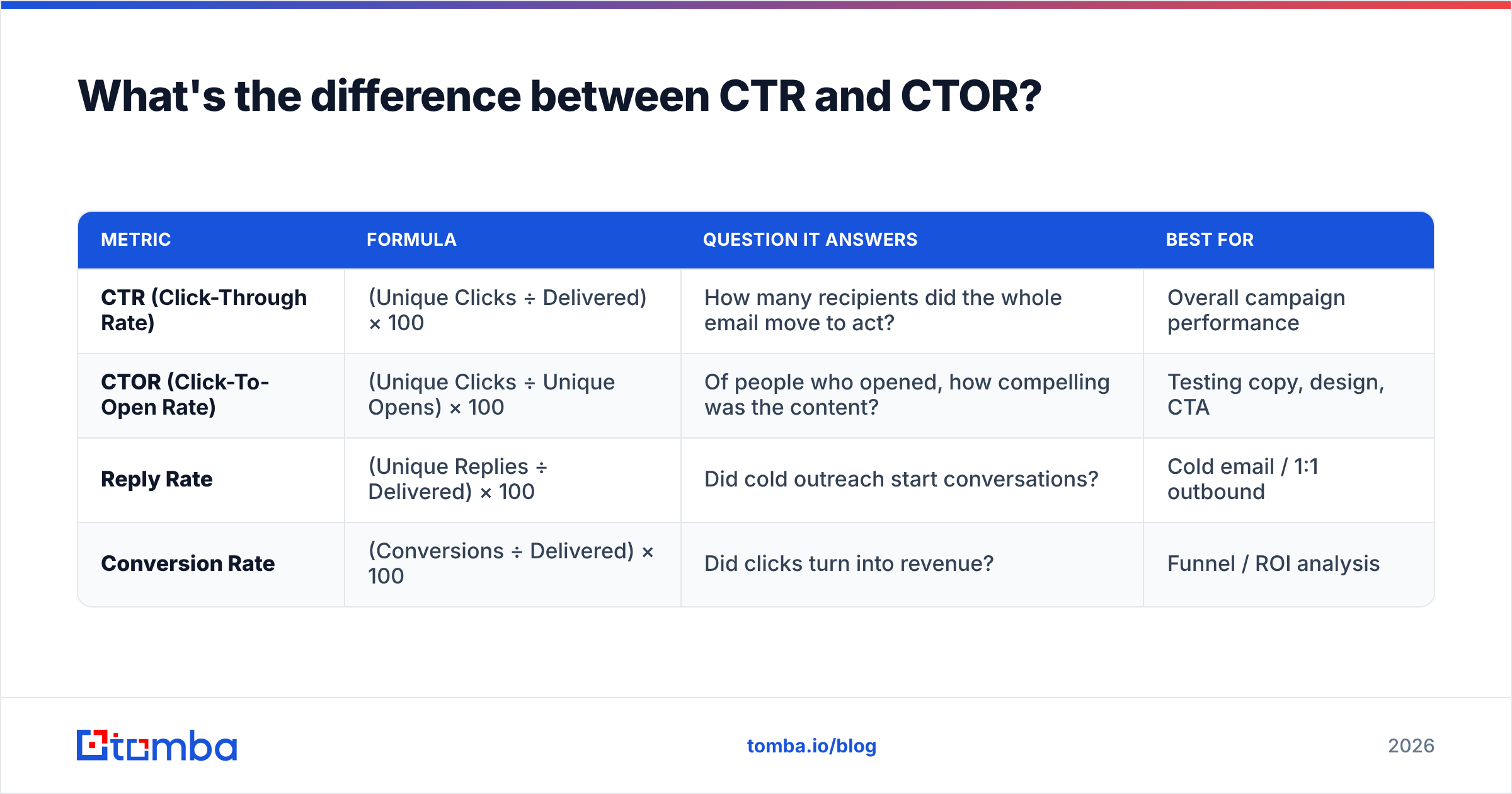
CTR and click-to-open rate (CTOR) get used interchangeably, and that mix-up wrecks reporting. They share a numerator but use different denominators, so they answer different questions.
| Metric | Formula | Question it answers | Best for |
|---|---|---|---|
| CTR (Click-Through Rate) | (Unique Clicks ÷ Delivered) × 100 | How many recipients did the whole email move to act? | Overall campaign performance |
| CTOR (Click-To-Open Rate) | (Unique Clicks ÷ Unique Opens) × 100 | Of people who opened, how compelling was the content? | Testing copy, design, CTA |
| Reply Rate | (Unique Replies ÷ Delivered) × 100 | Did cold outreach start conversations? | Cold email / 1:1 outbound |
| Conversion Rate | (Conversions ÷ Delivered) × 100 | Did clicks turn into revenue? | Funnel / ROI analysis |
When to use which: CTR judges the campaign end to end — subject line, sender, timing, and body all roll up into it. CTOR isolates the content by removing the subject-line and deliverability variables, so it's your A/B testing metric. One caveat for 2026: because Apple Mail Privacy Protection auto-loads images and fakes "opens," CTOR's denominator is now polluted for a big slice of your list. That's exactly why CTR — which never depends on an open being real — has become the more reliable headline number.
How do you calculate email CTR step by step?#
Walk it through in five steps. Each one is a place teams quietly go wrong.
- Start with delivered, not sent. Pull the delivered count from your ESP. Subtract hard and soft bounces from sent if your tool only reports sent.
- Use unique clicks. In your reporting tool, select "unique" clicks so one person clicking five times counts once.
- Divide and multiply.
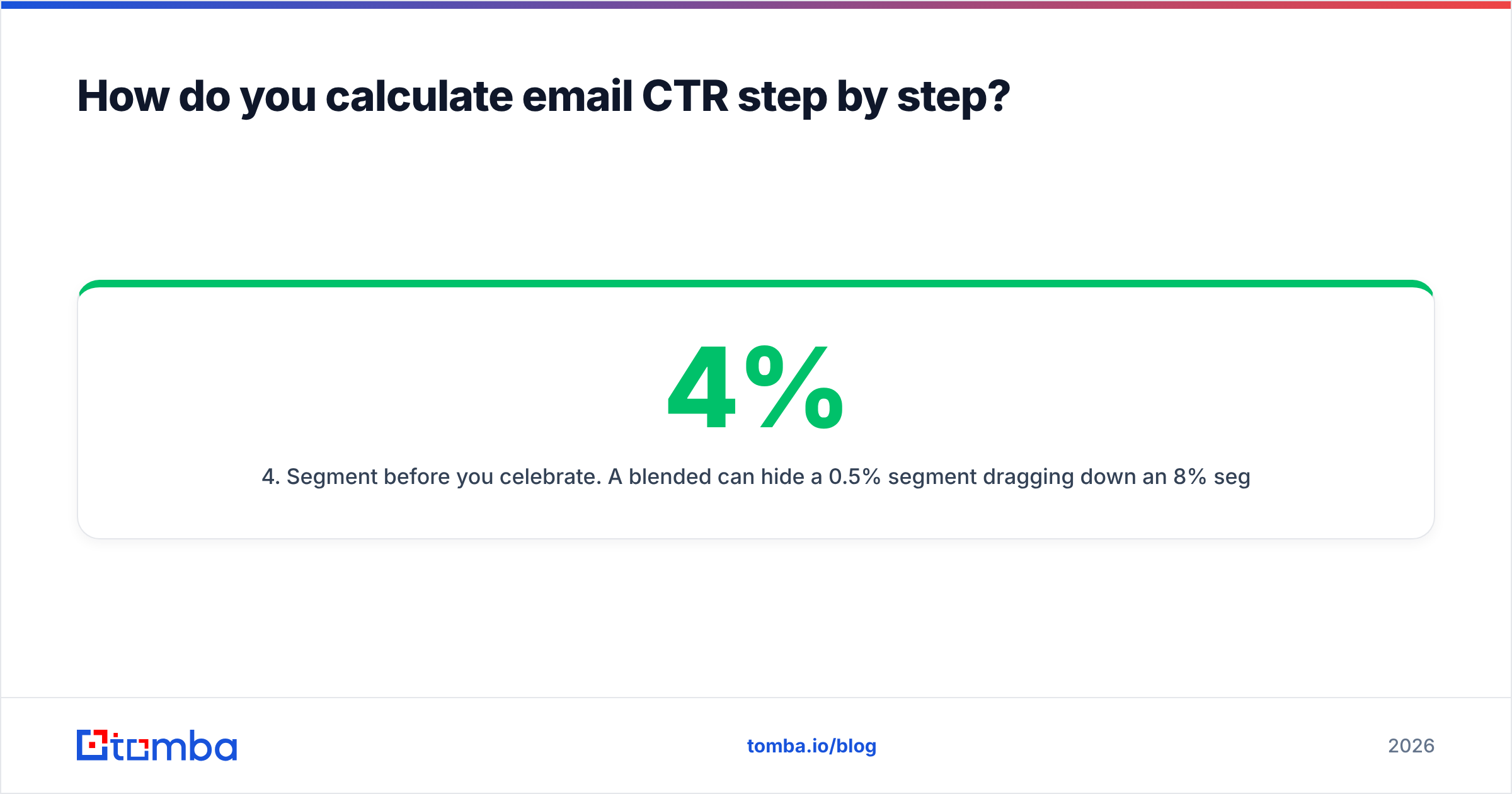
(Unique Clicks ÷ Delivered) × 100. That's your raw CTR. - Segment before you celebrate. A blended 4% can hide a 0.5% segment dragging down an 8% segment. Calculate CTR per audience, per device, and per send.
- Trend it over time. A single CTR is a snapshot; the slope matters more. Track it weekly against your response rate to see whether clicks actually become conversations.
For a quick reference on how the major platforms define these denominators, HubSpot's email marketing benchmarks and Mailchimp's email benchmark report both publish per-industry numbers worth bookmarking.
What is a good email click-through rate in 2026?#
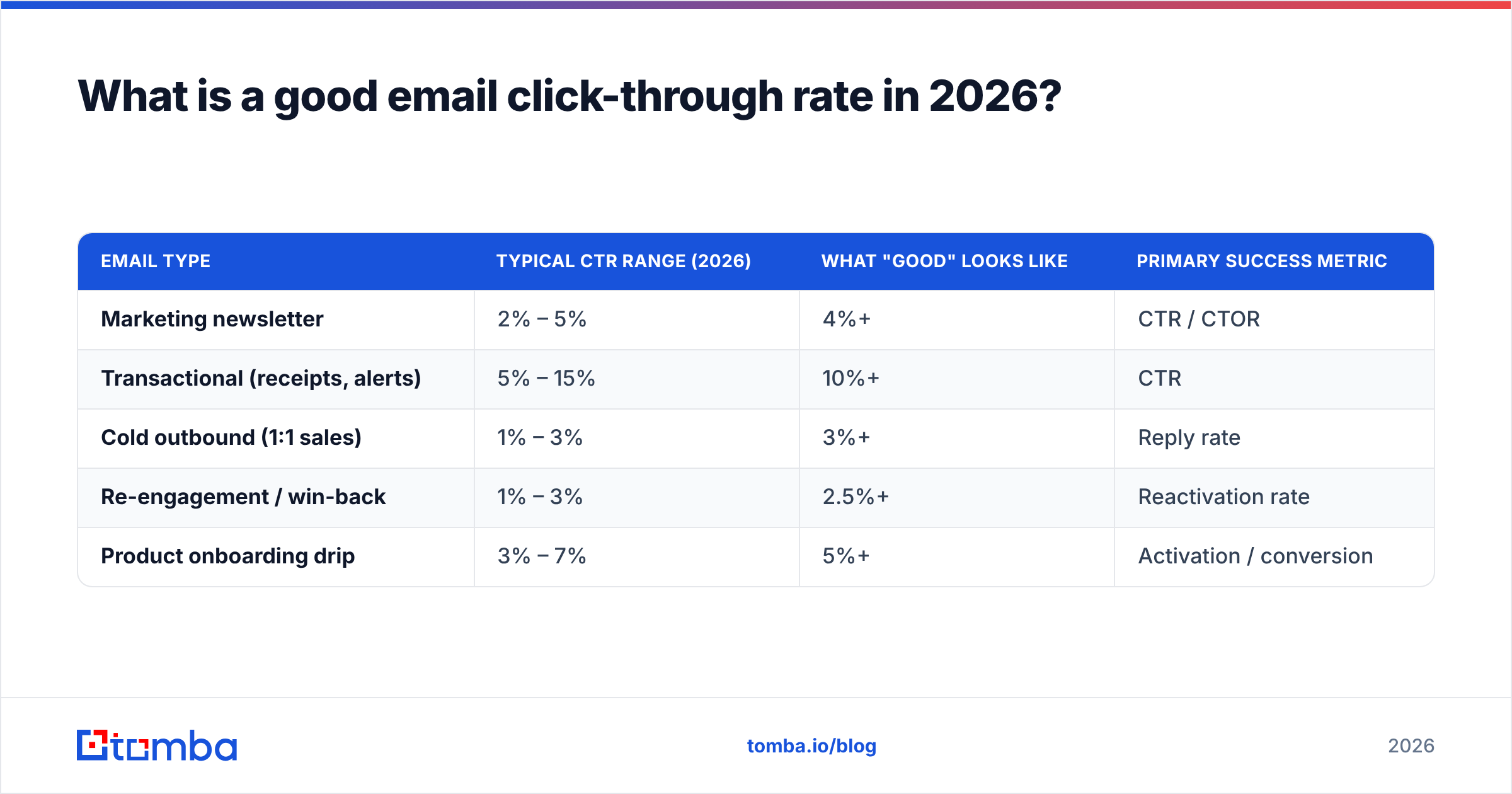
A good CTR depends entirely on email type, and the single biggest mistake is comparing cold outbound against newsletter benchmarks.
| Email type | Typical CTR range (2026) | What "good" looks like | Primary success metric |
|---|---|---|---|
| Marketing newsletter | 2% – 5% | 4%+ | CTR / CTOR |
| Transactional (receipts, alerts) | 5% – 15% | 10%+ | CTR |
| Cold outbound (1:1 sales) | 1% – 3% | 3%+ | Reply rate |
| Re-engagement / win-back | 1% – 3% | 2.5%+ | Reactivation rate |
| Product onboarding drip | 3% – 7% | 5%+ | Activation / conversion |
Two honest truths about these numbers. First, list quality sets your ceiling. You cannot out-copy a list full of invalid or catch-all addresses — the clicks-per-delivered math punishes you the moment those addresses bounce or sink your domain reputation. Second, cold email plays a different game. A 2% CTR on cold outbound that books five meetings beats a 6% CTR on a newsletter that sells nothing. For cold campaigns, weight reply rate and meetings over raw clicks.
If your CTR is consistently below the floor of your category, the diagnosis is almost always one of three things: a dirty list, a deliverability problem putting you in spam, or a weak/missing call to action. The first two are data problems, not copy problems.
Why does data quality decide your email CTR?#
Because every bad address in your list silently corrupts both halves of the formula. Here's the chain reaction, and it's the most overlooked part of the entire CTR conversation.
- Invalid addresses bounce, shrinking your delivered count and signaling mailbox providers that you don't maintain your list.
- Bounces hurt email deliverability, so even your valid contacts start landing in spam — fewer opens, fewer clicks, lower CTR.
- Spam-trap hits and low sender reputation can throttle an entire domain, capping CTR no matter how sharp the copy is.
So the fastest CTR win for most teams isn't a new subject line — it's cleaning the list. Run addresses through an email verifier to strip invalids before send, and use a catch-all verifier to handle the domains that accept everything and tell you nothing. If you're building lists from scratch, sourcing verified addresses with an accurate email finder means your denominator starts clean instead of needing rescue.

How do you improve email click-through rate?#
CTR moves when you fix the right layer. Work top-down — deliverability, then targeting, then copy — because a brilliant CTA never gets clicked from the spam folder.
1. Fix deliverability first#
Authenticate your domain (SPF, DKIM, DMARC), warm new sending domains, and keep bounce rates under 2%. Check your records with a free SPF checker and scan your domain against a blacklist checker before a big send. Landing in the inbox is the price of entry for any click.
2. Tighten targeting and segmentation#
A relevant email to 1,000 people beats a generic one to 10,000. Segment by role, industry, and intent. Enriching contacts with data enrichment lets you personalize beyond first name — referencing the company's tech stack or recent funding lifts relevance, and relevance is what gets clicks.
3. Make the CTA obvious and singular#
One primary action per email. Use a button, not a buried text link. Lead with the benefit ("See your team's pricing") not the mechanism ("Click here"). Multiple competing CTAs split attention and lower the unique-click rate.
4. Earn the click with the open#
The subject line and preview text are what get the email opened, and an unopened email has zero clicks. Test angles with a subject line generator and score them before sending. Curiosity plus specificity beats hype.
5. Test one variable at a time#
Use CTOR (not CTR) for content tests so you isolate the body from deliverability noise. Change the CTA copy, or the button color, or the placement — never all three at once — and let the click-to-open rate tell you what worked.
6. Time the send#
Send when your audience actually checks email. For B2B, mid-morning Tuesday–Thursday still outperforms Monday inboxes and Friday afternoons in most 2026 data. Segment send times by time zone for distributed lists.
How does CTR fit the rest of your email metrics?#
CTR is one gauge on the dashboard, not the whole engine. Read it alongside its neighbors or you'll optimize the wrong thing.
- Delivery rate sets the ceiling — no delivery, no clicks.
- Open rate (now unreliable post-Apple MPP) feeds the click opportunity.
- CTR measures whether the email drove action.
- Conversion rate measures whether that action made money.
- Reply rate is the real KPI for cold outbound.
- Unsubscribe/spam rate is the brake — a rising CTR alongside rising complaints means you're winning clicks from people you're also annoying.
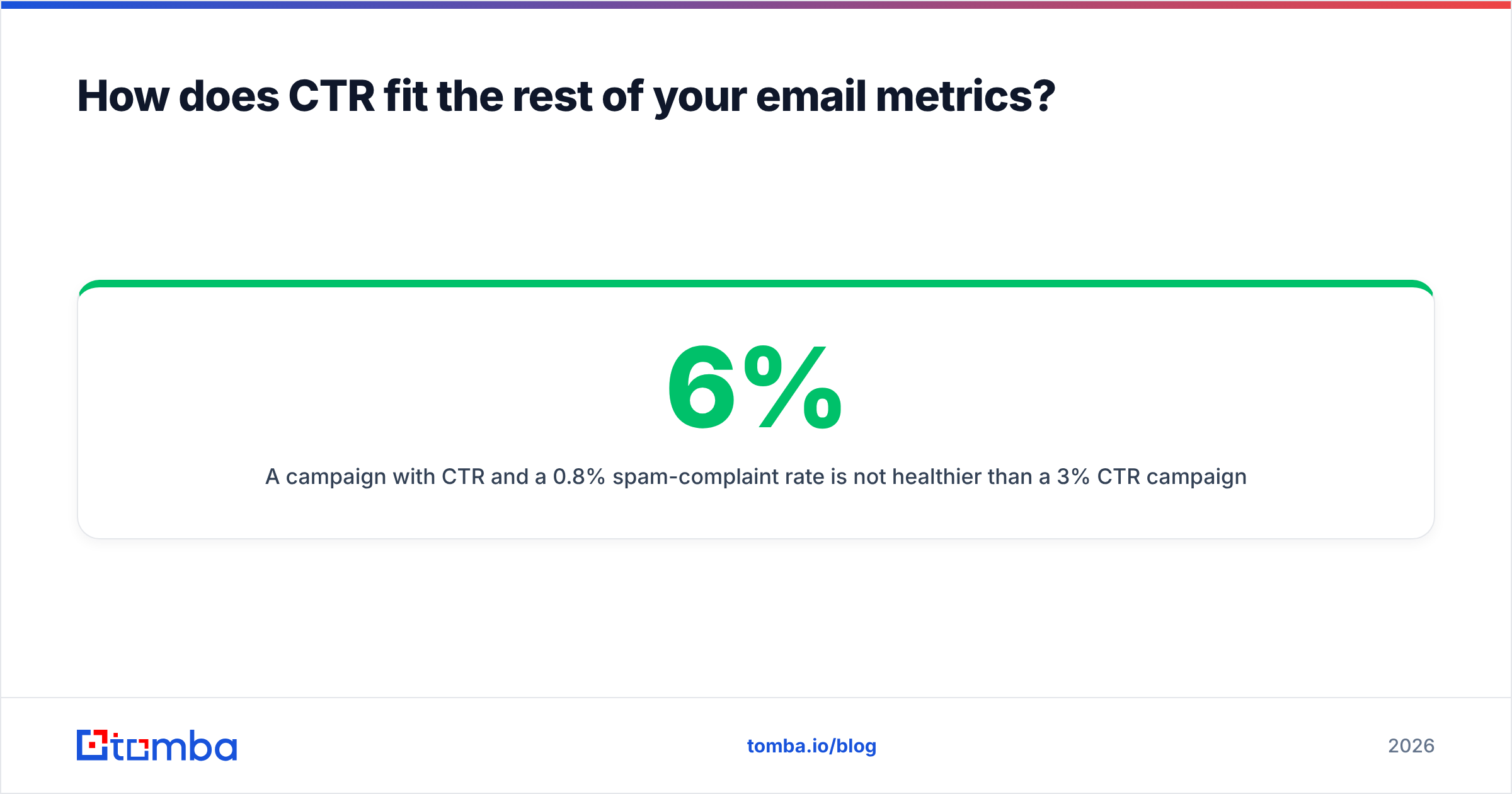
A campaign with 6% CTR and a 0.8% spam-complaint rate is not healthier than a 3% CTR campaign with near-zero complaints. Always read CTR next to the negative signals. For a vendor-neutral view on how engagement metrics map to deliverability, Google Postmaster Tools documentation is the authoritative source on what mailbox providers actually watch.
Common CTR formula mistakes to avoid#
- Dividing by sent instead of delivered — inflates the denominator, hides list rot.
- Using total clicks instead of unique — one power-clicker skews the whole report.
- Comparing cold email to newsletter benchmarks — different game, different floor.
- Trusting CTOR in 2026 without accounting for fake opens — Apple MPP poisons the denominator.
- Ignoring segmentation — a blended average masks both your best and worst audiences.
- Treating CTR as a copy metric — it's a data-and-deliverability metric first, copy second.
Get these six right and your CTR finally reflects reality instead of measurement noise.
Start with a clean list, not a clever subject line#
The click through rate email formula is (Unique Clicks ÷ Delivered) × 100 — simple math that only tells the truth when the denominator is clean. Most teams chase CTR with new copy when the real leak is upstream: invalid addresses bouncing, dragging deliverability, and capping every campaign before a word gets read.
Fix the input first. Build and clean your lists with Tomba's Email Finder to source verified, deliverable addresses, then run them through verification before each send. When your delivered count is real, your CTR becomes a metric you can actually act on. Check current Tomba pricing — the free tier gives you 25 searches a month to test list quality before you commit. Cleaner data is the highest-leverage CTR improvement you're not making.
// get started
Find, verify and enrich your first contacts today
Start on the free plan with 25 searches a month, then scale when your team is ready.
Free plan · No credit card required · GDPR & CCPA
// about the author