Clickback vs Tomba 2026: B2B Email Lead Tool Compared
Clickback blasts purchased B2B lists; Tomba finds and verifies real emails on demand. Here's which approach fits your 2026 pipeline, and the true cost of each.
Clickback vs Tomba: Which B2B Email Tool Should You Use in 2026?
Picking between Clickback and Tomba is really a choice between two philosophies of outbound. One hands you a marketing engine built to email purchased B2B contact lists at scale. The other hands you a precision instrument that finds and verifies the exact decision-makers you care about, one query or one bulk job at a time. They overlap on the word "email," and almost nowhere else.
This guide breaks down what each tool actually does, where the money goes, how the compliance picture differs, and which one belongs in your stack for 2026.
TL;DR#
- Clickback is a B2B email lead-generation and marketing platform built to send campaigns to cold, purchased contact lists — it bundles sending infrastructure, deliverability tooling, and list cleaning.
- Tomba is an email finder and verification platform: you give it a name or a domain, it returns verified professional email addresses you can drop into any sequencer or CRM.
- They are complementary categories, not true head-to-head rivals — but teams often pick one as the backbone of their outbound motion.
- On raw cost-to-start, Tomba wins decisively: a free tier plus a $49/mo Starter plan versus Clickback's enterprise-style quotes that typically run into four figures per month.
- Choose Tomba if you want clean, targeted, verified data feeding your own tools. Choose Clickback if you specifically want a managed engine to email large bought lists and are prepared for the compliance overhead.
What is Clickback?#
Clickback is a B2B email marketing platform positioned around a single, unusual capability: emailing cold contacts you did not opt in. Most mainstream email service providers — Mailchimp, HubSpot, Constant Contact — prohibit sending to purchased or cold lists. Clickback built its business around the gap, offering sending infrastructure, list hygiene, and reputation management designed to push cold B2B campaigns without instantly torching your domain.
In practice you upload a list (often one you bought or scraped), Clickback runs it through its cleaning and validation layer, and then sends campaigns through its own infrastructure rather than your primary domain. The pitch is volume: reach thousands of net-new contacts who have never heard of you.
That model carries real trade-offs. Cold-list emailing sits in a legal grey zone depending on jurisdiction — CAN-SPAM in the US is permissive about cold B2B email, but Canada's CASL and the EU's GDPR are far stricter. You're also paying for a managed system whose core job is to make a fundamentally risky tactic survivable.
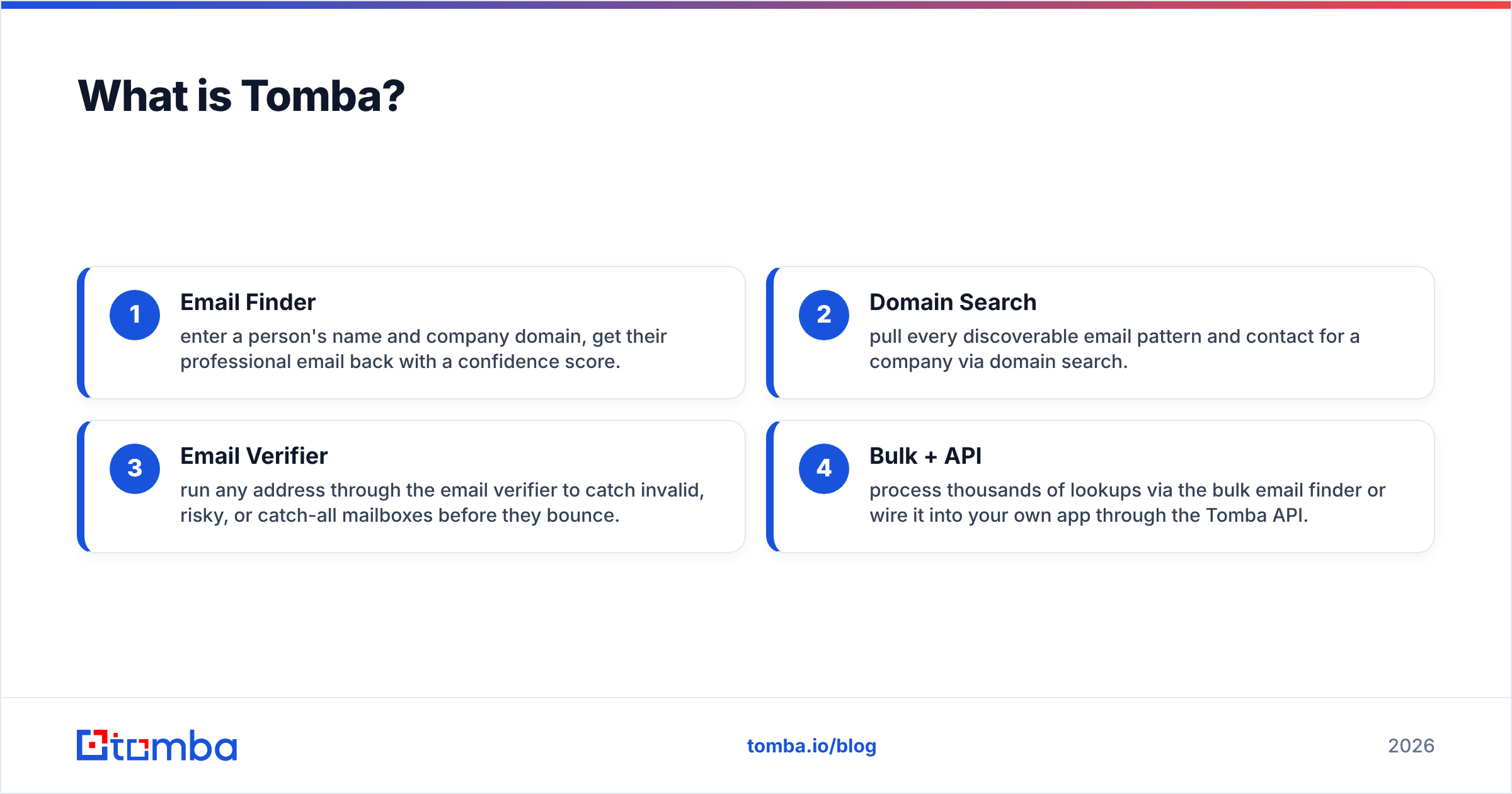
What is Tomba?#
Tomba is an email finder and verification platform. Instead of handing you a pile of purchased contacts, it lets you find the specific people you want and confirm their addresses are real before you ever hit send.
The core workflows:
- Email Finder — enter a person's name and company domain, get their professional email back with a confidence score.
- Domain Search — pull every discoverable email pattern and contact for a company via domain search.
- Email Verifier — run any address through the email verifier to catch invalid, risky, or catch-all mailboxes before they bounce.
- Bulk + API — process thousands of lookups via the bulk email finder or wire it into your own app through the Tomba API.
Tomba doesn't send your email. That's deliberate. It feeds clean data into whatever sender you already trust — Instantly, Smartlead, HubSpot, your own SMTP — so you control the sending reputation and the targeting. It's the difference between buying a crate of mystery fish and walking out with the exact three you wanted to catch.
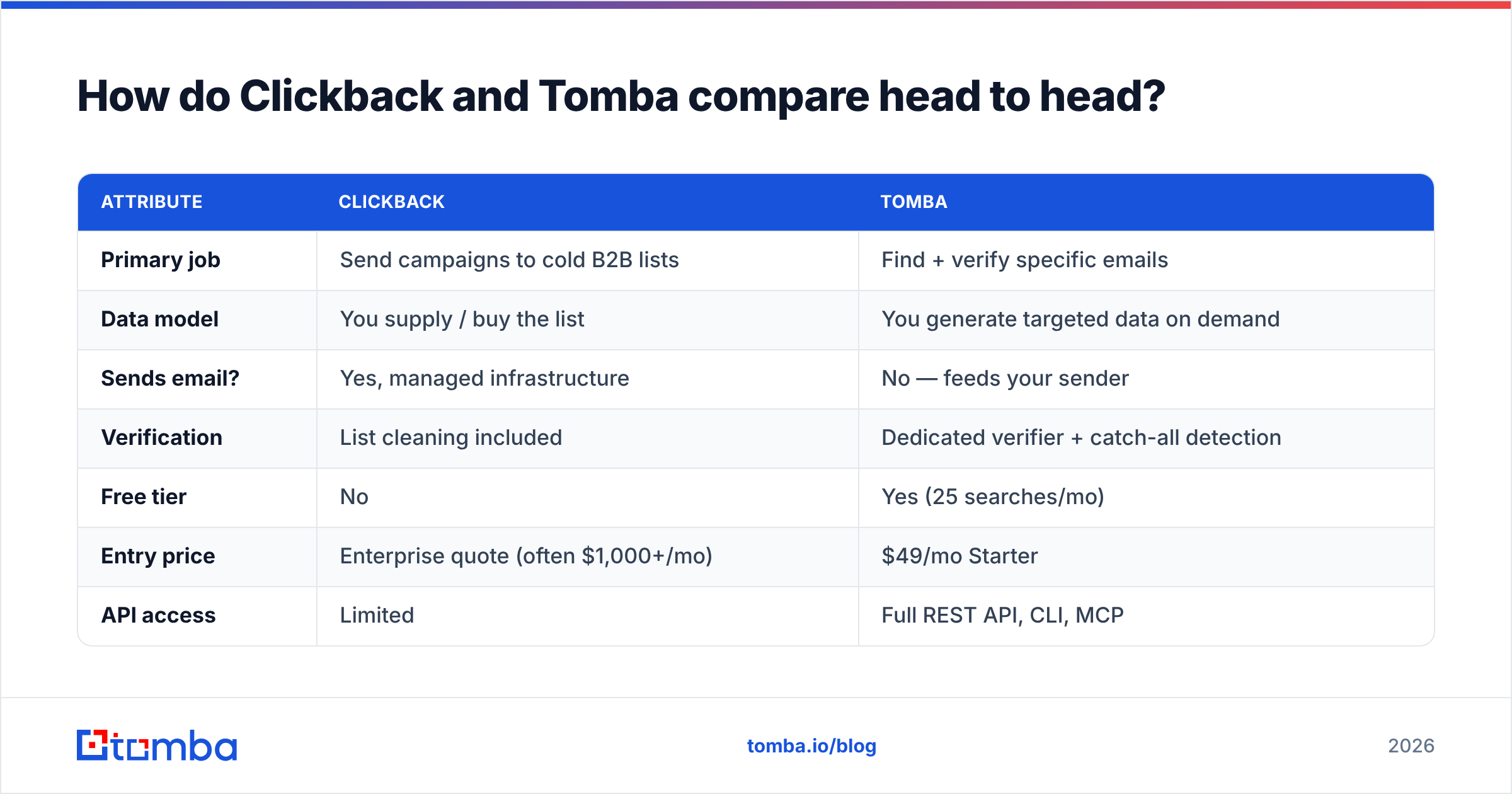
How do Clickback and Tomba compare head to head?#
| Attribute | Clickback | Tomba |
|---|---|---|
| Primary job | Send campaigns to cold B2B lists | Find + verify specific emails |
| Data model | You supply / buy the list | You generate targeted data on demand |
| Sends email? | Yes, managed infrastructure | No — feeds your sender |
| Verification | List cleaning included | Dedicated verifier + catch-all detection |
| Free tier | No | Yes (25 searches/mo) |
| Entry price | Enterprise quote (often $1,000+/mo) | $49/mo Starter |
| API access | Limited | Full REST API, CLI, MCP |
| Best for | Volume cold blasts | Precision outbound + enrichment |
| Compliance burden | High (cold-list sending) | Low (you target opt-in-friendly contacts) |
The table makes the real distinction obvious. Clickback is an outbound engine; Tomba is a data source. If you already have a sequencer you like, you don't need Clickback — you need accurate addresses to put in it, and that's Tomba's entire job.
Is Clickback or Tomba more accurate?#
Accuracy means different things for each tool, so compare them on the right axis.
Clickback's "accuracy" is about list hygiene — scrubbing a list you already have to reduce bounces before a blast. It's reactive cleanup on data of unknown origin. If the underlying list was scraped or stale, cleaning only catches the obvious dead addresses; it can't tell you whether "j.smith@acme.com" actually belongs to the right Jane Smith.
Tomba's accuracy is about sourcing the right address in the first place. Every result comes with a confidence score and a verification status, and the catch-all verifier handles the trickiest case — domains that accept all mail and defeat naive validators. Because Tomba builds addresses from observed patterns and public signals rather than reselling a static dump, the data is fresher at the moment you query it. You can read how Tomba sources records on its data sources page.
The practical upshot: cleaning a bad list still leaves you emailing the wrong people accurately. Finding the right person and verifying them is the higher-leverage move. Independent reviews on G2 consistently rate email-finding tools on exactly this — match rate against verified ground truth — rather than raw list volume.
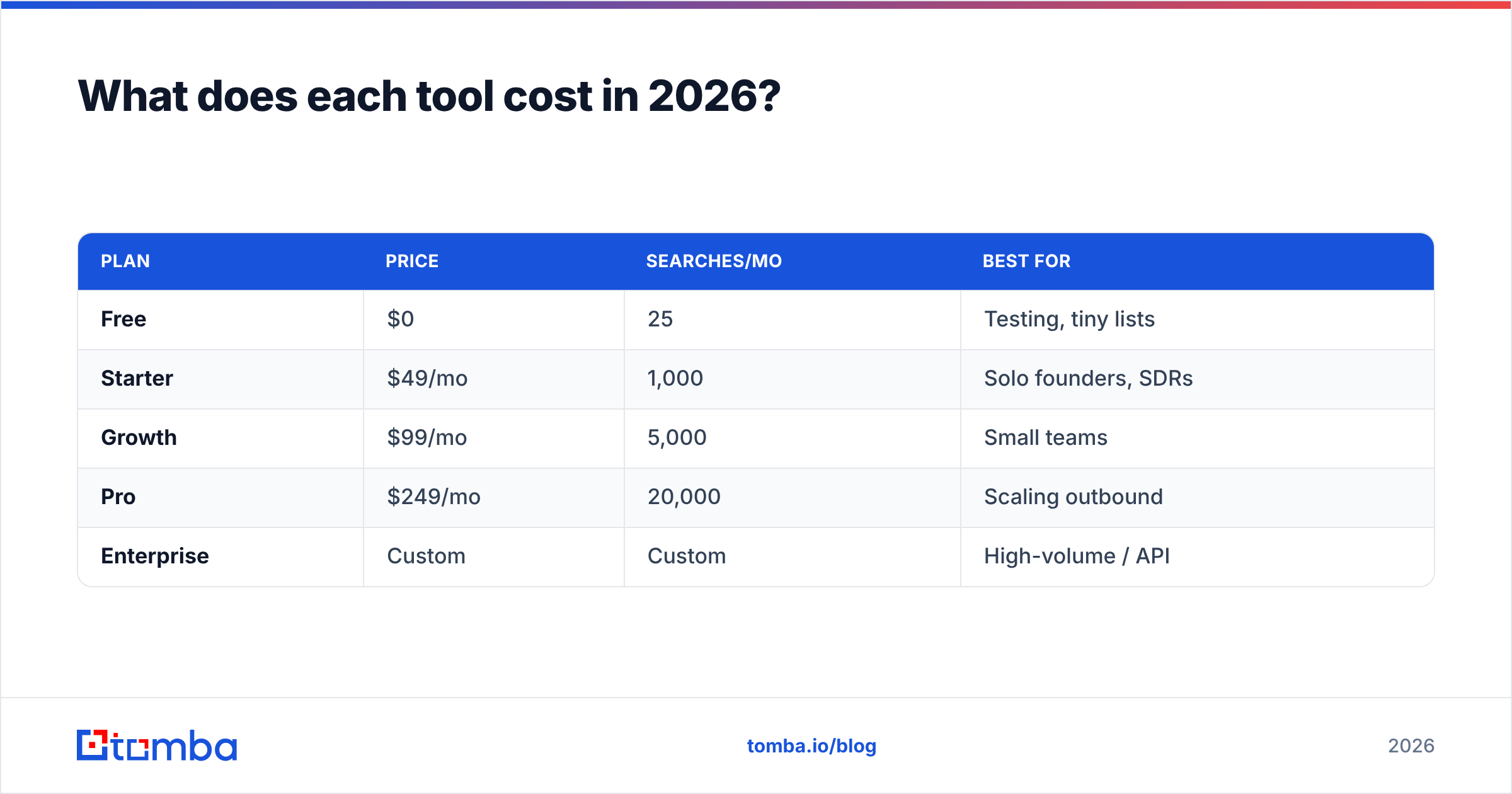
What does each tool cost in 2026?#
This is where the gap is starkest.
Tomba publishes simple, self-serve pricing:
| Plan | Price | Searches/mo | Best for |
|---|---|---|---|
| Free | $0 | 25 | Testing, tiny lists |
| Starter | $49/mo | 1,000 | Solo founders, SDRs |
| Growth | $99/mo | 5,000 | Small teams |
| Pro | $249/mo | 20,000 | Scaling outbound |
| Enterprise | Custom | Custom | High-volume / API |
Clickback does not publish transparent self-serve tiers. Pricing is quote-based and structured around contact volume and managed sending, and reported figures put real deployments well into four figures per month once you account for the platform plus the lists you feed it. There's no meaningful free tier to test with.
For a team that just wants verified emails to plug into existing tools, paying enterprise-engine prices makes little sense. You'd start with Tomba's free tier, confirm the match rate on your own target accounts, and scale up only when the pipeline justifies it.
Which one fits your workflow?#
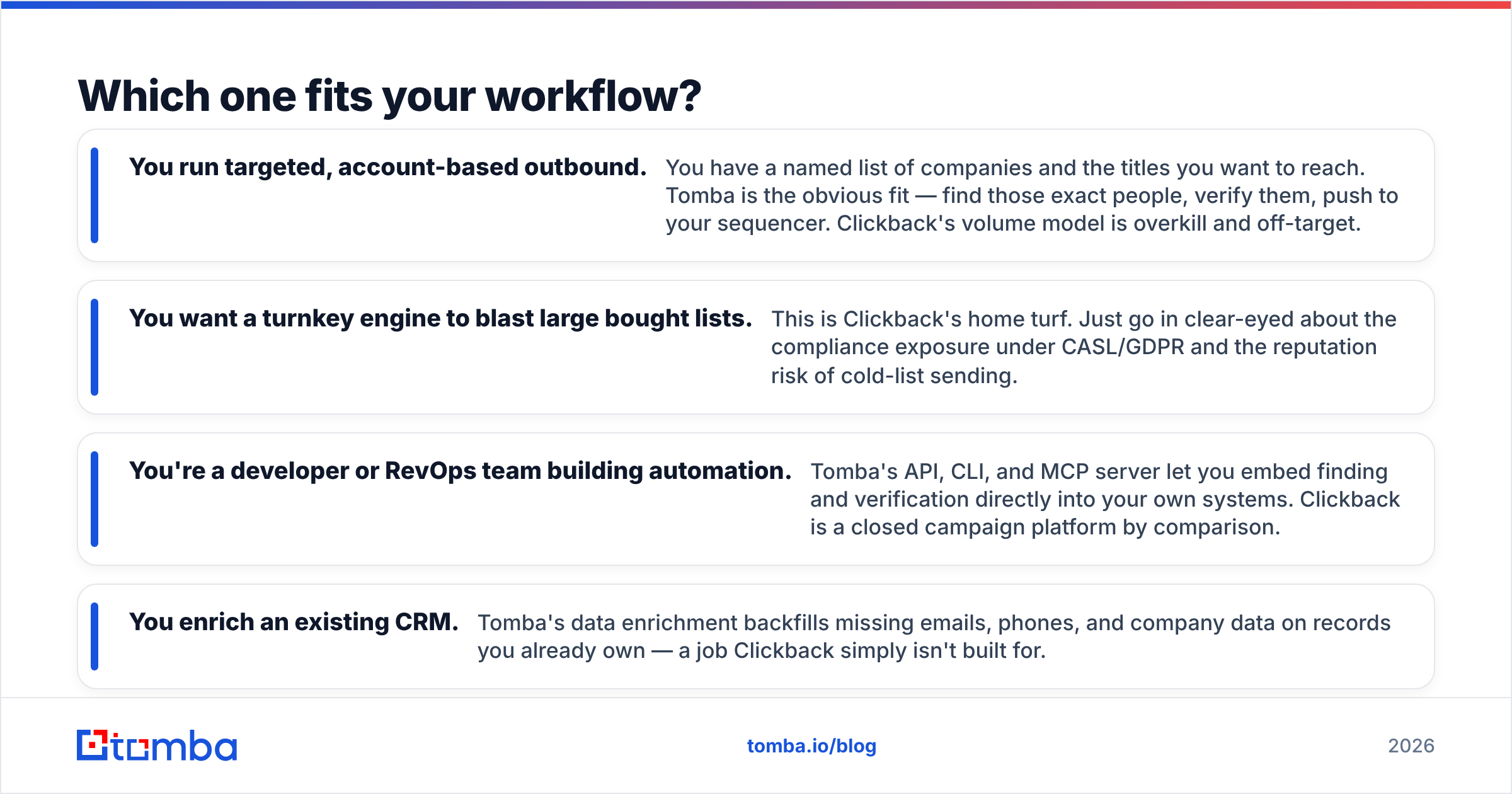
Map it to how your team actually runs outbound.
- You run targeted, account-based outbound. You have a named list of companies and the titles you want to reach. Tomba is the obvious fit — find those exact people, verify them, push to your sequencer. Clickback's volume model is overkill and off-target.
- You want a turnkey engine to blast large bought lists. This is Clickback's home turf. Just go in clear-eyed about the compliance exposure under CASL/GDPR and the reputation risk of cold-list sending.
- You're a developer or RevOps team building automation. Tomba's API, CLI, and MCP server let you embed finding and verification directly into your own systems. Clickback is a closed campaign platform by comparison.
- You enrich an existing CRM. Tomba's data enrichment backfills missing emails, phones, and company data on records you already own — a job Clickback simply isn't built for.
A useful mental model: Clickback answers "how do I send to a huge cold list?" Tomba answers "how do I get the right, verified contacts in the first place?" Most modern outbound teams have decided the second question is the one that actually moves reply rates — and that buying lists to blast is a fading 2010s tactic. Authoritative guides from vendors like HubSpot now lean hard toward permission-aware, targeted outreach over volume spraying.
Can you use both together?#
Technically yes, but it's rarely the smart spend. If you were committed to Clickback's sending engine, you could use Tomba to source and verify cleaner contacts before loading them — which would genuinely cut bounces and protect deliverability. But at that point you're paying enterprise pricing for a sender while also fixing its core weakness (data quality) with a second tool.
The more common and cheaper pattern: Tomba for data, a modern sequencer (Instantly, Smartlead, or your CRM's native sender) for sending, and proper warmup and authentication for deliverability. You get targeting, verification, and sending control for a fraction of a managed-blast platform's cost, and you keep your compliance footprint small by emailing people you deliberately chose rather than a bulk-bought list.
Clickback vs Tomba: the bottom line#
Clickback and Tomba aren't really competing for the same slot — they represent two different bets on how B2B email should work. Clickback bets on volume and managed cold-list sending. Tomba bets on precision: the right person, verified, fed into tools you already trust.
For the vast majority of teams in 2026 — founders, SDRs, RevOps, and developers — the precision bet is the better one. It's cheaper to start, lower-risk on compliance, and aligned with where deliverability and buyer expectations have moved. List blasting is loud; verified targeting converts.
If you want to test the targeted approach with zero risk, start with the Tomba Email Finder. The free tier gives you 25 searches a month to confirm the match rate against your own target accounts, and the $49/mo Starter plan covers a full SDR's pipeline. Find the exact people you want, verify them, and plug them straight into the sender you already use — no four-figure engine required.
Ready to find emails that actually work?
Join 150,000+ professionals who stopped guessing and started sending. Free credits on signup — no credit card required.
Get the Tomba newsletter
Practical outbound tactics and product updates — once every two weeks.
About the author