Clickback vs ZoomInfo (2026): Pricing, Data & Best Pick
Clickback vs ZoomInfo: one sends the cold email, the other supplies the data. See which fits your 2026 outbound stack — and the cheaper third option that beats both on price.
Choosing between Clickback and ZoomInfo is one of those comparisons that confuses teams because the two tools barely do the same job. One is a cold-email sending engine built to email purchased B2B lists. The other is a massive contact and company database used to build those lists in the first place. Picking the "winner" depends entirely on which problem you're actually trying to solve.
This guide breaks down what each platform does, where they overlap, what they cost in 2026, and which one belongs in your outbound stack. Spoiler: for a lot of teams, the honest answer is "neither at full price" — and we'll show you why.
TL;DR#
- Clickback is an email lead-generation platform: you upload a cold B2B list and it sends, tracks, and warms those contacts toward MQL status. It's a sending tool with built-in validation.
- ZoomInfo is a B2B data and intelligence platform: a huge contact/company database with intent data, enrichment, and workflow tooling. It's a sourcing tool, not a sender.
- They overlap only at the edges — Clickback needs data, ZoomInfo needs an outreach channel — so plenty of teams run both.
- Pricing is night and day: Clickback runs into the low thousands per year; ZoomInfo annual contracts routinely land at $15,000+ with seat minimums.
- If your real need is accurate, verified contact data without an enterprise contract, a focused tool like Tomba Email Finder covers the sourcing job for a fraction of either price.
What is Clickback?#
Clickback (clickback.com) is a Canadian software company focused on one specific outbound problem: emailing cold, purchased B2B contact lists at scale without torching your sender reputation. Its flagship product, Clickback MAIL, is positioned as "cold email lead generation" software — you bring a list of contacts you don't have an existing relationship with, and Clickback sends to them on dedicated infrastructure.
The key thing that separates Clickback from a normal email service provider (Mailchimp, Constant Contact) is that most ESPs explicitly ban cold or purchased lists. Clickback is built around that exact use case, with list cleaning, spam-trap removal, and dedicated IPs designed to keep cold sends landing.
What Clickback does well:
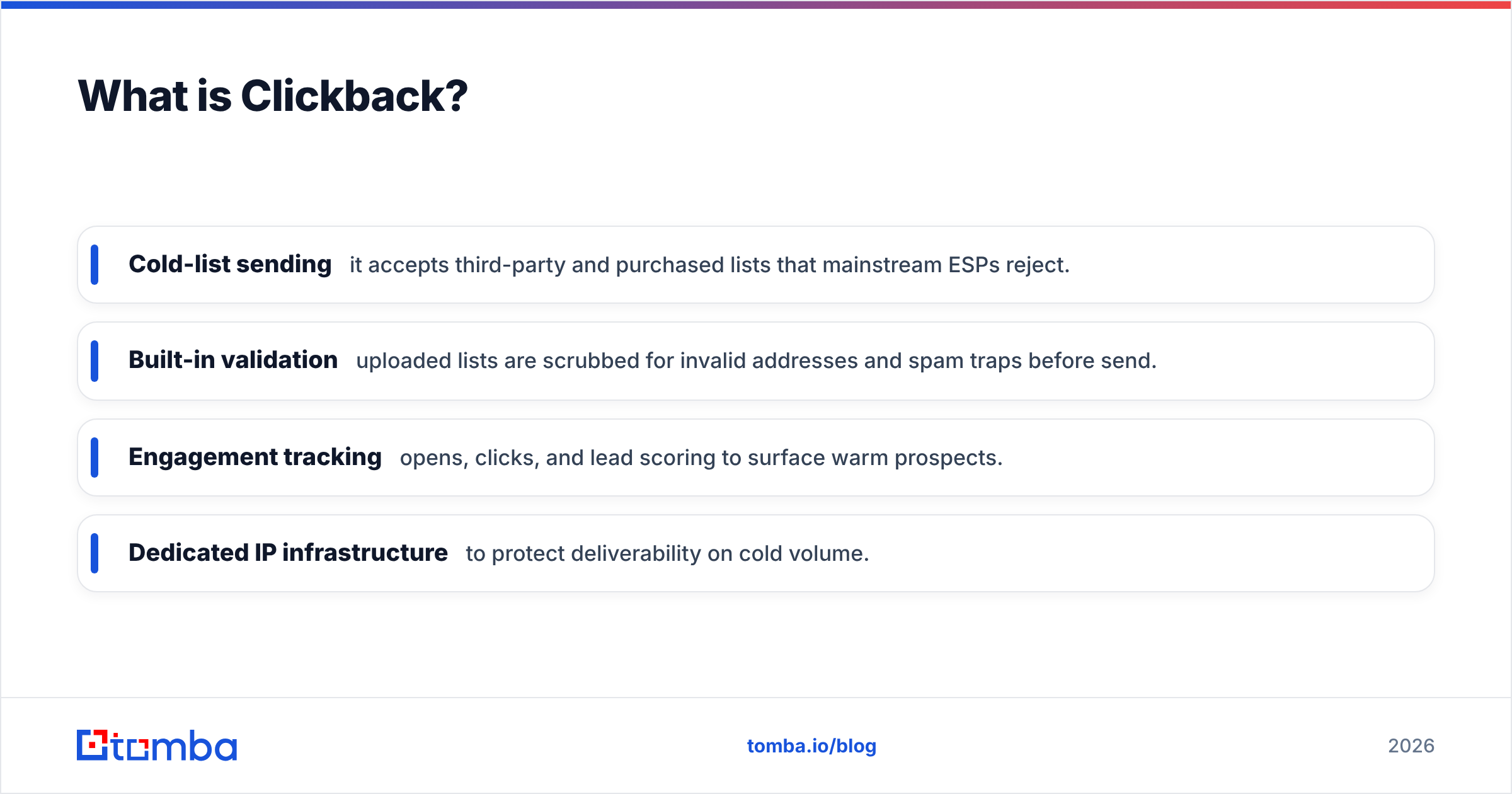
- Cold-list sending — it accepts third-party and purchased lists that mainstream ESPs reject.
- Built-in validation — uploaded lists are scrubbed for invalid addresses and spam traps before send.
- Engagement tracking — opens, clicks, and lead scoring to surface warm prospects.
- Dedicated IP infrastructure — to protect deliverability on cold volume.
What Clickback is not: a contact database. It does not hand you the leads. You still have to source the list elsewhere, which is exactly where a tool like ZoomInfo (or a cheaper email finder) enters the picture.
What is ZoomInfo?#
ZoomInfo (zoominfo.com) is the opposite end of the stack. It's one of the largest B2B data intelligence platforms in the world — a searchable database of hundreds of millions of business contacts and millions of companies, layered with intent signals, technographics, org charts, and enrichment.
Sales and marketing teams use ZoomInfo to find and prioritize prospects: filter by industry, title, company size, and tech stack; see which accounts are showing buying intent; then push that data into a CRM or sequencing tool. It is a sourcing and prioritization engine, not a sending engine.
What ZoomInfo does well:
- Scale of data — one of the deepest B2B contact and company datasets available.
- Intent data — surfaces accounts researching topics relevant to your product.
- Enrichment & CRM sync — keeps Salesforce and HubSpot records fresh.
- Workflow tooling — alerts, scoops, and org charts for account-based plays.
What ZoomInfo is not: an outreach platform. Yes, it has add-on sequencing (Engage), but the core product is data. You still need a channel to actually contact the people you find — which is where Clickback, or your own ESP, comes in.
Clickback vs ZoomInfo: how do they actually differ?#
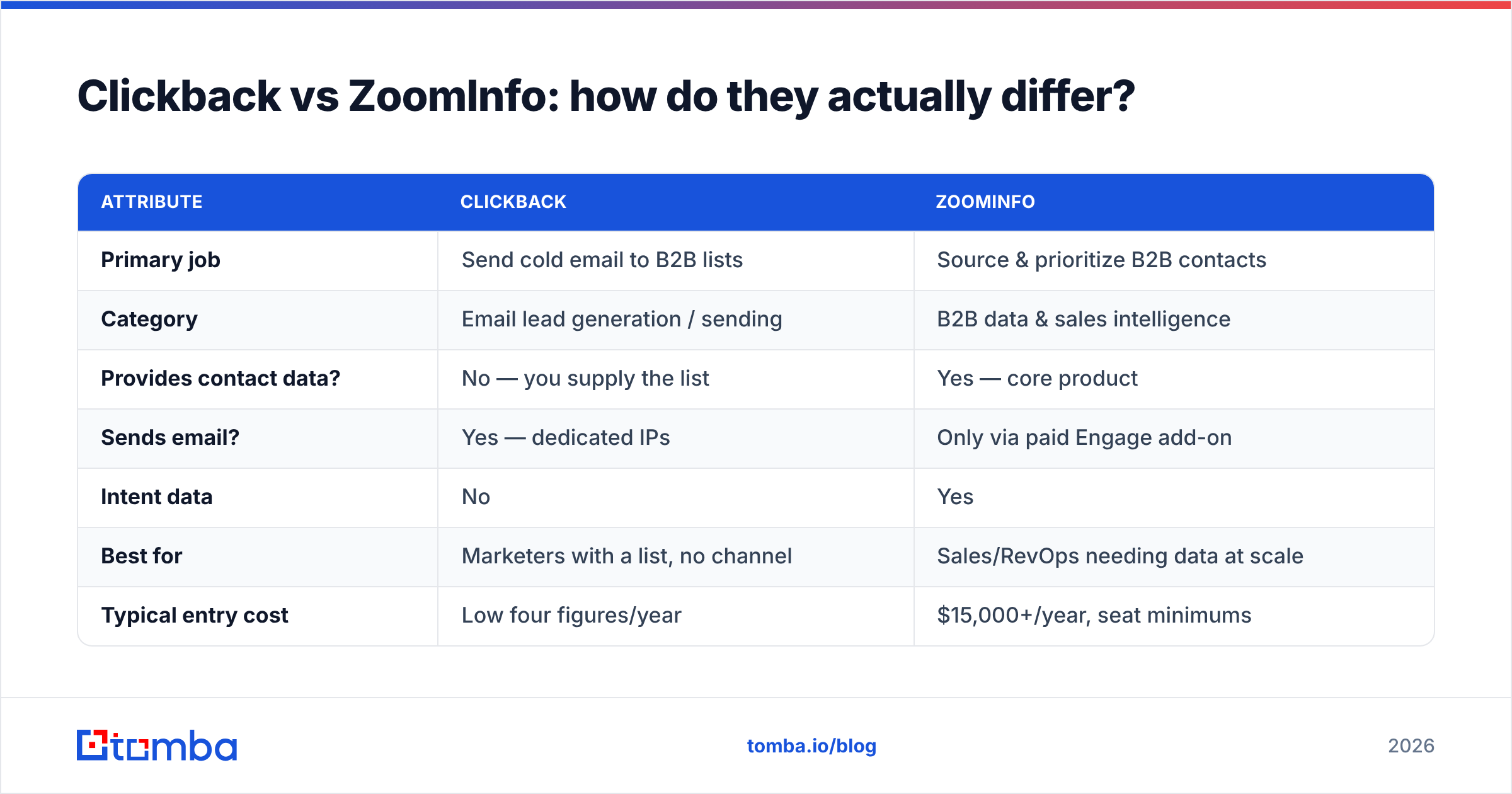
The cleanest way to think about it: ZoomInfo gives you the list; Clickback sends to the list. Here's the side-by-side.
| Attribute | Clickback | ZoomInfo |
|---|---|---|
| Primary job | Send cold email to B2B lists | Source & prioritize B2B contacts |
| Category | Email lead generation / sending | B2B data & sales intelligence |
| Provides contact data? | No — you supply the list | Yes — core product |
| Sends email? | Yes — dedicated IPs | Only via paid Engage add-on |
| Intent data | No | Yes |
| Best for | Marketers with a list, no channel | Sales/RevOps needing data at scale |
| Typical entry cost | Low four figures/year | $15,000+/year, seat minimums |
| Contract style | Flexible volume tiers | Annual, often multi-seat |
Notice that the rows barely conflict. The only genuine overlap is "do you want one vendor to do both?" — and neither tool does the other's job well. Clickback's data is whatever you feed it; ZoomInfo's sending is a bolt-on most teams don't buy.
Where each one wins#
- You have a purchased list and need it sent → Clickback. This is its home turf. No mainstream ESP will touch a cold list; Clickback is purpose-built for it.
- You need to build targeted lists from scratch → ZoomInfo. Filtering 100M+ contacts by firmographics and intent is something Clickback simply cannot do.
- You're account-based and need intent signals → ZoomInfo. Knowing who's in-market is the entire value proposition.
- You're budget-constrained and just need verified emails → neither, at full price. A dedicated finder/verifier is far cheaper. More on that below.
Is ZoomInfo worth the price over Clickback?#
It depends on whether you need data or distribution — they're not substitutes. But the price gap is the elephant in the room. ZoomInfo is famous for opaque, sales-rep-gated pricing that frequently starts around $15,000/year and climbs steeply with seats, intent topics, and credit add-ons. Independent reviews on G2 and Gartner repeatedly flag both the data depth (positive) and the cost plus aggressive renewals (negative).
Clickback's pricing is far more modest — it scales with sending volume rather than seats and data credits, so most teams land in the low-thousands-per-year range. But remember: that money buys you sending, not leads.
So the real question isn't "Clickback or ZoomInfo." It's "what's the cheapest way to get accurate contact data, and what's the safest way to email it?" Those are two separate purchases, and you can often save thousands by unbundling them.
Where does Tomba fit in this comparison?#
Tomba solves the data half of the equation — the same job ZoomInfo charges five figures for — without the enterprise contract. If your bottleneck is "I need verified, deliverable B2B email addresses," you don't need a 100M-record intelligence suite or a separate sending engine to get them.
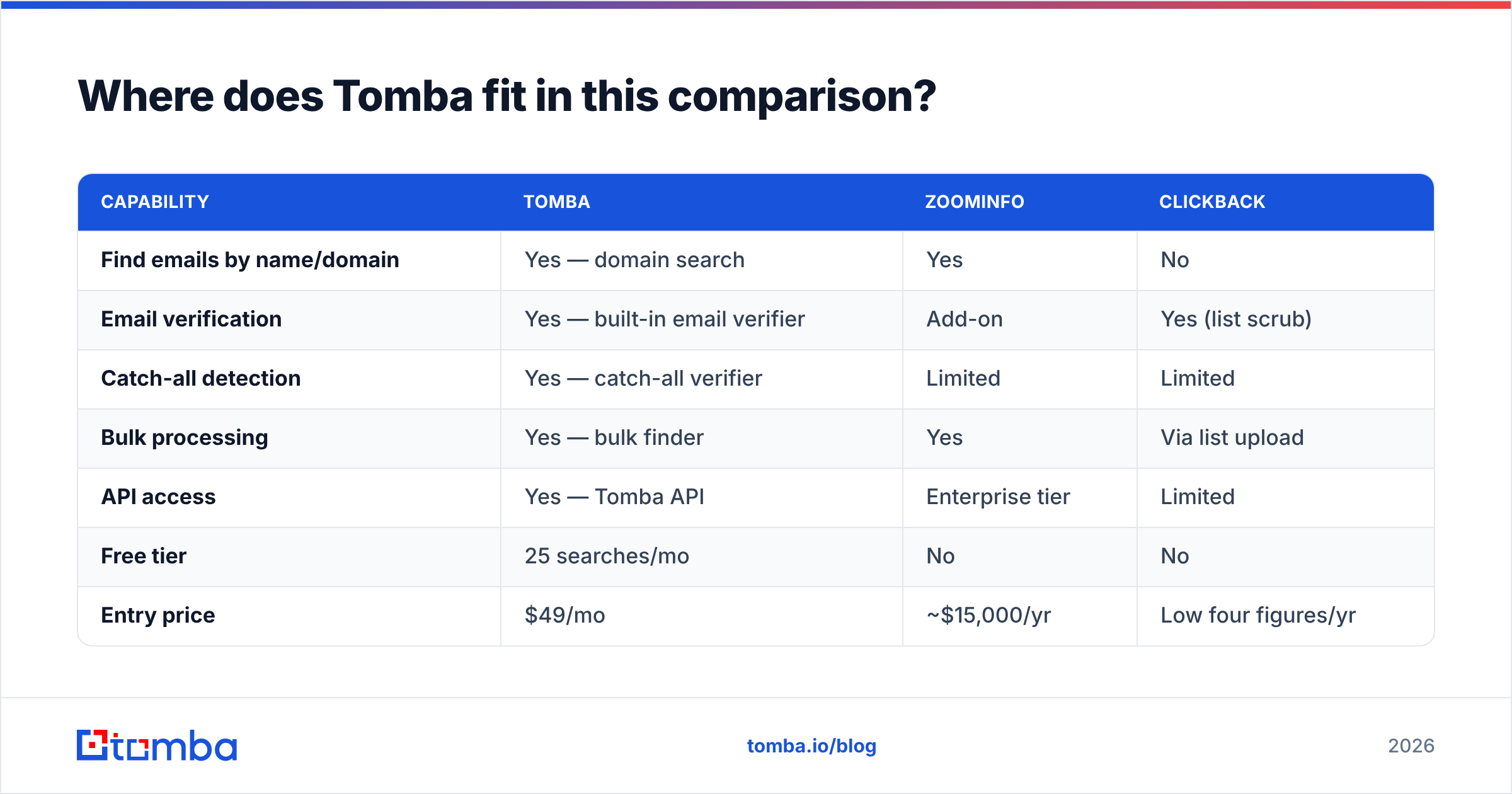
Here's how the three line up on the sourcing job specifically:
| Capability | Tomba | ZoomInfo | Clickback |
|---|---|---|---|
| Find emails by name/domain | Yes — domain search | Yes | No |
| Email verification | Yes — built-in email verifier | Add-on | Yes (list scrub) |
| Catch-all detection | Yes — catch-all verifier | Limited | Limited |
| Bulk processing | Yes — bulk finder | Yes | Via list upload |
| API access | Yes — Tomba API | Enterprise tier | Limited |
| Free tier | 25 searches/mo | No | No |
| Entry price | $49/mo | ~$15,000/yr | Low four figures/yr |
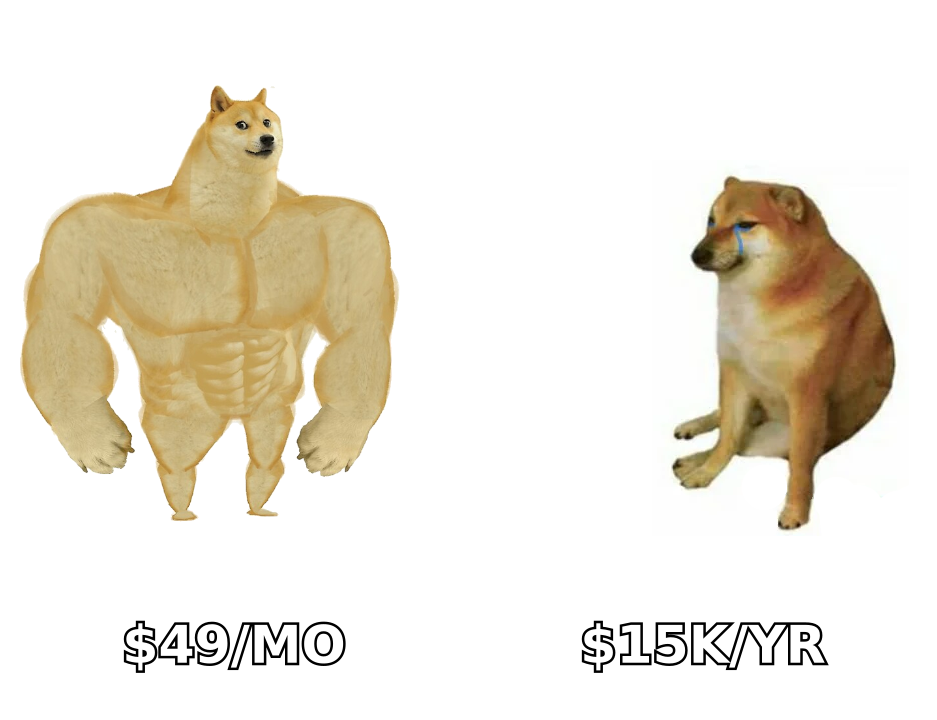
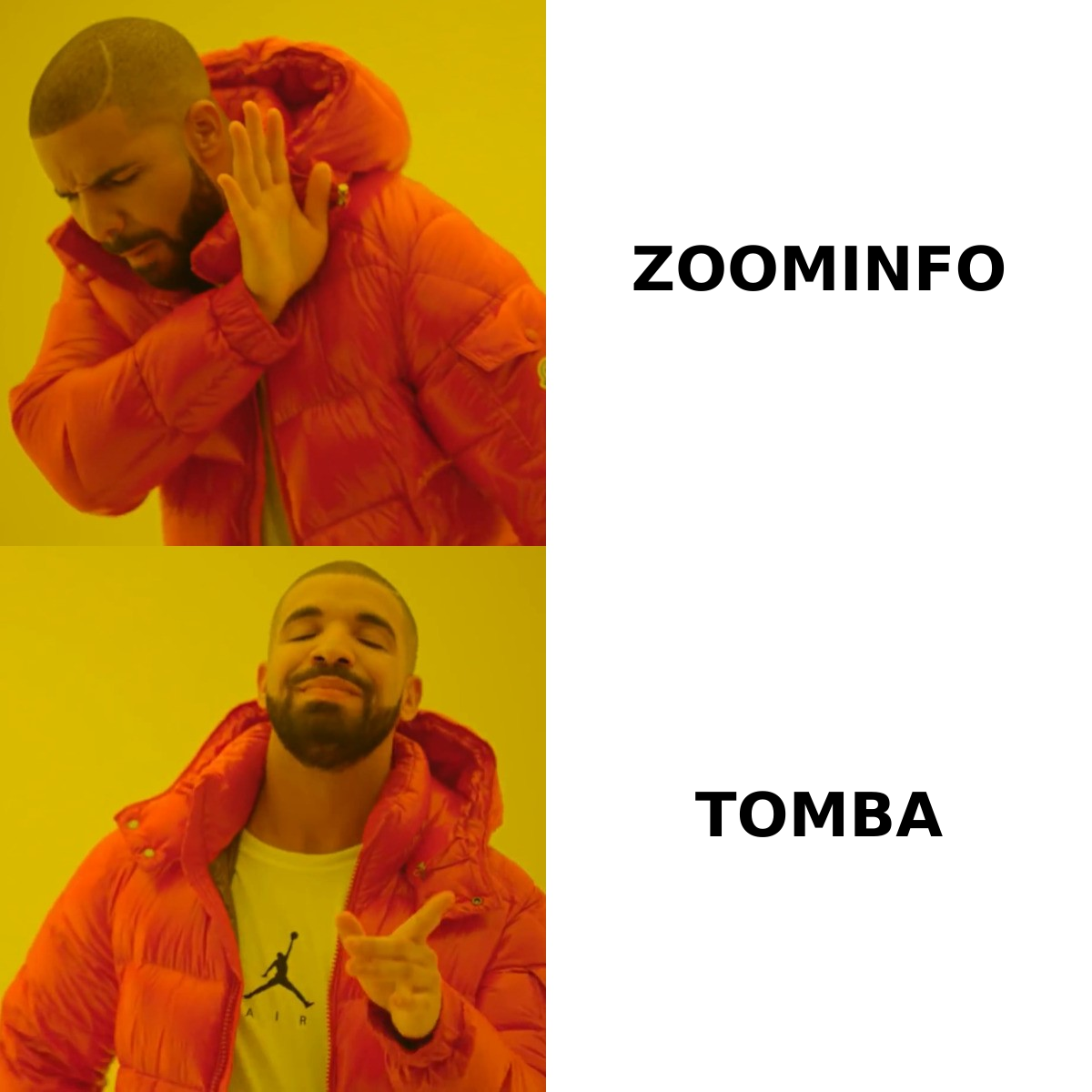
Tomba's free tier gives you 25 searches a month, and paid plans start at $49/mo (Starter), scaling to Growth at $99/mo and Pro at $249/mo. Full Tomba pricing is public — no "talk to sales" wall. Compared to a $15,000 ZoomInfo floor, that's the difference shown in the meme above: same sourcing outcome, a fraction of the spend.
The honest caveat: Tomba is not a sending platform like Clickback, and it doesn't ship intent data like ZoomInfo's premium tiers. If you genuinely need buying-intent signals across thousands of accounts, ZoomInfo earns its keep. And if you must blast a purchased list, you'll still want Clickback's dedicated-IP infrastructure. Tomba's lane is accurate sourcing and data enrichment — and for most SMB and mid-market teams, that's the part they're overpaying for.
How should you combine these tools?#
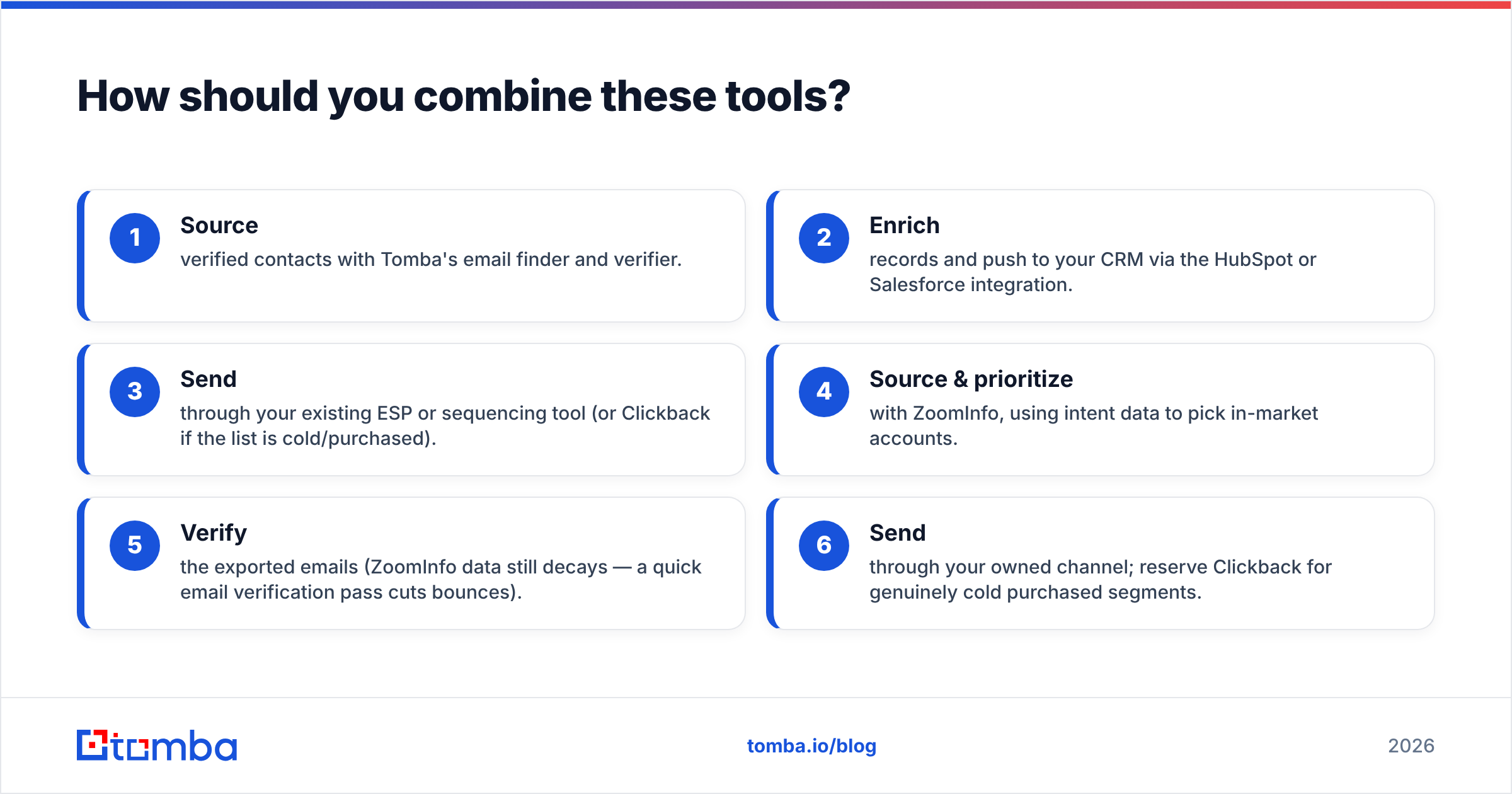
A realistic 2026 outbound stack rarely uses just one of these. Two sensible setups:
Budget-conscious stack (most teams):
- Source verified contacts with Tomba's email finder and verifier.
- Enrich records and push to your CRM via the HubSpot or Salesforce integration.
- Send through your existing ESP or sequencing tool (or Clickback if the list is cold/purchased).
Enterprise stack (intent-driven ABM):
- Source & prioritize with ZoomInfo, using intent data to pick in-market accounts.
- Verify the exported emails (ZoomInfo data still decays — a quick email verification pass cuts bounces).
- Send through your owned channel; reserve Clickback for genuinely cold purchased segments.
In both cases, verification is the unglamorous step that protects your sender reputation and email deliverability. Cold lists — whether bought, scraped, or exported from ZoomInfo — always carry stale and invalid addresses. Scrub before you send, every time.
Frequently asked questions#
Is Clickback a competitor to ZoomInfo? Not really. Clickback sends cold email; ZoomInfo supplies B2B data. They sit at different stages of the same funnel and are often used together rather than as alternatives.
Does ZoomInfo send emails? Only through its paid Engage add-on. The core ZoomInfo product is data and intelligence, not an email-sending platform like Clickback.
Is there a cheaper alternative to ZoomInfo for finding emails? Yes. Tools focused purely on email finding and verification — like Tomba — start at $49/mo with a free tier, versus ZoomInfo's roughly $15,000/year floor. You lose the intent data but keep the sourcing capability. See Apollo and Clearbit alternatives too if you want to compare.
Can I email a purchased list without Clickback? Technically yes, but most mainstream ESPs prohibit it and will suspend you. Clickback exists precisely because cold/purchased lists need dedicated infrastructure. Always verify and scrub the list first to limit bounces and complaints.
Which is better for a small sales team? Usually neither at full price. A small team typically needs accurate contact data more than enterprise intent tooling or cold-blast infrastructure. Start with a finder/verifier, add the heavier platforms only when volume and budget justify them.
The bottom line#
Clickback and ZoomInfo aren't really rivals — they're two halves of an outbound machine. ZoomInfo builds the list; Clickback sends to it. If you only buy one based on a head-to-head comparison, you'll likely end up needing the other anyway.
For the majority of teams, the smarter move is to unbundle: get accurate, verified B2B emails cheaply, then send through a channel you already own. That's exactly what Tomba Email Finder is built for — find professional email addresses by name, domain, or company, verify them in the same workflow, and start with 25 free searches before paying $49/mo. Try it before you sign a five-figure data contract you may not need.
Ready to find emails that actually work?
Join 150,000+ professionals who stopped guessing and started sending. Free credits on signup — no credit card required.
Get the Tomba newsletter
Practical outbound tactics and product updates — once every two weeks.
About the author