Clodura.ai vs Emailchaser: 2026 B2B Sales Tool Showdown
Clodura.ai is a prospecting database with built-in sequences; Emailchaser is a lean cold-email sender. Here's which one fits your 2026 outbound stack — and where a dedicated data tool beats both.
You're comparing Clodura.ai and Emailchaser because you need one tool to do two jobs: find the right people and email them. The problem is that these two products were built for opposite ends of that workflow. Picking wrong means you either pay for a database you barely touch, or you buy a sender with no one to send to.
This breakdown cuts through the marketing pages and shows you exactly where each tool wins, where each one quietly fails, and when you're better off pairing a lean sender with a dedicated data source instead.
TL;DR — Clodura.ai vs Emailchaser at a glance#
- Clodura.ai is a B2B sales-intelligence platform: a 600M+ contact database, intent signals, org charts, and a built-in email sequencer. Best for teams that want prospecting and sending in one login.
- Emailchaser is a focused cold-email tool: simple sequences, auto-follow-ups, unified inbox, and deliverability features. Best for solo founders and small teams who already have a list.
- Data accuracy is the real differentiator. Clodura bundles data; Emailchaser brings none. Either way, verifying before you send is what protects your domain.
- Pricing models differ sharply — Clodura sells seats plus credits, Emailchaser sells per-sending-mailbox simplicity.
- If you want best-in-class contact data without paying for a heavy all-in-one suite, a dedicated email finder plus Emailchaser often beats Clodura on both cost and accuracy.
What is Clodura.ai?#
Clodura.ai is a sales-intelligence and prospecting platform. The pitch is "all-in-one": you search a built-in database of company and contact records, layer on buying-intent and technographic signals, build a list, and then run email sequences to that list without leaving the app.
Its strengths are on the discovery side. You get org charts, direct dials, news-based triggers, and saved-search alerts that surface new accounts matching your ICP. For an SDR team that lives inside one tool, that consolidation is genuinely useful — fewer tabs, fewer CSV exports, one reporting layer.
The trade-off is depth versus breadth. Because Clodura tries to be CRM-adjacent, prospecting engine, and sender at once, no single module is best-in-class. The sequencer is competent but basic next to a dedicated outreach platform, and the bundled data — like all large static databases — drifts out of date and needs verification before you trust it on a live send.
What is Emailchaser?#
Emailchaser is a cold-email outreach tool built around simplicity. You connect your mailbox, upload or paste contacts, write a sequence with automatic follow-ups, and it sends from your real inbox while managing replies in a unified view.
It deliberately does not try to be a database. There's no 600M-record search, no intent graph, no org charts. What you get instead is a clean sending engine: follow-up automation that stops when someone replies, sending limits and throttling to protect your domain, and a price that doesn't scale punishingly with team size.
That makes Emailchaser a strong fit for founders, agencies, and small sales teams who already source contacts elsewhere — from LinkedIn, referrals, or a dedicated finder — and just need a reliable, no-bloat way to run sequences. The gap is obvious: bring your own data, and make sure it's clean, because Emailchaser will happily send to whatever you give it.

Clodura.ai vs Emailchaser: the core comparison#
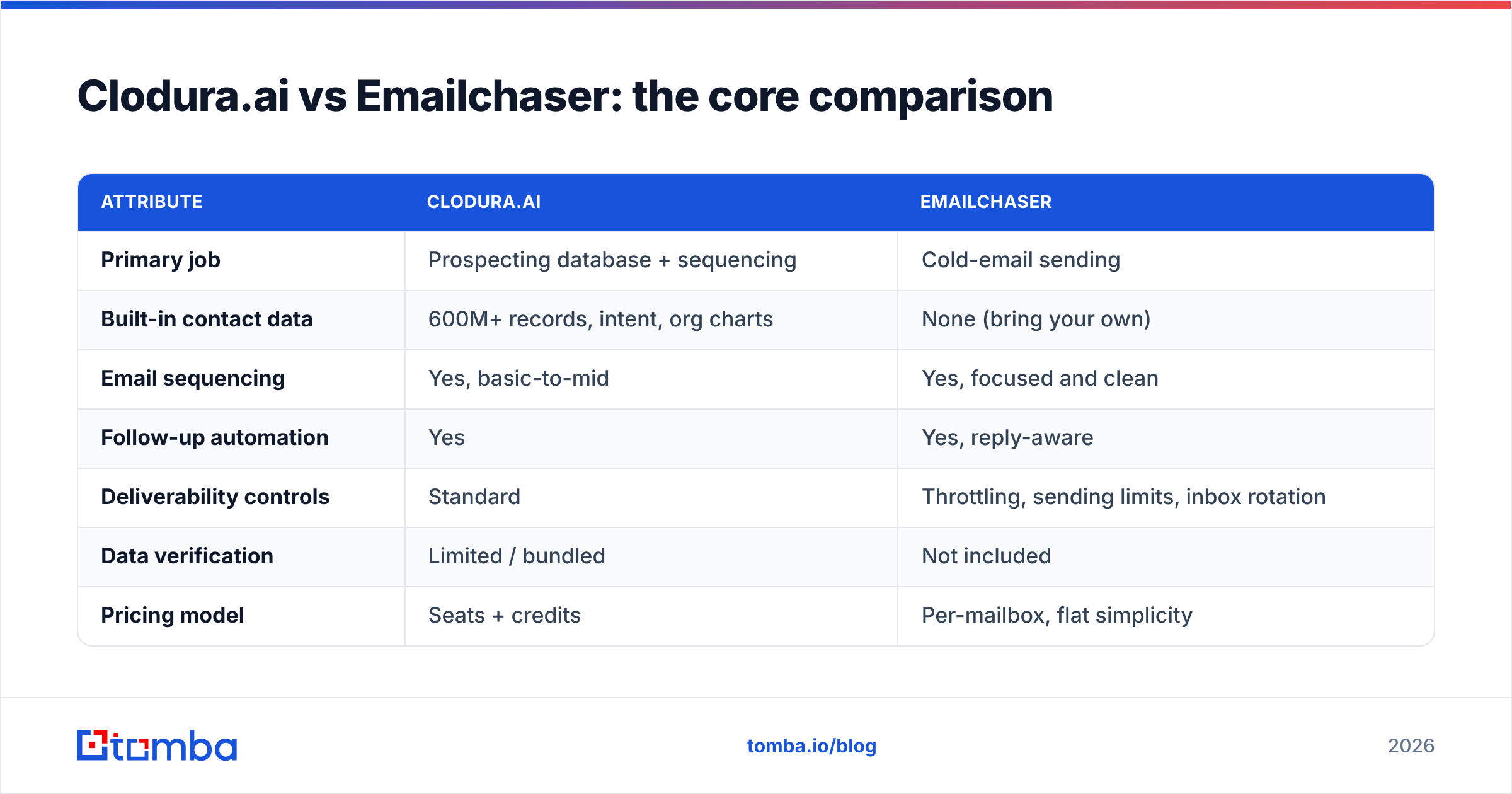
Here's the head-to-head on the attributes that actually change your numbers. Treat the all-in-one bundle and the focused sender as different categories — because they are.
| Attribute | Clodura.ai | Emailchaser |
|---|---|---|
| Primary job | Prospecting database + sequencing | Cold-email sending |
| Built-in contact data | 600M+ records, intent, org charts | None (bring your own) |
| Email sequencing | Yes, basic-to-mid | Yes, focused and clean |
| Follow-up automation | Yes | Yes, reply-aware |
| Deliverability controls | Standard | Throttling, sending limits, inbox rotation |
| Data verification | Limited / bundled | Not included |
| Pricing model | Seats + credits | Per-mailbox, flat simplicity |
| Best for | SDR teams wanting one suite | Founders & small teams with a list |
| Learning curve | Higher (feature-dense) | Low |
The pattern is clear. Clodura wins if you value consolidation and want discovery built in. Emailchaser wins if you value focus, speed, and a predictable bill — provided you've solved data sourcing separately.
Which has better data accuracy?#
Neither tool should be your final source of truth on an email address — and that's the most important sentence in this article.
Clodura ships data, which feels like an advantage until you measure bounce rates. Every large static B2B database decays: people change jobs, companies rebrand, catch-all domains hide invalid mailboxes. Vendors quote high accuracy figures, but the number that matters is what bounces on your send today, not what was accurate when the record was scraped. Sending to a stale list torches your sender reputation and lands future mail in spam.
Emailchaser sidesteps the claim entirely by carrying no data — which just moves the responsibility to you. Whatever list you import is exactly as good as your sourcing and verification.
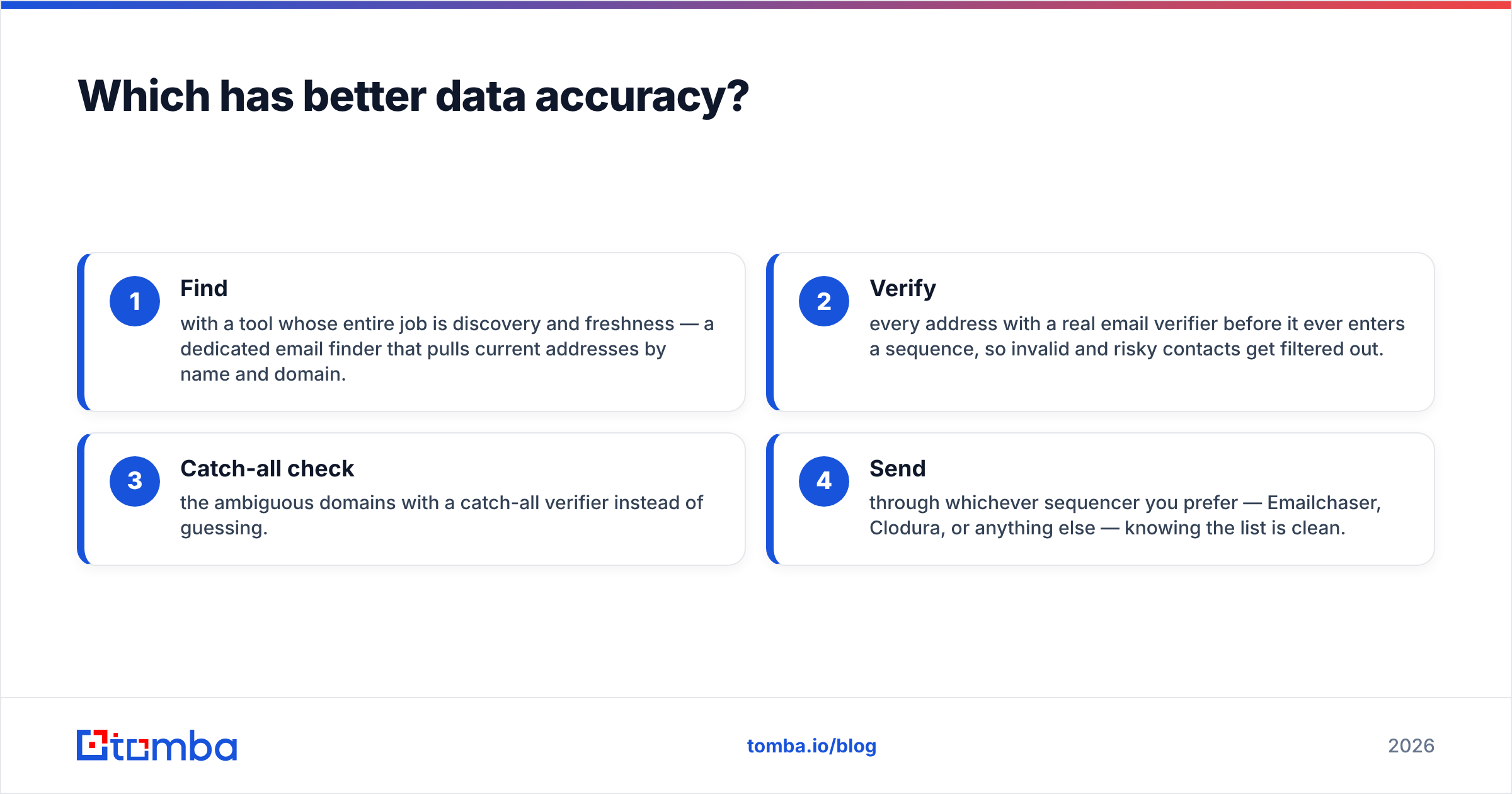
This is why the smartest outbound stacks decouple the two functions:
- Find with a tool whose entire job is discovery and freshness — a dedicated email finder that pulls current addresses by name and domain.
- Verify every address with a real email verifier before it ever enters a sequence, so invalid and risky contacts get filtered out.
- Catch-all check the ambiguous domains with a catch-all verifier instead of guessing.
- Send through whichever sequencer you prefer — Emailchaser, Clodura, or anything else — knowing the list is clean.
When you separate data from sending, you stop paying the "all-in-one tax" of a mediocre database bundled into your sender, and your bounce rate drops because verification is a first-class step, not an afterthought.
How does pricing compare?#
Pricing is where the two philosophies diverge most.
Clodura.ai uses the classic sales-intelligence model: paid seats plus credits for data exports and reveals. That can be cost-effective for a funded SDR team that genuinely uses the database daily, but it gets expensive fast as you add reps or burn through credits on bulk pulls. You're paying for the data engine whether or not it's your bottleneck.
Emailchaser keeps it simple — pricing tracks to sending mailboxes and volume rather than data credits, which makes the bill predictable and friendly to small teams. You're paying for sending, full stop.
The hidden variable in both cases is your data spend. If you go all-in on Clodura, data is "included" but locked to that vendor's freshness. If you choose Emailchaser, you'll budget separately for a finder and verifier — and that's often cheaper overall because dedicated tools price data sanely.
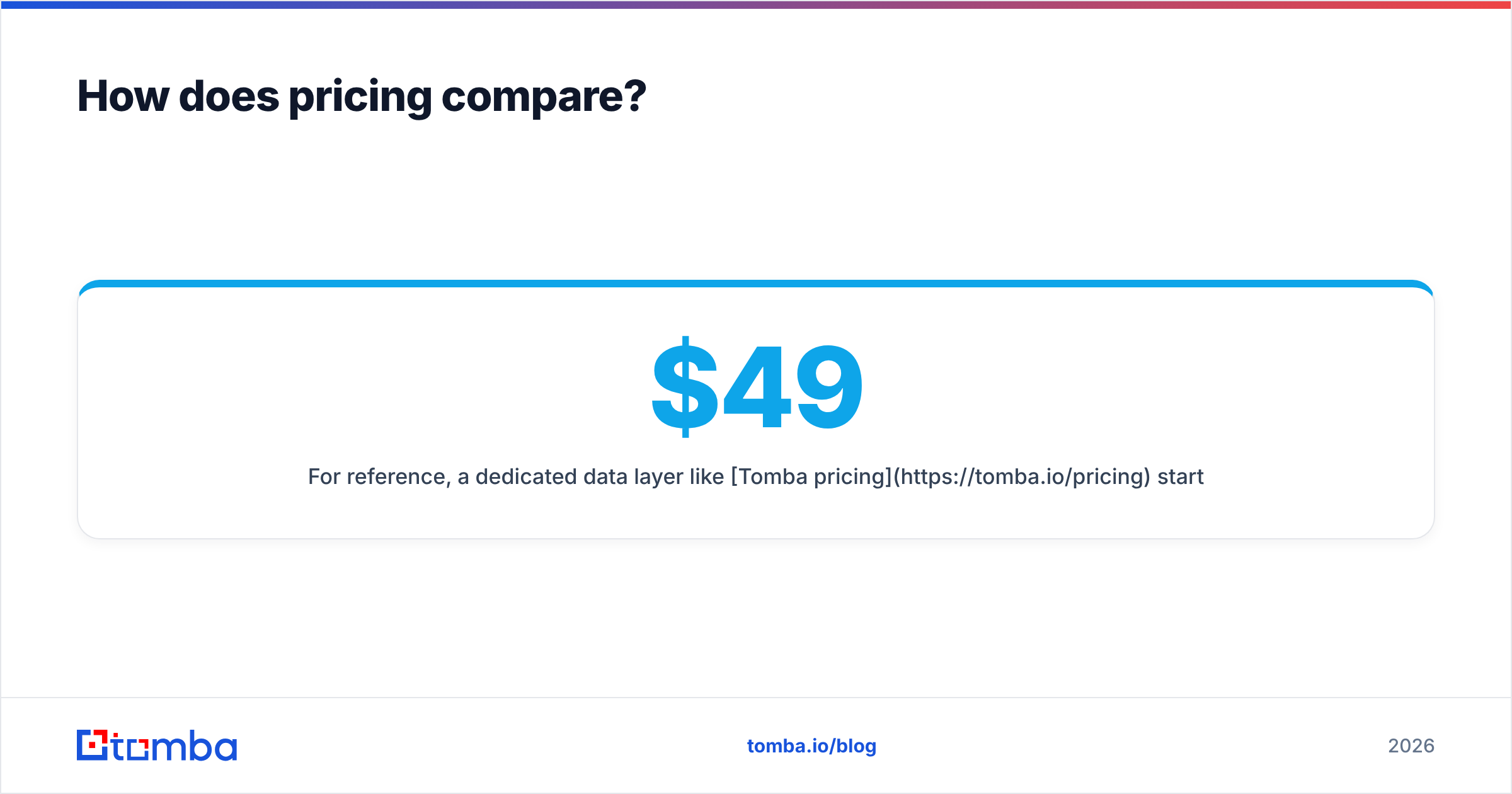
For reference, a dedicated data layer like Tomba pricing starts free with 25 searches/month, then $49/mo Starter, $99/mo Growth, and $249/mo Pro — so you can add accurate finding and verification to Emailchaser for less than the premium you'd pay for a bundled suite, and with better-controlled data quality.
When should you pick each tool?#
Use this quick decision guide instead of agonizing over feature lists.
- Pick Clodura.ai if you're an SDR team that wants prospecting, intent signals, and sequencing under one roof, you have budget for seats and credits, and you'll actually use the database every day. Consolidation is the win.
- Pick Emailchaser if you're a founder, agency, or small team, you already source contacts (or will pair with a finder), and you want a clean, predictable sender without suite bloat.
- Pick Emailchaser + a dedicated data tool if you want the best of both: a lean sender plus genuinely fresh, verified contacts. This combo usually beats Clodura on accuracy and total cost.
- Pick neither for data alone — if your real gap is finding and verifying emails, don't buy a sender or a suite to solve it. Use a purpose-built finder and verifier and plug them into the sender you already like.
What about deliverability?#
Deliverability is decided before you press send, not by the sender you choose.
Emailchaser gives you the operational controls — sending limits, throttling, reply detection so follow-ups stop appropriately — which protect your domain reputation during a campaign. Clodura offers comparable standard controls inside its suite. Honestly, on the sending mechanics, the two are close enough that it won't be your deciding factor.
The factor that actually moves your inbox-placement rate is list quality. A 3% bounce rate from stale data will sink you regardless of how good your throttling is, because mailbox providers read bounces as a spam signal. That's why list hygiene — verifying addresses, removing catch-all unknowns, deduplicating — does more for email deliverability than any setting inside either tool.
Translation: don't choose Clodura over Emailchaser (or vice versa) for deliverability reasons. Choose based on data strategy and price, then enforce verification before every send. You can pressure-test your domain setup with a free SPF checker and tighten the basics before scaling volume.
How do you build a stack that beats both?#
The best-performing outbound teams in 2026 don't pick one monolith — they assemble a thin, accurate stack. Here's the blueprint.
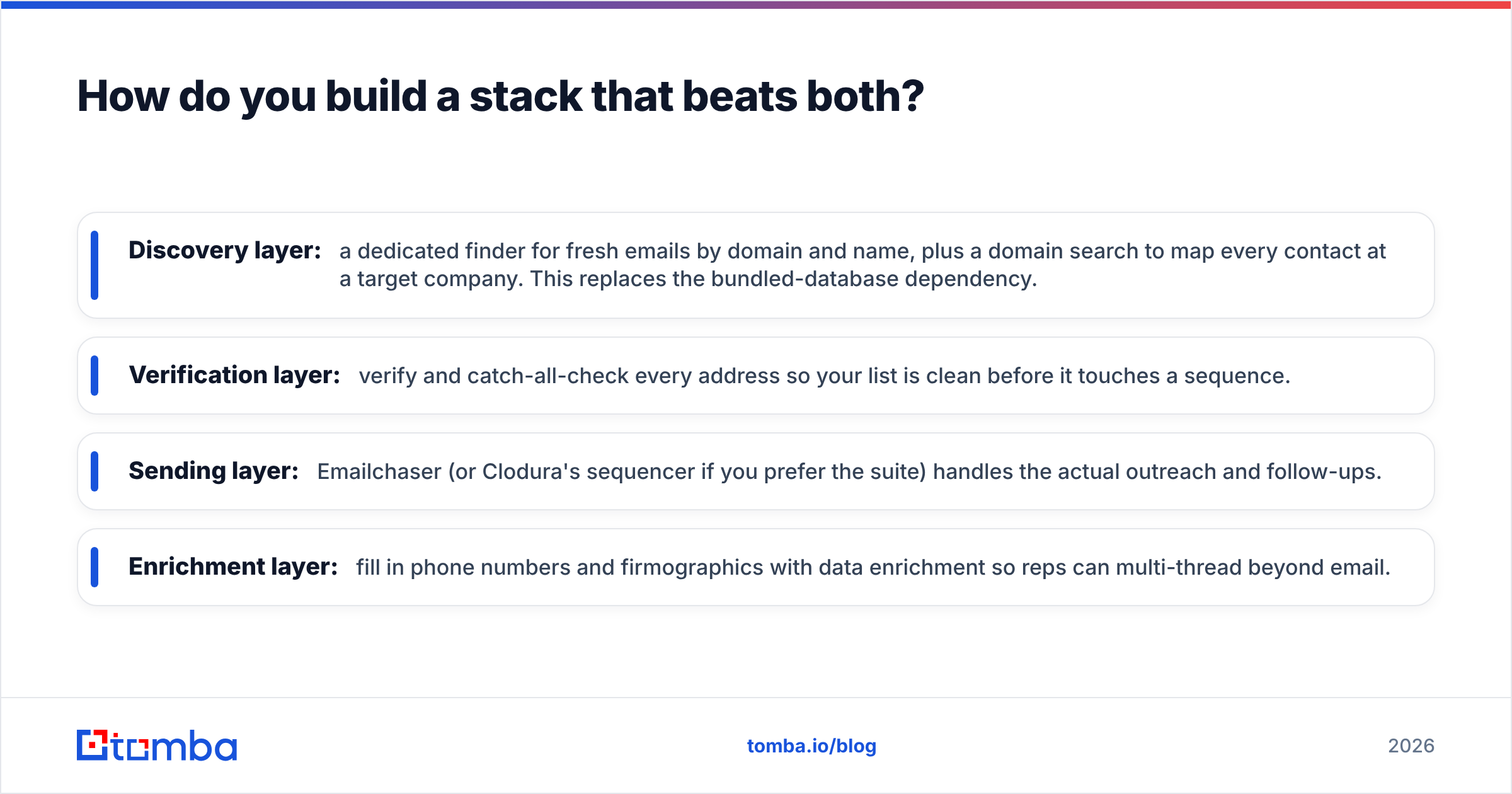
- Discovery layer: a dedicated finder for fresh emails by domain and name, plus a domain search to map every contact at a target company. This replaces the bundled-database dependency.
- Verification layer: verify and catch-all-check every address so your list is clean before it touches a sequence.
- Sending layer: Emailchaser (or Clodura's sequencer if you prefer the suite) handles the actual outreach and follow-ups.
- Enrichment layer: fill in phone numbers and firmographics with data enrichment so reps can multi-thread beyond email.
This modular approach means you can swap any layer without ripping out the others. Don't like your sender? Change it — your data stays. That flexibility is exactly what an all-in-one suite costs you when it locks data, sending, and reporting together.
The verdict#
There's no single winner because Clodura.ai and Emailchaser aren't really competitors — they're a suite and a sender. Choose Clodura if you want consolidation and will use its database daily. Choose Emailchaser if you want a focused, affordable sender and you'll handle data yourself.
But the move that beats both for most teams is to treat data as its own decision. A bundled database that quietly decays is the most common reason cold-email campaigns underperform, and a sender with no data is only as good as what you feed it. Solve the data problem properly and the sender choice gets easy.
That's where Tomba fits. Use the Tomba Email Finder to pull current, accurate professional emails by name, company, or domain, verify them before they enter any sequence, and feed a clean list into Emailchaser, Clodura, or whatever you send with. Start free with 25 searches a month, scale to Starter at $49/mo when you're ready, and stop letting stale data decide your results. Your bounce rate — and your domain reputation — will thank you.
// get started
Find, verify and enrich your first contacts today
Start on the free plan with 25 searches a month, then scale when your team is ready.
Free plan · No credit card required · GDPR & CCPA
// about the author