Clodura.ai vs GMass 2026: Which Cold Email Tool Wins?
Clodura.ai bundles a B2B database with sequences; GMass turns Gmail into a mail-merge machine. Here's an honest 2026 breakdown of which cold email tool fits your stack — and where the data layer really comes from.
Clodura.ai vs GMass: Which Cold Email Tool Actually Fits Your Outbound in 2026?
You're picking between two tools that solve the cold email problem from opposite ends. Clodura.ai starts with a B2B database and bolts sequencing on top. GMass starts inside Gmail and turns your inbox into a mail-merge engine. Neither is "better" in a vacuum — they're built for different teams, different budgets, and different definitions of "done."
This is a neutral teardown: what each does well, where each quietly falls short, and the data-quality question both vendors would rather you not ask too loudly.
TL;DR — The 30-Second Verdict#
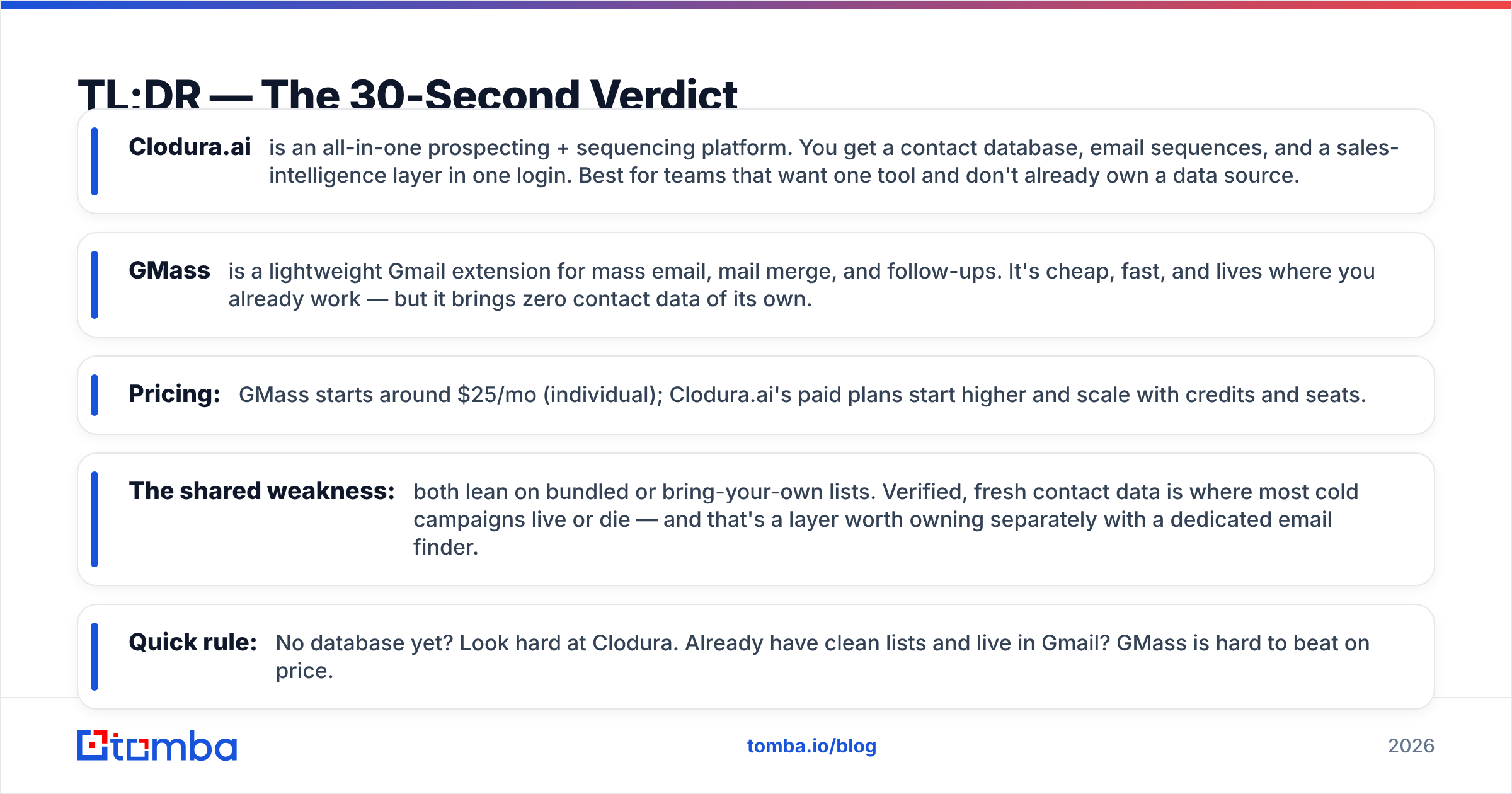
- Clodura.ai is an all-in-one prospecting + sequencing platform. You get a contact database, email sequences, and a sales-intelligence layer in one login. Best for teams that want one tool and don't already own a data source.
- GMass is a lightweight Gmail extension for mass email, mail merge, and follow-ups. It's cheap, fast, and lives where you already work — but it brings zero contact data of its own.
- Pricing: GMass starts around $25/mo (individual); Clodura.ai's paid plans start higher and scale with credits and seats.
- The shared weakness: both lean on bundled or bring-your-own lists. Verified, fresh contact data is where most cold campaigns live or die — and that's a layer worth owning separately with a dedicated email finder.
- Quick rule: No database yet? Look hard at Clodura. Already have clean lists and live in Gmail? GMass is hard to beat on price.
What Is Clodura.ai?#
Clodura.ai is a sales-prospecting platform that pairs a B2B contact database with outbound automation. The pitch is "find, engage, close" in one place: you search a database of companies and contacts, build a list, then run multi-step email sequences against it without exporting to a separate tool.
Think of it like a sales department in a box. Instead of stitching a data vendor to a sequencer to a verifier, Clodura hands you a single dashboard. That convenience is the entire value proposition — and also the source of its trade-offs. Bundled databases are broad but rarely as fresh or as deep as a specialist data provider, and you're locked into the vendor's idea of how a sequence should work.
Clodura also layers on extras like buyer-intent signals, org charts, and direct-dial discovery. If you've never owned a sales-intelligence stack, that breadth feels generous. If you already run a refined process, a lot of it is surface area you won't touch.
What Is GMass?#
GMass is a Chrome extension that turns Gmail into a cold email and mail-merge platform. You write a campaign in a normal Gmail compose window, connect a Google Sheet for personalization, and GMass handles the send, the merge tags, automated follow-ups, and open/reply tracking.
The everyday analogy: GMass is a power-steering kit for the car you already drive. You don't learn a new interface — you keep using Gmail, and GMass adds mass-send muscle behind it. That's why solo founders, recruiters, and small agencies love it. The learning curve is close to zero.
The flip side is just as clear. GMass is a sending tool, not a data tool. It has no contact database. It assumes you arrive with a list already in a spreadsheet. It also rides on Gmail's sending limits, so it's built for targeted volume, not enterprise-scale blasting. According to GMass's own documentation, deliverability features like spam testing and inbox-rotation exist — but the raw quality of who you're emailing is entirely on you.
Clodura.ai vs GMass: The Head-to-Head Table#
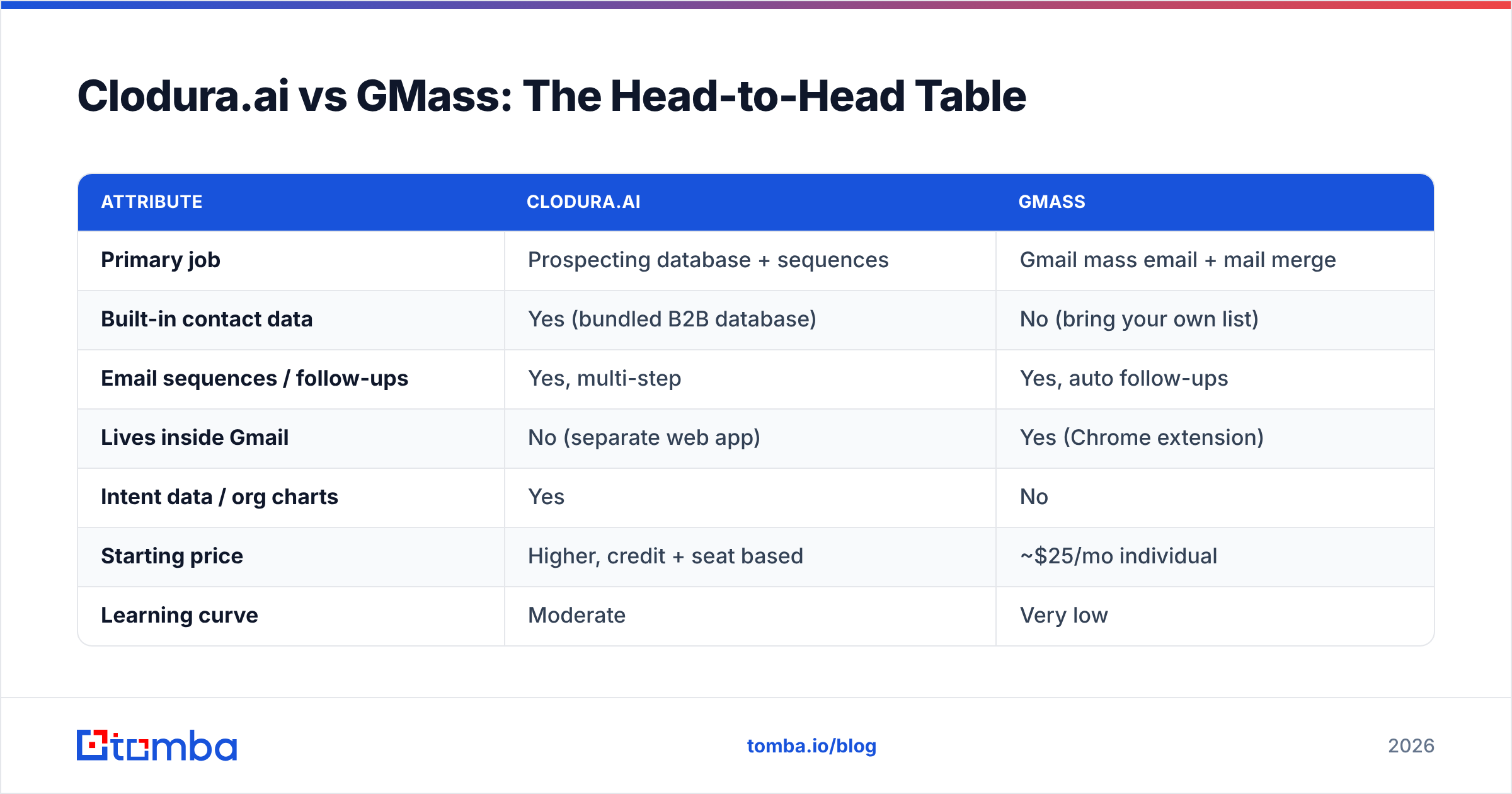
Here's the core comparison near the decision point. Use it to match the tool to how your team actually works.
| Attribute | Clodura.ai | GMass |
|---|---|---|
| Primary job | Prospecting database + sequences | Gmail mass email + mail merge |
| Built-in contact data | Yes (bundled B2B database) | No (bring your own list) |
| Email sequences / follow-ups | Yes, multi-step | Yes, auto follow-ups |
| Lives inside Gmail | No (separate web app) | Yes (Chrome extension) |
| Intent data / org charts | Yes | No |
| Starting price | Higher, credit + seat based | ~$25/mo individual |
| Learning curve | Moderate | Very low |
| Best for | Teams with no data source | Gmail users with their own lists |
| Sending scale | Platform-managed | Gmail-limited (with workarounds) |
How Do They Compare on Data Quality?#
This is where both tools deserve real scrutiny, because data quality decides your bounce rate, your sender reputation, and ultimately whether your campaign reaches a human at all.
Clodura.ai's strength is that the data is there — you don't source it. But bundled databases age fast. People change jobs, companies rebrand, and a contact that was accurate at signup can be stale by the time you email it. Clodura verifies emails, but no single bundled source is uniformly fresh across every industry and region.
GMass has no data layer at all. Whatever you upload is what you send to. If your spreadsheet is full of guessed addresses or scraped junk, GMass will faithfully deliver every one of them straight into spam traps.
That's the uncomfortable truth both vendors share: the contact data is the foundation, and neither one is a dedicated data-quality specialist. This is exactly why many teams keep a separate verification step in their pipeline. Running every address through an email verifier before a send — or pulling fresh, pattern-matched contacts via domain search — protects the sender reputation that both Clodura and GMass depend on but neither fully guarantees.

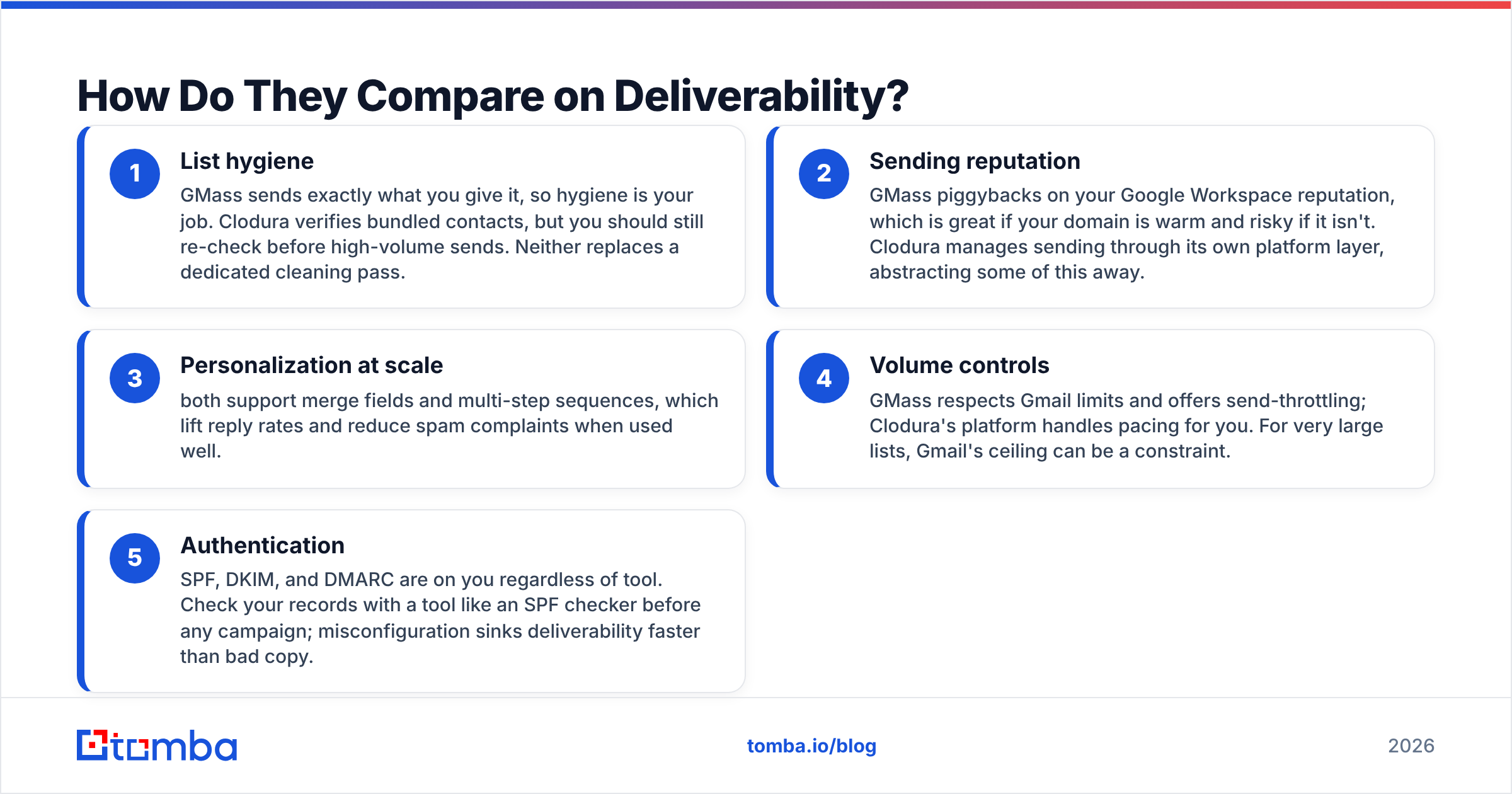
How Do They Compare on Deliverability?#
Deliverability is part data, part behavior, and part infrastructure. Here's how the two stack up across the levers that actually move inbox placement.
- List hygiene — GMass sends exactly what you give it, so hygiene is your job. Clodura verifies bundled contacts, but you should still re-check before high-volume sends. Neither replaces a dedicated cleaning pass.
- Sending reputation — GMass piggybacks on your Google Workspace reputation, which is great if your domain is warm and risky if it isn't. Clodura manages sending through its own platform layer, abstracting some of this away.
- Personalization at scale — both support merge fields and multi-step sequences, which lift reply rates and reduce spam complaints when used well.
- Volume controls — GMass respects Gmail limits and offers send-throttling; Clodura's platform handles pacing for you. For very large lists, Gmail's ceiling can be a constraint.
- Authentication — SPF, DKIM, and DMARC are on you regardless of tool. Check your records with a tool like an SPF checker before any campaign; misconfiguration sinks deliverability faster than bad copy.
The pattern is consistent: both tools give you mechanisms, but inbox placement still rides on the quality of your list and the health of your domain. Garbage in, spam folder out.
What Does Each Tool Cost in 2026?#
Pricing is where these two part ways hardest, because you're partly paying for very different things.
GMass is priced like a productivity add-on. Individual plans start around $25/mo, with team and premium tiers adding higher sending limits and features. You're paying for sending capability — the data is free because you bring it yourself.
Clodura.ai is priced like a sales platform. Plans scale with credits (for revealing contacts) and seats, so the effective monthly cost climbs with team size and how aggressively you pull data. You're paying for data plus software, which is why the floor is higher.
A fair way to read it: GMass is cheaper on paper, but only because the data cost is hidden — it shows up later in the data source you have to buy or build separately. Clodura folds that cost in. When you model total cost of ownership, add a line for whatever supplies your contacts. For many teams that line is a standalone provider; you can compare Tomba pricing against the per-contact economics baked into a bundled platform and the math often favors unbundling.
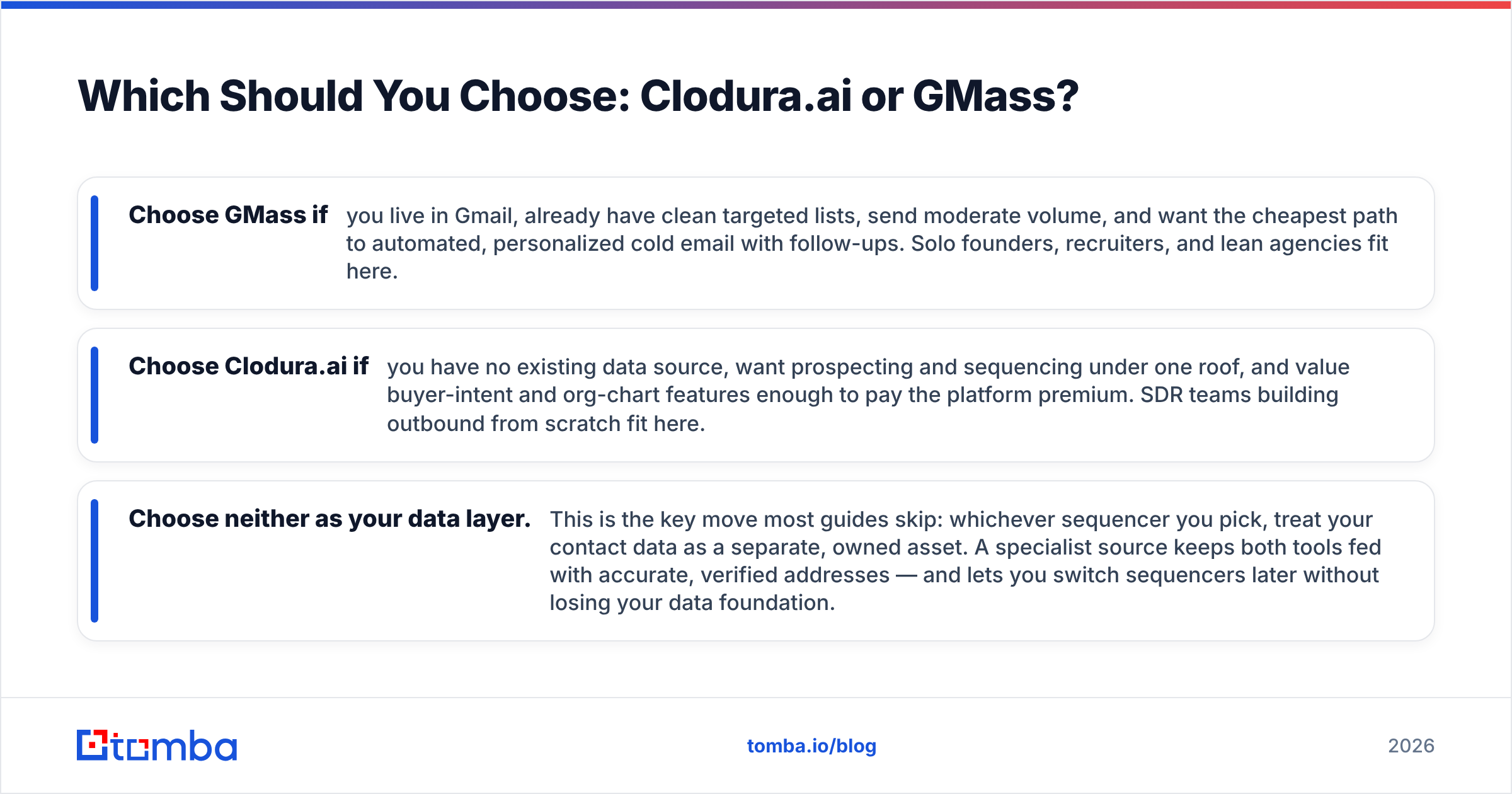
Which Should You Choose: Clodura.ai or GMass?#
Match the tool to your situation rather than chasing a single "winner."
- Choose GMass if you live in Gmail, already have clean targeted lists, send moderate volume, and want the cheapest path to automated, personalized cold email with follow-ups. Solo founders, recruiters, and lean agencies fit here.
- Choose Clodura.ai if you have no existing data source, want prospecting and sequencing under one roof, and value buyer-intent and org-chart features enough to pay the platform premium. SDR teams building outbound from scratch fit here.
- Choose neither as your data layer. This is the key move most guides skip: whichever sequencer you pick, treat your contact data as a separate, owned asset. A specialist source keeps both tools fed with accurate, verified addresses — and lets you switch sequencers later without losing your data foundation.
For the third path, a dedicated finder-and-verifier stack is the unlock. You can enrich and validate at scale with a bulk email finder, then push clean records straight into your CRM via native HubSpot integration so neither GMass nor Clodura ever touches a stale row.
How Do These Tools Fit a Modern Outbound Stack?#
The smartest 2026 outbound teams don't think "one tool to rule them all." They think in layers: a data layer (find + verify), a sequencing layer (send + follow up), and a CRM layer (track + close). Clodura tries to own the first two; GMass owns only the second. Both leave the data-quality bar lower than a specialist would.
That layered view is why comparison shoppers often land on a hybrid: use GMass or Clodura for sequencing, but own the data layer independently. Independent data means you control accuracy, you're never locked into one vendor's bundled list, and you can verify continuously instead of trusting a snapshot. Cross-referencing third-party reviews on G2 shows the same theme repeatedly — buyers rarely complain about the sending mechanics; they complain about bounce rates and stale contacts. That's a data problem, not a sequencer problem.
If your reply rates are flat, audit the data before you blame the tool. Re-verify the list, confirm your authentication records, and check that the addresses are real working inboxes — not catch-all domains that silently swallow your mail.
The Bottom Line#
Clodura.ai and GMass aren't really competitors so much as two answers to "how much do you want bundled?" GMass keeps it minimal and cheap and assumes you bring the data. Clodura bundles the data and charges for the convenience. The right pick depends on whether you already own a data source and how much platform you actually want to manage.
But the decision both tools dodge is the one that matters most: where your contacts come from and how fresh they stay. A sequencer can't fix a bad list, and a bundled database ages the moment you sign up.
Own your data layer. Tomba's Email Finder gives you verified, professional email addresses by domain, name, or company — the accurate foundation that makes any sequencer, GMass or Clodura, actually land in the inbox. Start free with 25 searches a month, scale up on the Starter plan at $49/mo, and feed clean data into whatever outbound engine you choose. Pick your sequencer for the workflow; own your data so you never have to switch tools just to fix your bounce rate.
// get started
Find, verify and enrich your first contacts today
Start on the free plan with 25 searches a month, then scale when your team is ready.
Free plan · No credit card required · GDPR & CCPA
// about the author